tow CHEVROLET CORVETTE 2006 6.G Owner's Manual
[x] Cancel search | Manufacturer: CHEVROLET, Model Year: 2006, Model line: CORVETTE, Model: CHEVROLET CORVETTE 2006 6.GPages: 426, PDF Size: 2.48 MB
Page 130 of 426
Lowering the Power Convertible Top
1. Park on a level surface. The vehicle must be
running or in ACC. Shift an automatic transmission
into PARK (P) and set the parking brake. Shift a
manual transmission into NEUTRAL, and set
the parking brake.
2. Make sure the trunk is closed and the rear trunk
partition in the rear storage area is in the fastened
upright position, and that no objects are forward
of the divider. See “Rear Trunk Partition” under
Rear Storage Area on page 2-52.
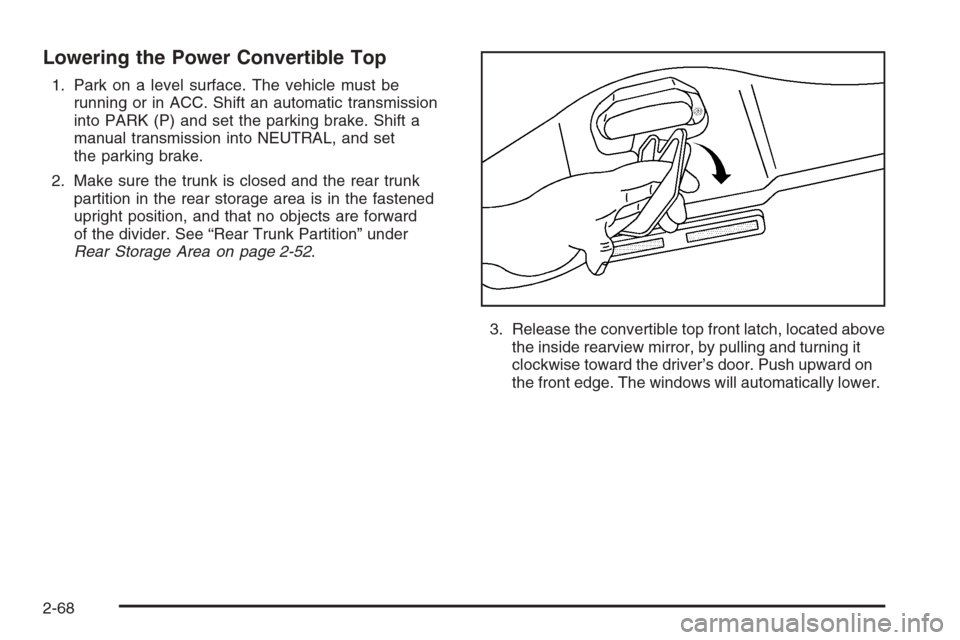
3. Release the convertible top front latch, located above
the inside rearview mirror, by pulling and turning it
clockwise toward the driver’s door. Push upward on
the front edge. The windows will automatically lower.
2-68
Page 132 of 426
4. After the convertible top is completely raised,
release the power convertible top button.
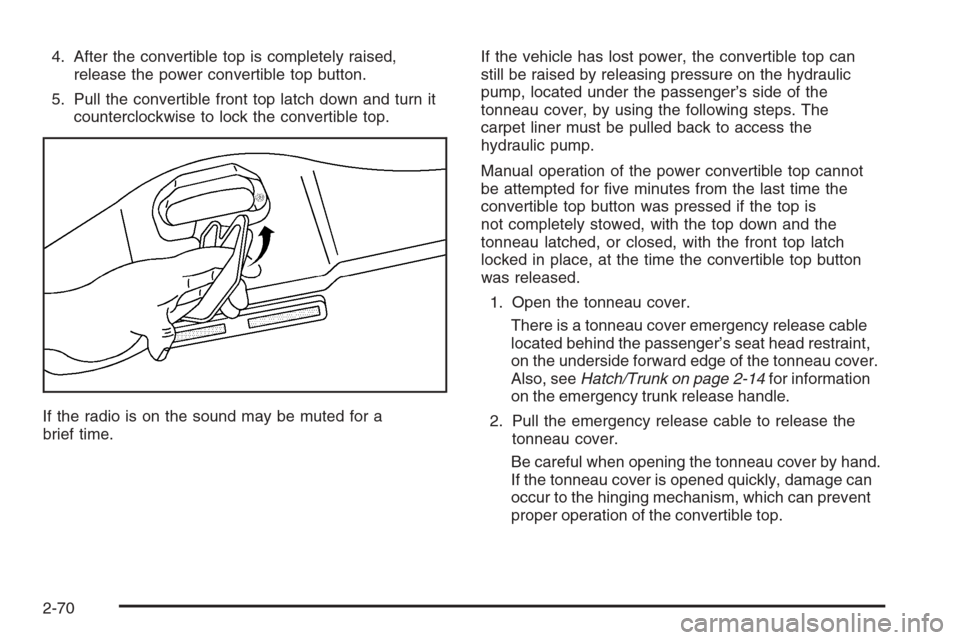
5. Pull the convertible front top latch down and turn it
counterclockwise to lock the convertible top.
If the radio is on the sound may be muted for a
brief time.If the vehicle has lost power, the convertible top can
still be raised by releasing pressure on the hydraulic
pump, located under the passenger’s side of the
tonneau cover, by using the following steps. The
carpet liner must be pulled back to access the
hydraulic pump.
Manual operation of the power convertible top cannot
be attempted for ve minutes from the last time the
convertible top button was pressed if the top is
not completely stowed, with the top down and the
tonneau latched, or closed, with the front top latch
locked in place, at the time the convertible top button
was released.
1. Open the tonneau cover.
There is a tonneau cover emergency release cable
located behind the passenger’s seat head restraint,
on the underside forward edge of the tonneau cover.
Also, seeHatch/Trunk on page 2-14for information
on the emergency trunk release handle.
2. Pull the emergency release cable to release the
tonneau cover.
Be careful when opening the tonneau cover by hand.
If the tonneau cover is opened quickly, damage can
occur to the hinging mechanism, which can prevent
proper operation of the convertible top.
2-70
Page 143 of 426
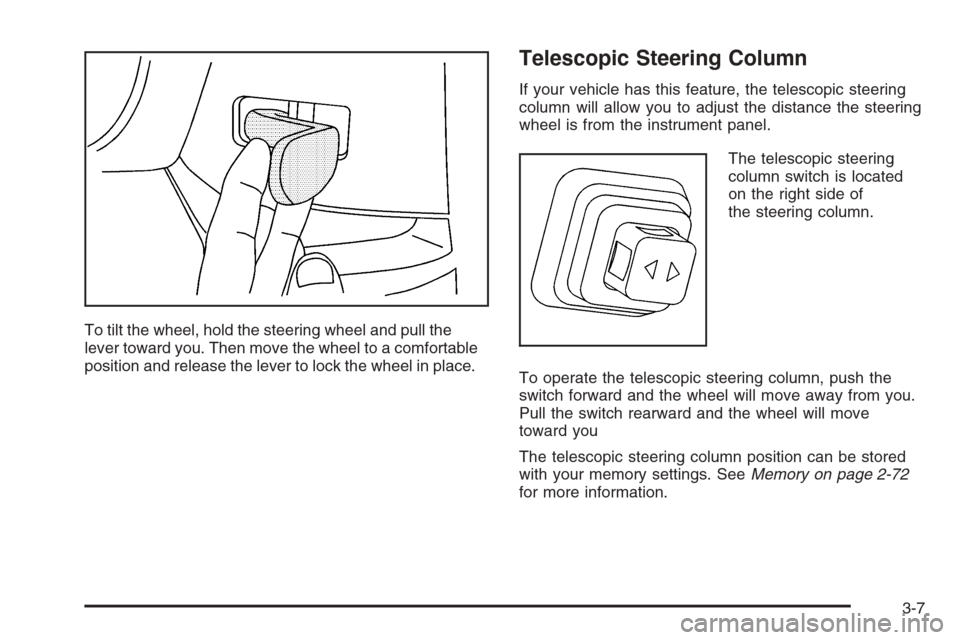
To tilt the wheel, hold the steering wheel and pull the
lever toward you. Then move the wheel to a comfortable
position and release the lever to lock the wheel in place.
Telescopic Steering Column
If your vehicle has this feature, the telescopic steering
column will allow you to adjust the distance the steering
wheel is from the instrument panel.
The telescopic steering
column switch is located
on the right side of
the steering column.
To operate the telescopic steering column, push the
switch forward and the wheel will move away from you.
Pull the switch rearward and the wheel will move
toward you
The telescopic steering column position can be stored
with your memory settings. SeeMemory on page 2-72
for more information.
3-7
Page 145 of 426
Turn Signal on Chime
A chime will remind you if you leave the turn signal on for
more than three-quarters of a mile (1.2 km) of driving.
If you need to leave the turn signal on for more than
three-quarters of a mile (1.2 km), turn off the signal and
then turn it back on.
Headlamp High/Low-Beam Changer
To change the headlamps from low beam to high or high
to low, push the turn signal lever all the way forward.
While the high beams
are on, this light on the
instrument panel cluster
also will be on. To change
the headlamps from
high to low, pull the lever
rearward.
Flash-to-Pass
To use the ash-to-pass feature, momentarily pull the
turn signal lever toward you. The high-beam indicator
will ash to indicate to the other driver that you intend
to pass. If the low-beam headlamps are off and you
have the optional fog lamps on, the fog lamps will ash.
Windshield Wipers
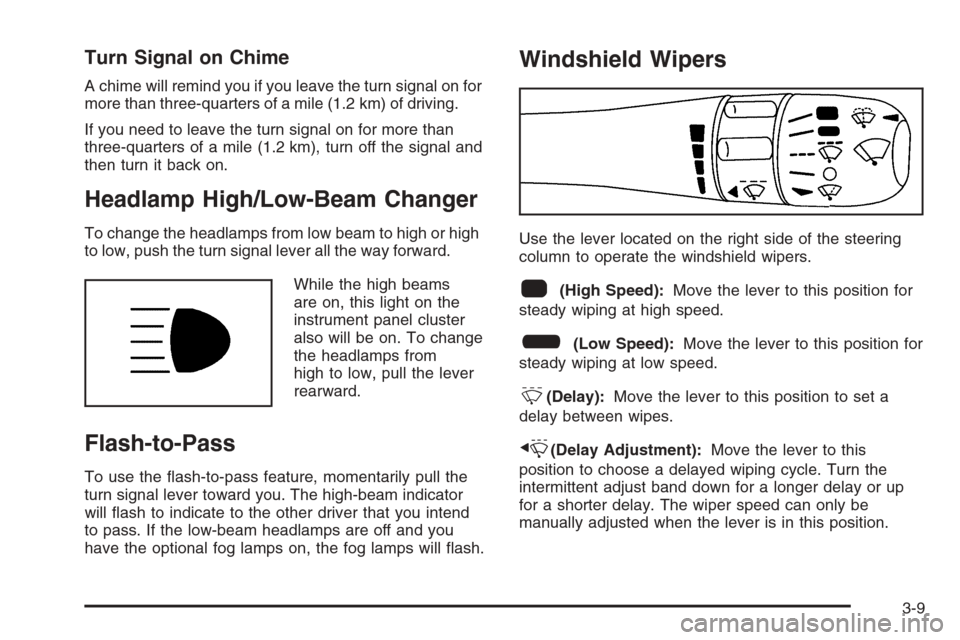
Use the lever located on the right side of the steering
column to operate the windshield wipers.
1(High Speed):Move the lever to this position for
steady wiping at high speed.
6(Low Speed):Move the lever to this position for
steady wiping at low speed.
&(Delay):Move the lever to this position to set a
delay between wipes.
x(Delay Adjustment):Move the lever to this
position to choose a delayed wiping cycle. Turn the
intermittent adjust band down for a longer delay or up
for a shorter delay. The wiper speed can only be
manually adjusted when the lever is in this position.
3-9
Page 156 of 426
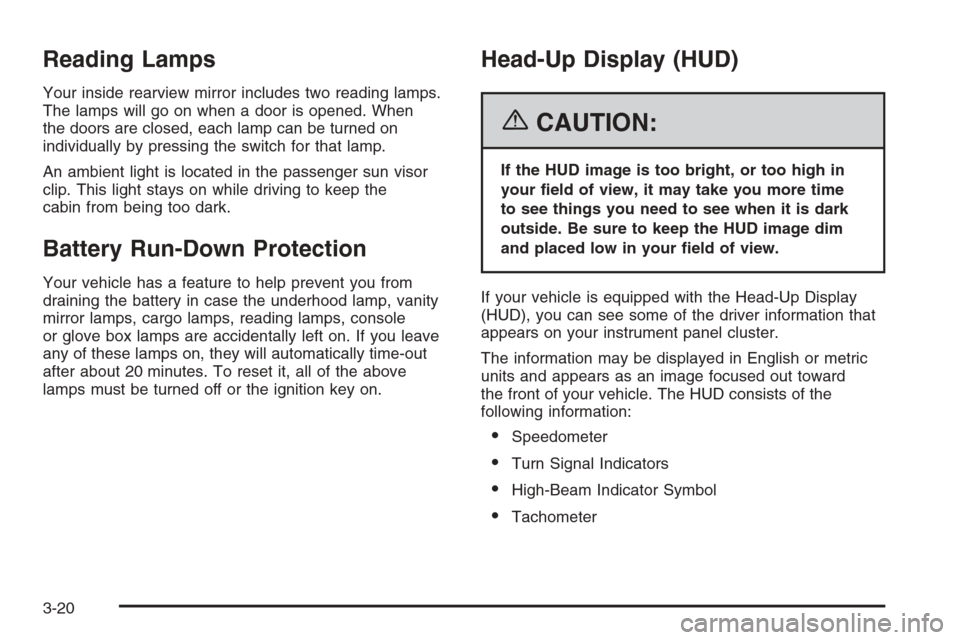
Reading Lamps
Your inside rearview mirror includes two reading lamps.
The lamps will go on when a door is opened. When
the doors are closed, each lamp can be turned on
individually by pressing the switch for that lamp.
An ambient light is located in the passenger sun visor
clip. This light stays on while driving to keep the
cabin from being too dark.
Battery Run-Down Protection
Your vehicle has a feature to help prevent you from
draining the battery in case the underhood lamp, vanity
mirror lamps, cargo lamps, reading lamps, console
or glove box lamps are accidentally left on. If you leave
any of these lamps on, they will automatically time-out
after about 20 minutes. To reset it, all of the above
lamps must be turned off or the ignition key on.
Head-Up Display (HUD)
{CAUTION:
If the HUD image is too bright, or too high in
your eld of view, it may take you more time
to see things you need to see when it is dark
outside. Be sure to keep the HUD image dim
and placed low in your eld of view.
If your vehicle is equipped with the Head-Up Display
(HUD), you can see some of the driver information that
appears on your instrument panel cluster.
The information may be displayed in English or metric
units and appears as an image focused out toward
the front of your vehicle. The HUD consists of the
following information:
Speedometer
Turn Signal Indicators
High-Beam Indicator Symbol
Tachometer
3-20
Page 163 of 426
N(MODE):Press this button to manually lock in the
current air delivery setting and to stop the automatic
mode control. Pressing the MODE button will delete
AUTO from the digital display and the mode graphics
will be shown. To change the setting, press the MODE
button again. The AUTO button must be pressed to return
to the automatic mode selection.
To change the current mode, select one of the following:
H(Vent):This mode directs most of the air to the
instrument panel outlets, with a very small amount of air
directed to the oor outlets.
%(Bi-Level):This mode directs about half of the
air to the instrument panel outlets, and directs the
remaining air to the oor outlets. Cooler air is directed
to the upper outlets and warmer air to the oor outlets.
6(Floor):This mode directs most of the air to the
oor outlets with some air directed to the side window
defogger outlets and some air directed toward the
windshield.
The MODE button can also be used to select the defog
mode. Information on defogging and defrosting can
be found later in this section.
x9w(Fan):Press the button with the fan symbol
to manually increase or decrease the fan speed.Keep pressing the up or down arrow on this switch until
the desired fan speed appears on the display.
Pressing the arrows will delete AUTO from the digital
display. The fan graphics with the fan speed bars will
be shown. To increase the fan speed so that more
air ows into the vehicle, press the up arrow on the fan
switch. To decrease the fan speed and airow, press
the down arrow. The AUTO button must be pressed to
return to the automatic fan control.
If the airow seems low when the fan speed is at the
highest setting, the passenger compartment air lter
may need to be replaced. For more information,
seePassenger Compartment Air Filter on page 3-31
andScheduled Maintenance on page 6-4.
?(Recirculation):Press this button to turn the
recirculation mode on or off. When the climate control
system is in recirculation mode an indicator light will
come on. This mode prevents outside air from entering
your vehicle. It can be used to prevent outside air and
odors from entering your vehicle and to help cool the air
inside your vehicle more quickly. Recirculation mode is
not available in defrost or defog mode.
^(Air Conditioning Off):Press this button to turn
the air conditioning compressor off. Press AUTO
to return to automatic operation. When in AUTO, the air
conditioning compressor will come on automatically,
as needed.
3-27
Page 175 of 426
If the light comes on while you are driving and you have
a CHECK BRAKE FLUID message showing on the
DIC, pull off the road and stop carefully. You may notice
that the pedal is harder to push or the pedal may go
closer to the oor. It may take longer to stop. If the light
is still on, have the vehicle towed for service. See
Towing Your Vehicle on page 4-38andDIC Warnings
and Messages on page 3-53for more information.
{CAUTION:
Your brake system may not be working properly
if the brake system warning light is on. Driving
with the brake system warning light on can lead
to an accident. If the light is still on after you
have pulled off the road and stopped carefully,
have the vehicle towed for service.
Anti-Lock Brake System
Warning Light
With the anti-lock brake
system, the light will come
on when your engine is
started and may stay on
for several seconds.
That is normal.
If the light stays on, turn the ignition off. Or, if the light
comes on when you are driving, stop as soon as
possible and turn the ignition off. Then start the engine
again to reset the system. If the light still stays on,
or comes on again while you are driving, your vehicle
needs service. If the regular brake system warning light
is not on, you still have brakes, but you do not have
anti-lock brakes. If the regular brake system warning
light is also on, you do not have anti-lock brakes
and there is a problem with your regular brakes. See
“SERVICE ANTILOCK BRAKES” underDIC Warnings
and Messages on page 3-53.
The anti-lock brake system warning light will come on
briey when you turn the ignition on. This is normal.
If the light does not come on then, have it xed so it will
be ready to warn you if there is a problem.
3-39
Page 219 of 426
Adjusting the Speakers (Balance/Fade)
e
(Balance/Fade):To adjust the balance between
the right and the left speakers, press this knob until
BALANCE appears on the display. Turn the knob
to move the sound toward the right or the left speakers.
To adjust the fade between the front and the rear
speakers, press this knob until FADE appears on the
display. Turn the knob to move the sound toward
the front or the rear speakers.
To adjust the balance and fade to the middle position,
press and hold this knob when the speaker control is on
the display. The level will change to the middle
position.
To adjust all tone and speaker controls to the middle
position, press and hold this knob when no tone
or speaker control is displayed. AUDIO SETTINGS
CENTERED will appear on the display.
Finding a Category Station
(RDS and XM™)
To select and nd a desired category perform the
following:
1. Press the CAT button. The last selected category
will appear on the display.
2. Turn the tune knob to select the category.
3. Once the desired category is displayed, press either
SEEK arrow to take you to a category’s station.
SEEKING CATEGORY will appear on the display.
4. To go to another station within that category, press
the CAT button to display the category, then press
either SEEK arrow to go to another station.
If both category and traffic are on, the radio will search
for stations with the selected category and traffic
announcements.
If the radio cannot nd the desired category, NONE will
appear on the display and the radio will return to the
last station you were listening to.
3-83
Page 239 of 426
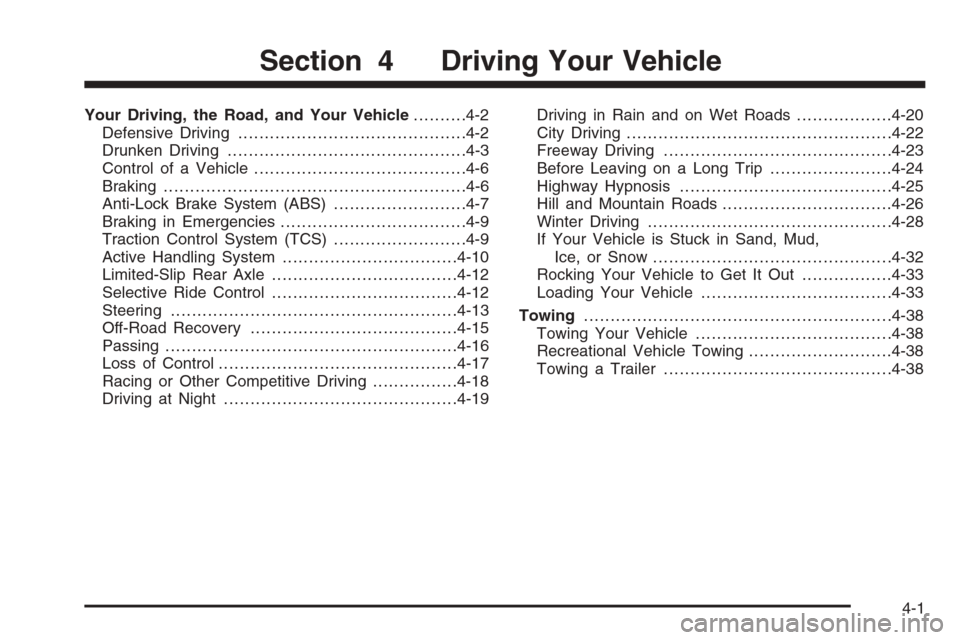
Your Driving, the Road, and Your Vehicle..........4-2
Defensive Driving...........................................4-2
Drunken Driving.............................................4-3
Control of a Vehicle........................................4-6
Braking.........................................................4-6
Anti-Lock Brake System (ABS).........................4-7
Braking in Emergencies...................................4-9
Traction Control System (TCS).........................4-9
Active Handling System.................................4-10
Limited-Slip Rear Axle...................................4-12
Selective Ride Control...................................4-12
Steering......................................................4-13
Off-Road Recovery.......................................4-15
Passing.......................................................4-16
Loss of Control.............................................4-17
Racing or Other Competitive Driving................4-18
Driving at Night............................................4-19Driving in Rain and on Wet Roads..................4-20
City Driving..................................................4-22
Freeway Driving...........................................4-23
Before Leaving on a Long Trip.......................4-24
Highway Hypnosis........................................4-25
Hill and Mountain Roads................................4-26
Winter Driving..............................................4-28
If Your Vehicle is Stuck in Sand, Mud,
Ice, or Snow.............................................4-32
Rocking Your Vehicle to Get It Out.................4-33
Loading Your Vehicle....................................4-33
Towing..........................................................4-38
Towing Your Vehicle.....................................4-38
Recreational Vehicle Towing...........................4-38
Towing a Trailer...........................................4-38
Section 4 Driving Your Vehicle
4-1
Page 271 of 426
Rocking Your Vehicle to Get It Out
First, turn your steering wheel left and right. That will
clear the area around your front wheels. You should turn
your traction control system off. SeeTraction Control
System (TCS) on page 4-9. Then shift back and forth
between REVERSE (R) and a forward gear, spinning the
wheels as little as possible. For a manual transmission,
shift slowly between either FIRST (1) or SECOND (2) and
REVERSE (R), allowing the wheels to stop before shifting
into gear. Release the accelerator pedal while you shift,
and press lightly on the accelerator pedal when the
transmission is in gear. By slowly spinning your wheels
in the forward and reverse directions, you will cause a
rocking motion that may free your vehicle. If that does not
get you out after a few tries, you may need to be towed
out. If you do need to be towed out, seeTowing Your
Vehicle on page 4-38.
Loading Your Vehicle
It is very important to know how much weight your
vehicle can carry. This weight is called the vehicle
capacity weight and includes the weight of all occupants,
cargo and all nonfactory-installed options. Two labels
on your vehicle show how much weight it may properly
carry, the Tire and Loading Information label and the
Certication label.
{CAUTION:
Do not load your vehicle any heavier than the
Gross Vehicle Weight Rating (GVWR), or either
the maximum front or rear Gross Axle Weight
Rating (GAWR). If you do, parts on your
vehicle can break, and it can change the way
your vehicle handles. These could cause you
to lose control and crash. Also, overloading
can shorten the life of your vehicle.
4-33