tow CHEVROLET CORVETTE 2006 6.G User Guide
[x] Cancel search | Manufacturer: CHEVROLET, Model Year: 2006, Model line: CORVETTE, Model: CHEVROLET CORVETTE 2006 6.GPages: 426, PDF Size: 2.48 MB
Page 95 of 426
Parking Brake
The parking brake lever is located to the right of the
center console.
To set the parking brake, hold the brake pedal down.
Pull the parking brake lever up. If the ignition is on,
the brake system warning light will come on.
To release the parking brake, hold the brake pedal
down. Then push the release button in as you move
the parking brake lever all the way down.
Notice:Driving with the parking brake on can
overheat the brake system and cause premature
wear or damage to brake system parts. Verify that
the parking brake is fully released and the brake
warning light is off before driving.
Shifting Into Park (P)
(Automatic Transmission)
{CAUTION:
It can be dangerous to get out of your vehicle
if the shift lever is not fully in PARK (P) with
the parking brake rmly set. Your vehicle can
roll. If you have left the engine running, the
vehicle can move suddenly. You or others
could be injured. To be sure your vehicle will
not move, even when you are on fairly level
ground, use the steps that follow.
1. Hold the brake pedal down with your right foot and
set the parking brake.
2. Move the shift lever into PARK (P) by holding in the
button on the lever and pushing the lever all the
way toward the front of the vehicle.
3. Press the ACC button (ignition switch) to turn the
engine off.
2-33
Page 96 of 426
Leaving Your Vehicle With the Engine
Running (Automatic Transmission)
{CAUTION:
It can be dangerous to leave your vehicle with
the engine running. Your vehicle could move
suddenly if the shift lever is not fully in
PARK (P) with the parking brake rmly set.
And, if you leave the vehicle with the engine
running, it could overheat and even catch re.
You or others could be injured. Do not leave
your vehicle with the engine running.
If you have to leave your vehicle with the engine running,
be sure your vehicle is in PARK (P) and your parking
brake is rmly set before you leave it. After you have
moved the shift lever into PARK (P), hold down the
regular brake pedal. See if you can move the shift lever
away from PARK (P) without rst pulling it toward you. If
you can, it means that the shift lever was not fully locked
into PARK (P).
Torque Lock (Automatic Transmission)
If you are parking on a hill and you do not shift your
transmission into PARK (P) properly, the weight of the
vehicle may put too much force on the parking pawl in the
transmission. You may nd it difficult to pull the shift lever
out of PARK (P). This is called “torque lock.” To prevent
torque lock, set the parking brake and then shift into
PARK (P) properly before you leave the driver’s seat.
To nd out how, see “Shifting Into PARK (P)” listed
previously in this section.
When you are ready to drive, move the shift lever out of
PARK (P) before you release the parking brake.
If torque lock does occur, you may need to have another
vehicle push yours a little uphill to take some of the
pressure from the transmission parking pawl, so you can
pull the shift lever out of PARK (P).
2-34
Page 103 of 426
Cleaning the Mirror
When cleaning the mirror, use a paper towel or similar
material dampened with glass cleaner. Do not spray
glass cleaner directly on the mirror as that may cause
the liquid cleaner to enter the mirror housing.
Automatic Dimming Rearview Mirror
with Compass
If the vehicle has this feature, an automatic dimming
mirror automatically dims to the proper level to minimize
glare at night from lights behind your vehicle.
The mirror also includes a compass display in the upper
right corner of the mirror face.
P(On/Off):This is the on/off button.
Automatic Dimming Mirror Operation
The automatic dimming mirror function is turned on each
time the ignition is started. A light near the on/off button
will come on to indicate the automatic dimming is on.
Press the on/off button for about six seconds to
manually turn the automatic dimming function on or off.
Compass Display
Press the on/off button, located to the far left, briey to
turn the compass display on or off.
If the display reads CAL, the compass needs to be
calibrated. For more information, see “Compass
Calibration” later in this section.
To adjust between Fahrenheit and Celsius:
1. Press and hold the on/off button for approximately
four seconds until either a ashing °F, or °C
appears.
2. Press the button again to change the display to the
desired unit of measurement. After approximately
four seconds of inactivity, the new unit will be locked
in and the compass/temperature display will return.
If an abnormal temperature reading is displayed for an
extended period of time, please consult your dealer.
Under certain circumstances, a delay in updating
the temperature is normal.
2-41
Page 105 of 426
Compass Calibration
The compass may need calibration if one of the
following occurs:
After approximately ve seconds, the display does
not show a compass heading (N for North, for
example), there may be a strong magnetic eld
interfering with the compass. Such interference may
be caused by a magnetic antenna mount, magnetic
note pad holder, or a similar magnetic item.
The compass does not display the correct heading
and the compass zone variance is set correctly.
In order to calibrate, CAL must be displayed in the mirror
compass windows. If CAL is not displayed, push the
on/off button for approximately 12 seconds or until CAL
is displayed.
The compass can be calibrated by driving the vehicle in
circles at 5 mph (8 km/h) or less until the display reads a
direction.
Cleaning the Mirror
When cleaning the mirror, use a paper towel or similar
material dampened with glass cleaner. Do not spray
glass cleaner directly on the mirror as that may cause
the liquid cleaner to enter the mirror housing.
Outside Power Heated Mirrors
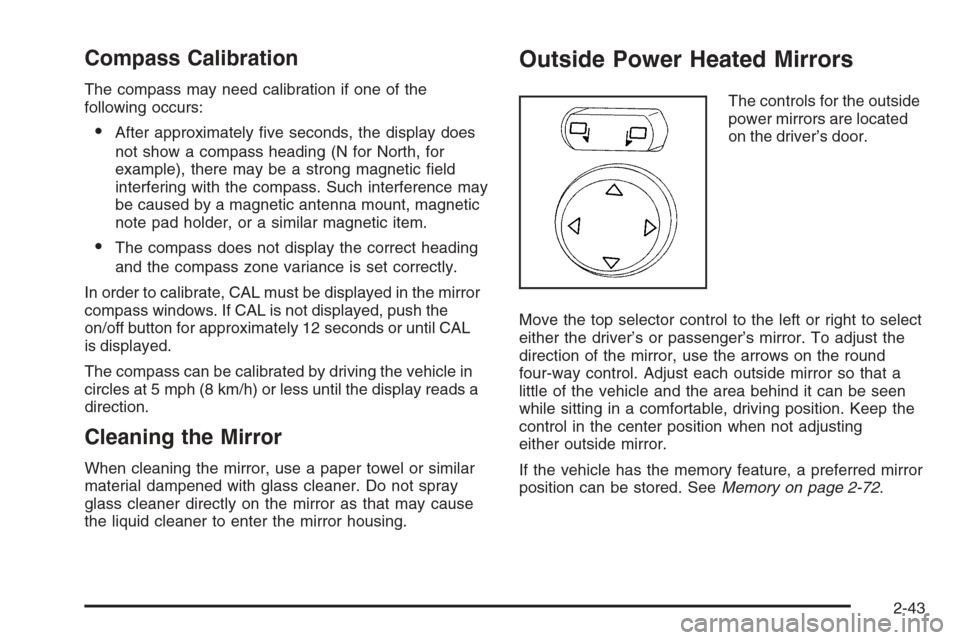
The controls for the outside
power mirrors are located
on the driver’s door.
Move the top selector control to the left or right to select
either the driver’s or passenger’s mirror. To adjust the
direction of the mirror, use the arrows on the round
four-way control. Adjust each outside mirror so that a
little of the vehicle and the area behind it can be seen
while sitting in a comfortable, driving position. Keep the
control in the center position when not adjusting
either outside mirror.
If the vehicle has the memory feature, a preferred mirror
position can be stored. SeeMemory on page 2-72.
2-43
Page 106 of 426
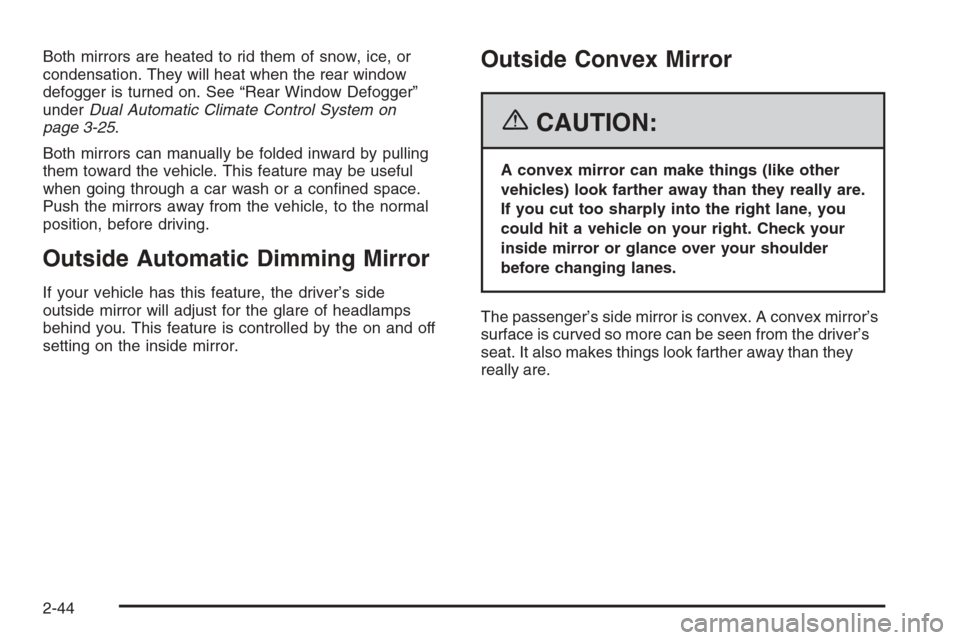
Both mirrors are heated to rid them of snow, ice, or
condensation. They will heat when the rear window
defogger is turned on. See “Rear Window Defogger”
underDual Automatic Climate Control System on
page 3-25.
Both mirrors can manually be folded inward by pulling
them toward the vehicle. This feature may be useful
when going through a car wash or a conned space.
Push the mirrors away from the vehicle, to the normal
position, before driving.
Outside Automatic Dimming Mirror
If your vehicle has this feature, the driver’s side
outside mirror will adjust for the glare of headlamps
behind you. This feature is controlled by the on and off
setting on the inside mirror.
Outside Convex Mirror
{CAUTION:
A convex mirror can make things (like other
vehicles) look farther away than they really are.
If you cut too sharply into the right lane, you
could hit a vehicle on your right. Check your
inside mirror or glance over your shoulder
before changing lanes.
The passenger’s side mirror is convex. A convex mirror’s
surface is curved so more can be seen from the driver’s
seat. It also makes things look farther away than they
really are.
2-44
Page 115 of 426
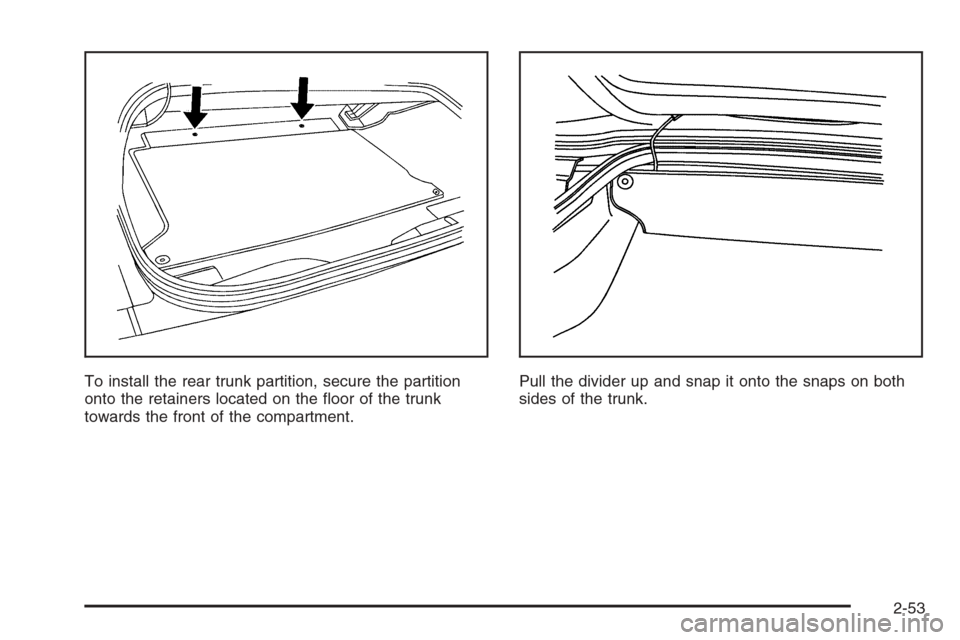
To install the rear trunk partition, secure the partition
onto the retainers located on the oor of the trunk
towards the front of the compartment.Pull the divider up and snap it onto the snaps on both
sides of the trunk.
2-53
Page 118 of 426
Notice:If you drop or rest a roof panel on its edges,
the roof panel, paint and/or weatherstripping may be
damaged. Always place the roof panel in the stowage
receivers after removing it from the vehicle.
1. Park on a level surface and set the parking brake.
Shift an automatic transmission into PARK (P).
Shift a manual transmission into NEUTRAL.
2. Make sure the ignition is turned to OFF.
3. Lower both sun visors.
4. Open the rear hatch and remove any items that may
interfere with proper storage of the roof panel.
5. Lower the windows.
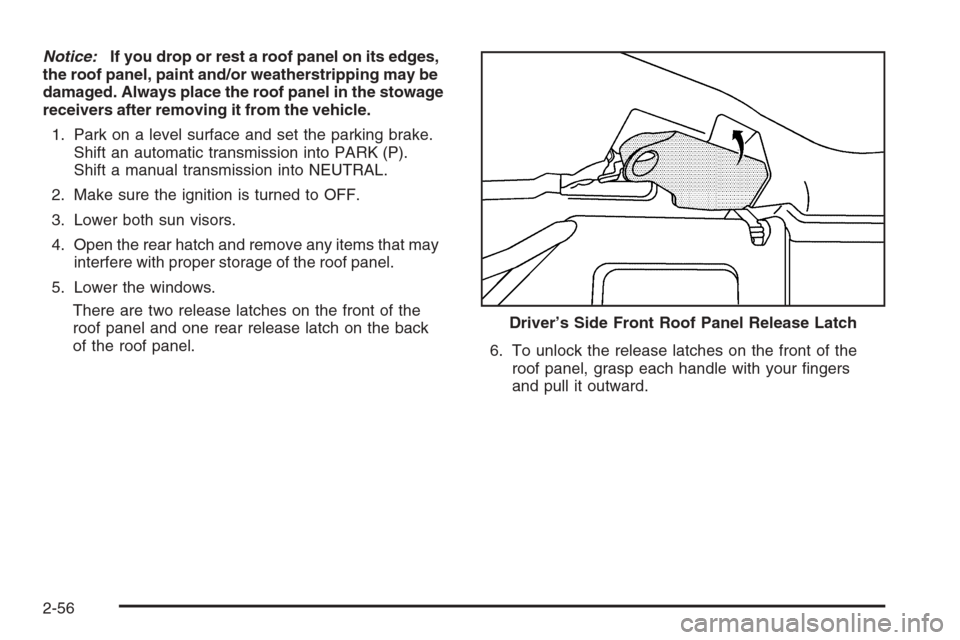
There are two release latches on the front of the
roof panel and one rear release latch on the back
of the roof panel.
6. To unlock the release latches on the front of the
roof panel, grasp each handle with your ngers
and pull it outward. Driver’s Side Front Roof Panel Release Latch
2-56
Page 119 of 426
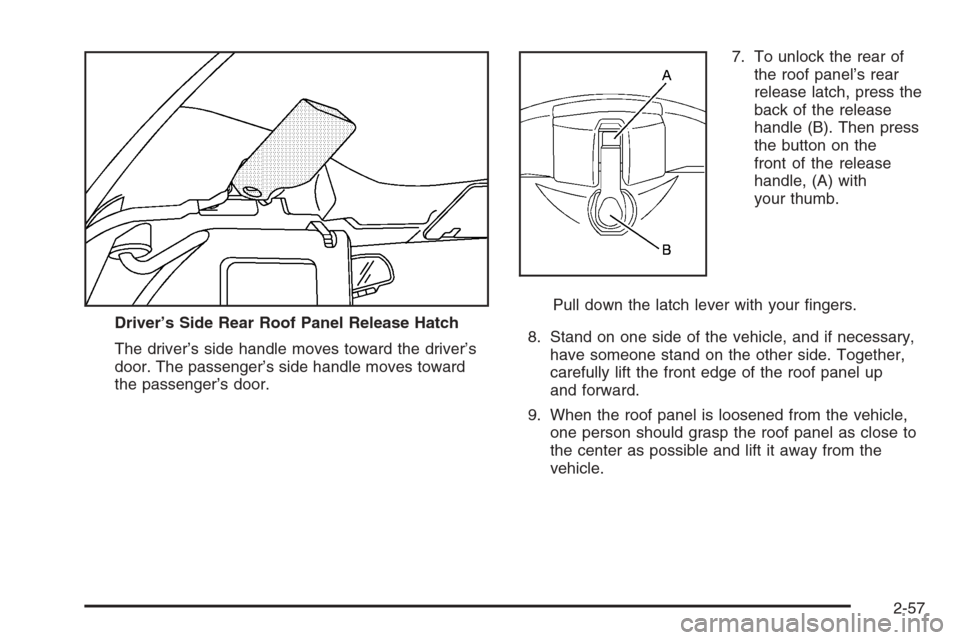
The driver’s side handle moves toward the driver’s
door. The passenger’s side handle moves toward
the passenger’s door.7. To unlock the rear of
the roof panel’s rear
release latch, press the
back of the release
handle (B). Then press
the button on the
front of the release
handle, (A) with
your thumb.
Pull down the latch lever with your ngers.
8. Stand on one side of the vehicle, and if necessary,
have someone stand on the other side. Together,
carefully lift the front edge of the roof panel up
and forward.
9. When the roof panel is loosened from the vehicle,
one person should grasp the roof panel as close to
the center as possible and lift it away from the
vehicle. Driver’s Side Rear Roof Panel Release Hatch
2-57
Page 120 of 426
Storing the Roof Panel
{CAUTION:
If a roof panel is not stored properly, it could
be thrown about the vehicle in a crash or
sudden maneuver. People in the vehicle could
be injured. Whenever you store a roof panel in
the vehicle, always be sure that it is stored
securely in the proper location.
Notice:If you drop or rest a roof panel on its edges,
the roof panel, paint and/or weatherstripping may be
damaged. Always place the roof panel in the stowage
receivers after removing it from the vehicle.
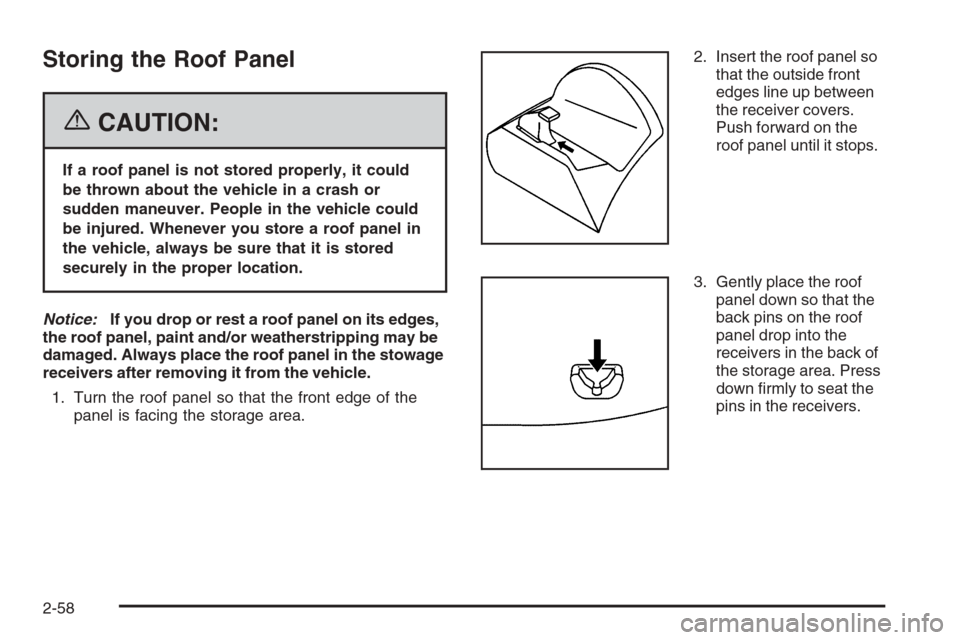
1. Turn the roof panel so that the front edge of the
panel is facing the storage area.2. Insert the roof panel so
that the outside front
edges line up between
the receiver covers.
Push forward on the
roof panel until it stops.
3. Gently place the roof
panel down so that the
back pins on the roof
panel drop into the
receivers in the back of
the storage area. Press
down rmly to seat the
pins in the receivers.
2-58
Page 121 of 426
Installing the Roof Panel
{CAUTION:
An improperly attached roof panel may fall into
or y off the vehicle. You or others could be
injured. After installing the roof panel, always
check that it is rmly attached by pushing up on
the underside of the panel. Check now and then
to be sure the roof panel is rmly in place.
Notice:If you drop or rest a roof panel on its edges,
the roof panel, paint and/or weatherstripping may be
damaged. Always place the roof panel in the stowage
receivers after removing it from the vehicle.
In most cases, it makes it easier if two people re-install
the roof panel.
1. Park on a level surface and set the parking brake.
Shift an automatic transmission into PARK (P).
Shift a manual transmission into NEUTRAL.
2. Check that the front release latches and the rear
release latch on the vehicle’s roof opening are in
their opened positions before attempting to install
the roof panel.3. If the roof panel is stored in the rear storage area of
the vehicle, grasp the rear edge of the roof panel with
both hands and gently lift it up and remove it from the
storage area.
4. Carefully place the roof panel over the top of the
vehicle.
5. Position the rear edge of the roof panel to the
weatherstrip on the back of the roof opening.
Then align and t the pins at the rear of the roof
panel inside the openings in the rear overhead
weatherstrip. Gently lower the front edge of the roof
panel to the front of the roof opening.
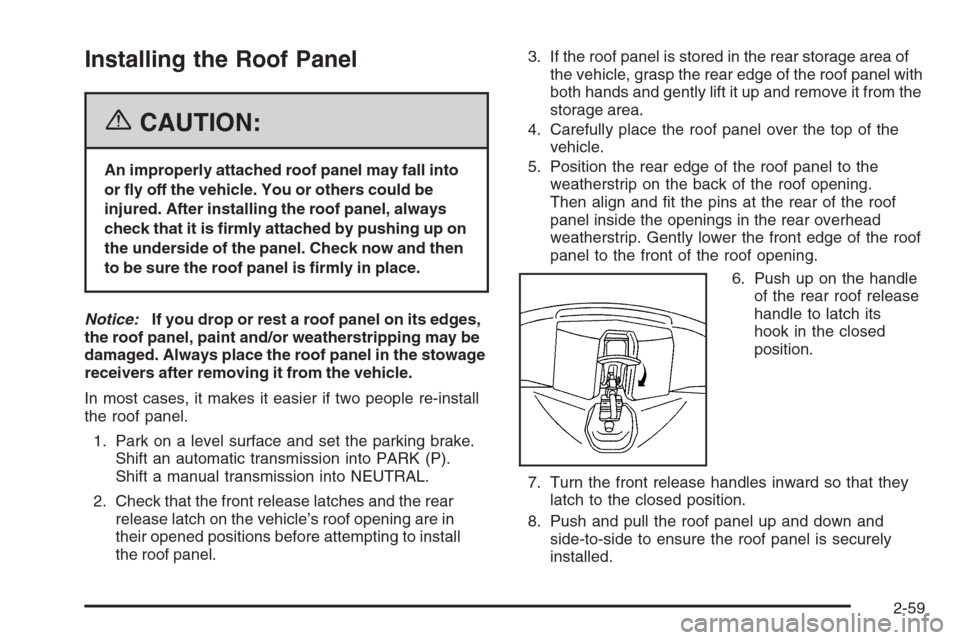
6. Push up on the handle
of the rear roof release
handle to latch its
hook in the closed
position.
7. Turn the front release handles inward so that they
latch to the closed position.
8. Push and pull the roof panel up and down and
side-to-side to ensure the roof panel is securely
installed.
2-59