stop start CHEVROLET CORVETTE 2007 6.G User Guide
[x] Cancel search | Manufacturer: CHEVROLET, Model Year: 2007, Model line: CORVETTE, Model: CHEVROLET CORVETTE 2007 6.GPages: 488, PDF Size: 2.62 MB
Page 132 of 488
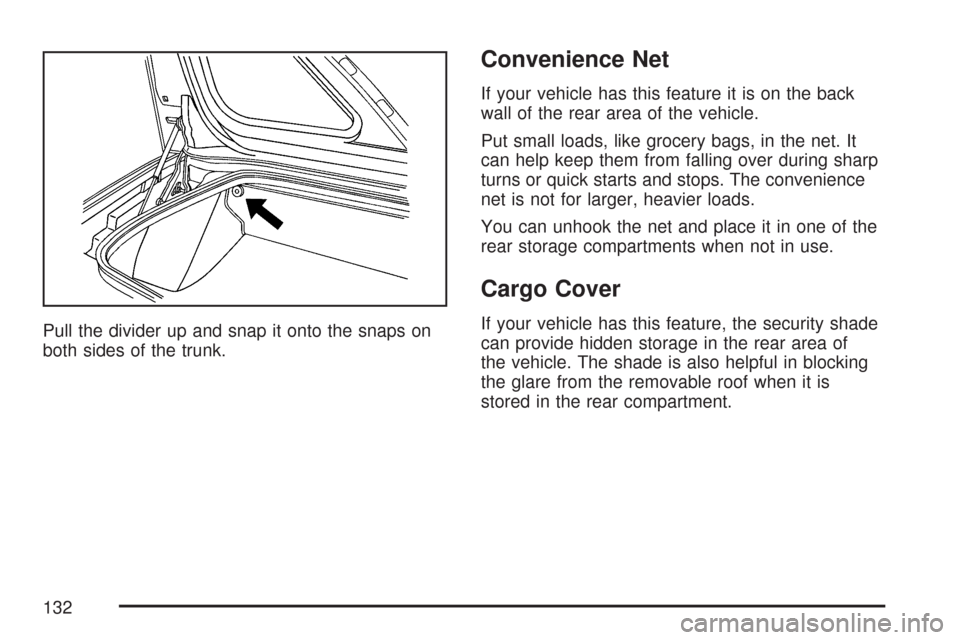
Pull the divider up and snap it onto the snaps on
both sides of the trunk.
Convenience Net
If your vehicle has this feature it is on the back
wall of the rear area of the vehicle.
Put small loads, like grocery bags, in the net. It
can help keep them from falling over during sharp
turns or quick starts and stops. The convenience
net is not for larger, heavier loads.
You can unhook the net and place it in one of the
rear storage compartments when not in use.
Cargo Cover
If your vehicle has this feature, the security shade
can provide hidden storage in the rear area of
the vehicle. The shade is also helpful in blocking
the glare from the removable roof when it is
stored in the rear compartment.
132
Page 196 of 488
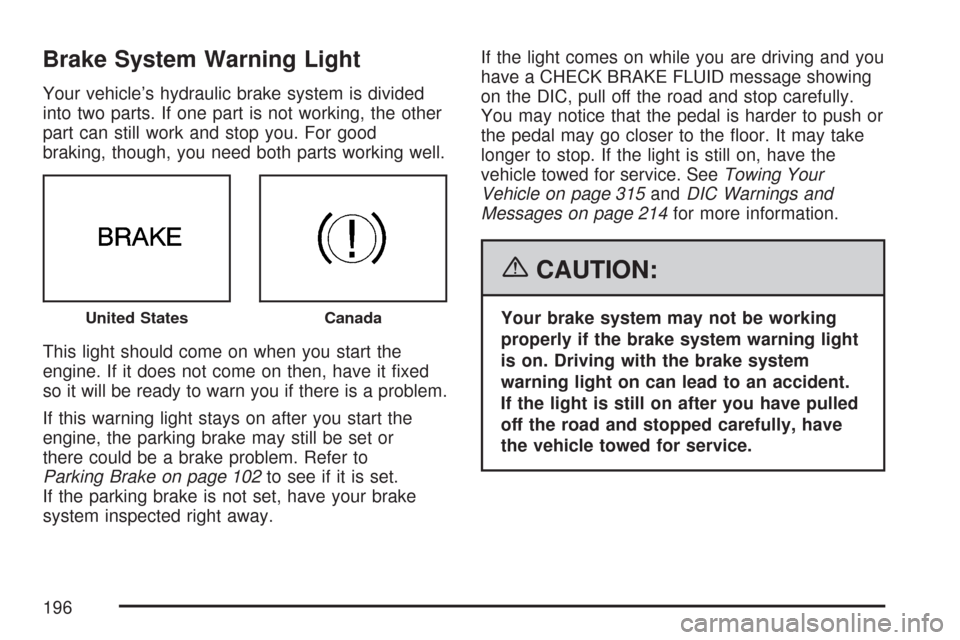
Brake System Warning Light
Your vehicle’s hydraulic brake system is divided
into two parts. If one part is not working, the other
part can still work and stop you. For good
braking, though, you need both parts working well.
This light should come on when you start the
engine. If it does not come on then, have it xed
so it will be ready to warn you if there is a problem.
If this warning light stays on after you start the
engine, the parking brake may still be set or
there could be a brake problem. Refer to
Parking Brake on page 102to see if it is set.
If the parking brake is not set, have your brake
system inspected right away.If the light comes on while you are driving and you
have a CHECK BRAKE FLUID message showing
on the DIC, pull off the road and stop carefully.
You may notice that the pedal is harder to push or
the pedal may go closer to the oor. It may take
longer to stop. If the light is still on, have the
vehicle towed for service. SeeTowing Your
Vehicle on page 315andDIC Warnings and
Messages on page 214for more information.
{CAUTION:
Your brake system may not be working
properly if the brake system warning light
is on. Driving with the brake system
warning light on can lead to an accident.
If the light is still on after you have pulled
off the road and stopped carefully, have
the vehicle towed for service.United StatesCanada
196
Page 197 of 488
Anti-Lock Brake System
Warning Light
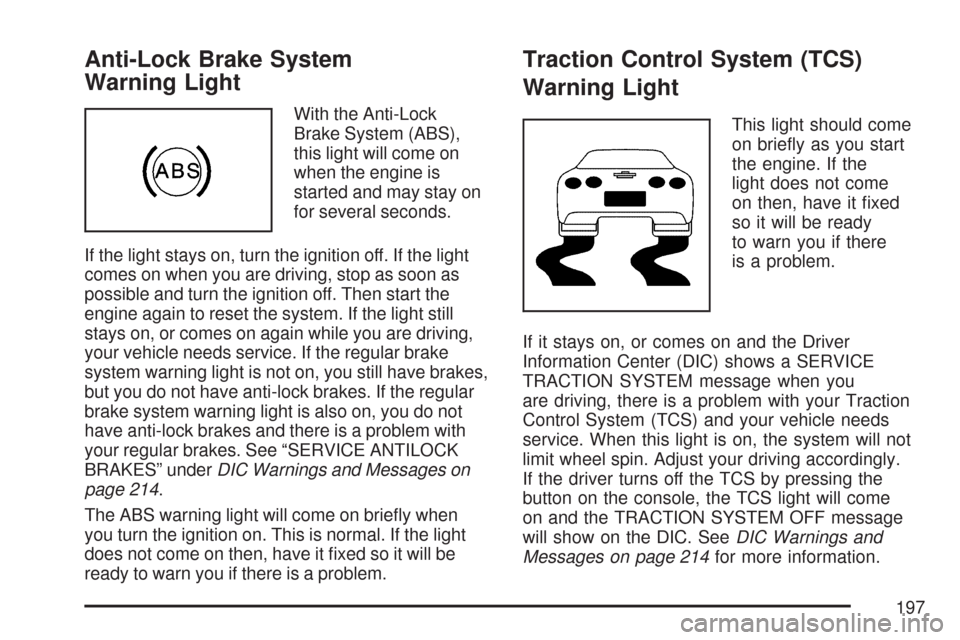
With the Anti-Lock
Brake System (ABS),
this light will come on
when the engine is
started and may stay on
for several seconds.
If the light stays on, turn the ignition off. If the light
comes on when you are driving, stop as soon as
possible and turn the ignition off. Then start the
engine again to reset the system. If the light still
stays on, or comes on again while you are driving,
your vehicle needs service. If the regular brake
system warning light is not on, you still have brakes,
but you do not have anti-lock brakes. If the regular
brake system warning light is also on, you do not
have anti-lock brakes and there is a problem with
your regular brakes. See “SERVICE ANTILOCK
BRAKES” underDIC Warnings and Messages on
page 214.
The ABS warning light will come on briey when
you turn the ignition on. This is normal. If the light
does not come on then, have it xed so it will be
ready to warn you if there is a problem.
Traction Control System (TCS)
Warning Light
This light should come
on briey as you start
the engine. If the
light does not come
on then, have it xed
so it will be ready
to warn you if there
is a problem.
If it stays on, or comes on and the Driver
Information Center (DIC) shows a SERVICE
TRACTION SYSTEM message when you
are driving, there is a problem with your Traction
Control System (TCS) and your vehicle needs
service. When this light is on, the system will not
limit wheel spin. Adjust your driving accordingly.
If the driver turns off the TCS by pressing the
button on the console, the TCS light will come
on and the TRACTION SYSTEM OFF message
will show on the DIC. SeeDIC Warnings and
Messages on page 214for more information.
197
Page 201 of 488
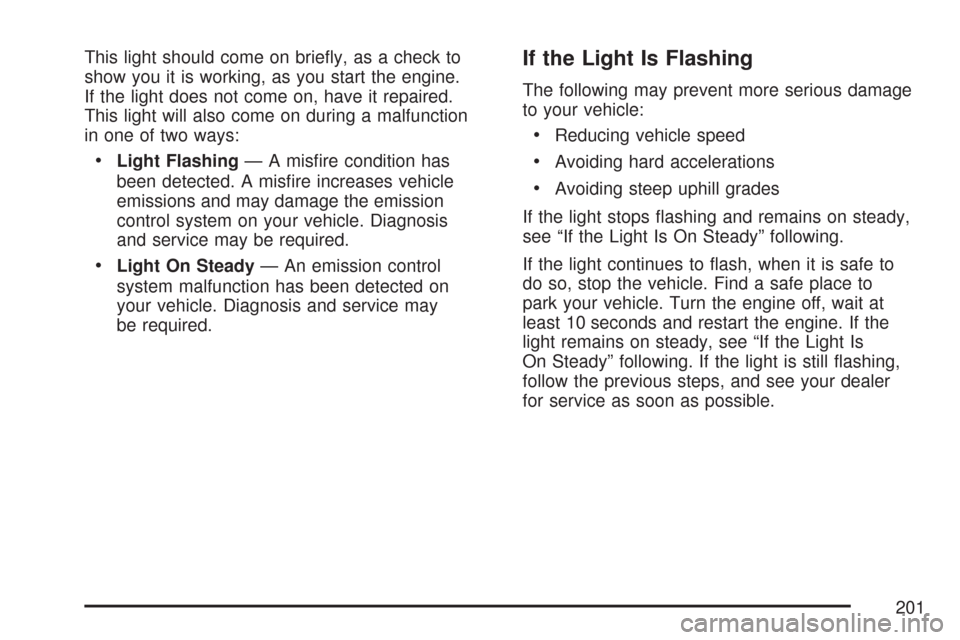
This light should come on briey, as a check to
show you it is working, as you start the engine.
If the light does not come on, have it repaired.
This light will also come on during a malfunction
in one of two ways:
Light Flashing— A misre condition has
been detected. A misre increases vehicle
emissions and may damage the emission
control system on your vehicle. Diagnosis
and service may be required.
Light On Steady— An emission control
system malfunction has been detected on
your vehicle. Diagnosis and service may
be required.
If the Light Is Flashing
The following may prevent more serious damage
to your vehicle:
Reducing vehicle speed
Avoiding hard accelerations
Avoiding steep uphill grades
If the light stops ashing and remains on steady,
see “If the Light Is On Steady” following.
If the light continues to ash, when it is safe to
do so, stop the vehicle. Find a safe place to
park your vehicle. Turn the engine off, wait at
least 10 seconds and restart the engine. If the
light remains on steady, see “If the Light Is
On Steady” following. If the light is still ashing,
follow the previous steps, and see your dealer
for service as soon as possible.
201
Page 212 of 488
TRIP Button
The TRIP button displays the odometer, trip
distance, elapsed time, average speed, and oil life
remaining information.
Odometer:The odometer shows how far your
vehicle has been driven in either miles or
kilometers. Press the TRIP button to display
odometer readings, such as:
ODOMETER 12345 MI or
ODOMETER 20008 km
You can also display the odometer by turning on
the parking lamps.
Trip Odometers:There are two trip odometers.
Press the TRIP button to display TRIP
ODOMETER A readings and press the button
again to display TRIP ODOMETER B readings,
such as:
TRIP ODOMETER A 130.5 MI or
TRIP ODOMETER A 209.9 km
TRIP ODOMETER B 300.5 MI or
TRIP ODOMETER B 483.5 kmBoth of the trip odometers can be used
simultaneously. TRIP A could be used to track the
distance to a destination. TRIP B could be used
to track maintenance periods. The trip odometers
can be reset by pressing the RESET button on
the DIC.
There is also a miles since last ignition feature
that displays the number of miles (kilometers)
driven since you last started the vehicle. Press and
hold the RESET button for three seconds, then
release it. The miles (kilometers) since the
last ignition cycle will be set into the trip odometer.
Elapsed Timer:Press the TRIP button until
ELAPSED TIMER is displayed, such as
ELAPSED TIMER .00.
When the ignition is in on, the DIC can be used
as a stopwatch. The display can show hours,
minutes and seconds. The elapsed time indicator
will record up to 23 hours, 59 minutes and
59 seconds, then it will reset to zero and
continue counting. The display appears as
ELAPSED TIMER .00 in the elapsed time function.
212
Page 213 of 488
You can start or stop the elapsed time by pressing
the RESET button. To reset the elapsed time to
zero, press the RESET button for three seconds
while the timer is displayed.
Pressing and holding the RESET button for at
least 10 seconds will reset the timer display to the
time since last ignition cycle.
Average Speed:Press the TRIP button until the
average speed is displayed, such as:
AVERAGE SPEED 62 MPH or
AVERAGE SPEED 100 km/h
Press and hold the RESET button to reset to
0.0 mph (km/h).
Engine Oil Life:Press the TRIP button until the
engine oil life is displayed, such as OIL LIFE
REMAINING 89%.
This is an estimate of the engine oil’s remaining
useful life. It will show 100% when the system
is reset after an oil change. It will alert you
to change your oil on a schedule consistent with
your driving conditions.When the remaining oil life is low, the system will
alert you with the message CHANGE ENGINE OIL.
Remember, you must reset the engine oil life
system yourself after each oil change. It will not
reset itself. To reset the system, seeEngine
Oil Life System on page 340. Be careful not to
reset the engine oil life system accidentally at any
time other than when the oil has just been
changed. It cannot be reset accurately until the
next oil change.
SeeScheduled Maintenance on page 433and
Engine Oil on page 333for more information.
OPTION Button
The OPTION button allows you to access the
PERSONAL OPTIONS menu and customize the
personalization settings on your vehicle. See
DIC Vehicle Personalization on page 234for more
information.
RESET Button
The RESET button, used along with other buttons,
will reset system functions and turn off or
acknowledge messages on the DIC.
213
Page 225 of 488
SERVICE AIR CONDITIONING
This message displays when the electronic sensors
that control the air conditioning and heating
systems are no longer working. Have the climate
control system serviced by your dealer if you notice
a drop in heating and air conditioning efficiency.
SERVICE ANTILOCK BRAKES
If this message displays while you are driving, stop
as soon as possible and turn the ignition off. Then
start the engine again to reset the system. If the
message stays on, or comes back on again while
you are driving, your vehicle is in need of service.
See your dealer. If the anti-lock brake system (ABS)
warning light is on and the regular brake system
warning light is not on, you still have brakes, but do
not have ABS. If the regular brake system warning
light is also on, you do not have ABS and there is a
problem with the brakes. SeeAnti-Lock Brake
System Warning Light on page 197andBrake
System Warning Light on page 196.
If this message is displayed, the Traction Control
System (TCS) and the Active Handling System
will also be disabled. The DIC will scroll three
messages: SERVICE ANTILOCK BRAKES,
SERVICE TRACTION SYSTEM, and SERVICEACTIVE HANDLING, and the instrument panel
cluster lights will come on along with a chime.
When the service message is displayed, the
computer controlled systems will not assist the
driver. Have the system repaired by your dealer as
soon as possible. Adjust your driving accordingly.
To acknowledge these messages, press the
RESET button.SERVICE CHARGING SYSTEM
If this message displays while you are driving,
there may be a problem with the electrical charging
system. It could mean that there is a loose or
broken drive belt or that there is another electrical
problem. Have your vehicle checked right away
by your dealer. Driving while this message is
on could drain the battery.
If you must drive a short distance with the
message on, be certain to turn off the vehicle’s
accessories, such as the radio and air conditioner.
Multiple chimes sound when this message is
displayed.
To acknowledge the message, press the RESET
button. The message reappears every 10 minutes
until this condition changes.
225
Page 253 of 488
XM™ Radio Messages
If your vehicle has XM™ Satellite Radio Service,
the radio can display screen messages
pertaining to the XM™ radio service, software and
hardware. SeeXM Radio Messages on page 267
later in this section for further detail.
Playing a CD (Single CD Player)
Insert a CD partway into the slot, label side up.
The player pulls it in and the CD should begin
playing.
If the ignition or radio is turned off with a CD in
the player, it stays in the player. When the ignition
or radio is turned on, the CD starts playing
where it stopped, if it was the last selected audio
source.
When a CD is inserted, CD and the CD symbol
displays. As each new track starts to play,
the track number displays.The CD player can play the smaller 3 inch (8 cm)
single CDs with an adapter ring. Full-size CDs
and the smaller CDs are loaded in the same
manner.
If playing a CD-R, the sound quality (and playback
performance) can be reduced due to the CD-R
quality, method of recording, the quality of
the music that has been recorded, and the way
the CD-R has been handled. For better playback
performance when home burning audio discs,
use brand named CD media with the [“Compact
Disc” trade mark logo], and a burn rate no
faster than 12X.
There could be an increase in skipping, difficulty in
nding tracks, and/or difficulty in loading and
ejecting. If these problems occur, check the bottom
surface of the CD. If the surface of the CD is
damaged, such as cracked, broken, or scratched,
the CD does not play properly. If the surface of
the CD is soiled, seeCare of Your CDs on
page 271for more information.
253
Page 255 of 488
CD AUX (Auxiliary):Press this button to play a
CD while listening to the radio. CD displays
when a CD is in the player. If the system has a
remote playback device, pressing this button
a second time allows the remote device to play.
AUTO EQ (Automatic Equalization):Press
AUTO EQ to select the equalization setting while
playing a CD. The equalization is stored when
a CD is played. For more information on AUTO
EQ, see “AUTO EQ” listed previously in this
section.
X(Eject):Press theXbutton to eject the CD.
EJECT can be activated with either the ignition
or radio off.
Playing a CD(s) (Six-Disc CD Player)
If the ignition or radio is turned off, with a CD in the
player, it stays in the player. When the ignition
or radio is turned on, the CD starts playing where
it stopped, if it was the last selected audio
source.
When a CD is inserted, the CD symbol appears
on the CD. As each new track starts to play,
the track number displays.The CD player can play the smaller 3 inch (8 cm)
single CDs with an adapter ring. Full-size CDs
and the smaller CDs are loaded in the same
manner.
If playing a CD-R, the sound quality (and playback
performance) can be reduced due to the CD-R
quality, method of recording, the quality of
the music that has been recorded, and the way
the CD-R has been handled. For better playback
performance when home burning audio discs,
use brand named CD media with the [“Compact
Disc” trade mark logo], and a burn rate no
faster than 12X.
There could be an increase in skipping, difficulty in
nding tracks, and/or difficulty in loading and
ejecting. If these problems occur, check the bottom
surface of the CD. If the surface of the CD is
damaged, such as cracked, broken, or scratched,
the CD does not play properly. If the surface of
the CD is soiled, seeCare of Your CDs on
page 271for more information.
255
Page 258 of 488

RDM (Random):Press this button to hear the
tracks in random, rather than sequential order, on
one CD or all of the loaded CDs.
To use random, do one of the following:
To play the tracks on the CD you are listening
to in random order, press and release this
button until RANDOM DISC PLAY displays.
To play the tracks on all of the CDs that are
loaded in random order, press and release
this button until RANDOM ALL DISCS
displays.
To turn off random play, press and release the
RDM button until RANDOM OFF displays.
RPT (Repeat):Press this button to hear a track
or an entire CD over again.
To use repeat, do one of the following:
To repeat a track, press and release this
button until REPEAT displays.
To repeat an entire CD, press and release this
button until REPEAT ONE DISC displays.To turn off repeated play, press and release the
RPT button until REPEAT OFF displays.
tSEEKu:Press the lefttSEEK arrow
to go to the start of the current track, if more than
ten seconds have played. Press the right
u
SEEK arrow to go to the next track. If either the
left
tor rightuSEEK arrow is held or pressed
more than once, the player continues moving
backward or forward through the CD.
tSCANu:To scan one CD, press and hold
either the left
tor rightuSCAN arrow for
more than two seconds until SCAN displays and a
beep sounds. The radio goes to the next track,
plays for 10 seconds, then goes to the next track.
Press either the left
tor rightuSCAN arrow
again, to stop scanning.
To scan all loaded CDs, press and hold either
the left
tor rightuSCAN arrow for more than
four seconds until CD SCAN displays and a beep
sounds. Use this feature to listen to 10 seconds
of the rst track of each loaded CD. Press either
the left
tor rightuSCAN arrow again, to stop
scanning.
258