ECO mode CHEVROLET CORVETTE 2007 6.G Owner's Guide
[x] Cancel search | Manufacturer: CHEVROLET, Model Year: 2007, Model line: CORVETTE, Model: CHEVROLET CORVETTE 2007 6.GPages: 488, PDF Size: 2.62 MB
Page 259 of 488

BAND:Press this button to listen to the radio
when a CD is playing. The inactive CD(s) remains
inside the radio for future listening.
CD AUX (Auxiliary):Press this button to play
a CD when listening to the radio. CD displays
when a CD is in the player. If your system has
a remote playback device, pressing this button a
second time allows the remote device to play.
AUTO EQ (Automatic Equalization):Press
AUTO EQ to select the equalization setting
while playing a CD. The equalization is stored
when a CD is played. For more information
on AUTO EQ, see “AUTO EQ” listed previously
in this section.
Playing an MP3 CD-R Disc
Your vehicle’s radio system may have the MP3
feature. If it has this feature, it is capable of playing
an MP3 CD-R disc. For more information on
how to play an MP3 CD-R disc, seeUsing an
MP3 on page 261later in this section.
UsingR(Song List) Mode
(Single CD, MP3, and Six-Disc CD)
This feature is capable of saving 20 track
selections. To save tracks into the song list
feature, perform the following steps:
1. Turn the CD player on and load it with at
least one CD.
2. Check to see that the CD player is not in
song list mode. S-LIST should not display.
If S-LIST displays, press the
R(song list)
button to turn it off.
3. Select the desired CD by pressing the
numbered pushbutton and then use the
right
uSEEK arrow or turn theO/e(tune)
knob to locate the track to be saved. The track
begins to play.
4. Press and hold the
Rbutton to save the
track into memory. When song list is pressed,
one beep sounds. ADDED SONG displays.
5. Repeat Steps 3 and 4 for saving other
selections.
SONGLIST FULL displays if you try to save
more than 20 selections.
259
Page 260 of 488

To play the song list, press theRbutton.
The recorded tracks begins to play in the order
they were saved.
Seek through the song list by using the left
tor
right
uSEEK arrows. Seeking past the last saved
track returns to the rst saved track.
To delete tracks from the song list, perform the
following steps:
1. Turn the CD player on.
2. Press the
Rbutton to turn song list on.
S-LIST displays.
3. Press either the left
tor rightuSEEK arrow
or turn the
O/eknob to select the
desired track to be deleted.
4. Press and hold the
Rbutton for two seconds.
Release the button when SONG REMOVED
displays.
After a track has been deleted, the remaining
tracks are moved up the list. When another track
is added to the song list, the track is added to
the end of the list.To delete the entire song list, perform the
following steps:
1. Turn the CD player on.
2. Press the
Rbutton to turn song list on.
S-LIST displays.
3. Press and hold the
Rbutton for more
than four seconds. One beep sounds and
SONGLIST EMPTY displays indicating
the song list has been deleted.
If a CD is ejected, and the song list contains
saved tracks from that CD, those tracks are
automatically deleted from the song list. Any tracks
saved to the song list again are added to the
bottom of the list.
To end song list mode, press the
Rbutton.
One beep sounds and S-LIST is removed from
the display.
260
Page 269 of 488
Navigation/Radio System
Your vehicle may have a navigation radio system.
The navigation system has built-in features
intended to minimize driver distraction. Technology
alone, no matter how advanced, can never
replace your own judgment. See the Navigation
System manual for some tips to help you
reduce distractions while driving.
Theft-Deterrent Feature
THEFTLOCK®is designed to discourage theft
of your vehicle’s radio. The feature works
automatically by learning a portion of the
Vehicle Identication Number (VIN). If the radio
is moved to a different vehicle, it will not operate
and LOCKED will appear on the display.
With THEFTLOCK
®activated, the radio will not
operate if stolen.
Your radio has a blinking indicator light located
on the upper left side of the radio. The indicator
light is used to show that the theft-deterrent feature
mode is set. The blinking indicator light will only
ash when the ignition is in the off position.
Audio Steering Wheel Controls
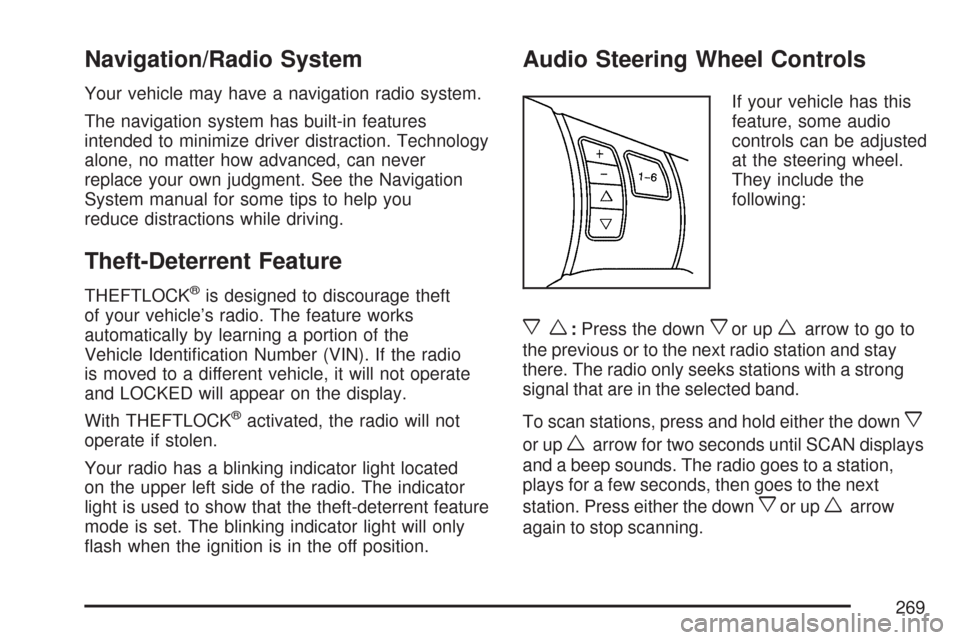
If your vehicle has this
feature, some audio
controls can be adjusted
at the steering wheel.
They include the
following:
xw:Press the downxor upwarrow to go to
the previous or to the next radio station and stay
there. The radio only seeks stations with a strong
signal that are in the selected band.
To scan stations, press and hold either the down
x
or upwarrow for two seconds until SCAN displays
and a beep sounds. The radio goes to a station,
plays for a few seconds, then goes to the next
station. Press either the down
xor upwarrow
again to stop scanning.
269
Page 284 of 488
The Active Handling System comes on
automatically whenever you start your vehicle.
To help maintain directional control of the vehicle,
you should always leave the system on. You
can turn the system off if you ever need to.
If you turn the Active Handling System off, the
Traction Control System will also be turned off.
Adjust your driving accordingly.
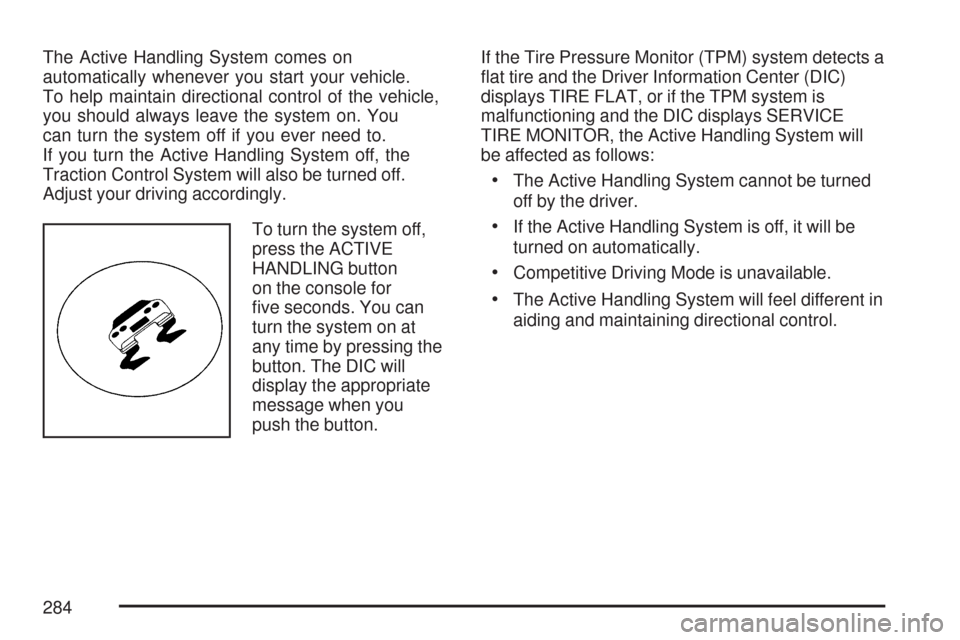
To turn the system off,
press the ACTIVE
HANDLING button
on the console for
ve seconds. You can
turn the system on at
any time by pressing the
button. The DIC will
display the appropriate
message when you
push the button.If the Tire Pressure Monitor (TPM) system detects a
at tire and the Driver Information Center (DIC)
displays TIRE FLAT, or if the TPM system is
malfunctioning and the DIC displays SERVICE
TIRE MONITOR, the Active Handling System will
be affected as follows:
The Active Handling System cannot be turned
off by the driver.
If the Active Handling System is off, it will be
turned on automatically.
Competitive Driving Mode is unavailable.
The Active Handling System will feel different in
aiding and maintaining directional control.
284
Page 285 of 488
Competitive Driving Mode
The driver can select this optional handling mode
by pressing the ACTIVE HANDLING button on
the console two times within a ve second
time period. COMPETITIVE DRIVING MODE will
be displayed in the DIC. Competitive Driving
Mode allows the driver to have full control of the
rear wheels while the Active Handling System
helps maintain directional control of the vehicle by
selective brake application. This involves less
intervention than with both the Active Handling
System and Traction Control Systems on.
The instrument cluster light will not be on. The
Traction Control System will not be operating.
Adjust your driving accordingly.
When you press the ACTIVE HANDLING button
again, or turn the ignition to Acc., the Active
Handling and Traction Control Systems will
be on. The TRACTION SYSTEM AND ACTIVE
HANDLING-ON message will be displayed
temporarily in the DIC and a chime will be heard.Notice:When traction control is turned off,
or Competitive Driving Mode is active, it
is possible to lose traction. If you attempt to
shift with the rear wheels spinning with a loss
of traction, it is possible to cause damage
to the transmission. Do not attempt to shift
when the rear wheels do not have traction.
Damage caused by misuse of the vehicle
is not covered. See your warranty book for
additional information.
Limited-Slip Rear Axle
Your limited-slip rear axle can give you additional
traction on snow, mud, ice, sand or gravel.
It works like a standard axle most of the time,
but when one of the rear wheels has no traction
and the other does, this feature will allow the
wheel with traction to move the vehicle.
285
Page 340 of 488
Your vehicle’s engine is lled at the factory
with a Mobil 1®synthetic oil, which meets all
requirements for your vehicle.
Substitute Engine Oil: When adding oil to
maintain engine oil level, oil meeting GM
Standard GM4718M may not be available.
You can add substitute oil designated SAE 5W-30
with the starburst symbol at all temperatures.
Substitute oil not meeting GM Standard GM4718M
should not be used for an oil change.
Engine Oil Additives
Do not add anything to the oil. The recommended
oils with the starburst symbol that meet GM
Standard GM4718M are all you need for good
performance and engine protection.
Engine Oil Life System
When to Change Engine Oil
Your vehicle has a computer that lets you know
when to change your engine oil and lter.
This is based on engine revolutions and engine
temperature, and not on mileage. Based on driving
conditions, the mileage at which an oil change
will be indicated can vary considerably. For the
oil life system to work properly, you must reset
the system every time the oil is changed.
Z06 models are equipped with a racetrack-ready
dry sump engine lubrication system. This
high-performance system operates differently
than a standard engine lubrication system
and requires a special procedure when changing
the engine oil and lter. SeeEngine Oil
on page 333.
340
Page 383 of 488
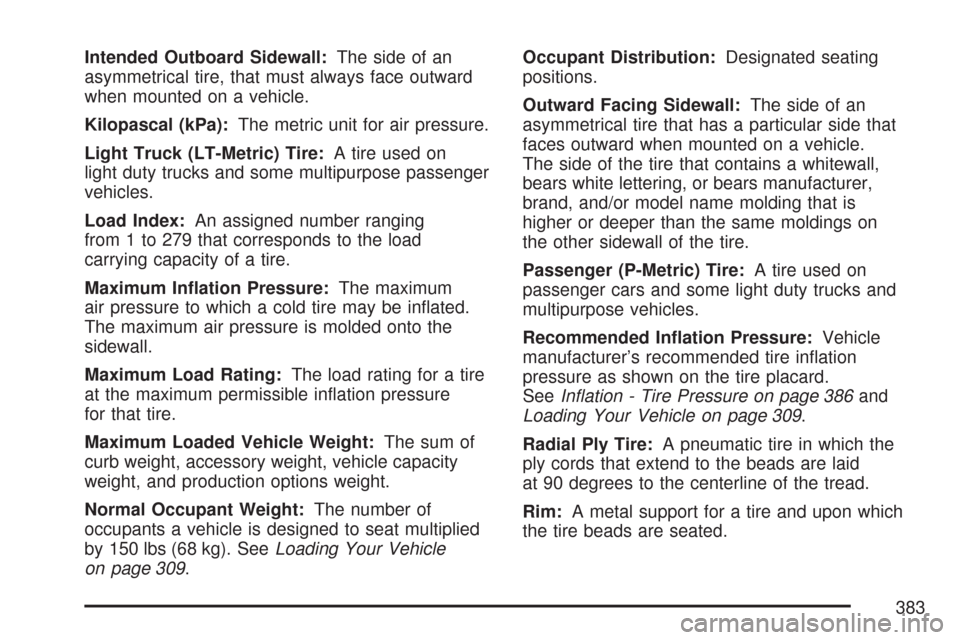
Intended Outboard Sidewall:The side of an
asymmetrical tire, that must always face outward
when mounted on a vehicle.
Kilopascal (kPa):The metric unit for air pressure.
Light Truck (LT-Metric) Tire:A tire used on
light duty trucks and some multipurpose passenger
vehicles.
Load Index:An assigned number ranging
from 1 to 279 that corresponds to the load
carrying capacity of a tire.
Maximum Ination Pressure:The maximum
air pressure to which a cold tire may be inated.
The maximum air pressure is molded onto the
sidewall.
Maximum Load Rating:The load rating for a tire
at the maximum permissible ination pressure
for that tire.
Maximum Loaded Vehicle Weight:The sum of
curb weight, accessory weight, vehicle capacity
weight, and production options weight.
Normal Occupant Weight:The number of
occupants a vehicle is designed to seat multiplied
by 150 lbs (68 kg). SeeLoading Your Vehicle
on page 309.Occupant Distribution:Designated seating
positions.
Outward Facing Sidewall:The side of an
asymmetrical tire that has a particular side that
faces outward when mounted on a vehicle.
The side of the tire that contains a whitewall,
bears white lettering, or bears manufacturer,
brand, and/or model name molding that is
higher or deeper than the same moldings on
the other sidewall of the tire.
Passenger (P-Metric) Tire:A tire used on
passenger cars and some light duty trucks and
multipurpose vehicles.
Recommended Ination Pressure:Vehicle
manufacturer’s recommended tire ination
pressure as shown on the tire placard.
SeeInation - Tire Pressure on page 386and
Loading Your Vehicle on page 309.
Radial Ply Tire:A pneumatic tire in which the
ply cords that extend to the beads are laid
at 90 degrees to the centerline of the tread.
Rim:A metal support for a tire and upon which
the tire beads are seated.
383
Page 444 of 488
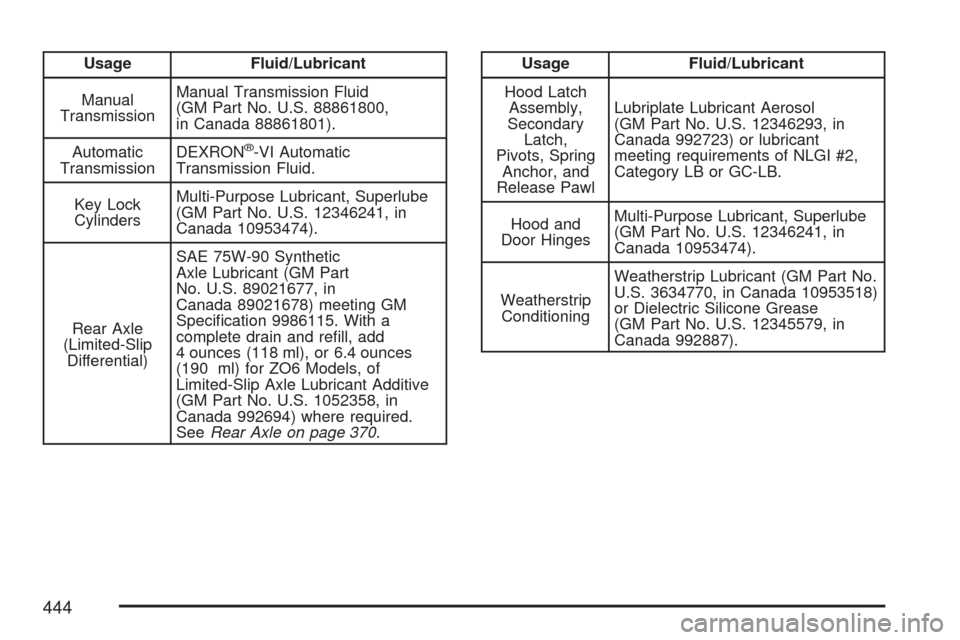
Usage Fluid/Lubricant
Manual
TransmissionManual Transmission Fluid
(GM Part No. U.S. 88861800,
in Canada 88861801).
Automatic
TransmissionDEXRON
®-VI Automatic
Transmission Fluid.
Key Lock
CylindersMulti-Purpose Lubricant, Superlube
(GM Part No. U.S. 12346241, in
Canada 10953474).
Rear Axle
(Limited-Slip
Differential)SAE 75W-90 Synthetic
Axle Lubricant (GM Part
No. U.S. 89021677, in
Canada 89021678) meeting GM
Specication 9986115. With a
complete drain and rell, add
4 ounces (118 ml), or 6.4 ounces
(190 ml) for ZO6 Models, of
Limited-Slip Axle Lubricant Additive
(GM Part No. U.S. 1052358, in
Canada 992694) where required.
SeeRear Axle on page 370.
Usage Fluid/Lubricant
Hood Latch
Assembly,
Secondary
Latch,
Pivots, Spring
Anchor, and
Release PawlLubriplate Lubricant Aerosol
(GM Part No. U.S. 12346293, in
Canada 992723) or lubricant
meeting requirements of NLGI #2,
Category LB or GC-LB.
Hood and
Door HingesMulti-Purpose Lubricant, Superlube
(GM Part No. U.S. 12346241, in
Canada 10953474).
Weatherstrip
ConditioningWeatherstrip Lubricant (GM Part No.
U.S. 3634770, in Canada 10953518)
or Dielectric Silicone Grease
(GM Part No. U.S. 12345579, in
Canada 992887).
444
Page 460 of 488
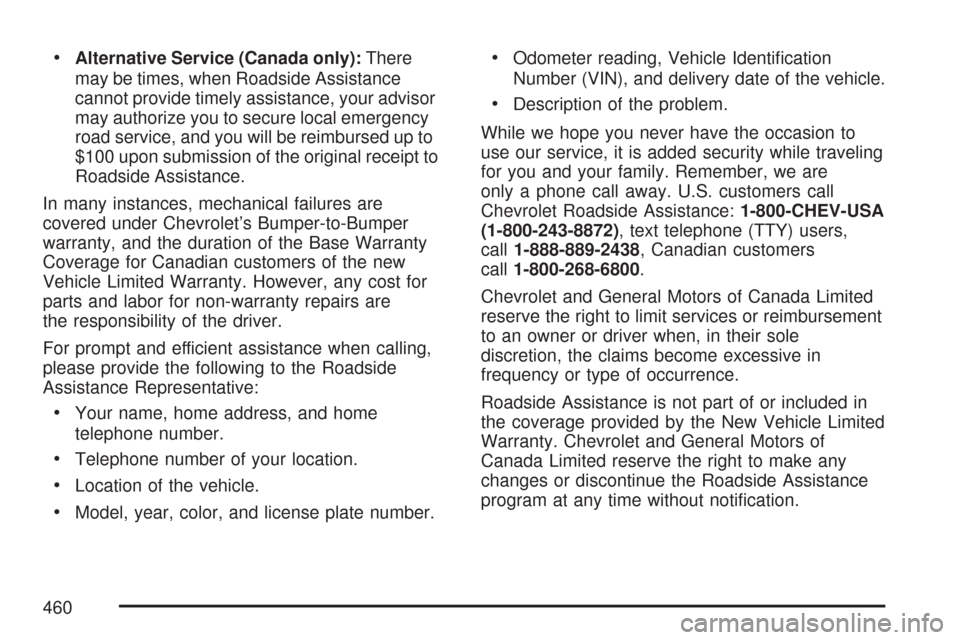
Alternative Service (Canada only):There
may be times, when Roadside Assistance
cannot provide timely assistance, your advisor
may authorize you to secure local emergency
road service, and you will be reimbursed up to
$100 upon submission of the original receipt to
Roadside Assistance.
In many instances, mechanical failures are
covered under Chevrolet’s Bumper-to-Bumper
warranty, and the duration of the Base Warranty
Coverage for Canadian customers of the new
Vehicle Limited Warranty. However, any cost for
parts and labor for non-warranty repairs are
the responsibility of the driver.
For prompt and efficient assistance when calling,
please provide the following to the Roadside
Assistance Representative:
Your name, home address, and home
telephone number.
Telephone number of your location.
Location of the vehicle.
Model, year, color, and license plate number.
Odometer reading, Vehicle Identication
Number (VIN), and delivery date of the vehicle.
Description of the problem.
While we hope you never have the occasion to
use our service, it is added security while traveling
for you and your family. Remember, we are
only a phone call away. U.S. customers call
Chevrolet Roadside Assistance:1-800-CHEV-USA
(1-800-243-8872), text telephone (TTY) users,
call1-888-889-2438, Canadian customers
call1-800-268-6800.
Chevrolet and General Motors of Canada Limited
reserve the right to limit services or reimbursement
to an owner or driver when, in their sole
discretion, the claims become excessive in
frequency or type of occurrence.
Roadside Assistance is not part of or included in
the coverage provided by the New Vehicle Limited
Warranty. Chevrolet and General Motors of
Canada Limited reserve the right to make any
changes or discontinue the Roadside Assistance
program at any time without notication.
460
Page 478 of 488
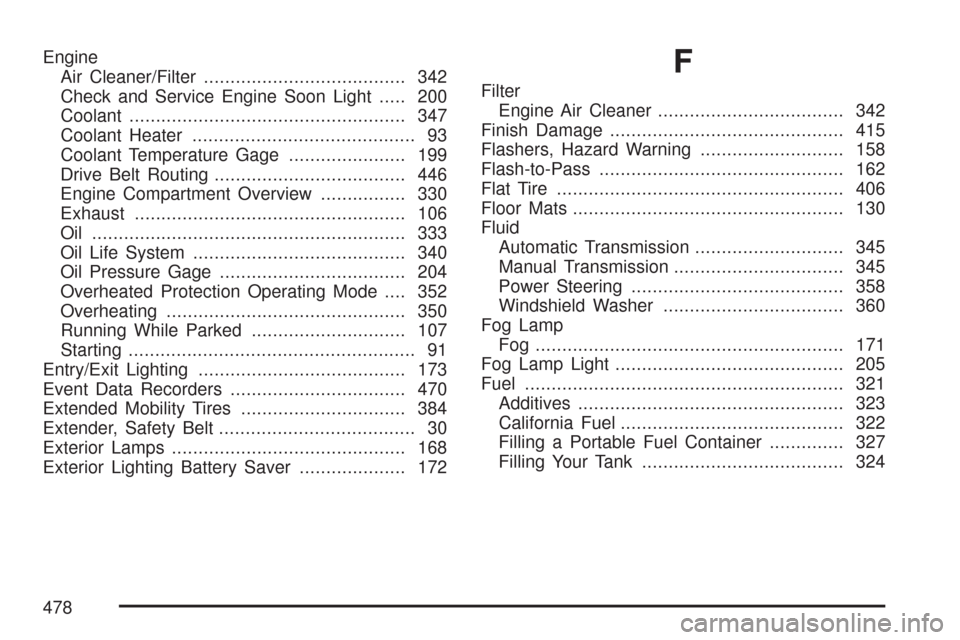
Engine
Air Cleaner/Filter...................................... 342
Check and Service Engine Soon Light..... 200
Coolant.................................................... 347
Coolant Heater.......................................... 93
Coolant Temperature Gage...................... 199
Drive Belt Routing.................................... 446
Engine Compartment Overview................ 330
Exhaust................................................... 106
Oil ........................................................... 333
Oil Life System........................................ 340
Oil Pressure Gage................................... 204
Overheated Protection Operating Mode.... 352
Overheating............................................. 350
Running While Parked............................. 107
Starting...................................................... 91
Entry/Exit Lighting....................................... 173
Event Data Recorders................................. 470
Extended Mobility Tires............................... 384
Extender, Safety Belt..................................... 30
Exterior Lamps............................................ 168
Exterior Lighting Battery Saver.................... 172F
Filter
Engine Air Cleaner................................... 342
Finish Damage............................................ 415
Flashers, Hazard Warning........................... 158
Flash-to-Pass.............................................. 162
Flat Tire...................................................... 406
Floor Mats................................................... 130
Fluid
Automatic Transmission............................ 345
Manual Transmission................................ 345
Power Steering........................................ 358
Windshield Washer.................................. 360
Fog Lamp
Fog .......................................................... 171
Fog Lamp Light........................................... 205
Fuel............................................................ 321
Additives.................................................. 323
California Fuel.......................................... 322
Filling a Portable Fuel Container.............. 327
Filling Your Tank...................................... 324
478