lock CHEVROLET CORVETTE 2007 6.G Repair Manual
[x] Cancel search | Manufacturer: CHEVROLET, Model Year: 2007, Model line: CORVETTE, Model: CHEVROLET CORVETTE 2007 6.GPages: 488, PDF Size: 2.62 MB
Page 241 of 488
When the mode you want is selected, press the
OPTION button to set your choice and advance to
the next personal option.
Passive Door Unlock:This option allows you to
select which doors will automatically unlock
when you approach and open the driver’s door
with your keyless access transmitter. See
Door Locks on page 78for more information.
Press the OPTION button until PASSIVE DOOR
UNLOCK appears on the display, then press
the RESET button to scroll through the following
modes:
DRIVER (default)
BOTH
If you choose DRIVER, only the driver’s door will
automatically unlock when you approach and
open the driver’s door with your keyless access
transmitter.
If you choose BOTH, both doors will automatically
unlock when you approach and open the driver’s
door with your keyless access transmitter.
Auto Unlock:This option allows you to select
whether the driver’s door, both doors or neither
door automatically unlocks when the shift lever ismoved into PARK (P) for automatic transmission
vehicles or when the ignition is turned off or is
in RAP for manual transmission vehicles.
Press the OPTION button until AUTO UNLOCK
appears on the display, then press the RESET
button to scroll through the following modes:
OFF
DRIVER
BOTH (default)
If you choose OFF, this option will turn off.
If you choose DRIVER, on automatic transmission
vehicles, the driver’s door will automatically unlock
when the shift lever is moved into PARK (P). On
manual transmission vehicles, the driver’s door will
automatically unlock when the ignition is turned off
or is in RAP.
If you choose BOTH, on automatic transmission
vehicles, both doors will automatically unlock when
the shift lever is moved into PARK (P). On manual
transmission vehicles, both doors will automatically
unlock when the ignition is turned off or is in RAP.
When the mode you want is selected, press the
OPTION button to set your choice and advance to
the next personal option.
241
Page 245 of 488
While your vehicle is parked:
Familiarize yourself with all of its controls.
Familiarize yourself with its operation.
Set up your audio system by presetting your
favorite radio stations, setting the tone, and
adjusting the speakers. Then, when driving
conditions permit, you can tune to your favorite
radio stations using the presets and steering
wheel controls if the vehicle has them.
Notice:Before adding any sound equipment
to your vehicle, such as an audio system,
CD player, CB radio, mobile telephone,
or two-way radio, make sure that it can be
added by checking with your dealer/retailer.
Also, check federal rules covering mobile radio
and telephone units. If sound equipment can
be added, it is very important to do it properly.
Added sound equipment may interfere with
the operation of your vehicle’s engine, radio,
or other systems, and even damage them.
Your vehicle’s systems may interfere with
the operation of sound equipment that
has been added.Your vehicle has a feature called Retained
Accessory Power (RAP). With RAP, the audio
system can be played even after the ignition
is turned off. SeeRetained Accessory Power
(RAP) on page 91for more information.
Setting the Time
With the ignition on and the radio off, press
the H or the M button to enter clock mode.
Press and hold H until the correct hour appears
on the display. Press and hold M until the
correct minute appears on the display.
To change the time default setting from 12 hour
to 24 hour, press either the H or the M button
to enter the clock mode. Press the tune knob
to select between the 12 or 24 hour display format.
The clock mode automatically times out with
the changed display format set as the current
default setting.
245
Page 247 of 488
XM™ Satellite Radio Service
If your vehicle has the XM™ satellite radio
service, it is based in the 48 contiguous United
States and Canada. XM™ offers a large variety of
coast-to-coast channels including music, news,
sports, talk, traffic/weather (U.S. subscribers), and
children’s programming. XM™ provides digital
quality audio and text information that includes
song title and artist name. A service fee is required
in order to receive the XM™ service. For more
information, contact XM™; In the U.S. at
www.xmradio.com or call 1-800-852-XMXM (9696)
or in Canada at www.xmradio.ca or call
1-877-GET-XMSR (438-9677).
Playing the Radio
Top Knob (Power/Volume):Press this knob to
turn the system on and off. Turn this knob
clockwise or counterclockwise to increase or
decrease the volume.
4(Information):For RDS, press the4button to
change what display while using RDS. The display
options are station name, RDS station frequency,
PTY, and the name of the program (if available).For XM™ (if equipped), press the information
button while in XM™ mode to retrieve four different
categories of information related to the current
song or channel: Artist, Song Title, Category
or PTY, Channel Number/Channel Name.
To change the default on the display, press the
4button until you see the desired display,
then hold the
4for two seconds. The radio
produces one beep and the selected display is
now the default.
AUTO
n(Automatic Volume):Automatic
volume automatically adjusts the audio system to
make up for road and wind noise as you drive,
by it increasing the volume as vehicle speed
increases.
Set the volume at the desired level. Press the
AUTO
nbutton to select AUTO VOLUME MIN
(minimum), AUTO VOLUME MED (medium),
or AUTO VOLUME MAX (maximum). Each higher
setting provides more volume compensation at
faster vehicle speeds. To turn automatic volume
off, press the AUTO
nuntil AUTO VOLUME
OFF displays.
247
Page 252 of 488
A new group of words display after every press
of the button. Once the complete message has
displayed, INFO disappears from the display
until another new message is received. The
last message can be displayed by pressing the
4button. The last message until a new message is
received or the radio is tuned to a different station.
When a message is not available from a station,
NO INFO displays.
TRAF (Traffic):If TA (traffic) displays, the
tuned station broadcasts traffic announcements.
When a traffic announcement is broadcast on
this station, you will hear it.
If the station does not broadcast traffic
announcements, press the TRAF button and
the radio seeks to a station that does. When a
station that broadcasts traffic announcements
is found, the radio stops seeking and TA displays.
If no station is found that broadcasts traffic
announcements, NO TRAFFIC displays.
If TA is on the display, press the TRAF button
to turn off the traffic announcements.The radio plays the traffic announcement even if
the volume is low. The radio interrupts the play of
a CD if the last tuned station broadcasts traffic
announcements.
This function does not apply to XM™ Satellite
Radio Service.
Radio Messages
CAL ERR (Calibration Error):The audio system
has been calibrated for your vehicle from the
factory. If CAL ERR displays, it means that the
radio has not been congured properly for
your vehicle and must be returned to your
dealer/retailer for service.
LOCKED:This message displays when the
THEFTLOCK
®system has locked up. Take the
vehicle to your dealer/retailer for service.
If any error occurs repeatedly or if an error cannot
be corrected, contact your dealer/retailer. If the
radio displays an error message, write it down and
provide it to your dealer when reporting the
problem.
252
Page 265 of 488
If an error displays, see “CD Messages” later in
this section.
O/e(Tune):Turn theO/eknob
clockwise or counterclockwise to go to the next
or previous track.
{(Previous Folder):Press the{button to
go to the rst track in the previous folder.
Press and hold the
{button to reverse through
the current track.
|(Next Folder):Press the|button to go to
the rst track in the next folder. Press and hold
the
|button to fast forward the current track.RDM (Random):Press this button to hear the
tracks in random, rather than sequential order,
on one CD, one folder, or all of the loaded CDs.
To use random, do one of the following:
To play the tracks on the CD you are listening
to in random order, press and release this
button until RANDOM DISC displays.
To play the tracks in the folder you are
listening to in random order, press and release
this button until RANDOM FOLDER displays.
To play the tracks on all of the CDs that are
loaded in random order, press and release
this button until RANDOM ALL displays.
To turn off random play, press and release the
RDM button until RANDOM OFF displays.
265
Page 267 of 488
XM Radio Messages
If your vehicle has XM™ Satellite Radio Service, the radio can display some of the screen messages as
shown in the XM™ Radio Message table. If any of these messages do display, follow the information
and/or instructions provided in the table.
Radio Display Message Condition Action Required
XL (Explicit Language
Channels)XL on the radio display,
after the channel name,
indicates content with
explicit language.These channels, or any others, can be blocked at a
customer’s request, by calling 1-800-852-XMXM (9696).
Updating Updating encryption code The encryption code in the receiver is being updated, and
no action is required. This process should take no longer
than 30 seconds.
No Signal Loss of signal The system is functioning correctly, but the vehicle is in a
location that is blocking the XM™ signal. When you move
into an open area, the signal should return.
Loading XM Acquiring channel audio
(after 4 second delay)The audio system is acquiring and processing audio and
text data. No action is needed. This message should
disappear shortly.
CH Off Air Channel not in service This channel is not currently in service. Tune to another
channel.
CH Unavail Channel no longer
availableThis previously assigned channel is no longer assigned.
Tune to another station. If this station was one of the
presets, choose another station for that preset button.
No Info Artist Name/Feature
not availableNo artist information is available at this time on this channel.
The system is working properly.
267
Page 268 of 488
Radio Display Message Condition Action Required
No Info Song/Program Title
not availableNo song title information is available at this time on this
channel. The system is working properly.
No Info Category Name
not availableNo category information is available at this time on this
channel. The system is working properly.
No Info No Text/Informational
message availableNo text or informational messages are available at this time
on this channel. The system is working properly.
Not Found No channel available for
the chosen categoryThere are no channels available for the selected category.
The system is working properly.
XM Locked Theft lock active The XM™ receiver in the vehicle could have previously
been in another vehicle. For security purposes, XM™
receivers cannot be swapped between vehicles. If this
message is received after having your vehicle serviced,
check with your dealer/retailer.
Radio ID Radio ID label
(channel 0)If tuned to channel 0, this message alternates with the
XM™ Radio eight digit radio ID label. This label is needed
to activate the service.
Unknown Radio ID not known
(should only be if
hardware failure)If this message is received when tuned to channel 0, there
could be a receiver fault. Consult with your dealer/retailer.
Chk XMRcvr Hardware failure If this message does not clear within a short period of
time, your receiver could have a fault. Consult with your
dealer/retailer.
268
Page 269 of 488
Navigation/Radio System
Your vehicle may have a navigation radio system.
The navigation system has built-in features
intended to minimize driver distraction. Technology
alone, no matter how advanced, can never
replace your own judgment. See the Navigation
System manual for some tips to help you
reduce distractions while driving.
Theft-Deterrent Feature
THEFTLOCK®is designed to discourage theft
of your vehicle’s radio. The feature works
automatically by learning a portion of the
Vehicle Identication Number (VIN). If the radio
is moved to a different vehicle, it will not operate
and LOCKED will appear on the display.
With THEFTLOCK
®activated, the radio will not
operate if stolen.
Your radio has a blinking indicator light located
on the upper left side of the radio. The indicator
light is used to show that the theft-deterrent feature
mode is set. The blinking indicator light will only
ash when the ignition is in the off position.
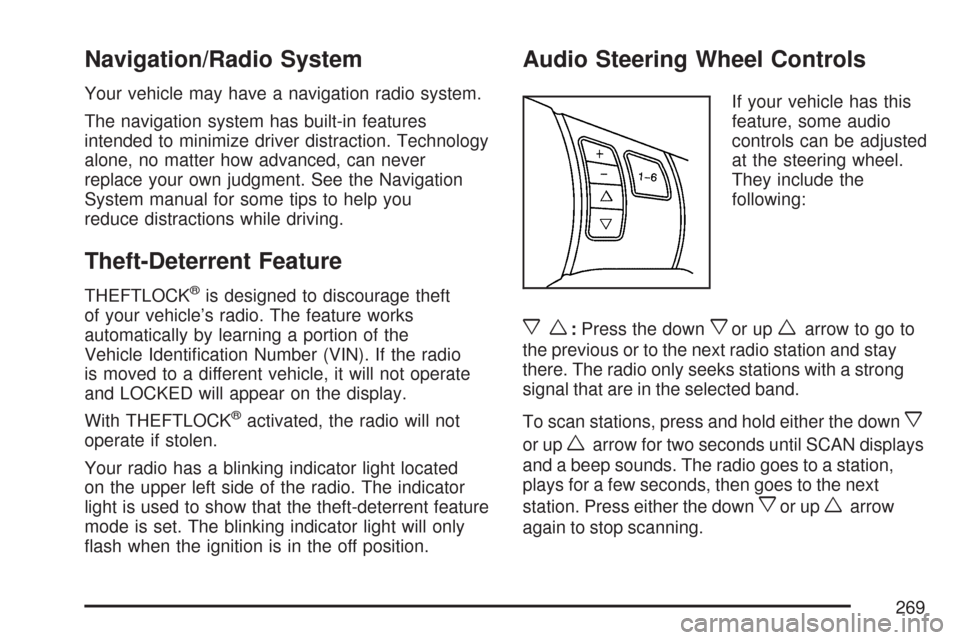
Audio Steering Wheel Controls
If your vehicle has this
feature, some audio
controls can be adjusted
at the steering wheel.
They include the
following:
xw:Press the downxor upwarrow to go to
the previous or to the next radio station and stay
there. The radio only seeks stations with a strong
signal that are in the selected band.
To scan stations, press and hold either the down
x
or upwarrow for two seconds until SCAN displays
and a beep sounds. The radio goes to a station,
plays for a few seconds, then goes to the next
station. Press either the down
xor upwarrow
again to stop scanning.
269
Page 273 of 488
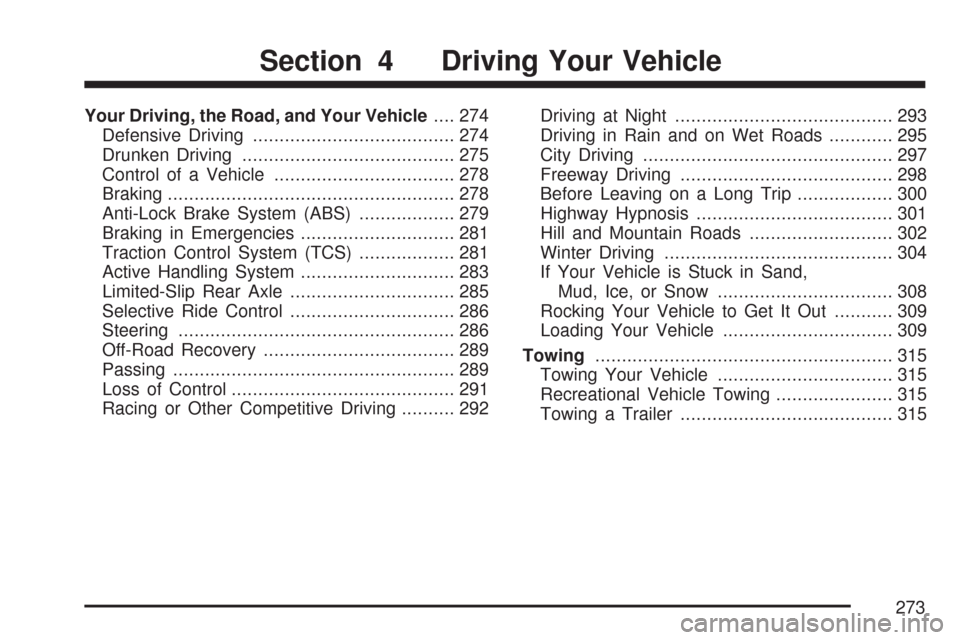
Your Driving, the Road, and Your Vehicle.... 274
Defensive Driving...................................... 274
Drunken Driving........................................ 275
Control of a Vehicle.................................. 278
Braking...................................................... 278
Anti-Lock Brake System (ABS).................. 279
Braking in Emergencies............................. 281
Traction Control System (TCS).................. 281
Active Handling System............................. 283
Limited-Slip Rear Axle............................... 285
Selective Ride Control............................... 286
Steering.................................................... 286
Off-Road Recovery.................................... 289
Passing..................................................... 289
Loss of Control.......................................... 291
Racing or Other Competitive Driving.......... 292Driving at Night......................................... 293
Driving in Rain and on Wet Roads............ 295
City Driving............................................... 297
Freeway Driving........................................ 298
Before Leaving on a Long Trip.................. 300
Highway Hypnosis..................................... 301
Hill and Mountain Roads........................... 302
Winter Driving........................................... 304
If Your Vehicle is Stuck in Sand,
Mud, Ice, or Snow................................. 308
Rocking Your Vehicle to Get It Out........... 309
Loading Your Vehicle................................ 309
Towing........................................................ 315
Towing Your Vehicle................................. 315
Recreational Vehicle Towing...................... 315
Towing a Trailer........................................ 315
Section 4 Driving Your Vehicle
273
Page 279 of 488
If you keep pace with the traffic and allow realistic
following distances, you will eliminate a lot of
unnecessary braking. That means better braking
and longer brake life.
If your vehicle’s engine ever stops while you are
driving, brake normally but do not pump the
brakes. If you do, the pedal could get harder to
push down. If the engine stops, you will still have
some power brake assist. But you will use it
when you brake. Once the power assist is used
up, it can take longer to stop and the brake pedal
will be harder to push.
Under certain weather or operating conditions,
occasional brake squeak, squeal, or other
noise might be heard with your vehicle’s
performance braking system. This brake system
is designed for superior fade resistance and
consistent operation using high performance
brake pads. Brake noise is normal and does
not affect system performance.
Adding non-dealer/non-retailer accessories
can affect your vehicle’s performance. See
Accessories and Modications on page 319.Anti-Lock Brake System (ABS)
Your vehicle has the Anti-Lock Brake
System (ABS), an advanced electronic braking
system that will help prevent a braking skid.
When you start the engine and begin to drive
away, ABS will check itself. You might hear
a momentary motor or clicking noise while this
test is going on, and you might even notice that
the brake pedal moves a little. This is normal.
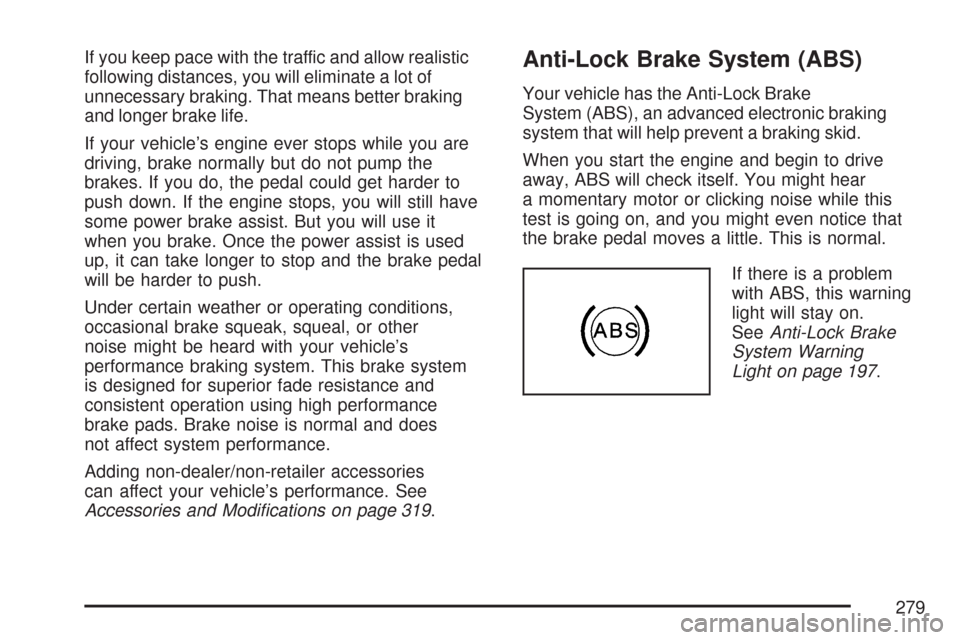
If there is a problem
with ABS, this warning
light will stay on.
SeeAnti-Lock Brake
System Warning
Light on page 197.
279