display CHEVROLET CORVETTE 2010 6.G User Guide
[x] Cancel search | Manufacturer: CHEVROLET, Model Year: 2010, Model line: CORVETTE, Model: CHEVROLET CORVETTE 2010 6.GPages: 472, PDF Size: 11.44 MB
Page 119 of 472
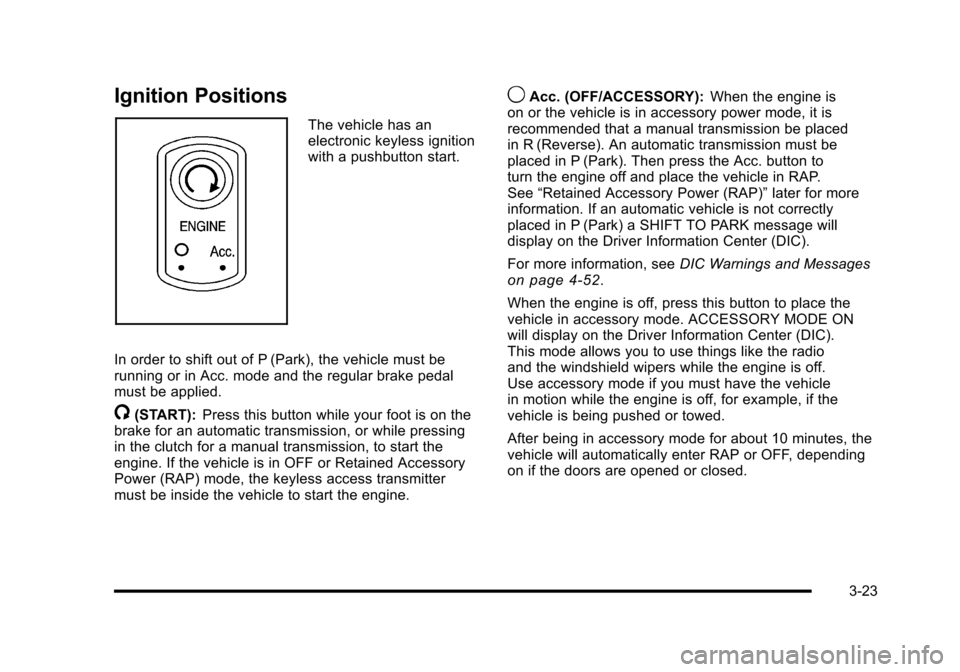
Ignition Positions
The vehicle has an
electronic keyless ignition
with a pushbutton start.
In order to shift out of P (Park), the vehicle must be
running or in Acc. mode and the regular brake pedal
must be applied.
/(START): Press this button while your foot is on the
brake for an automatic transmission, or while pressing
in the clutch for a manual transmission, to start the
engine. If the vehicle is in OFF or Retained Accessory
Power (RAP) mode, the keyless access transmitter
must be inside the vehicle to start the engine.
9Acc. (OFF/ACCESSORY): When the engine is
on or the vehicle is in accessory power mode, it is
recommended that a manual transmission be placed
in R (Reverse). An automatic transmission must be
placed in P (Park). Then press the Acc. button to
turn the engine off and place the vehicle in RAP.
See “Retained Accessory Power (RAP)” later for more
information. If an automatic vehicle is not correctly
placed in P (Park) a SHIFT TO PARK message will
display on the Driver Information Center (DIC).
For more information, see DIC Warnings and Messages
on page 4‑52.
When the engine is off, press this button to place the
vehicle in accessory mode. ACCESSORY MODE ON
will display on the Driver Information Center (DIC).
This mode allows you to use things like the radio
and the windshield wipers while the engine is off.
Use accessory mode if you must have the vehicle
in motion while the engine is off, for example, if the
vehicle is being pushed or towed.
After being in accessory mode for about 10 minutes, the
vehicle will automatically enter RAP or OFF, depending
on if the doors are opened or closed.
3-23
Page 120 of 472
Retained Accessory Power (RAP)
These vehicle accessories can be used for up to
10 minutes after the engine is turned off:
.Audio System
.Power Windows
These features continue to work up to 10 minutes after
the engine is turned off or until either door is opened.
If a door is opened, the power windows and audio
system will shut off.
Starting the Engine
Move the shift lever to P (Park) or N (Neutral) for an
automatic transmission. For a manual transmission the
vehicle can be started in Neutral or any other gear as
long as the clutch pedal is pressed. To restart a vehicle
with a manual transmission when you are already
moving, use the Neutral position only. To restart a
vehicle with an automatic transmission when you
are already moving, use N (Neutral).
Notice: Do not try to shift to P (Park) if the vehicle
is moving. If you do, you could damage the
transmission. Shift to P (Park) only when the
vehicle is stopped.
The keyless access transmitter must be inside the
vehicle for the ignition to work. Cell phone chargers can interfere with the operation of
the Keyless Access System. Battery chargers should
not be plugged in when starting or turning off the
engine.
To start the vehicle, do the following:
1. For vehicles with an automatic transmission, with your foot on the brake pedal, press the
START button located on the instrument panel.
For vehicles with a manual transmission, you must
also press in the clutch pedal while pressing the
START button.
If there is not a keyless access transmitter in
the vehicle or if there is something causing
interference with it, the DIC will display NO FOBS
DETECTED. See DIC Warnings and Messages
on
page 4‑52for more information.
2. When the engine begins cranking, let go of the button and the engine cranks automatically until
it starts. If the battery in the keyless access
transmitter is weak, the DIC displays FOB
BATTERY LOW. You can still drive the vehicle.
See “Battery Replacement” underKeyless Access
System Operation
on page 3‑5for more
information. If the fob battery is dead, you need to
insert the fob into the fob slot to enable engine
starting. See “No Fobs Detected” underDIC
Warnings and Messages on page 4‑52.
3-24
Page 121 of 472
3. Do not race the engine immediately after starting it. Operate the engine and transmission gently until
the oil warms up and lubricates all moving parts.
4. If the engine does not start and no DIC message is displayed, wait 15 seconds before trying again to
let the cranking motor cool down.
If the engine does not start after 5-10 seconds,
especially in very cold weather (below −18°C
or 0°F), it could be flooded with too much gasoline.
Try pushing the accelerator pedal all the way
to the floor while cranking for up to 15 seconds
maximum. Wait at least 15 seconds between
each try, to allow the cranking motor to cool down.
When the engine starts, let go of the accelerator.
If the vehicle starts briefly but then stops again,
repeat these steps. This clears the extra gasoline
from the engine.
Notice: Cranking the engine for long periods of
time, by pressing the START button immediately
after cranking has ended, can overheat and damage
the cranking motor, and drain the battery. Wait at
least 15 seconds between each try, to allow the
cranking motor to cool down. The vehicle has a Computer-Controlled Cranking
System. This feature assists in starting the engine and
protects components. Once cranking has been initiated,
the engine continues cranking for a few seconds or
until the vehicle starts. If the engine does not start,
cranking automatically stops after 15 seconds to
prevent cranking motor damage. To prevent gear
damage, this system also prevents cranking if the
engine is already running.
Notice:
The engine is designed to work with the
electronics in the vehicle. If electrical parts or
accessories are added, you could change the
way the engine operates. Before adding electrical
equipment, check with your dealer/retailer. If you
do not, the engine might not perform properly. Any
resulting damage would not be covered by the
vehicle warranty.
3-25
Page 122 of 472
Stopping the Engine
If the vehicle has an automatic transmission, move
the shift lever to P (Park) and press and hold the
Acc. (Off/Accessory) button, located on the instrument
panel, until the engine shuts off. If the shift lever is not
in P (Park), the engine shuts off and the vehicle goes
into the Accessory Mode. The DIC displays SHIFT
TO PARK. Once the shifter is moved to P (Park),
the vehicle turns off. If the vehicle has a manual
transmission, it is recommended that you move the
shift lever to R (Reverse) and set the parking brake
after you turn off the engine by pressing and holding
the Acc. (Off/Accessory) button.
If the keyless access transmitter is not detected inside
the vehicle when it is turned to off, the DIC displays
NO FOB –OFF OR RUN?.
See DIC Warnings and Messages
on page 4‑52for
more information.
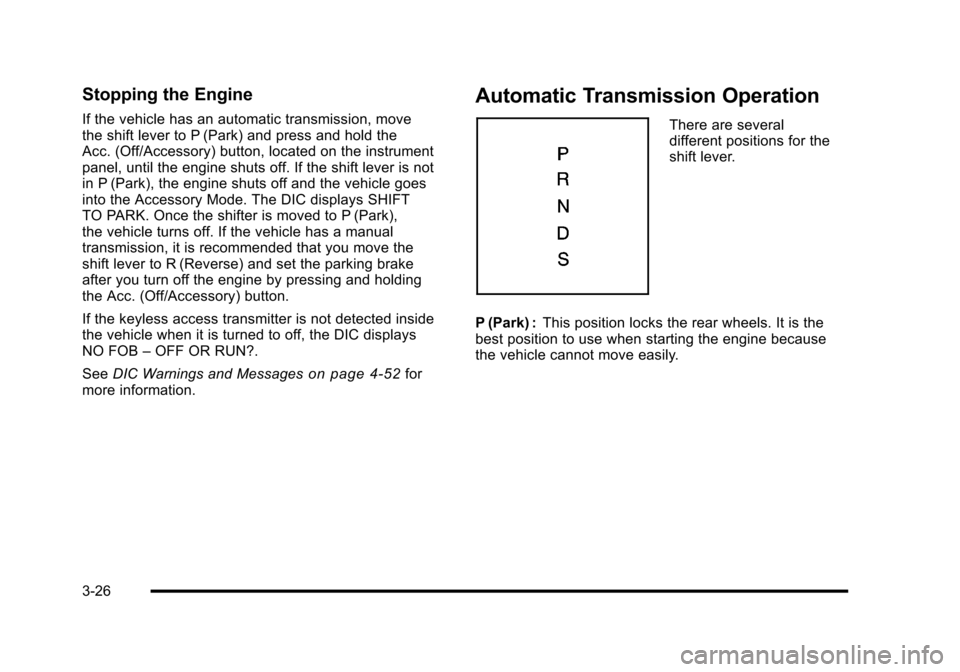
Automatic Transmission Operation
There are several
different positions for the
shift lever.
P (Park) : This position locks the rear wheels. It is the
best position to use when starting the engine because
the vehicle cannot move easily.
3-26
Page 126 of 472
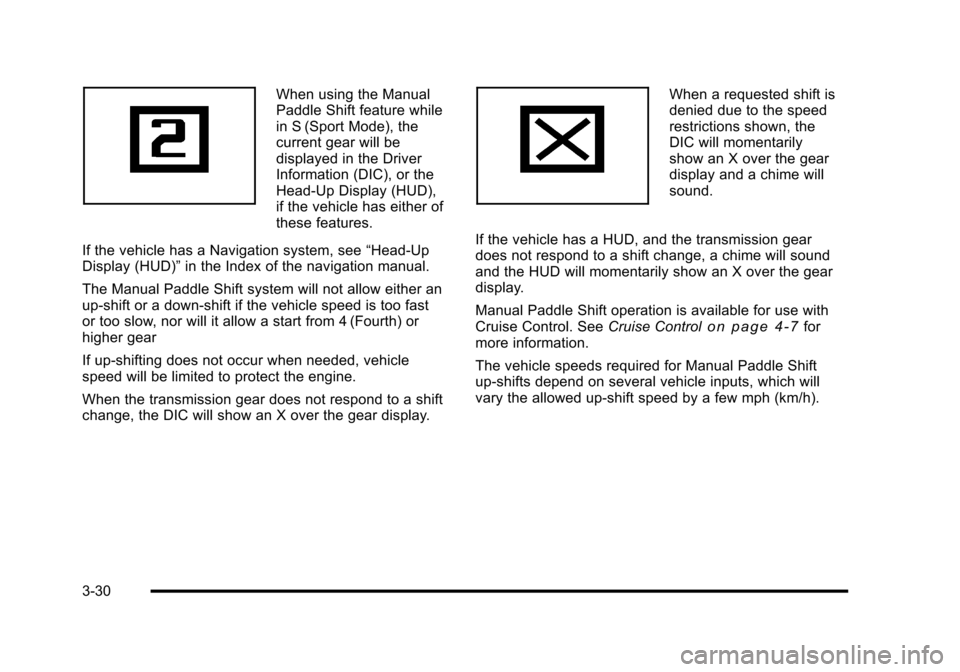
When using the Manual
Paddle Shift feature while
in S (Sport Mode), the
current gear will be
displayed in the Driver
Information (DIC), or the
Head-Up Display (HUD),
if the vehicle has either of
these features.
If the vehicle has a Navigation system, see “Head-Up
Display (HUD)” in the Index of the navigation manual.
The Manual Paddle Shift system will not allow either an
up-shift or a down-shift if the vehicle speed is too fast
or too slow, nor will it allow a start from 4 (Fourth) or
higher gear
If up-shifting does not occur when needed, vehicle
speed will be limited to protect the engine.
When the transmission gear does not respond to a shift
change, the DIC will show an X over the gear display. When a requested shift is
denied due to the speed
restrictions shown, the
DIC will momentarily
show an X over the gear
display and a chime will
sound.
If the vehicle has a HUD, and the transmission gear
does not respond to a shift change, a chime will sound
and the HUD will momentarily show an X over the gear
display.
Manual Paddle Shift operation is available for use with
Cruise Control. See Cruise Control
on page 4‑7for
more information.
The vehicle speeds required for Manual Paddle Shift
up-shifts depend on several vehicle inputs, which will
vary the allowed up-shift speed by a few mph (km/h).
3-30
Page 135 of 472
Mirrors
Automatic Dimming Rearview Mirror
The vehicle may have an automatic dimming inside
rearview mirror with a compass display and/or map
lamps, and OnStar
®. The mirror automatically changes
to reduce glare from headlamps behind you. A time
delay feature prevents rapid changing from the day to
night positions while driving under lights and through
traffic.
If the vehicle has OnStar, there are three control buttons
located at the bottom of the mirror. See the OnStar
®
owner's guide for more information on the services
OnStar®provides.
P(On/Off): The automatic dimming feature is
activated when the vehicle is started. Press and hold
this button for up to six seconds to turn this feature on
or off.
T(Indicator Light): This light turns on when the
automatic dimming feature is active.
Map Lamps
If the mirror has map lamps, they are located at the
bottom of the mirror. To manually turn the lamps on
or off, press the button next to each lamp.
Cleaning the Mirror
Do not spray glass cleaner directly on the mirror.
Use a soft towel dampened with water.
Compass
Compass Operation
With the compass feature on, each time the vehicle is
started, the compass will take a few seconds to adjust
and display the current compass heading. For example,
NE is displayed for north-east.
3-39
Page 136 of 472
Compass Calibration
PressPonce to turn the compass display on or off.
If after several seconds the display does not show a
compass heading, there may be a strong magnetic
field interfering with the compass. Interference can be
caused by a magnetic antenna mount, note pad holder
or similar object. If the letter C or CAL appears in the
compass window, the compass needs calibration.
Depending on the mirror, in order to calibrate, CAL must
be displayed in the mirror compass windows. If CAL is
not displayed, press
Pfor several seconds or until
CAL is displayed.
If the compass has map lamps, it can be placed in
calibration mode by pressing and holding the left map
light button until a C appears on the compass display.
The mirror compass can be calibrated by driving the
vehicle in circles at 5 mph (8 km/h) or less until the
display reads a direction.
Compass Variance
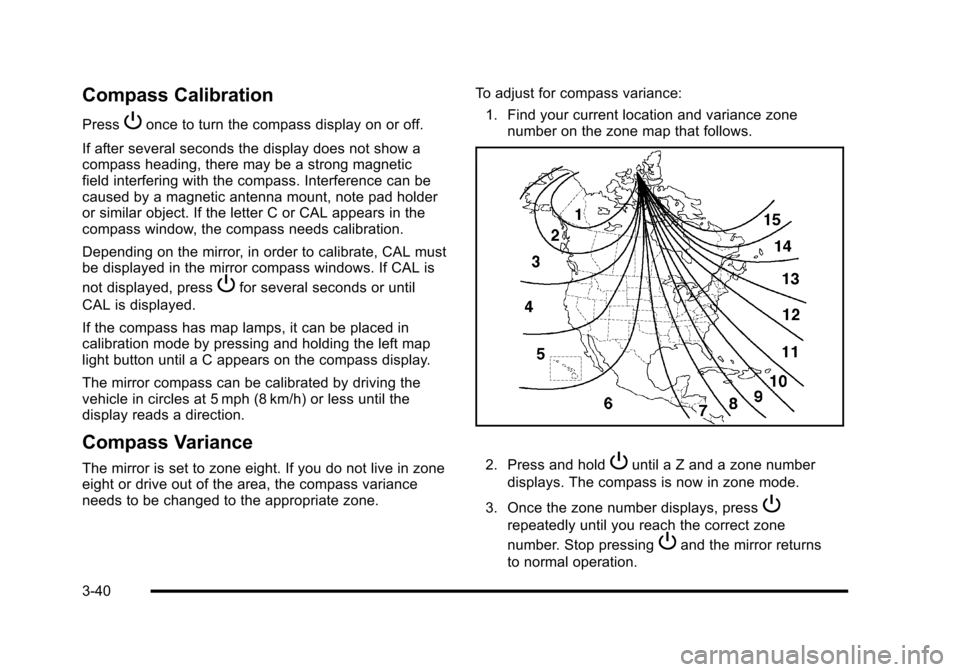
The mirror is set to zone eight. If you do not live in zone
eight or drive out of the area, the compass variance
needs to be changed to the appropriate zone. To adjust for compass variance:
1. Find your current location and variance zone number on the zone map that follows. 2. Press and holdPuntil a Z and a zone number
displays. The compass is now in zone mode.
3. Once the zone number displays, press
P
repeatedly until you reach the correct zone
number. Stop pressing
Pand the mirror returns
to normal operation.
3-40
Page 147 of 472
Rear Storage Area
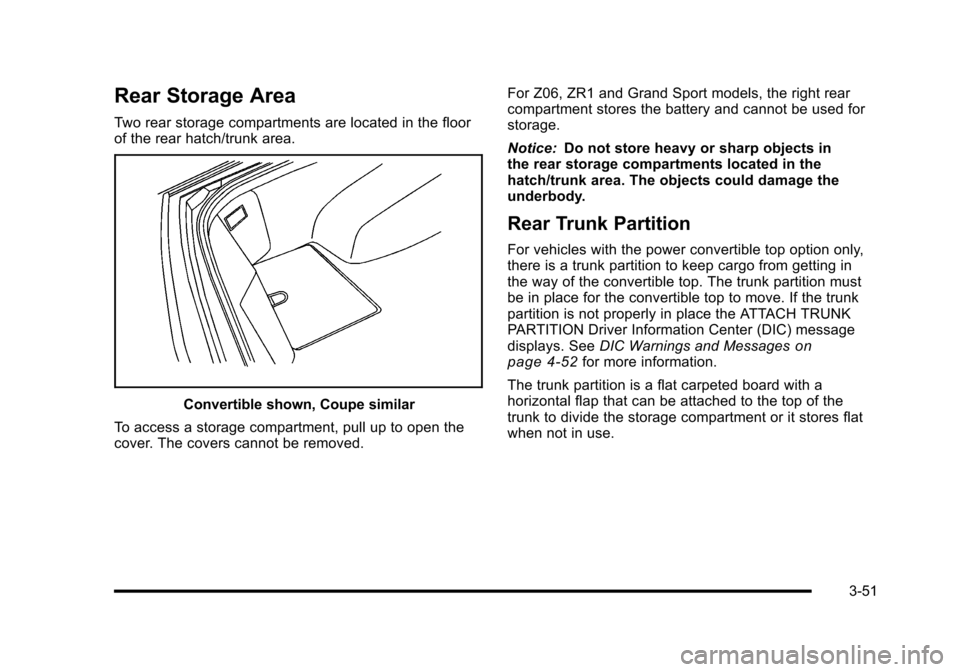
Two rear storage compartments are located in the floor
of the rear hatch/trunk area.
Convertible shown, Coupe similar
To access a storage compartment, pull up to open the
cover. The covers cannot be removed. For Z06, ZR1 and Grand Sport models, the right rear
compartment stores the battery and cannot be used for
storage.
Notice:
Do not store heavy or sharp objects in
the rear storage compartments located in the
hatch/trunk area. The objects could damage the
underbody.
Rear Trunk Partition
For vehicles with the power convertible top option only,
there is a trunk partition to keep cargo from getting in
the way of the convertible top. The trunk partition must
be in place for the convertible top to move. If the trunk
partition is not properly in place the ATTACH TRUNK
PARTITION Driver Information Center (DIC) message
displays. See DIC Warnings and Messages
on
page 4‑52for more information.
The trunk partition is a flat carpeted board with a
horizontal flap that can be attached to the top of the
trunk to divide the storage compartment or it stores flat
when not in use.
3-51
Page 164 of 472
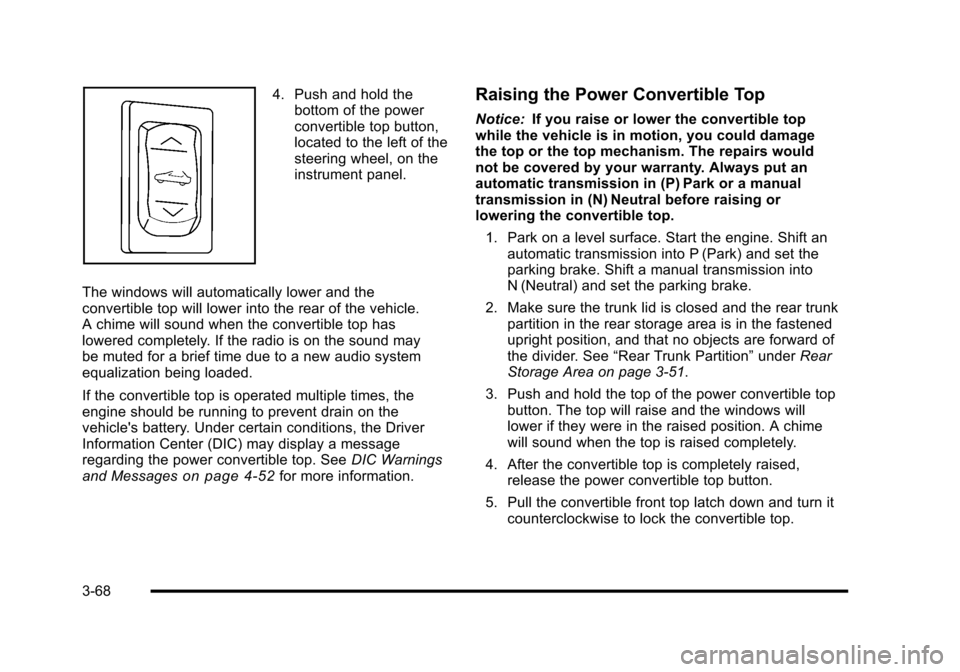
4. Push and hold the bottom of the power
convertible top button,
located to the left of the
steering wheel, on the
instrument panel.
The windows will automatically lower and the
convertible top will lower into the rear of the vehicle.
A chime will sound when the convertible top has
lowered completely. If the radio is on the sound may
be muted for a brief time due to a new audio system
equalization being loaded.
If the convertible top is operated multiple times, the
engine should be running to prevent drain on the
vehicle's battery. Under certain conditions, the Driver
Information Center (DIC) may display a message
regarding the power convertible top. See DIC Warnings
and Messages
on page 4‑52for more information.
Raising the Power Convertible Top
Notice: If you raise or lower the convertible top
while the vehicle is in motion, you could damage
the top or the top mechanism. The repairs would
not be covered by your warranty. Always put an
automatic transmission in (P) Park or a manual
transmission in (N) Neutral before raising or
lowering the convertible top.
1. Park on a level surface. Start the engine. Shift an automatic transmission into P (Park) and set the
parking brake. Shift a manual transmission into
N (Neutral) and set the parking brake.
2. Make sure the trunk lid is closed and the rear trunk partition in the rear storage area is in the fastened
upright position, and that no objects are forward of
the divider. See “Rear Trunk Partition” underRear
Storage Area on page 3‑51.
3. Push and hold the top of the power convertible top button. The top will raise and the windows will
lower if they were in the raised position. A chime
will sound when the top is raised completely.
4. After the convertible top is completely raised, release the power convertible top button.
5. Pull the convertible front top latch down and turn it counterclockwise to lock the convertible top.
3-68
Page 167 of 472
3. Use the wrench, located in the console, and turn the pressure release bolt counterclockwise
one revolution, to relieve pressure to the hydraulic
pump. This will allow you to manually raise the
convertible top.
4. Then follow the steps under raising the manual convertible top. See “Convertible Top (Manual)”
under Convertible Top (Manual)
on page 3‑59or
Convertible Top (Power) on page 3‑66
When power is restored to the vehicle, the hydraulic
bolt must be tightened, by turning it clockwise.
The power convertible top button can then be
used to lower or raise the convertible top. If the power convertible top is operated multiple times,
the engine should be running to prevent drain on the
vehicle's battery. Under certain conditions, the Driver
Information Center (DIC) may display a message
regarding the power top. See
DIC Warnings and
Messages
on page 4‑52for more information.
If the battery has been disconnected, the power
windows must be initialized for the power top to
operate. See Power Windows
on page 3‑17for
more information.
3-71