warning light CHEVROLET CORVETTE 2010 6.G Owner's Manual
[x] Cancel search | Manufacturer: CHEVROLET, Model Year: 2010, Model line: CORVETTE, Model: CHEVROLET CORVETTE 2010 6.GPages: 472, PDF Size: 11.44 MB
Page 206 of 472
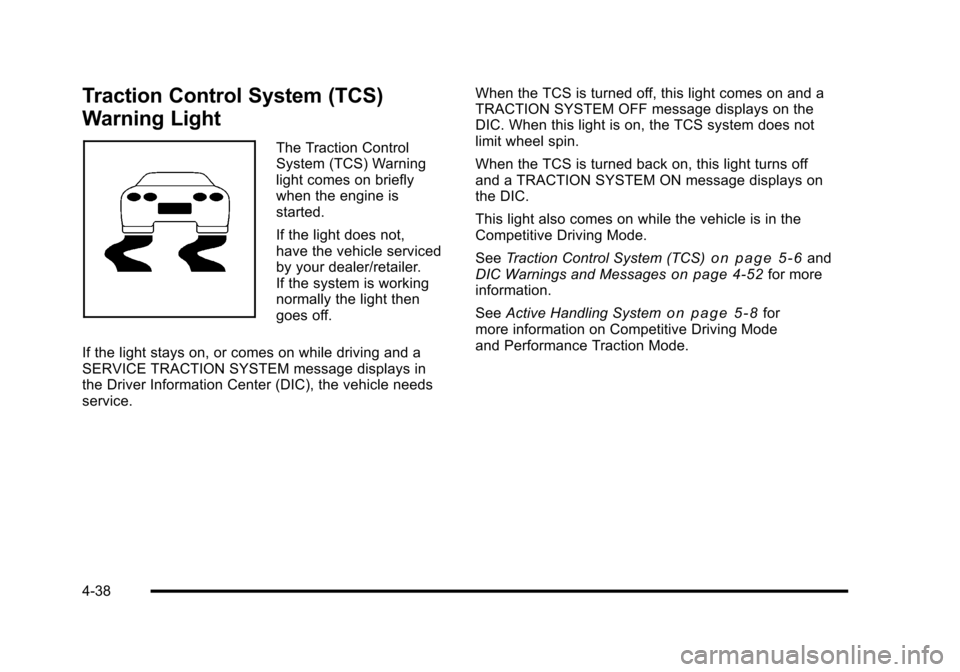
Traction Control System (TCS)
Warning Light
The Traction Control
System (TCS) Warning
light comes on briefly
when the engine is
started.
If the light does not,
have the vehicle serviced
by your dealer/retailer.
If the system is working
normally the light then
goes off.
If the light stays on, or comes on while driving and a
SERVICE TRACTION SYSTEM message displays in
the Driver Information Center (DIC), the vehicle needs
service. When the TCS is turned off, this light comes on and a
TRACTION SYSTEM OFF message displays on the
DIC. When this light is on, the TCS system does not
limit wheel spin.
When the TCS is turned back on, this light turns off
and a TRACTION SYSTEM ON message displays on
the DIC.
This light also comes on while the vehicle is in the
Competitive Driving Mode.
See
Traction Control System (TCS)
on page 5‑6and
DIC Warnings and Messageson page 4‑52for more
information.
See Active Handling System
on page 5‑8for
more information on Competitive Driving Mode
and Performance Traction Mode.
4-38
Page 207 of 472
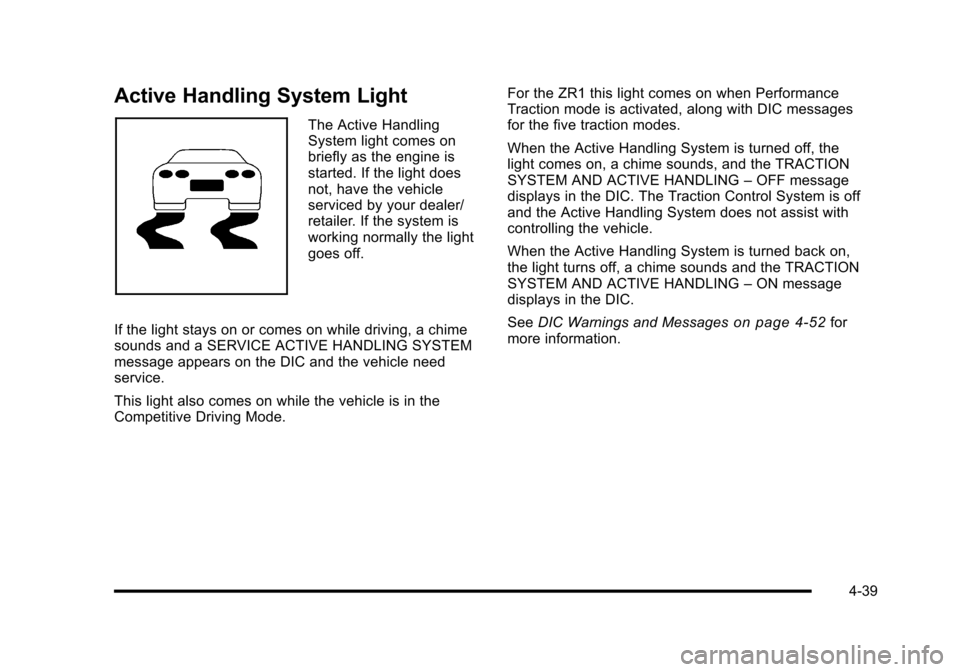
Active Handling System Light
The Active Handling
System light comes on
briefly as the engine is
started. If the light does
not, have the vehicle
serviced by your dealer/
retailer. If the system is
working normally the light
goes off.
If the light stays on or comes on while driving, a chime
sounds and a SERVICE ACTIVE HANDLING SYSTEM
message appears on the DIC and the vehicle need
service.
This light also comes on while the vehicle is in the
Competitive Driving Mode. For the ZR1 this light comes on when Performance
Traction mode is activated, along with DIC messages
for the five traction modes.
When the Active Handling System is turned off, the
light comes on, a chime sounds, and the TRACTION
SYSTEM AND ACTIVE HANDLING
–OFF message
displays in the DIC. The Traction Control System is off
and the Active Handling System does not assist with
controlling the vehicle.
When the Active Handling System is turned back on,
the light turns off, a chime sounds and the TRACTION
SYSTEM AND ACTIVE HANDLING –ON message
displays in the DIC.
See DIC Warnings and Messages
on page 4‑52for
more information.
4-39
Page 215 of 472
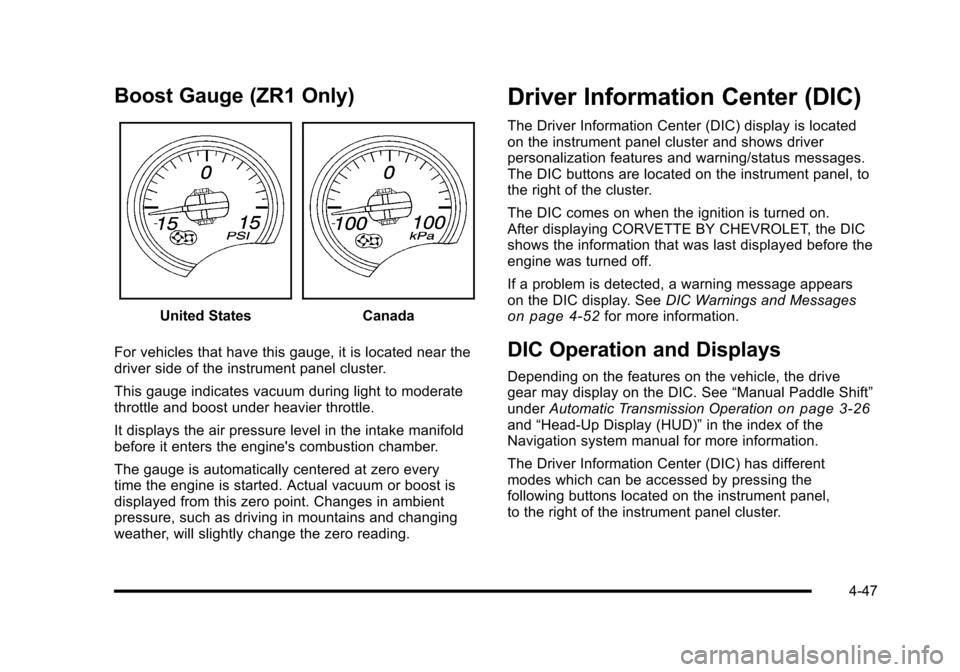
Boost Gauge (ZR1 Only)
United StatesCanada
For vehicles that have this gauge, it is located near the
driver side of the instrument panel cluster.
This gauge indicates vacuum during light to moderate
throttle and boost under heavier throttle.
It displays the air pressure level in the intake manifold
before it enters the engine's combustion chamber.
The gauge is automatically centered at zero every
time the engine is started. Actual vacuum or boost is
displayed from this zero point. Changes in ambient
pressure, such as driving in mountains and changing
weather, will slightly change the zero reading.
Driver Information Center (DIC)
The Driver Information Center (DIC) display is located
on the instrument panel cluster and shows driver
personalization features and warning/status messages.
The DIC buttons are located on the instrument panel, to
the right of the cluster.
The DIC comes on when the ignition is turned on.
After displaying CORVETTE BY CHEVROLET, the DIC
shows the information that was last displayed before the
engine was turned off.
If a problem is detected, a warning message appears
on the DIC display. See DIC Warnings and Messages
on page 4‑52for more information.
DIC Operation and Displays
Depending on the features on the vehicle, the drive
gear may display on the DIC. See “Manual Paddle Shift”
under Automatic Transmission Operation
on page 3‑26and“Head-Up Display (HUD)” in the index of the
Navigation system manual for more information.
The Driver Information Center (DIC) has different
modes which can be accessed by pressing the
following buttons located on the instrument panel,
to the right of the instrument panel cluster.
4-47
Page 222 of 472
BUCKLE PASSENGER
This message reminds you to buckle the passenger's
safety belt.
This message displays and a sound will be heard when
the ignition is on, the driver's safety belt is buckled, the
passenger's safety belt is unbuckled with the passenger
airbag enabled, and the vehicle is in motion. You should
have the passenger buckle their safety belt.
The reminder will be repeated if the ignition is on, the
vehicle is in motion, the driver is buckled and the
passenger is still unbuckled, and the passenger airbag
is enabled. If the passenger's safety belt is already
buckled, this message will not come on.
BUCKLE SEATBELT
This message reminds you to buckle the driver's
safety belt.
This message displays and a sound will be heard when
the ignition is on, the driver's safety belt is unbuckled,
and the vehicle is in motion. You should buckle your
safety belt.
If the driver remains unbuckled when the ignition is
on and the vehicle is in motion, the reminder will be
repeated. If the driver's safety belt is already buckled,
this message will not come on. This message is an additional reminder to the safety
belt reminder light in the instrument panel cluster.
See
Safety Belt Reminders
on page 4‑32for more
information.
CHANGE BRAKE PADS
On vehicles with electronic brake pad wear sensors,
this message will be displayed when the pads are worn.
See your dealer/retailer for service.
CHANGE ENGINE OIL
This message displays when the life of the engine
oil has expired. See Scheduled Maintenanceon
page 7‑3. After an oil change, the engine oil life
system must be reset. See “Engine Oil Life”under
DIC Operation and Displays
on page 4‑47. Also, see
Engine Oilon page 6‑19and Engine Oil Life Systemon page 6‑25for more information.
CHECK BRAKE FLUID
This message displays, a sound will be heard, and the
brake system warning light on the instrument panel
cluster turns on if the ignition is on to inform the driver
that the brake fluid level is low. See Brake System
Warning Light
on page 4‑36. Have the brake system
serviced by your dealer/retailer as soon as possible.
See Brakes on page 6‑43.
4-54
Page 226 of 472
LOW OIL PRESSURE
This message displays if low oil pressure levels occur.
If this message appears while the engine is running,
stop the engine and do not operate it until the cause of
low oil pressure is corrected. Severe damage to the
engine can result. A sound will be heard when this
message is displayed. See Engine Oil on page 6‑19.
LOW TIRE PRESSURE or TIRE LOW
ADD AIR TO TIRE
{WARNING:
When the LOW TIRE PRESSURE or TIRE FLAT
message is displayed on the Driver Information
Center, your vehicle's handling capabilities will be
reduced during severe maneuvers. The active
handling system will be affected. See Active
Handling System
on page 5‑8. If you drive
too fast, you could lose control of your vehicle.
You or others could be injured. Do not drive
over 55 mph (90 km/h) when the LOW TIRE
PRESSURE or TIRE FLAT message is displayed.
Drive cautiously and check your tire pressures as
soon as you can. This message displays when one or more of the
tires is under-inflated. This message also displays
LEFT FRONT, RIGHT FRONT, LEFT REAR, or
RIGHT REAR to indicate which tire is affected.
Multiple chimes sound and the tire pressure light on
the instrument panel cluster turns on when this
message is displayed. See
Tire Pressure Light
on
page 4‑40. You can receive more than one tire
pressure message at a time. To read other messages
that may have been sent at the same time, press the
RESET button. If a tire pressure message appears
on the DIC, stop as soon as you can. Have the tire
pressures checked and set to those shown on the
Tire Loading Information label. See Run-Flat Tires
on
page 6‑69, Loading the Vehicleon page 5‑28,
Inflation - Tire Pressureon page 6‑70, and Tire
Pressure Monitor Systemon page 6‑72. The DIC
also shows the tire pressure values. See DIC Operation
and Displays
on page 4‑47.
To acknowledge the message, press the RESET button.
A message reappears every 10 minutes until the
condition is corrected.
4-58
Page 231 of 472
SERVICE ACTIVE HANDLING SYSTEM
This message displays if there is a problem with the
Active Handling System and the vehicle needs service.
The active handling system light on the instrument
panel cluster also turns on and a sound will be heard.
See your dealer/retailer. When this message is
displayed, the system is not working. Adjust your driving
accordingly. See Active Handling System
on page 5‑8for more information.
SERVICE AIR CONDITIONING
This message displays when the electronic sensors
that control the air conditioning and heating systems
are no longer working. Have the climate control system
serviced by your dealer/retailer if you notice a drop in
heating and air conditioning efficiency.
SERVICE ANTILOCK BRAKES
If this message displays while you are driving, stop as
soon as possible and turn the ignition off. Then start the
engine again to reset the system. If the message stays
on, or comes back on again while you are driving, the
vehicle is in need of service. See your dealer/retailer. If the antilock brake system (ABS) warning light is on
and the regular brake system warning light is not on,
you still have brakes, but do not have ABS. If the
regular brake system warning light is also on, you do
not have ABS and there is a problem with the brakes.
See
Antilock Brake System (ABS) Warning Light
on
page 4‑37and Brake System Warning Lighton
page 4‑36.
If this message is displayed, the Traction Control
System (TCS) and the Active Handling System will
also be disabled. The DIC will scroll three messages:
SERVICE ANTILOCK BRAKES, SERVICE TRACTION
SYSTEM, and SERVICE ACTIVE HANDLING, and the
instrument panel cluster lights will come on along with a
sound. When the service message is displayed, the
computer controlled systems will not assist the driver.
Have the system repaired by your dealer/retailer as
soon as possible. Adjust your driving accordingly.
To acknowledge these messages, press the RESET
button.
4-63
Page 232 of 472
SERVICE CHARGING SYSTEM
If this message displays while you are driving, there
may be a problem with the electrical charging system.
It could mean that there is a loose or broken drive belt
or that there is another electrical problem. Have the
vehicle checked right away by your dealer/retailer.
Driving while this message is on could drain the battery.
If you must drive a short distance with the message on,
be certain to turn off the vehicle's accessories, such as
the radio and air conditioner.
Multiple chimes sound when this message is displayed.
To acknowledge the message, press the RESET button.
The message reappears every 10 minutes until this
condition changes.
SERVICE ELECTRICAL SYSTEM
This message displays if an electrical problem has
occurred within the Powertrain Control Module (PCM).
Have the vehicle serviced by your dealer/retailer.
SERVICE FUEL SYSTEM
This message displays if the Powertrain Control Module
(PCM) has detected a problem within the fuel system.
Have the vehicle serviced by your dealer/retailer. This
message also displays when the cluster is not getting
fuel information from the PCM.
SERVICE RIDE CONTROL
This message displays when the Selective Ride Control
system has detected a malfunction and the system
must be serviced. See your dealer/retailer. If a fault is
present in the Selective Ride Control system which
causes the shocks to be in their full soft condition, the
messages SERVICE RIDE CONTROL, SHOCKS
INOPERATIVE, and MAXIMUM SPEED 129 km/h
(80 MPH) will display together. See Selective Ride
Control
on page 5‑14for more information.
SERVICE TIRE MONITOR
This message displays if a part on the Tire Pressure
Monitor System (TPMS) is not working properly. The tire
pressure light also flashes and then remains on during
the same ignition cycle. See Tire Pressure Light
on
page 4‑40. Several conditions may cause this message
to appear. See Tire Pressure Monitor Operationon
page 6‑74for more information. If the warning comes
on and stays on, there may be a problem with the
TPMS. See your dealer/retailer.
4-64
Page 233 of 472
SERVICE TRACTION SYSTEM
If this message displays when you are driving, there is a
problem with the Traction Control System (TCS) and the
vehicle is in need of service. See your dealer/retailer.
When this message is displayed, the system will not
limit wheel spin. Adjust your driving accordingly.
The traction control system (TCS) warning light on the
instrument panel cluster will also turn on and a sound
will be heard.
When this message is displayed, the computer
controlled systems will not assist the driver in controlling
the vehicle. Have the system repaired by your dealer/
retailer as soon as possible. Adjust your driving
accordingly. See Traction Control System (TCS)
on
page 5‑6for more information.
To acknowledge the message, press the RESET button.
SERVICE TRANSMISSION
This message displays when there is a problem with the
transmission. See your dealer/retailer for service.
SERVICE VEHICLE SOON
This message displays and a sound will be heard when
there may be an electrical or another system problem
with the vehicle. Have your vehicle checked by your
dealer/retailer if this message keeps appearing.
SET PARK BRAKE FOR SEAT RECALL
If the vehicle has a manual transmission, this message
displays if you try to recall the memory positions when
the ignition is on and the parking brake is not set. If the
vehicle is on, you must set the parking brake in order
for the memory positions to recall. See Memory Seat,
Mirrors and Steering Wheel
on page 2‑4for more
information.
SET PARK BRAKE TO MOVE TOP
If the vehicle has a manual transmission, this message
displays and a sound will be heard if you try to operate
the power convertible top without first setting the
parking brake. Set the parking brake before trying to
operate the power convertible top. See Convertible Top
(Manual)
on page 3‑59or Convertible Top (Power)on
page 3‑66for more information.
SHIFT TO PARK
If the vehicle has an automatic transmission, this
message displays if the vehicle is not in P (Park) when
the engine is being turned off. The vehicle will be in
ACCESSORY Once the shift lever is moved to P (Park),
the vehicle will turn off.
4-65
Page 234 of 472
The vehicle will remain in ACCESSORY, without the
20 minute time-out period, until the shift lever is moved
to P (Park) or until the driver presses the pushbutton to
restart the vehicle. See Ignition Positions
on page 3‑23for more information.
SHIFT TO PARK OR SET PARK BRAKE
FOR TOP
If the vehicle has an automatic transmission, this
message displays and a sound will be heard if you
try to operate the power convertible top without first
shifting into P (Park) or setting the parking brake.
Either shift the vehicle into P (Park) or set the parking
brake before trying to operate the power convertible
top. See Convertible Top (Manual)
on page 3‑59or
Convertible Top (Power)on page 3‑66for more
information.
SHOCKS INOPERATIVE
This message displays when a malfunction is present in
the Selective Ride Control system which is causing the
shocks to be in their full soft mode. This is a warning to
the driver that the vehicle handling may be affected.
Have the vehicle serviced by your dealer/retailer as
soon as possible.
To acknowledge the message, press the RESET button.
The message reappears every 10 minutes until this
condition changes.
TIRE FLAT
{WARNING:
When the LOW TIRE PRESSURE or TIRE FLAT
message is displayed on the Driver Information
Center, your vehicle's handling capabilities will
be reduced during severe maneuvers. If you drive
too fast, you could lose control of your vehicle.
You or others could be injured. Do not drive
over 55 mph (90 km/h) when the LOW TIRE
PRESSURE or TIRE FLAT message is displayed.
Drive cautiously and check your tire pressures as
soon as you can.
This message displays when one or more of the tires is
flat. This message also displays LEFT FRONT, RIGHT
FRONT, LEFT REAR, or RIGHT REAR to indicate
which tire is affected. Multiple chimes sound and the tire
pressure light on the instrument panel cluster comes on
when this message is displayed. See Tire Pressure
Light
on page 4‑40.
4-66
Page 236 of 472
TRACTION SYSTEM AND ACTIVE
HANDLING –OFF
This message displays, the instrument panel cluster
light turns on, and a sound will be heard when the
Traction Control System (TCS) and Active Handling
System are turned off by pressing the Active Handling
System button on the console for five seconds. The
Antilock Brake System (ABS) remains on with the TCS
and Active Handling System off. Adjust your driving
accordingly. See Traction Control System (TCS)
on
page 5‑6and Active Handling Systemon page 5‑8for more information.
To acknowledge this message, press the RESET
button.
TRACTION SYSTEM AND ACTIVE
HANDLING –ON
If the Traction Control System (TCS) and Active
Handling System are off, this message displays briefly,
the instrument panel cluster light turns off, and a sound
will be heard when the TCS and Active Handling
System are turned on by briefly pressing the Active
Handling System button on the console. See Traction
Control System (TCS)
on page 5‑6and Active
Handling Systemon page 5‑8for more information.
TRACTION SYSTEM –OFF
This message displays and stays on, a sound will be
heard, and the traction control system (TCS) warning
light on the instrument panel cluster turns on when the
TCS is turned off by pressing the Active Handling
System button on the console. See Traction Control
System (TCS) Warning Light
on page 4‑38. See
Traction Control System (TCS)on page 5‑6for more
information.
To acknowledge the message, press the RESET button.
TRACTION SYSTEM –ON
This message displays and a sound will be heard when
the Traction Control System (TCS) is turned on by
pressing the Active Handling System button on the
console. This message automatically clears from the
DIC display on its own. See Traction Control System
(TCS)
on page 5‑6for more information.
4-68