light CHEVROLET CORVETTE 2010 6.G Repair Manual
[x] Cancel search | Manufacturer: CHEVROLET, Model Year: 2010, Model line: CORVETTE, Model: CHEVROLET CORVETTE 2010 6.GPages: 472, PDF Size: 11.44 MB
Page 213 of 472
The engine oil pressure can also be displayed using the
GAGES button on the Driver Information Center (DIC).
See Driver Information Center (DIC) on page 4‑47.
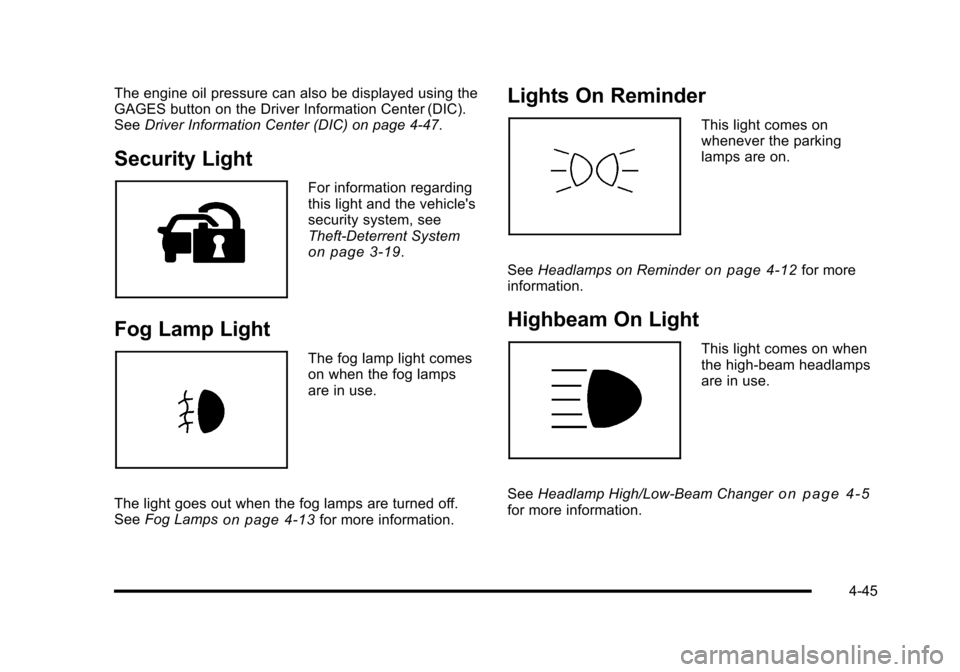
Security Light
For information regarding
this light and the vehicle's
security system, see
Theft-Deterrent System
on page 3‑19.
Fog Lamp Light
The fog lamp light comes
on when the fog lamps
are in use.
The light goes out when the fog lamps are turned off.
See Fog Lamps
on page 4‑13for more information.
Lights On Reminder
This light comes on
whenever the parking
lamps are on.
See Headlamps on Reminder
on page 4‑12for more
information.
Highbeam On Light
This light comes on when
the high-beam headlamps
are in use.
See Headlamp High/Low-Beam Changer
on page 4‑5for more information.
4-45
Page 214 of 472
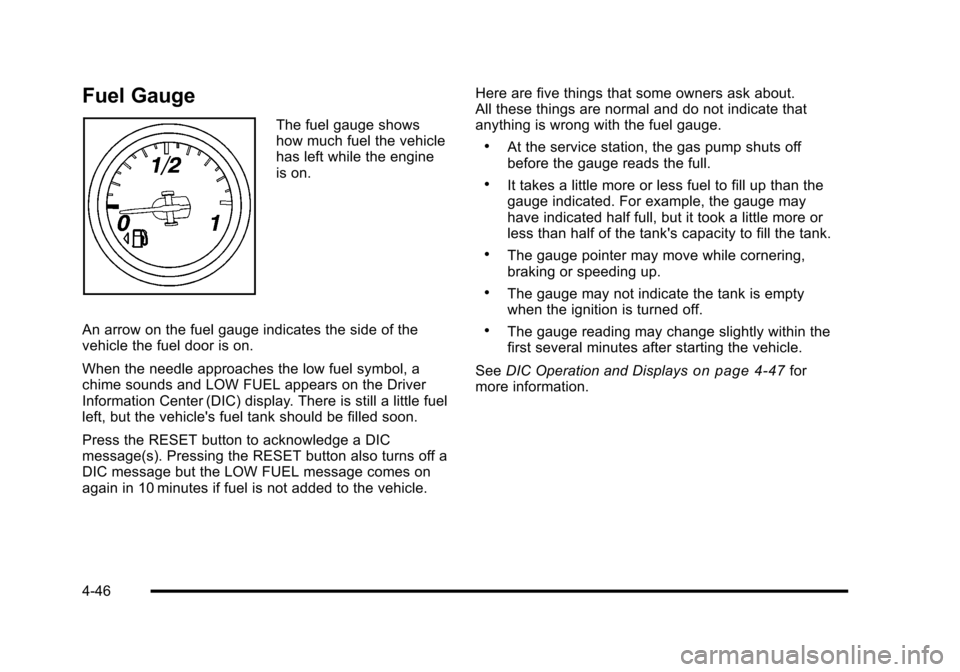
Fuel Gauge
The fuel gauge shows
how much fuel the vehicle
has left while the engine
is on.
An arrow on the fuel gauge indicates the side of the
vehicle the fuel door is on.
When the needle approaches the low fuel symbol, a
chime sounds and LOW FUEL appears on the Driver
Information Center (DIC) display. There is still a little fuel
left, but the vehicle's fuel tank should be filled soon.
Press the RESET button to acknowledge a DIC
message(s). Pressing the RESET button also turns off a
DIC message but the LOW FUEL message comes on
again in 10 minutes if fuel is not added to the vehicle. Here are five things that some owners ask about.
All these things are normal and do not indicate that
anything is wrong with the fuel gauge.
.At the service station, the gas pump shuts off
before the gauge reads the full.
.It takes a little more or less fuel to fill up than the
gauge indicated. For example, the gauge may
have indicated half full, but it took a little more or
less than half of the tank's capacity to fill the tank.
.The gauge pointer may move while cornering,
braking or speeding up.
.The gauge may not indicate the tank is empty
when the ignition is turned off.
.The gauge reading may change slightly within the
first several minutes after starting the vehicle.
See DIC Operation and Displays
on page 4‑47for
more information.
4-46
Page 215 of 472
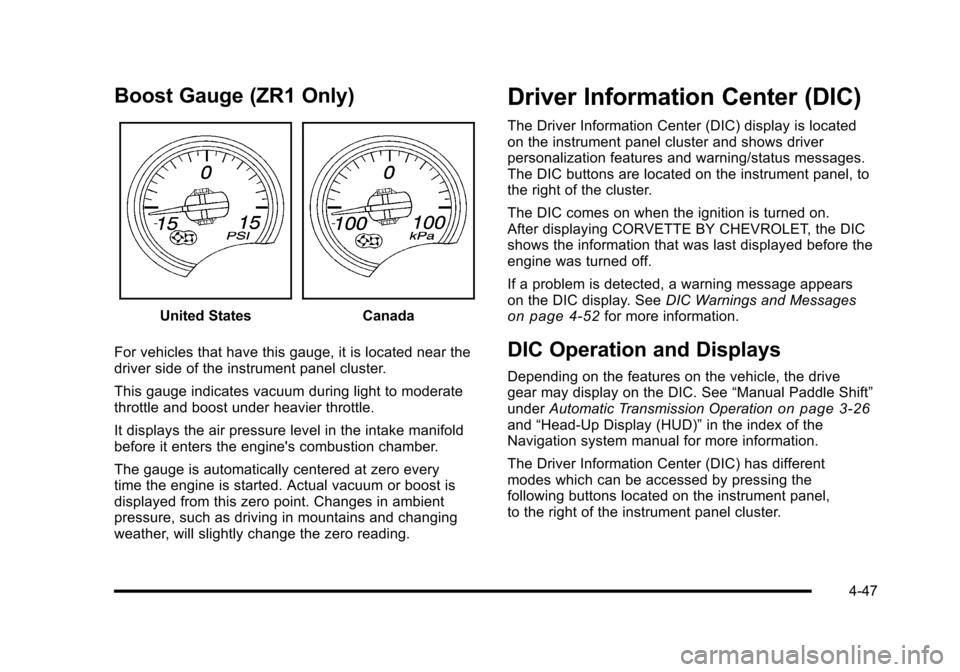
Boost Gauge (ZR1 Only)
United StatesCanada
For vehicles that have this gauge, it is located near the
driver side of the instrument panel cluster.
This gauge indicates vacuum during light to moderate
throttle and boost under heavier throttle.
It displays the air pressure level in the intake manifold
before it enters the engine's combustion chamber.
The gauge is automatically centered at zero every
time the engine is started. Actual vacuum or boost is
displayed from this zero point. Changes in ambient
pressure, such as driving in mountains and changing
weather, will slightly change the zero reading.
Driver Information Center (DIC)
The Driver Information Center (DIC) display is located
on the instrument panel cluster and shows driver
personalization features and warning/status messages.
The DIC buttons are located on the instrument panel, to
the right of the cluster.
The DIC comes on when the ignition is turned on.
After displaying CORVETTE BY CHEVROLET, the DIC
shows the information that was last displayed before the
engine was turned off.
If a problem is detected, a warning message appears
on the DIC display. See DIC Warnings and Messages
on page 4‑52for more information.
DIC Operation and Displays
Depending on the features on the vehicle, the drive
gear may display on the DIC. See “Manual Paddle Shift”
under Automatic Transmission Operation
on page 3‑26and“Head-Up Display (HUD)” in the index of the
Navigation system manual for more information.
The Driver Information Center (DIC) has different
modes which can be accessed by pressing the
following buttons located on the instrument panel,
to the right of the instrument panel cluster.
4-47
Page 222 of 472
BUCKLE PASSENGER
This message reminds you to buckle the passenger's
safety belt.
This message displays and a sound will be heard when
the ignition is on, the driver's safety belt is buckled, the
passenger's safety belt is unbuckled with the passenger
airbag enabled, and the vehicle is in motion. You should
have the passenger buckle their safety belt.
The reminder will be repeated if the ignition is on, the
vehicle is in motion, the driver is buckled and the
passenger is still unbuckled, and the passenger airbag
is enabled. If the passenger's safety belt is already
buckled, this message will not come on.
BUCKLE SEATBELT
This message reminds you to buckle the driver's
safety belt.
This message displays and a sound will be heard when
the ignition is on, the driver's safety belt is unbuckled,
and the vehicle is in motion. You should buckle your
safety belt.
If the driver remains unbuckled when the ignition is
on and the vehicle is in motion, the reminder will be
repeated. If the driver's safety belt is already buckled,
this message will not come on. This message is an additional reminder to the safety
belt reminder light in the instrument panel cluster.
See
Safety Belt Reminders
on page 4‑32for more
information.
CHANGE BRAKE PADS
On vehicles with electronic brake pad wear sensors,
this message will be displayed when the pads are worn.
See your dealer/retailer for service.
CHANGE ENGINE OIL
This message displays when the life of the engine
oil has expired. See Scheduled Maintenanceon
page 7‑3. After an oil change, the engine oil life
system must be reset. See “Engine Oil Life”under
DIC Operation and Displays
on page 4‑47. Also, see
Engine Oilon page 6‑19and Engine Oil Life Systemon page 6‑25for more information.
CHECK BRAKE FLUID
This message displays, a sound will be heard, and the
brake system warning light on the instrument panel
cluster turns on if the ignition is on to inform the driver
that the brake fluid level is low. See Brake System
Warning Light
on page 4‑36. Have the brake system
serviced by your dealer/retailer as soon as possible.
See Brakes on page 6‑43.
4-54
Page 223 of 472
CHECK COOLANT LEVEL
This message displays when the engine coolant level is
low. Have the cooling system serviced by your dealer/
retailer as soon as possible. See Engine Coolant
on
page 6‑34.
CHECK GAS CAP
This message displays if the fuel cap has not been fully
tightened. Check the fuel cap to make sure that it is on
properly. Once tightened, it takes at least one overnight
park to reset or clear this message. If both the CHECK
GAS CAP message and the malfunction indicator lamp
in the instrument panel cluster are on, you may need to
see your dealer/retailer for service. See Malfunction
Indicator Lamp
on page 4‑41for more information.
CHECK OIL LEVEL
On some vehicles, this message displays and two
chimes sound if the oil level in the vehicle is low. Once
the vehicle senses a change in the engine oil level, the
light remains off.
If this message appears after starting the engine, the
engine oil level may be too low. You may need to add
oil. See Engine Overheating on page 6‑38.
To acknowledge the message, press the RESET button.
The message reappears every 10 minutes until this
condition changes.
CLOSE TRUNK TO MOVE TOP
This message displays and a sound will be heard if
the trunk is open while you are trying to operate the
convertible top. Make sure the trunk is closed before
operating the convertible top. See Convertible Top
(Manual)
on page 3‑59or Convertible Top (Power)on
page 3‑66.
COMPETITIVE DRIVING MODE
This message displays and a sound will be heard
when the Competitive Driving mode is selected.
The instrument panel cluster light will be on when
the Competitive Driving mode is selected. If your
vehicle is equipped with a manual transmission,
Launch Control is available when this mode selected.
The Traction Control System (TCS) will not be operating
while in the Competitive Driving mode. Adjust your
driving accordingly. This system is available on all
models except ZR1. See Competitive Driving Mode
on
page 5‑9, including the “Launch Control” information,
and Racing or Other Competitive Drivingon page 5‑19for more information.
4-55
Page 225 of 472
Multiple chimes sound when this message is displayed.
This message remains displayed and active until the
issue is resolved.
HEADLAMPS SUGGESTED
This message displays if it is dark enough outside and
the headlamps and the Twilight Sentinel®controls are
off. This message informs the driver that turning on the
exterior lamps is recommended. It has become dark
enough outside to require the headlamps and/or other
exterior lamps.
HIGH TIRE PRESSURE
This message may be displayed when one or more of
the tires is over-inflated. This message also displays
LEFT FRONT, RIGHT FRONT, LEFT REAR, or
RIGHT REAR to indicate which tire is affected.
You can receive more than one tire pressure message
at a time. To read other messages that may have been
sent at the same time, press the RESET button . If a tire
pressure message appears on the DIC, stop as soon as
you can. Have the tire pressures checked and set to
those shown on the Tire Loading Information label. See
Run-Flat Tires
on page 6‑69, Loading the Vehicleon
page 5‑28, Inflation - Tire Pressureon page 6‑70, and
Tire Pressure Monitor Systemon page 6‑72. The DIC
also shows the tire pressure values. See DIC Operation
and Displays
on page 4‑47. To acknowledge the message, press the RESET button.
A message reappears every 10 minutes until the
condition is corrected.
HOT ENGINE AIR CONDITIONING OFF
This message displays when the engine coolant
becomes hotter than the normal operating temperature.
To avoid added strain on a hot engine, the air
conditioning compressor is automatically turned off.
When the coolant temperature returns to normal,
the A/C operation automatically resumes. You can
continue to drive the vehicle. If this message continues
to appear, have the system repaired by your dealer/
retailer as soon as possible to avoid compressor
damage.
ICE POSSIBLE
This message displays when the outside air
temperature is cold enough to create icy road
conditions. Adjust your driving accordingly.
LOW FUEL
This message displays when the fuel tank is less than
10 percent full and the display is turned off. A sound
will be heard when this message is displayed. Refill the
fuel tank as soon as possible. See
Fuel Gauge
on
page 4‑46.
4-57
Page 226 of 472
LOW OIL PRESSURE
This message displays if low oil pressure levels occur.
If this message appears while the engine is running,
stop the engine and do not operate it until the cause of
low oil pressure is corrected. Severe damage to the
engine can result. A sound will be heard when this
message is displayed. See Engine Oil on page 6‑19.
LOW TIRE PRESSURE or TIRE LOW
ADD AIR TO TIRE
{WARNING:
When the LOW TIRE PRESSURE or TIRE FLAT
message is displayed on the Driver Information
Center, your vehicle's handling capabilities will be
reduced during severe maneuvers. The active
handling system will be affected. See Active
Handling System
on page 5‑8. If you drive
too fast, you could lose control of your vehicle.
You or others could be injured. Do not drive
over 55 mph (90 km/h) when the LOW TIRE
PRESSURE or TIRE FLAT message is displayed.
Drive cautiously and check your tire pressures as
soon as you can. This message displays when one or more of the
tires is under-inflated. This message also displays
LEFT FRONT, RIGHT FRONT, LEFT REAR, or
RIGHT REAR to indicate which tire is affected.
Multiple chimes sound and the tire pressure light on
the instrument panel cluster turns on when this
message is displayed. See
Tire Pressure Light
on
page 4‑40. You can receive more than one tire
pressure message at a time. To read other messages
that may have been sent at the same time, press the
RESET button. If a tire pressure message appears
on the DIC, stop as soon as you can. Have the tire
pressures checked and set to those shown on the
Tire Loading Information label. See Run-Flat Tires
on
page 6‑69, Loading the Vehicleon page 5‑28,
Inflation - Tire Pressureon page 6‑70, and Tire
Pressure Monitor Systemon page 6‑72. The DIC
also shows the tire pressure values. See DIC Operation
and Displays
on page 4‑47.
To acknowledge the message, press the RESET button.
A message reappears every 10 minutes until the
condition is corrected.
4-58
Page 228 of 472
NO FOB - OFF OR RUN?
This message displays when the keyless access
transmitter is not detected inside the vehicle while you
are trying to turn the ignition off. The vehicle may be
near a strong radio antenna signal causing the keyless
access system to be jammed. The vehicle will remain
in ACCESSORY until the vehicle is turned off or is
restarted, or five minutes has expired. If you turn the
ignition off and you cannot find the keyless access
transmitter, you will not be able to restart the vehicle.
The keyless access transmitter needs to be inside of
the vehicle in order for the vehicle to start. See Starting
the Engine
on page 3‑24for more information.
OPTIONS UNAVAILABLE
This message displays for a few seconds if a keyless
access transmitter that is not labelled 1 or 2 is used and
you try to personalize the features on the vehicle by
pressing the OPTION button. The personalization
system will not recognize the transmitter and the DIC
will not display the current driver number or the menus
used to set personalizations. The personalization
features will then be set to the default states. See DIC
Vehicle Personalization
on page 4‑71for more
information.
PERF TRAC 1 –WET ACTIVE
HANDLING ON
This message displays and a sound will be heard
when this Performance Traction Management mode
is selected. The instrument panel cluster light will also
be on when this mode is selected. Launch Control is
available when this mode selected. In this mode the
Traction Control and Active Handling System are
available but intended for use on wet race track
conditions. Adjust your driving accordingly. This system
is available only on ZR1 models. See “Performance
Traction Management” and“Launch Control” under
Competitive Driving Mode
on page 5‑9and Racing or
Other Competitive Drivingon page 5‑19for more
information about the use of this mode.
PERF TRAC 2 –DRY ACTIVE
HANDLING ON
This message displays and a sound will be heard
when this Performance Traction Management mode is
selected. The instrument panel cluster light will also
be on when this mode is selected. Launch Control is
available when this mode selected. In this mode the
Traction Control and Active Handling System are
available but intended for use on dry race track
conditions. Adjust your driving accordingly.
4-60
Page 229 of 472
This system is available only on ZR1 models. See
“Performance Traction Management” and“Launch
Control” underCompetitive Driving Mode
on page 5‑9andRacing or Other Competitive Drivingon page 5‑19for more information about the use of this mode.
PERF TRAC 3 –SPORT ACTIVE
HANDLING ON
This message displays and a sound will be heard
when this Performance Traction Management mode
is selected. The instrument panel cluster light will also
be on when this mode is selected. Launch Control is
available when this mode selected. In this mode the
Traction Control and Active Handling System are
available but intended for use on dry race track
conditions. Adjust your driving accordingly. This system
is available only on ZR1 models. See “Performance
Traction Management” and“Launch Control” under
Competitive Driving Mode
on page 5‑9and Racing or
Other Competitive Drivingon page 5‑19for more
information about the use of this mode.
PERF TRAC 4 –SPORT ACTIVE
HANDLING OFF
This message displays and a sound will be heard
when this Performance Traction Management mode
is selected. The instrument panel cluster light will also
be on when this mode is selected. Launch Control is
available when this mode selected. In this mode the
Traction Control is available but intended for use on dry
race track conditions. The Active Handling System is
disabled when this mode is selected. This mode will
require more driver skill than modes 1-3. Adjust your
driving accordingly. This system is available only on
ZR1 models. See “Performance Traction Management”
and “Launch Control” underCompetitive Driving Mode
on page 5‑9andRacing or Other Competitive Drivingon page 5‑19for more information about the use of
this mode.
4-61
Page 230 of 472
PERF TRAC 5–RACE ACTIVE
HANDLING OFF
This message displays and a sound will be heard
when this Performance Traction Management mode
is selected. The instrument panel cluster light will also
be on when this mode is selected. Launch Control is
available when this mode selected. In this mode the
Traction Control is available but intended for use on dry
race track conditions. The Active Handling System is
disabled when this mode is selected. This mode will
require more driver skill than modes 1-4. Adjust your
driving accordingly. This system is available only on
ZR1 models. See “Performance Traction Management”
and “Launch Control” underCompetitive Driving Mode
on page 5‑9andRacing or Other Competitive Drivingon page 5‑19for more information about the use of
this mode.
PRESS BRAKE TO START ENGINE
(Automatic Transmission Only)
This message displays if you try to start the engine by
pressing the keyless ignition start button without having
the brake pressed. The brake needs to be pressed
when starting the engine. See Ignition Positions
on
page 3‑23for more information.
REDUCED ENGINE POWER
If this message displays and the check engine light
comes on, a noticeable reduction in the vehicle's
performance may occur. If the REDUCED ENGINE
POWER message is displayed, but there is no
reduction in performance, proceed to your destination.
The performance may be reduced the next time the
vehicle is driven.
The vehicle may be driven at a reduced speed while the
REDUCED ENGINE POWER message is displayed, but
acceleration and speed may be reduced. Anytime the
check engine light stays on, the vehicle should be taken
to your dealer/retailer as soon as possible for diagnosis
and repair. See Malfunction Indicator Lamp
on
page 4‑41for more information.
Multiple chimes sound when this message is displayed.
To acknowledge the message, press the RESET button.
The message reappears every five minutes until this
condition changes.
If the REDUCED ENGINE POWER message is
displayed in combination with the COOLANT OVER
TEMPERATURE message, see Engine Overheating
on
page 6‑38.
4-62