wheel CHEVROLET CORVETTE 2011 6.G Workshop Manual
[x] Cancel search | Manufacturer: CHEVROLET, Model Year: 2011, Model line: CORVETTE, Model: CHEVROLET CORVETTE 2011 6.GPages: 428, PDF Size: 6.63 MB
Page 259 of 428
Black plate (29,1)Chevrolet Corvette Owner Manual - 2011
Driving and Operating 9-29
N (Neutral) only. If the vehicle needs
towing, seeTowing the Vehicle on
page 10‑86.
{WARNING
Shifting into a drive gear while the
engine is running at high speed is
dangerous. Unless your foot is
firmly on the brake pedal, the
vehicle could move very rapidly.
You could lose control and hit
people or objects. Do not shift
into a drive gear while the engine
is running at high speed.
Notice: Shifting out of P (Park)
or N (Neutral) with the engine
running at high speed may
damage the transmission.
The repairs would not be covered
by the vehicle warranty. Be sure
the engine is not running at high
speed when shifting the vehicle.
D (Drive): This position is for
normal driving. It provides the best
fuel economy. If you need more power for passing, push the pedal
down to achieve the desired level
of acceleration.
Downshifting the transmission in
slippery road conditions could result
in skidding. See
“Skidding”under
Loss of Control on page 9‑6.
S (Sport Mode): When in
S (Sport Mode), the transmission
will work as an automatic until
you use the Manual Paddle Shift
Controls, which activates driver
manual gear selection. See “Manual
Paddle Shift” in this section. While
in S (Sport Mode), the transmission
will have more noticeable upshifts
for sportier vehicle performance.
Manual Mode
Manual Paddle Shift
While in S (Sport Mode), the paddles
located on the steering wheel can
be used to manually up-shift or
down-shift the transmission.
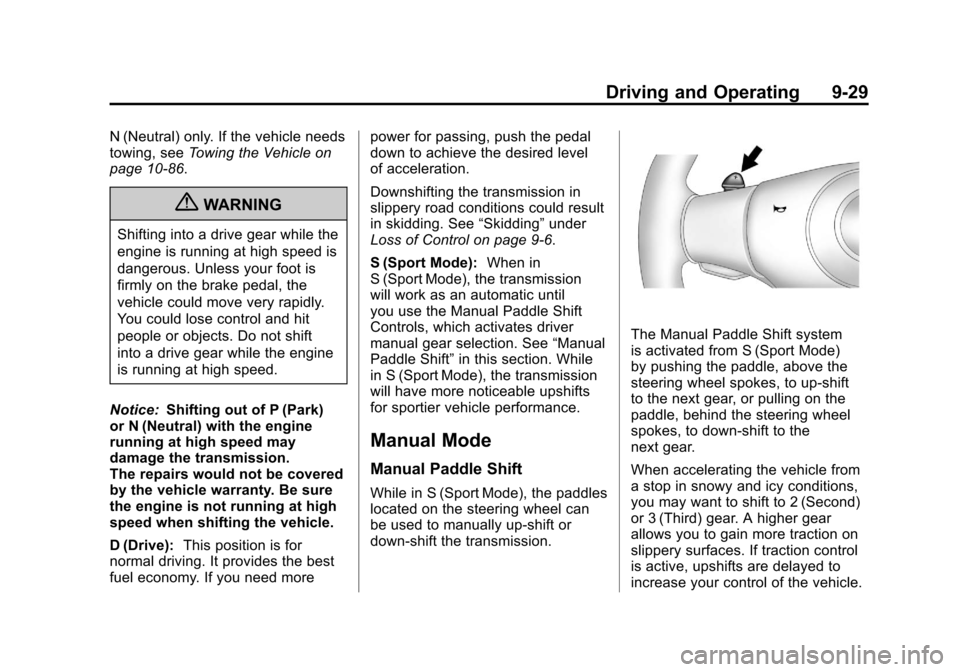
The Manual Paddle Shift system
is activated from S (Sport Mode)
by pushing the paddle, above the
steering wheel spokes, to up-shift
to the next gear, or pulling on the
paddle, behind the steering wheel
spokes, to down-shift to the
next gear.
When accelerating the vehicle from
a stop in snowy and icy conditions,
you may want to shift to 2 (Second)
or 3 (Third) gear. A higher gear
allows you to gain more traction on
slippery surfaces. If traction control
is active, upshifts are delayed to
increase your control of the vehicle.
Page 265 of 428
Black plate (35,1)Chevrolet Corvette Owner Manual - 2011
Driving and Operating 9-35
If driving safely on a wet road
and it becomes necessary to slam
on the brakes and continue braking
to avoid a sudden obstacle, a
computer senses that the wheels
are slowing down. If one of the
wheels is about to stop rolling,
the computer will separately work
the brakes at each wheel.
ABS can change the brake pressure
to each wheel, as required, faster
than any driver could. This can help
the driver steer around the obstacle
while braking hard.
As the brakes are applied, the
computer keeps receiving updates
on wheel speed and controls
braking pressure accordingly.
Remember: ABS does not change
the time needed to get a foot up to
the brake pedal or always decreasestopping distance. If you get too
close to the vehicle in front of you,
there will not be enough time to
apply the brakes if that vehicle
suddenly slows or stops. Always
leave enough room up ahead to
stop, even with ABS.
Using ABS
Do not pump the brakes. Just hold
the brake pedal down firmly and let
ABS work. You might hear the ABS
pump or motor operating and feel
the brake pedal pulsate, but this is
normal.
Braking in Emergencies
ABS allows the driver to steer and
brake at the same time. In many
emergencies, steering can help
more than even the very best
braking.
Parking Brake
The parking brake lever is located to
the right of the center console.
To set the parking brake, hold the
brake pedal down. Pull the parking
brake lever up. If the ignition is on,
the brake system warning light will
come on.
To release the parking brake, hold
the brake pedal down. Then push
the release button in as you move
the parking brake lever all the
way down.
Notice:
Driving with the parking
brake on can overheat the brake
system and cause premature
wear or damage to brake system
parts. Make sure that the parking
brake is fully released and the
brake warning light is off before
driving.
Page 266 of 428
Black plate (36,1)Chevrolet Corvette Owner Manual - 2011
9-36 Driving and Operating
Brake Assist
This vehicle has a brake assist
feature designed to assist the
driver in stopping or decreasing
vehicle speed in emergency driving
conditions. This feature uses the
stability system hydraulic brake
control module to supplement
the power brake system under
conditions where the driver has
quickly and forcefully applied the
brake pedal in an attempt to quickly
stop or slow down the vehicle.
The stability system hydraulic brake
control module increases brake
pressure at each corner of the
vehicle until the ABS activates.
Minor brake pedal pulsation or
pedal movement during this time
is normal and the driver should
continue to apply the brake pedal
as the driving situation dictates.
The brake assist feature will
automatically disengage when
the brake pedal is released or
brake pedal pressure is quickly
decreased.
Ride Control Systems
Traction Control
System (TCS)
The vehicle has a Traction Control
System (TCS) that limits wheel spin.
This is especially useful in slippery
road conditions. The system
operates only if it senses that the
rear wheels are spinning too much
or are beginning to lose traction.
When this happens, the system
works the rear brakes and reduces
engine power (by closing the throttle
and managing engine spark) to limit
wheel spin.
The TRACTION SYSTEM ACTIVE
message displays on the Driver
Information Center (DIC) when TCS
is limiting wheel spin. SeeRide
Control System Messages on
page 5‑44. The system may be
heard or felt while it is working,
but this is normal. If cruise control is being used when
TCS begins to limit wheel spin, the
cruise control will automatically
disengage. Cruise control may be
reengaged when road conditions
allow. See
Cruise Control on
page 9‑44.
The SERVICE TRACTION SYSTEM
message and the TCS warning light
will come on if there is a problem
with TCS. See Ride Control System
Messages on page 5‑44.
When this light and the SERVICE
TRACTION SYSTEM message
are on, the system will not limit
wheel spin. Adjust your driving
accordingly.
Page 267 of 428
Black plate (37,1)Chevrolet Corvette Owner Manual - 2011
Driving and Operating 9-37
TCS automatically comes on
whenever the vehicle is started.
To limit wheel spin, especially in
slippery road conditions, the system
should always be left on. TCS can
be turned off if needed.
To turn the system off, press the
button located on the console.
The system can be turned on or off
at any time by pressing the ACTIVE
HANDLING button. The DIC will
display the appropriate message
when the button is pushed.
Notice:When traction control is
turned off, or Competitive Driving
Mode is active, it is possible to
lose traction. If you attempt to shift with the drive wheels
spinning with a loss of traction, it
is possible to cause damage to
the transmission. Do not attempt
to shift when the drive wheels do
not have traction. Damage caused
by misuse of the vehicle is not
covered. See the warranty book
for additional information.
Adding non‐dealer/non-retailer
accessories can affect the vehicle's
performance. See
Accessories and
Modifications on page 10‑4 for more
information.
Active Handling System
The Active Handling System is
a computer controlled system
that helps the driver maintain
directional control of the vehicle
in difficult driving conditions.
This is accomplished by selectively
applying any one of the vehicle's
brakes. The ACTIVE HANDLING message
will come on when the system is
operating. See
Ride Control System
Messages on page 5‑44 for more
information. The system may be
heard or felt while it is working.
This is normal.
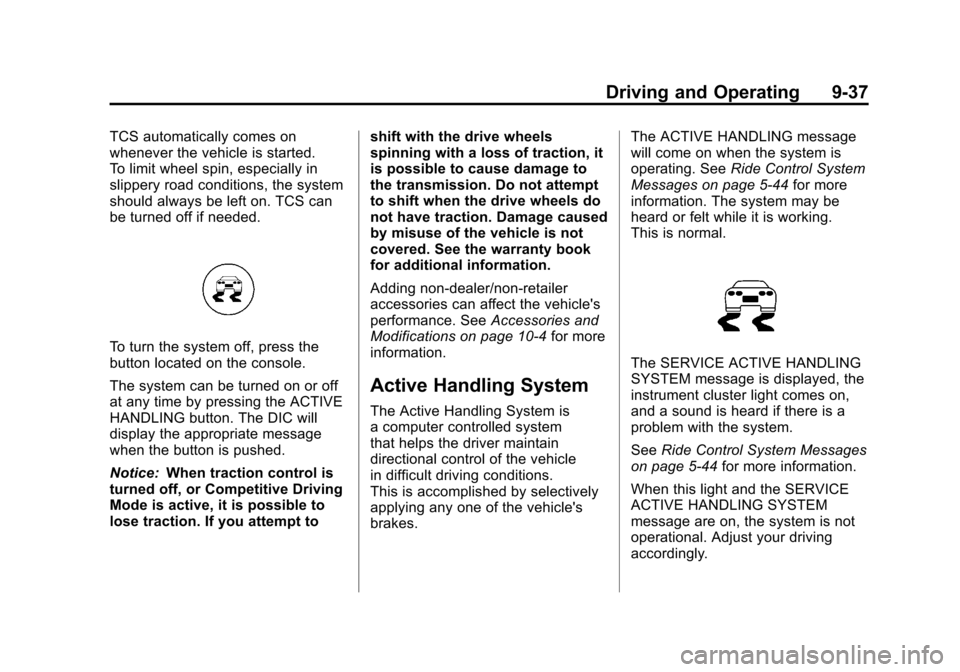
The SERVICE ACTIVE HANDLING
SYSTEM message is displayed, the
instrument cluster light comes on,
and a sound is heard if there is a
problem with the system.
See Ride Control System Messages
on page 5‑44 for more information.
When this light and the SERVICE
ACTIVE HANDLING SYSTEM
message are on, the system is not
operational. Adjust your driving
accordingly.
Page 269 of 428
Black plate (39,1)Chevrolet Corvette Owner Manual - 2011
Driving and Operating 9-39
Notice:Do not attempt to shift
when the drive wheels are
spinning and do not have
traction. This may cause damage
to the transmission. Damage
caused by misuse of the vehicle
is not covered by the vehicle
warranty. See the warranty book
for additional information.
Competitive Driving Mode
(Except ZR1)
Competitive Driving Mode allows
full engine power while the Active
Handling System helps maintain
directional control of the vehicle
by selective brake application.
In this mode, TCS is off and
Launch Control is available.
Adjust your driving style to account
for the available engine power.
See Launch Control later in this
section.
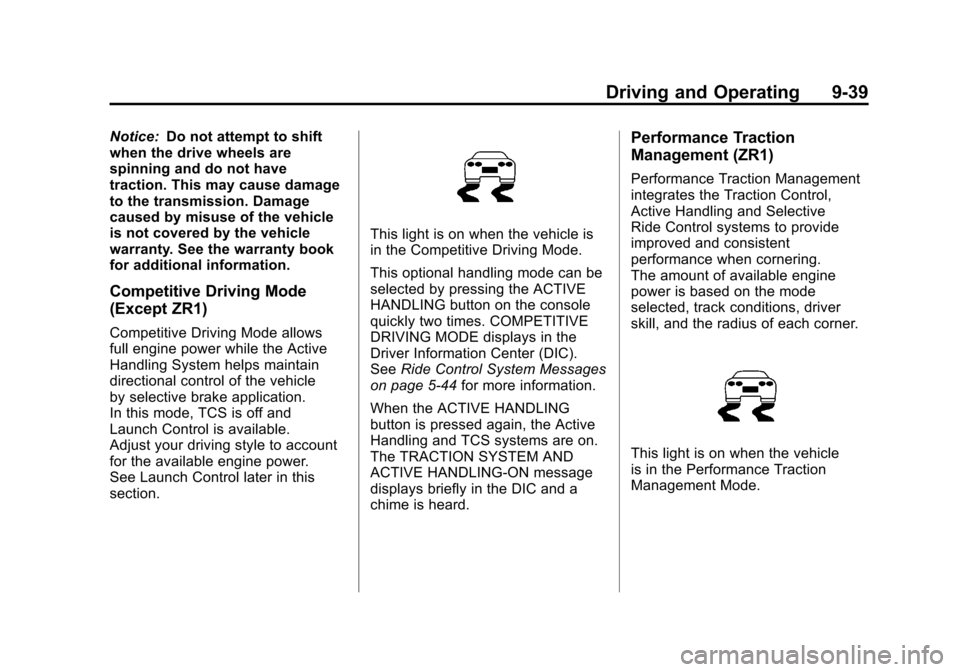
This light is on when the vehicle is
in the Competitive Driving Mode.
This optional handling mode can be
selected by pressing the ACTIVE
HANDLING button on the console
quickly two times. COMPETITIVE
DRIVING MODE displays in the
Driver Information Center (DIC).
See Ride Control System Messages
on page 5‑44 for more information.
When the ACTIVE HANDLING
button is pressed again, the Active
Handling and TCS systems are on.
The TRACTION SYSTEM AND
ACTIVE HANDLING-ON message
displays briefly in the DIC and a
chime is heard.
Performance Traction
Management (ZR1)
Performance Traction Management
integrates the Traction Control,
Active Handling and Selective
Ride Control systems to provide
improved and consistent
performance when cornering.
The amount of available engine
power is based on the mode
selected, track conditions, driver
skill, and the radius of each corner.
This light is on when the vehicle
is in the Performance Traction
Management Mode.
Page 272 of 428
Black plate (42,1)Chevrolet Corvette Owner Manual - 2011
9-42 Driving and Operating
Launch Control is only available
when the following criteria are met:
.Competitive Driving Mode is
selected (except ZR1) or any
of the Performance Traction
Management modes are
selected (ZR1). The TCS
light comes on the instrument
panel and the appropriate
DIC message displays.
.The vehicle is not moving.
.The steering wheel is pointing
straight.
.The clutch is pressed and the
vehicle is in first gear.
.The accelerator pedal is rapidly
applied to wide open throttle.
The Launch Control feature will
initially limit engine speed as
the driver rapidly applies the accelerator pedal to wide open
throttle. A smooth, quick release of
the clutch, while maintaining the
fully pressed accelerator pedal, will
manage wheel slip. Complete
shifts as described in
Manual
Transmission on page 9‑32.
After the vehicle is launched, the
system continues in Competitive
Mode (except ZR1) or Performance
Traction Management (ZR1).
Competitive Driving Mode,
Performance Traction Management,
and Launch Control are systems
designed for a closed course race
track and not intended for use on
public roads. The systems are not
intended to compensate for lack of
driver experience or familiarity with
the race track.
Limited-Slip Rear Axle
Vehicles with a limited-slip rear axle
can give more traction on snow,
mud, ice, sand or gravel. It works
like a standard axle most of the
time, but when traction is low,
this feature allows the drive wheel
with the most traction to move the
vehicle.
Selective Ride Control
The vehicle may have a ride control
system called Magnetic Selective
Ride Control. The system provides
the following performance benefits:
.Reduced Impact Harshness
.Improved Road Isolation
.Improved High-Speed Stability
.Improved Handling Response
.Better Control of Body Ride
Motions
Page 273 of 428
Black plate (43,1)Chevrolet Corvette Owner Manual - 2011
Driving and Operating 9-43
Except ZR1
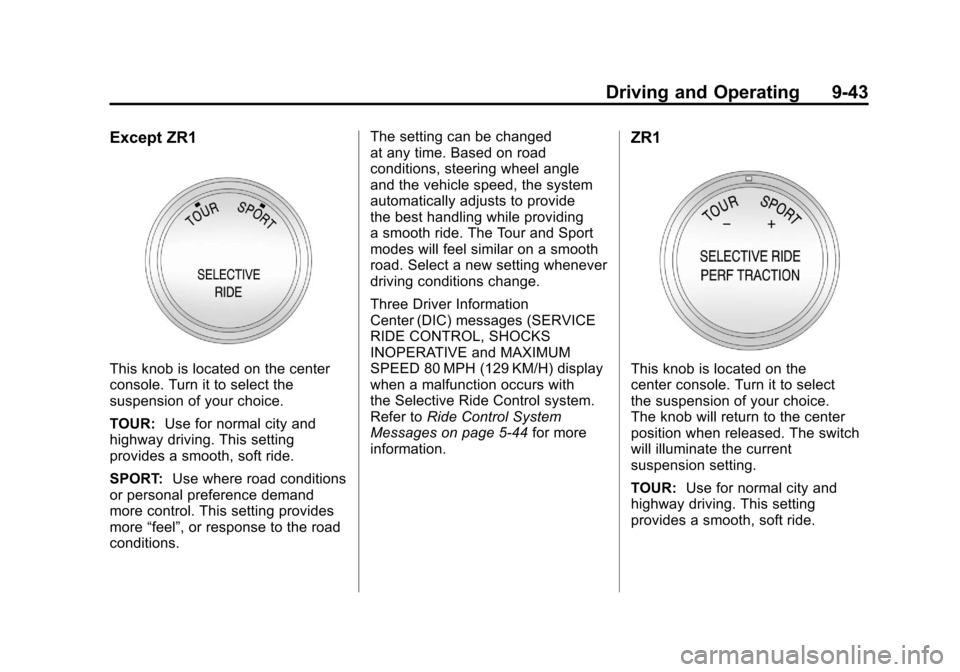
This knob is located on the center
console. Turn it to select the
suspension of your choice.
TOUR:Use for normal city and
highway driving. This setting
provides a smooth, soft ride.
SPORT: Use where road conditions
or personal preference demand
more control. This setting provides
more “feel”, or response to the road
conditions. The setting can be changed
at any time. Based on road
conditions, steering wheel angle
and the vehicle speed, the system
automatically adjusts to provide
the best handling while providing
a smooth ride. The Tour and Sport
modes will feel similar on a smooth
road. Select a new setting whenever
driving conditions change.
Three Driver Information
Center (DIC) messages (SERVICE
RIDE CONTROL, SHOCKS
INOPERATIVE and MAXIMUM
SPEED 80 MPH (129 KM/H) display
when a malfunction occurs with
the Selective Ride Control system.
Refer to
Ride Control System
Messages on page 5‑44 for more
information.
ZR1
This knob is located on the
center console. Turn it to select
the suspension of your choice.
The knob will return to the center
position when released. The switch
will illuminate the current
suspension setting.
TOUR: Use for normal city and
highway driving. This setting
provides a smooth, soft ride.
Page 274 of 428
Black plate (44,1)Chevrolet Corvette Owner Manual - 2011
9-44 Driving and Operating
SPORT:Use where road conditions
or personal preference demand
more control. This setting provides
more “feel”, or response to the road
conditions.
The setting can be changed
at any time. Based on road
conditions, steering wheel angle
and the vehicle speed, the system
automatically adjusts to provide
the best handling while providing a
smooth ride. The Tour and Sport
modes will feel similar on a smooth
road. Select a new setting whenever
driving conditions change.
The Selective Ride knob will not
display the Tour or Sport setting
when the Performance Traction
Management mode is selected. When this mode is selected,
turning the Selective Ride knob
will change the Performance
Traction Management mode
and the suspension setting
will be determined automatically.
See
Competitive Driving Mode on
page 9‑38 for more information.
Three Driver Information Center
(DIC) messages (SERVICE
RIDE CONTROL, SHOCKS
INOPERATIVE and MAXIMUM
SPEED 80 MPH (129 KM/H) display
when a malfunction occurs with
the Selective Ride Control system.
Refer to Ride Control System
Messages on page 5‑44 for more
information.Cruise Control
With cruise control, a speed of
about 40 km/h (25 mph) or more can
be maintained without keeping your
foot on the accelerator. Cruise
control does not work at speeds
below about 40 km/h (25 mph).
Cruise control will not work if the
parking brake is set, or if the master
cylinder brake fluid level is low.
{WARNING
Cruise control can be dangerous
where you cannot drive safely at
a steady speed. So, do not use
the cruise control on winding
roads or in heavy traffic.
Cruise control can be dangerous
on slippery roads. On such roads,
fast changes in tire traction can
cause excessive wheel slip, and
you could lose control. Do not use
cruise control on slippery roads.
Page 275 of 428
Black plate (45,1)Chevrolet Corvette Owner Manual - 2011
Driving and Operating 9-45
If the vehicle is in cruise control,
and has the Traction Control
System (TCS), and it begins to
limit wheel spin, the cruise control
automatically disengages. See
Traction Control System (TCS) on
page 9‑36. When road conditions
allow the cruise control to be safely
used again, it can be turned
back on.
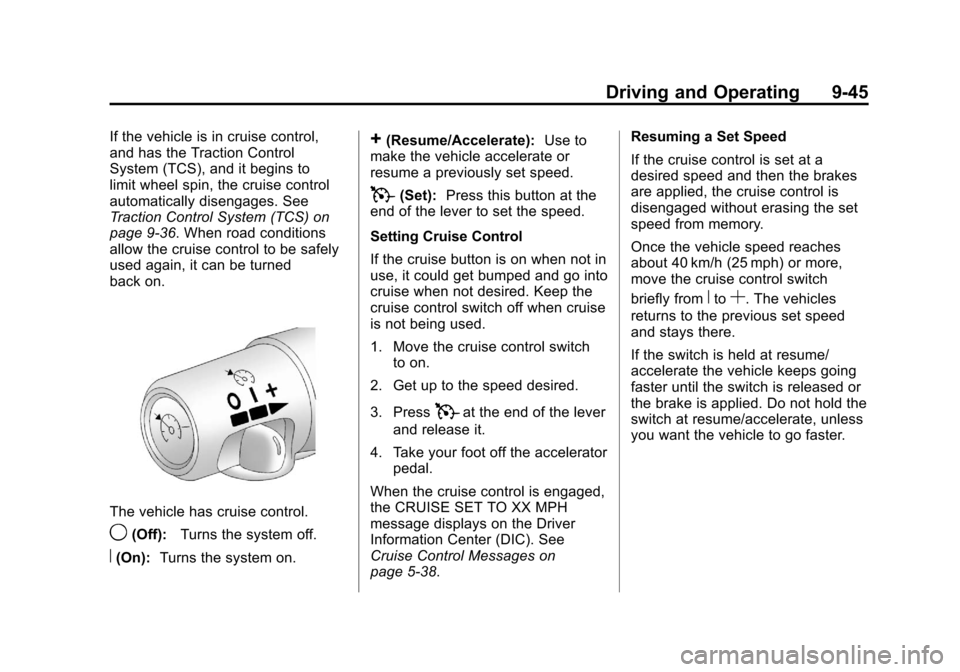
The vehicle has cruise control.
9(Off):Turns the system off.
R(On):Turns the system on.
+(Resume/Accelerate): Use to
make the vehicle accelerate or
resume a previously set speed.
T(Set): Press this button at the
end of the lever to set the speed.
Setting Cruise Control
If the cruise button is on when not in
use, it could get bumped and go into
cruise when not desired. Keep the
cruise control switch off when cruise
is not being used.
1. Move the cruise control switch to on.
2. Get up to the speed desired.
3. Press
Tat the end of the lever
and release it.
4. Take your foot off the accelerator pedal.
When the cruise control is engaged,
the CRUISE SET TO XX MPH
message displays on the Driver
Information Center (DIC). See
Cruise Control Messages on
page 5‑38. Resuming a Set Speed
If the cruise control is set at a
desired speed and then the brakes
are applied, the cruise control is
disengaged without erasing the set
speed from memory.
Once the vehicle speed reaches
about 40 km/h (25 mph) or more,
move the cruise control switch
briefly from
RtoS. The vehicles
returns to the previous set speed
and stays there.
If the switch is held at resume/
accelerate the vehicle keeps going
faster until the switch is released or
the brake is applied. Do not hold the
switch at resume/accelerate, unless
you want the vehicle to go faster.
Page 281 of 428
Black plate (51,1)Chevrolet Corvette Owner Manual - 2011
Driving and Operating 9-51
Filling the Tank
{WARNING
Fuel vapor burns violently and a
fuel fire can cause bad injuries.
To help avoid injuries to you and
others, read and follow all the
instructions on the fuel pump
island. Turn off the engine when
refueling. Do not smoke near
fuel or when refueling the vehicle.
Do not use cellular phones. Keep
sparks, flames, and smoking
materials away from fuel. Do not
leave the fuel pump unattended
when refueling the vehicle. This is
against the law in some places.
Do not re-enter the vehicle while
pumping fuel. Keep children away
from the fuel pump; never let
children pump fuel.
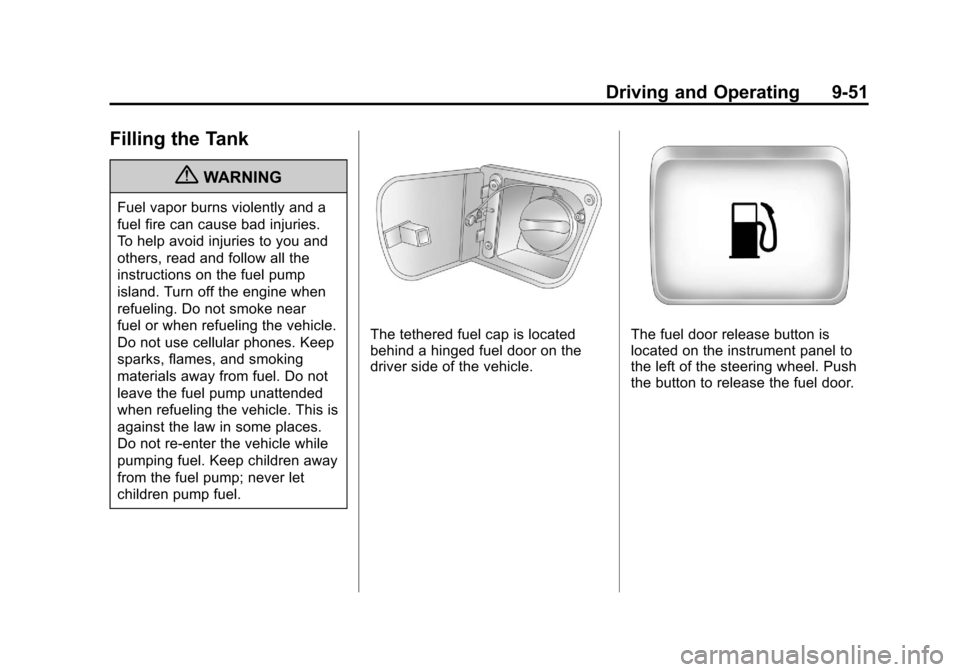
The tethered fuel cap is located
behind a hinged fuel door on the
driver side of the vehicle.The fuel door release button is
located on the instrument panel to
the left of the steering wheel. Push
the button to release the fuel door.