display CHEVROLET CORVETTE 2011 6.G Manual Online
[x] Cancel search | Manufacturer: CHEVROLET, Model Year: 2011, Model line: CORVETTE, Model: CHEVROLET CORVETTE 2011 6.GPages: 428, PDF Size: 6.63 MB
Page 214 of 428
Black plate (16,1)Chevrolet Corvette Owner Manual - 2011
7-16 Infotainment System
Supported Bit Rates
The following bit rates are
supported: 32 kbps, 40 kbps,
56 kbps, 64 kbps, 80 kbps, 96 kbps,
112 kbps, 128 kbps, 160 kbps,
192 kbps, 224 kbps, 256 kbps, and
320 kbps or a variable bit rate.
File Naming
ID3v1 and ID3v2 tags are
supported. The track name
contained in the ID3 tag is shown
on the display. The display only
shows up to 32 characters for track
and file names.
If the track name is not contained in
the ID3 tag, the display shows the
file name without the file extension.
Playlists
Playlists that do not have a .m3u or
.wpl extension may not work.
Preprogrammed playlists created by
WinAmp™, MusicMatch™, or Real
Jukebox™software are supported
and they cannot be edited using the
radio.Playing an MP3
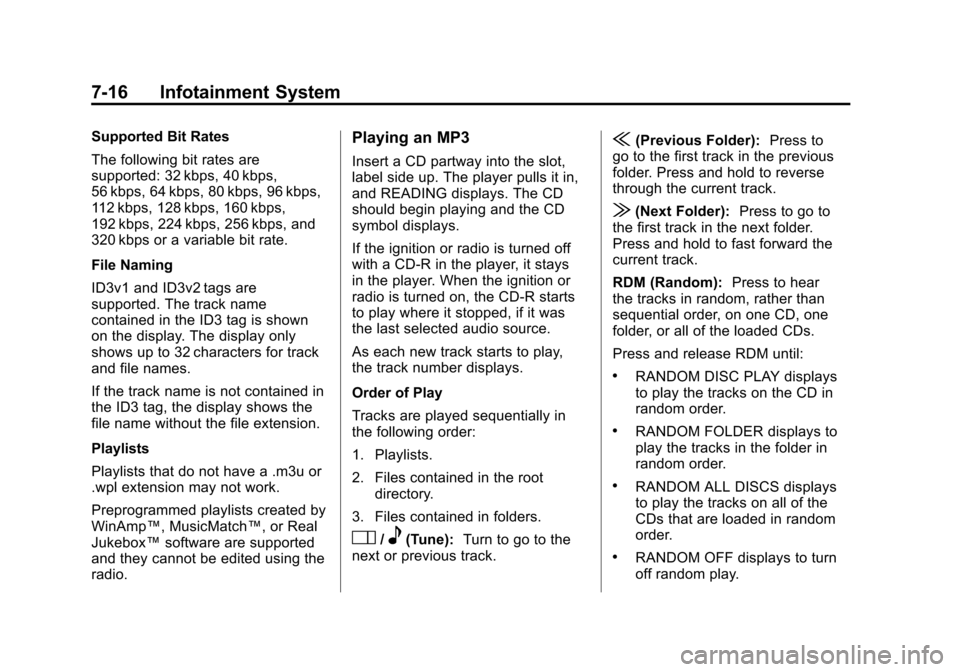
Insert a CD partway into the slot,
label side up. The player pulls it in,
and READING displays. The CD
should begin playing and the CD
symbol displays.
If the ignition or radio is turned off
with a CD-R in the player, it stays
in the player. When the ignition or
radio is turned on, the CD-R starts
to play where it stopped, if it was
the last selected audio source.
As each new track starts to play,
the track number displays.
Order of Play
Tracks are played sequentially in
the following order:
1. Playlists.
2. Files contained in the root directory.
3. Files contained in folders.
O/e(Tune): Turn to go to the
next or previous track.
{(Previous Folder): Press to
go to the first track in the previous
folder. Press and hold to reverse
through the current track.
|(Next Folder): Press to go to
the first track in the next folder.
Press and hold to fast forward the
current track.
RDM (Random): Press to hear
the tracks in random, rather than
sequential order, on one CD, one
folder, or all of the loaded CDs.
Press and release RDM until:
.RANDOM DISC PLAY displays
to play the tracks on the CD in
random order.
.RANDOM FOLDER displays to
play the tracks in the folder in
random order.
.RANDOM ALL DISCS displays
to play the tracks on all of the
CDs that are loaded in random
order.
.RANDOM OFF displays to turn
off random play.
Page 215 of 428
Black plate (17,1)Chevrolet Corvette Owner Manual - 2011
Infotainment System 7-17
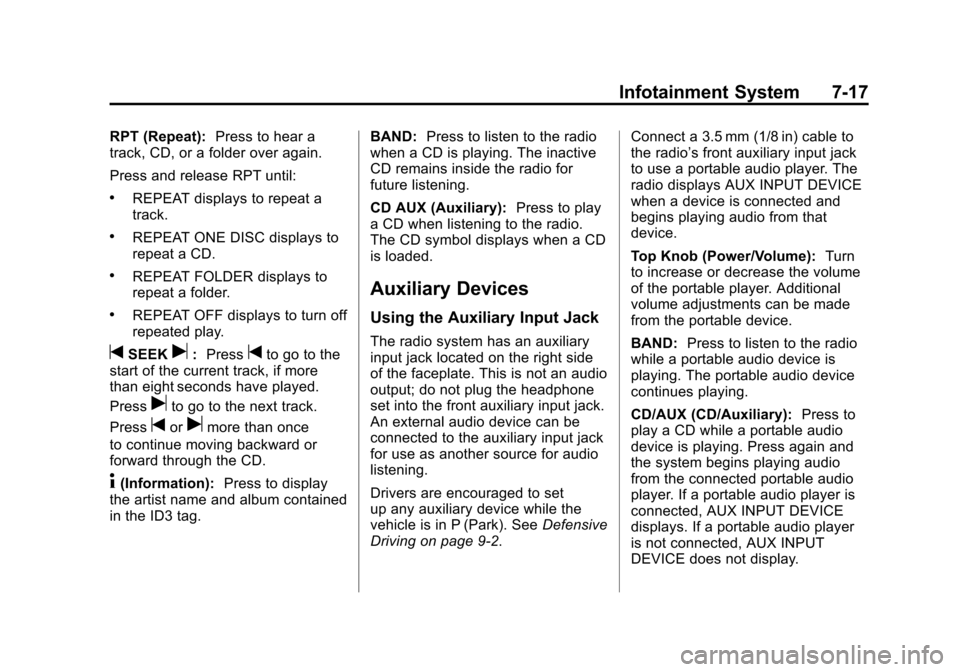
RPT (Repeat):Press to hear a
track, CD, or a folder over again.
Press and release RPT until:
.REPEAT displays to repeat a
track.
.REPEAT ONE DISC displays to
repeat a CD.
.REPEAT FOLDER displays to
repeat a folder.
.REPEAT OFF displays to turn off
repeated play.
tSEEKu: Presstto go to the
start of the current track, if more
than eight seconds have played.
Press
uto go to the next track.
Press
torumore than once
to continue moving backward or
forward through the CD.
4(Information): Press to display
the artist name and album contained
in the ID3 tag. BAND:
Press to listen to the radio
when a CD is playing. The inactive
CD remains inside the radio for
future listening.
CD AUX (Auxiliary): Press to play
a CD when listening to the radio.
The CD symbol displays when a CD
is loaded.
Auxiliary Devices
Using the Auxiliary Input Jack
The radio system has an auxiliary
input jack located on the right side
of the faceplate. This is not an audio
output; do not plug the headphone
set into the front auxiliary input jack.
An external audio device can be
connected to the auxiliary input jack
for use as another source for audio
listening.
Drivers are encouraged to set
up any auxiliary device while the
vehicle is in P (Park). See Defensive
Driving on page 9‑2. Connect a 3.5 mm (1/8 in) cable to
the radio’s front auxiliary input jack
to use a portable audio player. The
radio displays AUX INPUT DEVICE
when a device is connected and
begins playing audio from that
device.
Top Knob (Power/Volume):
Turn
to increase or decrease the volume
of the portable player. Additional
volume adjustments can be made
from the portable device.
BAND: Press to listen to the radio
while a portable audio device is
playing. The portable audio device
continues playing.
CD/AUX (CD/Auxiliary): Press to
play a CD while a portable audio
device is playing. Press again and
the system begins playing audio
from the connected portable audio
player. If a portable audio player is
connected, AUX INPUT DEVICE
displays. If a portable audio player
is not connected, AUX INPUT
DEVICE does not display.
Page 223 of 428
Black plate (1,1)Chevrolet Corvette Owner Manual - 2011
Climate Controls 8-1
Climate Controls
Climate Control Systems
Dual Automatic Climate ControlSystem . . . . . . . . . . . . . . . . . . . . . . 8-1
Air Vents
Air Vents . . . . . . . . . . . . . . . . . . . . . . 8-6
Maintenance
Passenger Compartment AirFilter . . . . . . . . . . . . . . . . . . . . . . . . . 8-7
Climate Control Systems
Dual Automatic Climate Control System
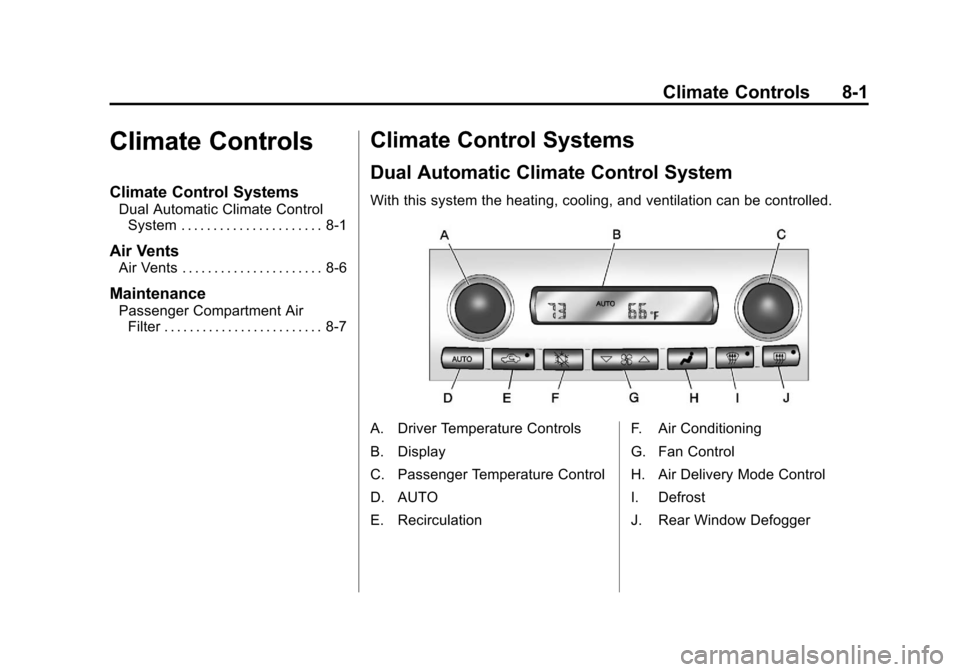
With this system the heating, cooling, and ventilation can be controlled.
A. Driver Temperature Controls
B. Display
C. Passenger Temperature Control
D. AUTO
E. Recirculation F. Air Conditioning
G. Fan Control
H. Air Delivery Mode Control
I. Defrost
J. Rear Window Defogger
Page 224 of 428
Black plate (2,1)Chevrolet Corvette Owner Manual - 2011
8-2 Climate Controls
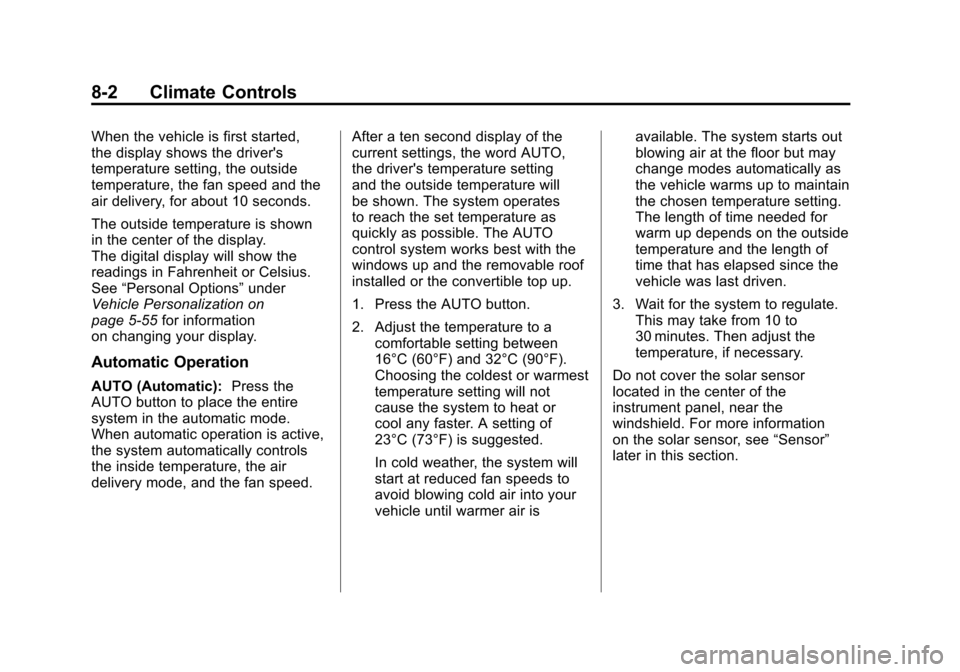
When the vehicle is first started,
the display shows the driver's
temperature setting, the outside
temperature, the fan speed and the
air delivery, for about 10 seconds.
The outside temperature is shown
in the center of the display.
The digital display will show the
readings in Fahrenheit or Celsius.
See“Personal Options” under
Vehicle Personalization on
page 5‑55 for information
on changing your display.
Automatic Operation
AUTO (Automatic): Press the
AUTO button to place the entire
system in the automatic mode.
When automatic operation is active,
the system automatically controls
the inside temperature, the air
delivery mode, and the fan speed. After a ten second display of the
current settings, the word AUTO,
the driver's temperature setting
and the outside temperature will
be shown. The system operates
to reach the set temperature as
quickly as possible. The AUTO
control system works best with the
windows up and the removable roof
installed or the convertible top up.
1. Press the AUTO button.
2. Adjust the temperature to a
comfortable setting between
16°C (60°F) and 32°C (90°F).
Choosing the coldest or warmest
temperature setting will not
cause the system to heat or
cool any faster. A setting of
23°C (73°F) is suggested.
In cold weather, the system will
start at reduced fan speeds to
avoid blowing cold air into your
vehicle until warmer air is available. The system starts out
blowing air at the floor but may
change modes automatically as
the vehicle warms up to maintain
the chosen temperature setting.
The length of time needed for
warm up depends on the outside
temperature and the length of
time that has elapsed since the
vehicle was last driven.
3. Wait for the system to regulate. This may take from 10 to
30 minutes. Then adjust the
temperature, if necessary.
Do not cover the solar sensor
located in the center of the
instrument panel, near the
windshield. For more information
on the solar sensor, see “Sensor”
later in this section.
Page 225 of 428

Black plate (3,1)Chevrolet Corvette Owner Manual - 2011
Climate Controls 8-3
Manual Operation
Driver Power/Temperature:Press
the driver temperature knob to
turn the climate control system
off. This is the only setting that
completely shuts off the fan.
The digital display shows only
the outside temperature. The driver
and the passenger set temperature
and the air intake mode can still be
adjusted when the climate control
is off.
Passenger Power/Temperature:
Press the passenger temperature
knob to turn the passenger's climate
control system on or off. Turn the
knob to increase or decrease the
temperature for the passenger. If the
passenger's climate control system
is off, the driver's temperature knob
will control the temperature for the
entire vehicle.
x 9 w(Fan): Press to increase
or decrease the fan speed. The fan
speed setting will appear in the
display. Pressing the arrows will delete
AUTO from the digital display.
The fan graphics with the fan speed
bars will be shown. The AUTO
button must be pressed to return
to the automatic fan control.
If the airflow seems low when the
fan speed is at the highest setting,
the passenger compartment air
filter may need to be replaced. For
more information, see
Passenger
Compartment Air Filter on page 8‑7.
N(Air Delivery Mode Control):
Press this button to manually lock in
the current air delivery setting and
to stop the automatic mode control.
Pressing
Ndeletes AUTO from
the digital display and the mode
graphics will be shown. To change
the setting, press
Nagain. The
AUTO button must be pressed to
return to the automatic mode
selection. To change the current mode, select
one of the following:
H(Vent):
Air is directed to the
instrument panel outlets, with some
air directed to the floor outlets.
%(Bi-Level): Air is divided
between the instrument panel and
floor outlets.
6(Floor): Air is directed to the
floor outlets, with some air directed
to the windshield and side window
defogger outlets.
-(Floor/Defog): This mode clears
the windows of fog or moisture.
Air is directed to the windshield
and the floor outlets, with a
small amount to the side window
outlets. In this mode, the system
automatically turns off the
recirculation and runs the
air-conditioning compressor
unless the outside temperature
is at or below freezing. The
recirculation mode cannot be
selected while in the defog mode.
Page 226 of 428
Black plate (4,1)Chevrolet Corvette Owner Manual - 2011
8-4 Climate Controls
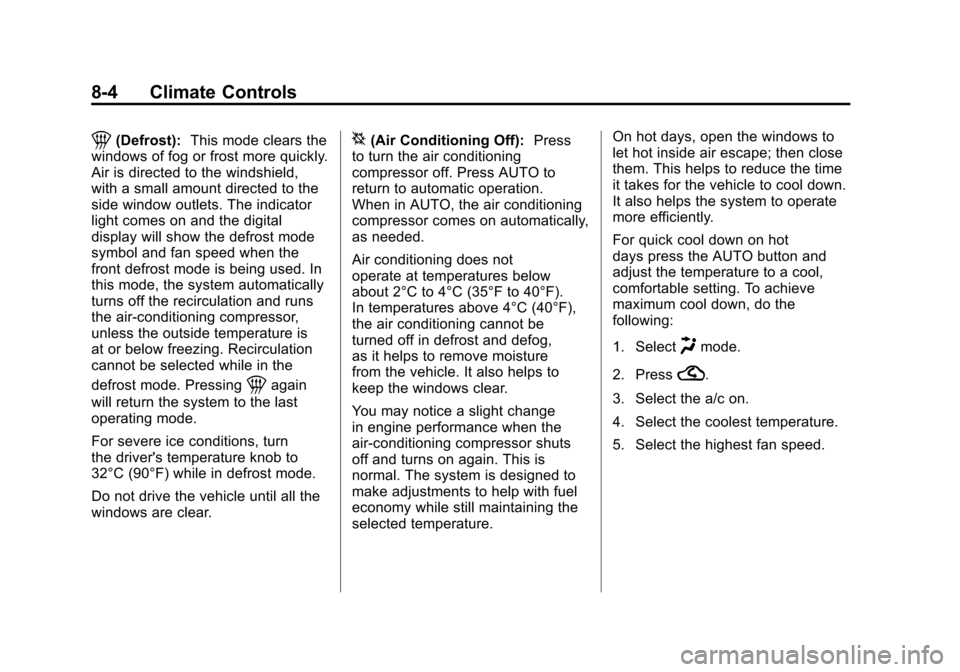
1(Defrost):This mode clears the
windows of fog or frost more quickly.
Air is directed to the windshield,
with a small amount directed to the
side window outlets. The indicator
light comes on and the digital
display will show the defrost mode
symbol and fan speed when the
front defrost mode is being used. In
this mode, the system automatically
turns off the recirculation and runs
the air-conditioning compressor,
unless the outside temperature is
at or below freezing. Recirculation
cannot be selected while in the
defrost mode. Pressing
1again
will return the system to the last
operating mode.
For severe ice conditions, turn
the driver's temperature knob to
32°C (90°F) while in defrost mode.
Do not drive the vehicle until all the
windows are clear.
^(Air Conditioning Off): Press
to turn the air conditioning
compressor off. Press AUTO to
return to automatic operation.
When in AUTO, the air conditioning
compressor comes on automatically,
as needed.
Air conditioning does not
operate at temperatures below
about 2°C to 4°C (35°F to 40°F).
In temperatures above 4°C (40°F),
the air conditioning cannot be
turned off in defrost and defog,
as it helps to remove moisture
from the vehicle. It also helps to
keep the windows clear.
You may notice a slight change
in engine performance when the
air-conditioning compressor shuts
off and turns on again. This is
normal. The system is designed to
make adjustments to help with fuel
economy while still maintaining the
selected temperature. On hot days, open the windows to
let hot inside air escape; then close
them. This helps to reduce the time
it takes for the vehicle to cool down.
It also helps the system to operate
more efficiently.
For quick cool down on hot
days press the AUTO button and
adjust the temperature to a cool,
comfortable setting. To achieve
maximum cool down, do the
following:
1. Select
Hmode.
2. Press
?.
3. Select the a/c on.
4. Select the coolest temperature.
5. Select the highest fan speed.
Page 227 of 428
Black plate (5,1)Chevrolet Corvette Owner Manual - 2011
Climate Controls 8-5
Using these settings together for
long periods of time may cause
the air inside of your vehicle to
become too dry. To prevent this
from happening, after the air in
the vehicle has cooled, turn the
recirculation mode off.
The air conditioning system
removes moisture from the air,
so a small amount of water might
drip under the vehicle while idling
or after turning off the engine.
This is normal.
?(Recirculation):Press to
turn the recirculation mode on or off.
An indicator light comes on to show
that recirculation is on. This mode
prevents outside air from entering
your vehicle. It can be used to
prevent outside air and odors from
entering your vehicle and to help
cool the air inside your vehicle more
quickly. Recirculation mode is not
available in defrost or defog mode.
Sensors
The solar sensor on the vehicle
monitors the solar heat and
uses the information to maintain
the selected temperature when
operating in AUTO mode by
automatically adjusting the
temperature, fan speed and air
delivery system. The system
may also supply cooler air to the
side of the vehicle facing the sun.
The recirculation mode will also
be activated, as necessary. Do not
cover the solar sensor located on
the top of the instrument panel near
the windshield or the system will
not work properly.
There is also a sensor located
behind the front bumper.
This sensor reads the outside
air temperature and helps to
maintain the temperature inside
the vehicle. Any cover on the front
of the vehicle could give a false
reading in the temperature. If the outside temperature goes up,
the displayed temperature will not
change until:
.The vehicle's speed is above
19 km/h (12 mph) for 5 minutes.
.The vehicle's speed is above
52 km/h (32 mph) for
2.5 minutes.
These delays prevent false
readings. If the temperature goes
down, the outside temperature
will be shown when you start the
vehicle. If it has been turned off
for less than three hours, the
temperature will be recalled from
the previous vehicle operation.
There is also an inside temperature
sensor located to the left of the
ignition switch. The automatic
climate control system uses this
sensor to receive information, so
if you block or cover it, the system
will not function properly.
Page 251 of 428
Black plate (21,1)Chevrolet Corvette Owner Manual - 2011
Driving and Operating 9-21
When the engine is on or the
vehicle is in accessory power
mode, it is recommended that a
manual transmission be placed
in R (Reverse). An automatic
transmission must be placed in
P (Park). Then press the Acc. button
to turn the engine off and place
the vehicle in RAP. SeeRetained
Accessory Power (RAP) on
page 9‑21 for more information.
If an automatic vehicle is not
correctly placed in P (Park) a
SHIFT TO PARK message will
display on the Driver Information
Center (DIC).
For more information, see
Transmission Messages on
page 5‑53.
When the engine is off, press
this button to place the vehicle in
accessory mode. ACCESSORY
MODE ON will display on the
Driver Information Center (DIC).
This mode allows you to use things
like the radio and the windshield wipers while the engine is off.
Use accessory mode if you must
have the vehicle in motion while the
engine is off, for example, if the
vehicle is being pushed or towed.
After being in accessory mode for
about 10 minutes, the vehicle will
automatically enter RAP or OFF,
depending on if the doors are
opened or closed.
Retained Accessory
Power (RAP)
These vehicle accessories can be
used for up to 10 minutes after the
engine is turned off:
.Audio System
.Power Windows
These features continue to work up
to 10 minutes after the engine is
turned off or until either door is
opened. If a door is opened, the
power windows and audio system
will shut off.
Starting the Engine
Move the shift lever to P (Park)
or N (Neutral) for an automatic
transmission. For a manual
transmission the vehicle can be
started in Neutral or any other
gear as long as the clutch pedal is
pressed. To restart a vehicle with a
manual transmission when you are
already moving, use the Neutral
position only. To restart a vehicle
with an automatic transmission
when you are already moving,
use N (Neutral).
Notice: Do not try to shift to
P (Park) if the vehicle is moving.
If you do, you could damage the
transmission. Shift to P (Park)
only when the vehicle is stopped.
The keyless access transmitter must
be inside the vehicle for the ignition
to work.
Page 252 of 428
Black plate (22,1)Chevrolet Corvette Owner Manual - 2011
9-22 Driving and Operating
Cell phone chargers can interfere
with the operation of the Keyless
Access System. Battery chargers
should not be plugged in when
starting or turning off the engine.
To start the vehicle, do the following:
1. For vehicles with an automatictransmission, with your foot
on the brake pedal, press the
START button located on the
instrument panel. For vehicles
with a manual transmission, you
must also press in the clutch
pedal while pressing the START
button.
If there is not a keyless access
transmitter in the vehicle or if
there is something causing
interference with it, the DIC will
display NO FOBS DETECTED.
See Key and Lock Messages on
page 5‑42 for more information. 2. When the engine begins
cranking, let go of the button and
the engine cranks automatically
until it starts. If the battery in the
keyless access transmitter is
weak, the DIC displays FOB
BATTERY LOW. You can still
drive the vehicle.
See “Battery Replacement”
under Remote Keyless Entry
(RKE) System Operation on
page 2‑3 for more information.
If the fob battery is dead, you
need to insert the fob into
the fob slot to enable engine
starting. See “NO FOBS
DETECTED” underKey and
Lock Messages on page 5‑42.
3. Do not race the engine immediately after starting it.
Operate the engine and
transmission gently until the
oil warms up and lubricates
all moving parts. 4. If the engine does not start and
no DIC message is displayed,
wait 15 seconds before trying
again to let the cranking motor
cool down.
If the engine does not start after
5-10 seconds, especially in very
cold weather (below −18°C
or 0°F), it could be flooded with
too much gasoline. Try pushing
the accelerator pedal all the way
to the floor while cranking for up
to 15 seconds maximum. Wait at
least 15 seconds between each
try, to allow the cranking motor
to cool down. When the engine
starts, let go of the accelerator.
If the vehicle starts briefly but
then stops again, repeat these
steps. This clears the extra
gasoline from the engine.
Page 253 of 428
Black plate (23,1)Chevrolet Corvette Owner Manual - 2011
Driving and Operating 9-23
Notice:Cranking the engine for
long periods of time, by pressing
the START button immediately
after cranking has ended, can
overheat and damage the
cranking motor, and drain the
battery. Wait at least 15 seconds
between each try, to allow the
cranking motor to cool down.
The vehicle has a
Computer-Controlled
Cranking System. This feature
assists in starting the engine
and protects components.
Once cranking has been initiated,
the engine continues cranking
for a few seconds or until the vehicle
starts. If the engine does not start,
cranking automatically stops after
15 seconds to prevent cranking
motor damage. To prevent gear
damage, this system also prevents
cranking if the engine is already
running. Notice:
The engine is designed
to work with the electronics in
the vehicle. If electrical parts
or accessories are added, you
could change the way the engine
operates. Before adding electrical
equipment, check with your
dealer. If you do not, the engine
might not perform properly. Any
resulting damage would not be
covered by the vehicle warranty.
Stopping the Engine
If the vehicle has an automatic
transmission, move the shift lever
to P (Park) and press and hold the
Acc. (Off/Accessory) button, located
on the instrument panel, until the
engine shuts off. If the shift lever
is not in P (Park), the engine shuts off and the vehicle goes into the
Accessory Mode. The DIC displays
SHIFT TO PARK. Once the shifter is
moved to P (Park), the vehicle turns
off. If the vehicle has a manual
transmission, it is recommended
that you move the shift lever to
R (Reverse) and set the parking
brake after you turn off the engine
by pressing and holding the Acc.
(Off/Accessory) button.
If the keyless access transmitter is
not detected inside the vehicle when
it is turned to off, the DIC displays
NO FOB
–OFF OR RUN?.
See Key and Lock Messages on
page 5‑42 for more information.