engine CHEVROLET CORVETTE 2011 6.G Owners Manual
[x] Cancel search | Manufacturer: CHEVROLET, Model Year: 2011, Model line: CORVETTE, Model: CHEVROLET CORVETTE 2011 6.GPages: 428, PDF Size: 6.63 MB
Page 1 of 428

Black plate (1,1)Chevrolet Corvette Owner Manual - 2011
2011 Chevrolet Corvette Owner ManualM
In Brief. . . . . . . . . . . . . . . . . . . . . . . . 1-1
Instrument Panel . . . . . . . . . . . . . . 1-2
Initial Drive Information . . . . . . . . 1-4
Vehicle Features . . . . . . . . . . . . . 1-16
Performance and Maintenance . . . . . . . . . . . . . . . . 1-21
Keys, Doors and Windows . . . 2-1
Keys and Locks . . . . . . . . . . . . . . . 2-2
Doors . . . . . . . . . . . . . . . . . . . . . . . . 2-10
Vehicle Security . . . . . . . . . . . . . . 2-12
Exterior Mirrors . . . . . . . . . . . . . . . 2-15
Interior Mirrors . . . . . . . . . . . . . . . . 2-16
Windows . . . . . . . . . . . . . . . . . . . . . 2-17
Roof . . . . . . . . . . . . . . . . . . . . . . . . . . 2-18
Seats and Restraints . . . . . . . . . 3-1
Head Restraints . . . . . . . . . . . . . . . 3-2
Front Seats . . . . . . . . . . . . . . . . . . . . 3-2
Safety Belts . . . . . . . . . . . . . . . . . . . . 3-9
Airbag System . . . . . . . . . . . . . . . . 3-22
Child Restraints . . . . . . . . . . . . . . 3-37
Storage . . . . . . . . . . . . . . . . . . . . . . . 4-1
Storage Compartments . . . . . . . . 4-1
Additional Storage Features . . . 4-2 Instruments and Controls
. . . . 5-1
Controls . . . . . . . . . . . . . . . . . . . . . . . 5-2
Warning Lights, Gauges, and Indicators . . . . . . . . . . . . . . . . . . . . 5-8
Information Displays . . . . . . . . . . 5-25
Vehicle Messages . . . . . . . . . . . . 5-35
Vehicle Personalization . . . . . . . 5-55
Universal Remote System . . . . 5-64
Lighting . . . . . . . . . . . . . . . . . . . . . . . 6-1
Exterior Lighting . . . . . . . . . . . . . . . 6-1
Interior Lighting . . . . . . . . . . . . . . . . 6-5
Lighting Features . . . . . . . . . . . . . . 6-6
Infotainment System . . . . . . . . . 7-1
Introduction . . . . . . . . . . . . . . . . . . . . 7-1
Radio . . . . . . . . . . . . . . . . . . . . . . . . . . 7-5
Audio Players . . . . . . . . . . . . . . . . 7-11
Phone . . . . . . . . . . . . . . . . . . . . . . . . 7-18
Climate Controls . . . . . . . . . . . . . 8-1
Climate Control Systems . . . . . . 8-1
Air Vents . . . . . . . . . . . . . . . . . . . . . . . 8-6
Maintenance . . . . . . . . . . . . . . . . . . . 8-7 Driving and Operating
. . . . . . . . 9-1
Driving Information . . . . . . . . . . . . . 9-2
Starting and Operating . . . . . . . 9-18
Engine Exhaust . . . . . . . . . . . . . . 9-26
Automatic Transmission . . . . . . 9-28
Manual Transmission . . . . . . . . . 9-32
Brakes . . . . . . . . . . . . . . . . . . . . . . . 9-34
Ride Control Systems . . . . . . . . 9-36
Cruise Control . . . . . . . . . . . . . . . . 9-44
Fuel . . . . . . . . . . . . . . . . . . . . . . . . . . 9-48
Towing . . . . . . . . . . . . . . . . . . . . . . . 9-54
Conversions and Add-Ons . . . 9-54
Vehicle Care . . . . . . . . . . . . . . . . . 10-1
General Information . . . . . . . . . . 10-3
Vehicle Checks . . . . . . . . . . . . . . . 10-8
Headlamp Aiming . . . . . . . . . . . 10-48
Bulb Replacement . . . . . . . . . . 10-48
Electrical System . . . . . . . . . . . . 10-50
Wheels and Tires . . . . . . . . . . . 10-58
Jump Starting . . . . . . . . . . . . . . . 10-82
Towing . . . . . . . . . . . . . . . . . . . . . . 10-86
Appearance Care . . . . . . . . . . . 10-86
Page 5 of 428

Black plate (5,1)Chevrolet Corvette Owner Manual - 2011
Introduction v
Vehicle Symbol Chart
Here are some additional symbols
that may be found on the vehicle
and what they mean. For more
information on the symbol, refer
to the Index.
9:Airbag Readiness Light
#:Air Conditioning
!:Antilock Brake System (ABS)
g:Audio Steering Wheel Controls
or OnStar®
$: Brake System Warning Light
":Charging System
I:Cruise Control
B: Engine Coolant Temperature
O:Exterior Lamps
#:Fog Lamps
.: Fuel Gauge
+:Fuses
3: Headlamp High/Low-Beam
Changer
j: LATCH System Child
Restraints
*: Malfunction Indicator Lamp
::Oil Pressure
}:Power
/:Remote Vehicle Start
>:Safety Belt Reminders
7:Tire Pressure Monitor
F:Traction Control
M:Windshield Washer Fluid
Page 7 of 428
Black plate (1,1)Chevrolet Corvette Owner Manual - 2011
In Brief 1-1
In Brief
Instrument Panel
Instrument Panel . . . . . . . . . . . . . . 1-2
Initial Drive Information
Initial Drive Information . . . . . . . . 1-4
Remote Keyless Entry (RKE)System . . . . . . . . . . . . . . . . . . . . . . 1-4
Door Locks . . . . . . . . . . . . . . . . . . . 1-5
Trunk Release . . . . . . . . . . . . . . . . 1-6
Windows . . . . . . . . . . . . . . . . . . . . . . 1-6
Seat Adjustment . . . . . . . . . . . . . . 1-6
Memory Features . . . . . . . . . . . . . 1-8
Safety Belt . . . . . . . . . . . . . . . . . . . 1-10
Sensing System for Passenger Airbag . . . . . . . . . . 1-10
Mirror Adjustment . . . . . . . . . . . . 1-11
Steering Wheel Adjustment . . . . . . . . . . . . . . . . . 1-11 Interior Lighting . . . . . . . . . . . . . . 1-12
Exterior Lighting . . . . . . . . . . . . . 1-13
Windshield Wiper/Washer . . . . 1-13
Climate Controls . . . . . . . . . . . . . 1-14
Transmission . . . . . . . . . . . . . . . . 1-15
Vehicle Features
Radio(s) . . . . . . . . . . . . . . . . . . . . . 1-16
Satellite Radio . . . . . . . . . . . . . . . 1-17
Portable Audio Devices . . . . . . 1-17
Bluetooth
®. . . . . . . . . . . . . . . . . . . 1-18
Steering Wheel Controls . . . . . 1-18
Cruise Control . . . . . . . . . . . . . . . 1-19
Navigation System . . . . . . . . . . . 1-19
Driver Information Center (DIC) . . . . . . . . . . . . . . . 1-19
Power Outlets . . . . . . . . . . . . . . . 1-20
Roof Panel . . . . . . . . . . . . . . . . . . 1-20
Convertible . . . . . . . . . . . . . . . . . . 1-21
Performance and Maintenance
Traction Control
System (TCS) . . . . . . . . . . . . . . 1-21
Towing . . . . . . . . . . . . . . . . . . . . . . . 1-21
Tire Pressure Monitor . . . . . . . . 1-22
Z06, Z16, and ZR1 Features . . . . . . . . . . . . . . . . . . . 1-22
Engine Oil Life System . . . . . . 1-23
Driving for Better Fuel Economy . . . . . . . . . . . . . . . . . . . 1-23
Battery . . . . . . . . . . . . . . . . . . . . . . . 1-24
Roadside Assistance Program . . . . . . . . . . . . . . . . . . . . 1-24
OnStar
®. . . . . . . . . . . . . . . . . . . . . 1-25
Page 26 of 428
Black plate (20,1)Chevrolet Corvette Owner Manual - 2011
1-20 In Brief
TRIP:Press to display your total
and trip distance driven, the elapsed
time function, your average speed,
and the engine oil life.
OPTION: Press to choose personal
options that are available on your
vehicle, depending on the options
your vehicle is equipped with, such
as door locks, easy entry seats, and
language.
RESET: Press, along with the other
buttons, to reset system functions,
select personal options, and turn
off or acknowledge messages on
the DIC.
For more information, see Driver
Information Center (DIC) on
page 5‑25.Vehicle Personalization
Some vehicle features can be
programmed by using the DIC
buttons on the left side of the
steering wheel. The features that
can be programmed include:
.Units
.Memory Features
.Lighting Features
.Lock and Unlock Feedback
.Door Lock and Unlock Settings
.Language
.Personalization Name
See Vehicle Personalization on
page 5‑55.
Power Outlets
The accessory power outlet can be
used to plug in electrical equipment,
such as a cell phone or MP3 player.
The accessory power outlet is
located inside the center console
storage compartment, on the
forward left side.
Remove the cover to access and
replace when not in use.
See Power Outlets on page 5‑6.
Roof Panel
On vehicles with a removable
roof panel, there are three release
latches. Two are located on the front
of the roof panel and the other is
located on the back of the roof
panel. See “Removing the Roof
Panel” underRoof Panel on
page 2‑18.
Page 28 of 428
Black plate (22,1)Chevrolet Corvette Owner Manual - 2011
1-22 In Brief
Tire Pressure Monitor
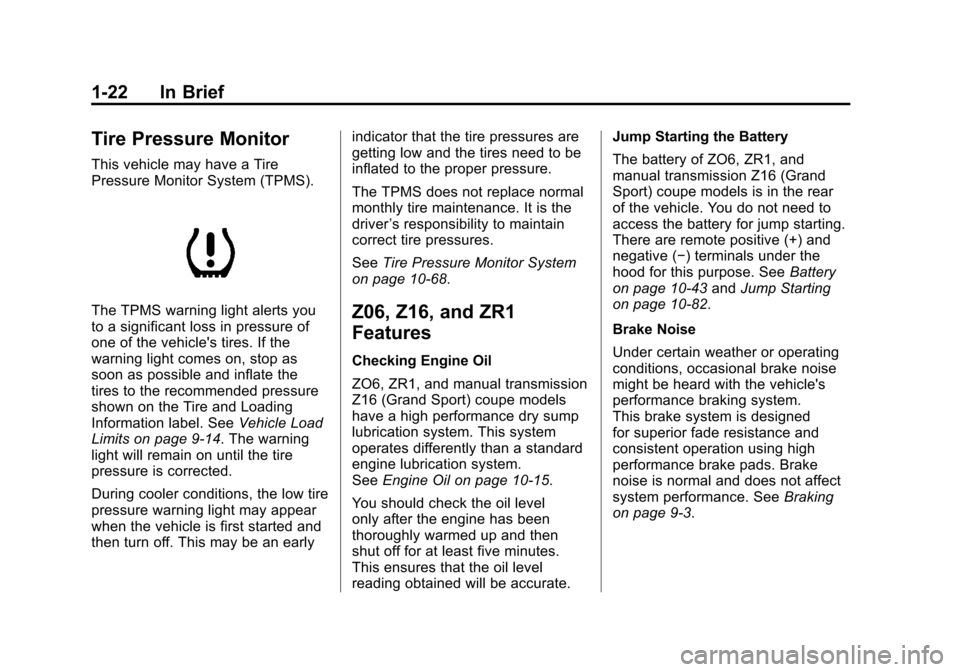
This vehicle may have a Tire
Pressure Monitor System (TPMS).
The TPMS warning light alerts you
to a significant loss in pressure of
one of the vehicle's tires. If the
warning light comes on, stop as
soon as possible and inflate the
tires to the recommended pressure
shown on the Tire and Loading
Information label. SeeVehicle Load
Limits on page 9‑14. The warning
light will remain on until the tire
pressure is corrected.
During cooler conditions, the low tire
pressure warning light may appear
when the vehicle is first started and
then turn off. This may be an early indicator that the tire pressures are
getting low and the tires need to be
inflated to the proper pressure.
The TPMS does not replace normal
monthly tire maintenance. It is the
driver
’s responsibility to maintain
correct tire pressures.
See Tire Pressure Monitor System
on page 10‑68.Z06, Z16, and ZR1
Features
Checking Engine Oil
ZO6, ZR1, and manual transmission
Z16 (Grand Sport) coupe models
have a high performance dry sump
lubrication system. This system
operates differently than a standard
engine lubrication system.
See Engine Oil on page 10‑15.
You should check the oil level
only after the engine has been
thoroughly warmed up and then
shut off for at least five minutes.
This ensures that the oil level
reading obtained will be accurate. Jump Starting the Battery
The battery of ZO6, ZR1, and
manual transmission Z16 (Grand
Sport) coupe models is in the rear
of the vehicle. You do not need to
access the battery for jump starting.
There are remote positive (+) and
negative (−) terminals under the
hood for this purpose. See
Battery
on page 10‑43 andJump Starting
on page 10‑82.
Brake Noise
Under certain weather or operating
conditions, occasional brake noise
might be heard with the vehicle's
performance braking system.
This brake system is designed
for superior fade resistance and
consistent operation using high
performance brake pads. Brake
noise is normal and does not affect
system performance. See Braking
on page 9‑3.
Page 29 of 428
Black plate (23,1)Chevrolet Corvette Owner Manual - 2011
In Brief 1-23
Car Wash Guidelines
Automatic car washes are not
recommended for this vehicle.
Some car washes cause damage
to the vehicle, the wheels, and the
convertible top, if the vehicle is so
equipped.
If you drive the vehicle through an
automatic car wash that does not
have enough clearance for the
undercarriage and/or wide rear tires
and wheels, you could damage the
vehicle. Verify with the manager of
the car wash that the vehicle will fit
before entering the car wash or use
a touchless car wash. See“Washing
Your Vehicle” underExterior Care
on page 10‑86.Engine Oil Life System
The engine oil life system calculates
engine oil life based on vehicle
use and displays a DIC message
when it is necessary to change the
engine oil and filter. The oil life
system should be reset to 100%
only following an oil change.
Resetting the Oil Life System
1. Press the TRIP button so the OIL LIFE percentage is
displayed.
2. Press RESET and hold for two seconds. OIL LIFE
REMAINING 100% will appear.
See Engine Oil Life System on
page 10‑22.
Driving for Better Fuel
Economy
Driving habits can affect fuel
mileage. Here are some driving
tips to get the best fuel economy
possible.
.Avoid fast starts and accelerate
smoothly.
.Brake gradually and avoid
abrupt stops.
.Avoid idling the engine for long
periods of time.
.When road and weather
conditions are appropriate, use
cruise control, if equipped.
.Always follow posted speed
limits or drive more slowly when
conditions require.
.Keep vehicle tires properly
inflated.
.Combine several trips into a
single trip.
Page 30 of 428
Black plate (24,1)Chevrolet Corvette Owner Manual - 2011
1-24 In Brief
.Replace the vehicle's tires with
the same TPC Spec number
molded into the tire's sidewall
near the size.
.Follow recommended scheduled
maintenance.
Premium Fuel
This vehicle's engine was designed
to use premium unleaded gasoline.
See Recommended Fuel on
page 9‑48.
Battery
This vehicle has a maintenance free
battery. See Battery on page 10‑43
and Jump Starting on page 10‑82.
For ZO6, ZR1, and manual
transmission Z16 (Grand Sport)
coupe models the battery is
located in the rear hatch/trunk
area. Access to the battery is
not necessary to jump start the
vehicle. There are positive (+) and
negative (−) terminals in the engine
compartment.
Roadside Assistance
Program
U.S.: 1-800-243-8872
TTY Users: 1-888-889-2438
Canada: 1-800-268-6800
As the owner of a new Chevrolet,
you are automatically enrolled in
the Roadside Assistance program.
This program provides technically
trained advisors who are available
24 hours a day, 365 days a year,
to give minor repair information or
make towing arrangements.
For more information see Roadside
Assistance Program (United States
and Canada) on page 13‑8 or
Roadside Assistance Program
(Mexico) on page 13‑10. Roadside Assistance and OnStar
If you have a current OnStar
subscription, press theQbutton
and the current GPS location will
be sent to an OnStar advisor who
will assess your problem, contact
Roadside Assistance, and relay
your exact location to get the help
you need.
Online Owner Center
The Online Owner Center is a
complimentary service that includes
online service reminders, vehicle
maintenance tips, online owner
manual, special privileges,
and more.
Sign up today at:
www.chevyownercenter.com
(U.S.) or www.gm.ca (Canada).
Page 36 of 428
Black plate (4,1)Chevrolet Corvette Owner Manual - 2011
2-4 Keys, Doors and Windows
Keyless Locking
The doors lock after
several seconds if all doors
are closed and at least one
keyless access transmitter
has been removed from the
interior of the vehicle. To customize
whether the doors automatically
lock when exiting the vehicle,
see“Passive Door Locking”
under Vehicle Personalization on
page 5‑55 for additional information.
Keyless Trunk Opening
Press the hatch/trunk release
button located on the rear of
the hatch/trunk lid above the
license plate to open the trunk
if the keyless access transmitter
is within range. See Hatch on
page 2‑10 for additional information. There are other conditions that
can affect the performance of the
transmitter. See
Remote Keyless
Entry (RKE) System on page 2‑3.
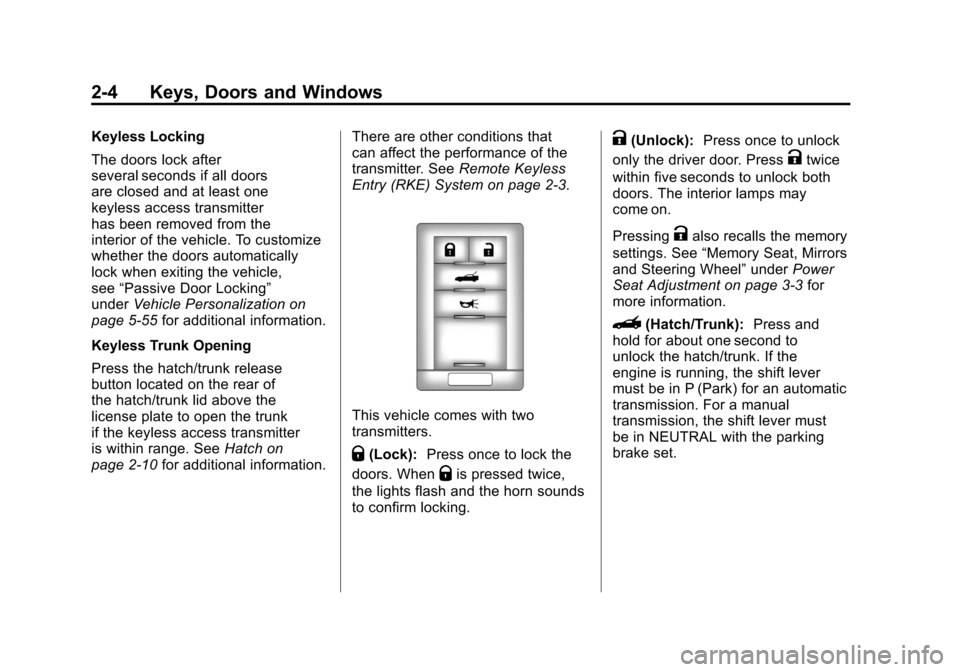
This vehicle comes with two
transmitters.
Q(Lock): Press once to lock the
doors. When
Qis pressed twice,
the lights flash and the horn sounds
to confirm locking.
K(Unlock): Press once to unlock
only the driver door. Press
Ktwice
within five seconds to unlock both
doors. The interior lamps may
come on.
Pressing
Kalso recalls the memory
settings. See “Memory Seat, Mirrors
and Steering Wheel” underPower
Seat Adjustment on page 3‑3 for
more information.
}(Hatch/Trunk): Press and
hold for about one second to
unlock the hatch/trunk. If the
engine is running, the shift lever
must be in P (Park) for an automatic
transmission. For a manual
transmission, the shift lever must
be in NEUTRAL with the parking
brake set.
Page 42 of 428
Black plate (10,1)Chevrolet Corvette Owner Manual - 2011
2-10 Keys, Doors and Windows
Automatic Door Locks
The vehicle is programmed so that,
when the doors are closed, the
ignition is on and the shift lever is
moved out of P (Park) for automatic
transmissions, or when vehicle
speed becomes faster than 13 km/h
(8 mph) for manual transmissions,
both doors will lock.
Use the power door unlock switch to
unlock the door when the vehicle is
not in P (Park). When the door is
closed again, the doors will lock
either when your foot is removed
from the brake or the vehicle
speed becomes faster than
13 km/h (8 mph).
Automatic Door Unlock
The vehicle is programmed so that
when the shift lever is moved into
P (Park) for automatic transmission
vehicles or when the ignition is
turned OFF or is in Retained
Accessory Power (RAP) for manual
transmission vehicles, both doors
will unlock.With the vehicle stopped and the
engine running, door unlocking
can be programmed through the
Driver Information Center (DIC).
This allows the driver to choose
various unlock settings.
For programming information,
see
Vehicle Personalization on
page 5‑55.
Lockout Protection
Your vehicle can be programmed
to sound the horn three times and
unlock the driver door when both
doors are closed and there is a
keyless access transmitter inside
the vehicle. When the driver door
is opened, a reminder chime will
sound continuously. The vehicle will
remain locked only when at least
one transmitter has been removed
from the vehicle and both doors are
closed. See Vehicle Personalization
on page 5‑55.
Doors
Hatch
{WARNING
Exhaust gases can enter the
vehicle if it is driven with the
liftgate, trunk/hatch open, or
with any objects that pass
through the seal between the
body and the trunk/hatch or
liftgate. Engine exhaust contains
Carbon Monoxide (CO) which
cannot be seen or smelled. It can
cause unconsciousness and even
death.
If the vehicle must be driven with
the liftgate, or trunk/hatch open:
.Close all of the windows.
.Fully open the air outlets
on or under the instrument
panel.
(Continued)
Page 43 of 428
Black plate (11,1)Chevrolet Corvette Owner Manual - 2011
Keys, Doors and Windows 2-11
WARNING (Continued)
.Adjust the Climate Control
system to a setting that
brings in only outside air
and set the fan speed to the
highest setting. See Climate
Control System in the Index.
.If the vehicle is equipped with
a power liftgate, disable the
power liftgate function.
For more information about
carbon monoxide, see Engine
Exhaust on page 9‑26.
Notice: Closing the hatch/trunk
lid forcefully or from the sides
can cause damage to the glass,
the defogger or the weather
stripping. Be sure objects will fit
in the hatch/trunk area before
closing the hatch/trunk lid. When
closing the hatch/trunk lid, gently
pull down from the center. Notice:
Do not store heavy or
sharp objects in the rear storage
compartments located in the
hatch/trunk area. The objects
could damage the underbody.
Hatch/Trunk Lid Release
There are several ways to release
the hatch/trunk lid. If your vehicle
has an automatic transmission,
the shift lever must be in P (Park).
For manual transmission vehicles,
the parking brake must be set
when the ignition is started for
the hatch/trunk release to operate.
The parking brake does not need
to be set when the ignition is off for
the hatch/trunk release to operate.
See Parking Brake on page 9‑35.
V(Hatch/Trunk) : Press this
button, located on the instrument
panel to the left of the steering
wheel. The theft-deterrent alarm
system must not be armed.
}(Hatch/Trunk) : Press this
button on the keyless access
transmitter. See Remote Keyless
Entry (RKE) System on page 2‑3.
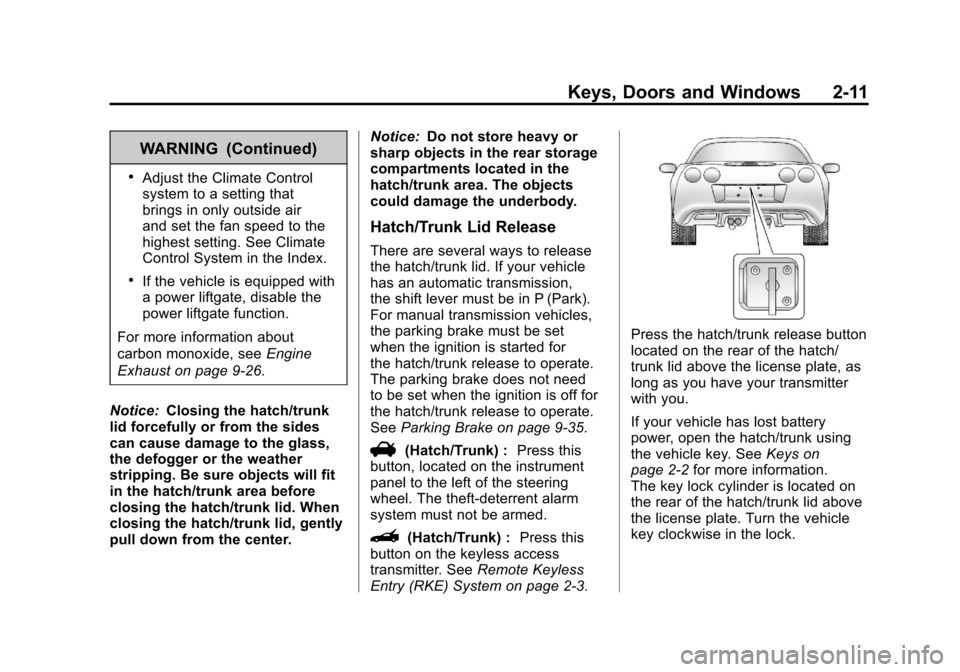
Press the hatch/trunk release button
located on the rear of the hatch/
trunk lid above the license plate, as
long as you have your transmitter
with you.
If your vehicle has lost battery
power, open the hatch/trunk using
the vehicle key. See Keys on
page 2‑2 for more information.
The key lock cylinder is located on
the rear of the hatch/trunk lid above
the license plate. Turn the vehicle
key clockwise in the lock.