reset CHEVROLET CORVETTE 2011 6.G Owners Manual
[x] Cancel search | Manufacturer: CHEVROLET, Model Year: 2011, Model line: CORVETTE, Model: CHEVROLET CORVETTE 2011 6.GPages: 428, PDF Size: 6.63 MB
Page 22 of 428
Black plate (16,1)Chevrolet Corvette Owner Manual - 2011
1-16 In Brief
Vehicle Features
Radio(s)
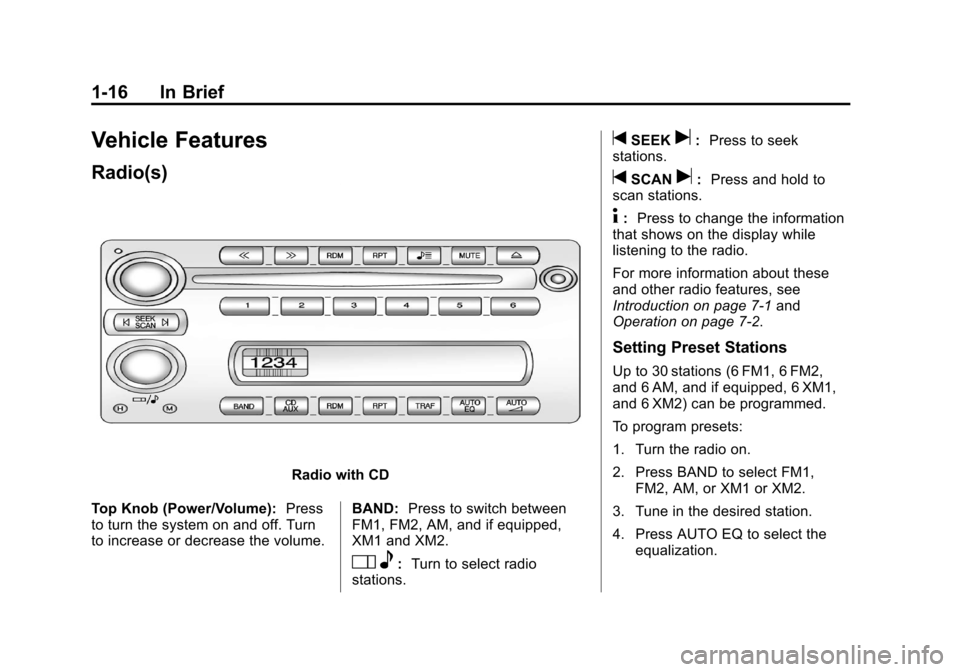
Radio with CD
Top Knob (Power/Volume): Press
to turn the system on and off. Turn
to increase or decrease the volume. BAND:
Press to switch between
FM1, FM2, AM, and if equipped,
XM1 and XM2.
O e:Turn to select radio
stations.
tSEEKu: Press to seek
stations.
tSCANu: Press and hold to
scan stations.
4: Press to change the information
that shows on the display while
listening to the radio.
For more information about these
and other radio features, see
Introduction on page 7‑1 and
Operation on page 7‑2.
Setting Preset Stations
Up to 30 stations (6 FM1, 6 FM2,
and 6 AM, and if equipped, 6 XM1,
and 6 XM2) can be programmed.
To program presets:
1. Turn the radio on.
2. Press BAND to select FM1,
FM2, AM, or XM1 or XM2.
3. Tune in the desired station.
4. Press AUTO EQ to select the equalization.
Page 24 of 428
Black plate (18,1)Chevrolet Corvette Owner Manual - 2011
1-18 In Brief
Bluetooth®
For vehicles with a Bluetooth
system, it allows users with a
Bluetooth‐enabled cell phone
to make and receive hands-free
calls using the vehicle’s audio
system and controls.
The Bluetooth‐enabled cell phone
must be paired with the Bluetooth
system before it can be used in the
vehicle. Not all phones will support
all functions. For more information,
visit www.gm.com/bluetooth.
For more information, seeBluetooth
on page 7‑18.
Steering Wheel Controls
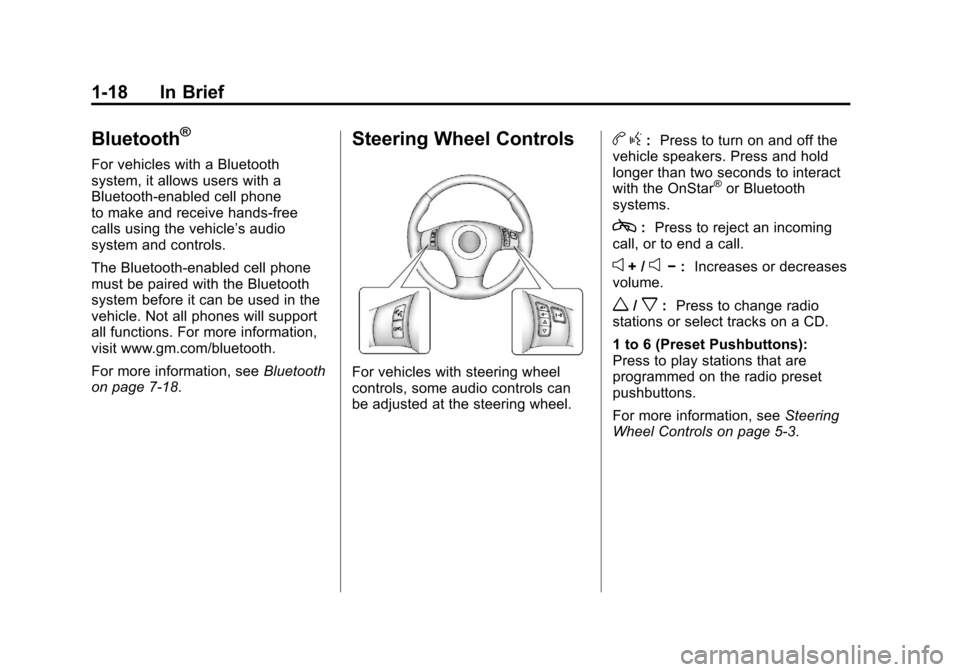
For vehicles with steering wheel
controls, some audio controls can
be adjusted at the steering wheel.
b g: Press to turn on and off the
vehicle speakers. Press and hold
longer than two seconds to interact
with the OnStar
®or Bluetooth
systems.
c: Press to reject an incoming
call, or to end a call.
e+ /e− : Increases or decreases
volume.
w/x: Press to change radio
stations or select tracks on a CD.
1 to 6 (Preset Pushbuttons):
Press to play stations that are
programmed on the radio preset
pushbuttons.
For more information, see Steering
Wheel Controls on page 5‑3.
Page 26 of 428
Black plate (20,1)Chevrolet Corvette Owner Manual - 2011
1-20 In Brief
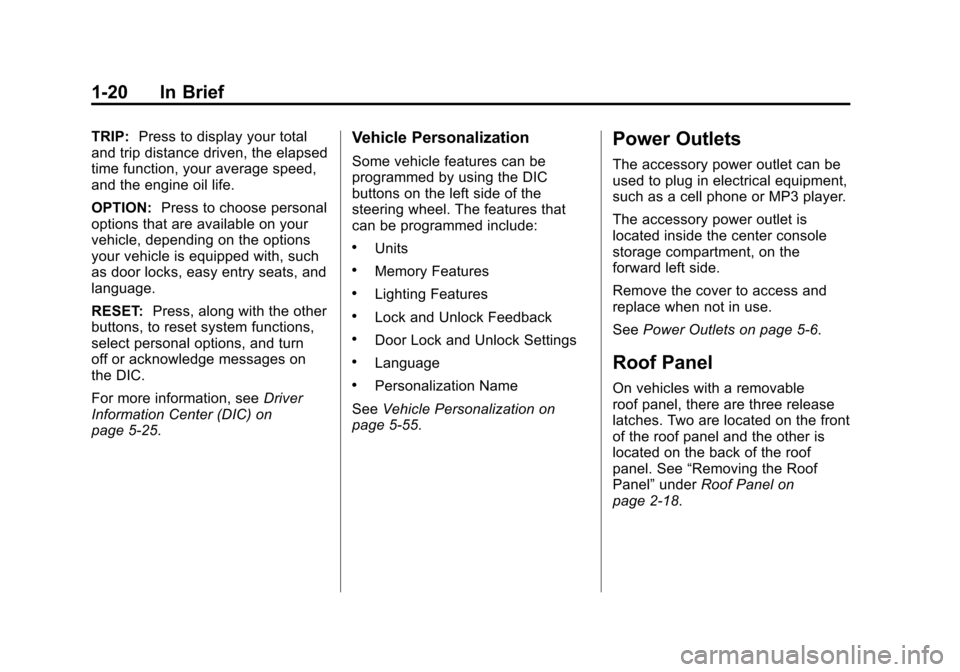
TRIP:Press to display your total
and trip distance driven, the elapsed
time function, your average speed,
and the engine oil life.
OPTION: Press to choose personal
options that are available on your
vehicle, depending on the options
your vehicle is equipped with, such
as door locks, easy entry seats, and
language.
RESET: Press, along with the other
buttons, to reset system functions,
select personal options, and turn
off or acknowledge messages on
the DIC.
For more information, see Driver
Information Center (DIC) on
page 5‑25.Vehicle Personalization
Some vehicle features can be
programmed by using the DIC
buttons on the left side of the
steering wheel. The features that
can be programmed include:
.Units
.Memory Features
.Lighting Features
.Lock and Unlock Feedback
.Door Lock and Unlock Settings
.Language
.Personalization Name
See Vehicle Personalization on
page 5‑55.
Power Outlets
The accessory power outlet can be
used to plug in electrical equipment,
such as a cell phone or MP3 player.
The accessory power outlet is
located inside the center console
storage compartment, on the
forward left side.
Remove the cover to access and
replace when not in use.
See Power Outlets on page 5‑6.
Roof Panel
On vehicles with a removable
roof panel, there are three release
latches. Two are located on the front
of the roof panel and the other is
located on the back of the roof
panel. See “Removing the Roof
Panel” underRoof Panel on
page 2‑18.
Page 29 of 428
Black plate (23,1)Chevrolet Corvette Owner Manual - 2011
In Brief 1-23
Car Wash Guidelines
Automatic car washes are not
recommended for this vehicle.
Some car washes cause damage
to the vehicle, the wheels, and the
convertible top, if the vehicle is so
equipped.
If you drive the vehicle through an
automatic car wash that does not
have enough clearance for the
undercarriage and/or wide rear tires
and wheels, you could damage the
vehicle. Verify with the manager of
the car wash that the vehicle will fit
before entering the car wash or use
a touchless car wash. See“Washing
Your Vehicle” underExterior Care
on page 10‑86.Engine Oil Life System
The engine oil life system calculates
engine oil life based on vehicle
use and displays a DIC message
when it is necessary to change the
engine oil and filter. The oil life
system should be reset to 100%
only following an oil change.
Resetting the Oil Life System
1. Press the TRIP button so the OIL LIFE percentage is
displayed.
2. Press RESET and hold for two seconds. OIL LIFE
REMAINING 100% will appear.
See Engine Oil Life System on
page 10‑22.
Driving for Better Fuel
Economy
Driving habits can affect fuel
mileage. Here are some driving
tips to get the best fuel economy
possible.
.Avoid fast starts and accelerate
smoothly.
.Brake gradually and avoid
abrupt stops.
.Avoid idling the engine for long
periods of time.
.When road and weather
conditions are appropriate, use
cruise control, if equipped.
.Always follow posted speed
limits or drive more slowly when
conditions require.
.Keep vehicle tires properly
inflated.
.Combine several trips into a
single trip.
Page 123 of 428
Black plate (3,1)Chevrolet Corvette Owner Manual - 2011
Instruments and Controls 5-3
The telescopic steering column
position can be stored with your
memory settings. See“Memory
Seat, Mirrors and Steering Wheel”
under Power Seat Adjustment on
page 3‑3 for more information.
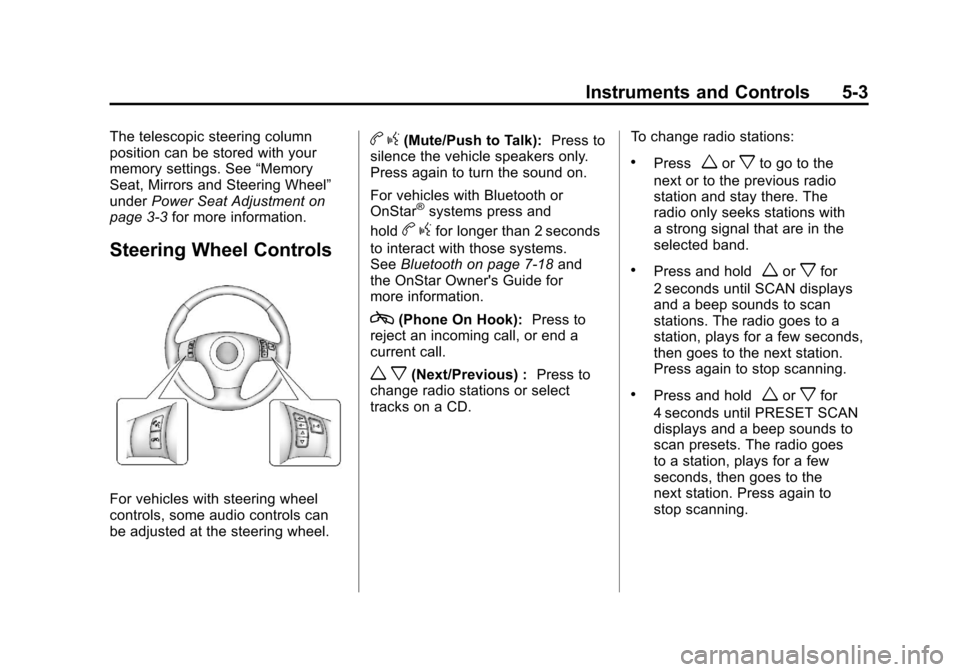
Steering Wheel Controls
For vehicles with steering wheel
controls, some audio controls can
be adjusted at the steering wheel.
bg(Mute/Push to Talk): Press to
silence the vehicle speakers only.
Press again to turn the sound on.
For vehicles with Bluetooth or
OnStar
®systems press and
hold
b gfor longer than 2 seconds
to interact with those systems.
See Bluetooth on page 7‑18 and
the OnStar Owner's Guide for
more information.
c(Phone On Hook): Press to
reject an incoming call, or end a
current call.
w x(Next/Previous) : Press to
change radio stations or select
tracks on a CD. To change radio stations:
.Pressworxto go to the
next or to the previous radio
station and stay there. The
radio only seeks stations with
a strong signal that are in the
selected band.
.Press and holdworxfor
2 seconds until SCAN displays
and a beep sounds to scan
stations. The radio goes to a
station, plays for a few seconds,
then goes to the next station.
Press again to stop scanning.
.Press and holdworxfor
4 seconds until PRESET SCAN
displays and a beep sounds to
scan presets. The radio goes
to a station, plays for a few
seconds, then goes to the
next station. Press again to
stop scanning.
Page 124 of 428
Black plate (4,1)Chevrolet Corvette Owner Manual - 2011
5-4 Instruments and Controls
To select tracks on a CD:
.Pressworxto go to the next
or to the previous track when a
CD is playing.
.Press and holdworxfor
more than 2 seconds to scan
the current CD. The CD goes
to the next track, plays the first
10 seconds, then goes to the
next track. Press again to stop
scanning.
.Press and holdworxfor
more than 4 seconds to scan all
of the CDs loaded. The CD goes
to the next CD, plays the first
10 seconds of each track, then
goes to the next CD. Press
again to stop scanning.
+
e−e(Volume): Press to
increase or to decrease the radio
volume.
1 to 6 (Preset Pushbuttons):
Press to play stations that are
programmed on the radio preset
pushbuttons.
Horn
Press near or on the horn symbols
on the steering wheel pad to sound
the horn.
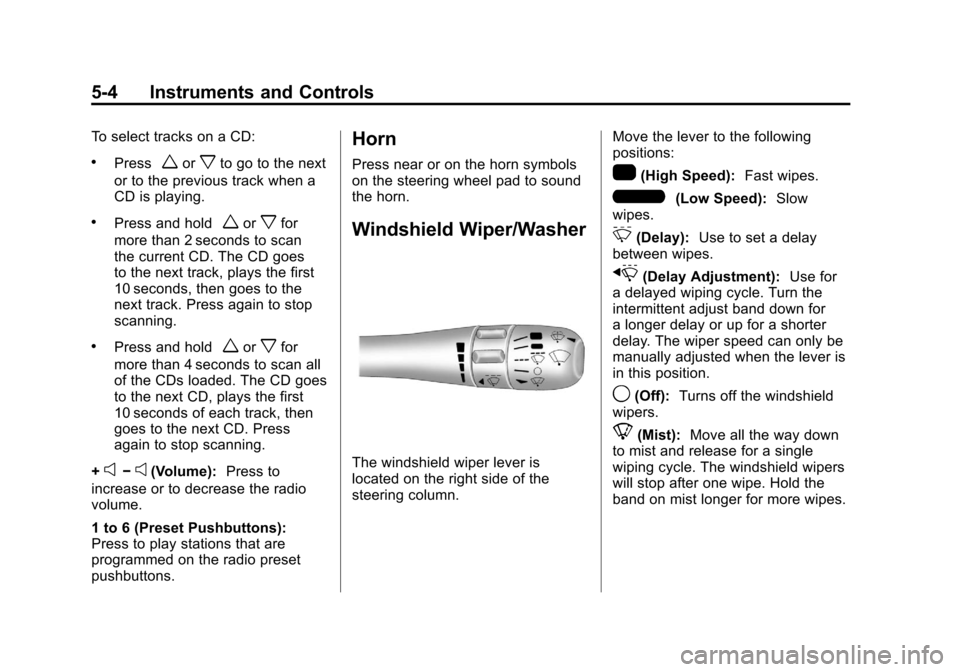
Windshield Wiper/Washer
The windshield wiper lever is
located on the right side of the
steering column. Move the lever to the following
positions:
1(High Speed):
Fast wipes.
6(Low Speed):Slow
wipes.
&(Delay): Use to set a delay
between wipes.
x(Delay Adjustment): Use for
a delayed wiping cycle. Turn the
intermittent adjust band down for
a longer delay or up for a shorter
delay. The wiper speed can only be
manually adjusted when the lever is
in this position.
9(Off): Turns off the windshield
wipers.
8(Mist): Move all the way down
to mist and release for a single
wiping cycle. The windshield wipers
will stop after one wipe. Hold the
band on mist longer for more wipes.
Page 125 of 428
Black plate (5,1)Chevrolet Corvette Owner Manual - 2011
Instruments and Controls 5-5
Heavy snow or ice can overload
the wipers. If this occurs, a circuit
breaker will stop the wipers until the
motor cools. Clear all ice and snow
from the wiper blades before using
them. If frozen to the windshield,
carefully loosen them or thaw them.
Damaged wiper blades should
be replaced. SeeWiper Blade
Replacement on page 10‑46.
Windshield Washer
The lever on the right side of the
steering column also controls the
windshield washer. There is a
button at the end of the lever.
To spray washer fluid on the
windshield, press the button and
hold it. The washer will spray until
you release the button. The wipers
will continue to clear the window for
about six seconds after the button
is released and then stop or return
to your preset speed.
{WARNING
In freezing weather, do not
use your washer until the
windshield is warmed. Otherwise
the washer fluid can form ice on
the windshield, blocking your
vision.
If the fluid in the windshield washer
fluid reservoir is low, the message
CHECK WASHER FLUID will
appear on the Driver Information
Center (DIC) display. It will take
15 seconds after the bottle is
refilled for this message to turn
off. For information on the correct
washer fluid to use, see Washer
Fluid on page 10‑37 and
Recommended Fluids and
Lubricants on page 11‑6.
Compass
Compass Operation
With the compass feature on, each
time the vehicle is started, the
compass will take a few seconds
to adjust and display the current
compass heading. For example,
NE is displayed for north-east.
Compass Calibration
PressPonce to turn the compass
display on or off.
If after several seconds the display
does not show a compass heading,
there may be a strong magnetic
field interfering with the compass.
Interference can be caused by a
magnetic antenna mount, note
pad holder or similar object. If the
letter C or CAL appears in the
compass window, the compass
needs calibration.
Page 132 of 428
Black plate (12,1)Chevrolet Corvette Owner Manual - 2011
5-12 Instruments and Controls
When the needle approaches the
low fuel symbol, a chime sounds
and LOW FUEL appears on the
Driver Information Center (DIC)
display. There is still a little fuel left,
but the vehicle's fuel tank should be
filled soon.
Press the RESET button to
acknowledge a DIC message(s).
Pressing the RESET button also
turns off a DIC message but the
LOW FUEL message comes on
again in 10 minutes if fuel is not
added to the vehicle.
Here are five things that some
owners ask about. All these things
are normal and do not indicate that
anything is wrong with the fuel
gauge.
.At the service station, the gas
pump shuts off before the gauge
reads the full.
.It takes a little more or less
fuel to fill up than the gauge
indicated. For example, the
gauge may have indicated half
full, but it took a little more or
less than half of the tank's
capacity to fill the tank.
.The gauge pointer may move
while cornering, braking or
speeding up.
.The gauge may not indicate the
tank is empty when the ignition
is turned off.
.The gauge reading may change
slightly within the first several
minutes after starting the
vehicle.
See “DIC Operation and Displays”
in Driver Information Center (DIC)
on page 5‑25 for more information.
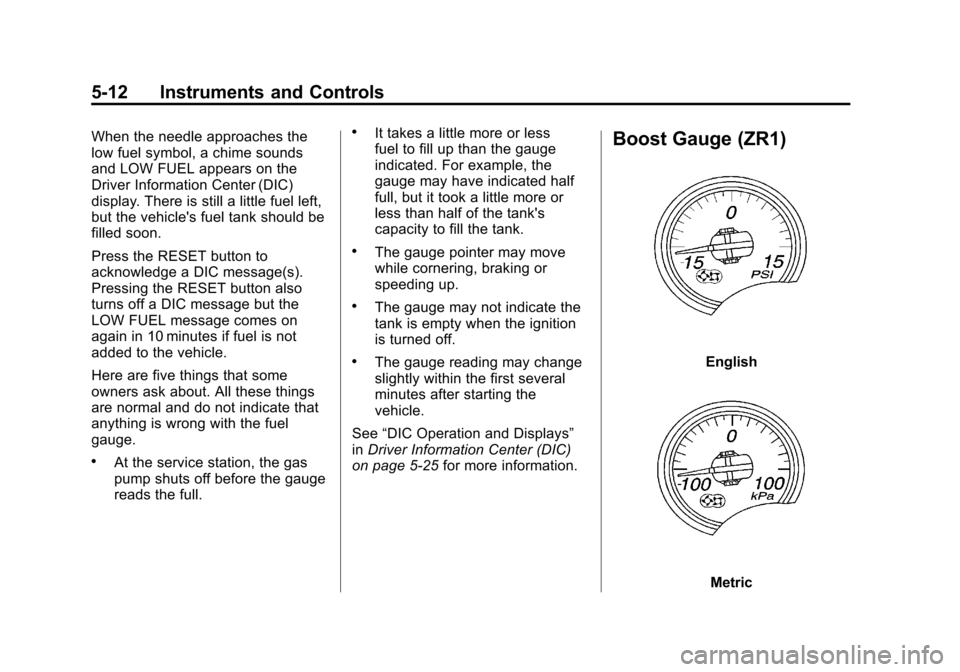
Boost Gauge (ZR1)
English
Metric
Page 142 of 428
Black plate (22,1)Chevrolet Corvette Owner Manual - 2011
5-22 Instruments and Controls
Antilock Brake System
(ABS) Warning Light
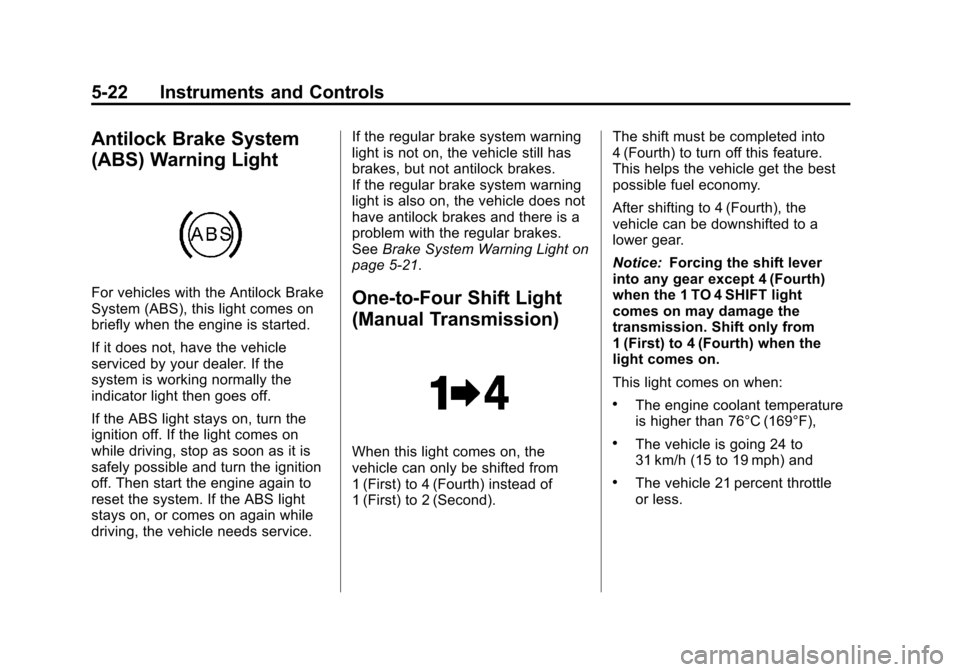
For vehicles with the Antilock Brake
System (ABS), this light comes on
briefly when the engine is started.
If it does not, have the vehicle
serviced by your dealer. If the
system is working normally the
indicator light then goes off.
If the ABS light stays on, turn the
ignition off. If the light comes on
while driving, stop as soon as it is
safely possible and turn the ignition
off. Then start the engine again to
reset the system. If the ABS light
stays on, or comes on again while
driving, the vehicle needs service.If the regular brake system warning
light is not on, the vehicle still has
brakes, but not antilock brakes.
If the regular brake system warning
light is also on, the vehicle does not
have antilock brakes and there is a
problem with the regular brakes.
See
Brake System Warning Light on
page 5‑21.One-to-Four Shift Light
(Manual Transmission)
When this light comes on, the
vehicle can only be shifted from
1 (First) to 4 (Fourth) instead of
1 (First) to 2 (Second). The shift must be completed into
4 (Fourth) to turn off this feature.
This helps the vehicle get the best
possible fuel economy.
After shifting to 4 (Fourth), the
vehicle can be downshifted to a
lower gear.
Notice:
Forcing the shift lever
into any gear except 4 (Fourth)
when the 1 TO 4 SHIFT light
comes on may damage the
transmission. Shift only from
1 (First) to 4 (Fourth) when the
light comes on.
This light comes on when:
.The engine coolant temperature
is higher than 76°C (169°F),
.The vehicle is going 24 to
31 km/h (15 to 19 mph) and
.The vehicle 21 percent throttle
or less.
Page 146 of 428
Black plate (26,1)Chevrolet Corvette Owner Manual - 2011
5-26 Instruments and Controls
DIC Operation and Displays
Depending on the features on the
vehicle, the drive gear may display
on the DIC. See“Manual Paddle
Shift” under Automatic Transmission
on page 9‑28 and“Head-Up
Display (HUD)” in the index of
the Navigation system manual
for more information.
The Driver Information Center (DIC)
has different modes which can be
accessed by pressing the following
buttons located on the instrument
panel, to the right of the instrument
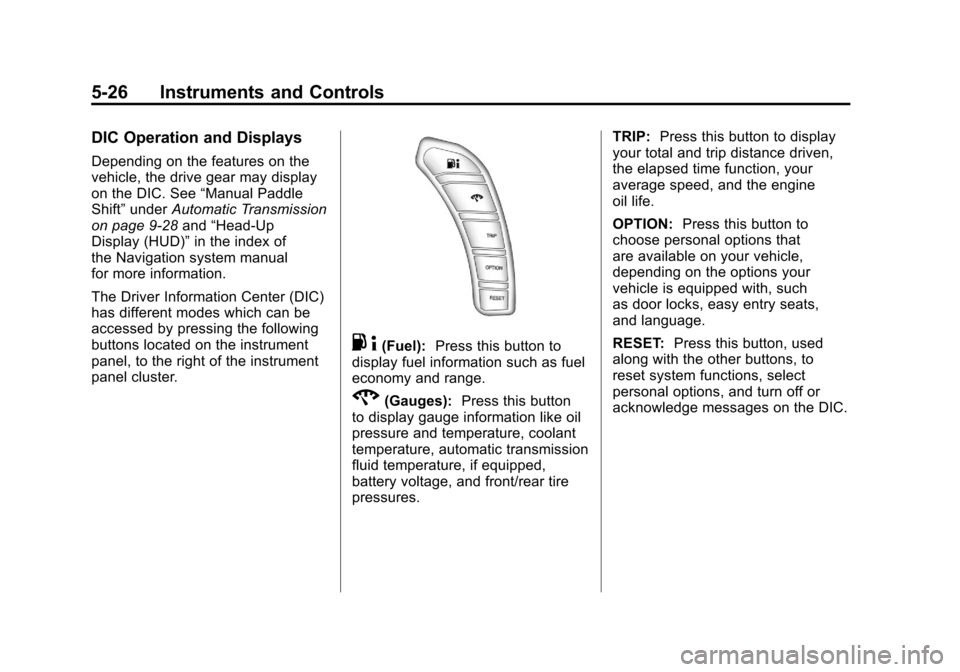
panel cluster.
. 4(Fuel): Press this button to
display fuel information such as fuel
economy and range.
2(Gauges): Press this button
to display gauge information like oil
pressure and temperature, coolant
temperature, automatic transmission
fluid temperature, if equipped,
battery voltage, and front/rear tire
pressures. TRIP:
Press this button to display
your total and trip distance driven,
the elapsed time function, your
average speed, and the engine
oil life.
OPTION: Press this button to
choose personal options that
are available on your vehicle,
depending on the options your
vehicle is equipped with, such
as door locks, easy entry seats,
and language.
RESET: Press this button, used
along with the other buttons, to
reset system functions, select
personal options, and turn off or
acknowledge messages on the DIC.