ignition CHEVROLET CORVETTE 2012 6.G User Guide
[x] Cancel search | Manufacturer: CHEVROLET, Model Year: 2012, Model line: CORVETTE, Model: CHEVROLET CORVETTE 2012 6.GPages: 434, PDF Size: 6.96 MB
Page 57 of 434
Black plate (25,1)Chevrolet Corvette Owner Manual - 2012
Keys, Doors, and Windows 2-25
Notice:Lowering the convertible
top when there are objects in the
storage area could damage it or
break the glass rear window.
Always verify that no objects are
in the storage area before
lowering the convertible top.
Notice: Lowering the convertible
top if it is damp, wet, or dirty can
cause stains, mildew, and
damage to the inside of the
vehicle. Dry off the convertible
top before lowering it.
Notice: If you lower the
convertible top on the vehicle
in cold weather (0°C (32°F) or
lower), you may damage
convertible top components. Do
not lower the top in cold weather.
Notice: If you raise or lower the
convertible top while the vehicle
is in motion, you could damage
the top or the top mechanism.
The repairs would not be covered
by the warranty. Always put an
automatic transmission in P (Park) or a manual transmission
in Neutral before raising or
lowering the convertible top.
Lowering the Manual
Convertible Top
1. Park on a level surface. Shift an
automatic transmission into
P (Park) and set the parking
brake. Shift a manual
transmission into Neutral and set
the parking brake.
2. Make sure the ignition is off.
3. Make sure the trunk is closed.
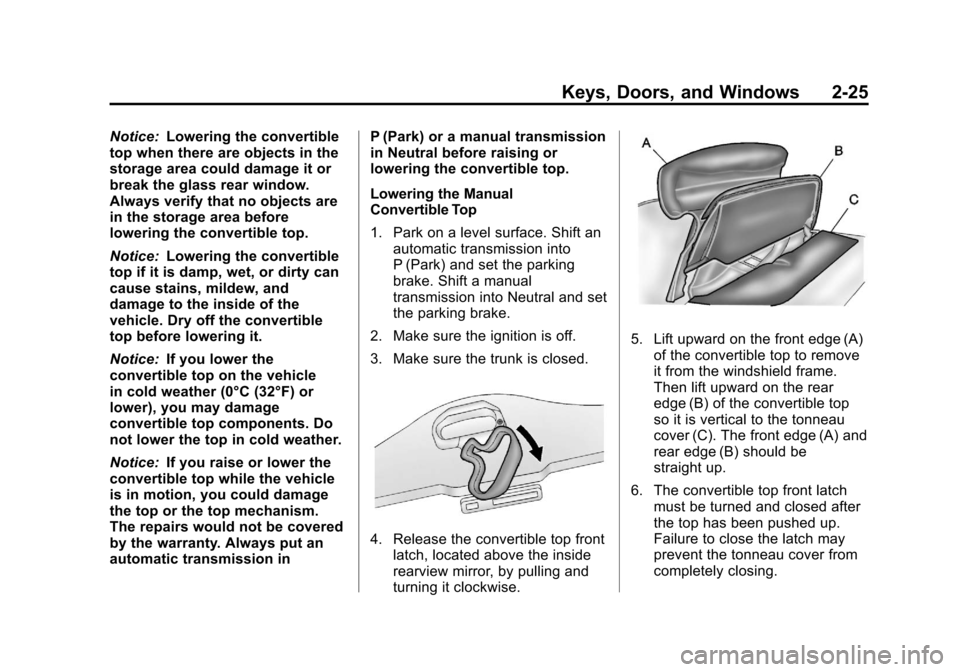
4. Release the convertible top front latch, located above the inside
rearview mirror, by pulling and
turning it clockwise.
5. Lift upward on the front edge (A)of the convertible top to remove
it from the windshield frame.
Then lift upward on the rear
edge (B) of the convertible top
so it is vertical to the tonneau
cover (C). The front edge (A) and
rear edge (B) should be
straight up.
6. The convertible top front latch must be turned and closed after
the top has been pushed up.
Failure to close the latch may
prevent the tonneau cover from
completely closing.
Page 59 of 434
Black plate (27,1)Chevrolet Corvette Owner Manual - 2012
Keys, Doors, and Windows 2-27
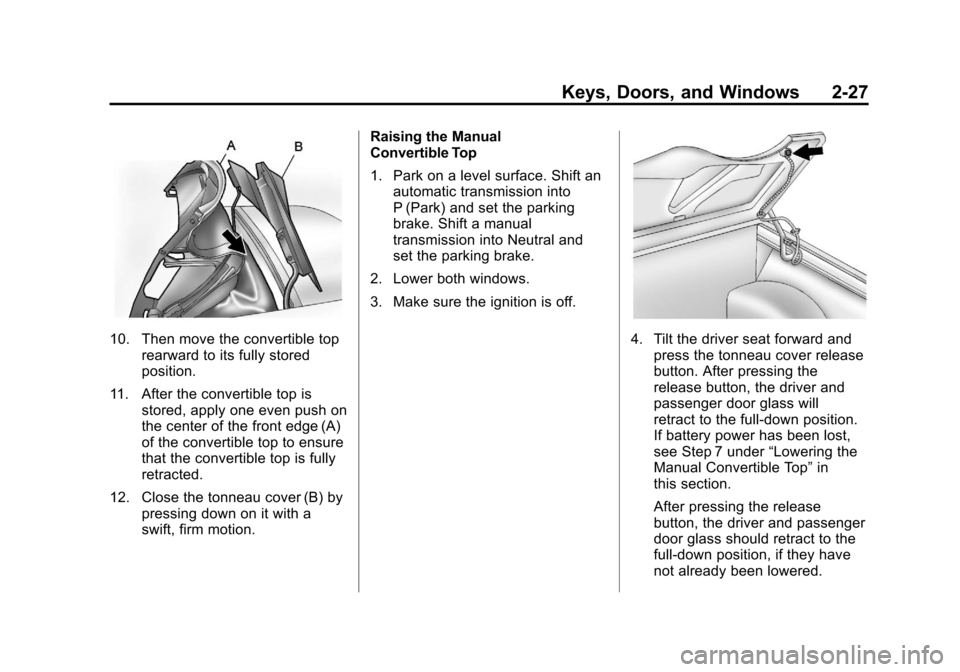
10. Then move the convertible toprearward to its fully stored
position.
11. After the convertible top is stored, apply one even push on
the center of the front edge (A)
of the convertible top to ensure
that the convertible top is fully
retracted.
12. Close the tonneau cover (B) by pressing down on it with a
swift, firm motion. Raising the Manual
Convertible Top
1. Park on a level surface. Shift an
automatic transmission into
P (Park) and set the parking
brake. Shift a manual
transmission into Neutral and
set the parking brake.
2. Lower both windows.
3. Make sure the ignition is off.4. Tilt the driver seat forward and press the tonneau cover release
button. After pressing the
release button, the driver and
passenger door glass will
retract to the full-down position.
If battery power has been lost,
see Step 7 under “Lowering the
Manual Convertible Top” in
this section.
After pressing the release
button, the driver and passenger
door glass should retract to the
full-down position, if they have
not already been lowered.
Page 72 of 434
Black plate (8,1)Chevrolet Corvette Owner Manual - 2012
3-8 Seats and Restraints
Heated Front Seats
{WARNING
If you cannot feel temperature
change or pain to the skin, the
seat heater may cause burns
even at low temperatures. To
reduce the risk of burns, people
with such a condition should use
care when using the seat heater,
especially for long periods of
time. Do not place anything on
the seat that insulates against
heat, such as a blanket, cushion,
cover, or similar item. This may
cause the seat heater to
overheat. An overheated seat
heater may cause a burn or
may damage the seat.
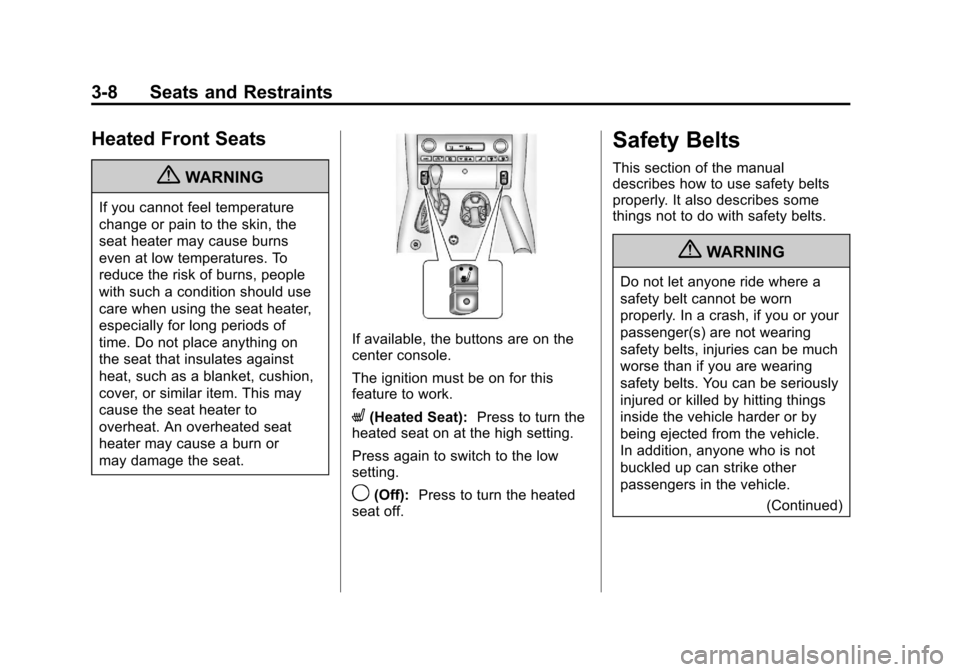
If available, the buttons are on the
center console.
The ignition must be on for this
feature to work.
L(Heated Seat):Press to turn the
heated seat on at the high setting.
Press again to switch to the low
setting.
9(Off): Press to turn the heated
seat off.
Safety Belts
This section of the manual
describes how to use safety belts
properly. It also describes some
things not to do with safety belts.
{WARNING
Do not let anyone ride where a
safety belt cannot be worn
properly. In a crash, if you or your
passenger(s) are not wearing
safety belts, injuries can be much
worse than if you are wearing
safety belts. You can be seriously
injured or killed by hitting things
inside the vehicle harder or by
being ejected from the vehicle.
In addition, anyone who is not
buckled up can strike other
passengers in the vehicle.
(Continued)
Page 122 of 434
Black plate (12,1)Chevrolet Corvette Owner Manual - 2012
5-12 Instruments and Controls
Speedometer
The speedometer shows the speed
in either kilometers per hour (km/h)
or miles per hour (mph). For more
information see“Personal Options”
under Vehicle Personalization on
page 5‑55.
Odometer
To read the odometer with the
ignition off, turn on the parking
lamps.
If the vehicle needs a new odometer
installed, the mileage total of the
new odometer will be set to the
original kilometers (miles) of the
old odometer. See your dealer if
the odometer must be replaced in
the vehicle.
Tachometer
The tachometer displays the engine
speed in thousands of revolutions
per minute (rpm).
Notice: Fuel shuts off at about
6500 rpm for the base model,
7000 rpm for the Z06 model, and
6600 rpm for the ZR1 model. If the
vehicle continues to be driven at
the fuel shut off rpm, the engine
could be damaged. Be sure to
operate the vehicle below the
fuel shut off rpm or reduce the
vehicle's rpm quickly when the
fuel shuts off.
Page 123 of 434
Black plate (13,1)Chevrolet Corvette Owner Manual - 2012
Instruments and Controls 5-13
Fuel Gauge
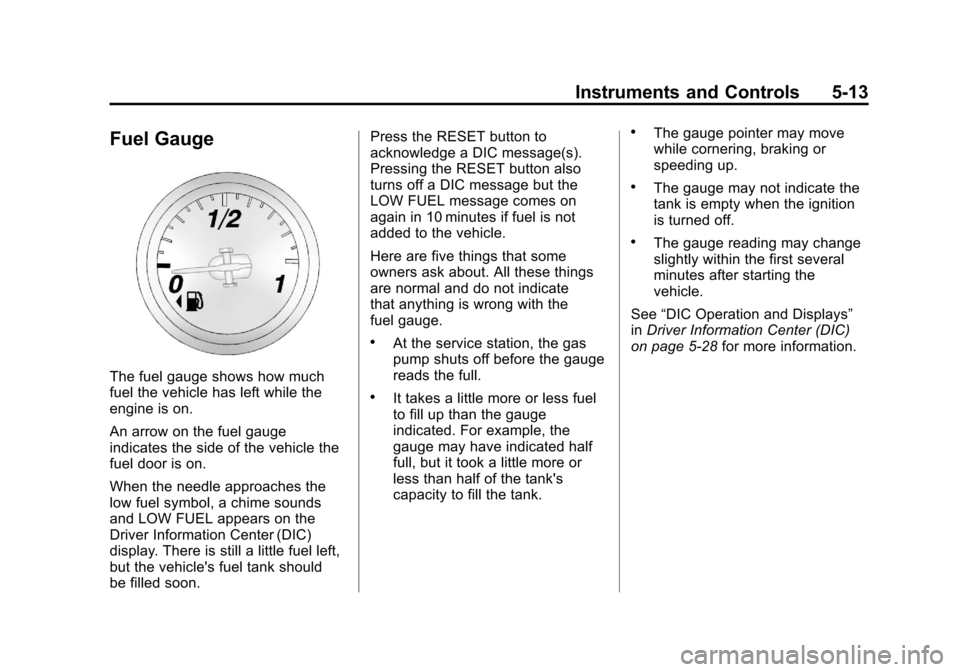
The fuel gauge shows how much
fuel the vehicle has left while the
engine is on.
An arrow on the fuel gauge
indicates the side of the vehicle the
fuel door is on.
When the needle approaches the
low fuel symbol, a chime sounds
and LOW FUEL appears on the
Driver Information Center (DIC)
display. There is still a little fuel left,
but the vehicle's fuel tank should
be filled soon.Press the RESET button to
acknowledge a DIC message(s).
Pressing the RESET button also
turns off a DIC message but the
LOW FUEL message comes on
again in 10 minutes if fuel is not
added to the vehicle.
Here are five things that some
owners ask about. All these things
are normal and do not indicate
that anything is wrong with the
fuel gauge.
.At the service station, the gas
pump shuts off before the gauge
reads the full.
.It takes a little more or less fuel
to fill up than the gauge
indicated. For example, the
gauge may have indicated half
full, but it took a little more or
less than half of the tank's
capacity to fill the tank.
.The gauge pointer may move
while cornering, braking or
speeding up.
.The gauge may not indicate the
tank is empty when the ignition
is turned off.
.The gauge reading may change
slightly within the first several
minutes after starting the
vehicle.
See “DIC Operation and Displays”
in Driver Information Center (DIC)
on page 5‑28 for more information.
Page 129 of 434
Black plate (19,1)Chevrolet Corvette Owner Manual - 2012
Instruments and Controls 5-19
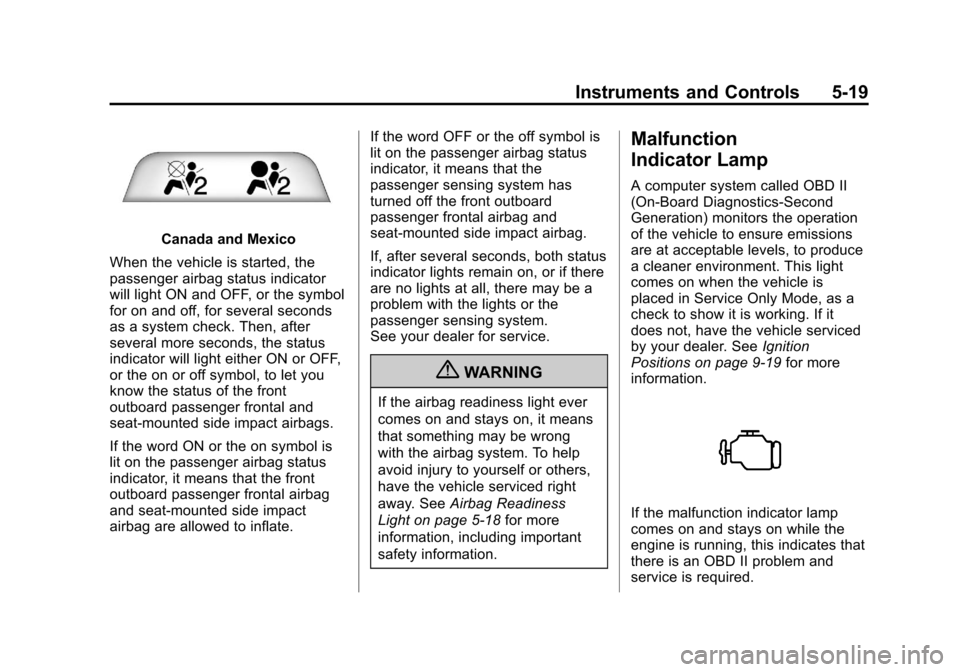
Canada and Mexico
When the vehicle is started, the
passenger airbag status indicator
will light ON and OFF, or the symbol
for on and off, for several seconds
as a system check. Then, after
several more seconds, the status
indicator will light either ON or OFF,
or the on or off symbol, to let you
know the status of the front
outboard passenger frontal and
seat-mounted side impact airbags.
If the word ON or the on symbol is
lit on the passenger airbag status
indicator, it means that the front
outboard passenger frontal airbag
and seat-mounted side impact
airbag are allowed to inflate. If the word OFF or the off symbol is
lit on the passenger airbag status
indicator, it means that the
passenger sensing system has
turned off the front outboard
passenger frontal airbag and
seat-mounted side impact airbag.
If, after several seconds, both status
indicator lights remain on, or if there
are no lights at all, there may be a
problem with the lights or the
passenger sensing system.
See your dealer for service.
{WARNING
If the airbag readiness light ever
comes on and stays on, it means
that something may be wrong
with the airbag system. To help
avoid injury to yourself or others,
have the vehicle serviced right
away. See
Airbag Readiness
Light on page 5‑18 for more
information, including important
safety information.
Malfunction
Indicator Lamp
A computer system called OBD II
(On-Board Diagnostics-Second
Generation) monitors the operation
of the vehicle to ensure emissions
are at acceptable levels, to produce
a cleaner environment. This light
comes on when the vehicle is
placed in Service Only Mode, as a
check to show it is working. If it
does not, have the vehicle serviced
by your dealer. See Ignition
Positions on page 9‑19 for more
information.
If the malfunction indicator lamp
comes on and stays on while the
engine is running, this indicates that
there is an OBD II problem and
service is required.
Page 133 of 434
Black plate (23,1)Chevrolet Corvette Owner Manual - 2012
Instruments and Controls 5-23
If the ABS light stays on, turn the
ignition off. If the light comes on
while driving, stop as soon as it is
safely possible and turn the ignition
off. Then start the engine again to
reset the system. If the ABS light
stays on, or comes on again while
driving, the vehicle needs service.
If the regular brake system warning
light is not on, the vehicle still has
brakes, but not antilock brakes.
If the regular brake system warning
light is also on, the vehicle does not
have antilock brakes and there is a
problem with the regular brakes.
SeeBrake System Warning Light on
page 5‑22.One-to-Four Shift Light
(Manual Transmission)
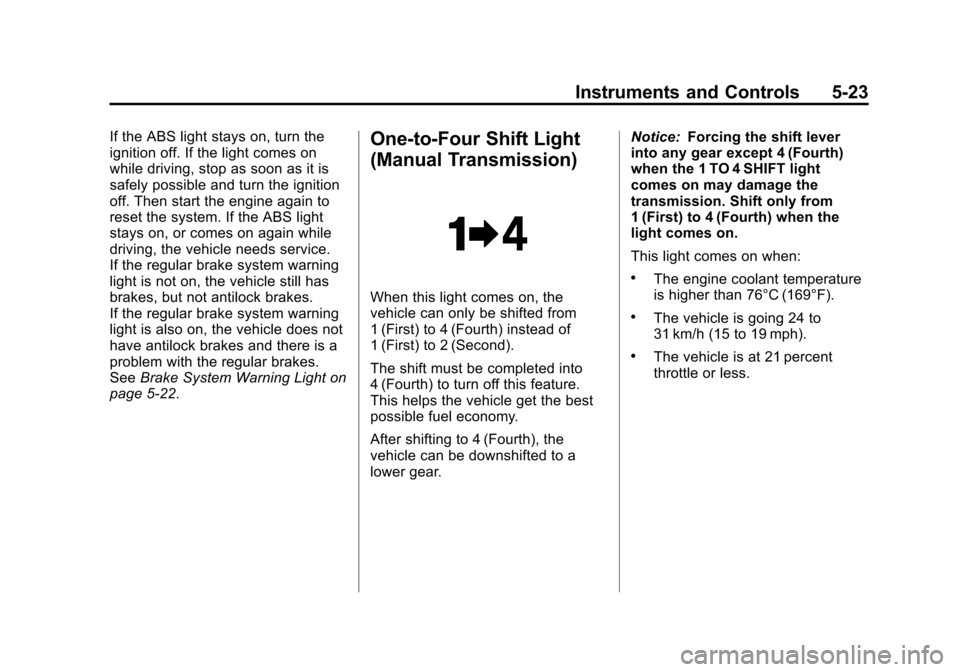
When this light comes on, the
vehicle can only be shifted from
1 (First) to 4 (Fourth) instead of
1 (First) to 2 (Second).
The shift must be completed into
4 (Fourth) to turn off this feature.
This helps the vehicle get the best
possible fuel economy.
After shifting to 4 (Fourth), the
vehicle can be downshifted to a
lower gear. Notice:
Forcing the shift lever
into any gear except 4 (Fourth)
when the 1 TO 4 SHIFT light
comes on may damage the
transmission. Shift only from
1 (First) to 4 (Fourth) when the
light comes on.
This light comes on when:
.The engine coolant temperature
is higher than 76°C (169°F).
.The vehicle is going 24 to
31 km/h (15 to 19 mph).
.The vehicle is at 21 percent
throttle or less.
Page 136 of 434
Black plate (26,1)Chevrolet Corvette Owner Manual - 2012
5-26 Instruments and Controls
When the Light Flashes First and
Then Is On Steady
This indicates that there may be a
problem with the TPMS. The light
flashes for about a minute and stays
on steady for the remainder of the
ignition cycle. This sequence
repeats with every ignition cycle.
SeeTire Pressure Monitor
Operation on page 10‑70 for
more information.Security Light
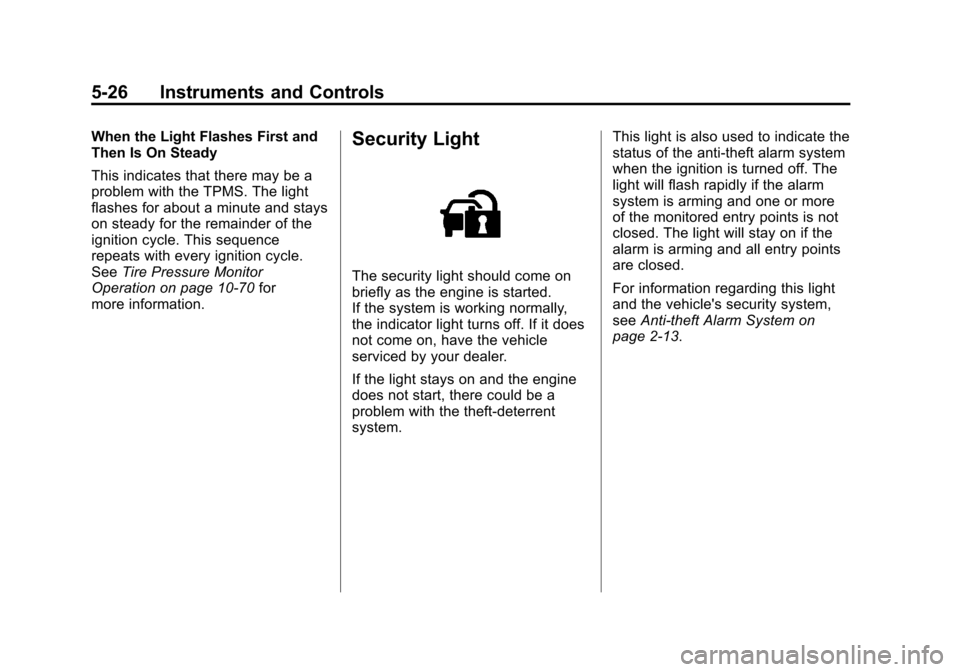
The security light should come on
briefly as the engine is started.
If the system is working normally,
the indicator light turns off. If it does
not come on, have the vehicle
serviced by your dealer.
If the light stays on and the engine
does not start, there could be a
problem with the theft-deterrent
system. This light is also used to indicate the
status of the anti-theft alarm system
when the ignition is turned off. The
light will flash rapidly if the alarm
system is arming and one or more
of the monitored entry points is not
closed. The light will stay on if the
alarm is arming and all entry points
are closed.
For information regarding this light
and the vehicle's security system,
see
Anti-theft Alarm System on
page 2‑13.
Page 138 of 434
Black plate (28,1)Chevrolet Corvette Owner Manual - 2012
5-28 Instruments and Controls
Information Displays
Driver Information
Center (DIC)
The Driver Information Center (DIC)
display is located on the instrument
panel cluster and shows driver
personalization features and
warning/status messages.
The DIC comes on when the ignition
is turned on. After displaying
CORVETTE BY CHEVROLET, the
DIC shows the information that was
last displayed before the engine
was turned off.
If a problem is detected, a warning
message appears on the DIC
display. SeeVehicle Messages on
page 5‑36 for more information.
DIC Operation and Displays
Depending on the features on the
vehicle, the drive gear may display
on the DIC. See “Manual Paddle
Shift” under Automatic Transmission on page 9‑27
andHead-Up Display
(HUD) on page 5‑32 for more
information.
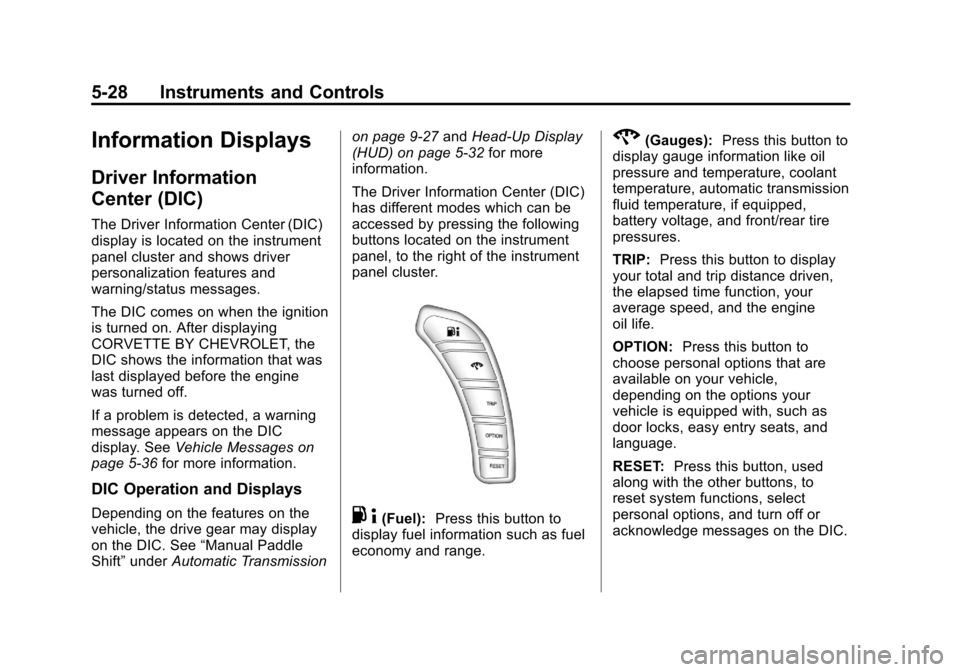
The Driver Information Center (DIC)
has different modes which can be
accessed by pressing the following
buttons located on the instrument
panel, to the right of the instrument
panel cluster.. 4(Fuel): Press this button to
display fuel information such as fuel
economy and range.
2(Gauges): Press this button to
display gauge information like oil
pressure and temperature, coolant
temperature, automatic transmission
fluid temperature, if equipped,
battery voltage, and front/rear tire
pressures.
TRIP: Press this button to display
your total and trip distance driven,
the elapsed time function, your
average speed, and the engine
oil life.
OPTION: Press this button to
choose personal options that are
available on your vehicle,
depending on the options your
vehicle is equipped with, such as
door locks, easy entry seats, and
language.
RESET: Press this button, used
along with the other buttons, to
reset system functions, select
personal options, and turn off or
acknowledge messages on the DIC.
Page 141 of 434
Black plate (31,1)Chevrolet Corvette Owner Manual - 2012
Instruments and Controls 5-31
Press the gauges button again to
display the tire pressure for the rear
tires, such as:
.REAR TIRE PRESSURES
L 234 kPa R 228 kPa or
.REAR TIRE PRESSURES
L 34 PSI R 33 PSI
TRIP Button
The TRIP button displays the
odometer, trip distance, elapsed
time, average speed, and oil life
remaining information.
Odometer:The odometer shows
how far your vehicle has been
driven in either kilometers or miles.
Press the TRIP button to display
odometer readings, such as:
.ODOMETER 20008 km or
.ODOMETER 12345 MI
You can also display the odometer
by turning on the parking lamps. Trip Odometers:
There are two trip
odometers. Press the TRIP button
to display TRIP ODOMETER A
readings and press the button again
to display TRIP ODOMETER B
readings, such as:
.TRIP ODOMETER A 209.9 km or
.TRIP ODOMETER A 130.5 MI
.TRIP ODOMETER B 483.5 km or
.TRIP ODOMETER B 300.5 MI
Both of the trip odometers can be
used simultaneously. The trip
odometers can be reset by pressing
the RESET button on the DIC.
The trip odometers are able to
display up to 3217.9 km (1999.9 mi).
This display will roll over to 0.0 if
the maximum displayed miles or
kilometers are reached.
There is also a miles since last
ignition feature that displays the
number of kilometers (miles) driven
since you last started the vehicle.
Press and hold the RESET button
for three seconds, then release it. The kilometers (miles) since the last
ignition cycle will be set into the trip
odometer.
Elapsed Timer:
Press the TRIP
button until ELAPSED TIMER is
displayed, such as
ELAPSED TIMER .00.
When the ignition is in on, the DIC
can be used as a stopwatch. The
display can show hours, minutes,
and seconds. The elapsed time
indicator will record up to 23 hours,
59 minutes, and 59 seconds, then it
will reset to zero and continue
counting. The display appears as
ELAPSED TIMER .00 in the elapsed
time function.
You can start or stop the elapsed
time by pressing the RESET button.
To reset the elapsed time to zero,
press the RESET button for
three seconds while the timer is
displayed.
Pressing and holding the RESET
button for at least 10 seconds will
reset the timer display to the time
since last ignition cycle.