warning light CHEVROLET CORVETTE 2012 6.G User Guide
[x] Cancel search | Manufacturer: CHEVROLET, Model Year: 2012, Model line: CORVETTE, Model: CHEVROLET CORVETTE 2012 6.GPages: 434, PDF Size: 6.96 MB
Page 111 of 434
Black plate (1,1)Chevrolet Corvette Owner Manual - 2012
Instruments and Controls 5-1
Instruments and
Controls
Controls
Steering Wheel Adjustment . . . 5-2
Steering Wheel Controls . . . . . . 5-3
Horn . . . . . . . . . . . . . . . . . . . . . . . . . . 5-4
Windshield Wiper/Washer . . . . . 5-4
Compass . . . . . . . . . . . . . . . . . . . . . 5-5
Clock . . . . . . . . . . . . . . . . . . . . . . . . . 5-6
Power Outlets . . . . . . . . . . . . . . . . . 5-6
Cigarette Lighter . . . . . . . . . . . . . . 5-7
Ashtrays . . . . . . . . . . . . . . . . . . . . . . 5-7
Warning Lights, Gauges, and
Indicators
Warning Lights, Gauges, andIndicators . . . . . . . . . . . . . . . . . . . . 5-8
Instrument Cluster . . . . . . . . . . . . 5-9
Speedometer . . . . . . . . . . . . . . . . 5-12
Odometer . . . . . . . . . . . . . . . . . . . . 5-12
Tachometer . . . . . . . . . . . . . . . . . . 5-12
Fuel Gauge . . . . . . . . . . . . . . . . . . 5-13
Boost Gauge (ZR1) . . . . . . . . . . 5-14
Engine Oil Pressure Gauge . . . . . . . . . . . . . . . . . . . . . . 5-14 Engine Coolant Temperature
Gauge . . . . . . . . . . . . . . . . . . . . . . 5-16
Voltmeter Gauge . . . . . . . . . . . . . 5-17
Safety Belt Reminders . . . . . . . 5-17
Airbag Readiness Light . . . . . . 5-18
Passenger Airbag Status Indicator . . . . . . . . . . . . . . . . . . . . 5-18
Malfunction Indicator Lamp . . . . . . . . . . . . . 5-19
Brake System Warning Light . . . . . . . . . . . . . . . . . . . . . . . 5-22
Antilock Brake System (ABS) Warning Light . . . . . . . . . . . . . . 5-22
One-to-Four Shift Light (Manual Transmission) . . . . . 5-23
Traction Off Light . . . . . . . . . . . . 5-24
StabiliTrak
®OFF Light . . . . . . . 5-24
Active Handling System Light . . . . . . . . . . . . . . . . . . . . . . . 5-25
Tire Pressure Light . . . . . . . . . . 5-25
Security Light . . . . . . . . . . . . . . . . 5-26
High-Beam On Light . . . . . . . . . 5-27
Front Fog Lamp Light . . . . . . . . 5-27
Lamps On Reminder . . . . . . . . . 5-27
Information Displays
Driver Information Center (DIC) . . . . . . . . . . . . . . . 5-28
Head-Up Display (HUD) . . . . . 5-32
Vehicle Messages
Vehicle Messages . . . . . . . . . . . 5-36
Battery Voltage and Charging Messages . . . . . . . . . . . . . . . . . . 5-37
Brake System Messages . . . . 5-37
Convertible Top Messages . . . 5-38
Cruise Control Messages . . . . 5-39
Door Ajar Messages . . . . . . . . . 5-40
Engine Cooling System Messages . . . . . . . . . . . . . . . . . . 5-40
Engine Oil Messages . . . . . . . . 5-41
Engine Power Messages . . . . 5-42
Fuel System Messages . . . . . . 5-43
Key and Lock Messages . . . . . 5-43
Lamp Messages . . . . . . . . . . . . . 5-45
Ride Control System Messages . . . . . . . . . . . . . . . . . . 5-45
Safety Belt Messages . . . . . . . 5-49
Anti-theft Alarm System Messages . . . . . . . . . . . . . . . . . . 5-50
Service Vehicle Messages . . . 5-50
Starting the Vehicle Messages . . . . . . . . . . . . . . . . . . 5-50
Tire Messages . . . . . . . . . . . . . . . 5-51
Transmission Messages . . . . . 5-53
Vehicle Reminder Messages . . . . . . . . . . . . . . . . . . 5-54
Washer Fluid Messages . . . . . 5-54
Page 115 of 434
Black plate (5,1)Chevrolet Corvette Owner Manual - 2012
Instruments and Controls 5-5
Windshield Washer
Press and hold the button at the end
of the lever to spray washer fluid on
the windshield. The washer will
spray until the button is released.
The wipers will continue to clear the
window for about six seconds after
the button is released and then stop
or return to your preset speed.
{WARNING
In freezing weather, do not use
the washer until the windshield is
warmed. Otherwise the washer
fluid can form ice on the
windshield, blocking your vision.
If the fluid in the windshield washer
fluid reservoir is low, the message
CHECK WASHER FLUID will
appear on the Driver Information
Center (DIC) display. It will take
15 seconds after the bottle is refilled
for this message to turn off. For information on the correct
washer fluid to use, see
Washer
Fluid on page 10‑38 and
Recommended Fluids and
Lubricants on page 11‑12.
Compass
Compass Operation
With the compass feature on, each
time the vehicle is started, the
compass will take a few seconds to
adjust and display the current
compass heading. For example,
NE is displayed for north-east.
Compass Calibration
PressPonce to turn the compass
display on or off.
If after several seconds the display
does not show a compass heading,
there may be a strong magnetic
field interfering with the compass.
Interference can be caused by a
magnetic antenna mount, note pad
holder, or similar object. If the letter C or CAL appears in the
compass window, the compass
needs calibration.
Depending on the mirror, in order
to calibrate, CAL must be displayed
in the mirror compass windows.
If CAL is not displayed, press
Pfor
several seconds or until CAL is
displayed.
If the compass has map lamps, it
can be placed in calibration mode
by pressing and holding the left map
light button until a C appears on the
compass display.
The mirror compass can be
calibrated by driving the vehicle in
circles at 8 km/h (5 mph) or less until
the display reads a direction.
Page 118 of 434
Black plate (8,1)Chevrolet Corvette Owner Manual - 2012
5-8 Instruments and Controls
Warning Lights,
Gauges, and
Indicators
Warning lights and gauges can
signal that something is wrong
before it becomes serious enough
to cause an expensive repair or
replacement. Paying attention to the
warning lights and gauges could
prevent injury.
Warning lights come on when there
could be a problem with a vehicle
function. Some warning lights come
on briefly when the engine is started
to indicate they are working.Gauges can indicate when there
could be a problem with a vehicle
function. Often gauges and warning
lights work together to indicate a
problem with the vehicle.
When one of the warning lights
comes on and stays on while
driving, or when one of the gauges
shows there may be a problem,
check the section that explains what
to do. Follow this manual's advice.
Waiting to do repairs can be costly
and even dangerous.
Page 128 of 434
Black plate (18,1)Chevrolet Corvette Owner Manual - 2012
5-18 Instruments and Controls
Airbag Readiness Light
The system checks the airbag's
electrical system for possible
malfunctions. If the light stays on
it indicates there is an electrical
problem. The system check
includes the airbag sensor(s),
the passenger sensing system, the
pretensioners, the airbag modules,
the wiring, and the crash sensing
and diagnostic module. For more
information on the airbag system,
seeAirbag System on page 3‑15.
The airbag readiness light flashes
for a few seconds when the engine
is started. If the light does not come
on then, have it fixed immediately.
{WARNING
If the airbag readiness light stays
on after the vehicle is started or
comes on while driving, it means
the airbag system might not be
working properly. The airbags in
the vehicle might not inflate in a
crash, or they could even inflate
without a crash. To help avoid
injury, have the vehicle serviced
right away.
If there is a problem with the airbag
system, an airbag Driver Information
Center (DIC) message can also
come on. See Vehicle Messages on
page 5‑36 for more information.
Passenger Airbag Status
Indicator
The vehicle has the passenger
sensing system. See Passenger
Sensing System on page 3‑21 for
important safety information. The
rearview mirror has a passenger
airbag status indicator.
United States
Page 129 of 434
Black plate (19,1)Chevrolet Corvette Owner Manual - 2012
Instruments and Controls 5-19
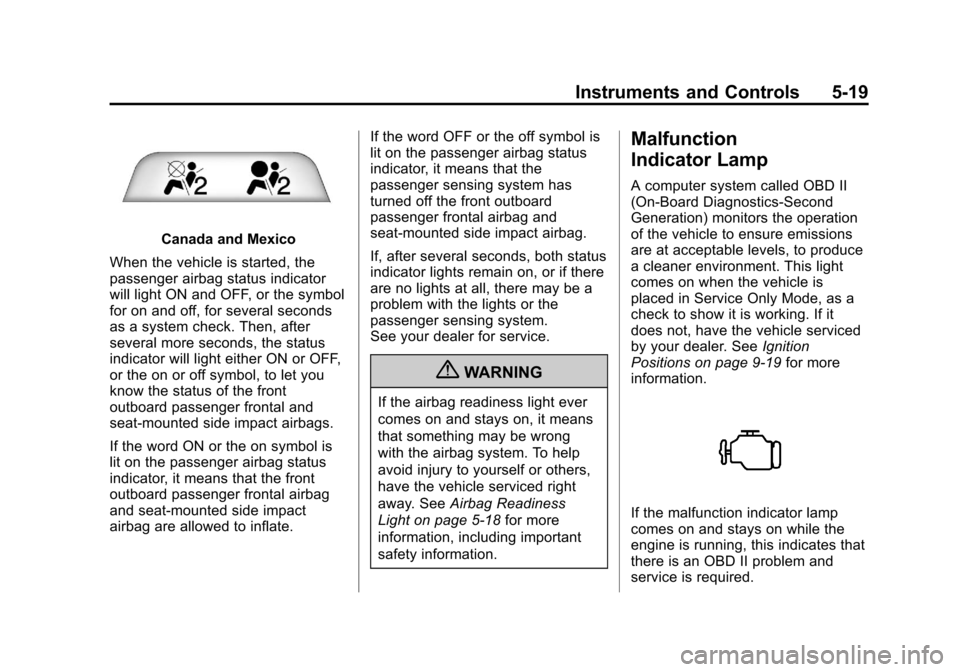
Canada and Mexico
When the vehicle is started, the
passenger airbag status indicator
will light ON and OFF, or the symbol
for on and off, for several seconds
as a system check. Then, after
several more seconds, the status
indicator will light either ON or OFF,
or the on or off symbol, to let you
know the status of the front
outboard passenger frontal and
seat-mounted side impact airbags.
If the word ON or the on symbol is
lit on the passenger airbag status
indicator, it means that the front
outboard passenger frontal airbag
and seat-mounted side impact
airbag are allowed to inflate. If the word OFF or the off symbol is
lit on the passenger airbag status
indicator, it means that the
passenger sensing system has
turned off the front outboard
passenger frontal airbag and
seat-mounted side impact airbag.
If, after several seconds, both status
indicator lights remain on, or if there
are no lights at all, there may be a
problem with the lights or the
passenger sensing system.
See your dealer for service.
{WARNING
If the airbag readiness light ever
comes on and stays on, it means
that something may be wrong
with the airbag system. To help
avoid injury to yourself or others,
have the vehicle serviced right
away. See
Airbag Readiness
Light on page 5‑18 for more
information, including important
safety information.
Malfunction
Indicator Lamp
A computer system called OBD II
(On-Board Diagnostics-Second
Generation) monitors the operation
of the vehicle to ensure emissions
are at acceptable levels, to produce
a cleaner environment. This light
comes on when the vehicle is
placed in Service Only Mode, as a
check to show it is working. If it
does not, have the vehicle serviced
by your dealer. See Ignition
Positions on page 9‑19 for more
information.
If the malfunction indicator lamp
comes on and stays on while the
engine is running, this indicates that
there is an OBD II problem and
service is required.
Page 132 of 434
Black plate (22,1)Chevrolet Corvette Owner Manual - 2012
5-22 Instruments and Controls
Brake System Warning
Light
The vehicle brake system consists
of two hydraulic circuits. If one
circuit is not working, the remaining
circuit can still work to stop the
vehicle. For normal braking
performance, both circuits need
to be working.
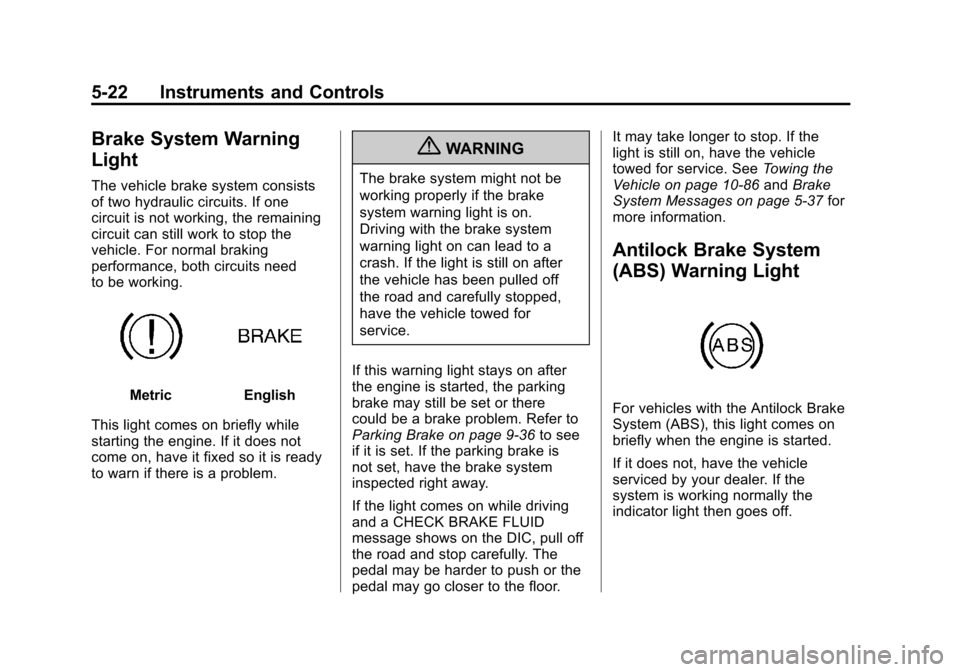
MetricEnglish
This light comes on briefly while
starting the engine. If it does not
come on, have it fixed so it is ready
to warn if there is a problem.
{WARNING
The brake system might not be
working properly if the brake
system warning light is on.
Driving with the brake system
warning light on can lead to a
crash. If the light is still on after
the vehicle has been pulled off
the road and carefully stopped,
have the vehicle towed for
service.
If this warning light stays on after
the engine is started, the parking
brake may still be set or there
could be a brake problem. Refer to
Parking Brake on page 9‑36 to see
if it is set. If the parking brake is
not set, have the brake system
inspected right away.
If the light comes on while driving
and a CHECK BRAKE FLUID
message shows on the DIC, pull off
the road and stop carefully. The
pedal may be harder to push or the
pedal may go closer to the floor. It may take longer to stop. If the
light is still on, have the vehicle
towed for service. See
Towing the
Vehicle on page 10‑86 andBrake
System Messages on page 5‑37 for
more information.
Antilock Brake System
(ABS) Warning Light
For vehicles with the Antilock Brake
System (ABS), this light comes on
briefly when the engine is started.
If it does not, have the vehicle
serviced by your dealer. If the
system is working normally the
indicator light then goes off.
Page 133 of 434
Black plate (23,1)Chevrolet Corvette Owner Manual - 2012
Instruments and Controls 5-23
If the ABS light stays on, turn the
ignition off. If the light comes on
while driving, stop as soon as it is
safely possible and turn the ignition
off. Then start the engine again to
reset the system. If the ABS light
stays on, or comes on again while
driving, the vehicle needs service.
If the regular brake system warning
light is not on, the vehicle still has
brakes, but not antilock brakes.
If the regular brake system warning
light is also on, the vehicle does not
have antilock brakes and there is a
problem with the regular brakes.
SeeBrake System Warning Light on
page 5‑22.One-to-Four Shift Light
(Manual Transmission)
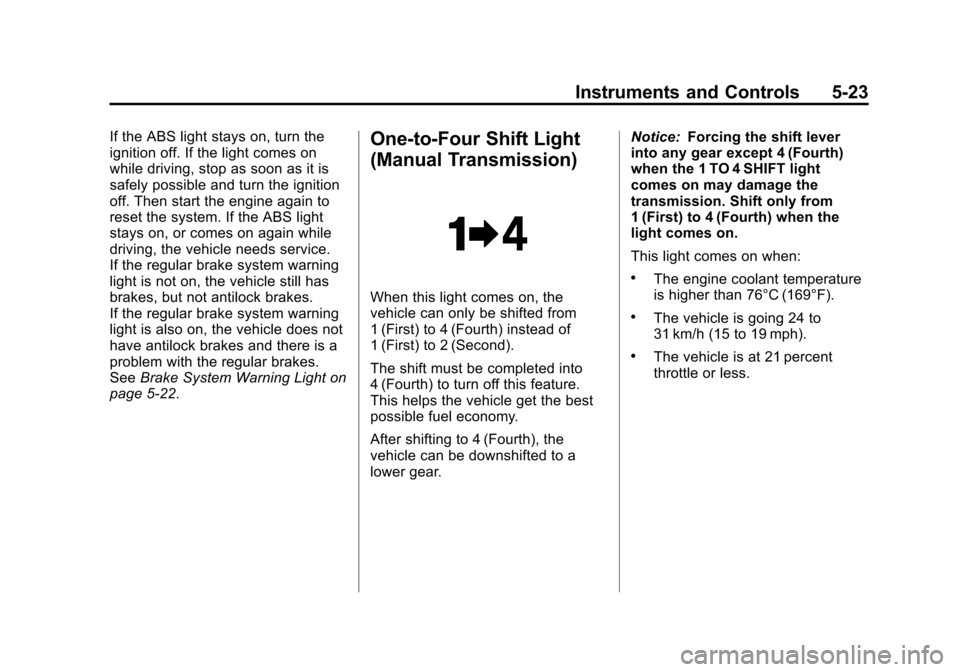
When this light comes on, the
vehicle can only be shifted from
1 (First) to 4 (Fourth) instead of
1 (First) to 2 (Second).
The shift must be completed into
4 (Fourth) to turn off this feature.
This helps the vehicle get the best
possible fuel economy.
After shifting to 4 (Fourth), the
vehicle can be downshifted to a
lower gear. Notice:
Forcing the shift lever
into any gear except 4 (Fourth)
when the 1 TO 4 SHIFT light
comes on may damage the
transmission. Shift only from
1 (First) to 4 (Fourth) when the
light comes on.
This light comes on when:
.The engine coolant temperature
is higher than 76°C (169°F).
.The vehicle is going 24 to
31 km/h (15 to 19 mph).
.The vehicle is at 21 percent
throttle or less.
Page 134 of 434
Black plate (24,1)Chevrolet Corvette Owner Manual - 2012
5-24 Instruments and Controls
Traction Off Light
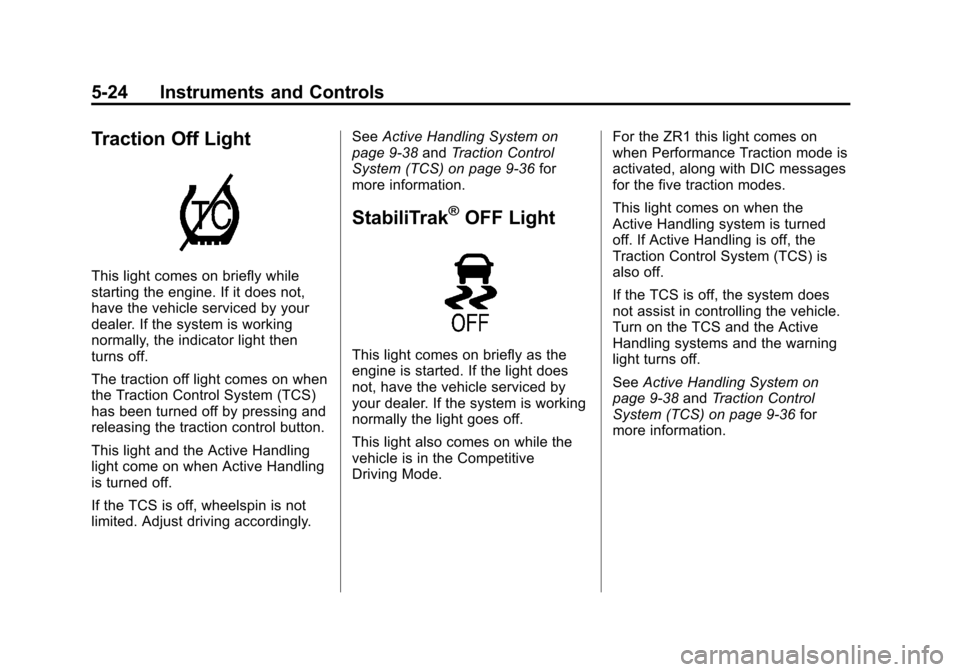
This light comes on briefly while
starting the engine. If it does not,
have the vehicle serviced by your
dealer. If the system is working
normally, the indicator light then
turns off.
The traction off light comes on when
the Traction Control System (TCS)
has been turned off by pressing and
releasing the traction control button.
This light and the Active Handling
light come on when Active Handling
is turned off.
If the TCS is off, wheelspin is not
limited. Adjust driving accordingly.See
Active Handling System on
page 9‑38 andTraction Control
System (TCS) on page 9‑36 for
more information.
StabiliTrak®OFF Light
This light comes on briefly as the
engine is started. If the light does
not, have the vehicle serviced by
your dealer. If the system is working
normally the light goes off.
This light also comes on while the
vehicle is in the Competitive
Driving Mode. For the ZR1 this light comes on
when Performance Traction mode is
activated, along with DIC messages
for the five traction modes.
This light comes on when the
Active Handling system is turned
off. If Active Handling is off, the
Traction Control System (TCS) is
also off.
If the TCS is off, the system does
not assist in controlling the vehicle.
Turn on the TCS and the Active
Handling systems and the warning
light turns off.
See
Active Handling System on
page 9‑38 andTraction Control
System (TCS) on page 9‑36 for
more information.
Page 143 of 434
Black plate (33,1)Chevrolet Corvette Owner Manual - 2012
Instruments and Controls 5-33
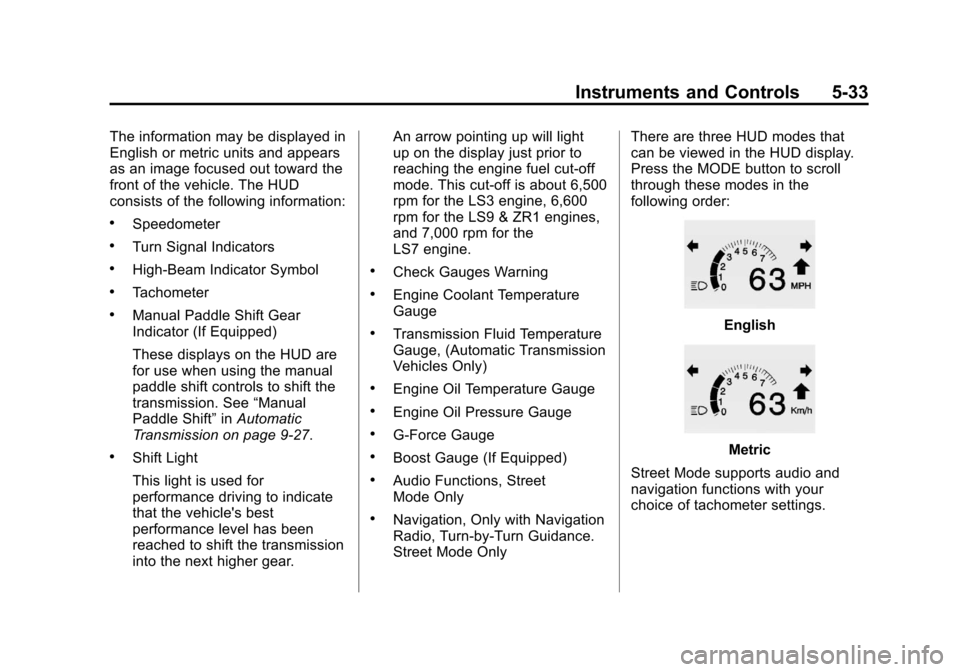
The information may be displayed in
English or metric units and appears
as an image focused out toward the
front of the vehicle. The HUD
consists of the following information:
.Speedometer
.Turn Signal Indicators
.High-Beam Indicator Symbol
.Tachometer
.Manual Paddle Shift Gear
Indicator (If Equipped)
These displays on the HUD are
for use when using the manual
paddle shift controls to shift the
transmission. See“Manual
Paddle Shift” inAutomatic
Transmission on page 9‑27.
.Shift Light
This light is used for
performance driving to indicate
that the vehicle's best
performance level has been
reached to shift the transmission
into the next higher gear. An arrow pointing up will light
up on the display just prior to
reaching the engine fuel cut-off
mode. This cut-off is about 6,500
rpm for the LS3 engine, 6,600
rpm for the LS9 & ZR1 engines,
and 7,000 rpm for the
LS7 engine.
.Check Gauges Warning
.Engine Coolant Temperature
Gauge
.Transmission Fluid Temperature
Gauge, (Automatic Transmission
Vehicles Only)
.Engine Oil Temperature Gauge
.Engine Oil Pressure Gauge
.G-Force Gauge
.Boost Gauge (If Equipped)
.Audio Functions, Street
Mode Only
.Navigation, Only with Navigation
Radio, Turn-by-Turn Guidance.
Street Mode Only
There are three HUD modes that
can be viewed in the HUD display.
Press the MODE button to scroll
through these modes in the
following order:
English
Metric
Street Mode supports audio and
navigation functions with your
choice of tachometer settings.
Page 145 of 434
Black plate (35,1)Chevrolet Corvette Owner Manual - 2012
Instruments and Controls 5-35
English
Metric
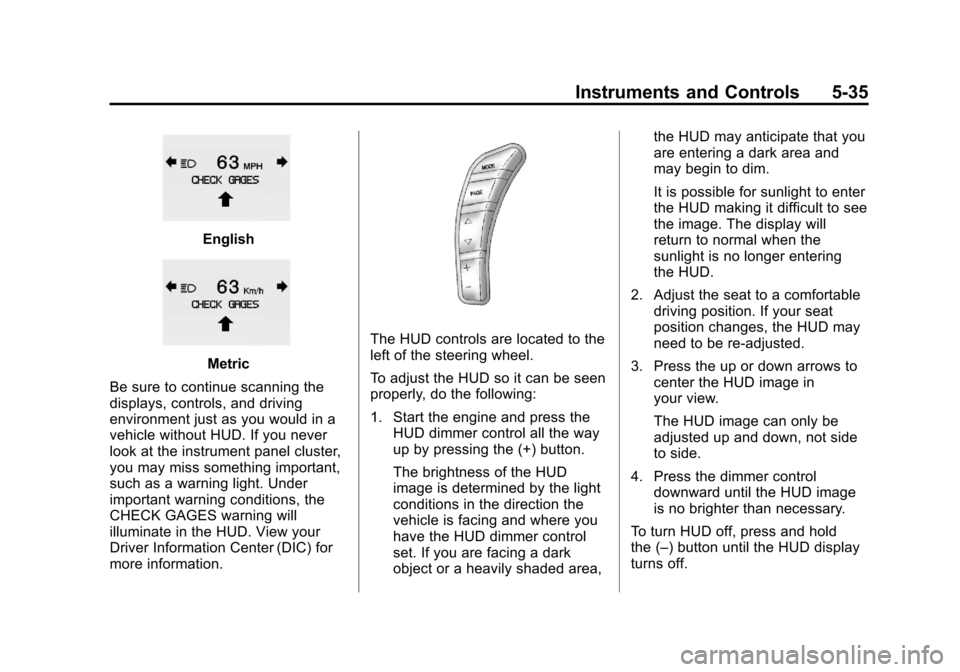
Be sure to continue scanning the
displays, controls, and driving
environment just as you would in a
vehicle without HUD. If you never
look at the instrument panel cluster,
you may miss something important,
such as a warning light. Under
important warning conditions, the
CHECK GAGES warning will
illuminate in the HUD. View your
Driver Information Center (DIC) for
more information.
The HUD controls are located to the
left of the steering wheel.
To adjust the HUD so it can be seen
properly, do the following:
1. Start the engine and press the HUD dimmer control all the way
up by pressing the (+) button.
The brightness of the HUD
image is determined by the light
conditions in the direction the
vehicle is facing and where you
have the HUD dimmer control
set. If you are facing a dark
object or a heavily shaded area, the HUD may anticipate that you
are entering a dark area and
may begin to dim.
It is possible for sunlight to enter
the HUD making it difficult to see
the image. The display will
return to normal when the
sunlight is no longer entering
the HUD.
2. Adjust the seat to a comfortable driving position. If your seat
position changes, the HUD may
need to be re-adjusted.
3. Press the up or down arrows to center the HUD image in
your view.
The HUD image can only be
adjusted up and down, not side
to side.
4. Press the dimmer control downward until the HUD image
is no brighter than necessary.
To turn HUD off, press and hold
the (–) button until the HUD display
turns off.