steering CHEVROLET CORVETTE 2014 7.G Owner's Manual
[x] Cancel search | Manufacturer: CHEVROLET, Model Year: 2014, Model line: CORVETTE, Model: CHEVROLET CORVETTE 2014 7.GPages: 376, PDF Size: 4.94 MB
Page 87 of 376
Black plate (25,1)Chevrolet Corvette Owner Manual (GMNA-Localizing-U.S./Canada/Mexico-
6007198) - 2014 - CRC - 2/5/14
Seats and Restraints 3-25
{Warning
Stowing of articles under the
passenger seat or between the
passenger seat cushion and
seatback may interfere with the
proper operation of the passenger
sensing system.
Servicing the
Airbag-Equipped Vehicle
Airbags affect how the vehicle
should be serviced. There are parts
of the airbag system in several
places around the vehicle. Your
dealer and the service manual have
information about servicing the
vehicle and the airbag system. To
purchase a service manual, see
Service Publications Ordering
Information on page 13-11.
{Warning
For up to 10 seconds after the
vehicle is turned off and the
battery is disconnected, an airbag
can still inflate during improper
service. You can be injured if you
are close to an airbag when it
inflates. Avoid yellow connectors.
They are probably part of the
airbag system. Be sure to follow
proper service procedures, and
make sure the person performing
work for you is qualified to do so.
Adding Equipment to the
Airbag-Equipped Vehicle
Adding accessories that change the
vehicle's frame, bumper system,
height, front end, or side sheet
metal, may keep the airbag system
from working properly. The
operation of the airbag system can
also be affected by changing or
moving any parts of the front seats,
safety belts, the airbag sensing and
diagnostic module, steering wheel,
instrument panel, roof-rail airbag
modules, ceiling headliner or pillar
garnish trim, front sensors, side
impact sensors, or airbag wiring.
Your dealer and the service manual
have information about the location
of the airbag sensors, sensing and
diagnostic module, and airbag
wiring.
Page 105 of 376
Black plate (1,1)Chevrolet Corvette Owner Manual (GMNA-Localizing-U.S./Canada/Mexico-
6007198) - 2014 - CRC - 2/5/14
Instruments and Controls 5-1
Instruments and
Controls
Controls
Steering Wheel Adjustment . . . 5-2
Steering Wheel Controls . . . . . . 5-2
Horn . . . . . . . . . . . . . . . . . . . . . . . . . . 5-2
Windshield Wiper/Washer . . . . . 5-2
Compass . . . . . . . . . . . . . . . . . . . . . 5-4
Clock . . . . . . . . . . . . . . . . . . . . . . . . . 5-4
Power Outlets . . . . . . . . . . . . . . . . . 5-4
Warning Lights, Gauges, and
Indicators
Warning Lights, Gauges, andIndicators . . . . . . . . . . . . . . . . . . . . 5-6
Instrument Cluster . . . . . . . . . . . . 5-7
Speedometer . . . . . . . . . . . . . . . . 5-11
Odometer . . . . . . . . . . . . . . . . . . . . 5-11
Trip Odometer . . . . . . . . . . . . . . . 5-11
Tachometer . . . . . . . . . . . . . . . . . . 5-11
Fuel Gauge . . . . . . . . . . . . . . . . . . 5-12
Engine Coolant Temperature Gauge . . . . . . . . . . . . . . . . . . . . . . 5-12
Safety Belt Reminders . . . . . . . 5-13
Airbag Readiness Light . . . . . . 5-13 Passenger Airbag Status
Indicator . . . . . . . . . . . . . . . . . . . . 5-14
Charging System Light . . . . . . 5-15
Malfunction Indicator Lamp . . . . . . . . . . . . . 5-15
Brake System Warning Light . . . . . . . . . . . . . . . . . . . . . . . 5-18
Electric Parking Brake Light . . . . . . . . . . . . . . . . . . . . . . . 5-18
Service Electric Parking Brake Light . . . . . . . . . . . . . . . . . . . . . . . 5-19
Antilock Brake System (ABS) Warning Light . . . . . . . . . . . . . . 5-19
Traction Off Light . . . . . . . . . . . . 5-20
StabiliTrak
®OFF Light . . . . . . . 5-20
Traction Control System (TCS)/StabiliTrak
®Light . . . . 5-20
Engine Coolant Temperature Warning Light . . . . . . . . . . . . . . 5-21
Tire Pressure Light . . . . . . . . . . 5-21
Engine Oil Pressure Light . . . . 5-22
Low Fuel Warning Light . . . . . . 5-22
Security Light . . . . . . . . . . . . . . . . 5-23
High-Beam On Light . . . . . . . . . 5-23
Lamps On Reminder . . . . . . . . . 5-23
Cruise Control Light . . . . . . . . . 5-23
Door Ajar Light . . . . . . . . . . . . . . 5-24
Information Displays
Driver Information Center (DIC) . . . . . . . . . . . . . . . 5-24
Head-Up Display (HUD) . . . . . 5-26
Vehicle Messages
Vehicle Messages . . . . . . . . . . . 5-31
Battery Voltage and Charging Messages . . . . . . . . . . . . . . . . . . 5-31
Brake System Messages . . . . 5-32
Compass Messages . . . . . . . . . 5-32
Convertible Top Messages . . . 5-32
Cruise Control Messages . . . . 5-34
Door Ajar Messages . . . . . . . . . 5-34
Engine Cooling System Messages . . . . . . . . . . . . . . . . . . 5-34
Engine Oil Messages . . . . . . . . 5-35
Engine Power Messages . . . . 5-35
Fuel System Messages . . . . . . 5-35
Key and Lock Messages . . . . . 5-36
Lamp Messages . . . . . . . . . . . . . 5-36
Ride Control System Messages . . . . . . . . . . . . . . . . . . 5-36
Airbag System Messages . . . . 5-40
Security Messages . . . . . . . . . . 5-40
Service Vehicle Messages . . . 5-40
Starting the Vehicle Messages . . . . . . . . . . . . . . . . . . 5-40
Tire Messages . . . . . . . . . . . . . . . 5-41
Page 106 of 376
Black plate (2,1)Chevrolet Corvette Owner Manual (GMNA-Localizing-U.S./Canada/Mexico-
6007198) - 2014 - CRC - 2/5/14
5-2 Instruments and Controls
Transmission Messages . . . . . 5-41
Vehicle ReminderMessages . . . . . . . . . . . . . . . . . . 5-42
Vehicle Speed Messages . . . . 5-42
Washer Fluid Messages . . . . . 5-42
Window Messages . . . . . . . . . . . 5-42
Vehicle Personalization
Vehicle Personalization . . . . . . 5-43
Universal Remote System
Universal Remote System . . . 5-49
Universal Remote System Programming . . . . . . . . . . . . . . . 5-49
Universal Remote System Operation . . . . . . . . . . . . . . . . . . 5-51
Controls
Steering Wheel
Adjustment
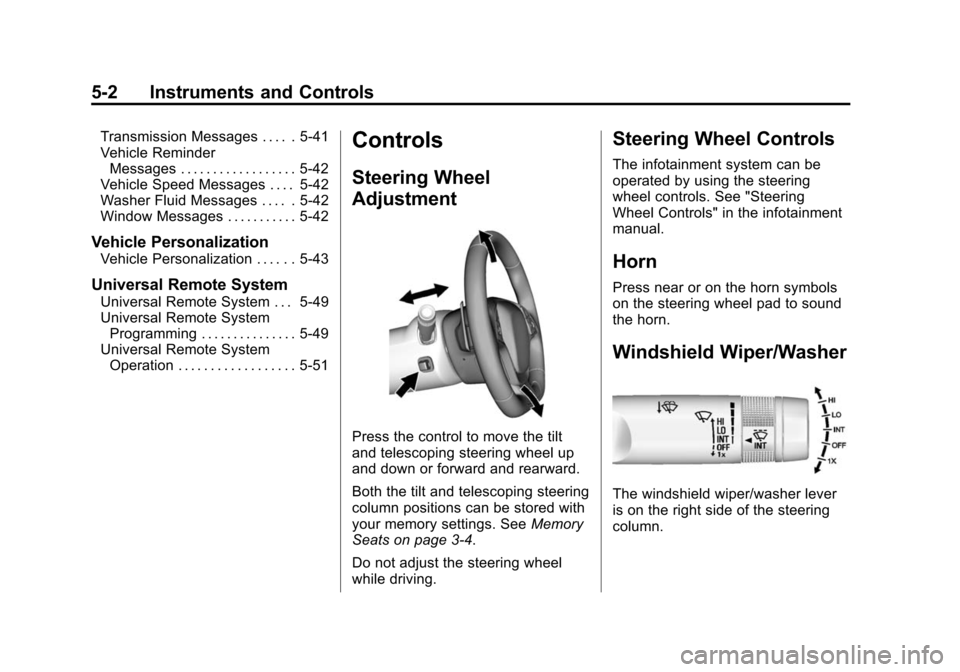
Press the control to move the tilt
and telescoping steering wheel up
and down or forward and rearward.
Both the tilt and telescoping steering
column positions can be stored with
your memory settings. See Memory
Seats on page 3-4.
Do not adjust the steering wheel
while driving.
Steering Wheel Controls
The infotainment system can be
operated by using the steering
wheel controls. See "Steering
Wheel Controls" in the infotainment
manual.
Horn
Press near or on the horn symbols
on the steering wheel pad to sound
the horn.
Windshield Wiper/Washer
The windshield wiper/washer lever
is on the right side of the steering
column.
Page 113 of 376
Black plate (9,1)Chevrolet Corvette Owner Manual (GMNA-Localizing-U.S./Canada/Mexico-
6007198) - 2014 - CRC - 2/5/14
Instruments and Controls 5-9
area used to display icons or
images for the DIC or phone
contacts.
The instrument cluster display
configuration is selected through the
cluster menu. See“Settings”under
Cluster Menu following.
Cluster Menu
There is an interactive display area
in the center of the instrument
cluster.
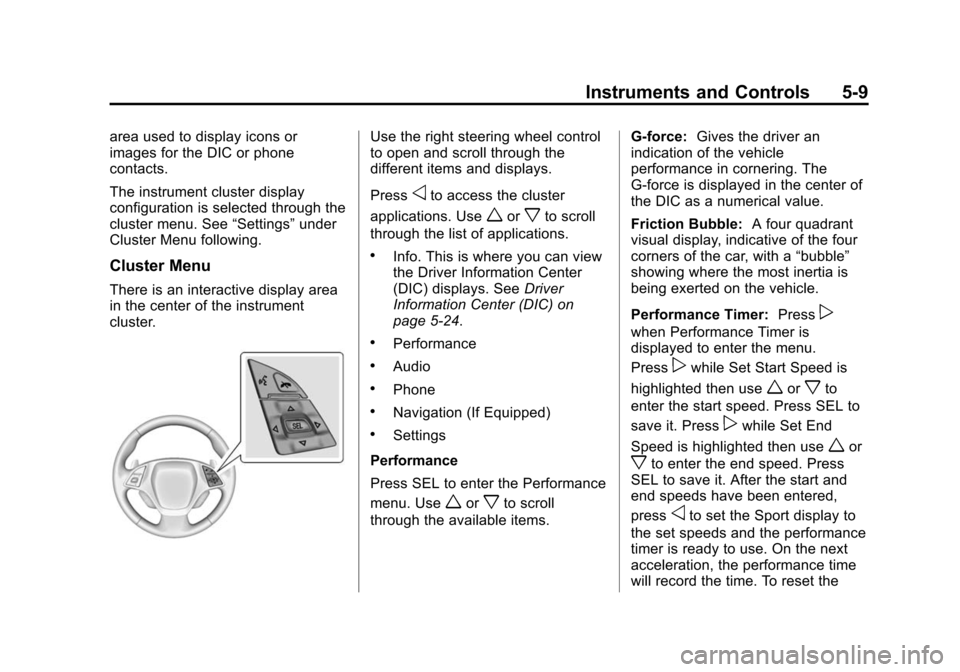
Use the right steering wheel control
to open and scroll through the
different items and displays.
Press
oto access the cluster
applications. Use
worxto scroll
through the list of applications.
.Info. This is where you can view
the Driver Information Center
(DIC) displays. See Driver
Information Center (DIC) on
page 5-24.
.Performance
.Audio
.Phone
.Navigation (If Equipped)
.Settings
Performance
Press SEL to enter the Performance
menu. Use
worxto scroll
through the available items. G-force:
Gives the driver an
indication of the vehicle
performance in cornering. The
G-force is displayed in the center of
the DIC as a numerical value.
Friction Bubble: A four quadrant
visual display, indicative of the four
corners of the car, with a “bubble”
showing where the most inertia is
being exerted on the vehicle.
Performance Timer: Press
p
when Performance Timer is
displayed to enter the menu.
Press
pwhile Set Start Speed is
highlighted then use
worxto
enter the start speed. Press SEL to
save it. Press
pwhile Set End
Speed is highlighted then use
wor
xto enter the end speed. Press
SEL to save it. After the start and
end speeds have been entered,
press
oto set the Sport display to
the set speeds and the performance
timer is ready to use. On the next
acceleration, the performance time
will record the time. To reset the
Page 128 of 376
Black plate (24,1)Chevrolet Corvette Owner Manual (GMNA-Localizing-U.S./Canada/Mexico-
6007198) - 2014 - CRC - 2/5/14
5-24 Instruments and Controls
Door Ajar Light
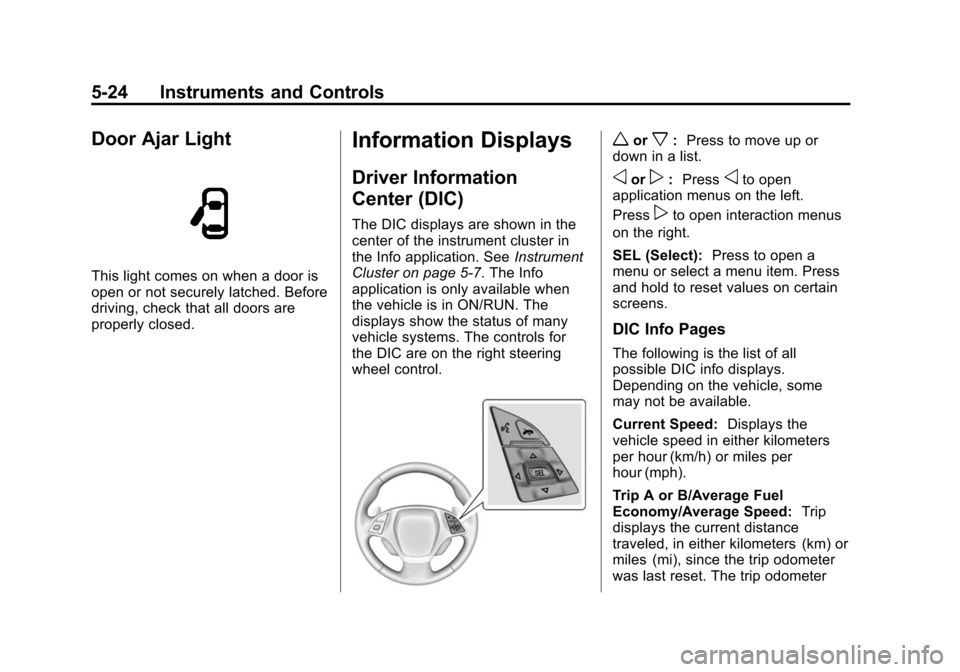
This light comes on when a door is
open or not securely latched. Before
driving, check that all doors are
properly closed.
Information Displays
Driver Information
Center (DIC)
The DIC displays are shown in the
center of the instrument cluster in
the Info application. SeeInstrument
Cluster on page 5-7. The Info
application is only available when
the vehicle is in ON/RUN. The
displays show the status of many
vehicle systems. The controls for
the DIC are on the right steering
wheel control.
worx: Press to move up or
down in a list.
oorp: Pressoto open
application menus on the left.
Press
pto open interaction menus
on the right.
SEL (Select): Press to open a
menu or select a menu item. Press
and hold to reset values on certain
screens.
DIC Info Pages
The following is the list of all
possible DIC info displays.
Depending on the vehicle, some
may not be available.
Current Speed: Displays the
vehicle speed in either kilometers
per hour (km/h) or miles per
hour (mph).
Trip A or B/Average Fuel
Economy/Average Speed: Trip
displays the current distance
traveled, in either kilometers (km) or
miles (mi), since the trip odometer
was last reset. The trip odometer
Page 131 of 376
Black plate (27,1)Chevrolet Corvette Owner Manual (GMNA-Localizing-U.S./Canada/Mexico-
6007198) - 2014 - CRC - 2/5/14
Instruments and Controls 5-27
{Caution
If you try to use the HUD image
as a parking aid, you may
misjudge the distance and
damage your vehicle. Do not use
the HUD image as a parking aid.
The HUD information can be
displayed in various languages. The
speedometer reading and other
numerical values can be displayed
in either English or metric units.
The language selection is changed
through the radio and the units of
measurement is changed through
the instrument cluster. See Vehicle
Personalization on page 5-43 and
“Settings” underInstrument Cluster
on page 5-7.
The HUD may display different
alerts and information for vehicles
equipped with these features:
.Speedometer
.Tachometer
.Manual Transmission Gear (If
Equipped)
.Manual Paddle Shift Gear
Indicator (If Equipped)
These displays on the HUD are
for use when using the manual
paddle shift controls to shift the
transmission. See “Manual
Paddle Shift” inAutomatic
Transmission on page 9-26.
.Shift Light
This light is used for
performance driving to indicate
that the vehicle's best
performance level has been
reached to shift the transmission
into the next higher gear. An
arrow pointing up will light up on
the display just prior to reaching
the engine fuel cut-off mode.
.G-Force Gauge
.Audio Information
.Upcoming Maneuver from
OnBoard Navigation
.Upcoming Maneuver from
OnStar
.Incoming Call
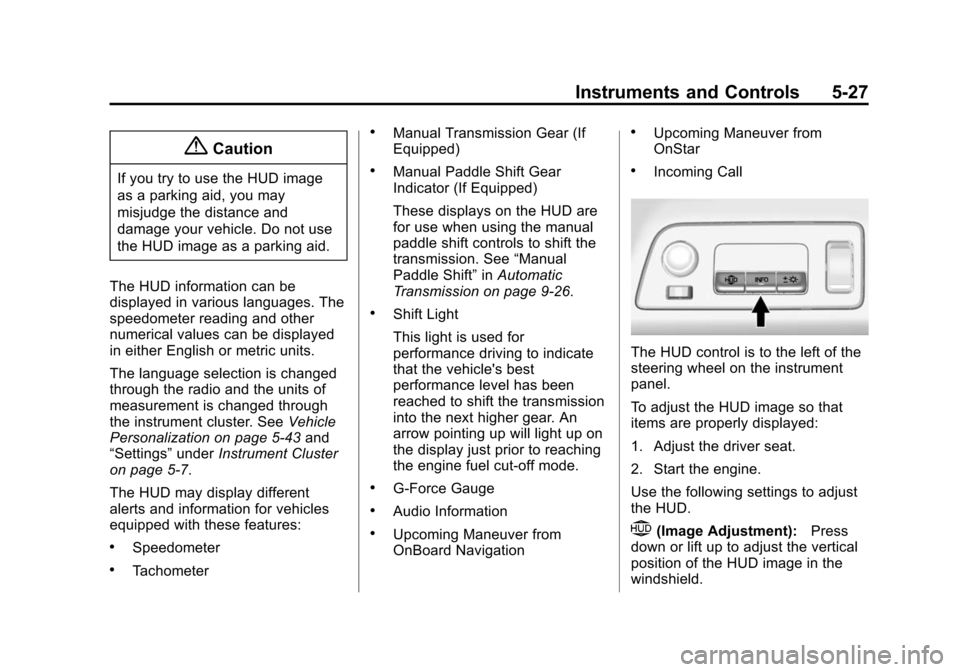
The HUD control is to the left of the
steering wheel on the instrument
panel.
To adjust the HUD image so that
items are properly displayed:
1. Adjust the driver seat.
2. Start the engine.
Use the following settings to adjust
the HUD.
$(Image Adjustment): Press
down or lift up to adjust the vertical
position of the HUD image in the
windshield.
Page 144 of 376
Black plate (40,1)Chevrolet Corvette Owner Manual (GMNA-Localizing-U.S./Canada/Mexico-
6007198) - 2014 - CRC - 2/5/14
5-40 Instruments and Controls
Airbag System Messages
SERVICE AIRBAG
This message displays if there is a
problem with the airbag system.
Take the vehicle to your dealer for
service.
Security Messages
THEFT ATTEMPTED
This message displays if the vehicle
detects a tamper condition.
Service Vehicle Messages
PROGRAM CLUSTER
This message is displayed if there is
a problem with the instrument
cluster. Take the vehicle to your
dealer for service.
SERVICE POWER STEERING
This message is displayed if there is
a problem with the power steering
system and a chime may sound.
Take the vehicle to your dealer for
service.
SERVICE REAR AXLE
If there is a problem detected with
the Electronic Limited-Slip Rear
Axle, this message displays. When
displayed, the system is not
operational and driving should be
adjusted accordingly. Take the
vehicle to your dealer for service as
soon as possible.
When this message is displayed,
the vehicle’s handling capabilities
will be reduced during severe
maneuvers. StabiliTrak will be
affected. See Traction Control/
Electronic Stability Control on
page 9-36.
SERVICE VEHICLE SOON
This message is displayed if there is
a problem with the vehicle. Take the
vehicle to your dealer for service.
Starting the Vehicle
Messages
PRESS BRAKE TO START
VEHICLE
This message is displayed when
attempting to start an automatic
transmission equipped vehicle
without first pressing the brake
pedal.
PRESS CLUTCH TO START
This message is displayed when
attempting to start a manual
transmission equipped vehicle
without first pressing the clutch
pedal.
Page 147 of 376
Black plate (43,1)Chevrolet Corvette Owner Manual (GMNA-Localizing-U.S./Canada/Mexico-
6007198) - 2014 - CRC - 2/5/14
Instruments and Controls 5-43
Vehicle
Personalization
Use the audio system controls to
access the personalization menus
for customizing vehicle features.
The following are all possible
personalization features. Depending
on the vehicle, some may not be
available.
Infotainment System Audio
System Controls
To access the
personalization menu:
1. Press SETTINGS on the HomePage on the infotainment system
display.
2. Press the desired feature to display a list of available
options.
3. Press to select the desired feature setting.
4. Press
oBACK on the faceplate
or press the Back screen button
to return to the previous menu. Personalization Menus
The following list of menu items may
be available:
.Time and Date
.Driving Mode
.Language [Language]
.Valet Mode
.Radio
.Vehicle
.Bluetooth
.Voice
.Display
.Rear Camera
.Return to Factory Settings
.Software Information
Each menu is detailed in the
following information.
Time and Date
Manually set the time and date. See
Clock on page 5-4.
Driving Mode
Select and the following may be
displayed:
.Engine Sound Management
.Steering
.Suspension
Engine Sound Management
This allows the Engine Sound
Management feature to be turned
on or off.
Select Auto (Mode Selector) or Off.
Steering
This allows the Steering feature to
be turned on or off.
Select Auto (Mode Selector), Tour,
Sport, or Track.
Suspension
This allows the Suspension feature
to be turned on or off.
Select Auto (Mode Selector), Tour,
Sport, or Track.
Page 173 of 376
Black plate (1,1)Chevrolet Corvette Owner Manual (GMNA-Localizing-U.S./Canada/Mexico-
6007198) - 2014 - CRC - 2/5/14
Driving and Operating 9-1
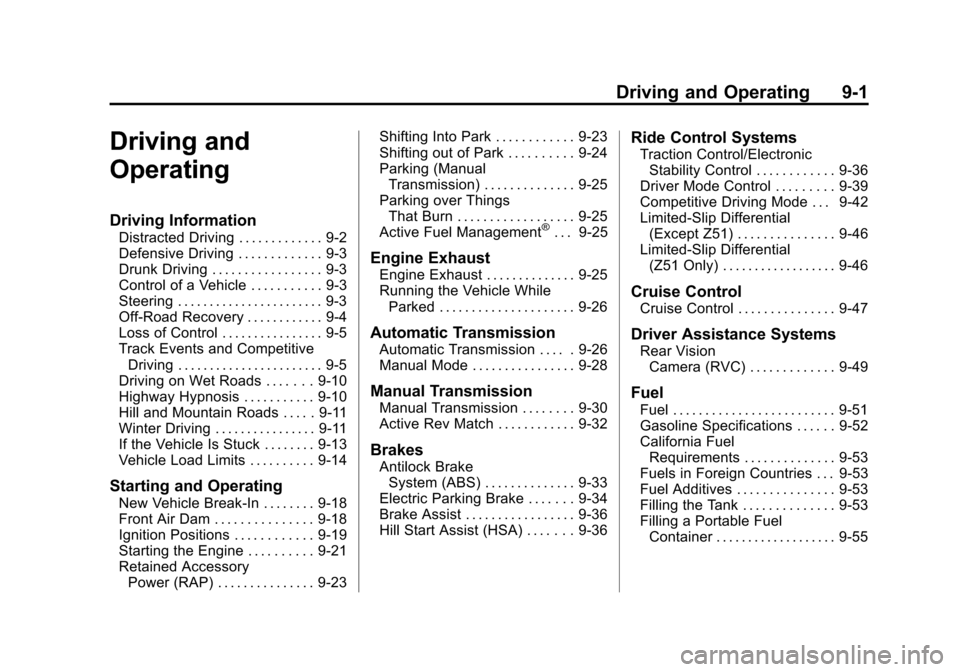
Driving and
Operating
Driving Information
Distracted Driving . . . . . . . . . . . . . 9-2
Defensive Driving . . . . . . . . . . . . . 9-3
Drunk Driving . . . . . . . . . . . . . . . . . 9-3
Control of a Vehicle . . . . . . . . . . . 9-3
Steering . . . . . . . . . . . . . . . . . . . . . . . 9-3
Off-Road Recovery . . . . . . . . . . . . 9-4
Loss of Control . . . . . . . . . . . . . . . . 9-5
Track Events and CompetitiveDriving . . . . . . . . . . . . . . . . . . . . . . . 9-5
Driving on Wet Roads . . . . . . . 9-10
Highway Hypnosis . . . . . . . . . . . 9-10
Hill and Mountain Roads . . . . . 9-11
Winter Driving . . . . . . . . . . . . . . . . 9-11
If the Vehicle Is Stuck . . . . . . . . 9-13
Vehicle Load Limits . . . . . . . . . . 9-14
Starting and Operating
New Vehicle Break-In . . . . . . . . 9-18
Front Air Dam . . . . . . . . . . . . . . . 9-18
Ignition Positions . . . . . . . . . . . . 9-19
Starting the Engine . . . . . . . . . . 9-21
Retained Accessory Power (RAP) . . . . . . . . . . . . . . . 9-23 Shifting Into Park . . . . . . . . . . . . 9-23
Shifting out of Park . . . . . . . . . . 9-24
Parking (Manual
Transmission) . . . . . . . . . . . . . . 9-25
Parking over Things
That Burn . . . . . . . . . . . . . . . . . . 9-25
Active Fuel Management
®. . . 9-25
Engine Exhaust
Engine Exhaust . . . . . . . . . . . . . . 9-25
Running the Vehicle While Parked . . . . . . . . . . . . . . . . . . . . . 9-26
Automatic Transmission
Automatic Transmission . . . . . 9-26
Manual Mode . . . . . . . . . . . . . . . . 9-28
Manual Transmission
Manual Transmission . . . . . . . . 9-30
Active Rev Match . . . . . . . . . . . . 9-32
Brakes
Antilock BrakeSystem (ABS) . . . . . . . . . . . . . . 9-33
Electric Parking Brake . . . . . . . 9-34
Brake Assist . . . . . . . . . . . . . . . . . 9-36
Hill Start Assist (HSA) . . . . . . . 9-36
Ride Control Systems
Traction Control/Electronic Stability Control . . . . . . . . . . . . 9-36
Driver Mode Control . . . . . . . . . 9-39
Competitive Driving Mode . . . 9-42
Limited-Slip Differential (Except Z51) . . . . . . . . . . . . . . . 9-46
Limited-Slip Differential (Z51 Only) . . . . . . . . . . . . . . . . . . 9-46
Cruise Control
Cruise Control . . . . . . . . . . . . . . . 9-47
Driver Assistance Systems
Rear VisionCamera (RVC) . . . . . . . . . . . . . 9-49
Fuel
Fuel . . . . . . . . . . . . . . . . . . . . . . . . . 9-51
Gasoline Specifications . . . . . . 9-52
California FuelRequirements . . . . . . . . . . . . . . 9-53
Fuels in Foreign Countries . . . 9-53
Fuel Additives . . . . . . . . . . . . . . . 9-53
Filling the Tank . . . . . . . . . . . . . . 9-53
Filling a Portable Fuel Container . . . . . . . . . . . . . . . . . . . 9-55
Page 175 of 376
Black plate (3,1)Chevrolet Corvette Owner Manual (GMNA-Localizing-U.S./Canada/Mexico-
6007198) - 2014 - CRC - 2/5/14
Driving and Operating 9-3
{Warning
Taking your eyes off the road too
long or too often could cause a
crash resulting in injury or death.
Focus your attention on driving.
Refer to the infotainment manual for
more information on using that
system and the navigation system,
if equipped, including pairing and
using a cell phone.
Defensive Driving
Defensive driving means “always
expect the unexpected.” The first
step in driving defensively is to wear
the safety belt. See Safety Belts on
page 3-8.
.Assume that other road users
(pedestrians, bicyclists, and
other drivers) are going to be
careless and make mistakes.
Anticipate what they might do
and be ready.
.Allow enough following distance
between you and the driver in
front of you.
.Focus on the task of driving.
Drunk Driving
Death and injury associated with
drinking and driving is a global
tragedy.
{Warning
Drinking and then driving is very
dangerous. Your reflexes,
perceptions, attentiveness, and
judgment can be affected by even
a small amount of alcohol. You
can have a serious —or even
fatal —collision if you drive after
drinking.
Do not drink and drive or ride with
a driver who has been drinking.
Ride home in a cab; or if you are
with a group, designate a driver
who will not drink.
Control of a Vehicle
Braking, steering, and accelerating
are important factors in helping to
control a vehicle while driving.
Steering
Electric Power Steering
The vehicle has electric power
steering. It does not have power
steering fluid. Regular maintenance
is not required.
If power steering assist is lost due
to a system malfunction, the vehicle
can be steered, but may require
increased effort.
See your dealer if there is a
problem.
If the steering wheel is turned until it
reaches the end of its travel and is
held against that position for an
extended period of time, power
steering assist may be reduced.
If the steering assist is used for an
extended period of time, power
assist may be reduced.