trunk CHEVROLET CORVETTE 2014 7.G Owner's Manual
[x] Cancel search | Manufacturer: CHEVROLET, Model Year: 2014, Model line: CORVETTE, Model: CHEVROLET CORVETTE 2014 7.GPages: 376, PDF Size: 4.94 MB
Page 100 of 376
Black plate (2,1)Chevrolet Corvette Owner Manual (GMNA-Localizing-U.S./Canada/Mexico-
6007198) - 2014 - CRC - 2/5/14
4-2 Storage
The storage area cannot be
operated when Valet Mode,
if equipped, is enabled. SeeVehicle
Personalization on page 5-43.
Keep the storage area closed when
not in use.
Glove Box
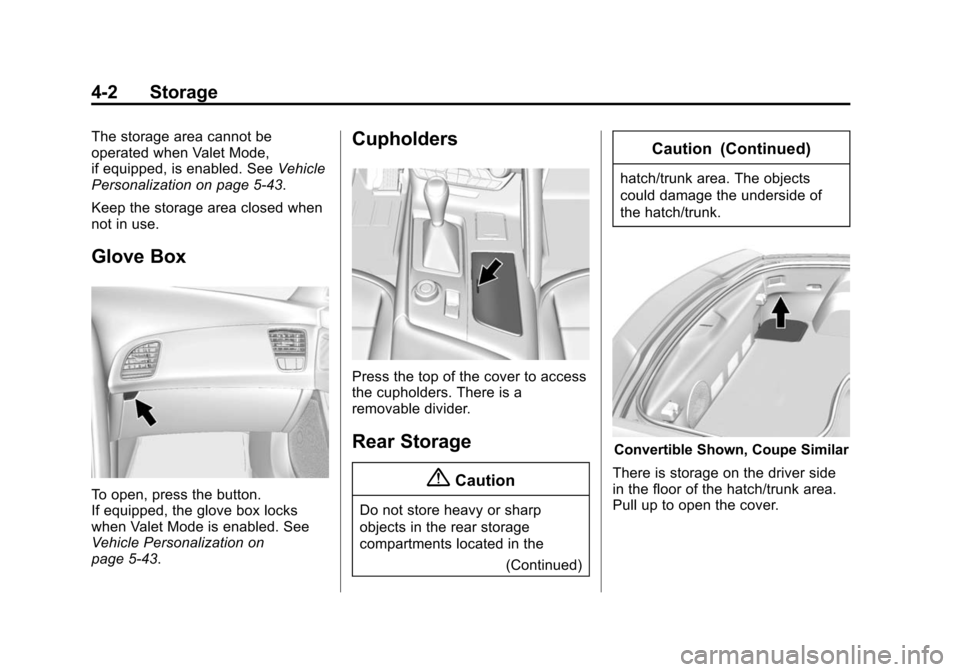
To open, press the button.
If equipped, the glove box locks
when Valet Mode is enabled. See
Vehicle Personalization on
page 5-43.
Cupholders
Press the top of the cover to access
the cupholders. There is a
removable divider.
Rear Storage
{Caution
Do not store heavy or sharp
objects in the rear storage
compartments located in the
(Continued)
Caution (Continued)
hatch/trunk area. The objects
could damage the underside of
the hatch/trunk.
Convertible Shown, Coupe Similar
There is storage on the driver side
in the floor of the hatch/trunk area.
Pull up to open the cover.
Page 101 of 376
Black plate (3,1)Chevrolet Corvette Owner Manual (GMNA-Localizing-U.S./Canada/Mexico-
6007198) - 2014 - CRC - 2/5/14
Storage 4-3
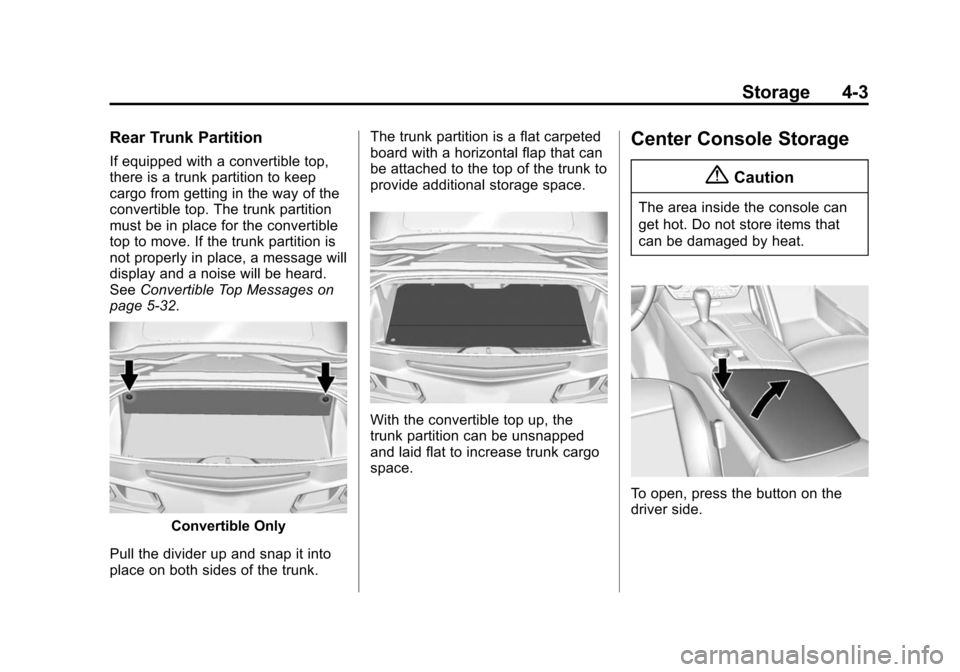
Rear Trunk Partition
If equipped with a convertible top,
there is a trunk partition to keep
cargo from getting in the way of the
convertible top. The trunk partition
must be in place for the convertible
top to move. If the trunk partition is
not properly in place, a message will
display and a noise will be heard.
SeeConvertible Top Messages on
page 5-32.
Convertible Only
Pull the divider up and snap it into
place on both sides of the trunk. The trunk partition is a flat carpeted
board with a horizontal flap that can
be attached to the top of the trunk to
provide additional storage space.
With the convertible top up, the
trunk partition can be unsnapped
and laid flat to increase trunk cargo
space.
Center Console Storage
{Caution
The area inside the console can
get hot. Do not store items that
can be damaged by heat.
To open, press the button on the
driver side.
Page 109 of 376
Black plate (5,1)Chevrolet Corvette Owner Manual (GMNA-Localizing-U.S./Canada/Mexico-
6007198) - 2014 - CRC - 2/5/14
Instruments and Controls 5-5
There are three accessory power
outlets:
.In front of the cupholder. Open
the door compartment to access.
.Inside the center console
storage compartment.
.In the rear compartment.
Lift the cover to access and replace
when not in use.
The power outlets in front of the
cupholder and inside the center
console storage compartment are
powered when the ignition is in ON/
RUN/START or ACC/ACCESSORY,
or until the driver door is opened
within 10 minutes of turning off the
vehicle. See Retained Accessory
Power (RAP) on page 9-23.
The rear compartment power outlet
is powered at all times. The
vehicle’s battery may run down if
the power outlet is used while the
ignition is in Stopping the Engine/
OFF. Use this power outlet for
plugging in the battery maintainer,
if equipped.
{Warning
Power is always supplied to the
trunk outlet. Do not leave
electrical equipment plugged in
when the vehicle is not in use
because the vehicle could catch
fire and cause injury or death.
{Caution
Leaving electrical equipment
plugged in for an extended period
of time while the vehicle is off will
drain the battery. Always unplug
electrical equipment when not in
use and do not plug in equipment
that exceeds the maximum
20 amp rating.
Certain electrical accessories may
not be compatible with the
accessory power outlet and could overload vehicle or adapter fuses.
If a problem is experienced, see
your dealer.
When adding electrical equipment,
be sure to follow the proper
installation instructions included with
the equipment. See
Add-On
Electrical Equipment on page 9-56.
It is recommended that a qualified
technician or dealer be seen for the
proper installation of your
equipment.{Caution
Hanging heavy equipment from
the power outlet can cause
damage not covered by the
vehicle warranty. The power
outlets are designed for
accessory power plugs only, such
as cell phone charge cords.
Page 136 of 376
Black plate (32,1)Chevrolet Corvette Owner Manual (GMNA-Localizing-U.S./Canada/Mexico-
6007198) - 2014 - CRC - 2/5/14
5-32 Instruments and Controls
Brake System Messages
BRAKE FLUID LOW
This message is displayed when the
brake fluid level is low. SeeBrake
Fluid on page 10-28.
RELEASE PARKING BRAKE
This message is displayed if the
Electric Parking Brake is on while
the vehicle is in motion. See Electric
Parking Brake on page 9-34.
SERVICE BRAKE ASSIST
This message may be displayed
when there is a problem with the
brake boost assist system. When
this message is displayed, the brake
boost assist motor might be heard
operating and you might notice
pulsation in the brake pedal. This is
normal under these conditions. Take
the vehicle to your dealer for
service.
SERVICE PARKING BRAKE
This message is displayed when
there is a problem with the parking
brake. Take the vehicle to your
dealer for service.
STEP ON BRAKE TO
RELEASE PARK BRAKE
This message is displayed if you
attempt to release the Electric
Parking Brake without the brake
pedal applied. See Electric Parking
Brake on page 9-34.
Compass Messages
Dashes may be displayed if the
vehicle temporarily loses
communication with the Global
Positioning System (GPS).
Convertible Top
Messages
The following messages are for
vehicles with a power
convertible top.
ATTACH TRUNK PARTITION
TO OPERATE TOP
This message displays and a sound
will be heard if the trunk partition is
not in place. Open the hatch/trunk
and make sure the trunk partition is
secure and no objects are on the
trunk partition.
BATTERY VOLTAGE TOO LOW
– TOP DISABLED
This message displays when the
battery voltage is too low to operate
the convertible top.
CLOSE TRUNK TO MOVE TOP
This message displays if the trunk is
open while you are trying to operate
the convertible top. Make sure the
trunk is closed before operating the
convertible top.
FOLDING TOP MOTION
COMPLETE
This message displays when the top
successfully completes an open/
close cycle.
Page 138 of 376
Black plate (34,1)Chevrolet Corvette Owner Manual (GMNA-Localizing-U.S./Canada/Mexico-
6007198) - 2014 - CRC - 2/5/14
5-34 Instruments and Controls
VALET SWITCH ACTIVE–TOP
DISABLED
This message displays when Valet
Mode is active.
Cruise Control Messages
CRUISE SET TO XXX
This message displays when the
cruise control is set and shows the
speed it was set to. See Cruise
Control on page 9-47.
Door Ajar Messages
DOOR OPEN
A door open symbol will display on
the DIC showing which door is
open. If the vehicle has been shifted
out of P (Park), a DOOR OPEN
message will also be displayed.
If the shift lever is in M (Manual
Mode), the DOOR OPEN message
will display if the vehicle starts to
move. Close the door completely.
HOOD OPEN
This message will display along with
a hood open symbol when the hood
is open. Close the hood completely.
TRUNK OPEN
This message will display along with
a symbol when the trunk is open.
Close the trunk completely.
Engine Cooling System
Messages
A/C OFF DUE TO HIGH
ENGINE TEMP
This message displays when the
engine coolant becomes hotter than
the normal operating temperature.
To avoid added strain on a hot
engine, the air conditioning
compressor automatically turns off.
When the coolant temperature
returns to normal, the air
conditioning compressor turns back
on. The vehicle can continue to be
driven. If this message continues to appear,
have the system repaired by your
dealer as soon as possible to avoid
damage to the engine.
ENGINE OVERHEATED
—
IDLE ENGINE
This message displays when the
engine coolant temperature is too
hot. Stop and allow the vehicle to
idle until it cools down.
ENGINE OVERHEATED —
STOP ENGINE
This message displays and a
continuous chime sounds if the
engine cooling system reaches
unsafe temperatures for operation.
Stop and turn off the vehicle as
soon as it is safe to do so to avoid
severe damage. This message
clears when the engine has cooled
to a safe operating temperature.
Page 161 of 376
Black plate (5,1)Chevrolet Corvette Owner Manual (GMNA-Localizing-U.S./Canada/Mexico-
6007198) - 2014 - CRC - 2/5/14
Lighting 6-5
When the hazard warning flashers
are on, the turn signals will
not work.
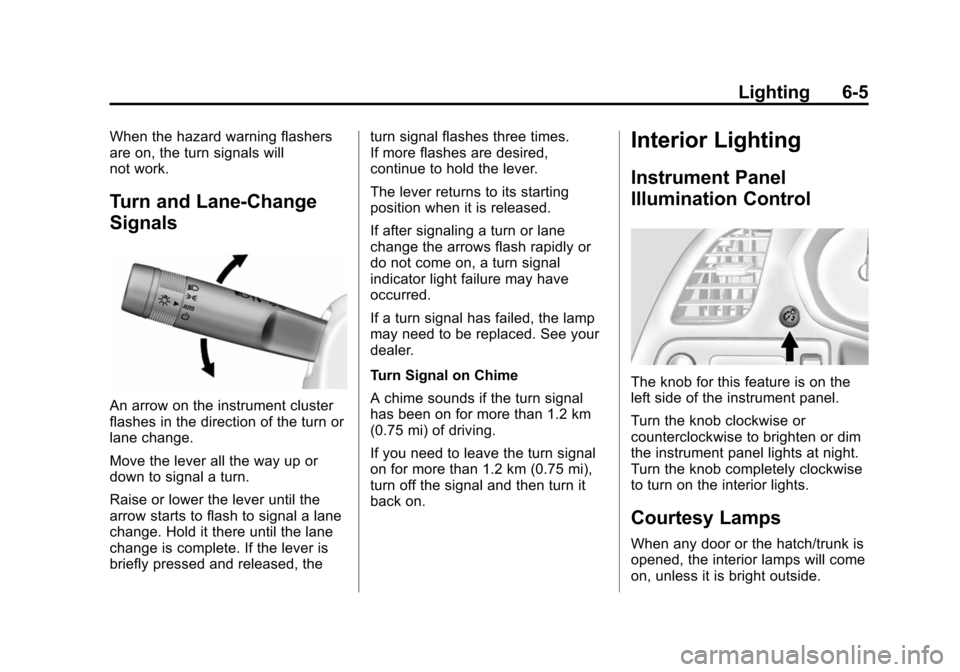
Turn and Lane-Change
Signals
An arrow on the instrument cluster
flashes in the direction of the turn or
lane change.
Move the lever all the way up or
down to signal a turn.
Raise or lower the lever until the
arrow starts to flash to signal a lane
change. Hold it there until the lane
change is complete. If the lever is
briefly pressed and released, theturn signal flashes three times.
If more flashes are desired,
continue to hold the lever.
The lever returns to its starting
position when it is released.
If after signaling a turn or lane
change the arrows flash rapidly or
do not come on, a turn signal
indicator light failure may have
occurred.
If a turn signal has failed, the lamp
may need to be replaced. See your
dealer.
Turn Signal on Chime
A chime sounds if the turn signal
has been on for more than 1.2 km
(0.75 mi) of driving.
If you need to leave the turn signal
on for more than 1.2 km (0.75 mi),
turn off the signal and then turn it
back on.
Interior Lighting
Instrument Panel
Illumination Control
The knob for this feature is on the
left side of the instrument panel.
Turn the knob clockwise or
counterclockwise to brighten or dim
the instrument panel lights at night.
Turn the knob completely clockwise
to turn on the interior lights.
Courtesy Lamps
When any door or the hatch/trunk is
opened, the interior lamps will come
on, unless it is bright outside.
Page 227 of 376
Black plate (55,1)Chevrolet Corvette Owner Manual (GMNA-Localizing-U.S./Canada/Mexico-
6007198) - 2014 - CRC - 2/5/14
Driving and Operating 9-55
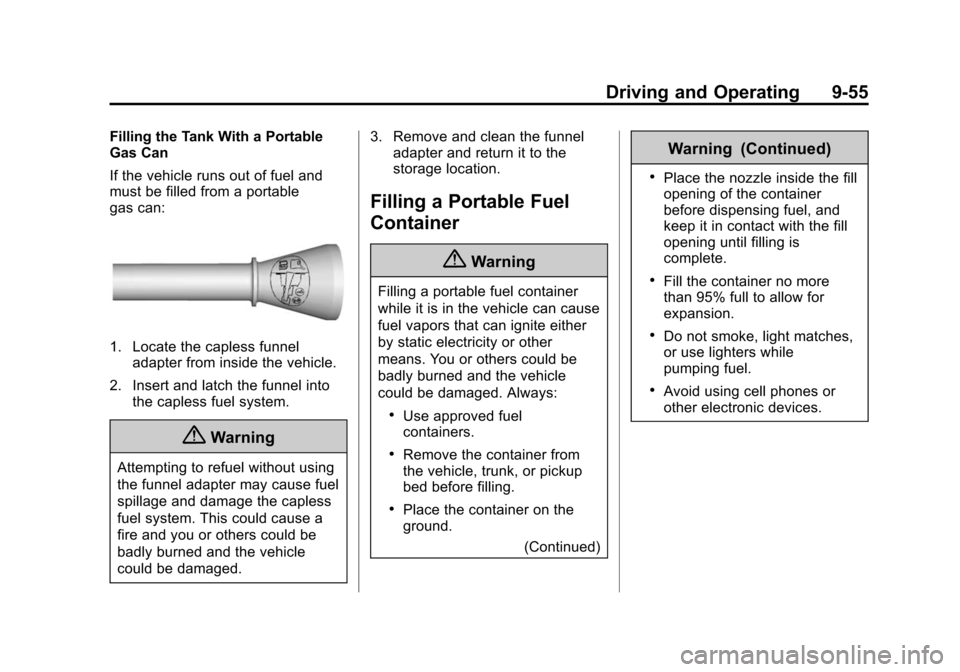
Filling the Tank With a Portable
Gas Can
If the vehicle runs out of fuel and
must be filled from a portable
gas can:
1. Locate the capless funneladapter from inside the vehicle.
2. Insert and latch the funnel into the capless fuel system.
{Warning
Attempting to refuel without using
the funnel adapter may cause fuel
spillage and damage the capless
fuel system. This could cause a
fire and you or others could be
badly burned and the vehicle
could be damaged. 3. Remove and clean the funnel
adapter and return it to the
storage location.
Filling a Portable Fuel
Container
{Warning
Filling a portable fuel container
while it is in the vehicle can cause
fuel vapors that can ignite either
by static electricity or other
means. You or others could be
badly burned and the vehicle
could be damaged. Always:
.Use approved fuel
containers.
.Remove the container from
the vehicle, trunk, or pickup
bed before filling.
.Place the container on the
ground.
(Continued)
Warning (Continued)
.Place the nozzle inside the fill
opening of the container
before dispensing fuel, and
keep it in contact with the fill
opening until filling is
complete.
.Fill the container no more
than 95% full to allow for
expansion.
.Do not smoke, light matches,
or use lighters while
pumping fuel.
.Avoid using cell phones or
other electronic devices.
Page 302 of 376
Black plate (74,1)Chevrolet Corvette Owner Manual (GMNA-Localizing-U.S./Canada/Mexico-
6007198) - 2014 - CRC - 2/5/14
10-74 Vehicle Care
Storing the Tire Sealant
and Compressor Kit
The tire sealant and compressor kit,
if equipped, should be stored in the
storage area behind the left rear
wheel opening in the rear
compartment when it is not
being used.
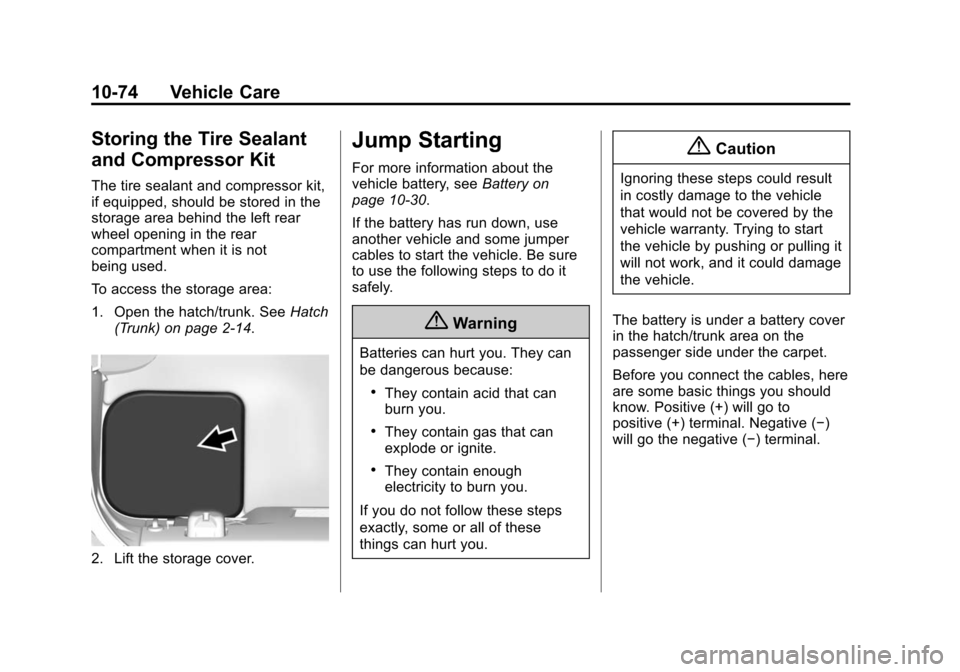
To access the storage area:
1. Open the hatch/trunk. SeeHatch
(Trunk) on page 2-14.
2. Lift the storage cover.
Jump Starting
For more information about the
vehicle battery, see Battery on
page 10-30.
If the battery has run down, use
another vehicle and some jumper
cables to start the vehicle. Be sure
to use the following steps to do it
safely.
{Warning
Batteries can hurt you. They can
be dangerous because:
.They contain acid that can
burn you.
.They contain gas that can
explode or ignite.
.They contain enough
electricity to burn you.
If you do not follow these steps
exactly, some or all of these
things can hurt you.
{Caution
Ignoring these steps could result
in costly damage to the vehicle
that would not be covered by the
vehicle warranty. Trying to start
the vehicle by pushing or pulling it
will not work, and it could damage
the vehicle.
The battery is under a battery cover
in the hatch/trunk area on the
passenger side under the carpet.
Before you connect the cables, here
are some basic things you should
know. Positive (+) will go to
positive (+) terminal. Negative (−)
will go the negative (−) terminal.
Page 335 of 376
Black plate (1,1)Chevrolet Corvette Owner Manual (GMNA-Localizing-U.S./Canada/Mexico-
6007198) - 2014 - CRC - 2/5/14
Technical Data 12-1
Technical Data
Vehicle Identification
Vehicle IdentificationNumber (VIN) . . . . . . . . . . . . . . 12-1
Service Parts Identification Label . . . . . . . . . . . . . . . . . . . . . . . 12-1
Vehicle Data
Capacities andSpecifications . . . . . . . . . . . . . . 12-2
Engine Drive Belt Routing . . . 12-4
Vehicle Identification
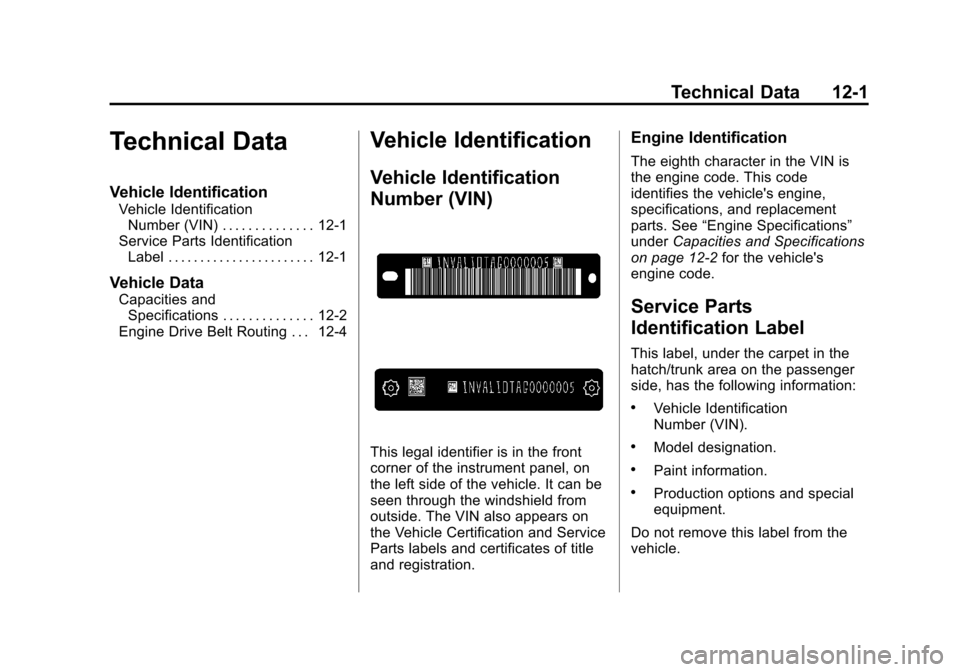
Vehicle Identification
Number (VIN)
This legal identifier is in the front
corner of the instrument panel, on
the left side of the vehicle. It can be
seen through the windshield from
outside. The VIN also appears on
the Vehicle Certification and Service
Parts labels and certificates of title
and registration.
Engine Identification
The eighth character in the VIN is
the engine code. This code
identifies the vehicle's engine,
specifications, and replacement
parts. See “Engine Specifications”
under Capacities and Specifications
on page 12-2 for the vehicle's
engine code.
Service Parts
Identification Label
This label, under the carpet in the
hatch/trunk area on the passenger
side, has the following information:
.Vehicle Identification
Number (VIN).
.Model designation.
.Paint information.
.Production options and special
equipment.
Do not remove this label from the
vehicle.