display CHEVROLET CORVETTE 2017 7.G Owners Manual
[x] Cancel search | Manufacturer: CHEVROLET, Model Year: 2017, Model line: CORVETTE, Model: CHEVROLET CORVETTE 2017 7.GPages: 360, PDF Size: 6.3 MB
Page 8 of 360

Chevrolet Corvette Owner Manual (GMNA-Localizing-U.S./Canada/Mexico-
9956103) - 2017 - crc - 4/28/16
In Brief 7
1.Air Vents 0158.
2. Turn Signal Lever. See Turn
and Lane-Change
Signals 0145.
Exterior Lamp Controls 0142.
3. Manual Shift Paddles (If Equipped). See Manual
Mode 0191.
Active Rev Match Paddles (If
Equipped). See Active Rev
Match 0195.
4. Instrument Cluster 098.
5. Windshield Wiper/Washer 094.
6. Instrument Panel Storage Button. See Instrument Panel
Storage 089.
7. Passenger Airbag Status Indicator. See Passenger
Sensing System 073.
8. Light Sensor. See Automatic
Headlamp System 0144.
9. Hazard Warning
Flashers 0145.
10. Infotainment 0148. 11. Passenger Temperature
Control. See Dual Automatic
Climate Control System 0154.
Passenger Heated and
Ventilated Seat Controls (If
Equipped). See Heated and
Ventilated Front Seats 061.
12. Driver and Redundant Passenger Heated and
Ventilated Seat Controls (If
Equipped). See Heated and
Ventilated Front Seats 061.
13. Dual Automatic Climate Control
System 0154.
14. Electric Parking Brake 0197.
15. MODE SELECT Knob. See Competitive Driving
Mode 0205.
16. Shift Lever (Manual Shown). SeeAutomatic Transmission
0 189 orManual
Transmission 0194.
17. Keyless Ignition. See Ignition
Positions 0182.
18. Bluetooth Controls. See “Steering Wheel Controls” in
the infotainment manual. Voice Recognition Controls.
See
“Steering Wheel Controls”
in the infotainment manual.
Driver Information Center (DIC)
Controls. See Driver
Information Center (DIC) 0115.
19. Steering Wheel Controls 094.
20. Horn 094.
21. Steering Wheel Adjustment
094 (Out of View).
22. Cruise Control 0209.
23. Hood Release (Out of View). SeeHood 0224.
24. Data Link Connector (DLC) (Out of View). See Malfunction
Indicator Lamp (Check Engine
Light) 0108.
25. Hatch/Trunk Release Button. SeeHatch (Trunk) 038.
Intrusion and Inclination
Sensors Disable Switch. See
Vehicle Alarm System 040.
26. Head-Up Display Controls (If Equipped). See Head-Up
Display (HUD) 0117.
27. Power Mirrors 043.
Page 19 of 360
Chevrolet Corvette Owner Manual (GMNA-Localizing-U.S./Canada/Mexico-
9956103) - 2017 - crc - 4/28/16
18 In Brief
Transmission
Manual Paddle Shift
(Automatic Transmission)
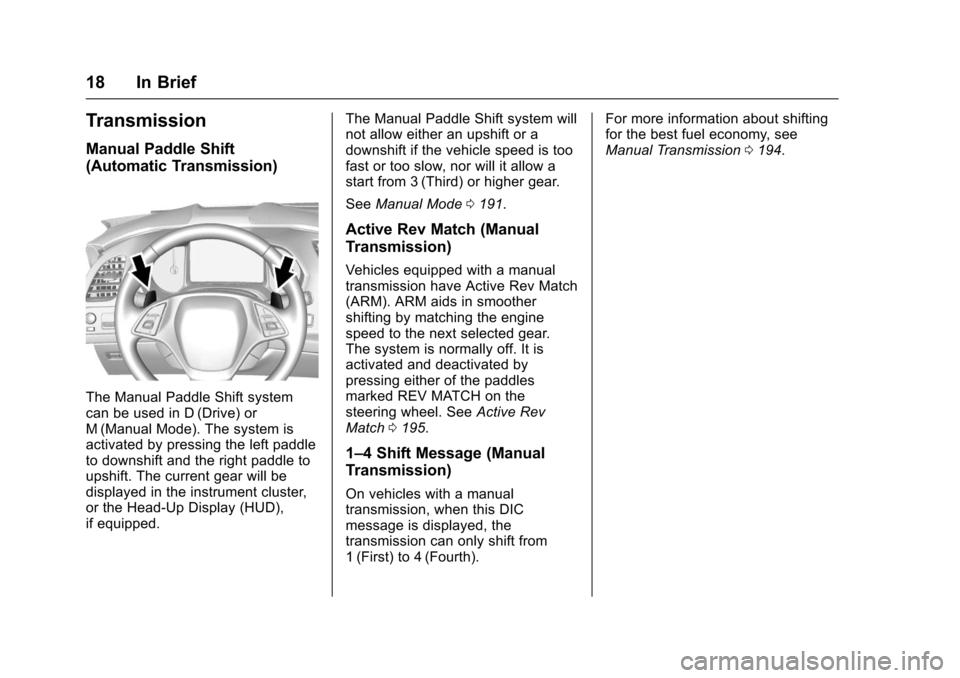
The Manual Paddle Shift system
can be used in D (Drive) or
M (Manual Mode). The system is
activated by pressing the left paddle
to downshift and the right paddle to
upshift. The current gear will be
displayed in the instrument cluster,
or the Head-Up Display (HUD),
if equipped.The Manual Paddle Shift system will
not allow either an upshift or a
downshift if the vehicle speed is too
fast or too slow, nor will it allow a
start from 3 (Third) or higher gear.
See
Manual Mode 0191.
Active Rev Match (Manual
Transmission)
Vehicles equipped with a manual
transmission have Active Rev Match
(ARM). ARM aids in smoother
shifting by matching the engine
speed to the next selected gear.
The system is normally off. It is
activated and deactivated by
pressing either of the paddles
marked REV MATCH on the
steering wheel. See Active Rev
Match 0195.
1–4 Shift Message (Manual
Transmission)
On vehicles with a manual
transmission, when this DIC
message is displayed, the
transmission can only shift from
1 (First) to 4 (Fourth). For more information about shifting
for the best fuel economy, see
Manual Transmission
0194.
Page 20 of 360
Chevrolet Corvette Owner Manual (GMNA-Localizing-U.S./Canada/Mexico-
9956103) - 2017 - crc - 4/28/16
In Brief 19
Vehicle Features
Infotainment System
See the infotainment manual for
information on the radio, audio
players, phone, navigation system,
and voice or speech recognition.
It also includes information on
settings.
Steering Wheel Controls
The infotainment system can be
operated by using the steering
wheel controls. See "Steering
Wheel Controls" in the infotainment
manual.
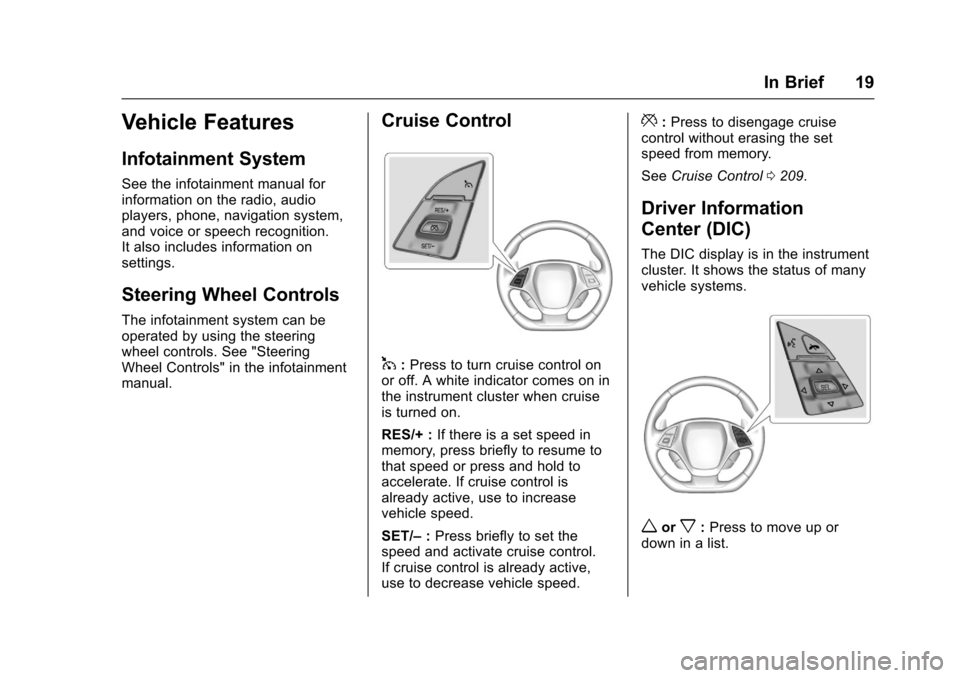
Cruise Control
1:Press to turn cruise control on
or off. A white indicator comes on in
the instrument cluster when cruise
is turned on.
RES/+ : If there is a set speed in
memory, press briefly to resume to
that speed or press and hold to
accelerate. If cruise control is
already active, use to increase
vehicle speed.
SET/– :Press briefly to set the
speed and activate cruise control.
If cruise control is already active,
use to decrease vehicle speed.
*: Press to disengage cruise
control without erasing the set
speed from memory.
See Cruise Control 0209.
Driver Information
Center (DIC)
The DIC display is in the instrument
cluster. It shows the status of many
vehicle systems.
worx:Press to move up or
down in a list.
Page 21 of 360
Chevrolet Corvette Owner Manual (GMNA-Localizing-U.S./Canada/Mexico-
9956103) - 2017 - crc - 4/28/16
20 In Brief
oorp:Pressoto open
application menus on the left.
Press
pto open interaction menus
on the right.
SEL : Press to open a menu or
select a menu item. Press and hold
to reset values on certain screens.
See Driver Information Center
(DIC) 0115.
Curb View Camera
If equipped, a view of the area in
front of the vehicle displays to aid
with parking and low-speed
maneuvers.
See "Curb View Camera" under
Assistance Systems for Parking or
Backing 0212.
Rear Vision
Camera (RVC)
If equipped, RVC displays a view of
the area behind the vehicle on the
infotainment display when the
vehicle is shifted into R (Reverse) to
aid with parking and low-speed
backing maneuvers. See
Assistance Systems for Parking
or Backing 0212.
Power Outlets
Use the accessory power outlet to
plug in electrical equipment, such as
a cell phone or MP3 player.
There are three accessory power
outlets:
.
Inside the center console
storage compartment.
. In front of the cupholder.
. In the rear compartment.
Lift the cover to access and replace
when not in use.
See Power Outlets 096.
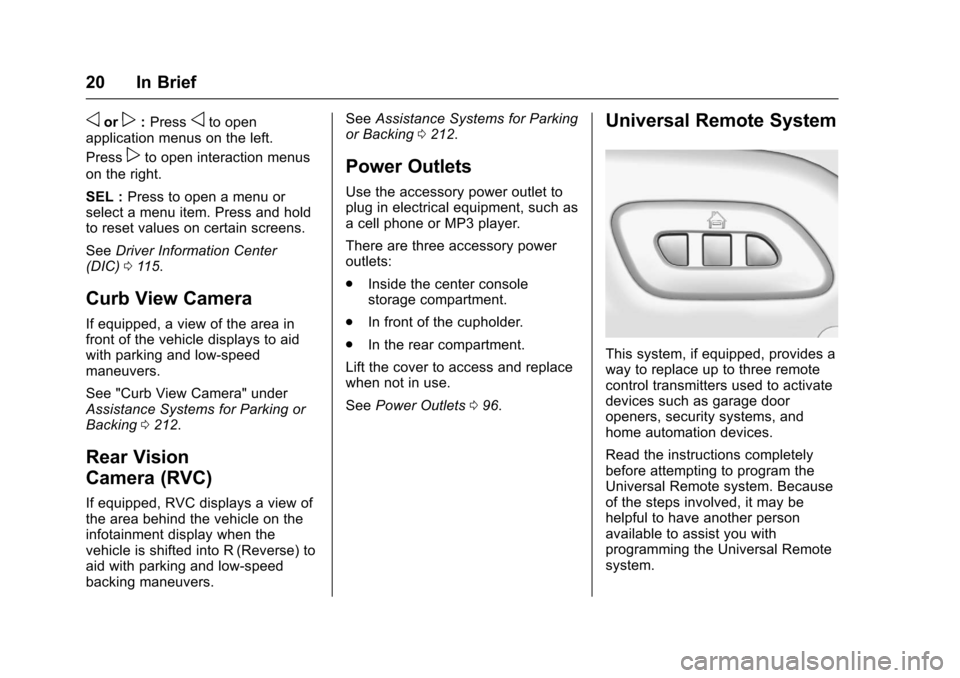
Universal Remote System
This system, if equipped, provides a
way to replace up to three remote
control transmitters used to activate
devices such as garage door
openers, security systems, and
home automation devices.
Read the instructions completely
before attempting to program the
Universal Remote system. Because
of the steps involved, it may be
helpful to have another person
available to assist you with
programming the Universal Remote
system.
Page 24 of 360
Chevrolet Corvette Owner Manual (GMNA-Localizing-U.S./Canada/Mexico-
9956103) - 2017 - crc - 4/28/16
In Brief 23
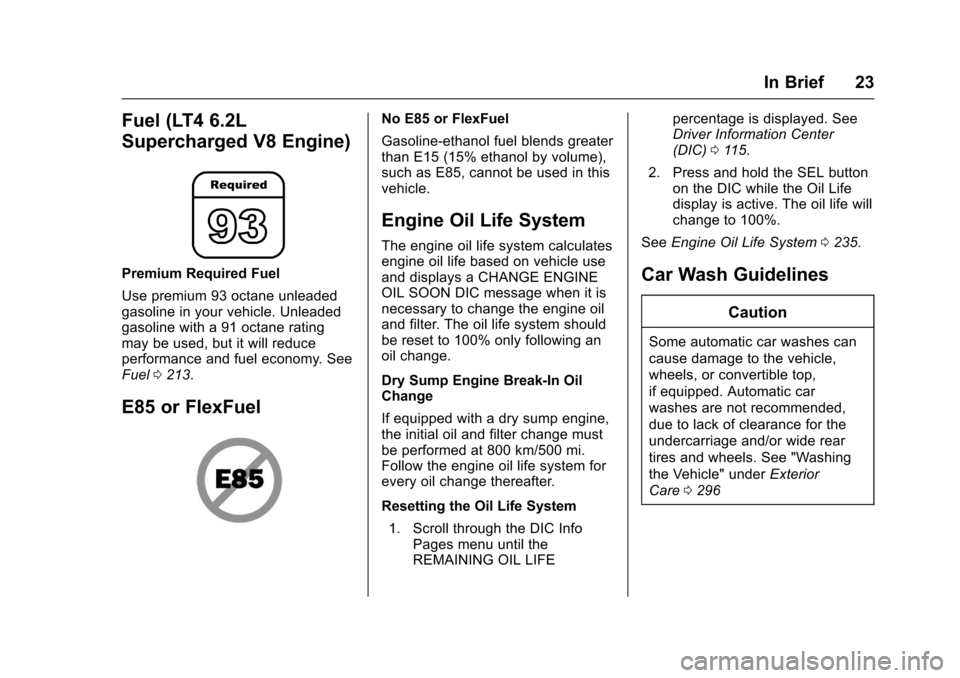
Fuel (LT4 6.2L
Supercharged V8 Engine)
Premium Required Fuel
Use premium 93 octane unleaded
gasoline in your vehicle. Unleaded
gasoline with a 91 octane rating
may be used, but it will reduce
performance and fuel economy. See
Fuel0213.
E85 or FlexFuel
No E85 or FlexFuel
Gasoline-ethanol fuel blends greater
than E15 (15% ethanol by volume),
such as E85, cannot be used in this
vehicle.
Engine Oil Life System
The engine oil life system calculates
engine oil life based on vehicle use
and displays a CHANGE ENGINE
OIL SOON DIC message when it is
necessary to change the engine oil
and filter. The oil life system should
be reset to 100% only following an
oil change.
Dry Sump Engine Break-In Oil
Change
If equipped with a dry sump engine,
the initial oil and filter change must
be performed at 800 km/500 mi.
Follow the engine oil life system for
every oil change thereafter.
Resetting the Oil Life System
1. Scroll through the DIC Info Pages menu until the
REMAINING OIL LIFE percentage is displayed. See
Driver Information Center
(DIC)
0115.
2. Press and hold the SEL button on the DIC while the Oil Life
display is active. The oil life will
change to 100%.
See Engine Oil Life System 0235.
Car Wash Guidelines
Caution
Some automatic car washes can
cause damage to the vehicle,
wheels, or convertible top,
if equipped. Automatic car
washes are not recommended,
due to lack of clearance for the
undercarriage and/or wide rear
tires and wheels. See "Washing
the Vehicle" under Exterior
Care 0296
Page 31 of 360
Chevrolet Corvette Owner Manual (GMNA-Localizing-U.S./Canada/Mexico-
9956103) - 2017 - crc - 4/28/16
30 Keys, Doors, and Windows
4. Open the hatch/trunk.
5. Turn the key five times within10 seconds.
6. The DIC displays READY FOR REMOTE # 3 or 4, up to 8.
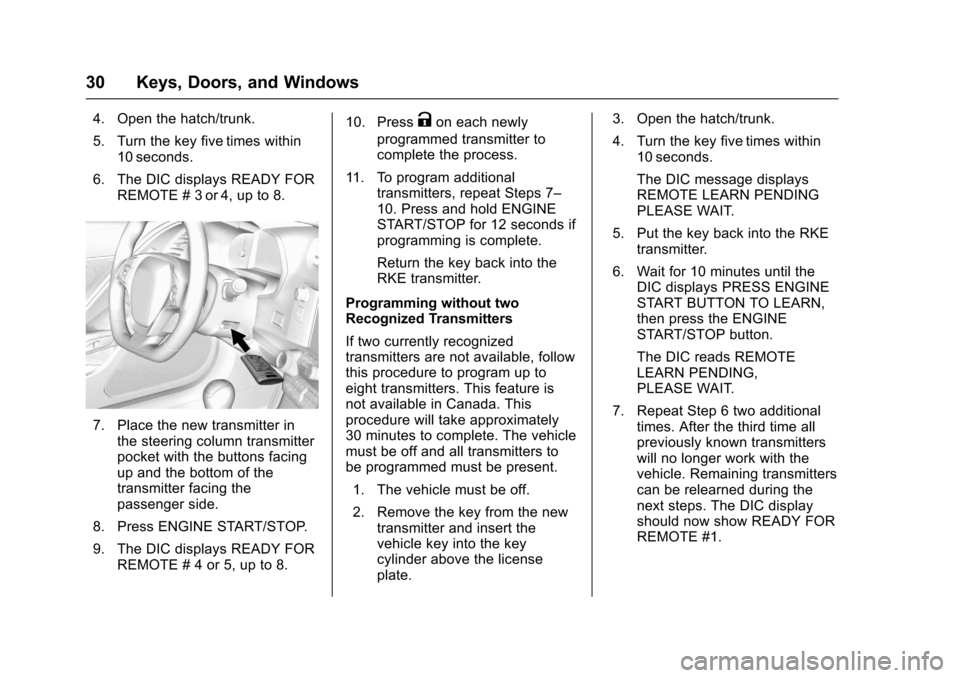
7. Place the new transmitter inthe steering column transmitter
pocket with the buttons facing
up and the bottom of the
transmitter facing the
passenger side.
8. Press ENGINE START/STOP.
9. The DIC displays READY FOR REMOTE # 4 or 5, up to 8. 10. Press
Kon each newly
programmed transmitter to
complete the process.
11. To program additional transmitters, repeat Steps 7–
10. Press and hold ENGINE
START/STOP for 12 seconds if
programming is complete.
Return the key back into the
RKE transmitter.
Programming without two
Recognized Transmitters
If two currently recognized
transmitters are not available, follow
this procedure to program up to
eight transmitters. This feature is
not available in Canada. This
procedure will take approximately
30 minutes to complete. The vehicle
must be off and all transmitters to
be programmed must be present. 1. The vehicle must be off.
2. Remove the key from the new transmitter and insert the
vehicle key into the key
cylinder above the license
plate. 3. Open the hatch/trunk.
4. Turn the key five times within
10 seconds.
The DIC message displays
REMOTE LEARN PENDING
PLEASE WAIT.
5. Put the key back into the RKE transmitter.
6. Wait for 10 minutes until the DIC displays PRESS ENGINE
START BUTTON TO LEARN,
then press the ENGINE
START/STOP button.
The DIC reads REMOTE
LEARN PENDING,
PLEASE WAIT.
7. Repeat Step 6 two additional times. After the third time all
previously known transmitters
will no longer work with the
vehicle. Remaining transmitters
can be relearned during the
next steps. The DIC display
should now show READY FOR
REMOTE #1.
Page 32 of 360
Chevrolet Corvette Owner Manual (GMNA-Localizing-U.S./Canada/Mexico-
9956103) - 2017 - crc - 4/28/16
Keys, Doors, and Windows 31
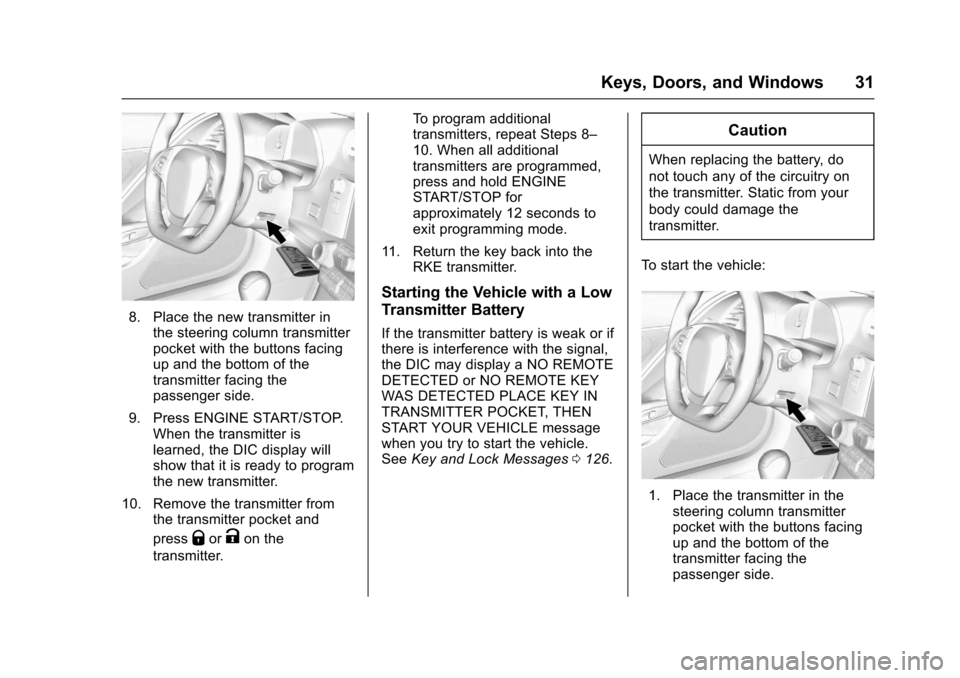
8. Place the new transmitter inthe steering column transmitter
pocket with the buttons facing
up and the bottom of the
transmitter facing the
passenger side.
9. Press ENGINE START/STOP. When the transmitter is
learned, the DIC display will
show that it is ready to program
the new transmitter.
10. Remove the transmitter from the transmitter pocket and
press
QorKon the
transmitter. To program additional
transmitters, repeat Steps 8–
10. When all additional
transmitters are programmed,
press and hold ENGINE
START/STOP for
approximately 12 seconds to
exit programming mode.
11. Return the key back into the RKE transmitter.
Starting the Vehicle with a Low
Transmitter Battery
If the transmitter battery is weak or if
there is interference with the signal,
the DIC may display a NO REMOTE
DETECTED or NO REMOTE KEY
WAS DETECTED PLACE KEY IN
TRANSMITTER POCKET, THEN
START YOUR VEHICLE message
when you try to start the vehicle.
SeeKey and Lock Messages 0126.
Caution
When replacing the battery, do
not touch any of the circuitry on
the transmitter. Static from your
body could damage the
transmitter.
To start the vehicle:
1. Place the transmitter in the steering column transmitter
pocket with the buttons facing
up and the bottom of the
transmitter facing the
passenger side.
Page 33 of 360
Chevrolet Corvette Owner Manual (GMNA-Localizing-U.S./Canada/Mexico-
9956103) - 2017 - crc - 4/28/16
32 Keys, Doors, and Windows
2. With the vehicle in P (Park) orN (Neutral), press the brake
pedal and ENGINE
START/STOP.
Replace the transmitter battery
as soon as possible.
Battery Replacement
Caution
When replacing the battery, do
not touch any of the circuitry on
the transmitter. Static from your
body could damage the
transmitter.
Replace the battery if the REPLACE
BATTERY IN REMOTE KEY
message displays in the DIC.
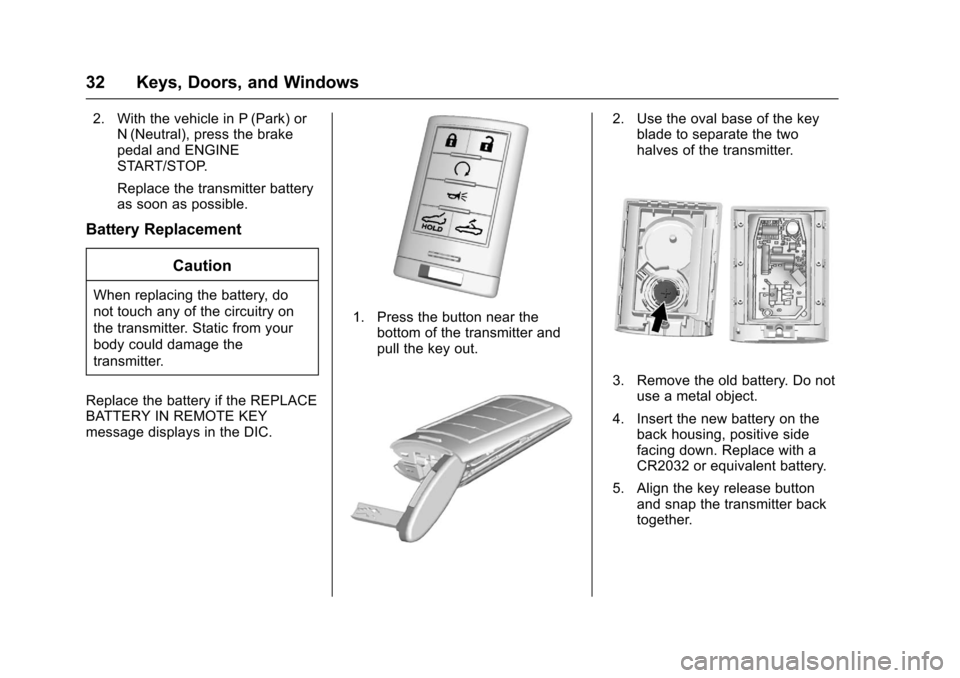
1. Press the button near the bottom of the transmitter and
pull the key out.
2. Use the oval base of the keyblade to separate the two
halves of the transmitter.
3. Remove the old battery. Do not
use a metal object.
4. Insert the new battery on the back housing, positive side
facing down. Replace with a
CR2032 or equivalent battery.
5. Align the key release button and snap the transmitter back
together.
Page 53 of 360
Chevrolet Corvette Owner Manual (GMNA-Localizing-U.S./Canada/Mexico-
9956103) - 2017 - crc - 4/28/16
52 Keys, Doors, and Windows
6. After the convertible top iscompletely open, a chime
sounds and a DIC message
displays. Release the switch.
If the radio is on, the sound may be
muted for a brief time due to a new
audio system equalization being
loaded.
Opening the Convertible Top —
RKE Transmitter
1. Make sure the vehicle is off.
2. The trunk partition must already be in place and the
trunk closed.
3. Keep visual contact with the vehicle. Press and release
K
on the RKE transmitter and
then quickly press and
hold
M.
4. Hold
Muntil the top is
completely opened and the
exterior lamps flash. A chime
will sound.
If the top stops before it has
completely opened, press
Kand
then press
Magain. If the top still stops opening try the
following:
.
Move closer to the vehicle.
. Hold
Muntil the operation is
complete.
. Interference from other RKE
transmitters or devices may
interrupt the operation. Press
K
and thenMagain. If the top
still does not open use the
convertible switch in the vehicle.
The convertible top cannot be
closed using the RKE transmitter.
See Rear Storage 090.
See Remote Keyless Entry (RKE)
System Operation 027.
Closing the Convertible Top 1. Make sure the sun visor mirror covers are closed and the sun
visors are stored in the center
mount position.
2. Remove all objects from the top of the tonneau cover and
forward of the partition. Place
the partition in the rear storage
area in the upright position. Fasten both sides of the
partition to the posts just below
the tonneau cover. See
Rear
Storage 090.
3. Close the trunk.
4. Start the vehicle or place it in ACC/ACCESSORY.
5. When possible, operate the convertible top when the
vehicle is stopped. The top can
be operated while driving
below 50 km/h (31 mph) and
will stop if that speed is
exceeded. The top operation
will take approximately
25 seconds. Make sure the top
operation can be completed
before that speed is reached.
Page 54 of 360
Chevrolet Corvette Owner Manual (GMNA-Localizing-U.S./Canada/Mexico-
9956103) - 2017 - crc - 4/28/16
Keys, Doors, and Windows 53
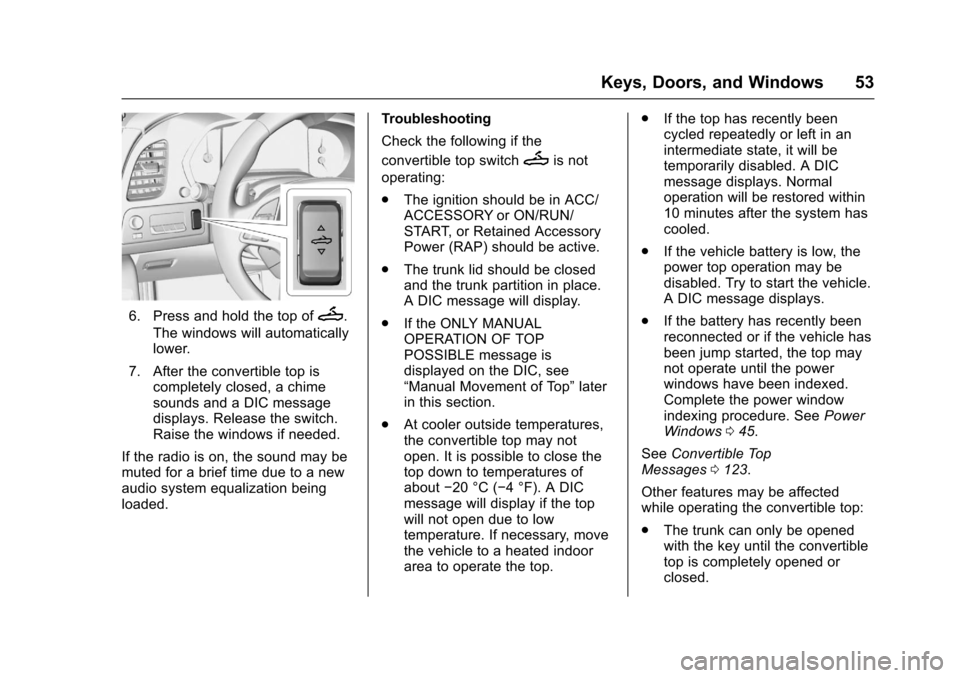
6. Press and hold the top ofM.
The windows will automatically
lower.
7. After the convertible top is completely closed, a chime
sounds and a DIC message
displays. Release the switch.
Raise the windows if needed.
If the radio is on, the sound may be
muted for a brief time due to a new
audio system equalization being
loaded. Troubleshooting
Check the following if the
convertible top switch
Mis not
operating:
. The ignition should be in ACC/
ACCESSORY or ON/RUN/
START, or Retained Accessory
Power (RAP) should be active.
. The trunk lid should be closed
and the trunk partition in place.
A DIC message will display.
. If the ONLY MANUAL
OPERATION OF TOP
POSSIBLE message is
displayed on the DIC, see
“Manual Movement of Top” later
in this section.
. At cooler outside temperatures,
the convertible top may not
open. It is possible to close the
top down to temperatures of
about −20 °C (−4 °F). A DIC
message will display if the top
will not open due to low
temperature. If necessary, move
the vehicle to a heated indoor
area to operate the top. .
If the top has recently been
cycled repeatedly or left in an
intermediate state, it will be
temporarily disabled. A DIC
message displays. Normal
operation will be restored within
10 minutes after the system has
cooled.
. If the vehicle battery is low, the
power top operation may be
disabled. Try to start the vehicle.
A DIC message displays.
. If the battery has recently been
reconnected or if the vehicle has
been jump started, the top may
not operate until the power
windows have been indexed.
Complete the power window
indexing procedure. See Power
Windows 045.
See Convertible Top
Messages 0123.
Other features may be affected
while operating the convertible top:
. The trunk can only be opened
with the key until the convertible
top is completely opened or
closed.