cruise control CHEVROLET CORVETTE 2018 User Guide
[x] Cancel search | Manufacturer: CHEVROLET, Model Year: 2018, Model line: CORVETTE, Model: CHEVROLET CORVETTE 2018Pages: 358, PDF Size: 5.46 MB
Page 173 of 358
Chevrolet Corvette Owner Manual (GMNA-Localizing-U.S./Canada/Mexico-
11374030) - 2018 - CRC - 11/8/17
172 Driving and Operating
Winter Driving
Driving on Snow or Ice
Snow or ice between the tires and
the road creates less traction or
grip, so drive carefully. Wet ice can
occur at about 0 °C (32 °F) when
freezing rain begins to fall. Avoid
driving on wet ice or in freezing rain
until roads can be treated.
For Slippery Road Driving:
.Accelerate gently. Accelerating
too quickly causes the wheels to
spin and makes the surface
under the tires slick.
. Turn on Traction Control. See
Traction Control/Electronic
Stability Control 0196.
. The Antilock Brake System
(ABS) improves vehicle stability
during hard stops, but the
brakes should be applied sooner
than when on dry pavement.
See Antilock Brake System
(ABS) 0193. .
Allow greater following distance
and watch for slippery spots. Icy
patches can occur on otherwise
clear roads in shaded areas.
The surface of a curve or an
overpass can remain icy when
the surrounding roads are clear.
Avoid sudden steering
maneuvers and braking while
on ice.
. Turn off cruise control.
Blizzard Conditions
Stop the vehicle in a safe place and
signal for help. Stay with the vehicle
unless there is help nearby.
If possible, use Roadside
Assistance. See Roadside
Assistance Program 0325. To get
help and keep everyone in the
vehicle safe:
. Turn on the hazard warning
flashers.
. Tie a red cloth to an outside
mirror.
{Warning
Snow can trap engine exhaust
under the vehicle. This may
cause exhaust gases to get
inside. Engine exhaust contains
carbon monoxide (CO), which
cannot be seen or smelled. It can
cause unconsciousness and even
death.
If the vehicle is stuck in snow:
. Clear snow from the base of
the vehicle, especially any
blocking the exhaust pipe.
. Open a window about 5 cm
(2 in) on the vehicle side
that is away from the wind,
to bring in fresh air.
. Fully open the air outlets on
or under the instrument
panel.
. Adjust the climate control
system to circulate the air
inside the vehicle and set
(Continued)
Page 178 of 358
Chevrolet Corvette Owner Manual (GMNA-Localizing-U.S./Canada/Mexico-
11374030) - 2018 - CRC - 11/8/17
Driving and Operating 177
Warning (Continued)
.Put things in the rear
area of your vehicle. Try
to spread the weight
evenly.
.Never stack heavier
things, like suitcases,
inside the vehicle so that
some of them are above
the tops of the seats.
.Do not leave an
unsecured child restraint
in your vehicle.
.When you carry
something inside the
vehicle, secure it
whenever you can.
Starting and
Operating
New Vehicle Break-In
Follow these recommended
guidelines during the first 2 414 km
(1,500 mi) of driving this vehicle.
Parts have a break-in period and
performance will be better in the
long run.
For the first 322 km (200 mi):
.To break in new tires, drive at
moderate speeds and avoid hard
cornering.
. New brake linings also need a
break-in period. Avoid making
hard stops. This is
recommended every time brake
linings are replaced.
For the first 800 km (500 mi):
. Avoid full throttle starts and
abrupt stops.
. Do not exceed 4000 rpm. .
Avoid driving at any one
constant speed, fast or slow,
including the use of cruise
control.
. Avoid downshifting to brake or
slow the vehicle when the
engine speed will exceed
4000 rpm.
. Do not let the engine labor.
Never lug the engine. With a
manual transmission, shift to the
next lower gear. This rule
applies at all times, not just
during the break-in period.
. If equipped with a dry sump
engine (Stingray with Z51,
Grand Sport, and Z06), the initial
oil and filter change must be
performed at 800 km (500 mi).
For the first 2 414 km (1,500 mi):
. Do not participate in track
events, sport driving schools,
or similar activities.
. Check engine oil with every
refueling and add if necessary.
Oil and fuel consumption may be
higher than normal.
Page 189 of 358
Chevrolet Corvette Owner Manual (GMNA-Localizing-U.S./Canada/Mexico-
11374030) - 2018 - CRC - 11/8/17
188 Driving and Operating
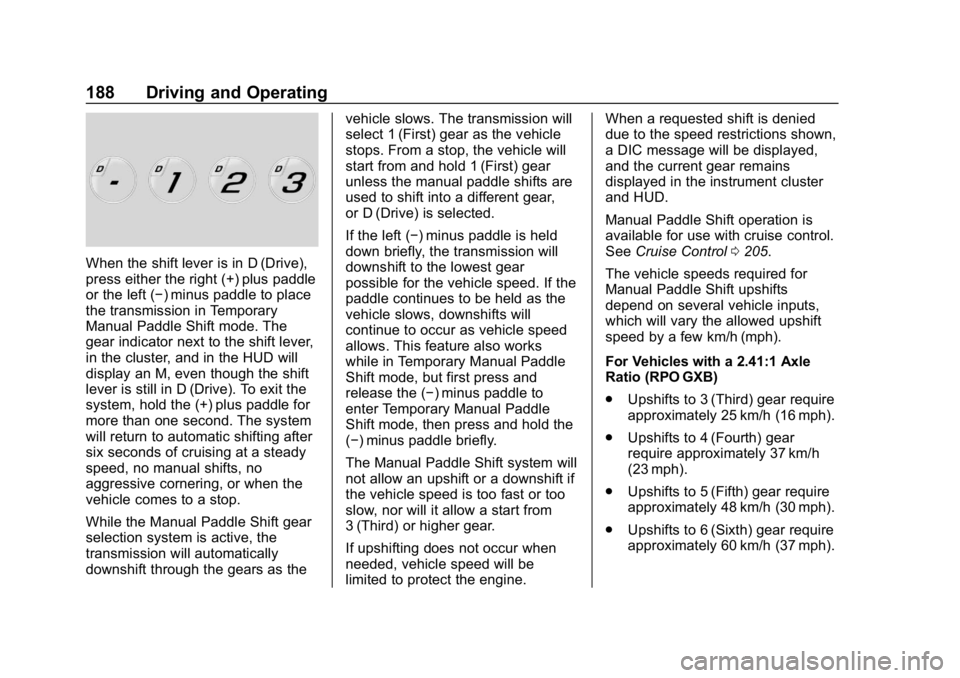
When the shift lever is in D (Drive),
press either the right (+) plus paddle
or the left (−) minus paddle to place
the transmission in Temporary
Manual Paddle Shift mode. The
gear indicator next to the shift lever,
in the cluster, and in the HUD will
display an M, even though the shift
lever is still in D (Drive). To exit the
system, hold the (+) plus paddle for
more than one second. The system
will return to automatic shifting after
six seconds of cruising at a steady
speed, no manual shifts, no
aggressive cornering, or when the
vehicle comes to a stop.
While the Manual Paddle Shift gear
selection system is active, the
transmission will automatically
downshift through the gears as thevehicle slows. The transmission will
select 1 (First) gear as the vehicle
stops. From a stop, the vehicle will
start from and hold 1 (First) gear
unless the manual paddle shifts are
used to shift into a different gear,
or D (Drive) is selected.
If the left (−) minus paddle is held
down briefly, the transmission will
downshift to the lowest gear
possible for the vehicle speed. If the
paddle continues to be held as the
vehicle slows, downshifts will
continue to occur as vehicle speed
allows. This feature also works
while in Temporary Manual Paddle
Shift mode, but first press and
release the (−) minus paddle to
enter Temporary Manual Paddle
Shift mode, then press and hold the
(−) minus paddle briefly.
The Manual Paddle Shift system will
not allow an upshift or a downshift if
the vehicle speed is too fast or too
slow, nor will it allow a start from
3 (Third) or higher gear.
If upshifting does not occur when
needed, vehicle speed will be
limited to protect the engine.When a requested shift is denied
due to the speed restrictions shown,
a DIC message will be displayed,
and the current gear remains
displayed in the instrument cluster
and HUD.
Manual Paddle Shift operation is
available for use with cruise control.
See
Cruise Control 0205.
The vehicle speeds required for
Manual Paddle Shift upshifts
depend on several vehicle inputs,
which will vary the allowed upshift
speed by a few km/h (mph).
For Vehicles with a 2.41:1 Axle
Ratio (RPO GXB)
. Upshifts to 3 (Third) gear require
approximately 25 km/h (16 mph).
. Upshifts to 4 (Fourth) gear
require approximately 37 km/h
(23 mph).
. Upshifts to 5 (Fifth) gear require
approximately 48 km/h (30 mph).
. Upshifts to 6 (Sixth) gear require
approximately 60 km/h (37 mph).
Page 197 of 358
Chevrolet Corvette Owner Manual (GMNA-Localizing-U.S./Canada/Mexico-
11374030) - 2018 - CRC - 11/8/17
196 Driving and Operating
Ride Control Systems
Traction Control/
Electronic Stability
Control
The vehicle has a Traction Control
System (TCS) and a StabiliTrak
system. These systems help limit
wheel spin and assist the driver in
maintaining control, especially on
slippery road conditions.
TCS activates if it senses that the
rear wheels are spinning too much
or are beginning to lose traction.
When this happens, TCS applies
the brakes to the spinning wheel
and reduces engine power (by
closing the throttle and managing
engine spark) to limit wheel spin.
StabiliTrak activates when the
vehicle senses a difference between
the intended path and the direction
the vehicle is actually traveling.
StabiliTrak selectively applies
braking pressure to any one of thevehicle wheel brakes to assist the
driver in keeping the vehicle on the
intended path.
If cruise control is being used when
TCS begins to limit wheel spin, the
cruise control will automatically
disengage. Cruise control may be
reengaged when road conditions
allow. See
Cruise Control 0205.
Both systems come on
automatically when the vehicle is
started and begins to move. The
systems may be heard or felt while
they are operating or while
performing diagnostic checks. This
is normal and does not mean there
is a problem with the vehicle.
It is recommended to leave both
systems on for normal driving
conditions, but it may be necessary
to turn TCS off if the vehicle gets
stuck in sand, mud, ice, or snow.
See If the Vehicle Is Stuck 0173
and “Turning the Systems Off and
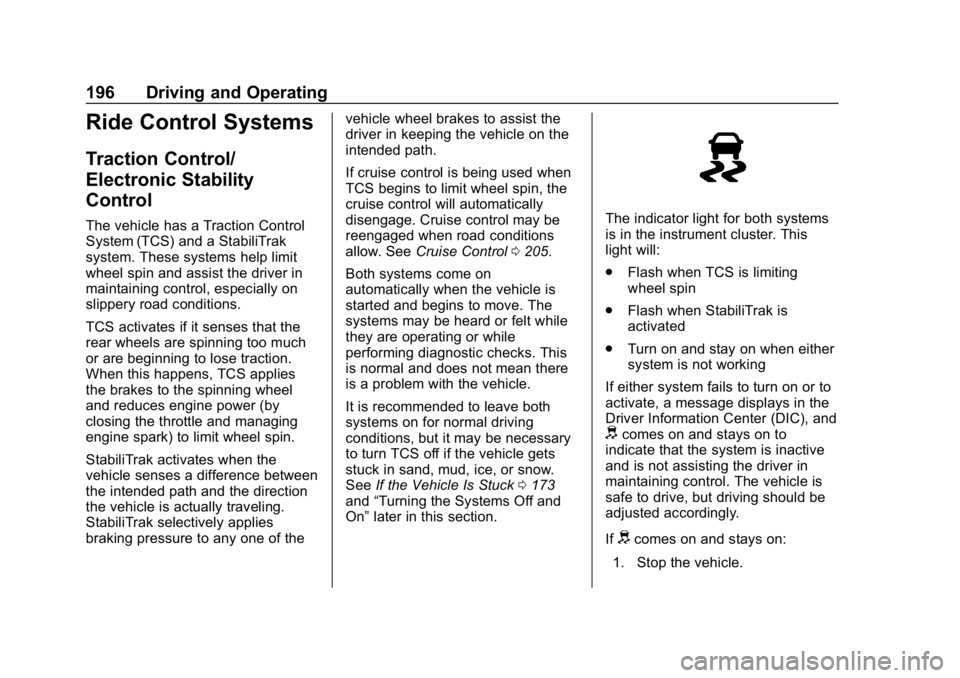
On” later in this section.The indicator light for both systems
is in the instrument cluster. This
light will:
.
Flash when TCS is limiting
wheel spin
. Flash when StabiliTrak is
activated
. Turn on and stay on when either
system is not working
If either system fails to turn on or to
activate, a message displays in the
Driver Information Center (DIC), and
dcomes on and stays on to
indicate that the system is inactive
and is not assisting the driver in
maintaining control. The vehicle is
safe to drive, but driving should be
adjusted accordingly.
If
dcomes on and stays on:
1. Stop the vehicle.
Page 206 of 358
Chevrolet Corvette Owner Manual (GMNA-Localizing-U.S./Canada/Mexico-
11374030) - 2018 - CRC - 11/8/17
Driving and Operating 205
Limited-Slip Differential
(Stingray without
Z51 Only)
If equipped, the mechanical
limited-slip differential can give more
traction on snow, mud, ice, sand,
or gravel. It works like a standard
axle most of the time, but when
traction is low, this feature allows
the drive wheel with the most
traction to move the vehicle. For
vehicles with limited-slip differential,
driven under severe conditions, the
rear axle fluid should be changed.
SeeCompetitive Driving Mode
0 201 andMaintenance Schedule
0 304.
Limited-Slip Differential
(Z06, Grand Sport, and
Stingray with Z51)
If equipped, the Electronic
Limited-Slip Differential (eLSD) is
automatically activated. eLSD
actively monitors vehicle sensors
and driver inputs to determine the
amount of change for the
conditions. With eLSD, the
vehicle has:
.
Enhanced high-speed control
. Improved traction through
corners, allowing more
acceleration
. More precise steering
. Increased vehicle agility
. Integration with StabiliTrak
For vehicles with eLSD, driven
under severe conditions, the rear
axle fluid should be changed.
See Competitive Driving Mode
0 201 andMaintenance Schedule
0 304.
Cruise Control
With cruise control, a speed of
about 40 km/h (25 mph) or more
can be maintained without keeping
your foot on the accelerator. Cruise
control does not work at speeds
below about 40 km/h (25 mph).
{Warning
Cruise control can be dangerous
where you cannot drive safely at
a steady speed. Do not use
cruise control on winding roads or
in heavy traffic.
Cruise control can be dangerous
on slippery roads. On such roads,
fast changes in tire traction can
cause excessive wheel slip, and
you could lose control. Do not use
cruise control on slippery roads.
If equipped with a manual
transmission, the cruise control will
remain active when the gears are
shifted. The cruise is disengaged if
the clutch is pressed for several
seconds.
Page 207 of 358
Chevrolet Corvette Owner Manual (GMNA-Localizing-U.S./Canada/Mexico-
11374030) - 2018 - CRC - 11/8/17
206 Driving and Operating
If the Traction Control System (TCS)
begins to limit wheel spin while you
are using cruise control, the cruise
control automatically disengages.
SeeTraction Control/Electronic
Stability Control 0196. When road
conditions allow for using safely
again, cruise control can be turned
back on.
If the brakes are applied, cruise
control disengages.
Cruise control will disengage if
either TCS or StabiliTrak is
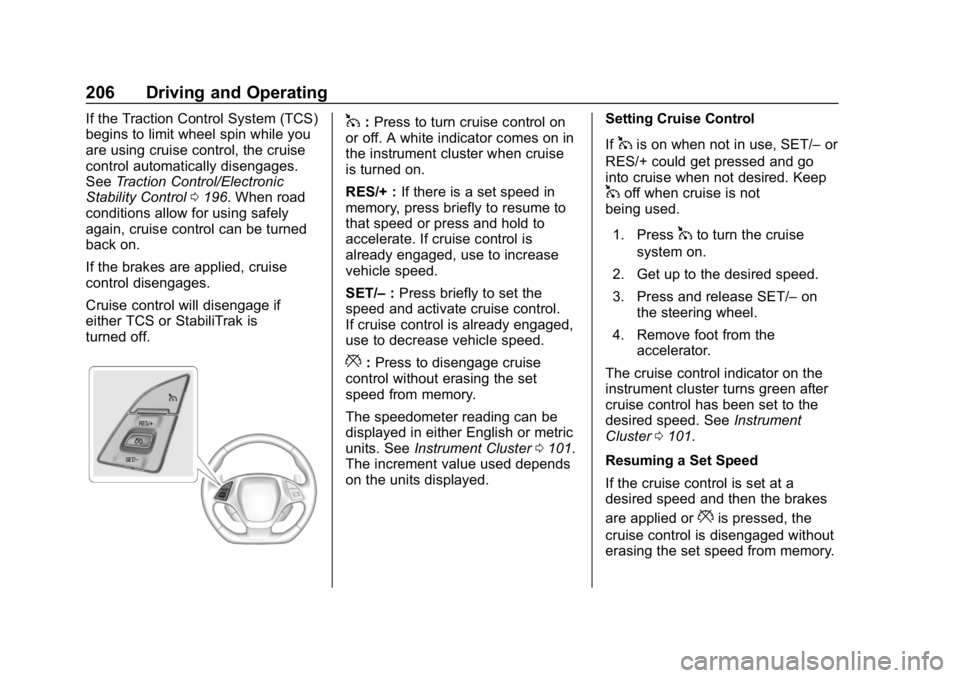
turned off.1: Press to turn cruise control on
or off. A white indicator comes on in
the instrument cluster when cruise
is turned on.
RES/+ : If there is a set speed in
memory, press briefly to resume to
that speed or press and hold to
accelerate. If cruise control is
already engaged, use to increase
vehicle speed.
SET/– :Press briefly to set the
speed and activate cruise control.
If cruise control is already engaged,
use to decrease vehicle speed.
*: Press to disengage cruise
control without erasing the set
speed from memory.
The speedometer reading can be
displayed in either English or metric
units. See Instrument Cluster 0101.
The increment value used depends
on the units displayed. Setting Cruise Control
If
1is on when not in use, SET/–
or
RES/+ could get pressed and go
into cruise when not desired. Keep
1off when cruise is not
being used.
1. Press
1to turn the cruise
system on.
2. Get up to the desired speed.
3. Press and release SET/– on
the steering wheel.
4. Remove foot from the accelerator.
The cruise control indicator on the
instrument cluster turns green after
cruise control has been set to the
desired speed. See Instrument
Cluster 0101.
Resuming a Set Speed
If the cruise control is set at a
desired speed and then the brakes
are applied or
*is pressed, the
cruise control is disengaged without
erasing the set speed from memory.
Page 208 of 358
Chevrolet Corvette Owner Manual (GMNA-Localizing-U.S./Canada/Mexico-
11374030) - 2018 - CRC - 11/8/17
Driving and Operating 207
Once the vehicle reaches about
40 km/h (25 mph) or more, briefly
press RES/+. The vehicle returns to
the previous set speed.
Increasing Speed While Using
Cruise Control
Do one of the following:
.Press and hold RES/+ until the
desired speed is reached, then
release it.
. To increase vehicle speed in
small increments, briefly press
RES/+. For each press, the
vehicle goes about 1.6 km/h
(1 mph) faster.
Reducing Speed While Using
Cruise Control
Do one of the following:
. Press and hold SET/– until the
desired lower speed is reached,
then release it.
. To decrease the vehicle speed in
small increments, briefly press
SET/–. For each press, the
vehicle goes about 1.6 km/h
(1 mph) slower. Passing Another Vehicle While
Using Cruise Control
Use the accelerator pedal to
increase the vehicle speed. When
you take your foot off the pedal, the
vehicle will slow down to the
previously set cruise speed.
While pressing the accelerator pedal
or shortly following the release to
override cruise control, briefly
pressing SET/–
will result in cruise
set to the current vehicle speed.
Using Cruise Control on Hills
How well the cruise control works
on hills depends upon the vehicle
speed, load, and the steepness of
the hills. When going up steep hills,
you might have to step on the
accelerator pedal to maintain your
speed. When going downhill, you
might have to brake or shift to a
lower gear to keep your speed
down. If the brake pedal is applied,
cruise control will disengage. Cruise Control in Manual Paddle
Shift Gear Selection
When the vehicle is in M (Manual
Mode) and the manual paddle shift
controls are not being used, cruise
control operates in the same
manner as D (Drive).
When the vehicle is in M (Manual
Mode) and the manual paddle shift
controls are being used, cruise
control operates as follows:
.
If cruise control is active and a
gear is selected with the manual
paddle shift controls, the vehicle
speed is maintained in the driver
selected gear and will not
automatically upshift or
downshift the transmission while
the driver ’s gear selection is
active.
. If driving in hilly terrain, cruise
control may not be able to
maintain vehicle speed if an
upshift or downshift is not
selected by the driver. While
driving on hilly terrain and cruise
control is active with a manual
paddle shift gear selection, the
Page 209 of 358
Chevrolet Corvette Owner Manual (GMNA-Localizing-U.S./Canada/Mexico-
11374030) - 2018 - CRC - 11/8/17
208 Driving and Operating
driver must select the proper
gear for the terrain or select D
(Drive) on the shift lever for full
automatic transmission
operation.
Ending Cruise Control
. Step lightly on the brake pedal.
. Press the clutch pedal for
several seconds or shift to
Neutral (manual transmissions).
. Shift the transmission to
N (Neutral) (automatic
transmissions).
. Press
*.
. To turn off cruise control,
press
1.
Erasing Speed Memory
The cruise control set speed is
erased from memory if
1is pressed
or if the ignition is turned off.
Driver Assistance
Systems
Assistance Systems for
Parking or Backing
If equipped, the Rear Vision Camera
(RVC) and Curb View Camera may
help the driver park or avoid objects.
Always check around the vehicle
when parking or backing.
Rear Vision Camera (RVC)
When the vehicle is shifted into
R (Reverse), the RVC displays an
image of the area behind the vehicle
in the infotainment display. The
previous screen displays when the
vehicle is shifted out of R (Reverse)
after a short delay. To return to the
previous screen sooner, press any
button on the infotainment system,
shift into P (Park), or reach a vehicle
speed of approximately 12
km/h (8 mph).
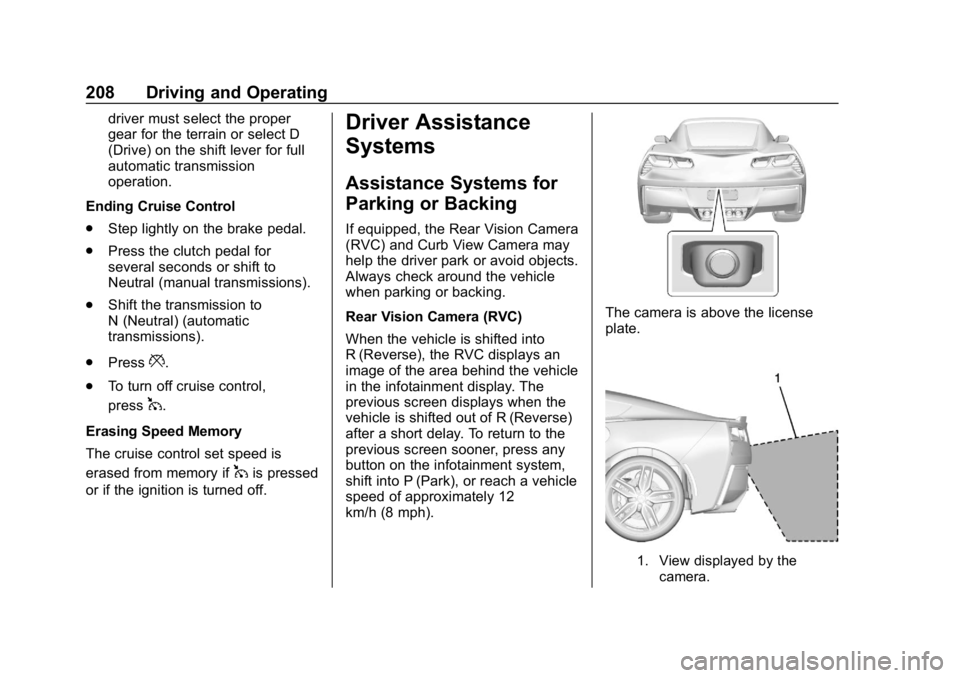
The camera is above the license
plate.
1. View displayed by the camera.
Page 350 of 358

Chevrolet Corvette Owner Manual (GMNA-Localizing-U.S./Canada/Mexico-
11374030) - 2018 - CRC - 11/8/17
Index 349
Compressor Kit, Tire Sealant . . . 279
ConnectionsOnStar . . . . . . . . . . . . . . . . . . . . . . . 338
Control Traction and ElectronicStability . . . . . . . . . . . . . . . . . . . . . 196
Control of a Vehicle . . . . . . . . . . . . . 157
Convenience Net . . . . . . . . . . . . . . . . 95
Convertible Top . . . . . . . . . . . . . . . . . . 52
Convex Mirrors . . . . . . . . . . . . . . . . . . 44
Coolant
Engine Temperature Gauge . . 108
Engine TemperatureWarning Light . . . . . . . . . . . . . . . .115
Cooling . . . . . . . . . . . . . . . . . . . . . . . . . 149
Cooling System . . . . . . . . . . . . 236, 239
Courtesy Lamps . . . . . . . . . . . . . . . . 141
Courtesy Transportation Program . . . . . . . . . . . . . . . . . . . . . . . 327
Cover Cargo . . . . . . . . . . . . . . . . . . . . . . . . . . . 94
Cruise Control . . . . . . . . . . . . . . . . . . 205 Light . . . . . . . . . . . . . . . . . . . . . . . . . . .118
Cupholders . . . . . . . . . . . . . . . . . . . . . . 93
Customer Assistance . . . . . . . . . . . 324 Offices . . . . . . . . . . . . . . . . . . . . . . . . 323
Text Telephone (TTY)Users . . . . . . . . . . . . . . . . . . . . . . . 324 Customer Information
Service Publications
Ordering Information . . . . . . . . 330
Customer Satisfaction Procedure . . . . . . . . . . . . . . . . . . . . . 321
D
Damage Repair, Collision . . . . . . . 328
Danger, Warning, and Caution . . . . 2
Data CollectionInfotainment System . . . . . . . . . . 334
OnStar . . . . . . . . . . . . . . . . . . . . . . . 334
Data Recorder Performance . . . . . . . . . . . . . . . . . . 143
Data Recorders, Event . . . . . . . . . 333
Daytime Running Lamps (DRL) . . . . . . . . . . . . . . . . . . 138
Defensive Driving . . . . . . . . . . . . . . . 157
Delayed Locking . . . . . . . . . . . . . . . . . 38
Diagnostics OnStar . . . . . . . . . . . . . . . . . . . . . . . 340
Differential, Limited-Slip . . . . . . . . 205
Distracted Driving . . . . . . . . . . . . . . . 156
Door Ajar Light . . . . . . . . . . . . . . . . . . . . . .118
Delayed Locking . . . . . . . . . . . . . . . . 38
Locks . . . . . . . . . . . . . . . . . . . . . . . . . . . 35
Power Locks . . . . . . . . . . . . . . . . . . . . 37 Drive Belt Routing, Engine . . . . . . 320
Driver Information
Center (DIC) . . . . . . . . . . . . . . . . . . 118
Driver Mode Control . . . . . . . . . . . . 198
Driving Competitive . . . . . . . . . . . . . . . . . . . 201
Defensive . . . . . . . . . . . . . . . . . . . . . 157
Drunk . . . . . . . . . . . . . . . . . . . . . . . . . 157
For Better Fuel Economy . . . . . . . 25
Hill and Mountain Roads . . . . . . 171
If the Vehicle is Stuck . . . . . . . . . 173
Loss of Control . . . . . . . . . . . . . . . 159
Off-Road Recovery . . . . . . . . . . . 158
Track Events andCompetitive . . . . . . . . . . . . . . . . . 159
Vehicle Load Limits . . . . . . . . . . . 173
Wet Roads . . . . . . . . . . . . . . . . . . . 170
Winter . . . . . . . . . . . . . . . . . . . . . . . . 172
Dual Automatic Climate Control System . . . . . . . . . . . . . . . . 149
E
Electric Parking Brake . . . . . . . . . . 193
Electric Parking Brake Light . . . . 113
Electrical Equipment,Add-On . . . . . . . . . . . . . . . . . . . . . . . 214
Page 353 of 358

Chevrolet Corvette Owner Manual (GMNA-Localizing-U.S./Canada/Mexico-
11374030) - 2018 - CRC - 11/8/17
352 Index
Lamps (cont'd)Reading . . . . . . . . . . . . . . . . . . . . . . 141
Lap-Shoulder Belt . . . . . . . . . . . . . . . 68
LATCH, Lower Anchors and Tethers for Children . . . . . . . . . . . . 88
Latches, Seatback . . . . . . . . . . . . . . . 63
LED Lighting . . . . . . . . . . . . . . . . . . . . 250
Lifting the Vehicle, Tires . . . . . . . . 217
Lighting Entry . . . . . . . . . . . . . . . . . . . . . . . . . 141
Exit . . . . . . . . . . . . . . . . . . . . . . . . . . . 141
Illumination Control . . . . . . . . . . . 141
LED . . . . . . . . . . . . . . . . . . . . . . . . . . 250
Lights
Airbag Readiness . . . . . . . . . . . . . 109
Antilock Brake System(ABS) Warning . . . . . . . . . . . . . . .114
Brake System Warning . . . . . . . .113
Charging System . . . . . . . . . . . . . . 111
Check Engine (Malfunction
Indicator) . . . . . . . . . . . . . . . . . . . . . 111
Cruise Control . . . . . . . . . . . . . . . . .118
Door Ajar . . . . . . . . . . . . . . . . . . . . . .118
Electric Parking Brake . . . . . . . . .113
Electronic Stability Control (ESC), Off . . . . . . . . . . . . . . . . . . . .115
Engine Coolant Temperature Warning . . . . . . . .115 Lights (cont'd)
Engine Oil Pressure . . . . . . . . . . .116
Flash-to-Pass . . . . . . . . . . . . . . . . . 138
High-Beam On . . . . . . . . . . . . . . . . .117
High/Low Beam Changer . . . . . 138
Low Fuel Warning . . . . . . . . . . . . .117
Seat Belt Reminders . . . . . . . . . . 109
Security . . . . . . . . . . . . . . . . . . . . . . .117
Service Electric Parking
Brake . . . . . . . . . . . . . . . . . . . . . . . .114
Tire Pressure . . . . . . . . . . . . . . . . . .116
Traction Off . . . . . . . . . . . . . . . . . . . .114
Limited-Slip Differential . . . . . . . . . 205
Locks Automatic Door . . . . . . . . . . . . . . . . . 38
Delayed Locking . . . . . . . . . . . . . . . . 38
Door . . . . . . . . . . . . . . . . . . . . . . . . . . . . 35
Lockout Protection . . . . . . . . . . . . . . 38
Power Door . . . . . . . . . . . . . . . . . . . . . 37
Loss of Control . . . . . . . . . . . . . . . . . 159
Low Fuel Warning Light . . . . . . . . . 117
Low-Profile Tires . . . . . . . . . . . . . . . . 259
Lower Anchors and Tethers for Children (LATCH
System) . . . . . . . . . . . . . . . . . . . . . . . . 88
Lumbar Adjustment . . . . . . . . . . . . . . 59 Front Seats . . . . . . . . . . . . . . . . . . . . . 59M
MaintenanceRecords . . . . . . . . . . . . . . . . . . . . . . 316
Maintenance and Care Additional . . . . . . . . . . . . . . . . . . . . . 310
Maintenance Schedule . . . . . . . . . 304 Recommended Fluids andLubricants . . . . . . . . . . . . . . . . . . . 313
Malfunction Indicator Lamp . . . . . 111
Manual Mode . . . . . . . . . . . . . . . . . . . 187
Manual Transmission . . . . . . . . . . . 190 Fluid . . . . . . . . . . . . . . . . . . . . . . . . . . 233
Matching Active Rev . . . . . . . . . . . . . . . . . . . . 191
Memory Features . . . . . . . . . . . . . . . . 13
Memory Seats . . . . . . . . . . . . . . . . . . . 60
Messages Engine Power . . . . . . . . . . . . . . . . 125
Vehicle . . . . . . . . . . . . . . . . . . . . . . . 125
Vehicle Speed . . . . . . . . . . . . . . . . 126
Mirrors Automatic Dimming . . . . . . . . . . . . . 45
Automatic DimmingRearview . . . . . . . . . . . . . . . . . . . . . . 46
Convex . . . . . . . . . . . . . . . . . . . . . . . . . 44
Folding . . . . . . . . . . . . . . . . . . . . . . . . . 45
Heated . . . . . . . . . . . . . . . . . . . . . . . . . 45
Manual Rearview . . . . . . . . . . . . . . . 46