instrument cluster CHEVROLET CORVETTE 2018 User Guide
[x] Cancel search | Manufacturer: CHEVROLET, Model Year: 2018, Model line: CORVETTE, Model: CHEVROLET CORVETTE 2018Pages: 358, PDF Size: 5.46 MB
Page 106 of 358
Chevrolet Corvette Owner Manual (GMNA-Localizing-U.S./Canada/Mexico-
11374030) - 2018 - CRC - 11/8/17
Instruments and Controls 105
Tire Temperature :Shows tire
temperature status as either Cold,
Warm, or Hot. Warm is typical for
normal driving while Hot is typical
for aggressive driving. Unknown
may be displayed if tire temperature
information is unavailable.
eLSD and Wheel Slip : Displays
when the Electronic Limited-Slip
Differential (eLSD) is active and
intervening with the vehicle’s normal
operation. The display also displays
slip percentage in a range of low,
medium, and high. See Limited-Slip
Differential (Stingray without Z51
Only) 0205 orLimited-Slip
Differential (Z06, Grand Sport, and
Stingray with Z51) 0205.
Audio
While the audio app is open, use
w
orxto change the radio station or
seek to the next or previous track,
depending on the current audio
source. Press SEL to enter the
Audio menu. In the Audio menu
browse for music, select from the
favorites, or change the audio
source. Phone
Press SEL to enter the Phone
menu. In the Phone menu, if there is
no active phone call, view recent
calls, or scroll through contacts.
If there is an active call, mute or
unmute the phone or switch to
handset or hands-free operation.
Navigation
If equipped, press SEL to enter the
Navigation menu. Displays a map or
turn by turn directions. If there is no
active route, press
pto resume the
last route and turn the voice
prompts on/off. If there is an active
route, press SEL to cancel route
guidance or turn the voice prompts
on/off.
Options
Press SEL to enter the Options
menu. Use
worxto scroll
through items in the Options menu. Units :
Press
pwhile Units is
displayed to enter the Units menu.
Choose US or Metric units by
pressing SEL while the desired item
is highlighted.
Display Theme : Press
pto enter
the Display Theme menu. Select
from Link to Drive Mode, Track,
Sport, or Tour for the cluster theme.
Head-up Display (HUD) Rotation :
This feature allows for adjusting the
angle of the HUD image. Press
p
on the steering wheel controls while
Head-up Display Rotation is
highlighted to enter Adjust Mode.
Press
worxto adjust the angle of
the HUD display. Press SEL to
confirm and save the setting. To
cancel the setting, press
o. The
vehicle must be in P (Park).
Speed Warning : The Speed
Warning display allows the driver to
set a speed that they do not want to
exceed. To set the Speed Warning,
press
pwhen Speed Warning is
displayed. Enable the speed
warning and then use
worxto
Page 110 of 358
Chevrolet Corvette Owner Manual (GMNA-Localizing-U.S./Canada/Mexico-
11374030) - 2018 - CRC - 11/8/17
Instruments and Controls 109
Seat Belt Reminders
Driver Seat Belt Reminder
Light
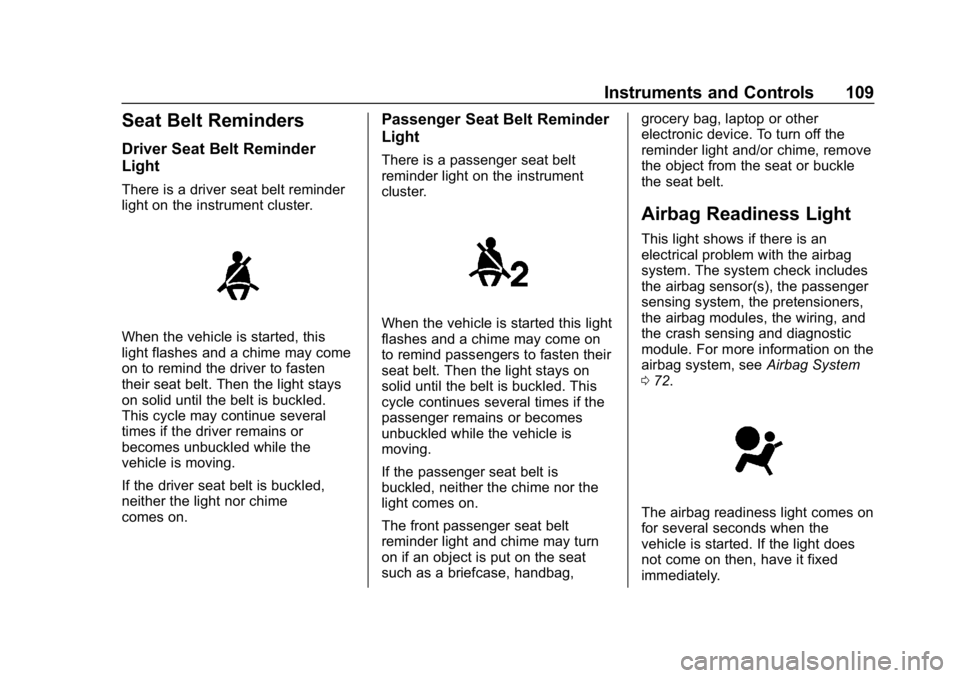
There is a driver seat belt reminder
light on the instrument cluster.
When the vehicle is started, this
light flashes and a chime may come
on to remind the driver to fasten
their seat belt. Then the light stays
on solid until the belt is buckled.
This cycle may continue several
times if the driver remains or
becomes unbuckled while the
vehicle is moving.
If the driver seat belt is buckled,
neither the light nor chime
comes on.
Passenger Seat Belt Reminder
Light
There is a passenger seat belt
reminder light on the instrument
cluster.
When the vehicle is started this light
flashes and a chime may come on
to remind passengers to fasten their
seat belt. Then the light stays on
solid until the belt is buckled. This
cycle continues several times if the
passenger remains or becomes
unbuckled while the vehicle is
moving.
If the passenger seat belt is
buckled, neither the chime nor the
light comes on.
The front passenger seat belt
reminder light and chime may turn
on if an object is put on the seat
such as a briefcase, handbag,grocery bag, laptop or other
electronic device. To turn off the
reminder light and/or chime, remove
the object from the seat or buckle
the seat belt.
Airbag Readiness Light
This light shows if there is an
electrical problem with the airbag
system. The system check includes
the airbag sensor(s), the passenger
sensing system, the pretensioners,
the airbag modules, the wiring, and
the crash sensing and diagnostic
module. For more information on the
airbag system, see
Airbag System
0 72.
The airbag readiness light comes on
for several seconds when the
vehicle is started. If the light does
not come on then, have it fixed
immediately.
Page 119 of 358
Chevrolet Corvette Owner Manual (GMNA-Localizing-U.S./Canada/Mexico-
11374030) - 2018 - CRC - 11/8/17
118 Instruments and Controls
Cruise Control Light
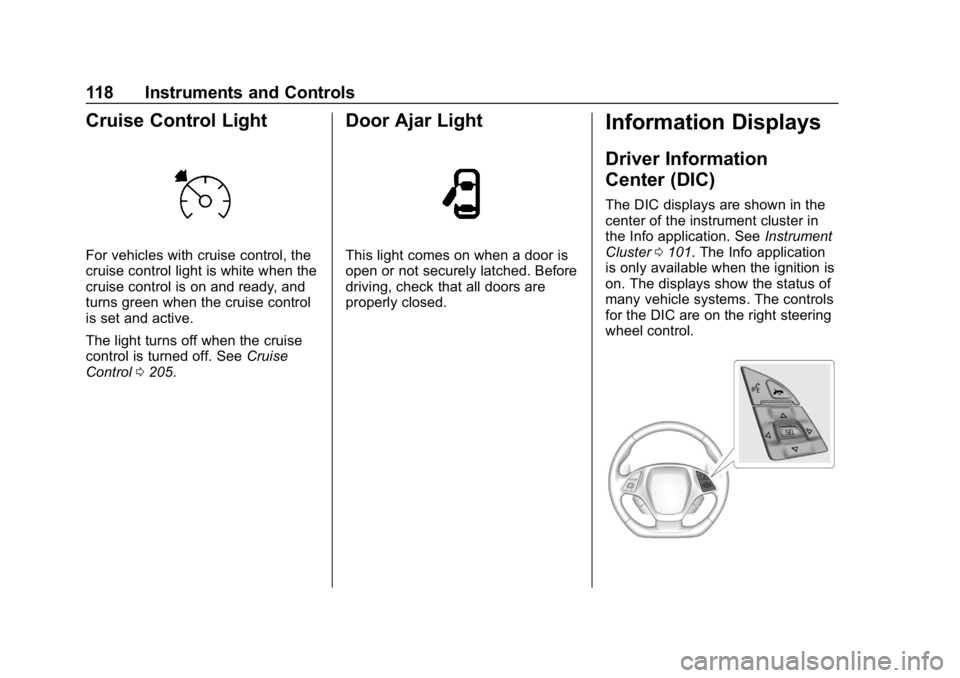
For vehicles with cruise control, the
cruise control light is white when the
cruise control is on and ready, and
turns green when the cruise control
is set and active.
The light turns off when the cruise
control is turned off. SeeCruise
Control 0205.
Door Ajar Light
This light comes on when a door is
open or not securely latched. Before
driving, check that all doors are
properly closed.
Information Displays
Driver Information
Center (DIC)
The DIC displays are shown in the
center of the instrument cluster in
the Info application. See Instrument
Cluster 0101. The Info application
is only available when the ignition is
on. The displays show the status of
many vehicle systems. The controls
for the DIC are on the right steering
wheel control.
Page 122 of 358
Chevrolet Corvette Owner Manual (GMNA-Localizing-U.S./Canada/Mexico-
11374030) - 2018 - CRC - 11/8/17
Instruments and Controls 121
Head-Up Display (HUD)
{Warning
If the HUD image is too bright,
or too high in your field of view, it
may take you more time to see
things you need to see when it is
dark outside. Be sure to keep the
HUD image dim and placed low in
your field of view.
If equipped with HUD, some
information concerning the
operation of the vehicle is projected
onto the windshield.
The HUD information appears as an
image focused out toward the front
of the vehicle.
Caution
If you try to use the HUD image
as a parking aid, you may
misjudge the distance and
damage your vehicle. Do not use
the HUD image as a parking aid. The HUD information can be
displayed in various languages. The
speedometer reading and other
numerical values can be displayed
in either English or metric units.
The language selection is changed
through the radio and the units of
measurement is changed through
the instrument cluster. See
Vehicle
Personalization 0126 and“Settings”
under Instrument Cluster 0101.
The HUD may display different
alerts and information for vehicles
equipped with these features:
. Speedometer
. Tachometer
. Manual Transmission Gear (If
Equipped)
. Manual Paddle Shift Gear
Indicator (If Equipped)
These displays on the HUD are
for use when using the manual
paddle shift controls to shift the
transmission. See “Manual
Paddle Shift” inManual Mode
0 187. .
Shift Light
This light is used for
performance driving to indicate
that the vehicle's best
performance level has been
reached to shift the transmission
into the next higher gear. An
arrow pointing up will light up on
the display just prior to reaching
the engine fuel cut-off mode.
. G-Force Gauge
. Audio Information
. Upcoming Maneuver from
OnBoard Navigation
. Upcoming Maneuver from
OnStar
. Incoming Call
Page 123 of 358
Chevrolet Corvette Owner Manual (GMNA-Localizing-U.S./Canada/Mexico-
11374030) - 2018 - CRC - 11/8/17
122 Instruments and Controls
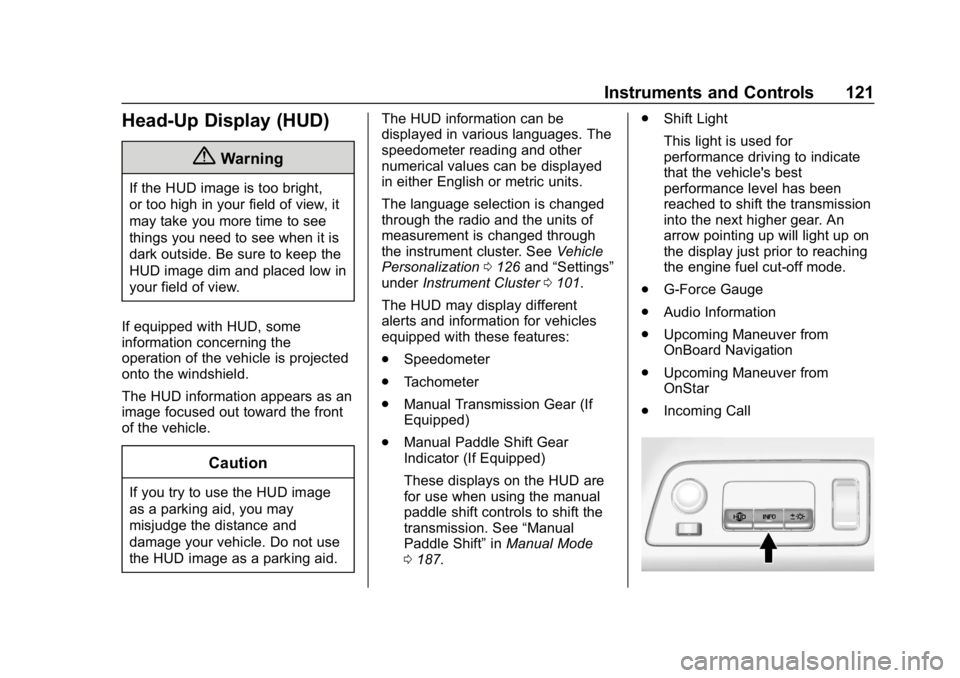
The HUD control is to the left of the
steering wheel on the instrument
panel.
To adjust the HUD image so that
items are properly displayed:1. Adjust the driver seat.
2. Start the engine.
3. Adjust the following HUD settings as needed.
$:Press down or lift up to adjust
the vertical position of the HUD
image in the windshield.
!: Press to select the display
view. Each press will cause the
display view to change to the next
view. If vehicle messages are
displayed, pressing the DIC select
button may clear the message. See
Driver Information Center (DIC)
0 118.
D:Lift up and hold to brighten the
display. Press down and hold to dim
the display. Hold down to turn the
display off. The HUD image will automatically
dim and brighten to compensate for
outside lighting. The HUD
brightness control can also be
adjusted as needed.
The HUD image can temporarily
light up depending on the angle and
position of the sunlight on the HUD
display. This is normal.
Polarized sunglasses could make
the HUD image harder to see.
Head-Up Display (HUD) Rotation
Option
This feature allows for adjusting the
angle of the HUD image.
Use the right steering wheel
controls to open and scroll through
different items and displays.
While in the options menu, press
w
orxto scroll to the HUD rotation
page. Press
pwhile Head-Up
Display Rotation is highlighted to
enter Adjust Mode.
Press
worxto adjust the angle of
the HUD display. Press SEL to save
the setting. To cancel the setting, press
o. The vehicle must be in
P (Park). See Instrument Cluster
0 101.
Display Views
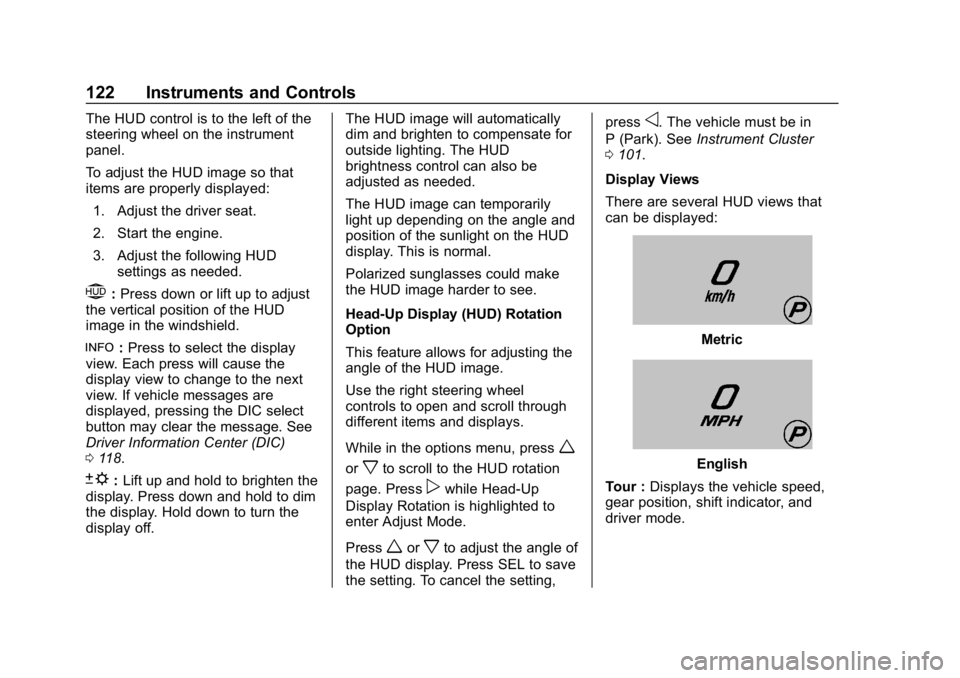
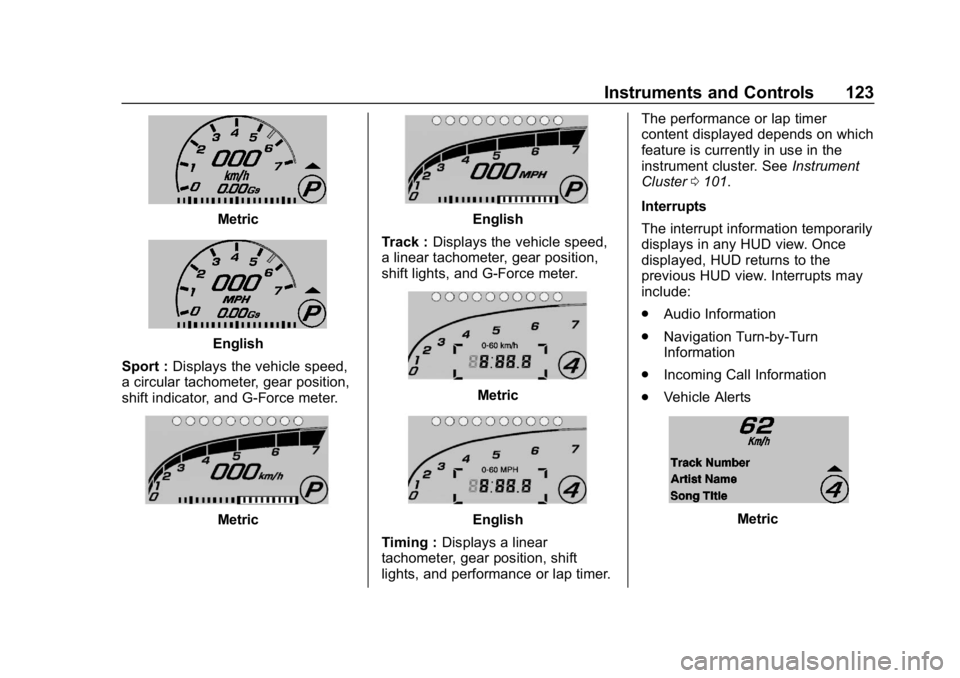
There are several HUD views that
can be displayed:
Metric
English
Tour : Displays the vehicle speed,
gear position, shift indicator, and
driver mode.
Page 124 of 358
Chevrolet Corvette Owner Manual (GMNA-Localizing-U.S./Canada/Mexico-
11374030) - 2018 - CRC - 11/8/17
Instruments and Controls 123
Metric
English
Sport : Displays the vehicle speed,
a circular tachometer, gear position,
shift indicator, and G-Force meter.
Metric
English
Track : Displays the vehicle speed,
a linear tachometer, gear position,
shift lights, and G-Force meter.
Metric
English
Timing : Displays a linear
tachometer, gear position, shift
lights, and performance or lap timer. The performance or lap timer
content displayed depends on which
feature is currently in use in the
instrument cluster. See
Instrument
Cluster 0101.
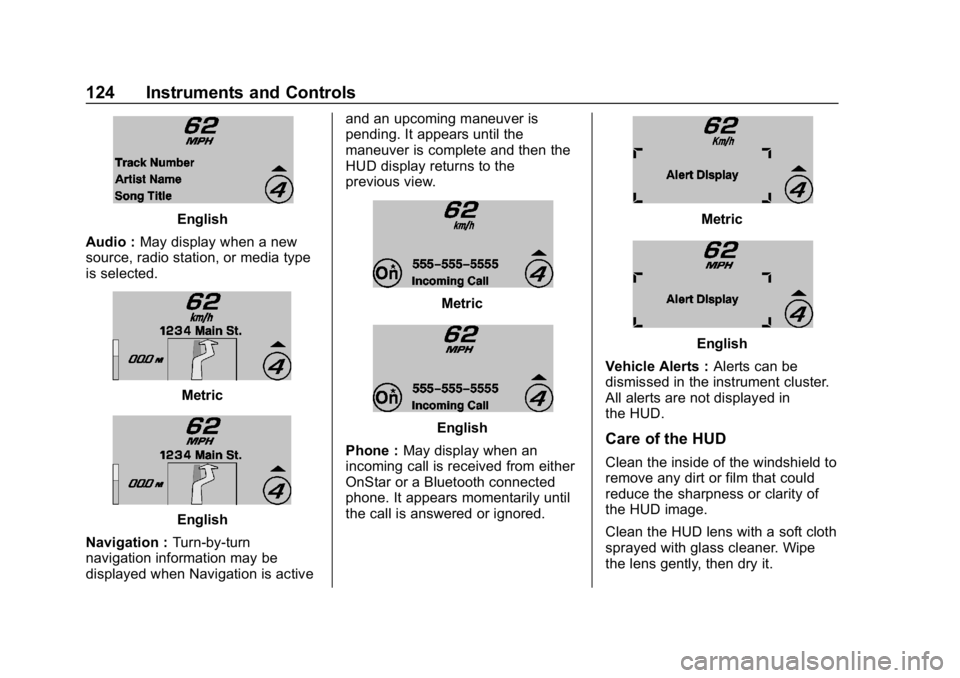
Interrupts
The interrupt information temporarily
displays in any HUD view. Once
displayed, HUD returns to the
previous HUD view. Interrupts may
include:
. Audio Information
. Navigation Turn-by-Turn
Information
. Incoming Call Information
. Vehicle AlertsMetric
Page 125 of 358
Chevrolet Corvette Owner Manual (GMNA-Localizing-U.S./Canada/Mexico-
11374030) - 2018 - CRC - 11/8/17
124 Instruments and Controls
English
Audio : May display when a new
source, radio station, or media type
is selected.
Metric
English
Navigation : Turn-by-turn
navigation information may be
displayed when Navigation is active and an upcoming maneuver is
pending. It appears until the
maneuver is complete and then the
HUD display returns to the
previous view.
Metric
English
Phone : May display when an
incoming call is received from either
OnStar or a Bluetooth connected
phone. It appears momentarily until
the call is answered or ignored.
Metric
English
Vehicle Alerts : Alerts can be
dismissed in the instrument cluster.
All alerts are not displayed in
the HUD.
Care of the HUD
Clean the inside of the windshield to
remove any dirt or film that could
reduce the sharpness or clarity of
the HUD image.
Clean the HUD lens with a soft cloth
sprayed with glass cleaner. Wipe
the lens gently, then dry it.
Page 139 of 358

Chevrolet Corvette Owner Manual (GMNA-Localizing-U.S./Canada/Mexico-
11374030) - 2018 - CRC - 11/8/17
138 Lighting
Headlamp High/
Low-Beam Changer
Push the turn signal lever away
from you and release to turn the
high beams on. To return to low
beams, push the lever again or pull
it toward you and release.
This indicator light turns on in the
instrument cluster when the
high-beam headlamps are on.
Flash-to-Pass
To use the flash-to-pass feature,
briefly pull the turn signal lever
toward you. The high-beam
indicator flashes to indicate to the
other driver that you intend to pass.
Daytime Running
Lamps (DRL)
DRL can make it easier for others to
see the front of your vehicle during
the day. DRL are required on all
vehicles first sold in Canada.
The DRL system makes the
dedicated lamps come on when the
following conditions are met:
.It is still daylight and the ignition
is on.
. The exterior lamp control is in
the AUTO position.
. The transmission is not in
P (Park) or the parking brake
is off.
When DRL are on, only the front
lamps will be on. The parking
lamps, taillamps, instrument panel
lights, or other exterior lamps will
not be on when the DRL are
being used.
When it is dark enough outside, the
front lamps dim to parking lamps
and the normal low-beam
headlamps turn on. When it is bright enough outside,
the regular lamps go off, and the
front DRL will take over. If the
vehicle is started in a dark garage,
the automatic headlamp system
comes on immediately. Once the
vehicle leaves the garage, it takes
approximately one minute for the
automatic headlamp system to
change to DRL if it is light outside.
During that delay, the instrument
cluster may not be as bright as
usual. Make sure the instrument
panel brightness knob is in the full
bright position. See
Instrument
Panel Illumination Control 0141.
If it is dark enough outside and the
exterior lamp control is off, a Driver
Information Center (DIC) message
may display.
Turning the exterior lamp control to
off a second time, or turning on the
headlamps will remove the DIC
message. If the parking lamps were
turned on instead, the DIC message
will continue to be displayed.
The regular headlamp system
should be turned on when needed.
Page 140 of 358
Chevrolet Corvette Owner Manual (GMNA-Localizing-U.S./Canada/Mexico-
11374030) - 2018 - CRC - 11/8/17
Lighting 139
To turn off the DRL, turn the exterior
lamp control to
Oor shift into
P (Park). The DRL will stay off until
the control is toggled again or the
transmission is shifted out of
P (Park).
For vehicles first sold in Canada,
the DRL can only be turned off
when the vehicle is parked.
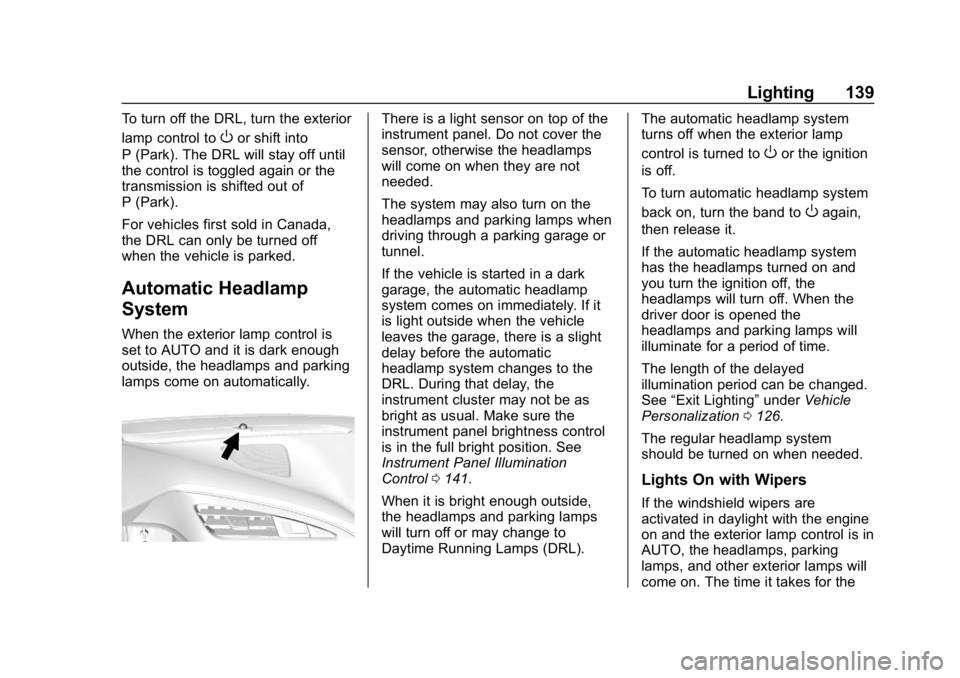
Automatic Headlamp
System
When the exterior lamp control is
set to AUTO and it is dark enough
outside, the headlamps and parking
lamps come on automatically.
There is a light sensor on top of the
instrument panel. Do not cover the
sensor, otherwise the headlamps
will come on when they are not
needed.
The system may also turn on the
headlamps and parking lamps when
driving through a parking garage or
tunnel.
If the vehicle is started in a dark
garage, the automatic headlamp
system comes on immediately. If it
is light outside when the vehicle
leaves the garage, there is a slight
delay before the automatic
headlamp system changes to the
DRL. During that delay, the
instrument cluster may not be as
bright as usual. Make sure the
instrument panel brightness control
is in the full bright position. See
Instrument Panel Illumination
Control 0141.
When it is bright enough outside,
the headlamps and parking lamps
will turn off or may change to
Daytime Running Lamps (DRL). The automatic headlamp system
turns off when the exterior lamp
control is turned to
Oor the ignition
is off.
To turn automatic headlamp system
back on, turn the band to
Oagain,
then release it.
If the automatic headlamp system
has the headlamps turned on and
you turn the ignition off, the
headlamps will turn off. When the
driver door is opened the
headlamps and parking lamps will
illuminate for a period of time.
The length of the delayed
illumination period can be changed.
See “Exit Lighting” underVehicle
Personalization 0126.
The regular headlamp system
should be turned on when needed.
Lights On with Wipers
If the windshield wipers are
activated in daylight with the engine
on and the exterior lamp control is in
AUTO, the headlamps, parking
lamps, and other exterior lamps will
come on. The time it takes for the
Page 141 of 358
Chevrolet Corvette Owner Manual (GMNA-Localizing-U.S./Canada/Mexico-
11374030) - 2018 - CRC - 11/8/17
140 Lighting
lamps to turn on depends on the
wiper speed. When the wipers are
turned off, the lamps turn off. To
disable, move the exterior lamp
control to
Oor;.
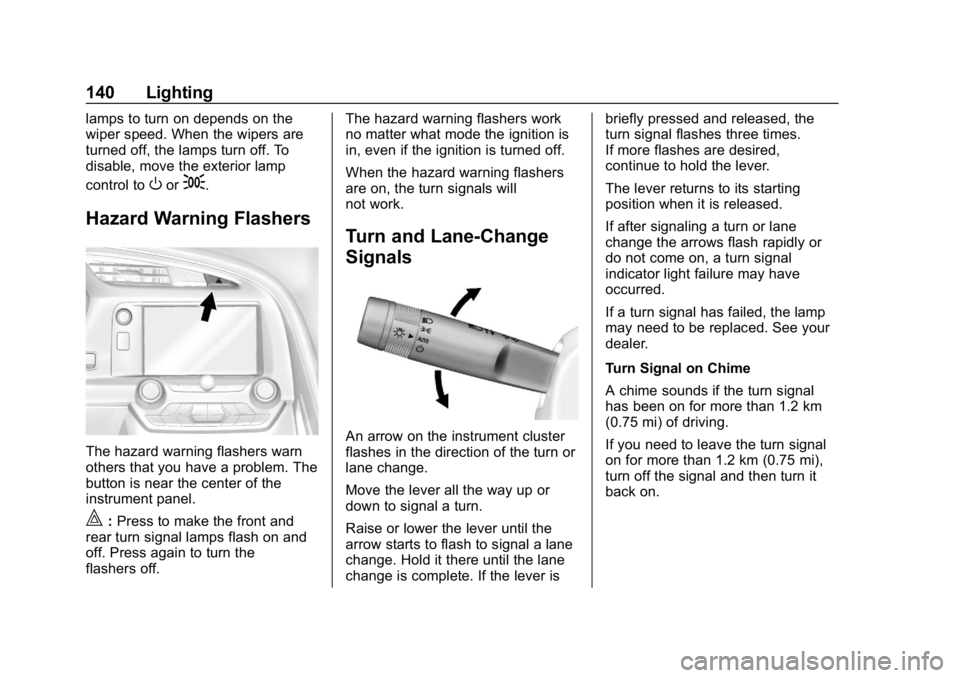
Hazard Warning Flashers
The hazard warning flashers warn
others that you have a problem. The
button is near the center of the
instrument panel.
|:Press to make the front and
rear turn signal lamps flash on and
off. Press again to turn the
flashers off. The hazard warning flashers work
no matter what mode the ignition is
in, even if the ignition is turned off.
When the hazard warning flashers
are on, the turn signals will
not work.
Turn and Lane-Change
Signals
An arrow on the instrument cluster
flashes in the direction of the turn or
lane change.
Move the lever all the way up or
down to signal a turn.
Raise or lower the lever until the
arrow starts to flash to signal a lane
change. Hold it there until the lane
change is complete. If the lever isbriefly pressed and released, the
turn signal flashes three times.
If more flashes are desired,
continue to hold the lever.
The lever returns to its starting
position when it is released.
If after signaling a turn or lane
change the arrows flash rapidly or
do not come on, a turn signal
indicator light failure may have
occurred.
If a turn signal has failed, the lamp
may need to be replaced. See your
dealer.
Turn Signal on Chime
A chime sounds if the turn signal
has been on for more than 1.2 km
(0.75 mi) of driving.
If you need to leave the turn signal
on for more than 1.2 km (0.75 mi),
turn off the signal and then turn it
back on.