transmission CHEVROLET CORVETTE 2018 User Guide
[x] Cancel search | Manufacturer: CHEVROLET, Model Year: 2018, Model line: CORVETTE, Model: CHEVROLET CORVETTE 2018Pages: 358, PDF Size: 5.46 MB
Page 63 of 358
Chevrolet Corvette Owner Manual (GMNA-Localizing-U.S./Canada/Mexico-
11374030) - 2018 - CRC - 11/8/17
62 Seats and Restraints
5. Repeat Steps 1–4 for a seconddriver using 1 or 2.
To save positions for
Band easy
exit features, repeat Steps 1–4
using
B. This stores the positions
for getting out of the vehicle.
Manually Recalling Memory
Positions
Press and hold 1, 2, or
Bto recall
the previously stored memory
positions.
To stop manual recall movement,
release 1, 2, or
B. Recall can also
be stopped by pressing a power
seat, SET, power mirror, or power
steering wheel control, if memory
equipped. The driver or passenger
side mirror must be selected.
Auto Memory Recall
The vehicle identifies the number of
the current driver ’s RKE transmitter
(1–8). See Remote Keyless Entry
(RKE) System Operation 028. If the
RKE transmitter is 1 or 2, and Auto
Memory Recall is programmed on in
vehicle personalization, the positions saved to the same
memory button number 1 or 2 are
automatically recalled when the
ignition is turned on, or turned from
off to ACC/ACCESSORY. RKE
transmitters 3–8 will not provide
automatic memory recalls.
To turn Auto Memory Recall on or
off, see "Vehicle Personalization
Settings" previously in this section
and
Vehicle Personalization 0126.
For vehicles equipped with an
automatic transmission, the
transmission must be in P (Park) to
initiate Auto Memory Recall. Auto
Memory Recall will complete if the
vehicle is shifted out of P (Park)
prior to reaching the stored memory
position.
For vehicles equipped with a
manual transmission, the parking
brake must be set to initiate Auto
Memory Recall. Auto Memory
Recall will complete if the parking
brake is released prior to reaching
the stored memory position. To stop Auto Memory Recall
movement, turn the ignition off or
press any of the following memory
controls:
.
Power seat
. Memory SET, 1, 2, or
B
.Power mirror, with the driver or
passenger side mirror selected
. Power steering wheel
If the stored memory seat position
does not automatically recall or
recalls to the wrong positions, the
driver ’s RKE transmitter number (1
or 2) may not match the memory
button number that positions were
saved to. Try storing the position to
the other memory button or try the
other RKE transmitter.
Easy Exit Recall
Easy Exit Recall is not linked to an
RKE transmitter. The position stored
to
Bis used for all drivers. To turn
Easy Exit Recall on or off, see
"Vehicle Personalization Settings"
previously in this section and
Vehicle Personalization 0126.
Page 105 of 358
Chevrolet Corvette Owner Manual (GMNA-Localizing-U.S./Canada/Mexico-
11374030) - 2018 - CRC - 11/8/17
104 Instruments and Controls
Use the right steering wheel control
to open and scroll through the
different items and displays.
Press
oto access the cluster
applications. Use
worxto scroll
through the list of applications.
. Info. This is where you can view
the Driver Information Center
(DIC) displays. See Driver
Information Center (DIC) 0118.
. Performance
. Audio
. Phone
. Navigation (If Equipped)
. Options
Performance
Press SEL to enter the Performance
menu. Use
worxto scroll
through the available items.
G-force : Gives the driver an
indication of the vehicle
performance in cornering. The
G-force is displayed in the center of
the DIC as a numerical value. Friction Bubble :
A four quadrant
visual display, indicative of the four
corners of the car, with a “bubble”
showing where the most inertia is
being exerted on the vehicle.
Performance Timer : Press
p
when Performance Timer is
displayed to enter the menu.
Press
pwhile Set Start Speed is
highlighted then use
worxto
enter the start speed. Press SEL to
save it. Press
pwhile Set End
Speed is highlighted then use
w
orxto enter the end speed. Press
SEL to save it. After the start and
end speeds have been entered,
press
oto set the Sport display to
the set speeds and the performance
timer is ready to use. On the next
acceleration, the performance time
will record the time. To reset the
timer, highlight Reset on the
performance timer menu and
press SEL.
Lap Timer (If equipped) : Press
p
when Lap Timer is displayed to
start, stop, or reset the lap timer. A stopwatch icon will be displayed
when the lap timer is active. Press
SEL while the Lap Timer page is
active to start the timer. If the lamp
timer is active, pressing SEL on any
page will stop the current lap timer
and start a new lap. Also, pressing
and holding SEL on any page will
stop the lap timer.
Coolant Temperature (Z06 only) :
Shows the current coolant
temperature in either degrees
Celsius (°C) or degrees
Fahrenheit (°F).
Oil Temperature :
Shows the
current oil temperature in either
degrees Celsius (°C) or degrees
Fahrenheit (°F).
Oil Pressure : Shows the current oil
pressure in either kilopascal (kPa) or
in pounds per square inch (psi).
Battery Voltage : Shows the
current battery voltage.
Transmission Fluid
Temperature : Shows the
temperature of the transmission fluid
in either degrees Celsius (°C) or
degrees Fahrenheit (°F).
Page 107 of 358
Chevrolet Corvette Owner Manual (GMNA-Localizing-U.S./Canada/Mexico-
11374030) - 2018 - CRC - 11/8/17
106 Instruments and Controls
adjust the value. Press SEL to set
the speed. Once the speed is set,
this feature can be turned off by
pressing SEL while viewing this
page. If the selected speed limit is
exceeded, a pop-up warning is
displayed with a chime.
Pocket Gauges :Press
pwhile
Pocket Gauges is displayed to enter
the menu and select gauges that
can be displayed for the Sport
theme on the left or right of the
display area. Choose from Oil
Pressure Gauge, Oil Temperature
Gauge, Battery Voltage,
Transmission Fluid Temperature
Gauge, Horsepower, or a blank
gauge.
Software Info : Press
pwhile
Software Info is highlighted to
display open source software
information.
Speedometer
The speedometer shows the
vehicle's speed in either kilometers
per hour (km/h) or miles per
hour (mph).
Odometer
The odometer shows how far the
vehicle has been driven, in either
kilometers or miles.
Trip Odometer
The trip odometer shows how far
the vehicle has been driven since
the trip odometer was last reset.
The trip odometer is accessed and
reset through the Driver Information
Center (DIC). See Driver
Information Center (DIC) 0118.
Tachometer
The tachometer displays the engine
speed in revolutions per
minute (rpm).
Caution
If the engine is operated with the
rpm’s in the warning area at the
high end of the tachometer, the
vehicle could be damaged, and
the damage would not be covered
(Continued)
Caution (Continued)
by the vehicle warranty. Do not
operate the engine with the rpm’s
in the warning area.
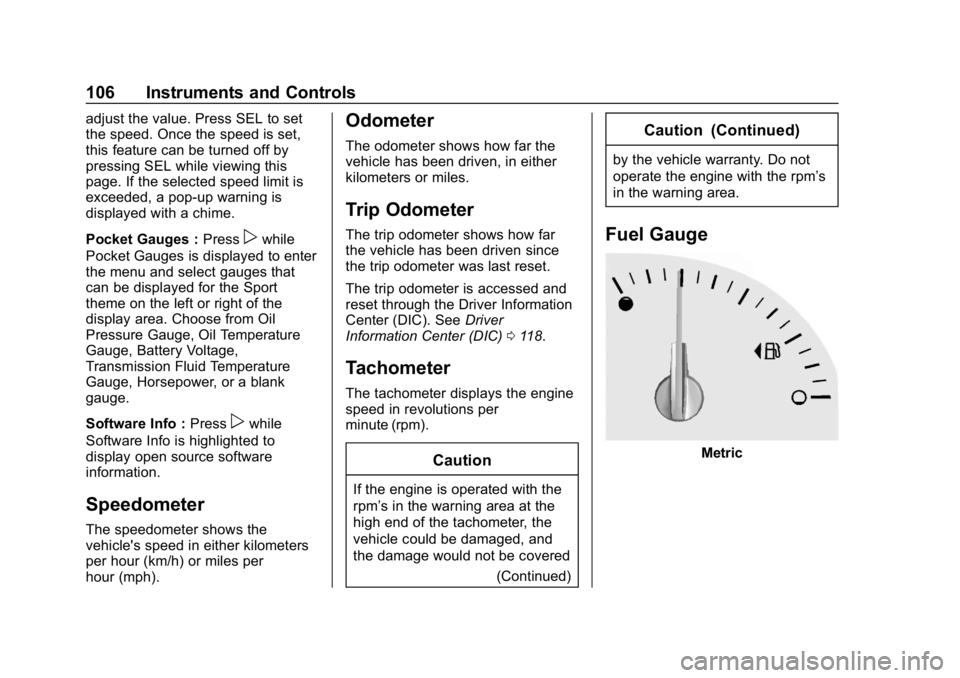
Fuel Gauge
Metric
Page 113 of 358
Chevrolet Corvette Owner Manual (GMNA-Localizing-U.S./Canada/Mexico-
11374030) - 2018 - CRC - 11/8/17
112 Instruments and Controls
Caution
Modifications to the engine,
transmission, exhaust, intake,
or fuel system, or the use of
replacement tires that do not
meet the original tire
specifications, can cause this light
to come on. This could lead to
costly repairs not covered by the
vehicle warranty. This could also
affect the vehicle’s ability to pass
an Emissions Inspection/
Maintenance test. See
Accessories and Modifications
0217.
If the light is flashing : A
malfunction has been detected that
could damage the emission control
system and increase vehicle
emissions. Diagnosis and service
may be required.
To help prevent damage, reduce
vehicle speed and avoid hard
accelerations and uphill grades. If the light continues to flash, find a
safe place to park. Turn the vehicle
off and wait at least 10 seconds
before restarting the engine. If the
light is still flashing, follow the
previous guidelines and see your
dealer for service as soon as
possible.
If the light is on steady :
A
malfunction has been detected.
Diagnosis and service may be
required.
Check the following:
. If fuel has been added to the
vehicle using the capless funnel
adapter, make sure that it has
been removed. See “Filling the
Tank with a Portable Gas Can”
under Filling the Tank 0212.
The diagnostic system can
detect if the adapter has been
left installed in the vehicle,
allowing fuel to evaporate into
the atmosphere. A few driving
trips with the adapter removed
may turn off the light. .
Poor fuel quality can cause
inefficient engine operation and
poor driveability, which may go
away once the engine is warmed
up. If this occurs, change the
fuel brand. It may require at
least one full tank of the proper
fuel to turn the light off. See Fuel
0 210.
If the light remains on, see your
dealer.
Emissions Inspection and
Maintenance Programs
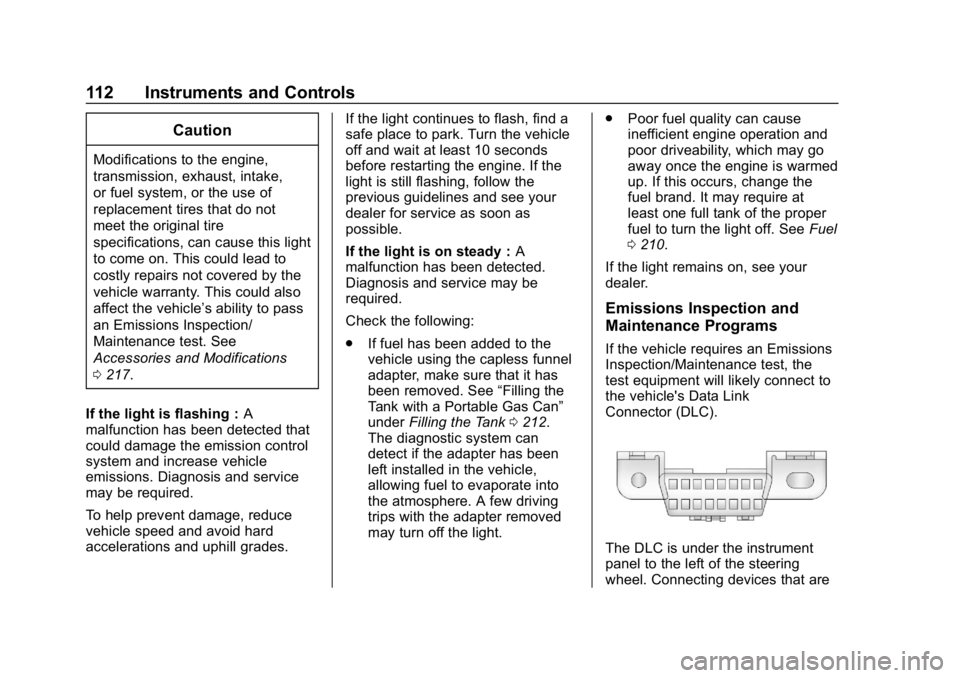
If the vehicle requires an Emissions
Inspection/Maintenance test, the
test equipment will likely connect to
the vehicle's Data Link
Connector (DLC).
The DLC is under the instrument
panel to the left of the steering
wheel. Connecting devices that are
Page 122 of 358
Chevrolet Corvette Owner Manual (GMNA-Localizing-U.S./Canada/Mexico-
11374030) - 2018 - CRC - 11/8/17
Instruments and Controls 121
Head-Up Display (HUD)
{Warning
If the HUD image is too bright,
or too high in your field of view, it
may take you more time to see
things you need to see when it is
dark outside. Be sure to keep the
HUD image dim and placed low in
your field of view.
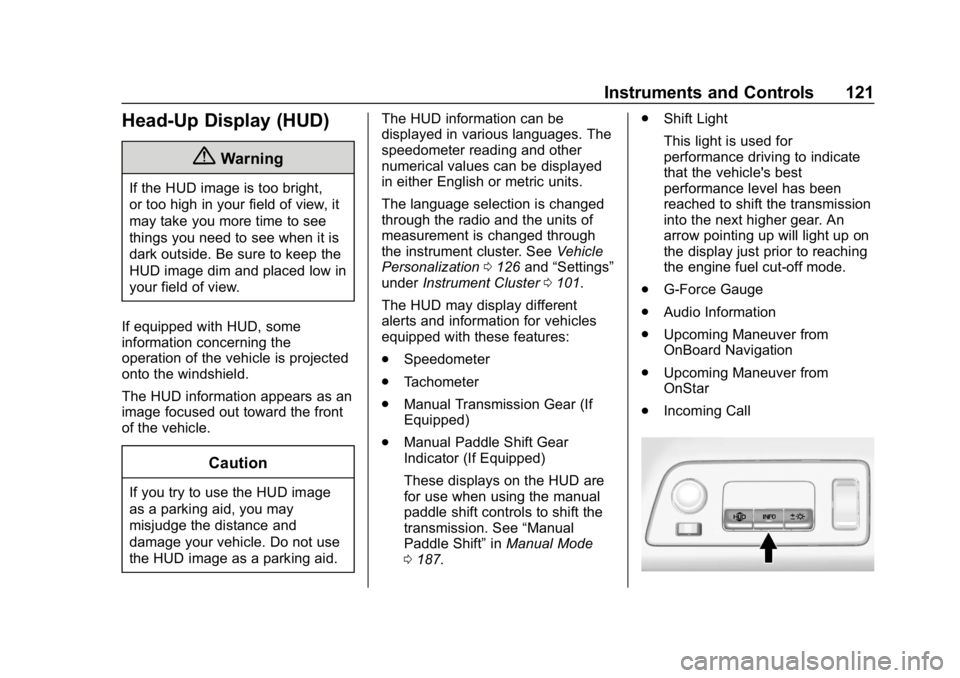
If equipped with HUD, some
information concerning the
operation of the vehicle is projected
onto the windshield.
The HUD information appears as an
image focused out toward the front
of the vehicle.
Caution
If you try to use the HUD image
as a parking aid, you may
misjudge the distance and
damage your vehicle. Do not use
the HUD image as a parking aid. The HUD information can be
displayed in various languages. The
speedometer reading and other
numerical values can be displayed
in either English or metric units.
The language selection is changed
through the radio and the units of
measurement is changed through
the instrument cluster. See
Vehicle
Personalization 0126 and“Settings”
under Instrument Cluster 0101.
The HUD may display different
alerts and information for vehicles
equipped with these features:
. Speedometer
. Tachometer
. Manual Transmission Gear (If
Equipped)
. Manual Paddle Shift Gear
Indicator (If Equipped)
These displays on the HUD are
for use when using the manual
paddle shift controls to shift the
transmission. See “Manual
Paddle Shift” inManual Mode
0 187. .
Shift Light
This light is used for
performance driving to indicate
that the vehicle's best
performance level has been
reached to shift the transmission
into the next higher gear. An
arrow pointing up will light up on
the display just prior to reaching
the engine fuel cut-off mode.
. G-Force Gauge
. Audio Information
. Upcoming Maneuver from
OnBoard Navigation
. Upcoming Maneuver from
OnStar
. Incoming Call
Page 126 of 358
Chevrolet Corvette Owner Manual (GMNA-Localizing-U.S./Canada/Mexico-
11374030) - 2018 - CRC - 11/8/17
Instruments and Controls 125
HUD Troubleshooting
Check that:
.Nothing is covering the
HUD lens.
. HUD brightness setting is not
too dim or too bright.
. HUD is adjusted to the proper
height.
. Polarized sunglasses are
not worn.
. Windshield and HUD lens are
clean.
If the HUD image is not correct,
contact your dealer.
The windshield is part of the HUD
system. See Windshield
Replacement 0248.
Vehicle Messages
Messages displayed on the DIC
indicate the status of the vehicle or
some action that may be needed to
correct a condition. Multiple
messages may appear one after
another.
The messages that do not require
immediate action can be
acknowledged and cleared by
pressing
V. The messages that
require immediate action cannot be
cleared until that action is
performed.
All messages should be taken
seriously; clearing the message
does not correct the problem.
If a SERVICE message appears,
see your dealer.
Follow the instructions given in the
messages. The system displays
messages regarding the following
topics:
. Service Messages
. Fluid Levels
. Vehicle Security .
Brakes
. Ride Control Systems
. Driver Assistance Systems
. Cruise Control
. Lighting and Bulb Replacement
. Wiper/Washer Systems
. Doors and Windows
. Seat Belts
. Airbag Systems
. Engine and Transmission
. Tire Pressure
. Battery
Engine Power Messages
ENGINE POWER IS REDUCED
This message displays when the
vehicle's propulsion power is
reduced. Reduced propulsion power
can affect the vehicle's ability to
accelerate. If this message is on,
but there is no observed reduction
in performance, proceed to your
destination. The performance may
be reduced the next time the vehicle
Page 130 of 358
Chevrolet Corvette Owner Manual (GMNA-Localizing-U.S./Canada/Mexico-
11374030) - 2018 - CRC - 11/8/17
Instruments and Controls 129
Lighting
Select and the following may
display:
.Vehicle Locator Lights
. Exit Lighting
Vehicle Locator Lights
This feature will flash the turn signal
lamps and turn on some of the
exterior lamps when
Kon the
Remote Keyless Entry (RKE)
transmitter is pressed to locate the
vehicle.
Select Off or On.
Exit Lighting
This allows the selection of how
long the exterior lamps stay on
when leaving the vehicle when it is
dark outside.
Select Off, 30 Seconds, 60 Seconds,
or 120 Seconds.
Power Door Locks
Select and the following may
display:
. Unlocked Door Anti-Lockout .
Auto Door Unlock
. Delayed Door Lock
Unlocked Door Anti-Lockout
When on, this feature will keep the
driver door from locking when the
door is open. If Off is selected, the
Delayed Door Lock menu will be
available.
Select Off or On.
Auto Door Unlock
This allows selection of which of the
doors will automatically unlock when
the vehicle is shifted into P (Park)
with an automatic transmission or
when the vehicle is turned off with a
manual transmission.
Select Off, All Doors, or Driver Door.
Delayed Door Lock
When on, this feature will delay the
locking of the doors. To override the
delay, press the power door lock
switch on the door.
Select Off or On.
Remote Lock, Unlock, Start
Select and the following may
display:
. Remote Unlock Light Feedback
. Remote Lock Feedback
. Remote Door Unlock
. Remote Start Auto Cool Seats
. Remote Start Auto Heat Seats
. Passive Door Unlock
. Passive Door Lock
. Remote Left in Vehicle Alert
Remote Unlock Light Feedback
When on, the exterior lamps will
flash when unlocking the vehicle
with the RKE transmitter.
Select Off or Flash Lights.
Remote Lock Feedback
This allows selection of what type of
feedback is given when locking the
vehicle with the RKE transmitter.
Select Off, Lights and Horn, Lights
Only, or Horn Only.
Page 134 of 358
Chevrolet Corvette Owner Manual (GMNA-Localizing-U.S./Canada/Mexico-
11374030) - 2018 - CRC - 11/8/17
Instruments and Controls 133
Universal Remote
System
SeeRadio Frequency Statement
0 331.
The FCC Grant of Equipment
Authorization Certificate number is
NZLSAHL5B.
The Canadian Registration ID
number is 4112A-SAHL5B.
Universal Remote System
Programming
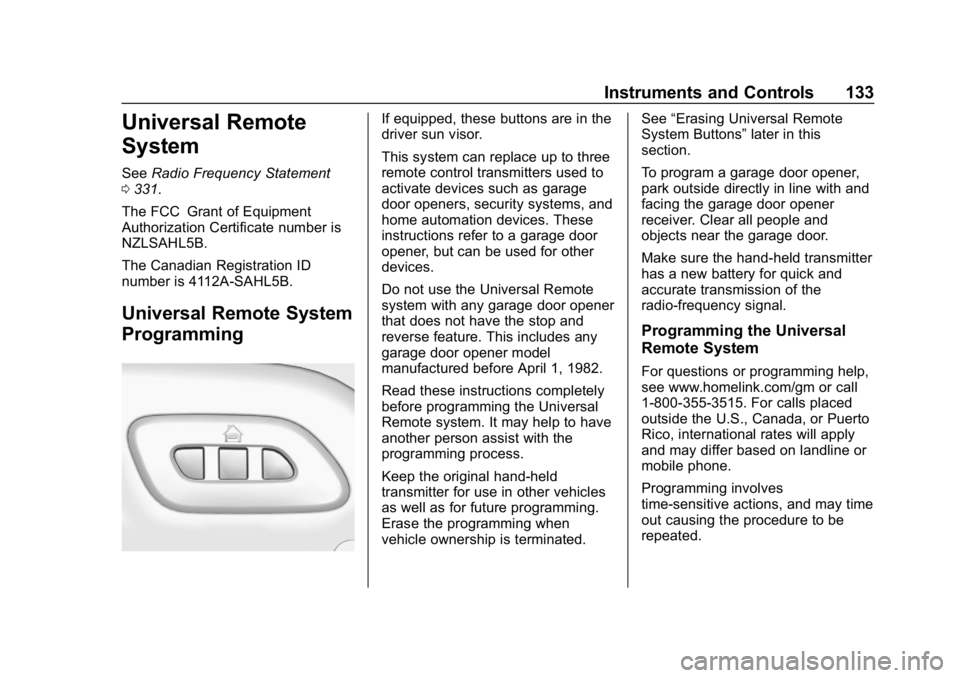
If equipped, these buttons are in the
driver sun visor.
This system can replace up to three
remote control transmitters used to
activate devices such as garage
door openers, security systems, and
home automation devices. These
instructions refer to a garage door
opener, but can be used for other
devices.
Do not use the Universal Remote
system with any garage door opener
that does not have the stop and
reverse feature. This includes any
garage door opener model
manufactured before April 1, 1982.
Read these instructions completely
before programming the Universal
Remote system. It may help to have
another person assist with the
programming process.
Keep the original hand-held
transmitter for use in other vehicles
as well as for future programming.
Erase the programming when
vehicle ownership is terminated. See
“Erasing Universal Remote
System Buttons” later in this
section.
To program a garage door opener,
park outside directly in line with and
facing the garage door opener
receiver. Clear all people and
objects near the garage door.
Make sure the hand-held transmitter
has a new battery for quick and
accurate transmission of the
radio-frequency signal.
Programming the Universal
Remote System
For questions or programming help,
see www.homelink.com/gm or call
1-800-355-3515. For calls placed
outside the U.S., Canada, or Puerto
Rico, international rates will apply
and may differ based on landline or
mobile phone.
Programming involves
time-sensitive actions, and may time
out causing the procedure to be
repeated.
Page 136 of 358
Chevrolet Corvette Owner Manual (GMNA-Localizing-U.S./Canada/Mexico-
11374030) - 2018 - CRC - 11/8/17
Instruments and Controls 135
then release it. If the garage
door does not move or the
lamp on the garage door
opener receiver does not flash,
press and hold the same
button a second time for
two seconds, then release it.
Again, if the door does not
move or the garage door lamp
does not flash, press and hold
the same button a third time for
two seconds, then release it.
The Universal Remote system
should now activate the
garage door.
Repeat the process to program the
two remaining buttons.
Radio Signals for Some Gate
Operators
For questions or programming help,
see www.homelink.com/gm or call
1-800-355-3515. For calls placed
outside the U.S., Canada, or Puerto
Rico, international rates will apply
and may differ based on landline or
mobile phone. Some gate operators and
radio-frequency laws require
transmitter signals to time out or quit
after several seconds of
transmission. This may not be long
enough for the Universal Remote
system to pick up the signal during
programming.
If the programming did not work,
replace Step 2 under
“Programming
the Universal Remote System” with
the following:
Press and hold the Universal
Remote system button while
pressing and releasing the
hand-held transmitter button every
two seconds until the signal has
been successfully accepted by the
Universal Remote system. The
Universal Remote system indicator
light will flash slowly at first and then
rapidly. Proceed with Step 3 under
“Programming the Universal Remote
System” to complete.
Universal Remote System
Operation
Using the Universal Remote
System
Press and hold the appropriate
Universal Remote system button for
at least one-half second. The
indicator light will come on while the
signal is being transmitted.
Erasing Universal Remote
System Buttons
Erase all programmed buttons when
vehicle ownership is terminated.
To erase:
1. Press and hold the two outside buttons until the indicator light
begins to flash. This should
take about 10 seconds.
2. Release both buttons.
Page 139 of 358

Chevrolet Corvette Owner Manual (GMNA-Localizing-U.S./Canada/Mexico-
11374030) - 2018 - CRC - 11/8/17
138 Lighting
Headlamp High/
Low-Beam Changer
Push the turn signal lever away
from you and release to turn the
high beams on. To return to low
beams, push the lever again or pull
it toward you and release.
This indicator light turns on in the
instrument cluster when the
high-beam headlamps are on.
Flash-to-Pass
To use the flash-to-pass feature,
briefly pull the turn signal lever
toward you. The high-beam
indicator flashes to indicate to the
other driver that you intend to pass.
Daytime Running
Lamps (DRL)
DRL can make it easier for others to
see the front of your vehicle during
the day. DRL are required on all
vehicles first sold in Canada.
The DRL system makes the
dedicated lamps come on when the
following conditions are met:
.It is still daylight and the ignition
is on.
. The exterior lamp control is in
the AUTO position.
. The transmission is not in
P (Park) or the parking brake
is off.
When DRL are on, only the front
lamps will be on. The parking
lamps, taillamps, instrument panel
lights, or other exterior lamps will
not be on when the DRL are
being used.
When it is dark enough outside, the
front lamps dim to parking lamps
and the normal low-beam
headlamps turn on. When it is bright enough outside,
the regular lamps go off, and the
front DRL will take over. If the
vehicle is started in a dark garage,
the automatic headlamp system
comes on immediately. Once the
vehicle leaves the garage, it takes
approximately one minute for the
automatic headlamp system to
change to DRL if it is light outside.
During that delay, the instrument
cluster may not be as bright as
usual. Make sure the instrument
panel brightness knob is in the full
bright position. See
Instrument
Panel Illumination Control 0141.
If it is dark enough outside and the
exterior lamp control is off, a Driver
Information Center (DIC) message
may display.
Turning the exterior lamp control to
off a second time, or turning on the
headlamps will remove the DIC
message. If the parking lamps were
turned on instead, the DIC message
will continue to be displayed.
The regular headlamp system
should be turned on when needed.