brake CHEVROLET CORVETTE 2019 User Guide
[x] Cancel search | Manufacturer: CHEVROLET, Model Year: 2019, Model line: CORVETTE, Model: CHEVROLET CORVETTE 2019Pages: 367, PDF Size: 6.8 MB
Page 40 of 367
Chevrolet Corvette Owner Manual (GMNA-Localizing-U.S./Canada/Mexico-
12032182) - 2019 - crc - 5/8/18
Keys, Doors, and Windows 39
Warning (Continued)
and set the fan speed to the
highest setting. See
“Climate Control Systems”
in the Index.
. If the vehicle is equipped
with a power liftgate, disable
the power liftgate function.
For more information about
carbon monoxide, see Engine
Exhaust 0186.
Hatch/Trunk Release
For automatic transmissions, the
vehicle must be in P (Park).
For manual transmissions, the
vehicle must be off or stationary
with the parking brake set. See
Electric Parking Brake 0195.
{Warning
When opening or closing the
hatch/trunk, keep hands away
from the closure area. You or
others could be injured.
{Warning
The ZR1 has a small amount of
space between the hatch/trunk lid
and the rear adjustable
performance wing. To help avoid
potential injury from pinching, use
one hand to raise the hatch/trunk
lid enough to clear the wing, and
use the other hand to fully open
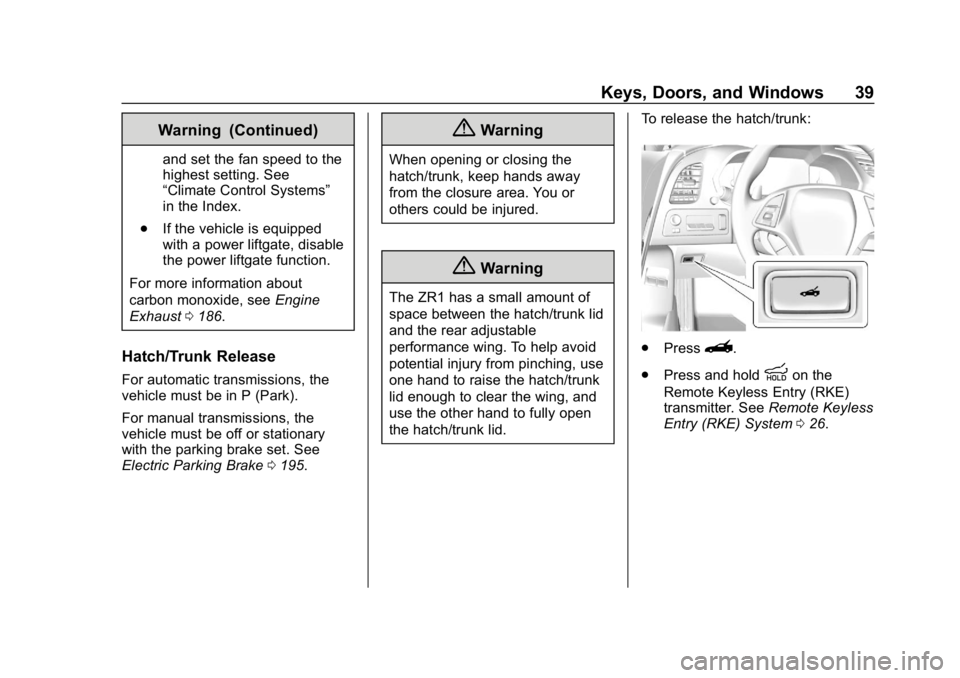
the hatch/trunk lid. To release the hatch/trunk:
.
Press}.
. Press and hold
Mon the
Remote Keyless Entry (RKE)
transmitter. See Remote Keyless
Entry (RKE) System 026.
Page 50 of 367
Chevrolet Corvette Owner Manual (GMNA-Localizing-U.S./Canada/Mexico-
12032182) - 2019 - crc - 5/8/18
Keys, Doors, and Windows 49
Removing the Roof Panel
{Warning
Do not remove a roof panel while
the vehicle is moving. The panel
could fall into the vehicle and
strike an occupant and cause you
to lose control. It could also fly off
and strike another vehicle.
Remove the roof panel only when
the vehicle is parked.
It may be necessary to have help
removing the roof panel.
To remove: 1. Shift an automatic transmission into P (Park) or a manual
transmission into 1 (First) or
R (Reverse).
2. Turn the ignition off and set the parking brake.
3. Lower both sun visors.
4. Open the rear hatch/trunk and remove any items that may
interfere with proper storage of
the roof panel. 5. Lower the windows.
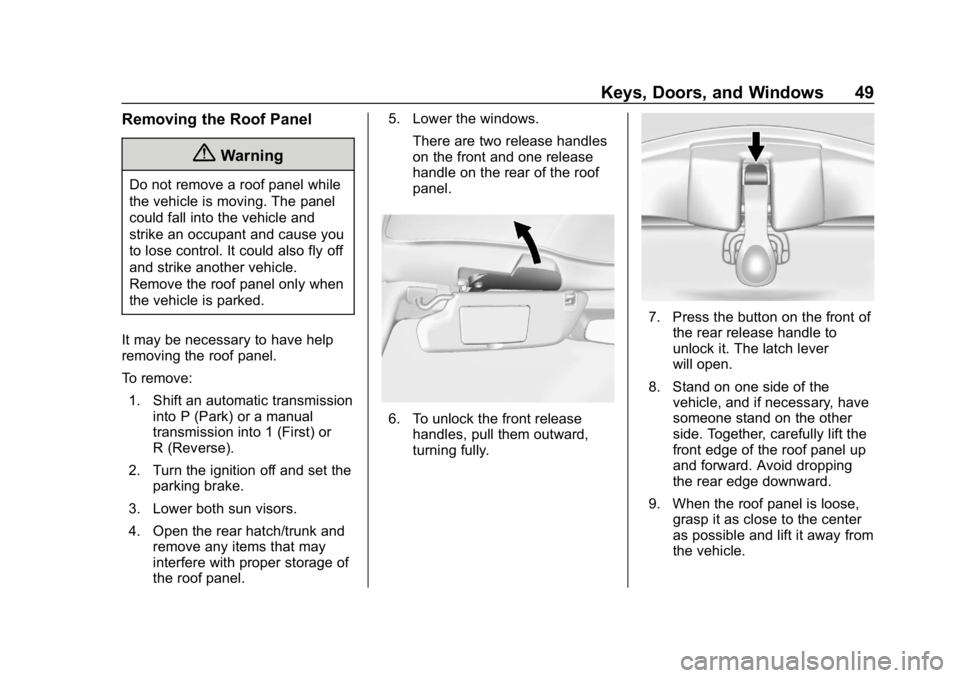
There are two release handles
on the front and one release
handle on the rear of the roof
panel.
6. To unlock the front releasehandles, pull them outward,
turning fully.
7. Press the button on the front ofthe rear release handle to
unlock it. The latch lever
will open.
8. Stand on one side of the vehicle, and if necessary, have
someone stand on the other
side. Together, carefully lift the
front edge of the roof panel up
and forward. Avoid dropping
the rear edge downward.
9. When the roof panel is loose, grasp it as close to the center
as possible and lift it away from
the vehicle.
Page 52 of 367
Chevrolet Corvette Owner Manual (GMNA-Localizing-U.S./Canada/Mexico-
12032182) - 2019 - crc - 5/8/18
Keys, Doors, and Windows 51
Caution (Continued)
interior trim. Always move
handles to the open position
when installing the roof.
It is easier if two people install the
roof panel.
To install: 1. Shift an automatic transmission into P (Park). Shift a manual
transmission into 1 (First) or
R (Reverse).
2. Turn the ignition off and set the parking brake.
3. To remove the roof panel, pull up on the rear edge and
remove it from the
storage area.
4. Carefully place the roof panel over the top of the vehicle.
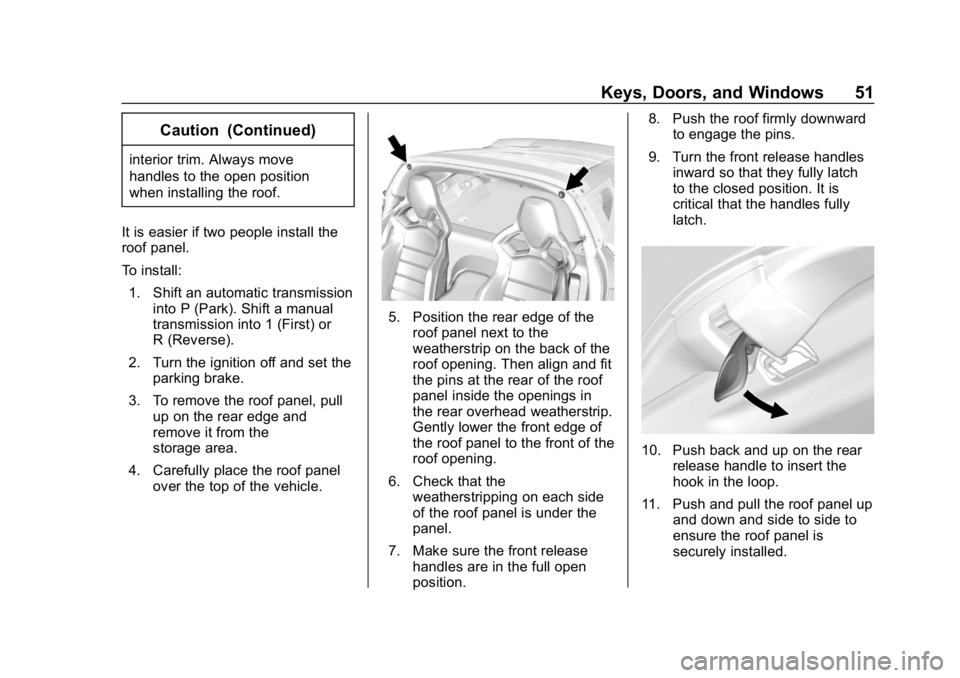
5. Position the rear edge of theroof panel next to the
weatherstrip on the back of the
roof opening. Then align and fit
the pins at the rear of the roof
panel inside the openings in
the rear overhead weatherstrip.
Gently lower the front edge of
the roof panel to the front of the
roof opening.
6. Check that the weatherstripping on each side
of the roof panel is under the
panel.
7. Make sure the front release handles are in the full open
position. 8. Push the roof firmly downward
to engage the pins.
9. Turn the front release handles inward so that they fully latch
to the closed position. It is
critical that the handles fully
latch.
10. Push back and up on the rear release handle to insert the
hook in the loop.
11. Push and pull the roof panel up and down and side to side to
ensure the roof panel is
securely installed.
Page 64 of 367
Chevrolet Corvette Owner Manual (GMNA-Localizing-U.S./Canada/Mexico-
12032182) - 2019 - crc - 5/8/18
Seats and Restraints 63
vehicle is shifted out of P (Park)
prior to reaching the stored memory
position.
For vehicles equipped with a
manual transmission, the parking
brake must be set to start Auto
Memory Recall. Auto Memory
Recall will complete if the parking
brake is released prior to reaching
the stored memory position.
To stop Auto Memory Recall
movement, turn the ignition off or
press any of the following controls:
.Power seat
. Memory SET, 1, 2, or
B
.
Power mirror, with the driver or
passenger side mirror selected
. Power steering wheel,
if equipped
If the saved memory seat position
does not automatically recall or
recalls to the wrong positions, the
driver ’s RKE transmitter number (1
or 2) may not match the memory
button number that positions were saved to. Try saving the position to
the other memory button or try the
other RKE transmitter.
Easy Exit Recall
Easy Exit Recall is not linked to an
RKE transmitter. The position saved
to
Bis used for all drivers. To turn
Easy Exit Recall on or off, see
"Vehicle Personalization Settings"
previously in this section and
Vehicle Personalization 0128.
If turned on, the position saved to
Bis automatically recalled when
one of the following occurs:
. The vehicle is turned off and the
driver door is opened within a
short time.
. The vehicle is turned off with the
driver door open.
To stop Easy Exit Recall movement,
press any of the following memory
controls:
. Power seat
. Memory SET, 1, 2, or
B
.Power mirror, with the driver or
passenger side mirror selected
. Power steering wheel,
if equipped
Seat Travel Limit
Memory recalls may not be
performed if the seatback is folded
forward or positioned rearward in
contact with the carpet. Move the
seat and/or seatback away from the
carpet until memory recall function
is available.
Obstructions
If something has blocked the driver
seat and/or power steering wheel
while recalling a memory position,
the recall may stop. Remove the
obstruction and try the recall again.
If the memory position still does not
recall, see your dealer for service.
Page 79 of 367
Chevrolet Corvette Owner Manual (GMNA-Localizing-U.S./Canada/Mexico-
12032182) - 2019 - crc - 5/8/18
78 Seats and Restraints
{Warning
When an airbag inflates, there
may be dust in the air. This dust
could cause breathing problems
for people with a history of
asthma or other breathing trouble.
To avoid this, everyone in the
vehicle should get out as soon as
it is safe to do so. If you have
breathing problems but cannot
get out of the vehicle after an
airbag inflates, then get fresh air
by opening a window or a door.
If you experience breathing
problems following an airbag
deployment, you should seek
medical attention.
The vehicle has a feature that may
automatically unlock the doors, turn
on the interior lamps and hazard
warning flashers, and shut off the
fuel system after the airbags inflate.
The feature may also activate,
without airbag inflation, after an
event that exceeds a predetermined
threshold. After turning the ignition off and then on again, the fuel
system will return to normal
operation; the doors can be locked,
the interior lamps can be turned off,
and the hazard warning flashers can
be turned off using the controls for
those features. If any of these
systems are damaged in the crash
they may not operate as normal.
{Warning
A crash severe enough to inflate
the airbags may have also
damaged important functions in
the vehicle, such as the fuel
system, brake and steering
systems, etc. Even if the vehicle
appears to be drivable after a
moderate crash, there may be
concealed damage that could
make it difficult to safely operate
the vehicle.
Use caution if you should attempt
to restart the engine after a crash
has occurred.
In many crashes severe enough to
inflate the airbag, windshields are
broken by vehicle deformation.
Additional windshield breakage may
also occur from the front outboard
passenger airbag.
.
Airbags are designed to inflate
only once. After an airbag
inflates, you will need some new
parts for the airbag system.
If you do not get them, the
airbag system will not be there
to help protect you in another
crash. A new system will include
airbag modules and possibly
other parts. The service manual
for the vehicle covers the need
to replace other parts.
. The vehicle has a crash sensing
and diagnostic module which
records information after a
crash.
See Vehicle Data Recording and
Privacy 0342 andEvent Data
Recorders 0342.
Page 99 of 367
Chevrolet Corvette Owner Manual (GMNA-Localizing-U.S./Canada/Mexico-
12032182) - 2019 - crc - 5/8/18
98 Instruments and Controls
Instruments and
Controls
Controls
Steering Wheel Adjustment . . . . 99
Steering Wheel Controls . . . . . . . 99
Horn . . . . . . . . . . . . . . . . . . . . . . . . . . . 99
Windshield Wiper/Washer . . . . . . 99
Compass . . . . . . . . . . . . . . . . . . . . . 100
Clock . . . . . . . . . . . . . . . . . . . . . . . . . 100
Power Outlets . . . . . . . . . . . . . . . . 101
Warning Lights, Gauges, and
Indicators
Warning Lights, Gauges, andIndicators . . . . . . . . . . . . . . . . . . . 102
Instrument Cluster . . . . . . . . . . . . 103
Speedometer . . . . . . . . . . . . . . . . . 108
Odometer . . . . . . . . . . . . . . . . . . . . . 108
Trip Odometer . . . . . . . . . . . . . . . . 108
Tachometer . . . . . . . . . . . . . . . . . . . 108
Fuel Gauge . . . . . . . . . . . . . . . . . . . 109
Boost Gauge (Z06 and ZR1) . . . . . . . . . . . . . . 110
Engine Coolant Temperature Gauge . . . . . . . . . . . . . . . . . . . . . . 110
Seat Belt Reminders . . . . . . . . . . 111
Airbag Readiness Light . . . . . . . 112 Passenger Airbag Status
Indicator . . . . . . . . . . . . . . . . . . . . . 112
Charging System Light . . . . . . . 113
Malfunction Indicator Lamp (Check Engine Light) . . . . . . . . 113
Brake System Warning Light . . . . . . . . . . . . . . . . . . . . . . . . 115
Electric Parking Brake Light . . . . . . . . . . . . . . . . . . . . . . . . 116
Service Electric Parking Brake Light . . . . . . . . . . . . . . . . . . . . . . . . 116
Antilock Brake System (ABS) Warning Light . . . . . . . . . . . . . . . 117
Traction Off Light . . . . . . . . . . . . . 117
Traction Control System (TCS)/ Electronic Stability Control
Light . . . . . . . . . . . . . . . . . . . . . . . . 117
Electronic Stability Control (ESC) Off Light . . . . . . . . . . . . . . 118
Engine Coolant Temperature Warning Light . . . . . . . . . . . . . . . 118
Tire Pressure Light . . . . . . . . . . . 118
Engine Oil Pressure Light . . . . . 119
Low Fuel Warning Light . . . . . . . 119
Security Light . . . . . . . . . . . . . . . . . 120
High-Beam On Light . . . . . . . . . . 120
Lamps On Reminder . . . . . . . . . 120
Cruise Control Light . . . . . . . . . . 120
Door Ajar Light . . . . . . . . . . . . . . . 120
Information Displays
Driver Information Center (DIC) . . . . . . . . . . . . . . . . 121
Head-Up Display (HUD) . . . . . . 123
Vehicle Messages
Vehicle Messages . . . . . . . . . . . . 127
Engine Power Messages . . . . . 128
Vehicle Speed Messages . . . . . 128
Vehicle Personalization
Vehicle Personalization . . . . . . . 128
Universal Remote System
Universal Remote System . . . . 135
Universal Remote System Programming . . . . . . . . . . . . . . . 135
Universal Remote System Operation . . . . . . . . . . . . . . . . . . . 138
Page 116 of 367
Chevrolet Corvette Owner Manual (GMNA-Localizing-U.S./Canada/Mexico-
12032182) - 2019 - crc - 5/8/18
Instruments and Controls 115
.Poor fuel quality can cause
inefficient engine operation and
poor driveability, which may go
away once the engine is warmed
up. If this occurs, change the
fuel brand. It may require at
least one full tank of the proper
fuel to turn the light off.
See Recommended Fuel
(LT1 6.2L V8 Engine) 0212 or
Recommended Fuel (LT4 and
LT5 6.2L Supercharged
V8 Engines) 0213.
If the light remains on, see your
dealer.
Emissions Inspection and
Maintenance Programs
If the vehicle requires an Emissions
Inspection/Maintenance test, the
test equipment will likely connect to
the vehicle's Data Link
Connector (DLC).
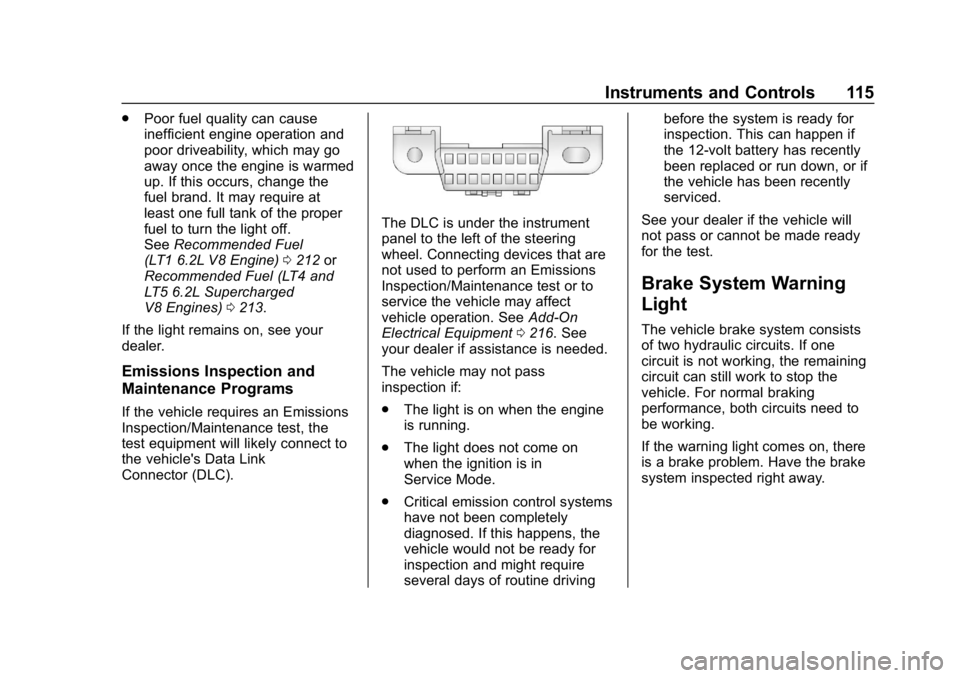
The DLC is under the instrument
panel to the left of the steering
wheel. Connecting devices that are
not used to perform an Emissions
Inspection/Maintenance test or to
service the vehicle may affect
vehicle operation. See Add-On
Electrical Equipment 0216. See
your dealer if assistance is needed.
The vehicle may not pass
inspection if:
. The light is on when the engine
is running.
. The light does not come on
when the ignition is in
Service Mode.
. Critical emission control systems
have not been completely
diagnosed. If this happens, the
vehicle would not be ready for
inspection and might require
several days of routine driving before the system is ready for
inspection. This can happen if
the 12-volt battery has recently
been replaced or run down, or if
the vehicle has been recently
serviced.
See your dealer if the vehicle will
not pass or cannot be made ready
for the test.
Brake System Warning
Light
The vehicle brake system consists
of two hydraulic circuits. If one
circuit is not working, the remaining
circuit can still work to stop the
vehicle. For normal braking
performance, both circuits need to
be working.
If the warning light comes on, there
is a brake problem. Have the brake
system inspected right away.
Page 117 of 367
Chevrolet Corvette Owner Manual (GMNA-Localizing-U.S./Canada/Mexico-
12032182) - 2019 - crc - 5/8/18
116 Instruments and Controls
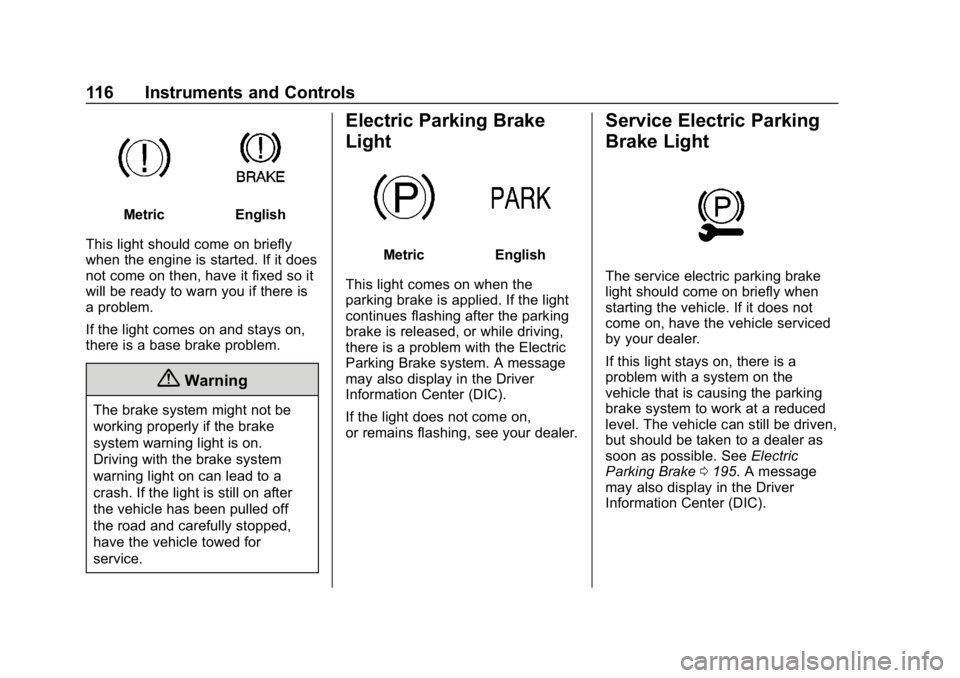
MetricEnglish
This light should come on briefly
when the engine is started. If it does
not come on then, have it fixed so it
will be ready to warn you if there is
a problem.
If the light comes on and stays on,
there is a base brake problem.
{Warning
The brake system might not be
working properly if the brake
system warning light is on.
Driving with the brake system
warning light on can lead to a
crash. If the light is still on after
the vehicle has been pulled off
the road and carefully stopped,
have the vehicle towed for
service.
Electric Parking Brake
Light
MetricEnglish
This light comes on when the
parking brake is applied. If the light
continues flashing after the parking
brake is released, or while driving,
there is a problem with the Electric
Parking Brake system. A message
may also display in the Driver
Information Center (DIC).
If the light does not come on,
or remains flashing, see your dealer.
Service Electric Parking
Brake Light
The service electric parking brake
light should come on briefly when
starting the vehicle. If it does not
come on, have the vehicle serviced
by your dealer.
If this light stays on, there is a
problem with a system on the
vehicle that is causing the parking
brake system to work at a reduced
level. The vehicle can still be driven,
but should be taken to a dealer as
soon as possible. See Electric
Parking Brake 0195. A message
may also display in the Driver
Information Center (DIC).
Page 118 of 367
Chevrolet Corvette Owner Manual (GMNA-Localizing-U.S./Canada/Mexico-
12032182) - 2019 - crc - 5/8/18
Instruments and Controls 117
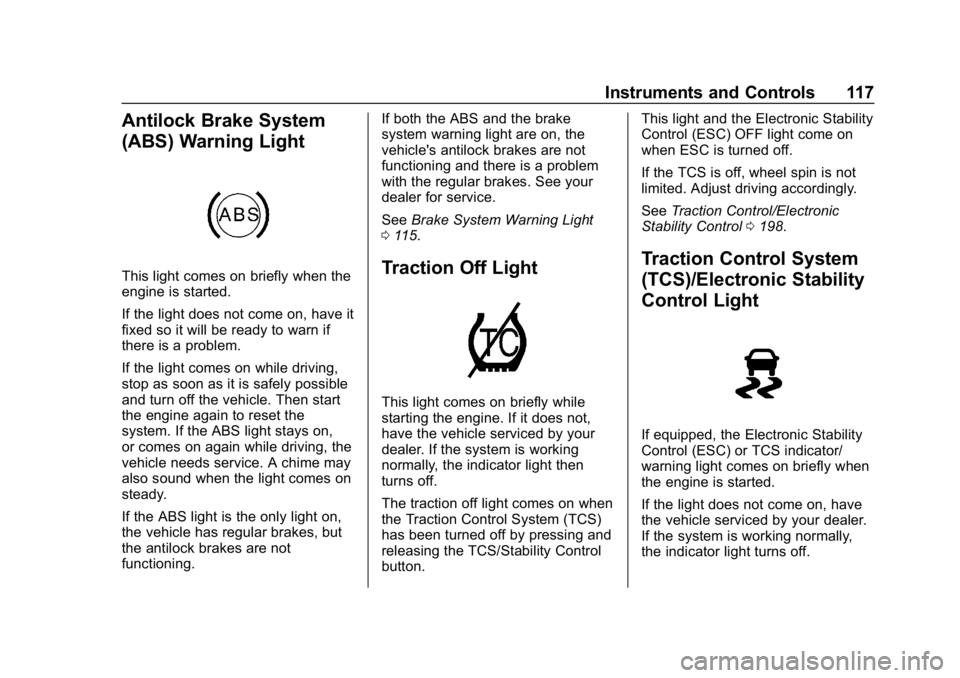
Antilock Brake System
(ABS) Warning Light
This light comes on briefly when the
engine is started.
If the light does not come on, have it
fixed so it will be ready to warn if
there is a problem.
If the light comes on while driving,
stop as soon as it is safely possible
and turn off the vehicle. Then start
the engine again to reset the
system. If the ABS light stays on,
or comes on again while driving, the
vehicle needs service. A chime may
also sound when the light comes on
steady.
If the ABS light is the only light on,
the vehicle has regular brakes, but
the antilock brakes are not
functioning.If both the ABS and the brake
system warning light are on, the
vehicle's antilock brakes are not
functioning and there is a problem
with the regular brakes. See your
dealer for service.
See
Brake System Warning Light
0 115.Traction Off Light
This light comes on briefly while
starting the engine. If it does not,
have the vehicle serviced by your
dealer. If the system is working
normally, the indicator light then
turns off.
The traction off light comes on when
the Traction Control System (TCS)
has been turned off by pressing and
releasing the TCS/Stability Control
button. This light and the Electronic Stability
Control (ESC) OFF light come on
when ESC is turned off.
If the TCS is off, wheel spin is not
limited. Adjust driving accordingly.
See
Traction Control/Electronic
Stability Control 0198.
Traction Control System
(TCS)/Electronic Stability
Control Light
If equipped, the Electronic Stability
Control (ESC) or TCS indicator/
warning light comes on briefly when
the engine is started.
If the light does not come on, have
the vehicle serviced by your dealer.
If the system is working normally,
the indicator light turns off.
Page 129 of 367
Chevrolet Corvette Owner Manual (GMNA-Localizing-U.S./Canada/Mexico-
12032182) - 2019 - crc - 5/8/18
128 Instruments and Controls
.Brakes
. Steering
. Ride Control Systems
. Driver Assistance Systems
. Cruise Control
. Lighting and Bulb Replacement
. Wiper/Washer Systems
. Doors and Windows
. Seat Belts
. Airbag Systems
. Engine and Transmission
. Tire Pressure
. Battery
Engine Power Messages
ENGINE POWER IS REDUCED
This message displays when the
vehicle's propulsion power is
reduced. Reduced propulsion power
can affect the vehicle's ability to
accelerate. If this message is on,
but there is no observed reduction
in performance, proceed to your
destination. The performance may be reduced the next time the vehicle
is driven. The vehicle may be driven
while this message is on, but
maximum acceleration and speed
may be reduced. Anytime this
message stays on, or displays
repeatedly, the vehicle should be
taken to your dealer for service as
soon as possible.
Vehicle Speed Messages
SPEED LIMITED TO
XXX KM/H (MPH)
This message shows that the
vehicle speed has been limited to
the speed displayed. The limited
speed is a protection for various
propulsion and vehicle systems,
such as lubrication, thermal,
suspension, or tires.
Vehicle
Personalization
Use the audio system controls to
access the personalization menus
for customizing vehicle features.
The following are all possible
personalization features. Depending
on the vehicle, some may not be
available.
Infotainment System Audio
System Controls
To access the
personalization menu:
1. Touch SETTINGS on the Home Page on the infotainment
display.
2. Touch the desired feature to display a list of available
options.
3. Touch to select the desired feature setting.
4. Press
oBACK on the center
stack or touch Back on the
infotainment display to return to
the previous menu.