power steering CHEVROLET CORVETTE 2020 User Guide
[x] Cancel search | Manufacturer: CHEVROLET, Model Year: 2020, Model line: CORVETTE, Model: CHEVROLET CORVETTE 2020Pages: 336, PDF Size: 5.21 MB
Page 166 of 336
Chevrolet Corvette Owner Manual (GMNA-Localizing-U.S./Canada/Mexico-
12470550) - 2020 - CRC - 4/23/20
Driving and Operating 165
Ignition Positions
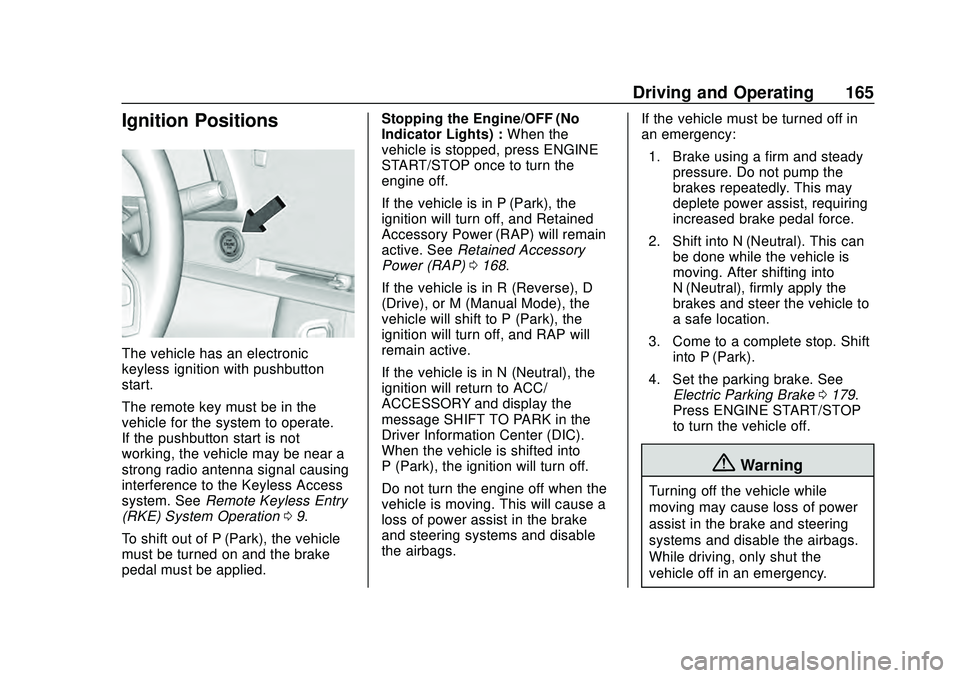
The vehicle has an electronic
keyless ignition with pushbutton
start.
The remote key must be in the
vehicle for the system to operate.
If the pushbutton start is not
working, the vehicle may be near a
strong radio antenna signal causing
interference to the Keyless Access
system. SeeRemote Keyless Entry
(RKE) System Operation 09.
To shift out of P (Park), the vehicle
must be turned on and the brake
pedal must be applied. Stopping the Engine/OFF (No
Indicator Lights) :
When the
vehicle is stopped, press ENGINE
START/STOP once to turn the
engine off.
If the vehicle is in P (Park), the
ignition will turn off, and Retained
Accessory Power (RAP) will remain
active. See Retained Accessory
Power (RAP) 0168.
If the vehicle is in R (Reverse), D
(Drive), or M (Manual Mode), the
vehicle will shift to P (Park), the
ignition will turn off, and RAP will
remain active.
If the vehicle is in N (Neutral), the
ignition will return to ACC/
ACCESSORY and display the
message SHIFT TO PARK in the
Driver Information Center (DIC).
When the vehicle is shifted into
P (Park), the ignition will turn off.
Do not turn the engine off when the
vehicle is moving. This will cause a
loss of power assist in the brake
and steering systems and disable
the airbags. If the vehicle must be turned off in
an emergency:
1. Brake using a firm and steady pressure. Do not pump the
brakes repeatedly. This may
deplete power assist, requiring
increased brake pedal force.
2. Shift into N (Neutral). This can be done while the vehicle is
moving. After shifting into
N (Neutral), firmly apply the
brakes and steer the vehicle to
a safe location.
3. Come to a complete stop. Shift into P (Park).
4. Set the parking brake. See Electric Parking Brake 0179.
Press ENGINE START/STOP
to turn the vehicle off.
{Warning
Turning off the vehicle while
moving may cause loss of power
assist in the brake and steering
systems and disable the airbags.
While driving, only shut the
vehicle off in an emergency.
Page 175 of 336
Chevrolet Corvette Owner Manual (GMNA-Localizing-U.S./Canada/Mexico-
12470550) - 2020 - CRC - 4/23/20
174 Driving and Operating
Caution
A transmission hot message may
display if the transmission fluid is
too hot. Driving under this
condition can damage the vehicle.
Stop and idle the engine to cool
the transmission fluid. This
message clears when the
transmission fluid has cooled
sufficiently.
D : This position is for normal
driving. If more power is needed for
passing, press the accelerator
pedal.
If the vehicle is shifted into D (Drive)
while the speed is too high, the
transmission will get ready to
engage D (Drive). Reduce the
vehicle speed, then the
transmission will engage D (Drive).
To shift into D (Drive):
1. Bring the vehicle to a complete stop.
2. Pull the D (Drive) switch on the center console. To shift out of D (Drive):
1. Bring the vehicle to a complete stop.
2. Shift to the desired gear.
Downshifting the transmission in
slippery road conditions could result
in skidding. See “Skidding”under
Loss of Control 0150.
The transmission can be shifted like
a manual transmission using the
paddle shift controls while in D
(Drive). See Manual Mode 0174.
Caution
Spinning the tires or holding the
vehicle in one place on a hill
using only the accelerator pedal
may damage the transmission.
The repair will not be covered by
the vehicle warranty. If the vehicle
is stuck, do not spin the tires.
When stopping on a hill, use the
brakes to hold the vehicle in
place.
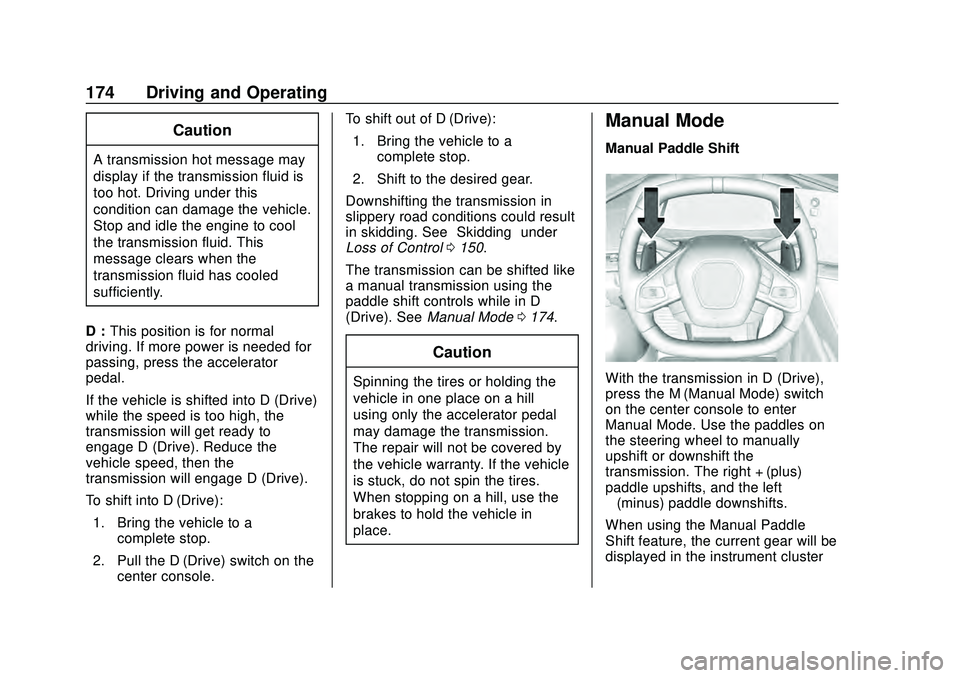
Manual Mode
Manual Paddle Shift
With the transmission in D (Drive),
press the M (Manual Mode) switch
on the center console to enter
Manual Mode. Use the paddles on
the steering wheel to manually
upshift or downshift the
transmission. The right + (plus)
paddle upshifts, and the left
−(minus) paddle downshifts.
When using the Manual Paddle
Shift feature, the current gear will be
displayed in the instrument cluster
Page 185 of 336
Chevrolet Corvette Owner Manual (GMNA-Localizing-U.S./Canada/Mexico-
12470550) - 2020 - CRC - 4/23/20
184 Driving and Operating
.If StabiliTrak/ESC is off, it will be
turned on automatically.
. Competitive Driving Mode or
Performance Traction
Management is unavailable.
. StabiliTrak/ESC will feel different
in aiding and maintaining
directional control.
Adding accessories can affect the
vehicle performance. See
Accessories and Modifications
0 211.
Hill Rollback Control
If the vehicle is in gear and
inadvertently rolls backwards, Hill
Rollback Control helps limit the
rollback to a very low speed.
A noise may be heard while the
vehicle speed is actively being
controlled. A Driver Information
Center (DIC) message displays
when active.
Driver Mode Control
Driver Mode Control (DMC) adds a
sportier feel, provides a more
comfortable ride, or assists in different weather conditions or
terrain. This system simultaneously
changes the software settings of
various sub-systems to optimize
driving performance. Depending on
the option package, available
features, and mode selection; the
Exhaust, Suspension, Steering,
Brakes, and Powertrain will change
settings to achieve the desired
mode characteristics. If the vehicle
is equipped with Magnetic Ride
Control, selecting the various driver
modes adjusts the ride of the
vehicle to enhance the ride
performance for the road conditions
and the selected mode.
Driver Mode Control has multiple
modes: My Mode, Weather, Tour,
Sport, Track, and Z-Mode.
Weather, Tour, Sport, and Track are
four modes that have preset vehicle
setting for use in different driving
conditions. My Mode and Z-Mode
are two modes which can be
customized by the driver. In these
two modes, vehicle settings are
configured to enhance and
personalize the driving experience.
See
“Mode Description,” later in this
section.
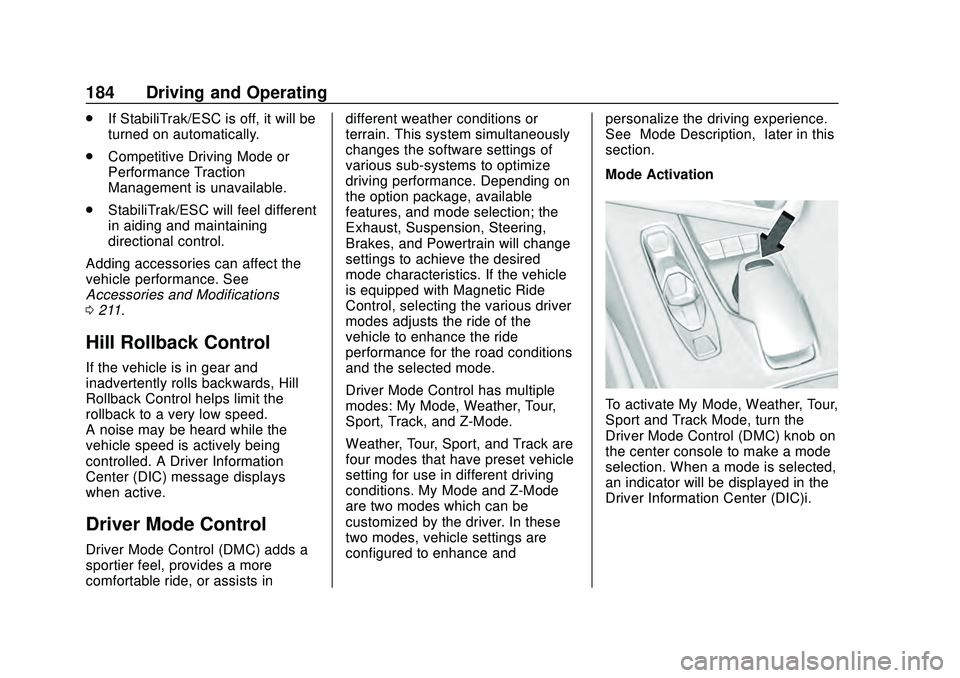
Mode Activation
To activate My Mode, Weather, Tour,
Sport and Track Mode, turn the
Driver Mode Control (DMC) knob on
the center console to make a mode
selection. When a mode is selected,
an indicator will be displayed in the
Driver Information Center (DIC)i.
Page 187 of 336
Chevrolet Corvette Owner Manual (GMNA-Localizing-U.S./Canada/Mexico-
12470550) - 2020 - CRC - 4/23/20
186 Driving and Operating
Through the center display, the
following vehicle sub-systems may
be available for customization in
this mode.
Through the center display, the
following vehicle sub-systems may
be available for customization in
this mode:
Engine Sound:(some choices,
if equipped) Stealth, Tour, Sport,
Track
Steering: Tour, Sport, Track
Suspension: If equipped, Tour,
Sport, Track Brake Response:
Tour, Sport,
Track
See “Driver Mode Attributes,” later
in this section.
See “Driver Mode Customization,”
later in this section. Cluster/HUD
can be set in the cluster.
vZ-Mode : Z-Mode is used to
personalize dynamic driving. This
mode is designed to allow the driver
to configure vehicle sub-systems to
their own preference for maximum
handling. Z-Mode further enhances
the driver experience by adding a
powertrain customization.
Through the center display, the
following vehicle sub-systems may
be available for customization in
this mode. Engine Sound:
(some choices,
if equipped) Stealth, Tour, Sport,
Track
Steering: Tour, Sport, Track
Suspension: If equipped, Tour,
Sport, Track
Powertrain: Normal, Sport, Track,
Weather
Brake Response: Tour, Sport,
Track
See “Driver Mode Attributes,” later
in this section.
See “Driver Mode Customization,”
later in this section.
Page 190 of 336
Chevrolet Corvette Owner Manual (GMNA-Localizing-U.S./Canada/Mexico-
12470550) - 2020 - CRC - 4/23/20
Driving and Operating 189
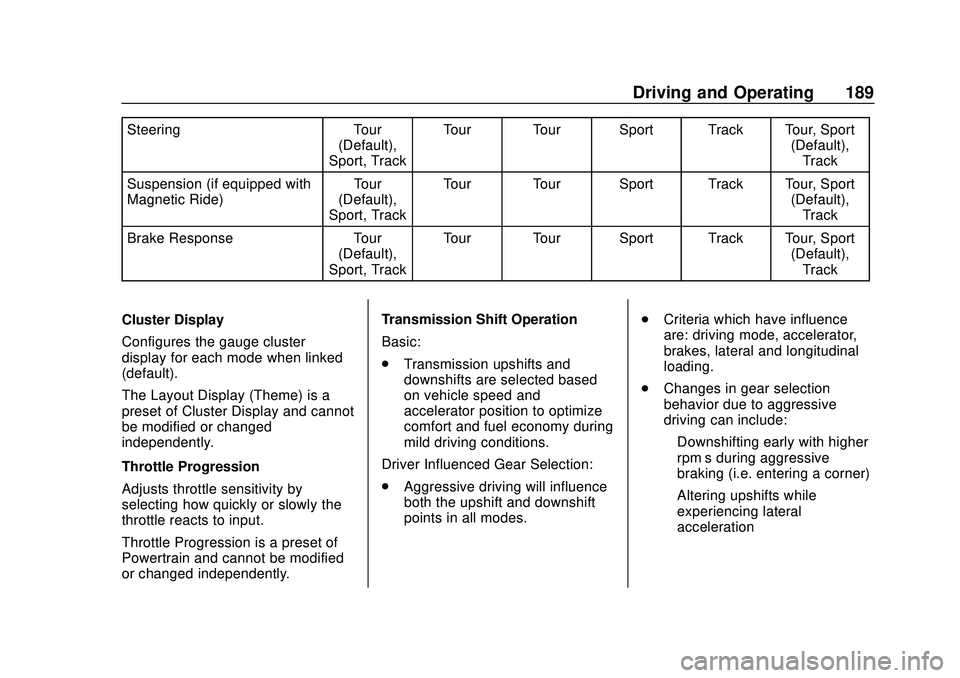
SteeringTour
(Default),
Sport, Track Tour Tour Sport Track Tour, Sport
(Default),Track
Suspension (if equipped with
Magnetic Ride) Tour
(Default),
Sport, Track Tour Tour Sport Track Tour, Sport
(Default),Track
Brake Response Tour
(Default),
Sport, Track Tour Tour Sport Track Tour, Sport
(Default),Track
Cluster Display
Configures the gauge cluster
display for each mode when linked
(default).
The Layout Display (Theme) is a
preset of Cluster Display and cannot
be modified or changed
independently.
Throttle Progression
Adjusts throttle sensitivity by
selecting how quickly or slowly the
throttle reacts to input.
Throttle Progression is a preset of
Powertrain and cannot be modified
or changed independently. Transmission Shift Operation
Basic:
.
Transmission upshifts and
downshifts are selected based
on vehicle speed and
accelerator position to optimize
comfort and fuel economy during
mild driving conditions.
Driver Influenced Gear Selection:
. Aggressive driving will influence
both the upshift and downshift
points in all modes. .
Criteria which have influence
are: driving mode, accelerator,
brakes, lateral and longitudinal
loading.
. Changes in gear selection
behavior due to aggressive
driving can include:
‐Downshifting early with higher
rpm’s during aggressive
braking (i.e. entering a corner)
‐ Altering upshifts while
experiencing lateral
acceleration
Page 191 of 336
Chevrolet Corvette Owner Manual (GMNA-Localizing-U.S./Canada/Mexico-
12470550) - 2020 - CRC - 4/23/20
190 Driving and Operating
‐Not upshifting when the
accelerator is released to
avoid unnecessary shifts if the
accelerator is re-applied
‐ Recognizing sporty driving and
anticipate upcoming corners
with the appropriate gear
selection entering and exiting
. Driver Modes
‐Driver influenced changes are
effective in all driving modes,
however the aggressiveness
of the transmission response
will increase between Tour,
Sport, and Track Modes
respectively.
Active Fuel Management (engine
cylinder shuts off)
. Normal with Dual Clutch
Transmission: The engine uses
8-cylinder mode when
accelerating, but changes to
4-cylinder mode when coasting.
Active Fuel Management is a preset
of Powertrain and cannot be
modified or changed independently. Engine Sound
Changes when the variable exhaust
valves open.
Steering (Assist Effort)
Adjusts from a lighter steering feel
to reduced assist for more
steering feel.
Magnetic Ride Control (if
equipped)
Adjusts the shock dampening
firmness based on driving
conditions to improve comfort and
performance.
Driver Mode Customization
The vehicle is equipped to modify
the following vehicle settings base
on vehicle content. Through the
center stack, under Vehicle
Settings, select Drive Mode to
customize and personalize My
Mode and/or Z-Mode.
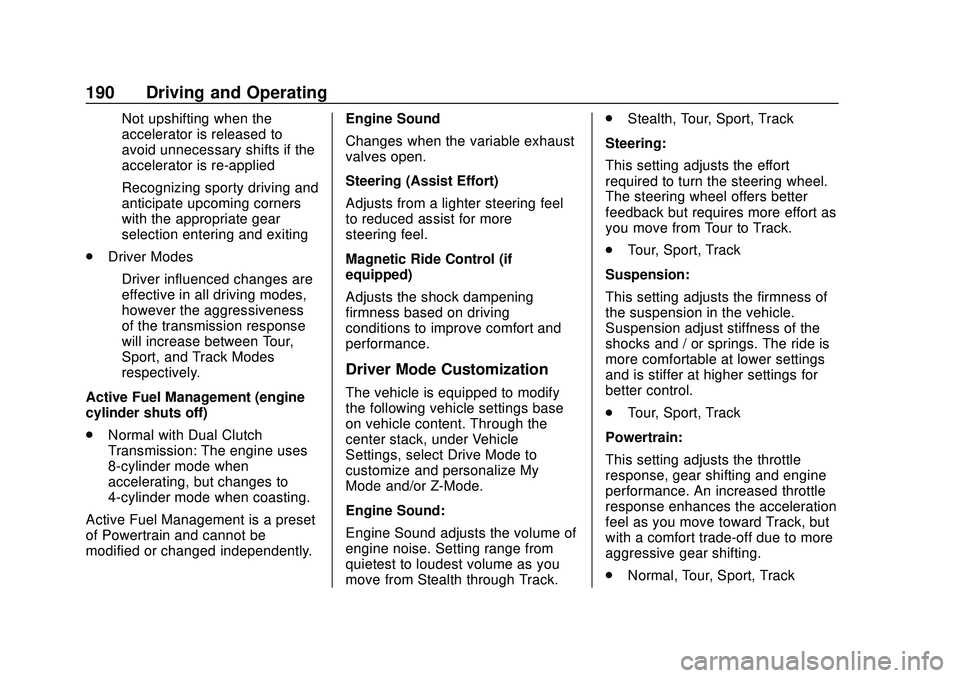
Engine Sound:
Engine Sound adjusts the volume of
engine noise. Setting range from
quietest to loudest volume as you
move from Stealth through Track..
Stealth, Tour, Sport, Track
Steering:
This setting adjusts the effort
required to turn the steering wheel.
The steering wheel offers better
feedback but requires more effort as
you move from Tour to Track.
. Tour, Sport, Track
Suspension:
This setting adjusts the firmness of
the suspension in the vehicle.
Suspension adjust stiffness of the
shocks and / or springs. The ride is
more comfortable at lower settings
and is stiffer at higher settings for
better control.
. Tour, Sport, Track
Powertrain:
This setting adjusts the throttle
response, gear shifting and engine
performance. An increased throttle
response enhances the acceleration
feel as you move toward Track, but
with a comfort trade-off due to more
aggressive gear shifting.
. Normal, Tour, Sport, Track
Page 193 of 336
Chevrolet Corvette Owner Manual (GMNA-Localizing-U.S./Canada/Mexico-
12470550) - 2020 - CRC - 4/23/20
192 Driving and Operating
controls, seeSteering Wheel
Controls 087. The driver can also
delete stored locations for the
automatic lift. If the vehicle is raised
automatically using GPS, it will
automatically lower once the vehicle
is located about 60 meters (197 feet)
from the programmed location.
Drivers can disable this function by
turning off GPS location through
their vehicle Front Lift System will
still operate, but only by using the
pushbutton command, and the “Auto
Lift Location Remembered”
confirmation message will not
display.
The Front Lift System can also be
used in accessory mode. Put the
vehicle in ACC/ACCESSORY mode,
then press and hold the button on
the center console for 10
consecutive seconds to
automatically raise the vehicle.
The DIC may display the message
“Lift System Unavailable” if the
following occur:
. Any doors are ajar.
. The hood is open. .
The vehicle is moving over
38 km/h (24 mph).
. Too many lift requests within a
short period.
The Front Lift System should not be
used to service the vehicle. Do not
place anything or body parts under
the vehicle while lifted. See
Recommended Fluids and
Lubricants 0295.
Competitive Driving Mode
If equipped, Competitive Driving
Mode, PTM, and Launch Control are
systems designed to allow
increased performance while
accelerating and/or cornering. This
is accomplished by regulating and
optimizing the engine, brakes, and
suspension performance. These
modes are for use at a closed
course race track and are not
intended for use on public roads.
They will not compensate for driver
inexperience or lack of familiarity
with the race track. Drivers who
prefer to allow the system to have
more control of the engine, brakes, and suspension are advised to turn
the normal traction control and
StabiliTrak/ESC systems on.
Competitive Driving Mode
Competitive Driving Mode allows full
engine power while StabiliTrak/ESC
helps maintain directional control of
the vehicle by selective brake
application. In this mode, the TCS is
off and Launch Control is available.
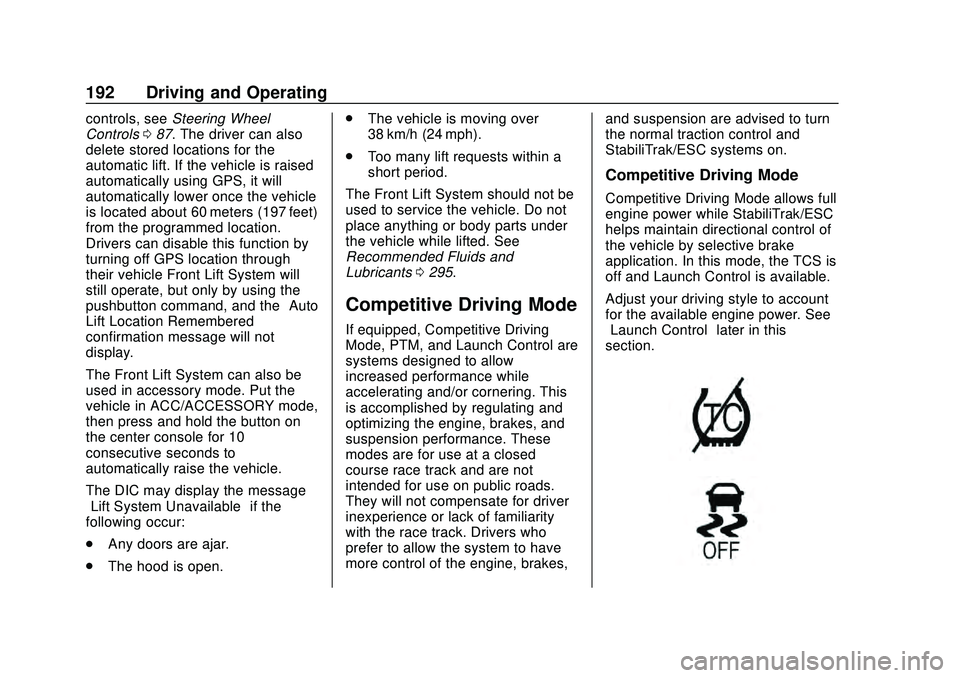
Adjust your driving style to account
for the available engine power. See
“Launch Control”
later in this
section.
Page 195 of 336
Chevrolet Corvette Owner Manual (GMNA-Localizing-U.S./Canada/Mexico-
12470550) - 2020 - CRC - 4/23/20
194 Driving and Operating
.Requires more driving skill than
mode 2.
. StabiliTrak/ESC is on and more
engine power is available than in
mode 2.
PTM Mode 4 –Sport 2
. For use by drivers who are
familiar with the track.
. Dry conditions only.
. Requires more driving skill than
modes 2 or 3.
. StabiliTrak/ESC is off and
available engine power is the
same as mode 3.
PTM Mode 5 –Race
. For use by experienced drivers
who are familiar with the track.
. Dry conditions only.
. Requires more driving skill than
in other modes.
. StabiliTrak/ESC is off and
engine power is available for
maximum cornering speed. Press and releasegto turn off PTM
and return to the TCS and
StabiliTrak/ESC systems. The
traction off light
iand StabiliTrak
Off light
gwill go out.
Launch Control (Sport and
Track Mode Only)
A Launch Control feature is
available, within Competitive Driving
Mode or PTM, on all vehicles to
allow the driver to achieve high
levels of vehicle acceleration in a
straight line. Launch Control is a
form of TCS that manages tire spin,
and transmissions clutch, while
launching the vehicle. This feature
is intended for use during closed
course race events where
consistent zero to 60 and quarter
mile times are desirable.
Launch Control is only available
when the following criteria are met:
. Competitive Driving Mode or any
of the PTM Modes are selected
(if equipped).
. The vehicle is not moving. .
The wheels and steering wheel
are pointing straight.
Launching the Vehicle
. Ensure the vehicle is in
Competitive Driving Mode or any
of the PTM modes.
. The brake pedal must be firmly
pressed to the floor, equivalent
to a panic brake event.
. While maintaining the brake
pedal, the accelerator pedal is
rapidly applied to wide open
throttle. (If the vehicle rolls due
to wide open throttle, release the
throttle, press the brake pedal
more firmly, and re-apply the
accelerator to wide open
throttle.)
The Launch Control feature will
initially limit engine speed as the
driver rapidly applies the accelerator
pedal to wide open throttle. Allow
the engine rpm’ s to stabilize.
A smooth, quick release of the
brake pedal, while maintaining the
fully pressed accelerator pedal, will
manage tire slip and transmissions
Page 196 of 336
Chevrolet Corvette Owner Manual (GMNA-Localizing-U.S./Canada/Mexico-
12470550) - 2020 - CRC - 4/23/20
Driving and Operating 195
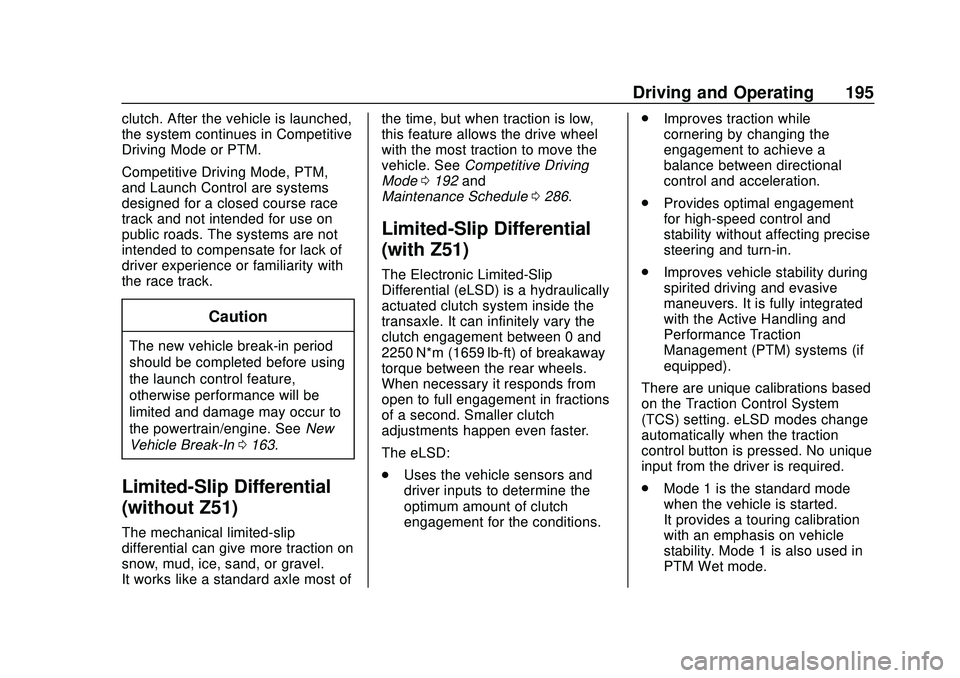
clutch. After the vehicle is launched,
the system continues in Competitive
Driving Mode or PTM.
Competitive Driving Mode, PTM,
and Launch Control are systems
designed for a closed course race
track and not intended for use on
public roads. The systems are not
intended to compensate for lack of
driver experience or familiarity with
the race track.
Caution
The new vehicle break-in period
should be completed before using
the launch control feature,
otherwise performance will be
limited and damage may occur to
the powertrain/engine. SeeNew
Vehicle Break-In 0163.
Limited-Slip Differential
(without Z51)
The mechanical limited-slip
differential can give more traction on
snow, mud, ice, sand, or gravel.
It works like a standard axle most of the time, but when traction is low,
this feature allows the drive wheel
with the most traction to move the
vehicle. See
Competitive Driving
Mode 0192 and
Maintenance Schedule 0286.
Limited-Slip Differential
(with Z51)
The Electronic Limited-Slip
Differential (eLSD) is a hydraulically
actuated clutch system inside the
transaxle. It can infinitely vary the
clutch engagement between 0 and
2250 N*m (1659 lb-ft) of breakaway
torque between the rear wheels.
When necessary it responds from
open to full engagement in fractions
of a second. Smaller clutch
adjustments happen even faster.
The eLSD:
.
Uses the vehicle sensors and
driver inputs to determine the
optimum amount of clutch
engagement for the conditions. .
Improves traction while
cornering by changing the
engagement to achieve a
balance between directional
control and acceleration.
. Provides optimal engagement
for high-speed control and
stability without affecting precise
steering and turn-in.
. Improves vehicle stability during
spirited driving and evasive
maneuvers. It is fully integrated
with the Active Handling and
Performance Traction
Management (PTM) systems (if
equipped).
There are unique calibrations based
on the Traction Control System
(TCS) setting. eLSD modes change
automatically when the traction
control button is pressed. No unique
input from the driver is required.
. Mode 1 is the standard mode
when the vehicle is started.
It provides a touring calibration
with an emphasis on vehicle
stability. Mode 1 is also used in
PTM Wet mode.
Page 242 of 336
Chevrolet Corvette Owner Manual (GMNA-Localizing-U.S./Canada/Mexico-
12470550) - 2020 - CRC - 4/23/20
Vehicle Care 241
FusesUsage
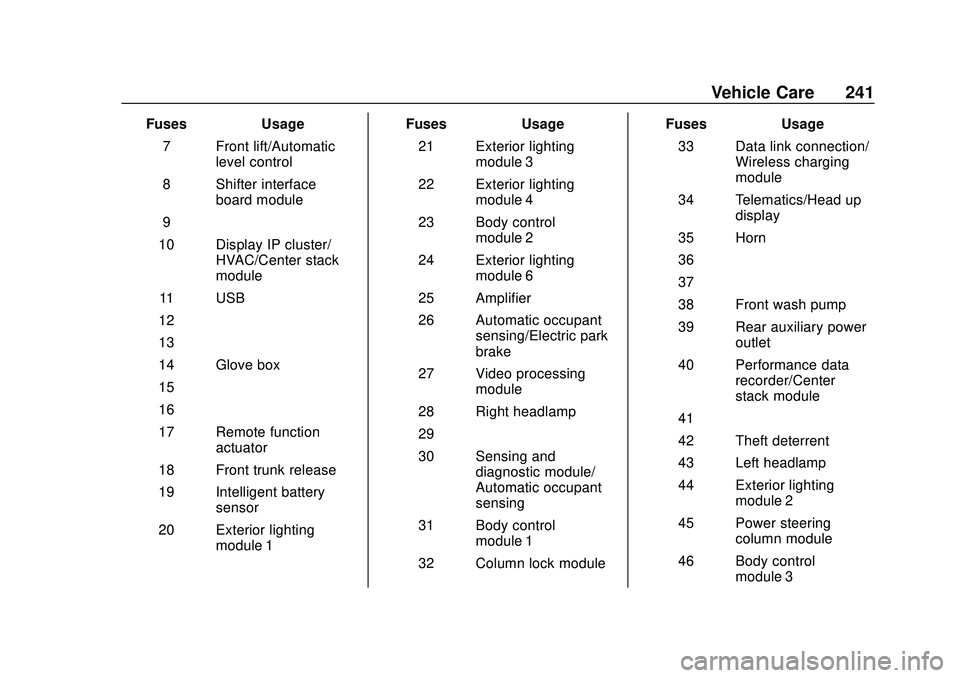
7 Front lift/Automatic level control
8 Shifter interface board module
9 –
10 Display IP cluster/ HVAC/Center stack
module
11 USB
12 –
13 –
14 Glove box
15 –
16 –
17 Remote function actuator
18 Front trunk release
19 Intelligent battery sensor
20 Exterior lighting module 1 Fuses
Usage
21 Exterior lighting module 3
22 Exterior lighting module 4
23 Body control module 2
24 Exterior lighting module 6
25 Amplifier
26 Automatic occupant sensing/Electric park
brake
27 Video processing module
28 Right headlamp
29 –
30 Sensing and diagnostic module/
Automatic occupant
sensing
31 Body control module 1
32 Column lock module Fuses
Usage
33 Data link connection/ Wireless charging
module
34 Telematics/Head up display
35 Horn
36 –
37 –
38 Front wash pump
39 Rear auxiliary power outlet
40 Performance data recorder/Center
stack module
41 –
42 Theft deterrent
43 Left headlamp
44 Exterior lighting module 2
45 Power steering column module
46 Body control module 3