ECU CHEVROLET CORVETTE 2020 Owner's Guide
[x] Cancel search | Manufacturer: CHEVROLET, Model Year: 2020, Model line: CORVETTE, Model: CHEVROLET CORVETTE 2020Pages: 336, PDF Size: 5.21 MB
Page 155 of 336
Chevrolet Corvette Owner Manual (GMNA-Localizing-U.S./Canada/Mexico-
12470550) - 2020 - CRC - 4/23/20
154 Driving and Operating
4. Apply the brakes 25 times from100 km/h (60 mph) to 50 km/h
(30 mph) while decelerating at
0.4 g. This is a medium brake
application. Drive for at least
1 km (0.6 mi) between
applications.
As with all high performance brake
systems, some amount of brake
squeal is normal.
Alternative Closed Course Brake
Burnishing Procedure
This brake burnish procedure
should only be run on vehicles with
the J55 Z51 factory equipped brake
system.
This procedure should only be run
on a track and only on dry
pavement. Brake pedal fade will
occur during this track burnish
procedure and can cause brake
pedal travel and force to increase.
This could extend stopping distance
until the brakes are fully burnished. 1. Start track lapping at lower speeds and lower braking
efforts for three minutes of driving. Allow for increased
braking distances due to
reduced brake output.
2. After Step 1, increase speed and braking effort for the next
six minutes of lapping,
gradually ending up at 90%
effort. Continue to allow for
increased braking distance due
to reduced brake output.
3. Cool the brakes by lapping with minimal light braking for six
minutes.
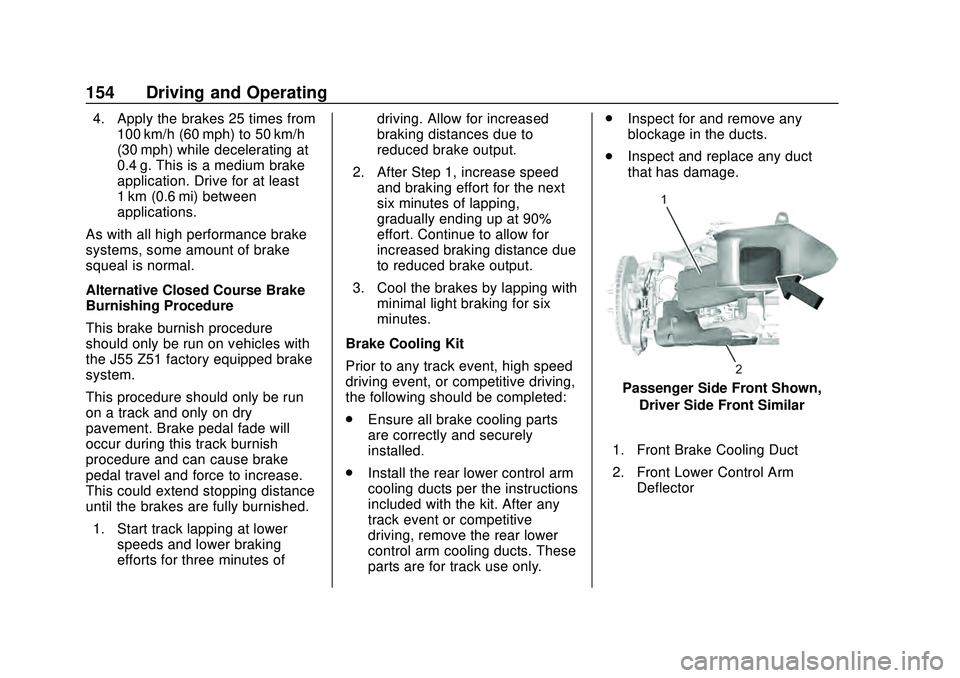
Brake Cooling Kit
Prior to any track event, high speed
driving event, or competitive driving,
the following should be completed:
. Ensure all brake cooling parts
are correctly and securely
installed.
. Install the rear lower control arm
cooling ducts per the instructions
included with the kit. After any
track event or competitive
driving, remove the rear lower
control arm cooling ducts. These
parts are for track use only. .
Inspect for and remove any
blockage in the ducts.
. Inspect and replace any duct
that has damage.
Passenger Side Front Shown,
Driver Side Front Similar
1. Front Brake Cooling Duct
2. Front Lower Control Arm Deflector
Page 164 of 336
Chevrolet Corvette Owner Manual (GMNA-Localizing-U.S./Canada/Mexico-
12470550) - 2020 - CRC - 4/23/20
Driving and Operating 163
Caution
Overloading the vehicle may
cause damage. Repairs would not
be covered by the vehicle
warranty. Do not overload the
vehicle.
{Warning
Things you put inside your
vehicle can strike and injure
people in a sudden stop or
turn, or in a crash.
.Put things in the rear
area of your vehicle. Try
to spread the weight
evenly.
.Never stack heavier
things, like suitcases,
inside the vehicle so that
some of them are above
the tops of the seats.
(Continued)
Warning (Continued)
.Do not leave an
unsecured child restraint
in your vehicle.
.When you carry
something inside the
vehicle, secure it
whenever you can.
Starting and
Operating
New Vehicle Break-In
Follow these recommended
guidelines during the first 2 414 km
(1,500 mi) of driving this vehicle.
Parts have a break-in period and
performance will be better in the
long run.
During the first 800 km (500 mi),
engine torque will be limited in low
gears.
For the first 322 km (200 mi):
. To break in new tires, drive at
moderate speeds and avoid hard
cornering.
. New brake linings also need a
break-in period. Avoid making
hard stops. This is
recommended every time brake
linings are replaced.
For the first 800 km (500 mi):
. Avoid full throttle starts and
abrupt stops.
. Do not exceed 4000 rpm.
Page 172 of 336
Chevrolet Corvette Owner Manual (GMNA-Localizing-U.S./Canada/Mexico-
12470550) - 2020 - CRC - 4/23/20
Driving and Operating 171
{Warning
To prevent exhaust gases from
entering the vehicle and heat from
damaging the vehicle, the engine
cover and all fluid fill plugs must
be secured before closing the
tonneau cover (convertible only)
and operating the vehicle. Make
sure all bolts are torqued to GM
specifications.
Running the Vehicle
While Parked
It is better not to park with the
engine running.
If the vehicle is left with the engine
running, follow the proper steps to
be sure the vehicle will not move.
SeeShifting Into Park 0168 and
Engine Exhaust 0170.
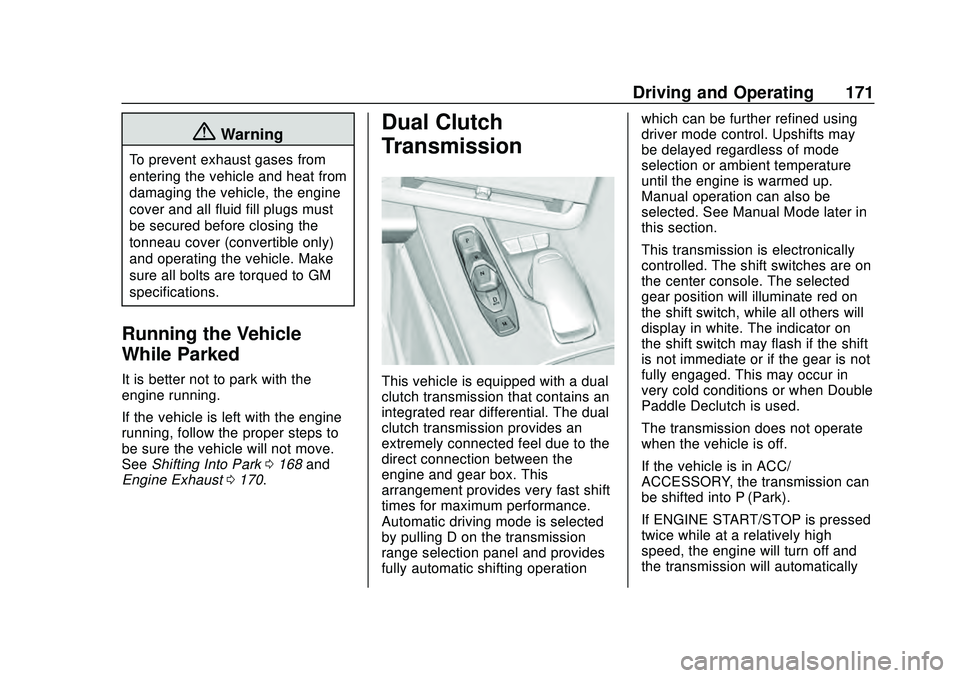
Dual Clutch
Transmission
This vehicle is equipped with a dual
clutch transmission that contains an
integrated rear differential. The dual
clutch transmission provides an
extremely connected feel due to the
direct connection between the
engine and gear box. This
arrangement provides very fast shift
times for maximum performance.
Automatic driving mode is selected
by pulling D on the transmission
range selection panel and provides
fully automatic shifting operation which can be further refined using
driver mode control. Upshifts may
be delayed regardless of mode
selection or ambient temperature
until the engine is warmed up.
Manual operation can also be
selected. See Manual Mode later in
this section.
This transmission is electronically
controlled. The shift switches are on
the center console. The selected
gear position will illuminate red on
the shift switch, while all others will
display in white. The indicator on
the shift switch may flash if the shift
is not immediate or if the gear is not
fully engaged. This may occur in
very cold conditions or when Double
Paddle Declutch is used.
The transmission does not operate
when the vehicle is off.
If the vehicle is in ACC/
ACCESSORY, the transmission can
be shifted into P (Park).
If ENGINE START/STOP is pressed
twice while at a relatively high
speed, the engine will turn off and
the transmission will automatically
Page 193 of 336
Chevrolet Corvette Owner Manual (GMNA-Localizing-U.S./Canada/Mexico-
12470550) - 2020 - CRC - 4/23/20
192 Driving and Operating
controls, seeSteering Wheel
Controls 087. The driver can also
delete stored locations for the
automatic lift. If the vehicle is raised
automatically using GPS, it will
automatically lower once the vehicle
is located about 60 meters (197 feet)
from the programmed location.
Drivers can disable this function by
turning off GPS location through
their vehicle Front Lift System will
still operate, but only by using the
pushbutton command, and the “Auto
Lift Location Remembered”
confirmation message will not
display.
The Front Lift System can also be
used in accessory mode. Put the
vehicle in ACC/ACCESSORY mode,
then press and hold the button on
the center console for 10
consecutive seconds to
automatically raise the vehicle.
The DIC may display the message
“Lift System Unavailable” if the
following occur:
. Any doors are ajar.
. The hood is open. .
The vehicle is moving over
38 km/h (24 mph).
. Too many lift requests within a
short period.
The Front Lift System should not be
used to service the vehicle. Do not
place anything or body parts under
the vehicle while lifted. See
Recommended Fluids and
Lubricants 0295.
Competitive Driving Mode
If equipped, Competitive Driving
Mode, PTM, and Launch Control are
systems designed to allow
increased performance while
accelerating and/or cornering. This
is accomplished by regulating and
optimizing the engine, brakes, and
suspension performance. These
modes are for use at a closed
course race track and are not
intended for use on public roads.
They will not compensate for driver
inexperience or lack of familiarity
with the race track. Drivers who
prefer to allow the system to have
more control of the engine, brakes, and suspension are advised to turn
the normal traction control and
StabiliTrak/ESC systems on.
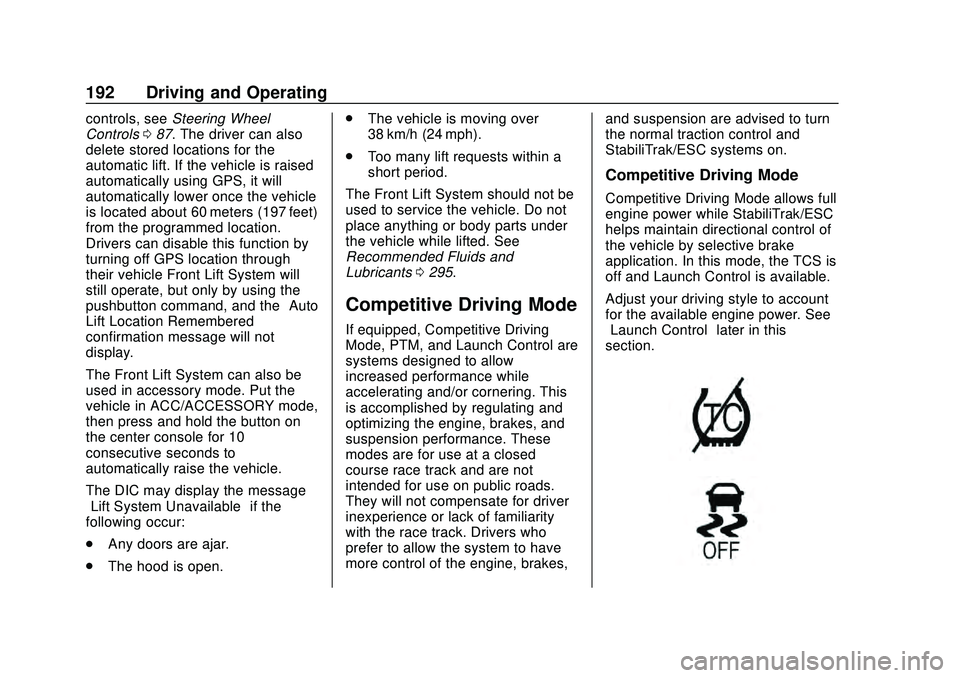
Competitive Driving Mode
Competitive Driving Mode allows full
engine power while StabiliTrak/ESC
helps maintain directional control of
the vehicle by selective brake
application. In this mode, the TCS is
off and Launch Control is available.
Adjust your driving style to account
for the available engine power. See
“Launch Control”
later in this
section.
Page 231 of 336

Chevrolet Corvette Owner Manual (GMNA-Localizing-U.S./Canada/Mexico-
12470550) - 2020 - CRC - 4/23/20
230 Vehicle Care
6. Replace the pressure captightly.
7. Verify coolant level after the engine is shut off and the
coolant is cold. If necessary,
repeat coolant fill procedure
Steps 3−7.
If the coolant still is not at the
proper level when the system
cools down again, see your
dealer.
Caution
If the pressure cap is not tightly
installed, coolant loss and engine
damage may occur. Be sure the
cap is properly and tightly
secured.
Engine Overheating
The vehicle has several indicators
to warn of engine overheating.
There is an engine coolant
temperature gauge on the
instrument cluster. See Engine
Coolant Temperature Gauge 099. The vehicle may also display a
message on the Driver Information
Center (DIC).
If the decision is made not to lift the
hatch but to get service help right
away, see
Roadside Assistance
Program 0306.
If the decision is made to lift the
hatch, make sure the vehicle is
parked on a level surface.
Then check to see if the engine
cooling fans are running. There are
two cooling fans located in the front
(one at each corner) and two
cooling fans in the rear (one on
each side of the engine). If the
engine is overheating, the fans
should be running. If they are not,
do not continue to run the engine,
and have the vehicle serviced.Caution
Do not run the engine if there is a
leak in the engine cooling system.
This can cause a loss of all (Continued)
Caution (Continued)
coolant and can damage the
system and vehicle. Have any
leaks fixed right away.
If Steam Is Coming from the
Engine
{Warning
Steam and scalding liquids from a
hot cooling system are under
pressure. Turning the pressure
cap, even a little, can cause them
to come out at high speed and
you could be burned. Never turn
the cap when the cooling system,
including the pressure cap, is hot.
Wait for the cooling system and
pressure cap to cool.
Page 272 of 336
Chevrolet Corvette Owner Manual (GMNA-Localizing-U.S./Canada/Mexico-
12470550) - 2020 - CRC - 4/23/20
Vehicle Care 271
Towing the Vehicle
Caution
Incorrectly towing a disabled
vehicle may cause damage. The
damage would not be covered by
the vehicle warranty. Do not lash
or hook to suspension
components. Use the proper
straps around the tires to secure
the vehicle. Do not drag a locked
wheel/tire. Use tire skates or
dollies under any locked wheel/
tire while loading the vehicle. Do
not use a sling type lift to tow the
vehicle. This could damage the
vehicle.
GM recommends a flatbed tow truck
to transport a disabled vehicle. Use
ramps to help reduce approach
angles, if necessary. A towed
vehicle should have its drive wheels
off the ground. If the disabled
vehicle must be towed, and is
covered by GM and/or OnStar roadside benefits, contact Roadside
Assistance. Otherwise contact a
professional towing service.
The Front Lift System can be raised
with the engine off. With the vehicle
in ACC/ACCESSORY and the doors
closed, press and hold the Front Lift
System button for 10 seconds. See
Front Lift System
0191.
After the vehicle is loaded, the front
can be lowered by pressing the
Front Lift System button again with
the doors closed.
Using the Tow Eye
Caution
Improper use of the tow eye can
damage the vehicle. If equipped,
use the tow eye to load a
disabled vehicle onto a flatbed
tow truck from a flat road surface,
or to move the vehicle a short
distance. Use caution and low
speeds. The transmission must
be in (N) Neutral when moving
the vehicle. The vehicle may be equipped with a
tow eye that can be used to pull the
vehicle onto a flatbed car carrier
from a flat road surface. Do not use
the tow eye to pull the vehicle from
snow, mud, or sand.
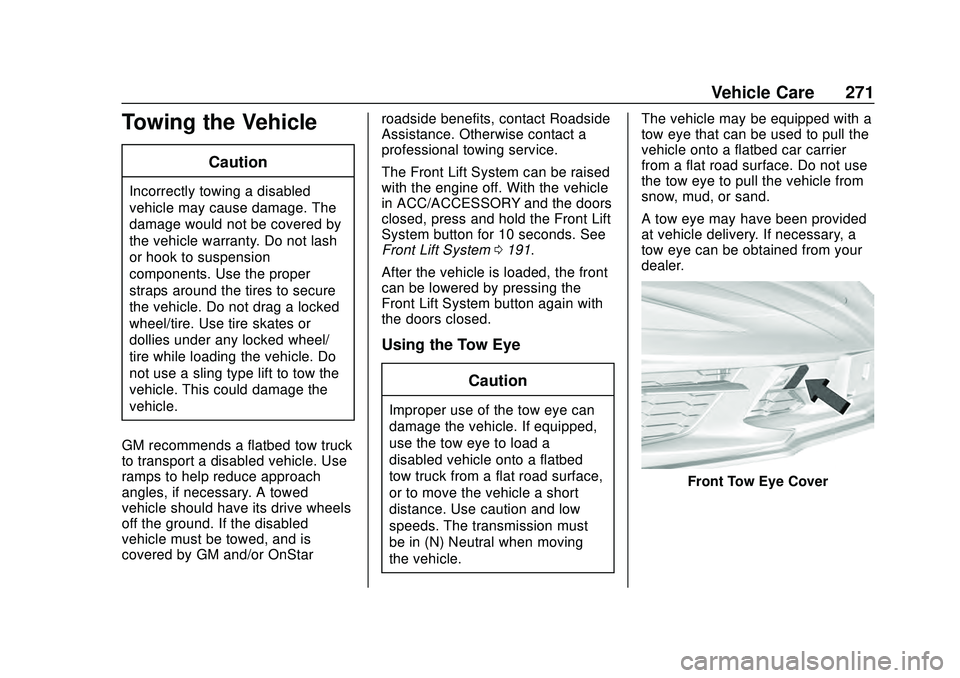
A tow eye may have been provided
at vehicle delivery. If necessary, a
tow eye can be obtained from your
dealer.
Front Tow Eye Cover
Page 284 of 336
Chevrolet Corvette Owner Manual (GMNA-Localizing-U.S./Canada/Mexico-
12470550) - 2020 - CRC - 4/23/20
Vehicle Care 283
.Do not use a floor mat if the
vehicle is not equipped with a
floor mat retainer on the driver
side floor.
. Use the floor mat with the
correct side up. Do not turn
it over.
. Do not place anything on top of
the driver side floor mat.
. Use only a single floor mat on
the driver side.
. Do not place one floor mat on
top of another.
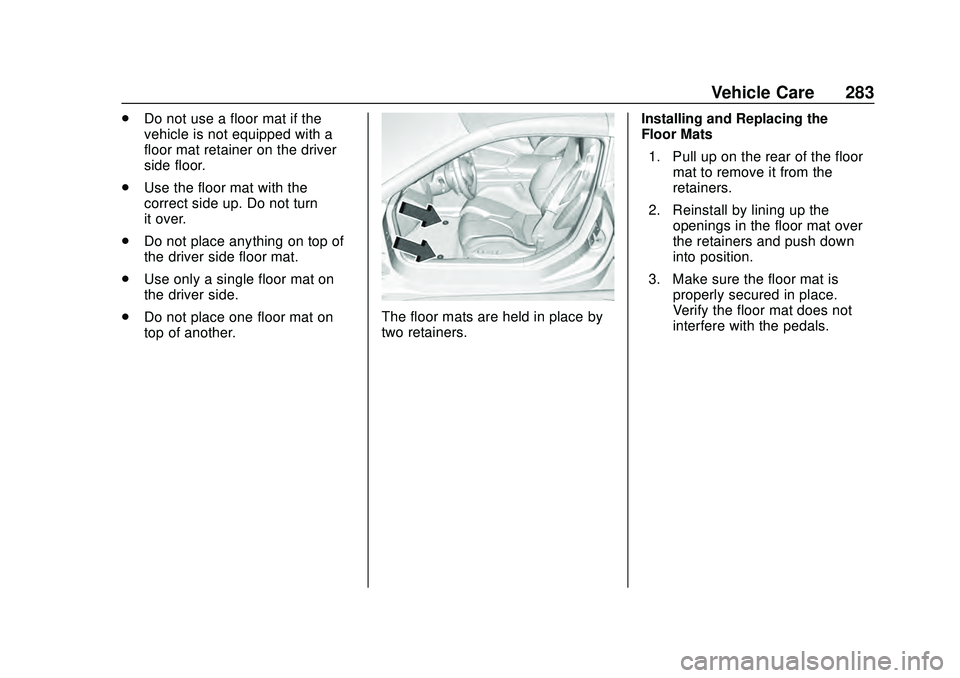
The floor mats are held in place by
two retainers. Installing and Replacing the
Floor Mats
1. Pull up on the rear of the floor mat to remove it from the
retainers.
2. Reinstall by lining up the openings in the floor mat over
the retainers and push down
into position.
3. Make sure the floor mat is properly secured in place.
Verify the floor mat does not
interfere with the pedals.
Page 303 of 336
Chevrolet Corvette Owner Manual (GMNA-Localizing-U.S./Canada/Mexico-
12470550) - 2020 - CRC - 4/23/20
302 Customer Information
Customer
Information
Customer Information
Customer SatisfactionProcedure . . . . . . . . . . . . . . . . . . . 302
Customer Assistance Offices . . . . . . . . . . . . . . . . . . . . . . 304
Customer Assistance for Text Telephone (TTY) Users . . . . . 305
Online Owner Center . . . . . . . . . 305
GM Mobility Reimbursement Program . . . . . . . . . . . . . . . . . . . . 306
Roadside Assistance Program . . . . . . . . . . . . . . . . . . . . 306
Scheduling Service Appointments . . . . . . . . . . . . . . . 308
Courtesy Transportation Program . . . . . . . . . . . . . . . . . . . . 308
Collision Damage Repair . . . . . 309
Publication Ordering Information . . . . . . . . . . . . . . . . . . 311
Radio Frequency Statement . . . . . . . . . . . . . . . . . . . 312
Reporting Safety Defects
Reporting Safety Defects tothe United States
Government . . . . . . . . . . . . . . . . . 312
Reporting Safety Defects to the Canadian
Government . . . . . . . . . . . . . . . . . 313
Reporting Safety Defects to General Motors . . . . . . . . . . . . . 313
Vehicle Data Recording and
Privacy
Vehicle Data Recording andPrivacy . . . . . . . . . . . . . . . . . . . . . . 314
Cybersecurity . . . . . . . . . . . . . . . . . 314
Event Data Recorders . . . . . . . . 314
OnStar . . . . . . . . . . . . . . . . . . . . . . . 315
Infotainment System . . . . . . . . . . 315
Customer Information
Customer Satisfaction
Procedure
Your satisfaction and goodwill are
important to your dealer and to
Chevrolet. Normally, any concerns
with the sales transaction or the
operation of the vehicle will be
resolved by your dealer's sales or
service departments. Sometimes,
however, despite the best intentions
of all concerned, misunderstandings
can occur. If your concern has not
been resolved to your satisfaction,
the following steps should be taken:
STEP ONE : Discuss your concern
with a member of dealership
management. Normally, concerns
can be quickly resolved at that level.
If the matter has already been
reviewed with the sales, service,
or parts manager, contact the owner
of your dealership or the general
manager.
STEP TWO : If after contacting a
member of dealership management,
it appears your concern cannot be
Page 308 of 336
Chevrolet Corvette Owner Manual (GMNA-Localizing-U.S./Canada/Mexico-
12470550) - 2020 - CRC - 4/23/20
Customer Information 307
Services Provided
.Emergency Fuel Delivery:
Delivery of enough fuel for the
vehicle to get to the nearest
service station.
. Lock-Out Service: Service to
unlock the vehicle if you are
locked out. A remote unlock may
be available if you have OnStar.
For security reasons, the driver
must present identification
before this service is given.
. Emergency Tow from a Public
Road or Highway: Tow to the
nearest Chevrolet dealer for
warranty service, or if the vehicle
was in a crash and cannot be
driven. Assistance is not given
when the vehicle is stuck in the
sand, mud, or snow.
. Flat Tire Change: Service to
change a flat tire with the spare
tire. The spare tire, if equipped,
must be in good condition and
properly inflated. It is the owner's
responsibility for the repair or
replacement of the tire if it is not
covered by the warranty. .
Battery Jump Start: Service to
jump start a dead battery.
. Trip Interruption Benefits and
Assistance: If your trip is
interrupted due to a warranty
event, incidental expenses may
be reimbursed within the
Powertrain warranty period.
Items considered are reasonable
and customary hotel, meals,
rental car, or a vehicle being
delivered back to the customer,
up to 500 miles.
Services Not Included in
Roadside Assistance
. Impound towing caused by
violation of any laws
. Legal fines
. Mounting, dismounting,
or changing of snow tires,
chains, or other traction devices
Service is not provided if a vehicle
is in an area that is not accessible
to the service vehicle or is not a
regularly traveled or maintained public road, which includes ice and
winter roads. Off-road use is not
covered.
Services Specific to
Canadian-Purchased Vehicles
.
Fuel Delivery: Reimbursement
is up to 7 liters. If available,
diesel fuel delivery may be
restricted. Propane and other
fuels are not provided through
this service.
. Lock-Out Service: Vehicle
registration is required.
. Trip Interruption Benefits and
Assistance: Must be over
150 km from where your trip was
started to qualify.
Pre-authorization, original
detailed receipts, and a copy of
the repair orders are required.
Once authorization has been
received, the Roadside
Assistance advisor will help to
make arrangements and explain
how to receive payment.
. Alternative Service: If
assistance cannot be provided
right away, the Roadside
Page 315 of 336
Chevrolet Corvette Owner Manual (GMNA-Localizing-U.S./Canada/Mexico-
12470550) - 2020 - CRC - 4/23/20
314 Customer Information
Vehicle Data
Recording and
Privacy
The vehicle has a number of
computers that record information
about the vehicle’s performance and
how it is driven or used. For
example, the vehicle uses computer
modules to monitor and control
engine and transmission
performance, to monitor the
conditions for airbag deployment
and deploy them in a crash, and,
if equipped, to provide antilock
braking to help the driver control the
vehicle. These modules may store
data to help the dealer technician
service the vehicle or to help GM
improve safety or features. Some
modules may also store data about
how the vehicle is operated, such as
rate of fuel consumption or average
speed. These modules may retain
personal preferences, such as radio
presets, seat positions, and
temperature settings.
Cybersecurity
GM collects information about the
use of your vehicle including
operational and safety related
information. We collect this
information to provide, evaluate,
improve, and troubleshoot our
products and services and to
develop new products and services.
The protection of vehicle electronics
systems and customer data from
unauthorized outside electronic
access or control is important to
GM. GM maintains appropriate
security standards, practices,
guidelines and controls aimed at
defending the vehicle and the
vehicle service ecosystem against
unauthorized electronic access,
detecting possible malicious activity
in related networks, and responding
to suspected cybersecurity incidents
in a timely, coordinated and effective
manner. Security incidents could
impact your safety or compromise
your private data. To minimize
security risks, please do not connect
your vehicle electronic systems to
unauthorized devices or connect
your vehicle to any unknown oruntrusted networks (such as
Bluetooth, WIFI or similar
technology). In the event you
suspect any security incident
impacting your data or the safe
operation of your vehicle, please
stop operating your vehicle and
contact your dealer.
Event Data Recorders
This vehicle is equipped with an
event data recorder (EDR). The
main purpose of an EDR is to
record, in certain crash or near
crash-like situations, such as an air
bag deployment or hitting a road
obstacle, data that will assist in
understanding how a vehicle’s
systems performed. The EDR is
designed to record data related to
vehicle dynamics and safety
systems for a short period of time,
typically 30 seconds or less. The
EDR in this vehicle is designed to
record such data as:
.
How various systems in your
vehicle were operating;