ECU CHEVROLET CORVETTE 2020 Owner's Guide
[x] Cancel search | Manufacturer: CHEVROLET, Model Year: 2020, Model line: CORVETTE, Model: CHEVROLET CORVETTE 2020Pages: 336, PDF Size: 5.21 MB
Page 80 of 336
Chevrolet Corvette Owner Manual (GMNA-Localizing-U.S./Canada/Mexico-
12470550) - 2020 - CRC - 4/23/20
Seats and Restraints 79
2. Instruction manual providedwith the child restraint
3. This vehicle owner's manual
The child restraint instructions are
important, so if they are not
available, obtain a replacement
copy from the manufacturer.
Keep in mind that an unsecured
child restraint can move around in a
collision or sudden stop and injure
people in the vehicle. Be sure to
properly secure any child restraint in
the vehicle —even when no child is
in it.
In some areas of the United States
and Canada, Certified Child
Passenger Safety Technicians
(CPSTs) are available to inspect
and demonstrate how to correctly
use and install child restraints. In
the U.S., refer to the National
Highway Traffic Safety
Administration (NHTSA) website to
locate the nearest child safety seat
inspection station. For CPST
availability in Canada, check with
Transport Canada or the Provincial
Ministry of Transportation officeSecuring the Child Within the
Child Restraint
{Warning
A child can be seriously injured or
killed in a crash if the child is not
properly secured in the child
restraint. Secure the child
properly following the instructions
that came with that child restraint.
Lower Anchors and
Tethers for Children
(LATCH System)
Some child restraints have a LATCH
system. As part of the LATCH
system, your child restraint may
have lower attachments and/or a top
tether. The LATCH system can help
hold the child restraint in place
during driving or in a crash. Some
vehicles have lower and/or top
tether anchors designed to secure a
child restraint with lower
attachments and/or a top tether. Some child restraints with a top
tether are designed to be used
whether the top tether is anchored
or not. Other child restraints require
that the top tether be anchored.
A national or local law may require
that the top tether be anchored.
In Canada, the law requires that
forward-facing child restraints have
a top tether, and that the tether be
attached.
Your vehicle does not have lower
anchors or top tether anchors to
secure a child restraint with the
LATCH system. If a national or local
law requires that your top tether be
anchored, do not use a child
restraint in this vehicle because a
top tether cannot be properly
anchored. You must use the seat
belts to secure your child restraint in
this vehicle, unless a national or
local law requires that the top tether
be anchored. Refer to the child
restraint instructions and
instructions in this manual for
securing a child restraint using the
vehicle's seat belts. See
Securing
Child Restraints 080.
Page 81 of 336
Chevrolet Corvette Owner Manual (GMNA-Localizing-U.S./Canada/Mexico-
12470550) - 2020 - CRC - 4/23/20
80 Seats and Restraints
Securing Child Restraints
This vehicle has airbags. In
addition, the vehicle has a
passenger sensing system which is
designed to turn off the front
outboard passenger frontal airbag
under certain conditions. See
Passenger Sensing System068
and
Passenger Airbag Status Indicator
0 100 for more information,
including important safety
information.
Never put a rear-facing child seat in
the front. This is because the risk to
the rear-facing child is so great if the
airbag deploys.
{Warning
A child in a rear-facing child
restraint can be seriously injured
or killed if the front outboard
passenger frontal airbag inflates.
This is because the back of the
rear-facing child restraint would
be very close to the inflating
(Continued)
Warning (Continued)
airbag. A child in a forward-facing
child restraint can be seriously
injured or killed if the front
outboard passenger frontal airbag
inflates and the passenger seat is
in a forward position.
Even if the passenger sensing
system has turned off the front
outboard passenger frontal
airbag, no system is fail-safe. No
one can guarantee that an airbag
will not deploy under some
unusual circumstance, even
though it is turned off.
Secure rear-facing child restraints
in a rear seat, even if the airbag
is off. If you secure a
forward-facing child restraint in
the front outboard passenger
seat, always move the seat as far
back as it will go. It is better to
secure the child restraint in a
rear seat.(Continued)
Warning (Continued)
SeePassenger Sensing System
0 68 for additional information.
Rear-facing child restraints should
not be installed in the vehicle, even
if the airbag is off.
Do not secure a child seat in a
position without a top tether anchor
if a national or local law requires
that the top tether be anchored, or if
the instructions that come with the
child restraint say that the top tether
must be anchored.
In Canada, the law requires that
forward-facing child restraints have
a top tether, and that the tether be
attached.
When using the lap-shoulder belt to
secure the child restraint in this
position, follow the instructions that
came with the child restraint and the
following instructions: 1. Move the seat as far back as it will go before securing the
forward-facing child restraint.
Page 83 of 336
Chevrolet Corvette Owner Manual (GMNA-Localizing-U.S./Canada/Mexico-
12470550) - 2020 - CRC - 4/23/20
82 Seats and Restraints
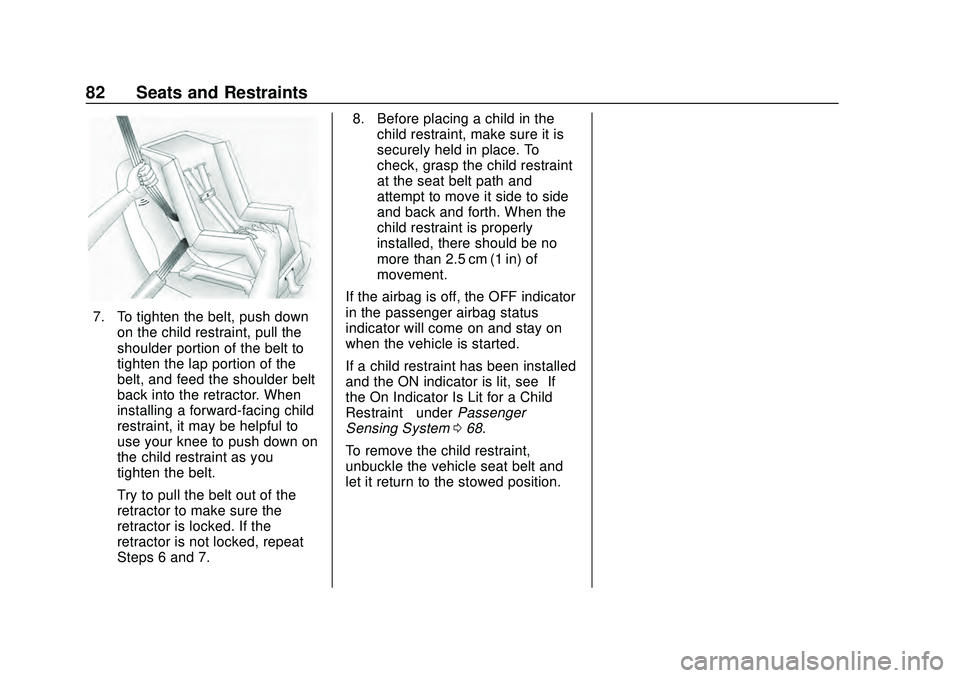
7. To tighten the belt, push downon the child restraint, pull the
shoulder portion of the belt to
tighten the lap portion of the
belt, and feed the shoulder belt
back into the retractor. When
installing a forward-facing child
restraint, it may be helpful to
use your knee to push down on
the child restraint as you
tighten the belt.
Try to pull the belt out of the
retractor to make sure the
retractor is locked. If the
retractor is not locked, repeat
Steps 6 and 7. 8. Before placing a child in the
child restraint, make sure it is
securely held in place. To
check, grasp the child restraint
at the seat belt path and
attempt to move it side to side
and back and forth. When the
child restraint is properly
installed, there should be no
more than 2.5 cm (1 in) of
movement.
If the airbag is off, the OFF indicator
in the passenger airbag status
indicator will come on and stay on
when the vehicle is started.
If a child restraint has been installed
and the ON indicator is lit, see “If
the On Indicator Is Lit for a Child
Restraint ”under Passenger
Sensing System 068.
To remove the child restraint,
unbuckle the vehicle seat belt and
let it return to the stowed position.
Page 86 of 336
Chevrolet Corvette Owner Manual (GMNA-Localizing-U.S./Canada/Mexico-
12470550) - 2020 - CRC - 4/23/20
Storage 85
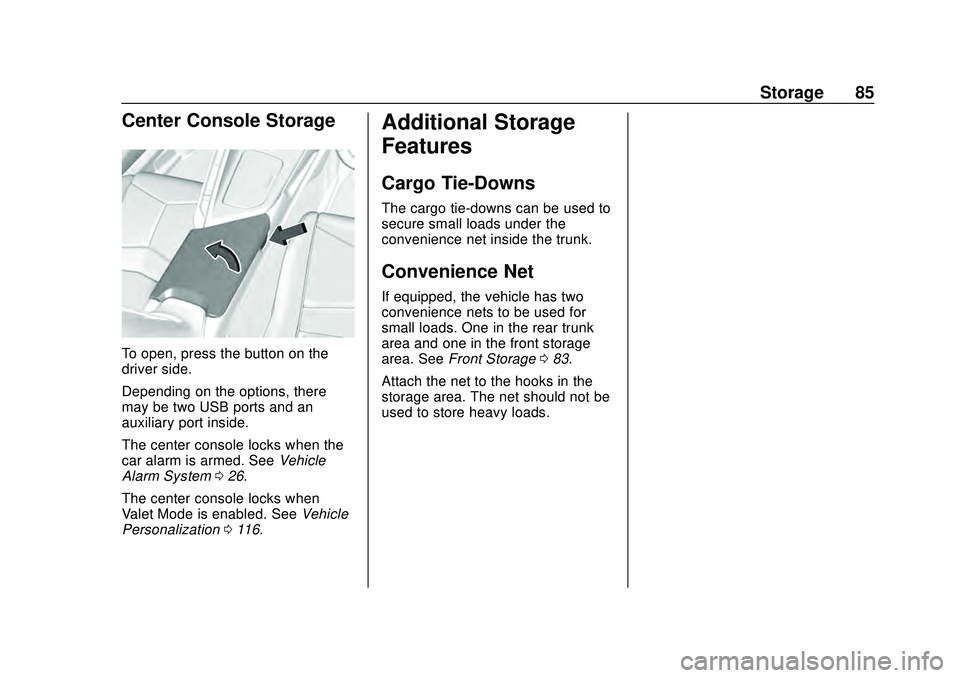
Center Console Storage
To open, press the button on the
driver side.
Depending on the options, there
may be two USB ports and an
auxiliary port inside.
The center console locks when the
car alarm is armed. SeeVehicle
Alarm System 026.
The center console locks when
Valet Mode is enabled. See Vehicle
Personalization 0116.
Additional Storage
Features
Cargo Tie-Downs
The cargo tie-downs can be used to
secure small loads under the
convenience net inside the trunk.
Convenience Net
If equipped, the vehicle has two
convenience nets to be used for
small loads. One in the rear trunk
area and one in the front storage
area. See Front Storage 083.
Attach the net to the hooks in the
storage area. The net should not be
used to store heavy loads.
Page 87 of 336
Chevrolet Corvette Owner Manual (GMNA-Localizing-U.S./Canada/Mexico-
12470550) - 2020 - CRC - 4/23/20
86 Instruments and Controls
Instruments and
Controls
Controls
Steering Wheel Adjustment . . . . 87
Steering Wheel Controls . . . . . . . 87
Heated Steering Wheel . . . . . . . . 87
Horn . . . . . . . . . . . . . . . . . . . . . . . . . . . 87
Windshield Wiper/Washer . . . . . . 87
Compass . . . . . . . . . . . . . . . . . . . . . . 88
Clock . . . . . . . . . . . . . . . . . . . . . . . . . . 89
Power Outlets . . . . . . . . . . . . . . . . . 89
Wireless Charging . . . . . . . . . . . . . 90
Warning Lights, Gauges, and
Indicators
Warning Lights, Gauges, andIndicators . . . . . . . . . . . . . . . . . . . . 93
Instrument Cluster . . . . . . . . . . . . . 94
Speedometer . . . . . . . . . . . . . . . . . . 98
Odometer . . . . . . . . . . . . . . . . . . . . . . 98
Trip Odometer . . . . . . . . . . . . . . . . . 98
Tachometer . . . . . . . . . . . . . . . . . . . . 98
Fuel Gauge . . . . . . . . . . . . . . . . . . . . 98
Engine Coolant Temperature Gauge . . . . . . . . . . . . . . . . . . . . . . . . 99
Transmission Temperature Gauge . . . . . . . . . . . . . . . . . . . . . . . . 99 Seat Belt Reminders . . . . . . . . . . . 99
Airbag Readiness Light . . . . . . . 100
Passenger Airbag Status
Indicator . . . . . . . . . . . . . . . . . . . . 100
Charging System Light . . . . . . . 101
Malfunction Indicator Lamp
(Check Engine Light) . . . . . . . . 102
Front Lift System Light . . . . . . . 103
Brake System Warning Light . . . . . . . . . . . . . . . . . . . . . . . . 104
Electric Parking Brake Light . . . . . . . . . . . . . . . . . . . . . . . . 104
Service Electric Parking Brake Light . . . . . . . . . . . . . . . . . . . . . . . . 105
Antilock Brake System (ABS) Warning Light . . . . . . . . . . . . . . . 105
Traction Off Light . . . . . . . . . . . . . 105
Traction Control System (TCS)/ Electronic Stability Control
Light . . . . . . . . . . . . . . . . . . . . . . . . 106
Electronic Stability Control (ESC) Off Light . . . . . . . . . . . . . . 106
Tire Pressure Light . . . . . . . . . . . 106
Engine Oil Pressure Light . . . . 107
Security Light . . . . . . . . . . . . . . . . . 107
High-Beam On Light . . . . . . . . . . 107
Lamps On Reminder . . . . . . . . . 108
Cruise Control Light . . . . . . . . . . 108
Door Ajar Light . . . . . . . . . . . . . . . 108
Information Displays
Driver Information Center (DIC) . . . . . . . . . . . . . . . . 108
Head-Up Display (HUD) . . . . . . 110
Vehicle Messages
Vehicle Messages . . . . . . . . . . . . 114
Engine Power Messages . . . . . 115
Vehicle Speed Messages . . . . . 115
Vehicle Personalization
Vehicle Personalization . . . . . . . 116
Universal Remote System
Universal Remote System . . . . 121
Universal Remote System Programming . . . . . . . . . . . . . . . 121
Universal Remote System Operation . . . . . . . . . . . . . . . . . . . 123
Page 108 of 336
Chevrolet Corvette Owner Manual (GMNA-Localizing-U.S./Canada/Mexico-
12470550) - 2020 - CRC - 4/23/20
Instruments and Controls 107
and inflate the tires to the pressure
value shown on the Tire and
Loading Information label. SeeTire
Pressure 0253.
When the Light Flashes First and
Then Is On Steady
If the light flashes for about a minute
and then stays on, there may be a
problem with the TPMS. If the
problem is not corrected, the light
will come on at every ignition cycle.
See Tire Pressure Monitor
Operation 0256.
Engine Oil Pressure Light
Caution
Lack of proper engine oil
maintenance can damage the
engine. Driving with the engine oil
low can also damage the engine.
The repairs would not be covered
by the vehicle warranty. Check
the oil level as soon as possible.
Add oil if required, but if the oil
level is within the operating range
(Continued)
Caution (Continued)
and the oil pressure is still low,
have the vehicle serviced. Always
follow the maintenance schedule
for changing engine oil.
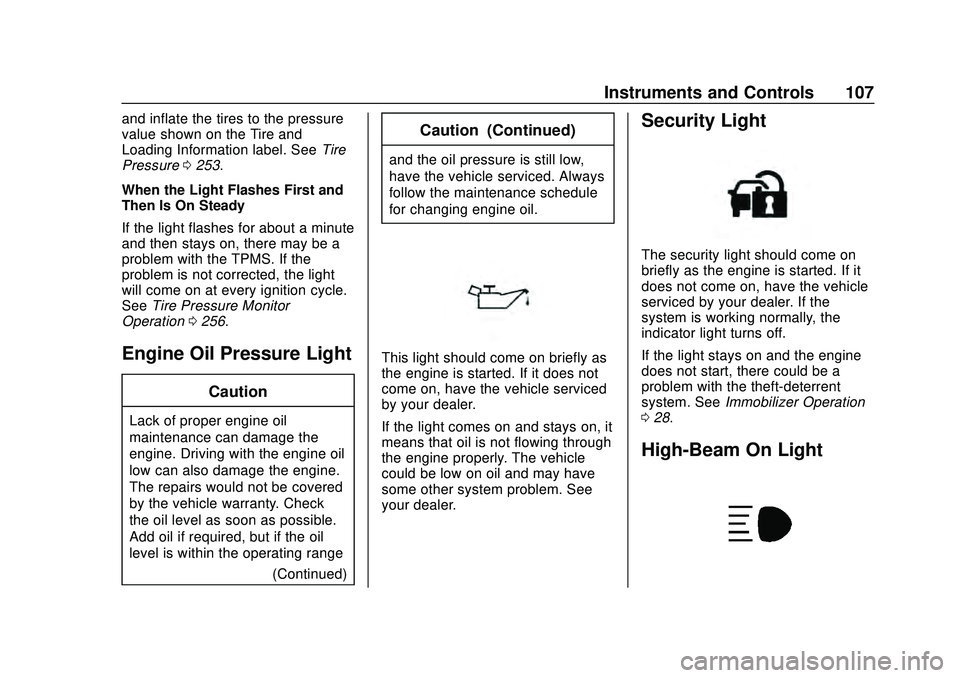
This light should come on briefly as
the engine is started. If it does not
come on, have the vehicle serviced
by your dealer.
If the light comes on and stays on, it
means that oil is not flowing through
the engine properly. The vehicle
could be low on oil and may have
some other system problem. See
your dealer.
Security Light
The security light should come on
briefly as the engine is started. If it
does not come on, have the vehicle
serviced by your dealer. If the
system is working normally, the
indicator light turns off.
If the light stays on and the engine
does not start, there could be a
problem with the theft-deterrent
system. SeeImmobilizer Operation
0 28.
High-Beam On Light
Page 109 of 336
Chevrolet Corvette Owner Manual (GMNA-Localizing-U.S./Canada/Mexico-
12470550) - 2020 - CRC - 4/23/20
108 Instruments and Controls
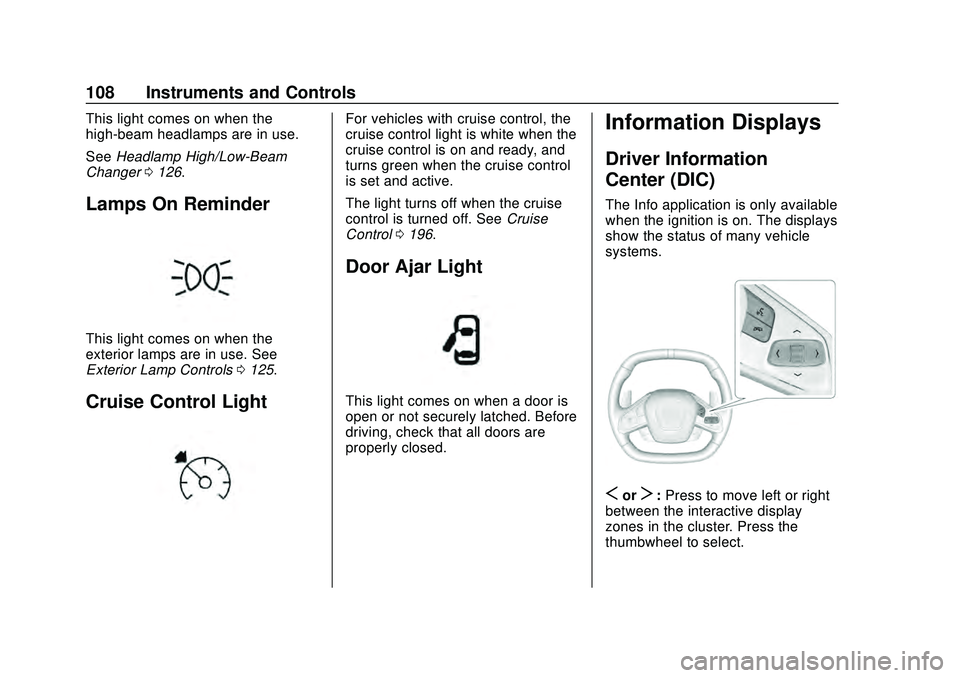
This light comes on when the
high-beam headlamps are in use.
SeeHeadlamp High/Low-Beam
Changer 0126.
Lamps On Reminder
This light comes on when the
exterior lamps are in use. See
Exterior Lamp Controls 0125.
Cruise Control Light
For vehicles with cruise control, the
cruise control light is white when the
cruise control is on and ready, and
turns green when the cruise control
is set and active.
The light turns off when the cruise
control is turned off. See Cruise
Control 0196.
Door Ajar Light
This light comes on when a door is
open or not securely latched. Before
driving, check that all doors are
properly closed.
Information Displays
Driver Information
Center (DIC)
The Info application is only available
when the ignition is on. The displays
show the status of many vehicle
systems.
SorT:Press to move left or right
between the interactive display
zones in the cluster. Press the
thumbwheel to select.
Page 115 of 336

Chevrolet Corvette Owner Manual (GMNA-Localizing-U.S./Canada/Mexico-
12470550) - 2020 - CRC - 4/23/20
114 Instruments and Controls
Metric
English
Vehicle Alerts : Alerts can be
dismissed in the instrument cluster.
All alerts are not displayed in
the HUD.
Care of the HUD
Clean the inside of the windshield to
remove any dirt or film that could
reduce the sharpness or clarity of
the HUD image.
Clean the HUD lens with a soft cloth
sprayed with glass cleaner. Wipe
the lens gently, then dry it.
HUD Troubleshooting
Check that:
. Nothing is covering the
HUD lens.
. HUD brightness setting is not
too dim or too bright.
. HUD is adjusted to the proper
height.
. Polarized sunglasses are
not worn.
. Windshield and HUD lens are
clean.
If the HUD image is not correct,
contact your dealer.
The windshield is part of the HUD
system. See Windshield
Replacement 0236.
Vehicle Messages
Messages displayed on the DIC
indicate the status of the vehicle or
some action that may be needed to
correct a condition. Multiple
messages may appear one after
another.
The messages that do not require
immediate action can be
acknowledged and cleared by
pressing
V. The messages that
require immediate action cannot be
cleared until that action is
performed.
All messages should be taken
seriously; clearing the message
does not correct the problem.
If a SERVICE message appears,
see your dealer.
Follow the instructions given in the
messages. The system displays
messages regarding the following
topics:
. Service Messages
. Fluid Levels
. Vehicle Security
Page 122 of 336
Chevrolet Corvette Owner Manual (GMNA-Localizing-U.S./Canada/Mexico-
12470550) - 2020 - CRC - 4/23/20
Instruments and Controls 121
Universal Remote
System
SeeRadio Frequency Statement
0 312.
The FCC Grant of Equipment
Authorization Certificate number is
NZLSAHL5B.
The Canadian Registration ID
number is 4112A-SAHL5B.
Universal Remote System
Programming
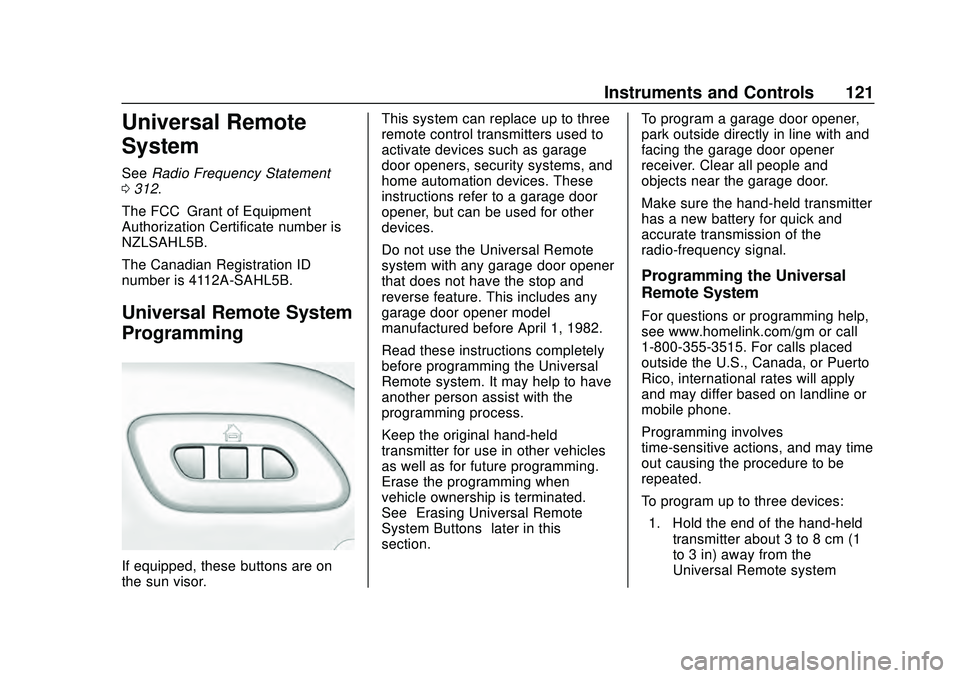
If equipped, these buttons are on
the sun visor. This system can replace up to three
remote control transmitters used to
activate devices such as garage
door openers, security systems, and
home automation devices. These
instructions refer to a garage door
opener, but can be used for other
devices.
Do not use the Universal Remote
system with any garage door opener
that does not have the stop and
reverse feature. This includes any
garage door opener model
manufactured before April 1, 1982.
Read these instructions completely
before programming the Universal
Remote system. It may help to have
another person assist with the
programming process.
Keep the original hand-held
transmitter for use in other vehicles
as well as for future programming.
Erase the programming when
vehicle ownership is terminated.
See
“Erasing Universal Remote
System Buttons” later in this
section. To program a garage door opener,
park outside directly in line with and
facing the garage door opener
receiver. Clear all people and
objects near the garage door.
Make sure the hand-held transmitter
has a new battery for quick and
accurate transmission of the
radio-frequency signal.
Programming the Universal
Remote System
For questions or programming help,
see www.homelink.com/gm or call
1-800-355-3515. For calls placed
outside the U.S., Canada, or Puerto
Rico, international rates will apply
and may differ based on landline or
mobile phone.
Programming involves
time-sensitive actions, and may time
out causing the procedure to be
repeated.
To program up to three devices:
1. Hold the end of the hand-held transmitter about 3 to 8 cm (1
to 3 in) away from the
Universal Remote system
Page 133 of 336
Chevrolet Corvette Owner Manual (GMNA-Localizing-U.S./Canada/Mexico-
12470550) - 2020 - CRC - 4/23/20
132 Infotainment System
Infotainment
System
Introduction
Infotainment . . . . . . . . . . . . . . . . . . 132
Performance Data
Recorder (PDR)
Performance DataRecorder (PDR) . . . . . . . . . . . . . 132
Introduction
Infotainment
See the infotainment manual for
information on the radio, audio
players, phone, navigation system,
and voice or speech recognition.
It also includes information on
settings.
Active Noise Cancellation (ANC)
If equipped, ANC reduces engine
noise in the vehicle’s interior. ANC
requires the factory-installed audio
system, radio, speakers, amplifier (if
equipped), induction system, and
exhaust system to work properly.
Deactivation is required by your
dealer if related aftermarket
equipment is installed.
Performance Data
Recorder (PDR)
If equipped, the PDR icon displays
on the Home Page.
Important Information
Use of the PDR may be prohibited
or legally restricted in certain
countries and situations. Ensure
compliance with applicable laws and
regulations, including, but not
limited to: privacy laws, laws related
to camera surveillance and
recordings, road traffic and security
laws, and laws on the protection of
publicity and personality rights.
. Do not use the PDR if it causes
distraction.
. Do not rely on camera footage to
steer the vehicle.
. Comply with any notice and
consent requirements before
capturing and/or recording the
voices or images of other
persons or before collecting
other personal data.