light CHEVROLET CORVETTE 2020 Workshop Manual
[x] Cancel search | Manufacturer: CHEVROLET, Model Year: 2020, Model line: CORVETTE, Model: CHEVROLET CORVETTE 2020Pages: 336, PDF Size: 5.21 MB
Page 126 of 336
Chevrolet Corvette Owner Manual (GMNA-Localizing-U.S./Canada/Mexico-
12470550) - 2020 - CRC - 4/23/20
Lighting 125
Lighting
Exterior Lighting
Exterior Lamp Controls . . . . . . . 125
Exterior Lamps OffReminder . . . . . . . . . . . . . . . . . . . 126
Headlamp High/Low-Beam Changer . . . . . . . . . . . . . . . . . . . . 126
Flash-to-Pass . . . . . . . . . . . . . . . . 126
Daytime Running Lamps (DRL) . . . . . . . . . . . . . . . 126
Automatic Headlamp System . . . . . . . . . . . . . . . . . . . . . . 127
Hazard Warning Flashers . . . . . 128
Turn and Lane-Change Signals . . . . . . . . . . . . . . . . . . . . . . 128
Interior Lighting
Instrument Panel IlluminationControl . . . . . . . . . . . . . . . . . . . . . . 129
Courtesy Lamps . . . . . . . . . . . . . . 129
Reading Lamps . . . . . . . . . . . . . . 129
Engine Compartment Lamp . . . . . . . . . 129
Lighting Features
Entry Lighting . . . . . . . . . . . . . . . . 130
Exit Lighting . . . . . . . . . . . . . . . . . . 130
Battery Power Protection . . . . . 131
Exterior Lighting BatterySaver . . . . . . . . . . . . . . . . . . . . . . . 131Exterior Lighting
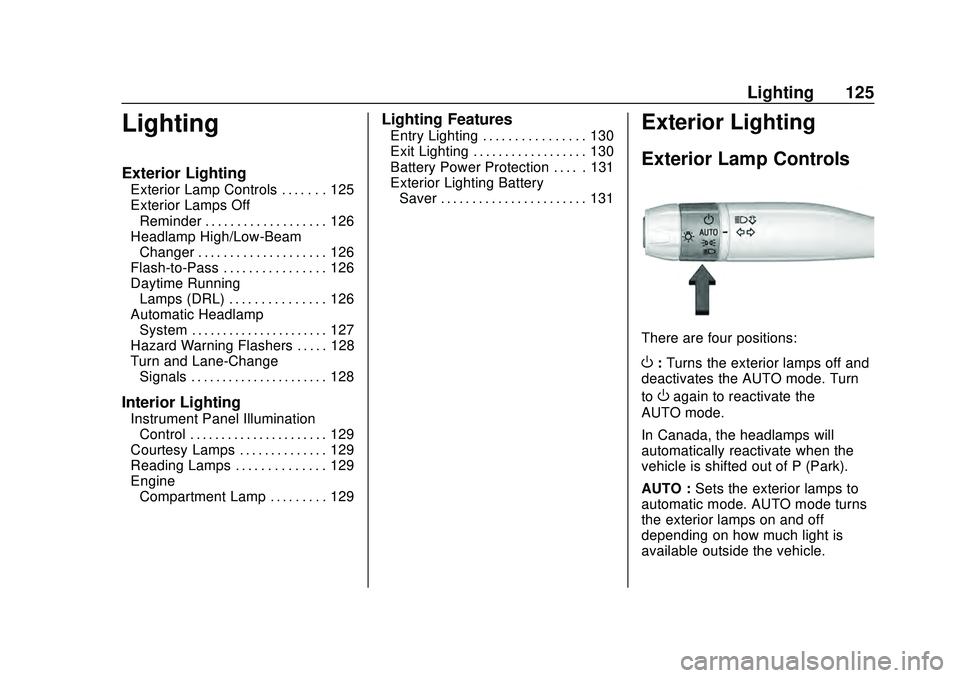
Exterior Lamp Controls
There are four positions:
O: Turns the exterior lamps off and
deactivates the AUTO mode. Turn
to
Oagain to reactivate the
AUTO mode.
In Canada, the headlamps will
automatically reactivate when the
vehicle is shifted out of P (Park).
AUTO : Sets the exterior lamps to
automatic mode. AUTO mode turns
the exterior lamps on and off
depending on how much light is
available outside the vehicle.
Page 127 of 336
Chevrolet Corvette Owner Manual (GMNA-Localizing-U.S./Canada/Mexico-
12470550) - 2020 - CRC - 4/23/20
126 Lighting
To override AUTO mode, turn the
control to
O.
To reset to AUTO mode, turn the
control to
Oand then release back
to AUTO. Automatic mode also
resets when the vehicle is turned off
and then back on again if the control
is left in the AUTO position.
;: Turns on the parking lamps
including all lamps, except the
headlamps.
The parking lamp indicator light
comes on and stays on when the
parking lamps are on with the
engine off and the ignition in ACC/
ACCESSORY.
5: Turns on the headlamps
together with the parking lamps and
instrument panel lights.
Exterior Lamps Off
Reminder
A warning chime will sound if the
exterior lamp control is left on in
either the headlamp or parking lamp
position and the driver door is
opened with the ignition off.
Headlamp High/
Low-Beam Changer
Push the turn signal lever away
from you and release to turn the
high beams on. To return to low
beams, push the lever again or pull
it toward you and release.
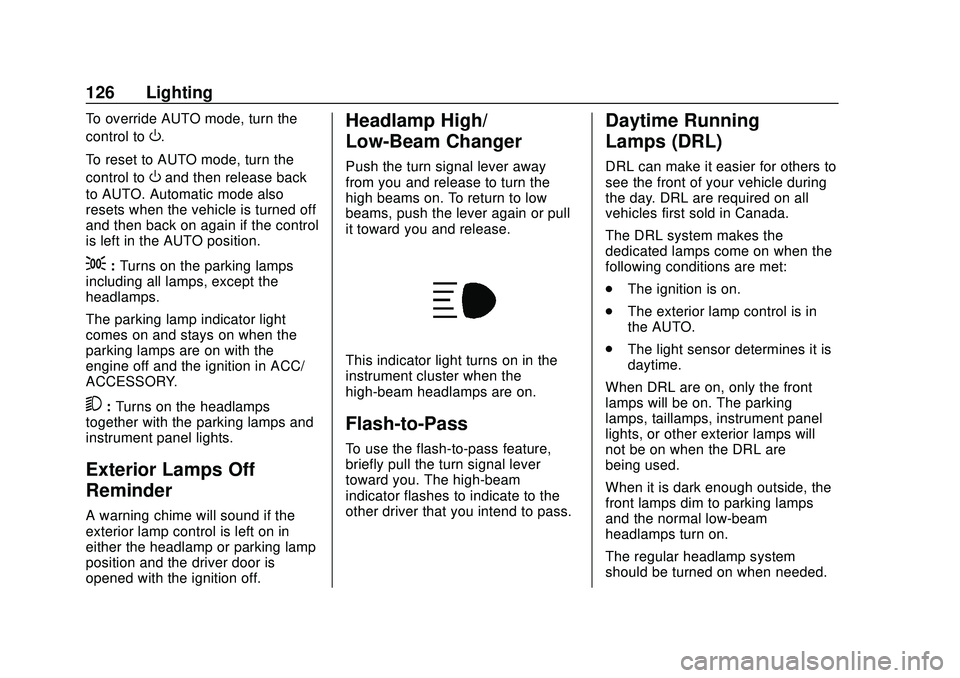
This indicator light turns on in the
instrument cluster when the
high-beam headlamps are on.
Flash-to-Pass
To use the flash-to-pass feature,
briefly pull the turn signal lever
toward you. The high-beam
indicator flashes to indicate to the
other driver that you intend to pass.
Daytime Running
Lamps (DRL)
DRL can make it easier for others to
see the front of your vehicle during
the day. DRL are required on all
vehicles first sold in Canada.
The DRL system makes the
dedicated lamps come on when the
following conditions are met:
. The ignition is on.
. The exterior lamp control is in
the AUTO.
. The light sensor determines it is
daytime.
When DRL are on, only the front
lamps will be on. The parking
lamps, taillamps, instrument panel
lights, or other exterior lamps will
not be on when the DRL are
being used.
When it is dark enough outside, the
front lamps dim to parking lamps
and the normal low-beam
headlamps turn on.
The regular headlamp system
should be turned on when needed.
Page 128 of 336
Chevrolet Corvette Owner Manual (GMNA-Localizing-U.S./Canada/Mexico-
12470550) - 2020 - CRC - 4/23/20
Lighting 127
To turn off the DRL, turn the exterior
lamp control to
O. The DRL will stay
off until the control is toggled again.
Automatic Headlamp
System
When the exterior lamp control is
set to AUTO and it is dark enough
outside, the headlamps and parking
lamps come on automatically.
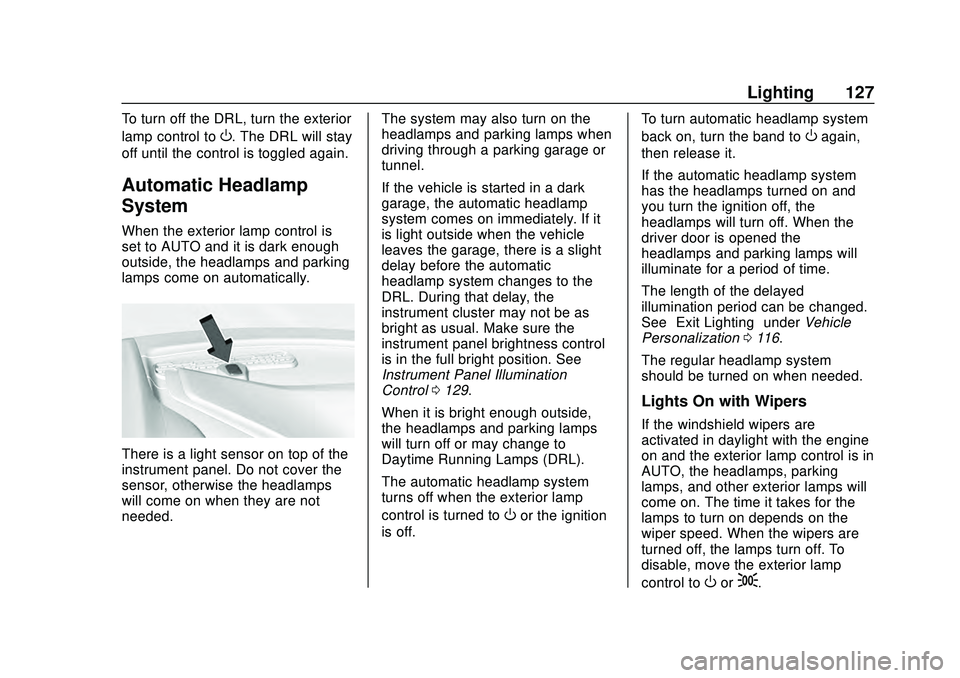
There is a light sensor on top of the
instrument panel. Do not cover the
sensor, otherwise the headlamps
will come on when they are not
needed. The system may also turn on the
headlamps and parking lamps when
driving through a parking garage or
tunnel.
If the vehicle is started in a dark
garage, the automatic headlamp
system comes on immediately. If it
is light outside when the vehicle
leaves the garage, there is a slight
delay before the automatic
headlamp system changes to the
DRL. During that delay, the
instrument cluster may not be as
bright as usual. Make sure the
instrument panel brightness control
is in the full bright position. See
Instrument Panel Illumination
Control
0129.
When it is bright enough outside,
the headlamps and parking lamps
will turn off or may change to
Daytime Running Lamps (DRL).
The automatic headlamp system
turns off when the exterior lamp
control is turned to
Oor the ignition
is off. To turn automatic headlamp system
back on, turn the band to
Oagain,
then release it.
If the automatic headlamp system
has the headlamps turned on and
you turn the ignition off, the
headlamps will turn off. When the
driver door is opened the
headlamps and parking lamps will
illuminate for a period of time.
The length of the delayed
illumination period can be changed.
See “Exit Lighting” underVehicle
Personalization 0116.
The regular headlamp system
should be turned on when needed.
Lights On with Wipers
If the windshield wipers are
activated in daylight with the engine
on and the exterior lamp control is in
AUTO, the headlamps, parking
lamps, and other exterior lamps will
come on. The time it takes for the
lamps to turn on depends on the
wiper speed. When the wipers are
turned off, the lamps turn off. To
disable, move the exterior lamp
control to
Oor;.
Page 129 of 336
Chevrolet Corvette Owner Manual (GMNA-Localizing-U.S./Canada/Mexico-
12470550) - 2020 - CRC - 4/23/20
128 Lighting
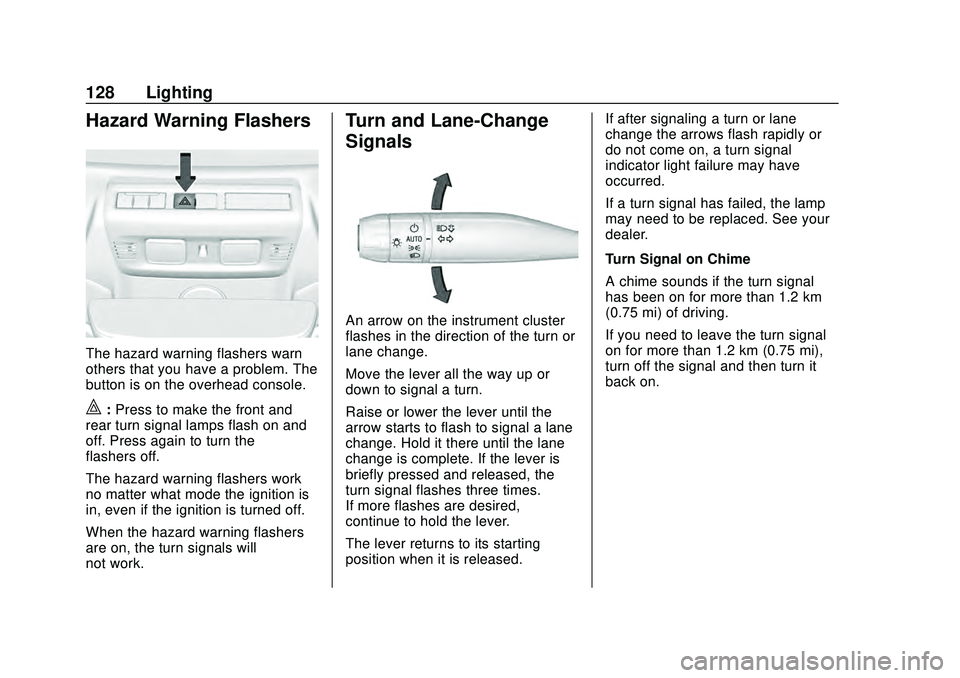
Hazard Warning Flashers
The hazard warning flashers warn
others that you have a problem. The
button is on the overhead console.
|:Press to make the front and
rear turn signal lamps flash on and
off. Press again to turn the
flashers off.
The hazard warning flashers work
no matter what mode the ignition is
in, even if the ignition is turned off.
When the hazard warning flashers
are on, the turn signals will
not work.
Turn and Lane-Change
Signals
An arrow on the instrument cluster
flashes in the direction of the turn or
lane change.
Move the lever all the way up or
down to signal a turn.
Raise or lower the lever until the
arrow starts to flash to signal a lane
change. Hold it there until the lane
change is complete. If the lever is
briefly pressed and released, the
turn signal flashes three times.
If more flashes are desired,
continue to hold the lever.
The lever returns to its starting
position when it is released. If after signaling a turn or lane
change the arrows flash rapidly or
do not come on, a turn signal
indicator light failure may have
occurred.
If a turn signal has failed, the lamp
may need to be replaced. See your
dealer.
Turn Signal on Chime
A chime sounds if the turn signal
has been on for more than 1.2 km
(0.75 mi) of driving.
If you need to leave the turn signal
on for more than 1.2 km (0.75 mi),
turn off the signal and then turn it
back on.
Page 130 of 336
Chevrolet Corvette Owner Manual (GMNA-Localizing-U.S./Canada/Mexico-
12470550) - 2020 - CRC - 4/23/20
Lighting 129
Interior Lighting
Instrument Panel
Illumination Control
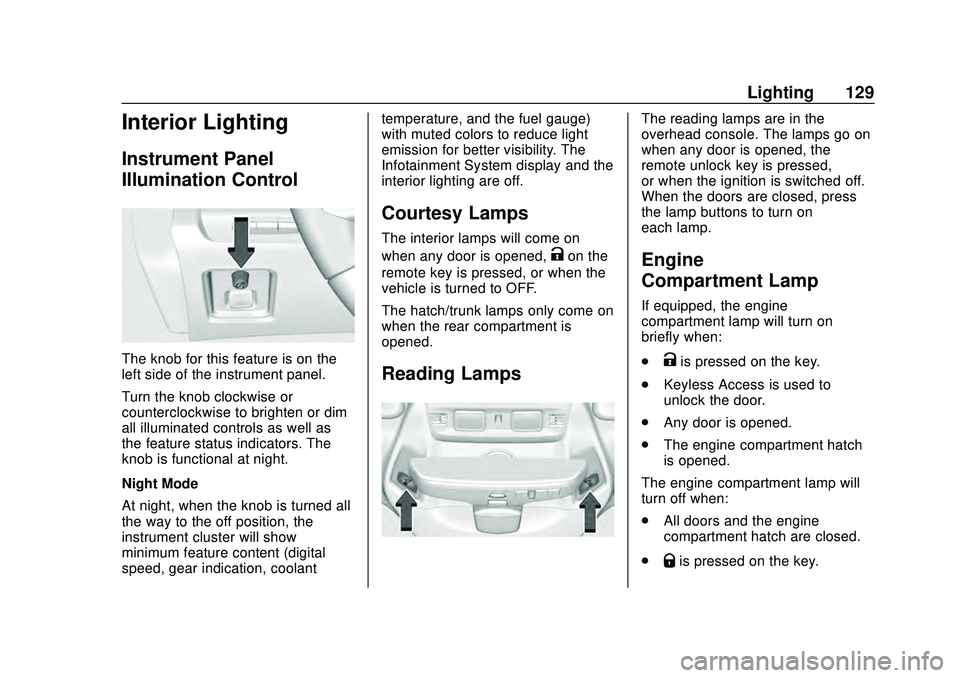
The knob for this feature is on the
left side of the instrument panel.
Turn the knob clockwise or
counterclockwise to brighten or dim
all illuminated controls as well as
the feature status indicators. The
knob is functional at night.
Night Mode
At night, when the knob is turned all
the way to the off position, the
instrument cluster will show
minimum feature content (digital
speed, gear indication, coolanttemperature, and the fuel gauge)
with muted colors to reduce light
emission for better visibility. The
Infotainment System display and the
interior lighting are off.
Courtesy Lamps
The interior lamps will come on
when any door is opened,
Kon the
remote key is pressed, or when the
vehicle is turned to OFF.
The hatch/trunk lamps only come on
when the rear compartment is
opened.
Reading Lamps
The reading lamps are in the
overhead console. The lamps go on
when any door is opened, the
remote unlock key is pressed,
or when the ignition is switched off.
When the doors are closed, press
the lamp buttons to turn on
each lamp.
Engine
Compartment Lamp
If equipped, the engine
compartment lamp will turn on
briefly when:
.
Kis pressed on the key.
. Keyless Access is used to
unlock the door.
. Any door is opened.
. The engine compartment hatch
is opened.
The engine compartment lamp will
turn off when:
. All doors and the engine
compartment hatch are closed.
.
Qis pressed on the key.
Page 131 of 336
Chevrolet Corvette Owner Manual (GMNA-Localizing-U.S./Canada/Mexico-
12470550) - 2020 - CRC - 4/23/20
130 Lighting
.The vehicle begins to move after
shifting out of P (Park).
. The ignition is turned on,
or turned from off to ACC/
ACCESSORY.
If any door or the engine
compartment hatch/trunk remains
open, while the vehicle is off, a timer
will turn the lamp off.Lighting Features
Entry Lighting
Some exterior lamps turn on briefly
at night, or in areas with limited
lighting, when
Kis pressed on the
remote key. After about 30 seconds
the exterior lamps turn off.
When any door is opened or remote
unlock pressed, all interior lights
turn on and then interior lamps dim
to off after approximately
20 seconds.
When the driver door is opened, all
interior lights, Driver Information
Center (DIC) lights, and door pocket
lights turn on and then the dome
and remaining interior lamps dim to
off. Entry lighting can be disabled
manually by turning the ignition to
on or ACC/ACCESSORY, or by
pressing
Qon the remote key.
The entry lighting feature for exterior
lighting can be changed. See
“Vehicle Locator Lights” under
Vehicle Personalization 0116.
Exit Lighting
Some exterior lamps come on at
night, or in areas with limited
lighting, when the driver door is
opened after the ignition is turned
off. The dome lamp comes on after
the ignition is turned off. The
exterior lamps and dome lamp
remain on after the door is closed
for a set amount of time, then
automatically turn off.
The exterior lamps turn off
immediately by turning the exterior
lamp control off.
The exit lighting feature for exterior
lighting can be changed. See
Vehicle Personalization 0116.
Page 132 of 336
Chevrolet Corvette Owner Manual (GMNA-Localizing-U.S./Canada/Mexico-
12470550) - 2020 - CRC - 4/23/20
Lighting 131
Battery Power Protection
This vehicle has a feature to help
prevent the battery from being
drained in case any of the following
lamps are left on: vanity mirror
lamps, cargo lamps, reading lamps,
or glove box lamps. If any of these
lamps are left on, they will
automatically time-out after about
10 minutes. To reset it, the ignition
must be turned on.
Exterior Lighting Battery
Saver
The exterior lamps turn off about
10 minutes after the ignition is
turned off, if the parking lamps or
headlamps have been manually left
on. This protects against draining
the battery. To restart the 10-minute
timer, turn the exterior lamp control
to the off position and then back to
the parking lamp or headlamp
position.
To keep the lamps on for more than
10 minutes, the ignition must be on
or in ACC/ACCESSORY.
Page 142 of 336
Chevrolet Corvette Owner Manual (GMNA-Localizing-U.S./Canada/Mexico-
12470550) - 2020 - CRC - 4/23/20
Climate Controls 141
Automatic Operation
The system automatically controls
the fan speed, air delivery, air
conditioning, and recirculation in
order to heat or cool the vehicle to
the desired temperature:
When AUTO is pressed, all four
functions operate automatically.
Each function can also be manually
set and the setting is displayed.
Functions not manually set will
continue to be automatically
controlled, even if the AUTO
indicator is not lit.
For automatic operation:1. Press AUTO.
2. Set the temperature. Allow the system time to stabilize. Adjust
the temperature as needed for
best comfort.
Manual Operation
O:Press to turn the fan off or on.
hori: Press to increase or
decrease the fan speed. Driver and Passenger
Temperature Controls :
The
temperature can be adjusted
separately for the driver and
passenger.
SYNC : Press to link the passenger
temperature setting to the driver
setting. The SYNC indicator light will
turn on. When the passenger setting
is adjusted, the SYNC indicator light
will turn off.
Air Delivery Mode Control : Press
Y, or[to change the direction of
the airflow. Any combination of the
three controls can be selected. An
indicator light comes on in the
selected mode button.
Changing the mode cancels the
automatic operation and the system
goes into manual mode. Press
AUTO to return to automatic
operation.
To change the current mode, select
one or more of the following:
Y: Air is directed to the a/c outlets.
[:Air is directed to the floor
outlets, with some air directed to the
windshield, and side window outlets.
z: Air is directed to the windshield
and side window outlets.
0MAX : Air is directed to the
windshield and the fan runs at a
higher speed if not already above a
medium fan speed. This mode
overrides the previous mode
selected and clears fog or frost from
the windshield more quickly. When
the control is pressed again, the
system returns to the previous mode
setting and fan speed.
For best results, clear all snow and
ice from the windshield before
defrosting.
@: Press to turn on recirculation.
An indicator light comes on. Air is
recirculated to quickly cool the
inside of the vehicle. It can also be
used to help reduce outside air and
odors that enter the vehicle.
Page 143 of 336
Chevrolet Corvette Owner Manual (GMNA-Localizing-U.S./Canada/Mexico-
12470550) - 2020 - CRC - 4/23/20
142 Climate Controls
Avoid using recirculation for long
periods of time in cold or damp
conditions. Using recirculation in
cold or damp conditions can result
in window fogging.
A/C :Press to turn the air
conditioning on or off. An indicator
light comes on to show that the air
conditioning is enabled. If the fan is
turned off, the air conditioner will not
run. The A/C light will stay on even
if the outside temperatures are
below freezing. If the A/C is turned
off, the air temperature coming
through the climate control system
may be warmer than the ambient
temperature. It is recommended to
use auto climate control to maintain
comfort.
Rear Window Defogger
1REAR : If equipped, press to
turn the rear window defogger on or
off. An indicator light on the button
comes on to show that the rear
window defogger is on. The rear window defogger only
works when the engine is running.
The defogger turns off if the ignition
is turned off or to ACC/
ACCESSORY.
If equipped with heated outside
mirrors, press
1REAR to turn
them on or off. See Heated Mirrors
0 31.
Caution
Using a razor blade or sharp
object to clear the inside rear
window can damage the rear
window defogger. Repairs would
not be covered by the vehicle
warranty. Do not clear the inside
rear window with sharp objects. Remote Start Climate Control
Operation :
If equipped with remote
start, the climate control system
may run when the vehicle is started
remotely. If equipped with heated or
ventilated seats or a heated steering
wheel, these features may come on
during a remote start. See Remote
Vehicle Start 015, Heated and
Ventilated Front Seats 053, and
Heated Steering Wheel 087.
Page 155 of 336
Chevrolet Corvette Owner Manual (GMNA-Localizing-U.S./Canada/Mexico-
12470550) - 2020 - CRC - 4/23/20
154 Driving and Operating
4. Apply the brakes 25 times from100 km/h (60 mph) to 50 km/h
(30 mph) while decelerating at
0.4 g. This is a medium brake
application. Drive for at least
1 km (0.6 mi) between
applications.
As with all high performance brake
systems, some amount of brake
squeal is normal.
Alternative Closed Course Brake
Burnishing Procedure
This brake burnish procedure
should only be run on vehicles with
the J55 Z51 factory equipped brake
system.
This procedure should only be run
on a track and only on dry
pavement. Brake pedal fade will
occur during this track burnish
procedure and can cause brake
pedal travel and force to increase.
This could extend stopping distance
until the brakes are fully burnished. 1. Start track lapping at lower speeds and lower braking
efforts for three minutes of driving. Allow for increased
braking distances due to
reduced brake output.
2. After Step 1, increase speed and braking effort for the next
six minutes of lapping,
gradually ending up at 90%
effort. Continue to allow for
increased braking distance due
to reduced brake output.
3. Cool the brakes by lapping with minimal light braking for six
minutes.
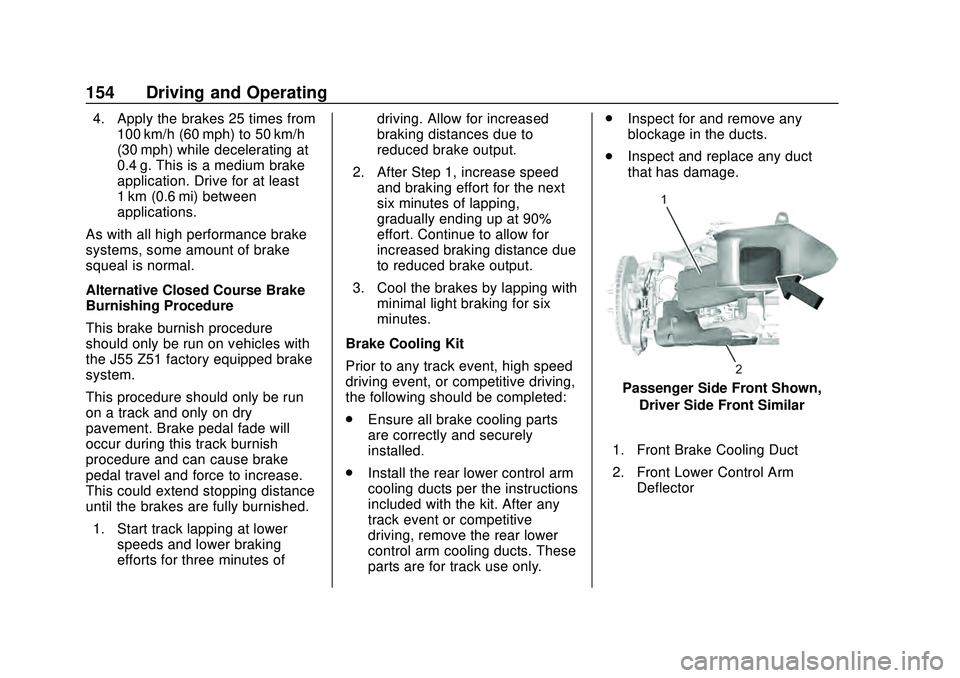
Brake Cooling Kit
Prior to any track event, high speed
driving event, or competitive driving,
the following should be completed:
. Ensure all brake cooling parts
are correctly and securely
installed.
. Install the rear lower control arm
cooling ducts per the instructions
included with the kit. After any
track event or competitive
driving, remove the rear lower
control arm cooling ducts. These
parts are for track use only. .
Inspect for and remove any
blockage in the ducts.
. Inspect and replace any duct
that has damage.
Passenger Side Front Shown,
Driver Side Front Similar
1. Front Brake Cooling Duct
2. Front Lower Control Arm Deflector