trunk CHEVROLET CORVETTE 2023 User Guide
[x] Cancel search | Manufacturer: CHEVROLET, Model Year: 2023, Model line: CORVETTE, Model: CHEVROLET CORVETTE 2023Pages: 351, PDF Size: 6.28 MB
Page 32 of 351
Chevrolet Corvette Owner Manual (GMNA-Localizing-U.S./Canada/Mexico-
16287457) - 2023 - CRC - 3/10/22
Keys, Doors, and Windows 31
To remove:1. Shift transmission into P (Park).
2. Turn the ignition off and set the parking brake.
3. Lower both sun visors.
4. Open the rear hatch/trunk and remove any items that may interfere with proper
storage of the roof panel.
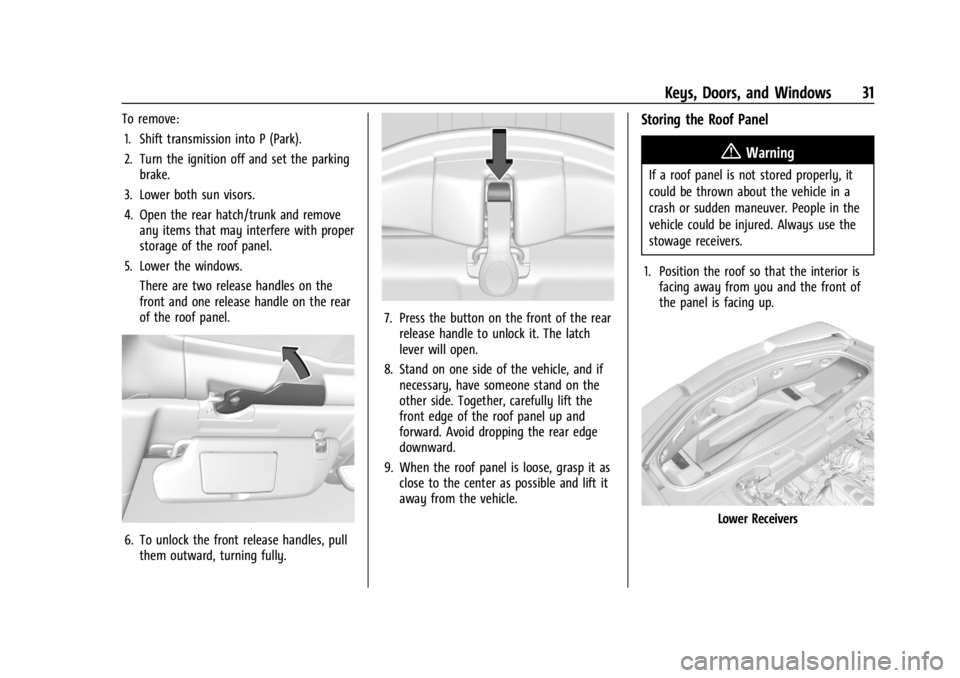
5. Lower the windows. There are two release handles on the
front and one release handle on the rear
of the roof panel.
6. To unlock the front release handles, pullthem outward, turning fully.
7. Press the button on the front of the rearrelease handle to unlock it. The latch
lever will open.
8. Stand on one side of the vehicle, and if necessary, have someone stand on the
other side. Together, carefully lift the
front edge of the roof panel up and
forward. Avoid dropping the rear edge
downward.
9. When the roof panel is loose, grasp it as close to the center as possible and lift it
away from the vehicle.
Storing the Roof Panel
{Warning
If a roof panel is not stored properly, it
could be thrown about the vehicle in a
crash or sudden maneuver. People in the
vehicle could be injured. Always use the
stowage receivers.
1. Position the roof so that the interior is facing away from you and the front of
the panel is facing up.
Lower Receivers
Page 33 of 351
Chevrolet Corvette Owner Manual (GMNA-Localizing-U.S./Canada/Mexico-
16287457) - 2023 - CRC - 3/10/22
32 Keys, Doors, and Windows
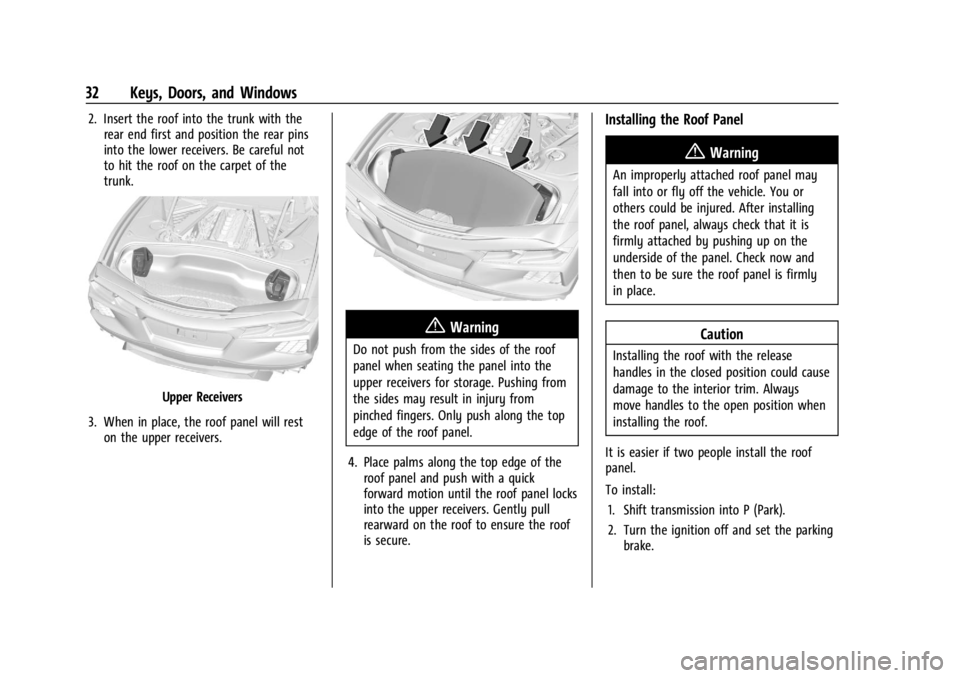
2. Insert the roof into the trunk with therear end first and position the rear pins
into the lower receivers. Be careful not
to hit the roof on the carpet of the
trunk.
Upper Receivers
3. When in place, the roof panel will rest on the upper receivers.
{Warning
Do not push from the sides of the roof
panel when seating the panel into the
upper receivers for storage. Pushing from
the sides may result in injury from
pinched fingers. Only push along the top
edge of the roof panel.
4. Place palms along the top edge of the roof panel and push with a quick
forward motion until the roof panel locks
into the upper receivers. Gently pull
rearward on the roof to ensure the roof
is secure.
Installing the Roof Panel
{Warning
An improperly attached roof panel may
fall into or fly off the vehicle. You or
others could be injured. After installing
the roof panel, always check that it is
firmly attached by pushing up on the
underside of the panel. Check now and
then to be sure the roof panel is firmly
in place.
Caution
Installing the roof with the release
handles in the closed position could cause
damage to the interior trim. Always
move handles to the open position when
installing the roof.
It is easier if two people install the roof
panel.
To install: 1. Shift transmission into P (Park).
2. Turn the ignition off and set the parking brake.
Page 34 of 351
Chevrolet Corvette Owner Manual (GMNA-Localizing-U.S./Canada/Mexico-
16287457) - 2023 - CRC - 3/10/22
Keys, Doors, and Windows 33
3. Grasp the roof panel and pull toward therear of the vehicle until it separates from
the upper receivers, being careful not to
hit the sides of the trunk. Carefully lift
the roof panel out of the trunk.
4. Carefully place the roof panel over the top of the vehicle.
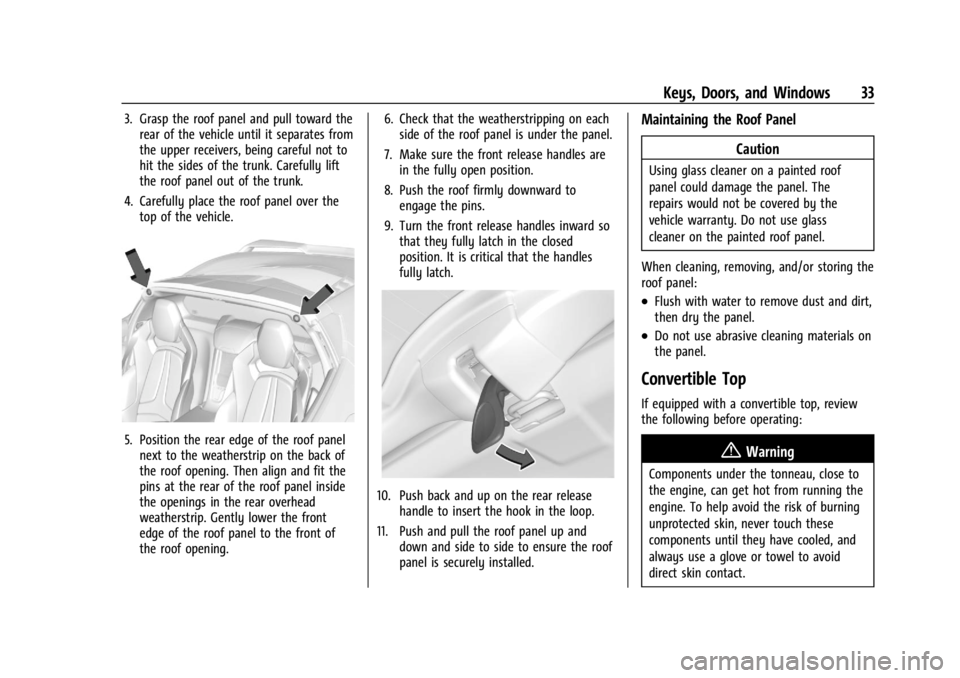
5. Position the rear edge of the roof panelnext to the weatherstrip on the back of
the roof opening. Then align and fit the
pins at the rear of the roof panel inside
the openings in the rear overhead
weatherstrip. Gently lower the front
edge of the roof panel to the front of
the roof opening. 6. Check that the weatherstripping on each
side of the roof panel is under the panel.
7. Make sure the front release handles are in the fully open position.
8. Push the roof firmly downward to engage the pins.
9. Turn the front release handles inward so that they fully latch in the closed
position. It is critical that the handles
fully latch.
10. Push back and up on the rear release handle to insert the hook in the loop.
11. Push and pull the roof panel up and down and side to side to ensure the roof
panel is securely installed.
Maintaining the Roof Panel
Caution
Using glass cleaner on a painted roof
panel could damage the panel. The
repairs would not be covered by the
vehicle warranty. Do not use glass
cleaner on the painted roof panel.
When cleaning, removing, and/or storing the
roof panel:
.Flush with water to remove dust and dirt,
then dry the panel.
.Do not use abrasive cleaning materials on
the panel.
Convertible Top
If equipped with a convertible top, review
the following before operating:
{Warning
Components under the tonneau, close to
the engine, can get hot from running the
engine. To help avoid the risk of burning
unprotected skin, never touch these
components until they have cooled, and
always use a glove or towel to avoid
direct skin contact.
Page 35 of 351
Chevrolet Corvette Owner Manual (GMNA-Localizing-U.S./Canada/Mexico-
16287457) - 2023 - CRC - 3/10/22
34 Keys, Doors, and Windows
{Warning
While opening or closing the convertible
top, people can be injured by the moving
parts of the tonneau cover or convertible
top. Maintain visual contact with the top
while it is being operated.
Caution
Follow these guidelines when operating
the convertible top or damage can occur:
.Remove all items from the roof, trunk
lid, or tonneau cover before operating.
.Remove all objects that may contact
the convertible top when it is
operated.
.Do not leave the vehicle with the
convertible top open.
.Do not exceed 50 km/h (31 mph) until
the top has completely closed or
opened.
.Do not open or close the top while
driving in high wind conditions.
(Continued)
Caution (Continued)
.Do not operate the convertible top
multiple times in a short period of
time without starting the engine to
avoid draining the vehicle battery.
.Only store the vehicle with the top
fully closed.
Opening the Convertible Top —Driver Door
Switch
1. Ensure the roof and tonneau cover are clear of any objects.
2. The trunk must be closed.
3. Start the vehicle or place it in accessory mode.
4. When possible, operate the convertible top when the vehicle is stopped. The top
can be operated while driving below
50 km/h (31 mph) and will stop if that
speed is exceeded. The top operation will
take approximately 17 seconds. Make
sure the top operation can be completed
before that speed is reached.
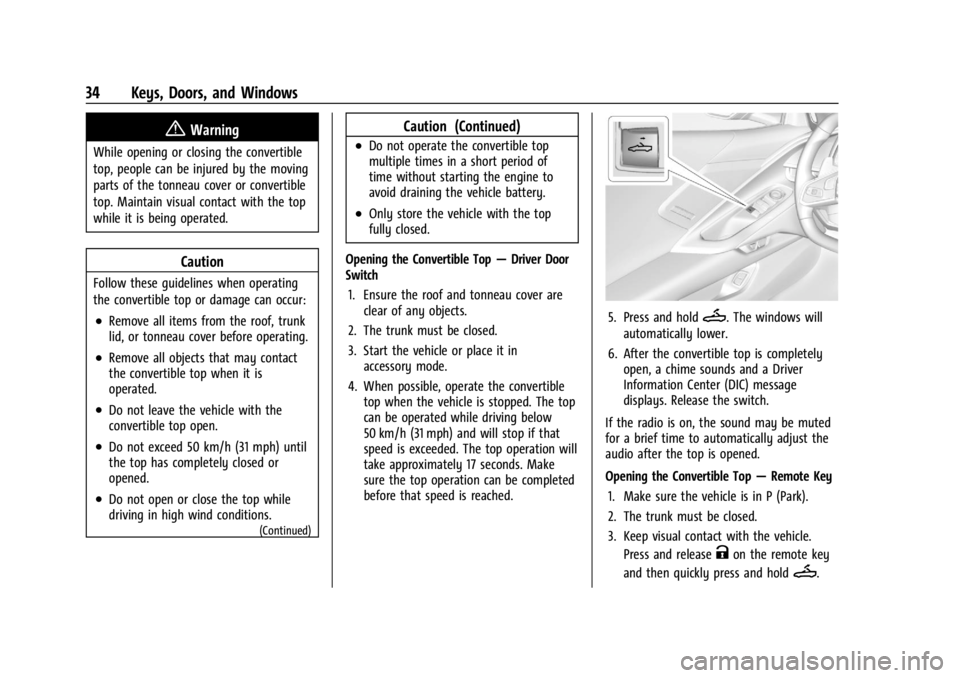
5. Press and holdM. The windows will
automatically lower.
6. After the convertible top is completely open, a chime sounds and a Driver
Information Center (DIC) message
displays. Release the switch.
If the radio is on, the sound may be muted
for a brief time to automatically adjust the
audio after the top is opened.
Opening the Convertible Top —Remote Key
1. Make sure the vehicle is in P (Park).
2. The trunk must be closed.
3. Keep visual contact with the vehicle. Press and release
Kon the remote key
and then quickly press and hold
M.
Page 36 of 351
Chevrolet Corvette Owner Manual (GMNA-Localizing-U.S./Canada/Mexico-
16287457) - 2023 - CRC - 3/10/22
Keys, Doors, and Windows 35
4. HoldMuntil the top is completely
opened and the exterior lamps flash.
A chime will sound.
If the top stops before it has completely
opened, press
Kand then pressMagain.
If the top still stops before it is
completely open:
.Move closer to the vehicle.
.HoldMuntil the operation is complete.
.PressKand thenMagain.
Interference from other remote keys or
devices may interrupt the operation.
If the top still does not open, use the
convertible top switch in the vehicle. The
convertible top cannot be closed using the
remote key.
See Remote Key Operation 07.
Closing the Convertible Top 1. Make sure the sun visor mirror covers are closed and the sun visors are stored
in the center mount position.
2. Ensure the roof and tonneau cover are clear of any objects.
3. The trunk must be closed.
4. Start the vehicle or place it in accessory mode. 5. When possible, operate the convertible
top when the vehicle is stopped. The top
can be operated while driving below
50 km/h (31 mph) and will stop if that
speed is exceeded. The top operation will
take approximately 17 seconds. Make
sure the top operation can be completed
before that speed is reached.
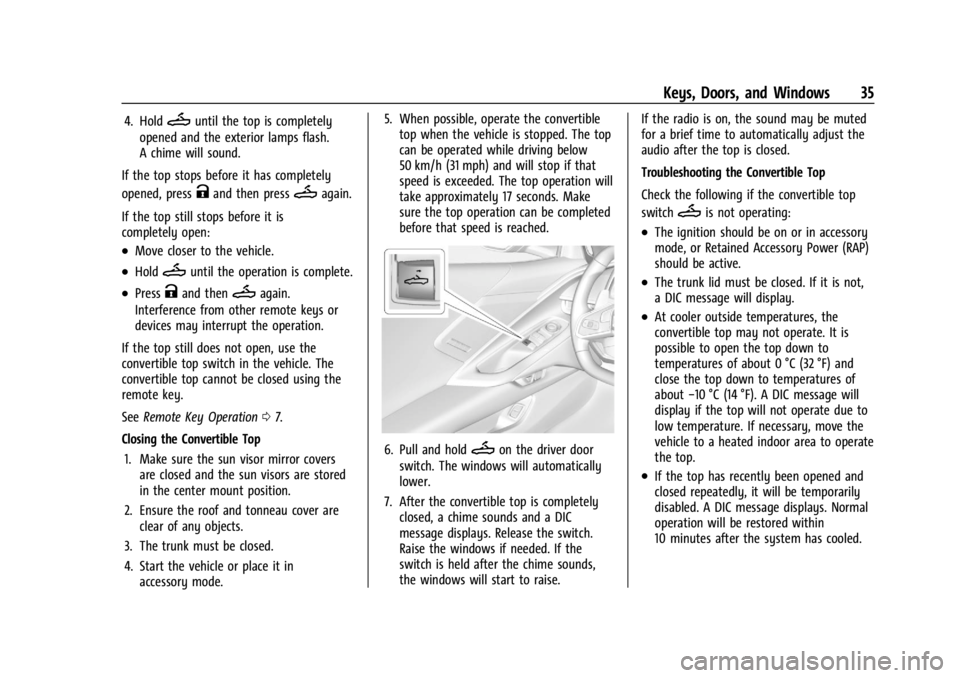
6. Pull and holdMon the driver door
switch. The windows will automatically
lower.
7. After the convertible top is completely closed, a chime sounds and a DIC
message displays. Release the switch.
Raise the windows if needed. If the
switch is held after the chime sounds,
the windows will start to raise. If the radio is on, the sound may be muted
for a brief time to automatically adjust the
audio after the top is closed.
Troubleshooting the Convertible Top
Check the following if the convertible top
switch
Mis not operating:
.The ignition should be on or in accessory
mode, or Retained Accessory Power (RAP)
should be active.
.The trunk lid must be closed. If it is not,
a DIC message will display.
.At cooler outside temperatures, the
convertible top may not operate. It is
possible to open the top down to
temperatures of about 0 °C (32 °F) and
close the top down to temperatures of
about
−10 °C (14 °F). A DIC message will
display if the top will not operate due to
low temperature. If necessary, move the
vehicle to a heated indoor area to operate
the top.
.If the top has recently been opened and
closed repeatedly, it will be temporarily
disabled. A DIC message displays. Normal
operation will be restored within
10 minutes after the system has cooled.
Page 37 of 351
Chevrolet Corvette Owner Manual (GMNA-Localizing-U.S./Canada/Mexico-
16287457) - 2023 - CRC - 3/10/22
36 Keys, Doors, and Windows
.If the vehicle battery is low, the top
operation may be disabled. Try to start
the vehicle. A DIC message displays.
.If the battery has recently been
reconnected or if the vehicle has been
jump started, the top may not operate
until the power windows have been
programmed. Complete the power
window programming procedure. See
Power Windows028.
Other features may be affected while
operating the convertible top:
.If you start the vehicle while using the
remote key to open the convertible top,
the convertible top will halt the motion.
After starting the vehicle, use the
convertible top switch inside the vehicle
to continue the top motion.
.The windows cannot close while the top
is moving.
.When driving with the top not fully
secured, chimes can be heard above
50 km/h (31 mph).
.The Rear Camera Mirror will not work
with the convertible top down. Use the
tab to switch to the standard mirror
display. If the vehicle battery has been disconnected
and reconnected, if the fuses were pulled or
replaced, or if a jump start was performed, a
message indicating the top is not secure
may display. Press and release
Kand then
quickly press and hold
Mon the remote
key, or press and hold
Mon the driver
door switch to open the top, or pull and
hold
Mon the driver door switch to close
the top until this message clears.
Partial Top Cycling
If the convertible top operation is stopped
before completion, the top will temporarily
hold its position. Over time, the tonneau
may drift to a near closed position.
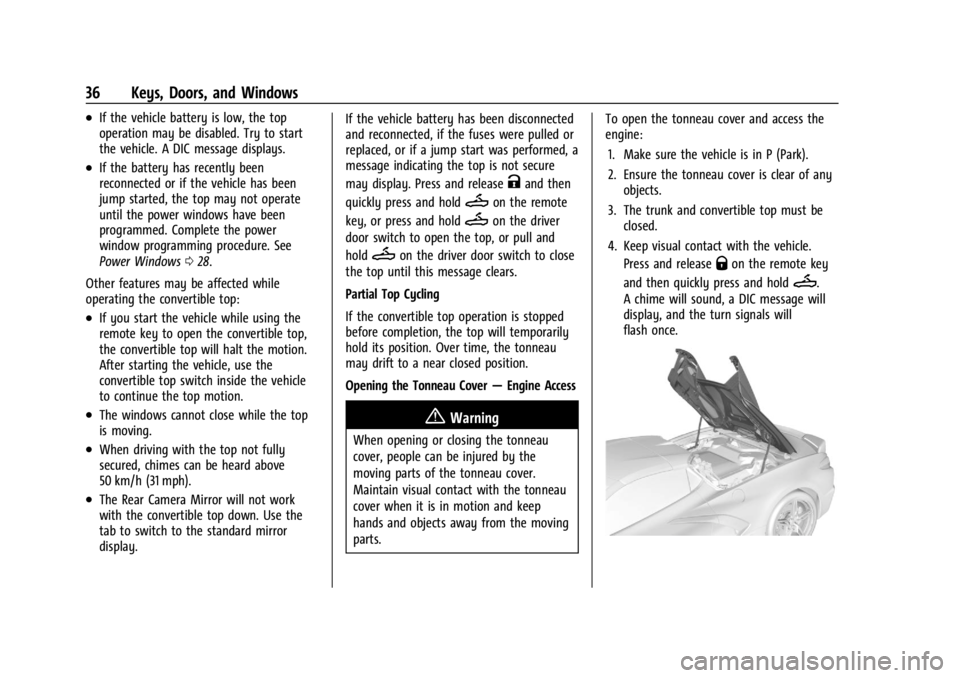
Opening the Tonneau Cover —Engine Access
{Warning
When opening or closing the tonneau
cover, people can be injured by the
moving parts of the tonneau cover.
Maintain visual contact with the tonneau
cover when it is in motion and keep
hands and objects away from the moving
parts. To open the tonneau cover and access the
engine:
1. Make sure the vehicle is in P (Park).
2. Ensure the tonneau cover is clear of any objects.
3. The trunk and convertible top must be closed.
4. Keep visual contact with the vehicle. Press and release
Qon the remote key
and then quickly press and hold
M.
A chime will sound, a DIC message will
display, and the turn signals will
flash once.
Page 38 of 351
Chevrolet Corvette Owner Manual (GMNA-Localizing-U.S./Canada/Mexico-
16287457) - 2023 - CRC - 3/10/22
Keys, Doors, and Windows 37
5. HoldMuntil the tonneau cover is
completely opened. The turn signals will
flash once.
In the event the tonneau cover is partially
open, the motion of the tonneau cover will
be in the opposite direction upon
reactivation.
Closing the Tonneau Cover —Engine Access
Function
1. Make sure the vehicle is off.
2. Remove all objects from the engine compartment.
3. The trunk and convertible top must be closed.
4. Keep visual contact with the vehicle. Press and release
Qon the remote key
and then quickly press and hold
M.
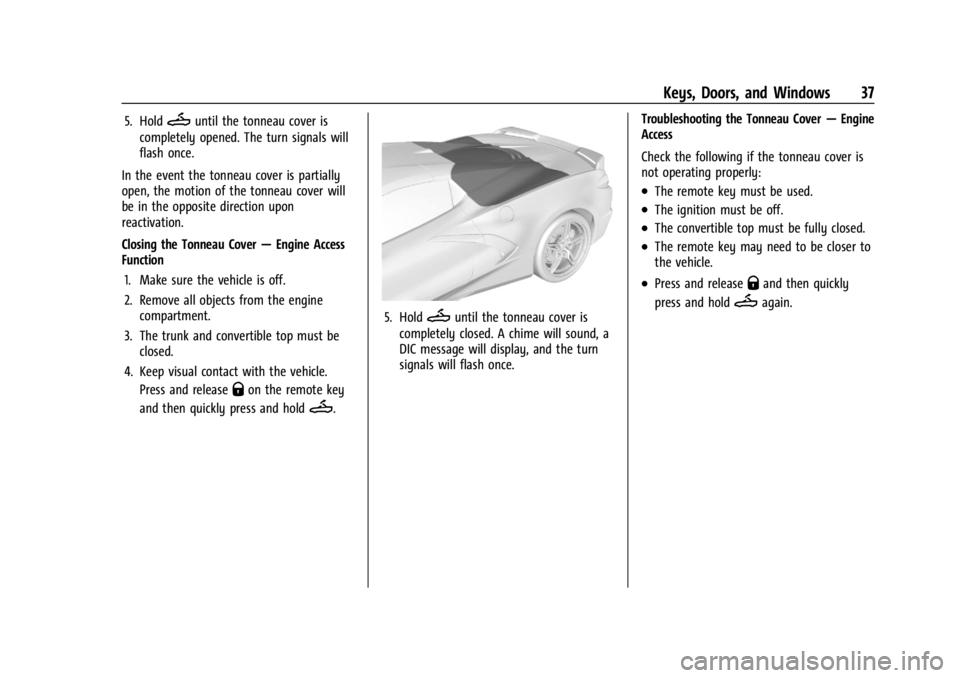
5. HoldMuntil the tonneau cover is
completely closed. A chime will sound, a
DIC message will display, and the turn
signals will flash once. Troubleshooting the Tonneau Cover
—Engine
Access
Check the following if the tonneau cover is
not operating properly:
.The remote key must be used.
.The ignition must be off.
.The convertible top must be fully closed.
.The remote key may need to be closer to
the vehicle.
.Press and releaseQand then quickly
press and hold
Magain.
Page 71 of 351
Chevrolet Corvette Owner Manual (GMNA-Localizing-U.S./Canada/Mexico-
16287457) - 2023 - CRC - 3/10/22
70 Storage
Underhood Storage
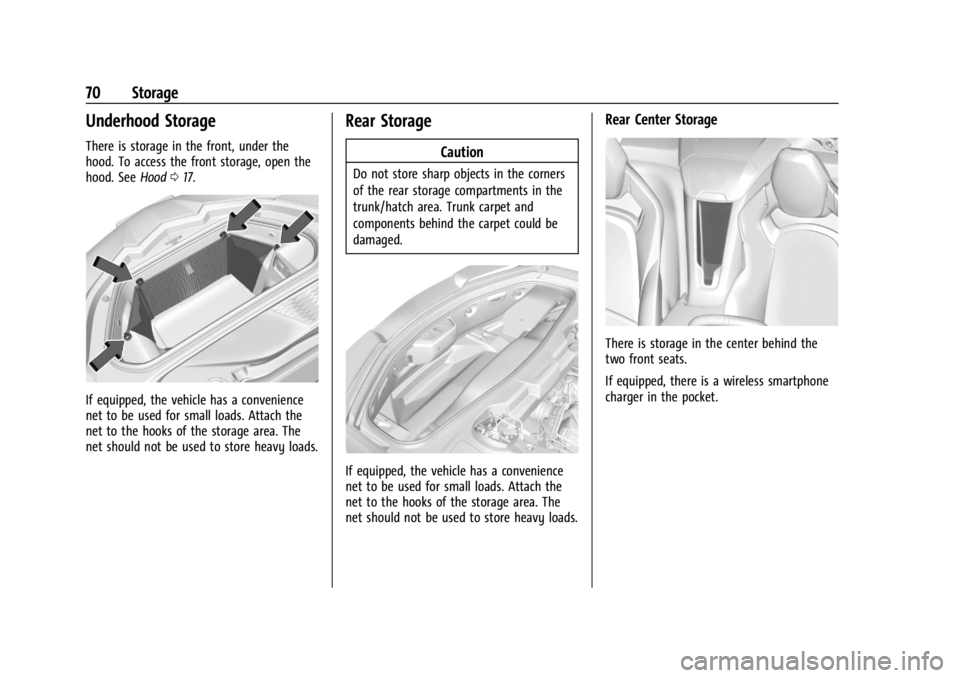
There is storage in the front, under the
hood. To access the front storage, open the
hood. SeeHood017.
If equipped, the vehicle has a convenience
net to be used for small loads. Attach the
net to the hooks of the storage area. The
net should not be used to store heavy loads.
Rear Storage
Caution
Do not store sharp objects in the corners
of the rear storage compartments in the
trunk/hatch area. Trunk carpet and
components behind the carpet could be
damaged.
If equipped, the vehicle has a convenience
net to be used for small loads. Attach the
net to the hooks of the storage area. The
net should not be used to store heavy loads.
Rear Center Storage
There is storage in the center behind the
two front seats.
If equipped, there is a wireless smartphone
charger in the pocket.
Page 72 of 351
Chevrolet Corvette Owner Manual (GMNA-Localizing-U.S./Canada/Mexico-
16287457) - 2023 - CRC - 3/10/22
Storage 71
Center Console Storage
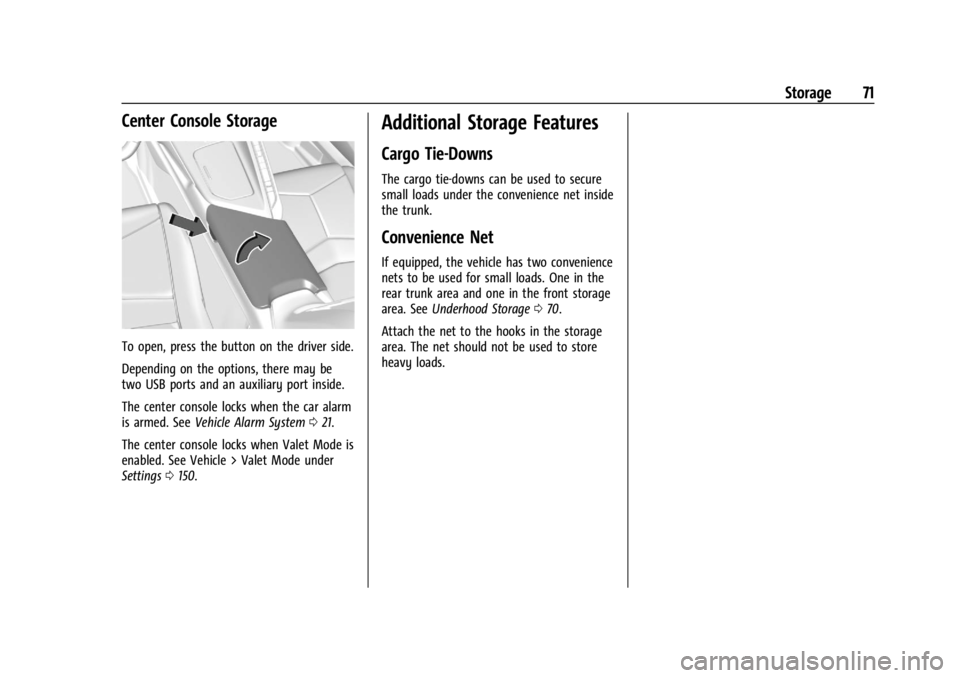
To open, press the button on the driver side.
Depending on the options, there may be
two USB ports and an auxiliary port inside.
The center console locks when the car alarm
is armed. SeeVehicle Alarm System 021.
The center console locks when Valet Mode is
enabled. See Vehicle > Valet Mode under
Settings 0150.
Additional Storage Features
Cargo Tie-Downs
The cargo tie-downs can be used to secure
small loads under the convenience net inside
the trunk.
Convenience Net
If equipped, the vehicle has two convenience
nets to be used for small loads. One in the
rear trunk area and one in the front storage
area. See Underhood Storage 070.
Attach the net to the hooks in the storage
area. The net should not be used to store
heavy loads.
Page 106 of 351
Chevrolet Corvette Owner Manual (GMNA-Localizing-U.S./Canada/Mexico-
16287457) - 2023 - CRC - 3/10/22
Lighting 105
Raise or lower the lever until the arrow
starts to flash to signal a lane change. Hold
it there until the lane change is complete.
If the lever is briefly pressed and released,
the turn signal flashes three times. If more
flashes are desired, continue to hold the
lever.
The lever returns to its starting position
when it is released.
If after signaling a turn or lane change the
arrows flash rapidly or do not come on, a
turn signal indicator light failure may have
occurred.
If a turn signal has failed, the lamp may
need to be replaced. See your dealer.
Turn Signal on Chime
A chime sounds if the turn signal has been
on for more than 1.2 km (0.75 mi) of driving.
If you need to leave the turn signal on for
more than 1.2 km (0.75 mi), turn off the
signal and then turn it back on.Interior Lighting
Instrument Panel Illumination
Control
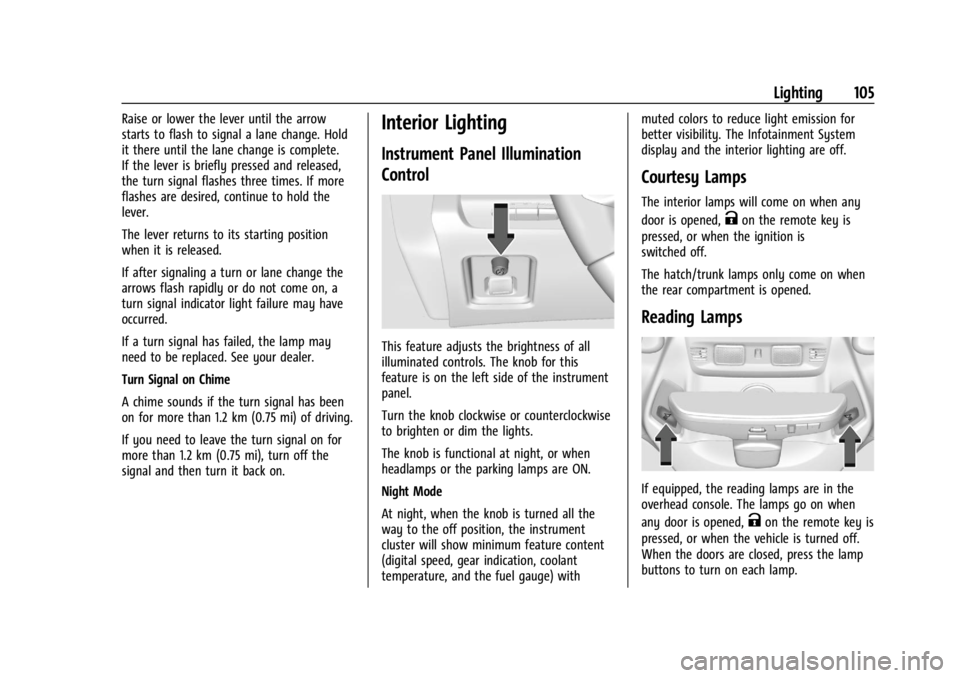
This feature adjusts the brightness of all
illuminated controls. The knob for this
feature is on the left side of the instrument
panel.
Turn the knob clockwise or counterclockwise
to brighten or dim the lights.
The knob is functional at night, or when
headlamps or the parking lamps are ON.
Night Mode
At night, when the knob is turned all the
way to the off position, the instrument
cluster will show minimum feature content
(digital speed, gear indication, coolant
temperature, and the fuel gauge) withmuted colors to reduce light emission for
better visibility. The Infotainment System
display and the interior lighting are off.
Courtesy Lamps
The interior lamps will come on when any
door is opened,
Kon the remote key is
pressed, or when the ignition is
switched off.
The hatch/trunk lamps only come on when
the rear compartment is opened.
Reading Lamps
If equipped, the reading lamps are in the
overhead console. The lamps go on when
any door is opened,
Kon the remote key is
pressed, or when the vehicle is turned off.
When the doors are closed, press the lamp
buttons to turn on each lamp.