trunk CHEVROLET CORVETTE 2023 Owner's Manual
[x] Cancel search | Manufacturer: CHEVROLET, Model Year: 2023, Model line: CORVETTE, Model: CHEVROLET CORVETTE 2023Pages: 351, PDF Size: 6.28 MB
Page 107 of 351
Chevrolet Corvette Owner Manual (GMNA-Localizing-U.S./Canada/Mexico-
16287457) - 2023 - CRC - 3/10/22
106 Lighting
To operate, the vehicle must be on, in
accessory mode, or using Retained Accessory
Power (RAP).
Engine Compartment Lamp
If equipped, the engine compartment lamp
will turn on briefly when:
.Kis pressed on the key.
.Keyless Access is used to unlock the door.
.Any door is opened.
.The engine compartment hatch is opened.
The engine compartment lamp will turn
off when:
.All doors and the engine compartment
hatch are closed.
.Qis pressed on the key.
.The vehicle begins to move after shifting
out of P (Park).
.The vehicle is started, or turned from off
to accessory mode.
If any door or the engine compartment
hatch/trunk remains open, while the vehicle
is off, a timer will turn the lamp off.
Lighting Features
Entry Lighting
The interior lamps turn on when pressingK
on the remote key or opening any doors,
and the dome lamp control is in the DOOR
position.
Some exterior lamps also turn on when
pressing
Kon the remote key or opening
any doors. Low-beam lamps will only turn
on briefly at night, or in areas with limited
lighting.
All lamps will gradually fade out after about
30 seconds.
Entry lighting can be disabled manually by
closing all doors, pressing
Qon the remote
key, or starting the vehicle.
This feature can be changed. On the
infotainment home screen, select the
Settings icon
TVehicleTVehicle Locator
Lights.
Exit Lighting
Some exterior lamps and interior lamps turn
on when the driver door is opened after the
vehicle is turned off.
The exterior and interior lamps remain on
for a set amount of time, then automatically
turn off.
The interior lights turn on when the vehicle
is turned off.
The exterior lamps turn off immediately by
turning the exterior lamp control off.
This feature can be changed. On the
infotainment home screen, select the
Settings icon
TVehicleTExit Lighting.
Battery Power Protection
This feature helps prevent the battery from
being drained, if the interior courtesy lamps
or reading lamps are accidentally left on.
If any of these lamps are left on, they
automatically turn off after 10 minutes,
if the ignition is off. The lamps will not
come back on again until one of the
following occurs:
.The ignition is turned on.
.The doors are closed and then re-opened.
Page 231 of 351
Chevrolet Corvette Owner Manual (GMNA-Localizing-U.S./Canada/Mexico-
16287457) - 2023 - CRC - 3/10/22
230 Driving and Operating
Warning (Continued)
.Do not fill a container while it is
inside a vehicle, in a vehicle's trunk, in
a pickup bed, or on any surface other
than the ground.
.Bring the fill nozzle in contact with
the inside of the fill opening before
operating the nozzle. Maintain contact
until filling is complete.
.Keep sparks, flames, and smoking
materials away from fuel.
.Avoid using electronic devices while
pumping fuel.
Trailer Towing
General Towing Information
{Warning
Never tow a trailer with your vehicle.
It was not designed or intended to tow a
trailer.
Conversions and Add-Ons
Add-On Electrical Equipment
{Warning
The Data Link Connector (DLC) is used for
vehicle service and Emission Inspection/
Maintenance testing. SeeMalfunction
Indicator Lamp (Check Engine Light) 086.
A device connected to the DLC —such as
an aftermarket fleet or driver-behavior
tracking device —may interfere with
vehicle systems. This could affect vehicle
operation and cause a crash. Such devices
may also access information stored in the
vehicle’s systems.
Caution
Some electrical equipment can damage
the vehicle or cause components to not
work and would not be covered by the
vehicle warranty. Always check with your
dealer before adding electrical equipment. Add-on equipment can drain the vehicle's
12-volt battery, even if the vehicle is not
operating.
The vehicle has an airbag system. Before
attempting to add anything electrical to the
vehicle, see
Servicing the Airbag-Equipped
Vehicle 059 and
Adding Equipment to the Airbag-Equipped
Vehicle 059.
Page 235 of 351
Chevrolet Corvette Owner Manual (GMNA-Localizing-U.S./Canada/Mexico-
16287457) - 2023 - CRC - 3/10/22
234 Vehicle Care
Position the service jack and lifting pad
under the frame rail shipping slot
reinforcement.
For more information, seeDoing Your Own
Service Work 0234.
Vehicle Checks
Doing Your Own Service Work
{Warning
It can be dangerous to work on your
vehicle if you do not have the proper
knowledge, service manual, tools,
or parts. Always follow owner’s manual
procedures and consult the service
manual for your vehicle before doing any
service work.
If doing some of your own service work, use
the proper service manual. It tells you much
more about how to service the vehicle than
this manual can. To order the proper service
manual, see Publication Ordering
Information 0327. This vehicle has an airbag system. Before
attempting to do your own service work,
see
Servicing the Airbag-Equipped Vehicle
0 59.
If equipped with remote vehicle start, open
the hatch/trunk before performing any
service work to prevent remote starting the
vehicle accidentally. See Remote Vehicle
Start 012.
Keep a record with all parts receipts and list
the mileage and the date of any service
work performed. See Maintenance Records
0 313.
Caution
Even small amounts of contamination can
cause damage to vehicle systems. Do not
allow contaminants to contact the fluids,
reservoir caps, or dipsticks.
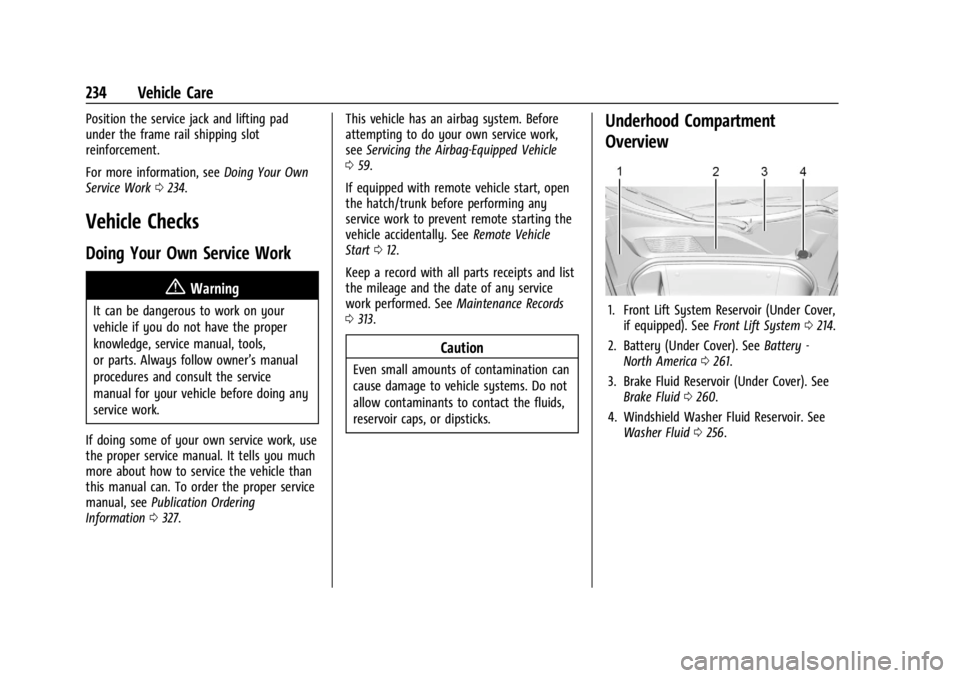
Underhood Compartment
Overview
1. Front Lift System Reservoir (Under Cover,
if equipped). See Front Lift System 0214.
2. Battery (Under Cover). See Battery -
North America 0261.
3. Brake Fluid Reservoir (Under Cover). See Brake Fluid 0260.
4. Windshield Washer Fluid Reservoir. See Washer Fluid 0256.
Page 256 of 351
Chevrolet Corvette Owner Manual (GMNA-Localizing-U.S./Canada/Mexico-
16287457) - 2023 - CRC - 3/10/22
Vehicle Care 255
If coolant is needed, be sure the cooling
system is cool, then add the proper
DEX-COOL coolant mixture directly to the
surge tank.1. Open the Hatch/Trunk. See Hatch (Trunk)
0 19.
2. When the cooling system, including the
coolant surge tank pressure cap and
engine, is no longer hot, remove the
pressure cap.
Turn the pressure cap slowly
counterclockwise about one-quarter turn
and then stop.
If a hiss is heard, wait for that to stop.
A hiss means there is still some
pressure left.
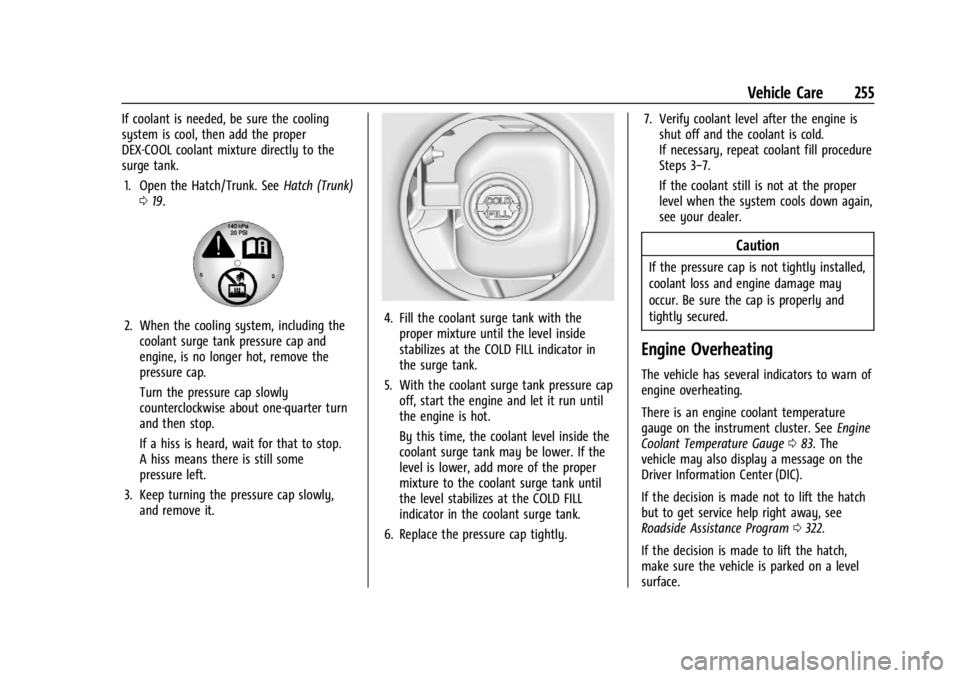
3. Keep turning the pressure cap slowly, and remove it.4. Fill the coolant surge tank with theproper mixture until the level inside
stabilizes at the COLD FILL indicator in
the surge tank.
5. With the coolant surge tank pressure cap off, start the engine and let it run until
the engine is hot.
By this time, the coolant level inside the
coolant surge tank may be lower. If the
level is lower, add more of the proper
mixture to the coolant surge tank until
the level stabilizes at the COLD FILL
indicator in the coolant surge tank.
6. Replace the pressure cap tightly. 7. Verify coolant level after the engine is
shut off and the coolant is cold.
If necessary, repeat coolant fill procedure
Steps 3−7.
If the coolant still is not at the proper
level when the system cools down again,
see your dealer.
Caution
If the pressure cap is not tightly installed,
coolant loss and engine damage may
occur. Be sure the cap is properly and
tightly secured.
Engine Overheating
The vehicle has several indicators to warn of
engine overheating.
There is an engine coolant temperature
gauge on the instrument cluster. See Engine
Coolant Temperature Gauge 083. The
vehicle may also display a message on the
Driver Information Center (DIC).
If the decision is made not to lift the hatch
but to get service help right away, see
Roadside Assistance Program 0322.
If the decision is made to lift the hatch,
make sure the vehicle is parked on a level
surface.
Page 264 of 351
Chevrolet Corvette Owner Manual (GMNA-Localizing-U.S./Canada/Mexico-
16287457) - 2023 - CRC - 3/10/22
Vehicle Care 263
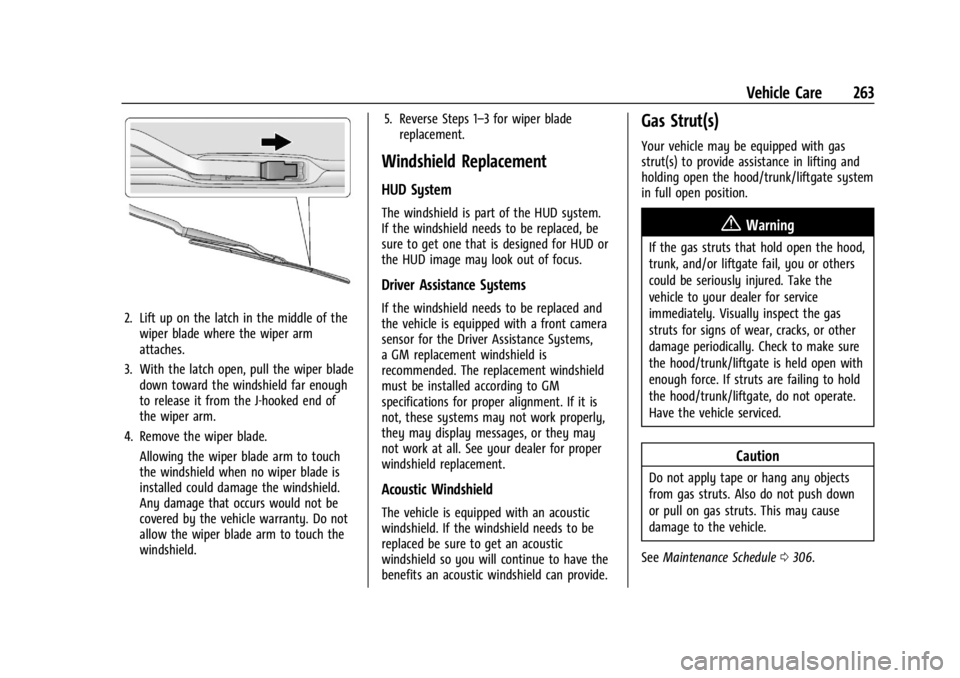
2. Lift up on the latch in the middle of thewiper blade where the wiper arm
attaches.
3. With the latch open, pull the wiper blade down toward the windshield far enough
to release it from the J-hooked end of
the wiper arm.
4. Remove the wiper blade. Allowing the wiper blade arm to touch
the windshield when no wiper blade is
installed could damage the windshield.
Any damage that occurs would not be
covered by the vehicle warranty. Do not
allow the wiper blade arm to touch the
windshield. 5. Reverse Steps 1–3 for wiper blade
replacement.
Windshield Replacement
HUD System
The windshield is part of the HUD system.
If the windshield needs to be replaced, be
sure to get one that is designed for HUD or
the HUD image may look out of focus.
Driver Assistance Systems
If the windshield needs to be replaced and
the vehicle is equipped with a front camera
sensor for the Driver Assistance Systems,
a GM replacement windshield is
recommended. The replacement windshield
must be installed according to GM
specifications for proper alignment. If it is
not, these systems may not work properly,
they may display messages, or they may
not work at all. See your dealer for proper
windshield replacement.
Acoustic Windshield
The vehicle is equipped with an acoustic
windshield. If the windshield needs to be
replaced be sure to get an acoustic
windshield so you will continue to have the
benefits an acoustic windshield can provide.
Gas Strut(s)
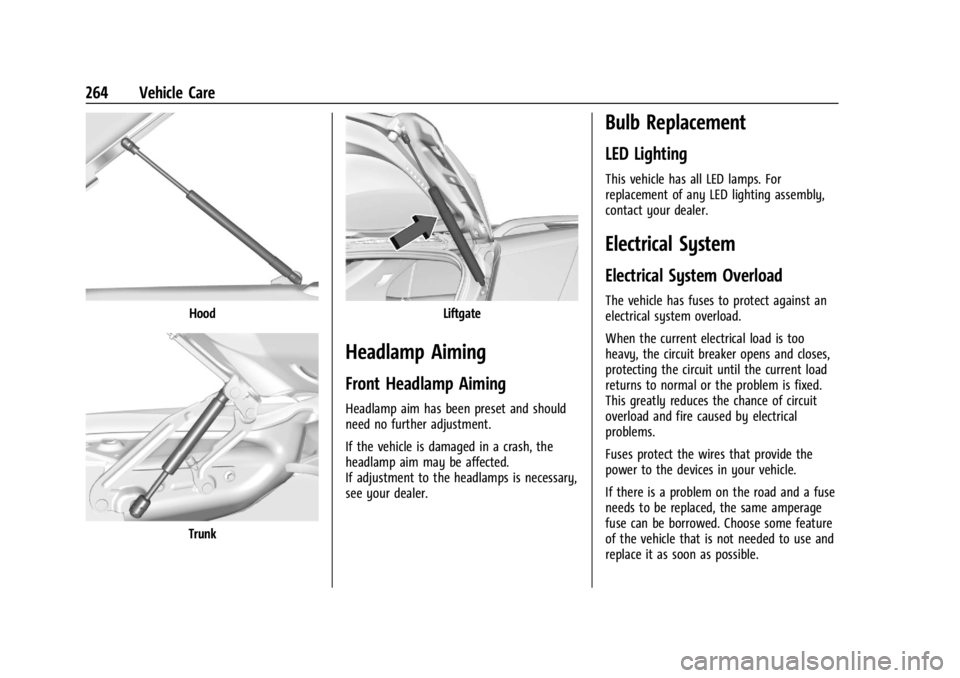
Your vehicle may be equipped with gas
strut(s) to provide assistance in lifting and
holding open the hood/trunk/liftgate system
in full open position.
{Warning
If the gas struts that hold open the hood,
trunk, and/or liftgate fail, you or others
could be seriously injured. Take the
vehicle to your dealer for service
immediately. Visually inspect the gas
struts for signs of wear, cracks, or other
damage periodically. Check to make sure
the hood/trunk/liftgate is held open with
enough force. If struts are failing to hold
the hood/trunk/liftgate, do not operate.
Have the vehicle serviced.
Caution
Do not apply tape or hang any objects
from gas struts. Also do not push down
or pull on gas struts. This may cause
damage to the vehicle.
See Maintenance Schedule 0306.
Page 265 of 351
Chevrolet Corvette Owner Manual (GMNA-Localizing-U.S./Canada/Mexico-
16287457) - 2023 - CRC - 3/10/22
264 Vehicle Care
Hood
Trunk
Liftgate
Headlamp Aiming
Front Headlamp Aiming
Headlamp aim has been preset and should
need no further adjustment.
If the vehicle is damaged in a crash, the
headlamp aim may be affected.
If adjustment to the headlamps is necessary,
see your dealer.
Bulb Replacement
LED Lighting
This vehicle has all LED lamps. For
replacement of any LED lighting assembly,
contact your dealer.
Electrical System
Electrical System Overload
The vehicle has fuses to protect against an
electrical system overload.
When the current electrical load is too
heavy, the circuit breaker opens and closes,
protecting the circuit until the current load
returns to normal or the problem is fixed.
This greatly reduces the chance of circuit
overload and fire caused by electrical
problems.
Fuses protect the wires that provide the
power to the devices in your vehicle.
If there is a problem on the road and a fuse
needs to be replaced, the same amperage
fuse can be borrowed. Choose some feature
of the vehicle that is not needed to use and
replace it as soon as possible.
Page 268 of 351
Chevrolet Corvette Owner Manual (GMNA-Localizing-U.S./Canada/Mexico-
16287457) - 2023 - CRC - 3/10/22
Vehicle Care 267
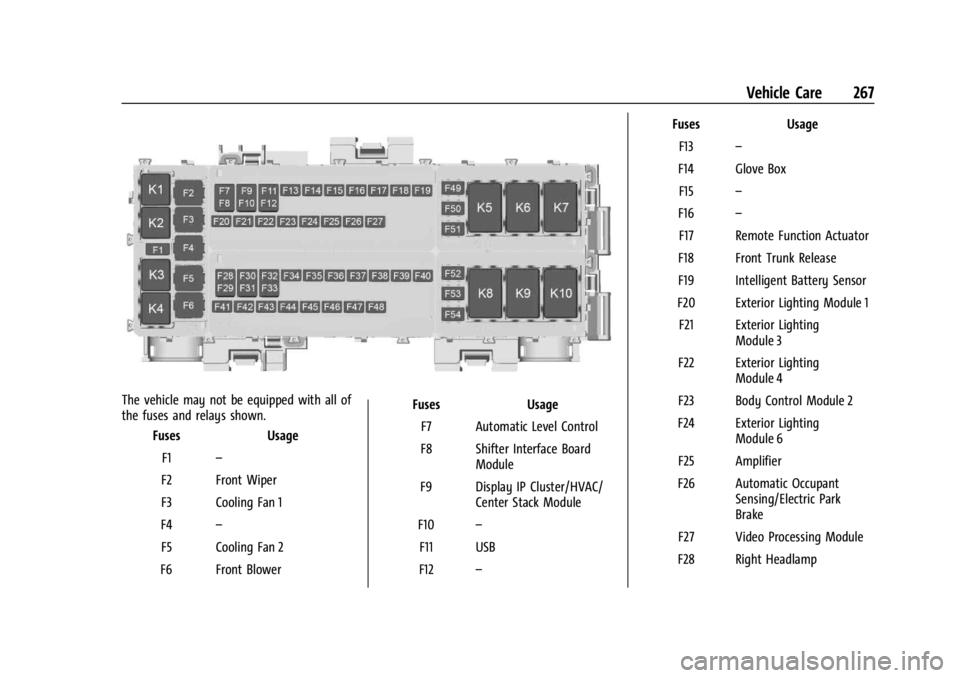
The vehicle may not be equipped with all of
the fuses and relays shown.Fuses Usage
F1 –
F2 Front Wiper
F3 Cooling Fan 1
F4 –
F5 Cooling Fan 2
F6 Front Blower Fuses Usage
F7 Automatic Level Control
F8 Shifter Interface Board Module
F9 Display IP Cluster/HVAC/ Center Stack Module
F10 –
F11 USB
F12 – Fuses Usage
F13 –
F14 Glove Box F15 –
F16 –
F17 Remote Function Actuator
F18 Front Trunk Release
F19 Intelligent Battery Sensor
F20 Exterior Lighting Module 1 F21 Exterior Lighting Module 3
F22 Exterior Lighting Module 4
F23 Body Control Module 2
F24 Exterior Lighting Module 6
F25 Amplifier
F26 Automatic Occupant Sensing/Electric Park
Brake
F27 Video Processing Module
F28 Right Headlamp
Page 269 of 351
Chevrolet Corvette Owner Manual (GMNA-Localizing-U.S./Canada/Mexico-
16287457) - 2023 - CRC - 3/10/22
268 Vehicle Care
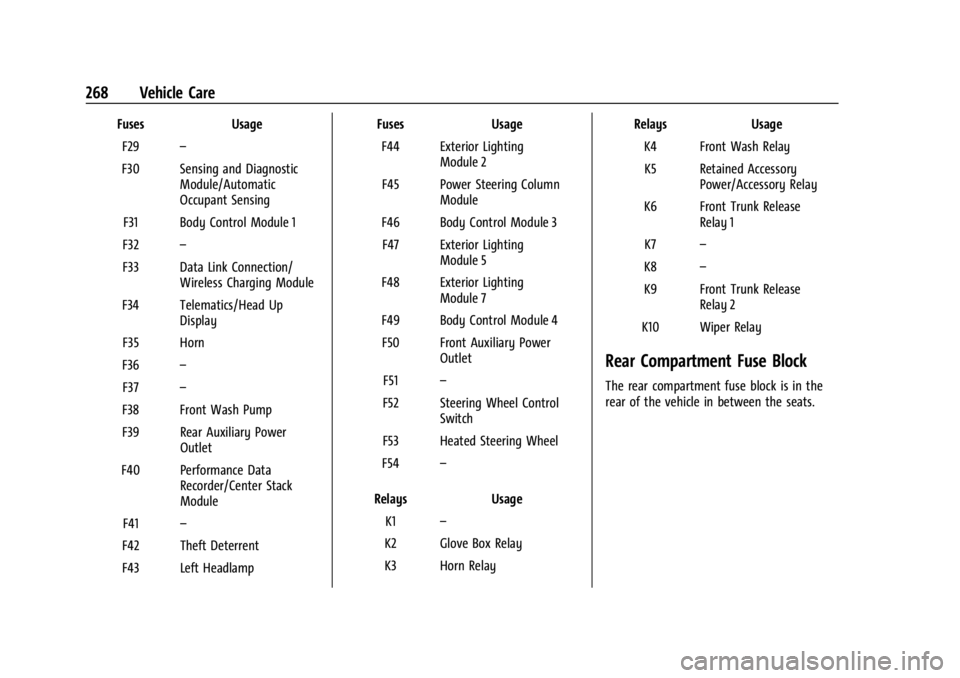
FusesUsage
F29 –
F30 Sensing and Diagnostic Module/Automatic
Occupant Sensing
F31 Body Control Module 1
F32 –
F33 Data Link Connection/ Wireless Charging Module
F34 Telematics/Head Up Display
F35 Horn
F36 –
F37 –
F38 Front Wash Pump
F39 Rear Auxiliary Power Outlet
F40 Performance Data Recorder/Center Stack
Module
F41 –
F42 Theft Deterrent
F43 Left Headlamp Fuses
Usage
F44 Exterior Lighting Module 2
F45 Power Steering Column Module
F46 Body Control Module 3 F47 Exterior Lighting Module 5
F48 Exterior Lighting Module 7
F49 Body Control Module 4 F50 Front Auxiliary Power Outlet
F51 –
F52 Steering Wheel Control Switch
F53 Heated Steering Wheel
F54 –
Relays Usage
K1 –
K2 Glove Box Relay
K3 Horn Relay Relays
Usage
K4 Front Wash Relay K5 Retained Accessory Power/Accessory Relay
K6 Front Trunk Release Relay 1
K7 –
K8 –
K9 Front Trunk Release Relay 2
K10 Wiper Relay
Rear Compartment Fuse Block
The rear compartment fuse block is in the
rear of the vehicle in between the seats.