instrument cluster CHEVROLET CORVETTE C6 2012 Owner's Manual
[x] Cancel search | Manufacturer: CHEVROLET, Model Year: 2012, Model line: CORVETTE C6, Model: CHEVROLET CORVETTE C6 2012Pages: 432, PDF Size: 5.73 MB
Page 164 of 432
Black plate (50,1)Chevrolet Corvette Owner Manual - 2012
5-50 Instruments and Controls
You can receive more than one tire
pressure message at a time.
To read other messages that may
have been sent at the same time,
press the RESET button . If a tire
pressure message appears on the
DIC, stop as soon as you can.
Have the tire pressures checked
and set to those shown on the
Tire and Loading Information label.
SeeRun-Flat Tires on page 10‑56,
Vehicle Load Limits on page 9‑14,
Tire Pressure on page 10‑62, and
Tire Pressure Monitor System on
page 10‑64. The DIC also shows
the tire pressure values. See Driver
Information Center (DIC) on
page 5‑26.
To acknowledge the message,
press the RESET button.
A message reappears every
10 minutes until the condition is
corrected.LOW TIRE PRESSURE or
TIRE LOW ADD AIR TO TIRE
{WARNING
When the LOW TIRE
PRESSURE or TIRE FLAT
message is displayed on the
Driver Information Center, your
vehicle's handling capabilities
will be reduced during severe
maneuvers. The active handling
system will be affected. See
Active Handling System on
page 9‑38. If you drive too fast,
you could lose control of your
vehicle. You or others could be
injured. Do not drive over 90 km/h
(55 mph) when the LOW TIRE
PRESSURE or TIRE FLAT
message is displayed. Drive
cautiously and check your tire
pressures as soon as you can. This message displays when one or
more of the tires is underinflated.
This message also displays LEFT
FRONT, RIGHT FRONT, LEFT
REAR, or RIGHT REAR to indicate
which tire is affected. Multiple
chimes sound and the tire pressure
light on the instrument panel cluster
turns on when this message is
displayed. See
Tire Pressure Light
on page 5‑24. You can receive more
than one tire pressure message at a
time. To read other messages that
may have been sent at the same
time, press the RESET button. If a
tire pressure message appears on
the DIC, stop as soon as you can.
Have the tire pressures checked
and set to those shown on the Tire
and Loading Information label.
See Run-Flat Tires on page 10‑56,
Vehicle Load Limits on page 9‑14,
Tire Pressure on page 10‑62, and
Tire Pressure Monitor System on
page 10‑64. The DIC also shows
Page 165 of 432
Black plate (51,1)Chevrolet Corvette Owner Manual - 2012
Instruments and Controls 5-51
the tire pressure values. SeeDriver
Information Center (DIC) on
page 5‑26.
To acknowledge the message,
press the RESET button.
A message reappears every
10 minutes until the condition is
corrected.
SERVICE TIRE MONITOR
This message displays if a part on
the Tire Pressure Monitor
System (TPMS) is not working
properly. The tire pressure light also
flashes and then remains on during
the same ignition cycle. See Tire
Pressure Light on page 5‑24.
Several conditions may cause this
message to appear. See Tire
Pressure Monitor Operation on
page 10‑66 for more information.
If the warning comes on and stays
on, there may be a problem with the
TPMS. See your dealer.
TIRE FLAT
{WARNING
When the LOW TIRE
PRESSURE or TIRE FLAT
message is displayed on the
Driver Information Center, your
vehicle's handling capabilities
will be reduced during severe
maneuvers. If you drive too fast,
you could lose control of your
vehicle. You or others could be
injured. Do not drive over 55 mph
(90 km/h) when the LOW TIRE
PRESSURE or TIRE FLAT
message is displayed. Drive
cautiously and check your tire
pressures as soon as you can.
This message displays when one
or more of the tires is flat. This
message also displays LEFT
FRONT, RIGHT FRONT, LEFT
REAR, or RIGHT REAR to indicate which tire is affected. Multiple
chimes sound and the tire pressure
light on the instrument panel cluster
comes on when this message is
displayed. See
Tire Pressure Light
on page 5‑24.
This message is followed by the
MAXIMUM SPEED 90 km/h
(55 MPH) message, and then by
the REDUCED HANDLING
message. The Active Handling
System will intervene more quickly
when a flat tire has been detected.
Adjust your driving accordingly.
You can receive more than
one tire pressure message at a
time. To read other messages that
may have been sent at the same
time, press the RESET button. If a
tire pressure message appears on
the DIC, stop as soon as you can.
Have the tire pressures checked
and set to those shown on the Tire
and Loading Information label.
Page 168 of 432
Black plate (54,1)Chevrolet Corvette Owner Manual - 2012
5-54 Instruments and Controls
Vehicle
Personalization
Many features on your vehicle can
be personalized. This means that
the operation of these features
can be set to operate differently
depending on who is driving the
vehicle. See“Personal Options”
later in this section for the features
that you can personalize.
The personalization settings for
other features are automatically
updated and saved as the driver
adjusts them. These include the
following settings and presets:
.The radio presets, tone, volume,
fade, balance, equalization (EQ)
settings, and source (radio
or CD).
.The last climate control setting.
.The Head-Up Display (HUD)
position and dimming level,
if your vehicle has this feature.
.The instrument panel cluster
dimming level and last selected
DIC display. Separate personalization settings
are saved for two different drivers.
One of the Remote Keyless Entry
(RKE) transmitters is assigned to
driver 1. The other is assigned to
driver 2. The backs of the RKE
transmitters are labelled 1 or 2 to
correspond to each driver.
The current driver's preferences are
recalled when one of the following
occurs:
.The lock or unlock button on the
RKE transmitter, labelled 1 or 2,
is pressed.
.The appropriate memory
button, 1 or 2, located on
the driver door is pressed.
See
Memory Seats on page 3‑4
for more information.
.A valid RKE transmitter is
detected upon opening the
driver door. If more than one valid RKE
transmitter is detected upon
opening the driver door, the driver
preferences for the lowest driver
number will be recalled.
If an RKE transmitter that is not
labelled 1 or 2 is used, the
personalization system will not
recognize the transmitter. The Driver
Information Center (DIC) will not
display a current driver number and
the features that are normally
programmed through the DIC will be
set to the default states. Also, if the
OPTION button is pressed, the DIC
does not display the menus used to
set personalizations, but instead
displays OPTIONS UNAVAILABLE
for a few seconds.
Page 184 of 432
Black plate (2,1)Chevrolet Corvette Owner Manual - 2012
6-2 Lighting
Exterior Lamps Off
Reminder
A warning chime will sound if the
exterior lamp control is left on in
either the headlamp or parking lamp
position and the driver door is
opened with the ignition off.
Headlamp High/
Low-Beam Changer
To change the headlamps from low
beam to high, push the turn signal
lever all the way forward. To change
from high to low beam, pull the lever
rearward.
While the high beams are on, this
light on the instrument cluster will
also be lit.
Flash-to-Pass
To use the flash-to-pass feature,
briefly pull the turn signal lever
toward you. The high-beam
indicator flashes to indicate to the
other driver that you intend to pass.
If the low-beam headlamps are off
and the fog lamps are on, the fog
lamps flash.
Daytime Running
Lamps (DRL)
Daytime Running Lamps (DRL) can
make it easier for others to see the
front of your vehicle during the day.
Fully functional daytime running
lamps are required on all vehicles
first sold in Canada.
The DRL system makes the front
turn signal lamps come on when the
following conditions are met:
.It is still daylight and the ignition
is on.
.The exterior lamp control is in
the AUTO position.
.The transmission is not in
P (Park) or the parking brake
is off.
.The parking brake is off or the
vehicle speed is greater than
13 km/h (8 mph).
When DRL are on, only the front
turn signal lamps will be on.
The parking lamps, taillamps,
instrument panel lights, or other
exterior lamps will not be on when
the DRL are being used.
When it is dark enough outside, the
front turn signal lamps turn off and
the normal low-beam headlamps
turn on.
When it is bright enough outside,
the regular lamps go off, and the
front turn signal lamps will take over.
If the vehicle is started in a dark
garage, the automatic headlamp
system comes on immediately.
Once the vehicle leaves the garage,
it takes approximately one minute
for the automatic headlamp system
to change to DRL if it is light
Page 185 of 432
Black plate (3,1)Chevrolet Corvette Owner Manual - 2012
Lighting 6-3
outside. During that delay, the
instrument panel cluster may not be
as bright as usual. Make sure the
instrument panel brightness knob
is in the full bright position. See
Instrument Panel Illumination
Control on page 6‑6for more
information.
If it is dark enough outside and
the exterior lamp control is off,
a HEADLAMPS SUGGESTED
message will display on the Driver
Information Center (DIC). See Lamp
Messages on page 5‑43.
Turning the exterior lamp control
to off a second time, or turning on
the headlamps will remove the
HEADLAMPS SUGGESTED
message in the DIC. If the parking
lamps or the fog lamps were turned
on instead, the HEADLAMPS
SUGGESTED message will
continue to be displayed.
The regular headlamp system
should be turned on when needed. To turn off the DRL, turn the exterior
lamp control to the off position or
shift into P (Park). The DRL will
stay off until the control is toggled
again or the vehicle is shifted out
of P (Park).
This procedure applies only to
vehicles first sold in the United
States.
Twilight Sentinel
Twilight Sentinel®is an automatic
headlamp system. When activated,
this feature turns your headlamps
and parking lamps on and off by
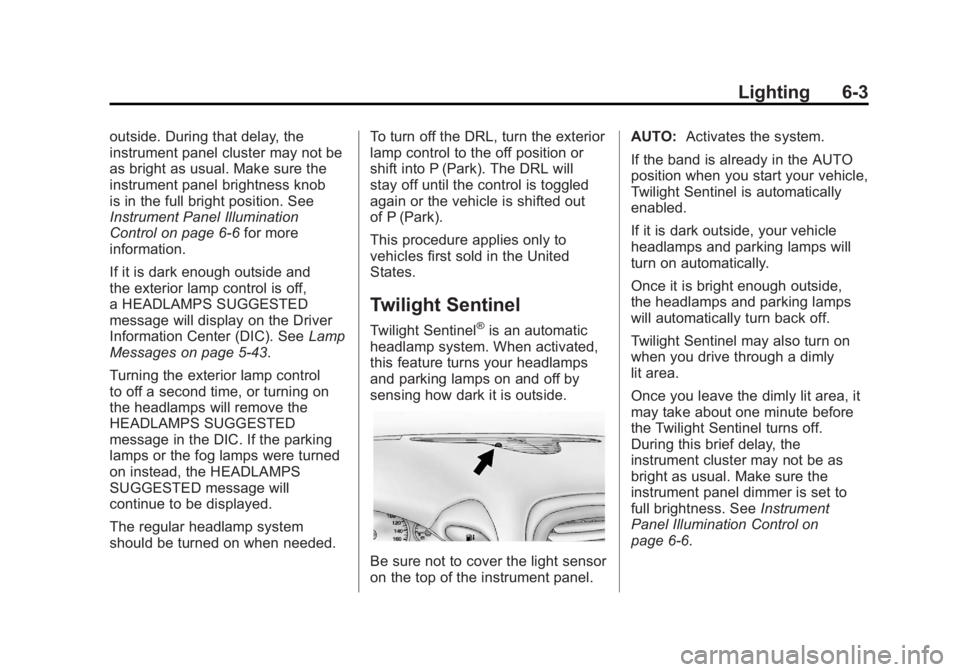
sensing how dark it is outside.
Be sure not to cover the light sensor
on the top of the instrument panel. AUTO:
Activates the system.
If the band is already in the AUTO
position when you start your vehicle,
Twilight Sentinel is automatically
enabled.
If it is dark outside, your vehicle
headlamps and parking lamps will
turn on automatically.
Once it is bright enough outside,
the headlamps and parking lamps
will automatically turn back off.
Twilight Sentinel may also turn on
when you drive through a dimly
lit area.
Once you leave the dimly lit area, it
may take about one minute before
the Twilight Sentinel turns off.
During this brief delay, the
instrument cluster may not be as
bright as usual. Make sure the
instrument panel dimmer is set to
full brightness. See Instrument
Panel Illumination Control on
page 6‑6.
Page 186 of 432
Black plate (4,1)Chevrolet Corvette Owner Manual - 2012
6-4 Lighting
To temporarily disable Twilight
Sentinel, turn the band to
O.
To turn Twilight Sentinel back on,
turn the band to
Oagain, then
release it.
If the Twilight Sentinel has the
headlamps turned on and you turn
the ignition off, the headlamps will
stay on for a period of time while
you leave the vehicle.
Use the Driver Information Center to
turn Twilight Sentinel on or off and
to increase or decrease the length
of the delayed illumination period.
See “Personal Options” under
Vehicle Personalization on
page 5‑54.
The regular headlamp system
should be turned on when needed.
Hazard Warning Flashers
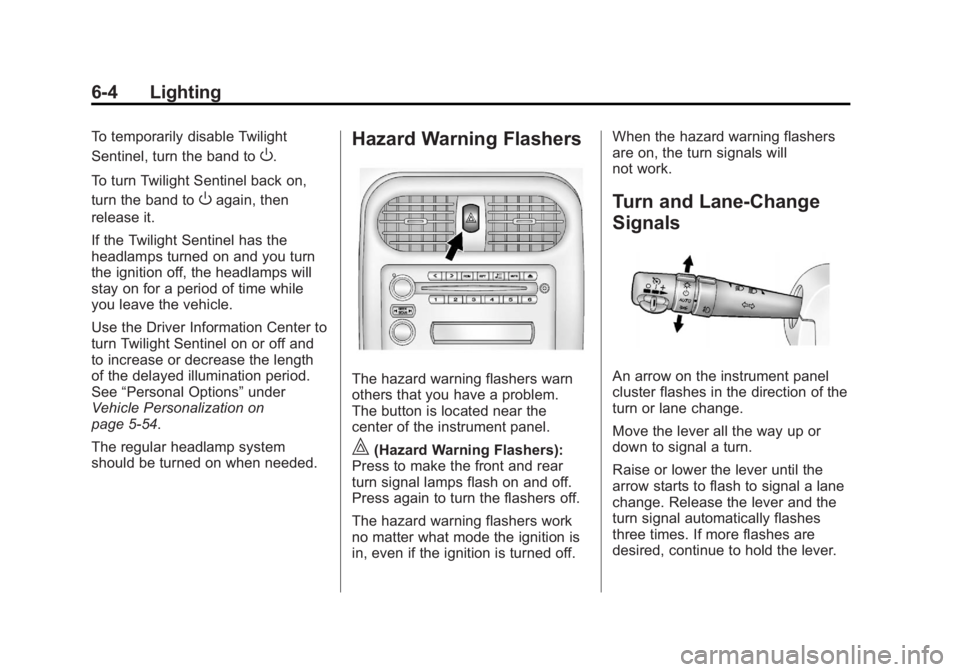
The hazard warning flashers warn
others that you have a problem.
The button is located near the
center of the instrument panel.
|(Hazard Warning Flashers):
Press to make the front and rear
turn signal lamps flash on and off.
Press again to turn the flashers off.
The hazard warning flashers work
no matter what mode the ignition is
in, even if the ignition is turned off. When the hazard warning flashers
are on, the turn signals will
not work.
Turn and Lane-Change
Signals
An arrow on the instrument panel
cluster flashes in the direction of the
turn or lane change.
Move the lever all the way up or
down to signal a turn.
Raise or lower the lever until the
arrow starts to flash to signal a lane
change. Release the lever and the
turn signal automatically flashes
three times. If more flashes are
desired, continue to hold the lever.
Page 187 of 432
Black plate (5,1)Chevrolet Corvette Owner Manual - 2012
Lighting 6-5
The lever returns to its starting
position when it is released.
If after signaling a turn or lane
change the arrows flash rapidly or
do not come on, a signal bulb may
be burned out.
Have the bulbs replaced. If the bulb
is not burned out, check the fuse.
SeeFuses and Circuit Breakers on
page 10‑47.
Turn Signal on Chime
A chime sounds if the turn signal
has been on for more than 1.2 km
(0.75 miles) of driving.
If you need to leave the turn
signal on for more than 1.2 km
(0.75 miles), turn off the signal and
then turn it back on.Fog Lamps
Use fog lamps for better vision in
foggy or misty conditions.
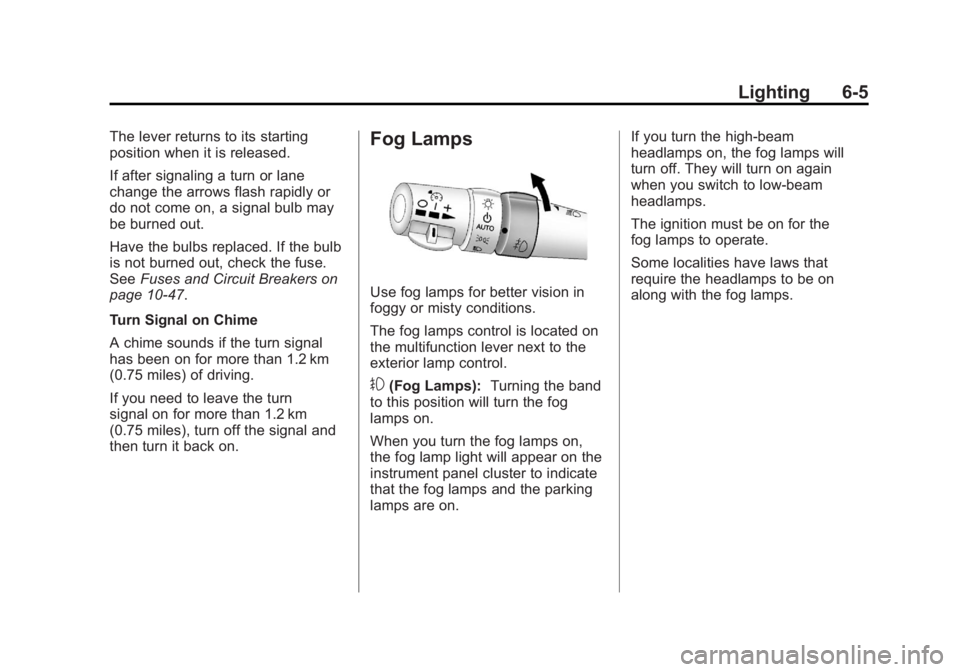
The fog lamps control is located on
the multifunction lever next to the
exterior lamp control.
#(Fog Lamps): Turning the band
to this position will turn the fog
lamps on.
When you turn the fog lamps on,
the fog lamp light will appear on the
instrument panel cluster to indicate
that the fog lamps and the parking
lamps are on. If you turn the high-beam
headlamps on, the fog lamps will
turn off. They will turn on again
when you switch to low-beam
headlamps.
The ignition must be on for the
fog lamps to operate.
Some localities have laws that
require the headlamps to be on
along with the fog lamps.
Page 306 of 432
Black plate (30,1)Chevrolet Corvette Owner Manual - 2012
10-30 Vehicle Care
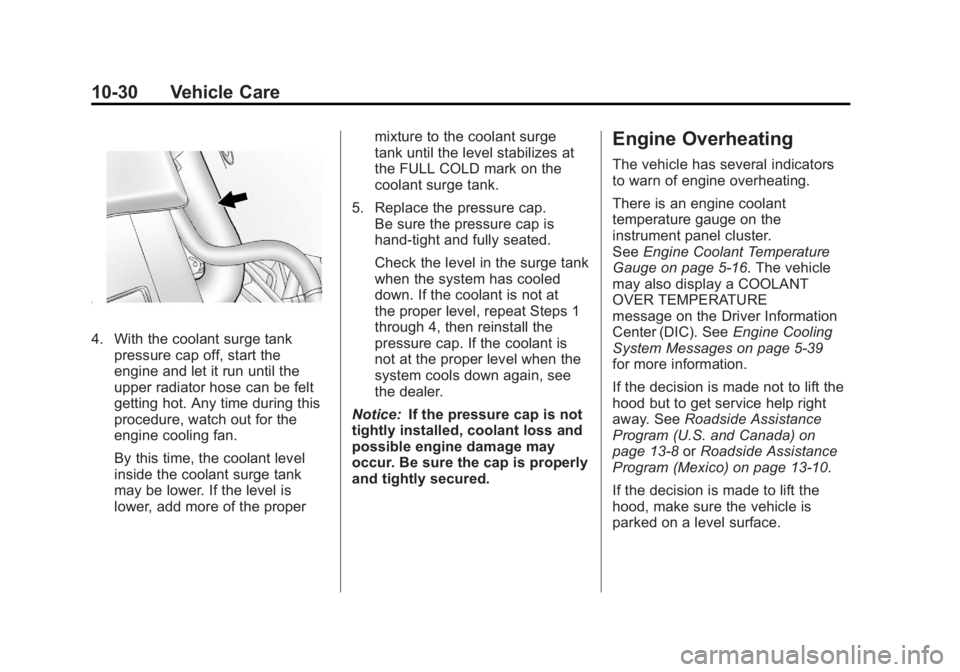
4. With the coolant surge tankpressure cap off, start the
engine and let it run until the
upper radiator hose can be felt
getting hot. Any time during this
procedure, watch out for the
engine cooling fan.
By this time, the coolant level
inside the coolant surge tank
may be lower. If the level is
lower, add more of the proper mixture to the coolant surge
tank until the level stabilizes at
the FULL COLD mark on the
coolant surge tank.
5. Replace the pressure cap. Be sure the pressure cap is
hand-tight and fully seated.
Check the level in the surge tank
when the system has cooled
down. If the coolant is not at
the proper level, repeat Steps 1
through 4, then reinstall the
pressure cap. If the coolant is
not at the proper level when the
system cools down again, see
the dealer.
Notice: If the pressure cap is not
tightly installed, coolant loss and
possible engine damage may
occur. Be sure the cap is properly
and tightly secured.
Engine Overheating
The vehicle has several indicators
to warn of engine overheating.
There is an engine coolant
temperature gauge on the
instrument panel cluster.
See Engine Coolant Temperature
Gauge on page 5‑16. The vehicle
may also display a COOLANT
OVER TEMPERATURE
message on the Driver Information
Center (DIC). See Engine Cooling
System Messages on page 5‑39
for more information.
If the decision is made not to lift the
hood but to get service help right
away. See Roadside Assistance
Program (U.S. and Canada) on
page 13‑8 orRoadside Assistance
Program (Mexico) on page 13‑10.
If the decision is made to lift the
hood, make sure the vehicle is
parked on a level surface.
Page 332 of 432
Black plate (56,1)Chevrolet Corvette Owner Manual - 2012
10-56 Vehicle Care
Run-Flat Tires
This vehicle, when new, had run-flat
tires. There is no spare tire, no tire
changing equipment, and no place
to store a tire in the vehicle.
The vehicle also has a Tire
Pressure Monitor System (TPMS)
that indicates a loss of tire pressure
in any of the tires.
{WARNING
If the low tire warning light
displays on the instrument panel
cluster, the handling capabilities
will be reduced during severe
maneuvers. Driving too fast could
cause loss of control and you or
others could be injured. Do not
drive over 90 km/h (55 mph)
when the low tire warning light is
displayed. Drive cautiously and
check the tire pressures as soon
as possible.If a tire goes flat, there is no need to
stop on the side of the road to
change the tire. Continue driving,
however, do not drive too far or too
fast. Driving on the tire may not be
possible if there is permanent
damage. The tire can be driven with
no air pressure for up to 105 km
(65 miles) at speeds slower than
90 km/h (55 mph). The shorter the
distance and the slower the speed,
the greater the chance the tire will
not have to be replaced. As soon
as possible, contact the nearest
authorized GM or run-flat servicing
facility for inspection and repair or
replacement. When driving on a
deflated run-flat tire, avoid potholes
and other road hazards that could
damage the tire and/or wheel
beyond repair. When a tire has been
damaged, or if driven any distance
on a deflated run-flat tire, check with
an authorized run-flat tire service
center to determine whether the
tire can be repaired or should be
replaced. To maintain the run-flat
feature, all replacement tires must
be run-flat tires. To locate the nearest GM or run-flat
servicing facility, call Roadside
Assistance. See
Roadside
Assistance Program (U.S. and
Canada) on page 13‑8 orRoadside
Assistance Program (Mexico) on
page 13‑10 for details.
The valve stems on run-flat
tires have sensors that are part of
the TPMS. See Tire Pressure
Monitor System on page 10‑64.
These sensors contain batteries that
are designed to last for 10 years
under normal driving conditions.
See your dealer for wheel or sensor
replacement.
Notice: Using liquid sealants can
damage the tire valves and tire
pressure monitor sensors in the
run-flat tires. This damage is not
covered by the vehicle warranty.
Do not use liquid sealants in
run-flat tires.
Page 342 of 432
Black plate (66,1)Chevrolet Corvette Owner Manual - 2012
10-66 Vehicle Care
Tire Pressure Monitor
Operation
This vehicle may have a Tire
Pressure Monitor System (TPMS).
The TPMS is designed to warn the
driver when a low tire pressure
condition exists. TPMS sensors
are mounted onto each tire and
wheel assembly on your vehicle.
The TPMS sensors monitor the air
pressure in the tires and transmits
the tire pressure readings to a
receiver located in the vehicle.
When a low tire pressure condition
is detected, the TPMS illuminates
the low tire pressure warning light,
located in the instrument cluster.
If the warning light comes on,
stop as soon as possible and inflate
the tires to the recommendedpressure shown on the tire loading
information label. See
Vehicle Load
Limits on page 9‑14.
A message to check the pressure in
a specific tire displays in the Driver
Information Center (DIC). The low
tire pressure warning light and the
DIC warning message appear at
each ignition cycle until the tires
are inflated to the correct inflation
pressure. Using the DIC, tire
pressure levels can be viewed.
For additional information and
details about the DIC operation and
displays see Driver Information
Center (DIC) on page 5‑26 and
Tire Messages on page 5‑49.
The low tire pressure warning light
may come on in cool weather when
the vehicle is first started, and then
turn off as the vehicle is driven.
This could be an early indicator that
the air pressure is getting low and
needs to be inflated to the proper
pressure. A Tire and Loading Information label
shows the size of the original
equipment tires and the correct
inflation pressure for the tires when
they are cold. See
Vehicle Load
Limits on page 9‑14, for an example
of the Tire and Loading Information
label and its location. Also see
Tire Pressure on page 10‑62 for
additional information.
The TPMS can warn about a
low tire pressure condition but it
does not replace normal tire
maintenance. See Tire Inspection
on page 10‑68, Tire Rotation on
page 10‑68, When It Is Time for
New Tires on page 10‑69, and
Tires on page 10‑54.
Notice: Tire sealant materials are
not all the same. A non-approved
tire sealant could damage the
TPMS sensors. TPMS sensor
damage caused by using an
incorrect tire sealant is not
covered by the vehicle
warranty. Always use only the