ECU CHEVROLET CORVETTE C6 2012 Owner's Guide
[x] Cancel search | Manufacturer: CHEVROLET, Model Year: 2012, Model line: CORVETTE C6, Model: CHEVROLET CORVETTE C6 2012Pages: 432, PDF Size: 5.73 MB
Page 139 of 432
Black plate (25,1)Chevrolet Corvette Owner Manual - 2012
Instruments and Controls 5-25
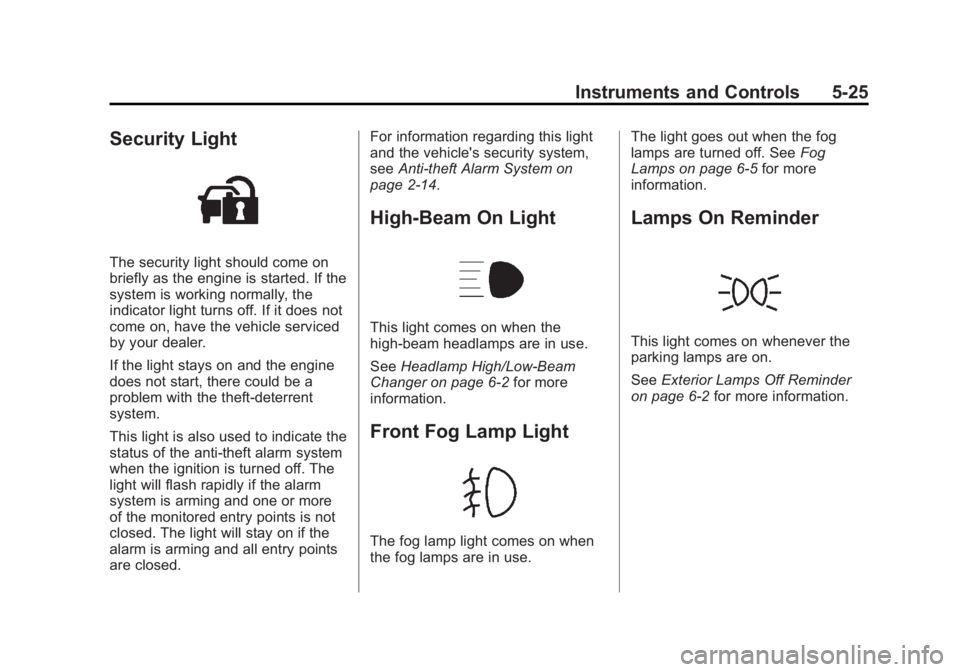
Security Light
The security light should come on
briefly as the engine is started. If the
system is working normally, the
indicator light turns off. If it does not
come on, have the vehicle serviced
by your dealer.
If the light stays on and the engine
does not start, there could be a
problem with the theft-deterrent
system.
This light is also used to indicate the
status of the anti-theft alarm system
when the ignition is turned off. The
light will flash rapidly if the alarm
system is arming and one or more
of the monitored entry points is not
closed. The light will stay on if the
alarm is arming and all entry points
are closed.For information regarding this light
and the vehicle's security system,
see
Anti-theft Alarm System on
page 2‑14.
High-Beam On Light
This light comes on when the
high-beam headlamps are in use.
See Headlamp High/Low-Beam
Changer on page 6‑2 for more
information.
Front Fog Lamp Light
The fog lamp light comes on when
the fog lamps are in use. The light goes out when the fog
lamps are turned off. See
Fog
Lamps on page 6‑5 for more
information.
Lamps On Reminder
This light comes on whenever the
parking lamps are on.
See Exterior Lamps Off Reminder
on page 6‑2 for more information.
Page 151 of 432
Black plate (37,1)Chevrolet Corvette Owner Manual - 2012
Instruments and Controls 5-37
have ABS. If the regular brake
system warning light is also on,
you do not have ABS and there
is a problem with the brakes.
SeeAntilock Brake System (ABS)
Warning Light on page 5‑22 and
Brake System Warning Light on
page 5‑21.
If this message is displayed, the
Traction Control System (TCS) and
the Active Handling System will also
be disabled. The DIC will scroll
three messages: SERVICE
ANTILOCK BRAKES, SERVICE
TRACTION SYSTEM, and
SERVICE ACTIVE HANDLING, and
the instrument panel cluster lights
will come on along with a sound.
When the service message is
displayed, the computer controlled
systems will not assist the driver.
Have the system repaired by your
dealer as soon as possible. Adjust
your driving accordingly.
To acknowledge these messages,
press the RESET button.Convertible Top
Messages
ATTACH TRUNK PARTITION
If the vehicle has a power
convertible top, this message
displays and a sound will be heard
if the trunk partition is not in place.
Open the hatch/trunk and make
sure the trunk partition is secure
and no objects are on the trunk
partition. See Rear Storage on
page 4‑1 for more information.
CLOSE TRUNK TO MOVE TOP
This message displays and a sound
will be heard if the trunk is open
while you are trying to operate the
convertible top. Make sure the trunk
is closed before operating the
convertible top. See Convertible Top
on page 2‑24.
SET PARK BRAKE TO
MOVE TOP
If the vehicle has a manual
transmission, this message displays
and a sound will be heard if you try
to operate the power convertible top
without first setting the parking
brake. Set the parking brake
before trying to operate the power
convertible top. See Convertible Top
on page 2‑24 for more information.
SHIFT TO PARK OR SET PARK
BRAKE FOR TOP
If the vehicle has an automatic
transmission, this message displays
and a sound will be heard if you try
to operate the power convertible top
without first shifting into P (Park) or
setting the parking brake. Either
shift the vehicle into P (Park) or set
the parking brake before trying to
operate the power convertible top.
SeeConvertible Top on page 2‑24
for more information.
Page 152 of 432
Black plate (38,1)Chevrolet Corvette Owner Manual - 2012
5-38 Instruments and Controls
TOO COLD TO MOVE TOP
This message displays and a sound
will be heard when the power
convertible top button is pressed
and the power convertible top
pump motor temperature is below
−20°C (−4°F). Wait for the power
convertible top pump motor to
warm up before using the power
convertible top.
TOP MOTOR OVER
TEMPERATURE
This message displays and a sound
will be heard when the power
convertible top button is pressed
and the power convertible top
pump motor temperature is over
105°C (221°F). Wait for the power
convertible top pump motor to cool
down before using the power
convertible top.
TOP NOT SECURE
This message displays and a sound
will be heard when the power
convertible top button is released
before the top open or close
operation is complete or if the top is
closed without the header latch
engaged. Press and hold the
convertible top button to fully open
or close the top, and make sure that
the header latch is engaged after
the top is closed.
UNLATCH HEADER TO
MOVE TOP
This message displays and a sound
will be heard if you try to lower the
convertible top without first
unlocking the top. Move the latch
handle to unlock the convertible top.
SeeConvertible Top on page 2‑24.
Cruise Control Messages
CRUISE DISENGAGED
This message displays briefly when
you disengage the cruise control
system by stepping on the brake on
an automatic transmission vehicle or
the clutch on a manual transmission
vehicle, or by turning off the cruise
control switch. See Cruise Control
on page 9‑45 for more information.
CRUISE SET TO XXX MPH
(XXX km/h)
SeeCruise Control on page 9‑45.
Door Ajar Messages
DRIVER DOOR AJAR
This message displays if the
driver door is not closed properly.
Make sure that the door is closed
completely.
Page 177 of 432
Black plate (63,1)Chevrolet Corvette Owner Manual - 2012
Instruments and Controls 5-63
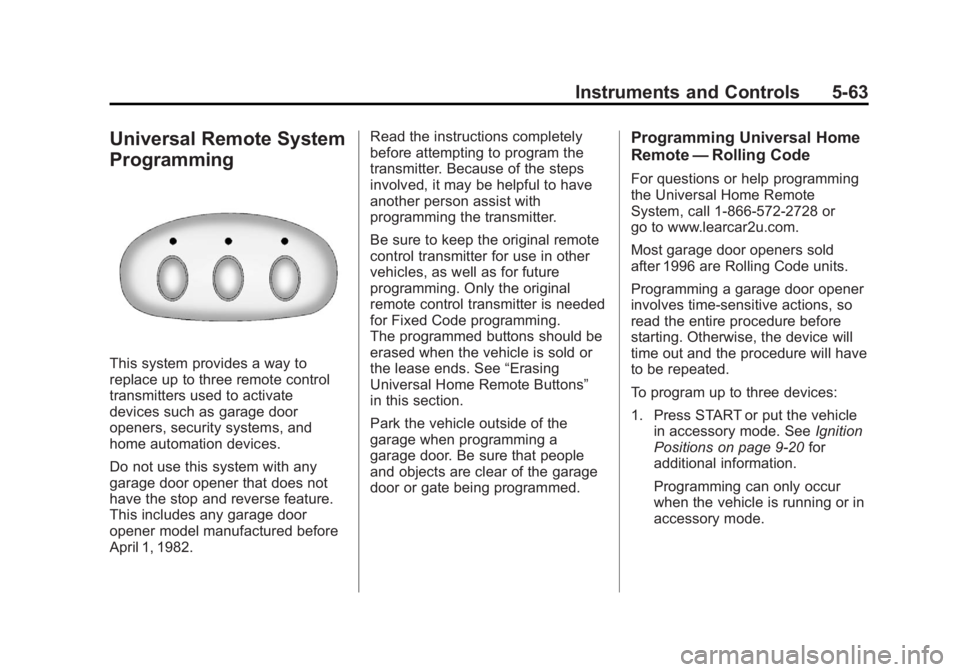
Universal Remote System
Programming
This system provides a way to
replace up to three remote control
transmitters used to activate
devices such as garage door
openers, security systems, and
home automation devices.
Do not use this system with any
garage door opener that does not
have the stop and reverse feature.
This includes any garage door
opener model manufactured before
April 1, 1982.Read the instructions completely
before attempting to program the
transmitter. Because of the steps
involved, it may be helpful to have
another person assist with
programming the transmitter.
Be sure to keep the original remote
control transmitter for use in other
vehicles, as well as for future
programming. Only the original
remote control transmitter is needed
for Fixed Code programming.
The programmed buttons should be
erased when the vehicle is sold or
the lease ends. See
“Erasing
Universal Home Remote Buttons”
in this section.
Park the vehicle outside of the
garage when programming a
garage door. Be sure that people
and objects are clear of the garage
door or gate being programmed.
Programming Universal Home
Remote —Rolling Code
For questions or help programming
the Universal Home Remote
System, call 1-866-572-2728 or
go to www.learcar2u.com.
Most garage door openers sold
after 1996 are Rolling Code units.
Programming a garage door opener
involves time-sensitive actions, so
read the entire procedure before
starting. Otherwise, the device will
time out and the procedure will have
to be repeated.
To program up to three devices:
1. Press START or put the vehicle
in accessory mode. See Ignition
Positions on page 9‑20 for
additional information.
Programming can only occur
when the vehicle is running or in
accessory mode.
Page 178 of 432

Black plate (64,1)Chevrolet Corvette Owner Manual - 2012
5-64 Instruments and Controls
2. From inside the vehicle,press the two outside buttons
at the same time for one to
two seconds, and immediately
release them.
3. Locate in the garage,the garage door opener
receiver (motor-head unit). Locate the
“Learn”or“Smart”
button. It can usually be found
where the hanging antenna wire
is attached to the motor-head
unit and may be a colored
button. Press this button. After
pressing this button, complete
the following steps in less than
30 seconds.
4. Immediately return to the vehicle. Press and hold the
Universal Home Remote button
that will be used to control the
garage door until the garage
door moves. The indicator light,
above the selected button,
should slowly blink. This button
may need to be held for up to
20 seconds.
5. Immediately, within one second, release the button when the
garage door moves. The
indicator light blinks rapidly until
programming is complete. 6. Press and release the same
button again. The garage door
should move, confirming that
programming is successful and
complete.
To program another Rolling Code
device such as an additional garage
door opener, a security device,
or home automation device, repeat
Steps 1 through 6, choosing a
different function button in Step 4
than what was used for the garage
door opener.
If these instructions do not work,
the garage door opener is probably
a Fixed Code unit. Follow the
programming instructions that follow
for a Fixed Code garage door
opener.
Page 181 of 432
Black plate (67,1)Chevrolet Corvette Owner Manual - 2012
Instruments and Controls 5-67
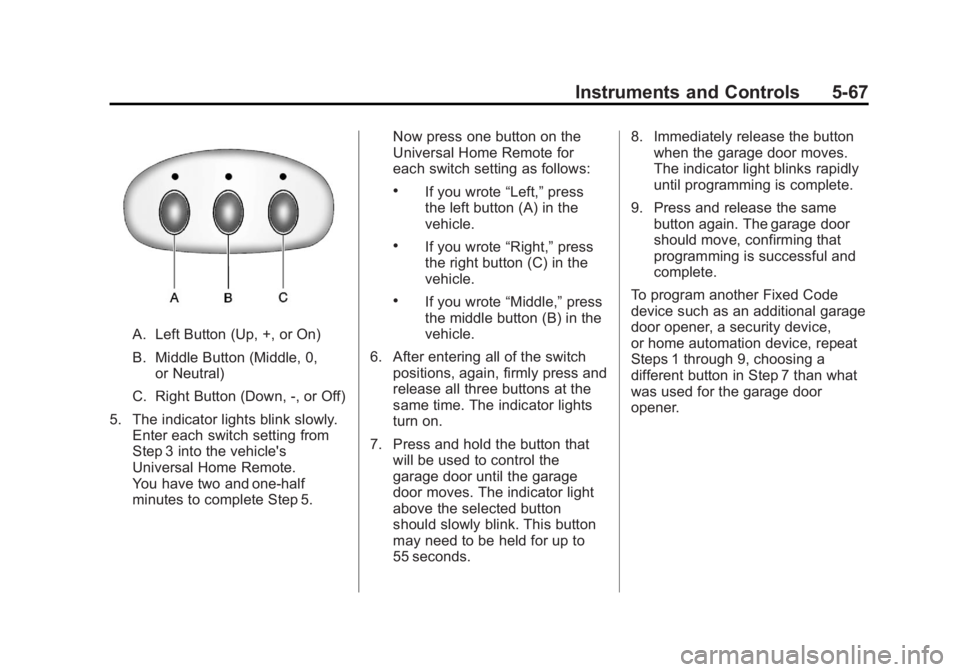
A. Left Button (Up, +, or On)
B. Middle Button (Middle, 0,or Neutral)
C. Right Button (Down, -, or Off)
5. The indicator lights blink slowly. Enter each switch setting from
Step 3 into the vehicle's
Universal Home Remote.
You have two and one-half
minutes to complete Step 5. Now press one button on the
Universal Home Remote for
each switch setting as follows:
.If you wrote
“Left,”press
the left button (A) in the
vehicle.
.If you wrote “Right,”press
the right button (C) in the
vehicle.
.If you wrote “Middle,”press
the middle button (B) in the
vehicle.
6. After entering all of the switch positions, again, firmly press and
release all three buttons at the
same time. The indicator lights
turn on.
7. Press and hold the button that will be used to control the
garage door until the garage
door moves. The indicator light
above the selected button
should slowly blink. This button
may need to be held for up to
55 seconds. 8. Immediately release the button
when the garage door moves.
The indicator light blinks rapidly
until programming is complete.
9. Press and release the same button again. The garage door
should move, confirming that
programming is successful and
complete.
To program another Fixed Code
device such as an additional garage
door opener, a security device,
or home automation device, repeat
Steps 1 through 9, choosing a
different button in Step 7 than what
was used for the garage door
opener.
Page 200 of 432
Black plate (10,1)Chevrolet Corvette Owner Manual - 2012
7-10 Infotainment System
XM Locked:The XM receiver in
the vehicle may have previously
been in another vehicle. For security
purposes, XM receivers cannot be
swapped between vehicles. If this
message is received after having
the vehicle serviced, check with
your dealer.
Radio ID: If tuned to channel 0,
this message will alternate with the
XM Radio eight‐digit radio ID label.
This label is needed to activate the
service.
Unknown: If this message is
received when tuned to channel 0,
there may be a receiver fault.
Consult with your dealer.
Chk XMRcvr: If this message does
not clear within a short period of
time, the receiver may have a fault.
Consult with your dealer.Radio Reception
Frequency interference and static
can occur during normal radio
reception if items such as cell phone
chargers, vehicle convenience
accessories, and external electronic
devices are plugged into the
accessory power outlet. If there is
interference or static, unplug the
item from the accessory power
outlet.
AM
The range for most AM stations is
greater than for FM, especially at
night. The longer range can cause
station frequencies to interfere
with each other. For better radio
reception, most AM radio stations
boost the power levels during the
day, and then reduce these levels
during the night. Static can also
occur when things like storms and
power lines interfere with radio
reception. When this happens, try
reducing the treble on the radio.
FM Stereo
FM signals only reach about
16 to 65 km (10 to 40 mi). Although
the radio has a built-in electronic
circuit that automatically works to
reduce interference, some static
can occur, especially around tall
buildings or hills, causing the sound
to fade in and out.
XM™ Satellite Radio Service
XM Satellite Radio Service gives
digital radio reception from coast to
coast in the 48 contiguous United
States, and in Canada. Just as
with FM, tall buildings or hills can
interfere with satellite radio signals,
causing the sound to fade in and
out. In addition, traveling or standing
under heavy foliage, bridges,
garages, or tunnels may cause loss
of the XM signal for a period of time.
Cellular Phone Usage
Cellular phone usage may cause
interference with the vehicle's
radio. This interference may occur
Page 240 of 432
Black plate (18,1)Chevrolet Corvette Owner Manual - 2012
9-18 Driving and Operating
If you put things inside your
vehicle—like suitcases,
tools, packages or anything
else —they will go as fast as
the vehicle goes. If you have to
stop or turn quickly, or if there is
a crash, they will keep going.
{WARNING
Things you put inside your
vehicle can strike and injure
people in a sudden stop or
turn, or in a crash.
.Put things in the rear area
of your vehicle. Try to
spread the weight evenly.
(Continued)
WARNING (Continued)
.Never stack heavier
things, like suitcases,
inside the vehicle so that
some of them are above
the tops of the seats.
.Do not leave an
unsecured child restraint
in your vehicle.
.When you carry something
inside the vehicle, secure
it whenever you can.
Starting and
Operating
New Vehicle Break-In
Follow these recommended
guidelines during the first 2414 km
(1500 mi) of driving this vehicle.
Parts have a break-in period and
performance will be better in the
long run.
For the first 322 km (200 mi):
.To break in new tires, drive at
moderate speeds and avoid hard
cornering for the first 322 km
(200 mi).
.New brake linings also need a
break- in period. Avoid making
hard stops during the first
322 km (200 mi). This is
recommended every time
brake linings are replaced.
Page 300 of 432
Black plate (24,1)Chevrolet Corvette Owner Manual - 2012
10-24 Vehicle Care
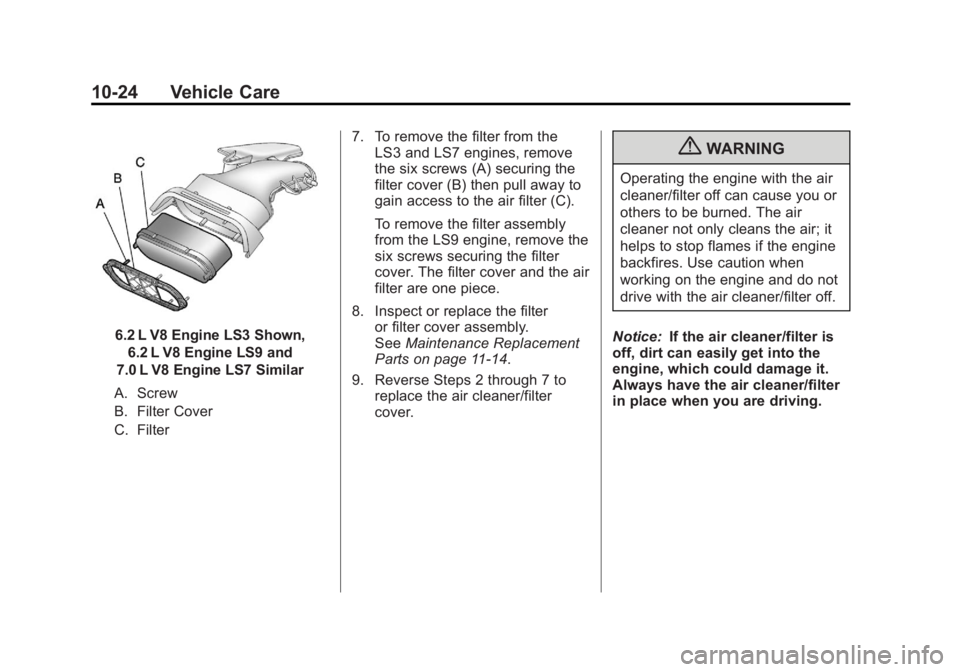
6.2 L V8 Engine LS3 Shown,6.2 L V8 Engine LS9 and
7.0 L V8 Engine LS7 Similar
A. Screw
B. Filter Cover
C. Filter 7. To remove the filter from the
LS3 and LS7 engines, remove
the six screws (A) securing the
filter cover (B) then pull away to
gain access to the air filter (C).
To remove the filter assembly
from the LS9 engine, remove the
six screws securing the filter
cover. The filter cover and the air
filter are one piece.
8. Inspect or replace the filter or filter cover assembly.
See Maintenance Replacement
Parts on page 11‑14.
9. Reverse Steps 2 through 7 to replace the air cleaner/filter
cover.
{WARNING
Operating the engine with the air
cleaner/filter off can cause you or
others to be burned. The air
cleaner not only cleans the air; it
helps to stop flames if the engine
backfires. Use caution when
working on the engine and do not
drive with the air cleaner/filter off.
Notice: If the air cleaner/filter is
off, dirt can easily get into the
engine, which could damage it.
Always have the air cleaner/filter
in place when you are driving.
Page 306 of 432
Black plate (30,1)Chevrolet Corvette Owner Manual - 2012
10-30 Vehicle Care
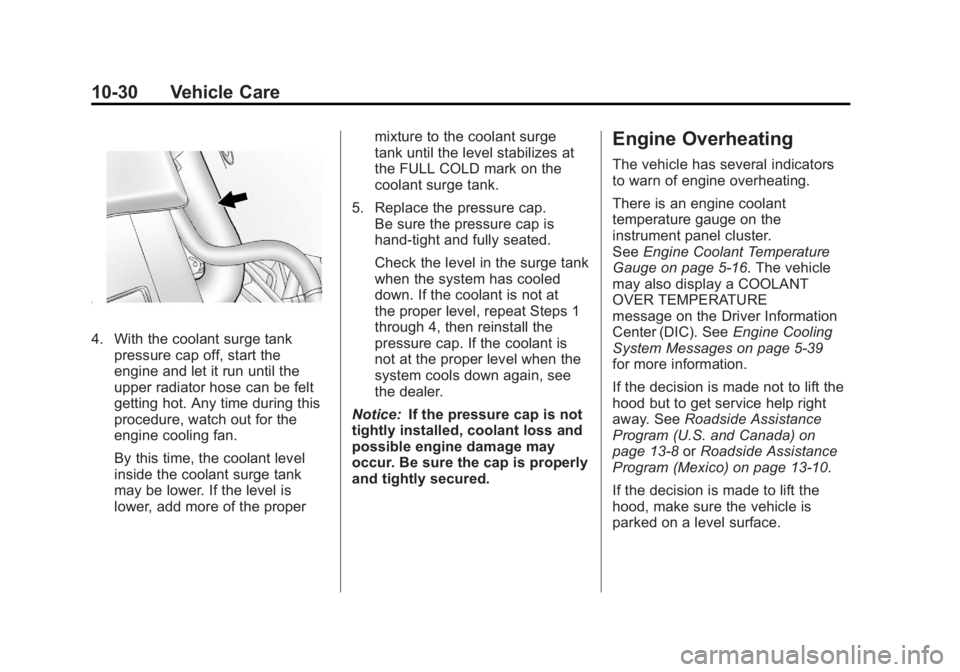
4. With the coolant surge tankpressure cap off, start the
engine and let it run until the
upper radiator hose can be felt
getting hot. Any time during this
procedure, watch out for the
engine cooling fan.
By this time, the coolant level
inside the coolant surge tank
may be lower. If the level is
lower, add more of the proper mixture to the coolant surge
tank until the level stabilizes at
the FULL COLD mark on the
coolant surge tank.
5. Replace the pressure cap. Be sure the pressure cap is
hand-tight and fully seated.
Check the level in the surge tank
when the system has cooled
down. If the coolant is not at
the proper level, repeat Steps 1
through 4, then reinstall the
pressure cap. If the coolant is
not at the proper level when the
system cools down again, see
the dealer.
Notice: If the pressure cap is not
tightly installed, coolant loss and
possible engine damage may
occur. Be sure the cap is properly
and tightly secured.
Engine Overheating
The vehicle has several indicators
to warn of engine overheating.
There is an engine coolant
temperature gauge on the
instrument panel cluster.
See Engine Coolant Temperature
Gauge on page 5‑16. The vehicle
may also display a COOLANT
OVER TEMPERATURE
message on the Driver Information
Center (DIC). See Engine Cooling
System Messages on page 5‑39
for more information.
If the decision is made not to lift the
hood but to get service help right
away. See Roadside Assistance
Program (U.S. and Canada) on
page 13‑8 orRoadside Assistance
Program (Mexico) on page 13‑10.
If the decision is made to lift the
hood, make sure the vehicle is
parked on a level surface.