flat tire CHEVROLET CORVETTE C6 2012 Owners Manual
[x] Cancel search | Manufacturer: CHEVROLET, Model Year: 2012, Model line: CORVETTE C6, Model: CHEVROLET CORVETTE C6 2012Pages: 432, PDF Size: 5.73 MB
Page 28 of 432
Black plate (22,1)Chevrolet Corvette Owner Manual - 2012
1-22 In Brief
Performance and
Maintenance
Traction Control
System (TCS)
The traction control system limits
wheel spin. The system turns on
automatically every time the vehicle
is started.
.To turn off traction control, press
and release the Active Handling
button located on the center
console.
iilluminates and the
appropriate DIC message
displays. See Ride Control
System Messages on page 5‑44.
.Press and release the active
handling button again to turn on
traction control.
See Traction Control System (TCS)
on page 9‑36.
The vehicle has an Active Handling
System that helps maintain
directional control of the vehicle in difficult driving conditions.
See
Active Handling System on
page 9‑38.
The vehicle may have
Competitive Driving Mode
(except ZR1), Performance
Traction Management (Z06, ZR1),
and Launch Control systems
designed to allow increased
performance while accelerating
and cornering. See Competitive
Driving Mode on page 9‑39.
Tire Pressure Monitor
This vehicle may have a Tire
Pressure Monitor System (TPMS).
The TPMS warning light alerts you
to a significant loss in pressure
of one of the vehicle's tires. If the warning light comes on, stop
as soon as possible and inflate the
tires to the recommended pressure
shown on the Tire and Loading
Information label. See
Vehicle Load
Limits on page 9‑14. The warning
light will remain on until the tire
pressure is corrected.
During cooler conditions, the low tire
pressure warning light may appear
when the vehicle is first started and
then turn off. This may be an early
indicator that the tire pressures are
getting low and the tires need to be
inflated to the proper pressure.
The TPMS does not replace normal
monthly tire maintenance. It is the
driver ’s responsibility to maintain
correct tire pressures.
See Tire Pressure Monitor System
on page 10‑64.
Page 30 of 432
Black plate (24,1)Chevrolet Corvette Owner Manual - 2012
1-24 In Brief
Engine Oil Life System
The engine oil life system calculates
engine oil life based on vehicle use
and displays a DIC message when
it is necessary to change the engine
oil and filter. The oil life system
should be reset to 100% only
following an oil change.
Resetting the Oil Life System
1. Press the TRIP button so theOIL LIFE percentage is
displayed.
2. Press RESET and hold for two seconds. OIL LIFE
REMAINING 100% will appear.
See Engine Oil Life System on
page 10‑19.
Driving for Better Fuel
Economy
Driving habits can affect fuel
mileage. Here are some driving tips
to get the best fuel economy
possible.
.Avoid fast starts and accelerate
smoothly.
.Brake gradually and avoid
abrupt stops.
.Avoid idling the engine for long
periods of time.
.When road and weather
conditions are appropriate,
use cruise control, if equipped.
.Always follow posted speed
limits or drive more slowly when
conditions require.
.Keep vehicle tires properly
inflated.
.Combine several trips into a
single trip.
.Replace the vehicle's tires with
the same TPC Spec number
molded into the tire's sidewall
near the size.
.Follow recommended scheduled
maintenance.
Premium Fuel
This vehicle's engine was designed
to use premium unleaded gasoline.
See Recommended Fuel on
page 9‑48.
Battery
This vehicle has a maintenance free
battery. See Battery on page 10‑40
and Jump Starting on page 10‑78.
For Z06, ZR1, and manual
transmission Z16 (Grand Sport)
coupe models the battery is
located in the rear hatch/trunk
area. Access to the battery is
not necessary to jump start the
vehicle. There are positive (+) and
negative (−) terminals in the engine
compartment.
Page 138 of 432
Black plate (24,1)Chevrolet Corvette Owner Manual - 2012
5-24 Instruments and Controls
Active Handling System
Light
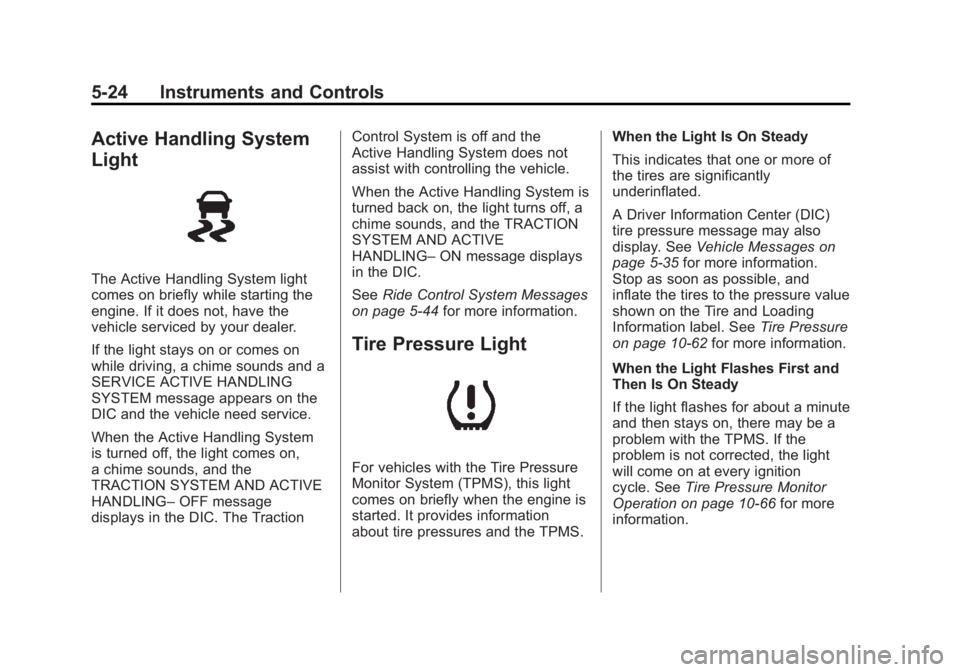
The Active Handling System light
comes on briefly while starting the
engine. If it does not, have the
vehicle serviced by your dealer.
If the light stays on or comes on
while driving, a chime sounds and a
SERVICE ACTIVE HANDLING
SYSTEM message appears on the
DIC and the vehicle need service.
When the Active Handling System
is turned off, the light comes on,
a chime sounds, and the
TRACTION SYSTEM AND ACTIVE
HANDLING–OFF message
displays in the DIC. The Traction Control System is off and the
Active Handling System does not
assist with controlling the vehicle.
When the Active Handling System is
turned back on, the light turns off, a
chime sounds, and the TRACTION
SYSTEM AND ACTIVE
HANDLING–
ON message displays
in the DIC.
See Ride Control System Messages
on page 5‑44 for more information.
Tire Pressure Light
For vehicles with the Tire Pressure
Monitor System (TPMS), this light
comes on briefly when the engine is
started. It provides information
about tire pressures and the TPMS. When the Light Is On Steady
This indicates that one or more of
the tires are significantly
underinflated.
A Driver Information Center (DIC)
tire pressure message may also
display. See
Vehicle Messages on
page 5‑35 for more information.
Stop as soon as possible, and
inflate the tires to the pressure value
shown on the Tire and Loading
Information label. See Tire Pressure
on page 10‑62 for more information.
When the Light Flashes First and
Then Is On Steady
If the light flashes for about a minute
and then stays on, there may be a
problem with the TPMS. If the
problem is not corrected, the light
will come on at every ignition
cycle. See Tire Pressure Monitor
Operation on page 10‑66 for more
information.
Page 163 of 432
Black plate (49,1)Chevrolet Corvette Owner Manual - 2012
Instruments and Controls 5-49
This message is an additional
reminder to the safety belt reminder
light in the instrument panel cluster.
SeeSafety Belt Reminders on
page 5‑17 for more information.
Anti-theft Alarm System
Messages
INTRUSION SENSOR OFF
This message may display when the
anti-theft alarm has been disarmed.
INTRUSION SENSOR ON
This message may display when the
anti-theft alarm has been armed.
Service Vehicle Messages
SERVICE AIR CONDITIONING
This message displays when the
electronic sensors that control the
air conditioning and heating
systems are no longer working. Have the climate control system
serviced by your dealer if you
notice a drop in heating and air
conditioning efficiency.
SERVICE ELECTRICAL
SYSTEM
This message displays if an
electrical problem has occurred
within the Powertrain Control
Module (PCM). Have the vehicle
serviced by your dealer.
SERVICE VEHICLE SOON
This message displays and a sound
will be heard when there may be an
electrical or another system problem
with the vehicle. Have your vehicle
checked by your dealer if this
message keeps appearing.
Starting the Vehicle
Messages
PRESS BRAKE TO START
ENGINE (Automatic
Transmission Only)
This message displays if you try to
start the engine by pressing the
keyless ignition start button without
having the brake pressed. The
brake needs to be pressed when
starting the engine. See
Ignition
Positions on page 9‑20 for more
information.
Tire Messages
HIGH TIRE PRESSURE
This message may be displayed
when one or more of the tires is
overinflated. This message
also displays LEFT FRONT,
RIGHT FRONT, LEFT REAR,
or RIGHT REAR to indicate
which tire is affected.
Page 164 of 432
Black plate (50,1)Chevrolet Corvette Owner Manual - 2012
5-50 Instruments and Controls
You can receive more than one tire
pressure message at a time.
To read other messages that may
have been sent at the same time,
press the RESET button . If a tire
pressure message appears on the
DIC, stop as soon as you can.
Have the tire pressures checked
and set to those shown on the
Tire and Loading Information label.
SeeRun-Flat Tires on page 10‑56,
Vehicle Load Limits on page 9‑14,
Tire Pressure on page 10‑62, and
Tire Pressure Monitor System on
page 10‑64. The DIC also shows
the tire pressure values. See Driver
Information Center (DIC) on
page 5‑26.
To acknowledge the message,
press the RESET button.
A message reappears every
10 minutes until the condition is
corrected.LOW TIRE PRESSURE or
TIRE LOW ADD AIR TO TIRE
{WARNING
When the LOW TIRE
PRESSURE or TIRE FLAT
message is displayed on the
Driver Information Center, your
vehicle's handling capabilities
will be reduced during severe
maneuvers. The active handling
system will be affected. See
Active Handling System on
page 9‑38. If you drive too fast,
you could lose control of your
vehicle. You or others could be
injured. Do not drive over 90 km/h
(55 mph) when the LOW TIRE
PRESSURE or TIRE FLAT
message is displayed. Drive
cautiously and check your tire
pressures as soon as you can. This message displays when one or
more of the tires is underinflated.
This message also displays LEFT
FRONT, RIGHT FRONT, LEFT
REAR, or RIGHT REAR to indicate
which tire is affected. Multiple
chimes sound and the tire pressure
light on the instrument panel cluster
turns on when this message is
displayed. See
Tire Pressure Light
on page 5‑24. You can receive more
than one tire pressure message at a
time. To read other messages that
may have been sent at the same
time, press the RESET button. If a
tire pressure message appears on
the DIC, stop as soon as you can.
Have the tire pressures checked
and set to those shown on the Tire
and Loading Information label.
See Run-Flat Tires on page 10‑56,
Vehicle Load Limits on page 9‑14,
Tire Pressure on page 10‑62, and
Tire Pressure Monitor System on
page 10‑64. The DIC also shows
Page 165 of 432
Black plate (51,1)Chevrolet Corvette Owner Manual - 2012
Instruments and Controls 5-51
the tire pressure values. SeeDriver
Information Center (DIC) on
page 5‑26.
To acknowledge the message,
press the RESET button.
A message reappears every
10 minutes until the condition is
corrected.
SERVICE TIRE MONITOR
This message displays if a part on
the Tire Pressure Monitor
System (TPMS) is not working
properly. The tire pressure light also
flashes and then remains on during
the same ignition cycle. See Tire
Pressure Light on page 5‑24.
Several conditions may cause this
message to appear. See Tire
Pressure Monitor Operation on
page 10‑66 for more information.
If the warning comes on and stays
on, there may be a problem with the
TPMS. See your dealer.
TIRE FLAT
{WARNING
When the LOW TIRE
PRESSURE or TIRE FLAT
message is displayed on the
Driver Information Center, your
vehicle's handling capabilities
will be reduced during severe
maneuvers. If you drive too fast,
you could lose control of your
vehicle. You or others could be
injured. Do not drive over 55 mph
(90 km/h) when the LOW TIRE
PRESSURE or TIRE FLAT
message is displayed. Drive
cautiously and check your tire
pressures as soon as you can.
This message displays when one
or more of the tires is flat. This
message also displays LEFT
FRONT, RIGHT FRONT, LEFT
REAR, or RIGHT REAR to indicate which tire is affected. Multiple
chimes sound and the tire pressure
light on the instrument panel cluster
comes on when this message is
displayed. See
Tire Pressure Light
on page 5‑24.
This message is followed by the
MAXIMUM SPEED 90 km/h
(55 MPH) message, and then by
the REDUCED HANDLING
message. The Active Handling
System will intervene more quickly
when a flat tire has been detected.
Adjust your driving accordingly.
You can receive more than
one tire pressure message at a
time. To read other messages that
may have been sent at the same
time, press the RESET button. If a
tire pressure message appears on
the DIC, stop as soon as you can.
Have the tire pressures checked
and set to those shown on the Tire
and Loading Information label.
Page 166 of 432
Black plate (52,1)Chevrolet Corvette Owner Manual - 2012
5-52 Instruments and Controls
SeeRun-Flat Tires on page 10‑56,
Vehicle Load Limits on page 9‑14,
Tire Pressure on page 10‑62, and
Tire Pressure Monitor System on
page 10‑64. The DIC also shows
the tire pressure values. See Driver
Information Center (DIC) on
page 5‑26.
To acknowledge the message, press
the RESET button. A message
reappears every 10 minutes until the
condition is corrected.
Transmission Messages
SERVICE TRANSMISSION
This message displays when there
is a problem with the transmission.
See your dealer for service.
SHIFT TO PARK
If the vehicle has an automatic
transmission, this message displays
if the vehicle is not in P (Park) when
the engine is being turned off. The vehicle will be in ACCESSORY.
Once the shift lever is moved to
P (Park), the vehicle will turn off.
The vehicle will remain in
ACCESSORY, without the 20 minute
time-out period, until the shift lever
is moved to P (Park) or until the
driver presses the pushbutton to
restart the vehicle. See
Ignition
Positions on page 9‑20 for more
information.
TRANSMISSION HOT IDLE
ENGINE
This message displays and four
chimes sound if the transmission
fluid temperature rises above
132°C (270°F) or rises rapidly.
The transmission may shift gears
or apply the torque converter clutch
to reduce the fluid temperature.
Driving aggressively or driving
on long hills can cause the
transmission fluid temperature to be
higher than normal. If this message
appears, you may continue to drive at a slower speed. Monitor the
transmission fluid temperature and
allow it to cool to at least 110°C
(230°F). The transmission fluid
temperature can be monitored with
the gauges button on the DIC.
See
“DIC Operation and Displays”
under Driver Information Center
(DIC) on page 5‑26 andAutomatic
Transmission Fluid on page 10‑20.
Also check the engine coolant
temperature. If it is also hot, see
Engine Overheating on page 10‑30.
If this message is displayed during
normal vehicle operation on flat
roads, the vehicle may need
service. See your dealer for an
inspection.
If driving in a performance or
competitive manner, the use of
(S) Sport Automatic Mode or
(S) Sport Manual Paddle Shift
gear selection is recommended.
See Automatic Transmission on
page 9‑27 for more information.
Page 229 of 432
Black plate (7,1)Chevrolet Corvette Owner Manual - 2012
Driving and Operating 9-7
Z06, ZR1, and Grand Sport
Coupe manual transmission Only:
For racing or competitive driving, it
is recommended that the brake fluid
be replaced with a high performance
brake fluid that has a dry boiling
point greater than 279°C (534°F).
After conversion to the high
performance brake fluid,
follow the brake fluid service
recommendations outlined by the
fluid manufacturer. Do not use
silicone or DOT‐5 brake fluids.
Z06, ZR1, and Grand Sport
Coupe manual transmission Only:
For racing or competitive driving, it
is recommended that the loading of
the vehicle be limited to the driver
only, with no other cargo, and that
tires be inflated to 180 kPa (26 psi)
for a maximum speed of 230 km/h
(143 mph).If the vehicle is a Z06, ZR1,
or Grand Sport Coupe manual
transmission model, it has
greaseable outer ends on
both of the rear toe‐links.
Under normal use, lubrication
should be performed as described
in the maintenance schedule.
See
Maintenance Schedule on
page 11‑3 andRecommended
Fluids and Lubricants on
page 11‑12. If using the vehicle
for racing, lubrication should be
performed at the end of each
racing day. See your dealer for
lubrication and make sure any
needed repairs are made at once. Proper procedures for performing
these services can be found in the
service manual. See
Service
Publications Ordering Information
on page 13‑18.
If the vehicle is used for racing or
other competitive driving, the rear
axle fluid temperatures may be
higher than would occur in normal
driving. We recommend that the
rear axle fluid be drained and
refilled with new fluid after every
24 hours of racing or competitive
driving. See Recommended Fluids
and Lubricants on page 11‑12 for
what fluid to use.
Page 232 of 432
Black plate (10,1)Chevrolet Corvette Owner Manual - 2012
9-10 Driving and Operating
Other Rainy Weather Tips
Besides slowing down, other wet
weather driving tips include:
.Allow extra following distance.
.Pass with caution.
.Keep windshield wiping
equipment in good shape.
.Keep the windshield washer fluid
reservoir filled.
.Have good tires with proper
tread depth. SeeTires on
page 10‑54.
.Turn off cruise control.
Highway Hypnosis
Always be alert and pay attention to
your surroundings while driving.
If you become tired or sleepy, find a
safe place to park the vehicle
and rest.
Other driving tips include:
.Keep the vehicle well ventilated.
.Keep the interior
temperature cool.
.Keep your eyes moving —scan
the road ahead and to the sides.
.Check the rearview mirror and
vehicle instruments often.
Hill and Mountain Roads
Driving on steep hills or through
mountains is different than driving
on flat or rolling terrain. Tips for
driving in these conditions include:
.Keep the vehicle serviced and in
good shape.
.Check all fluid levels and brakes,
tires, cooling system, and
transmission.
.Shift to a lower gear when going
down steep or long hills.
{WARNING
If you do not shift down, the
brakes could get so hot that they
would not work well. You would
then have poor braking or even
none going down a hill. You could
crash. Shift down to let the engine
assist the brakes on a steep
downhill slope.
Page 236 of 432
Black plate (14,1)Chevrolet Corvette Owner Manual - 2012
9-14 Driving and Operating
Vehicle Load Limits
It is very important to know how
much weight your vehicle can
carry. This weight is called the
vehicle capacity weight and
includes the weight of all
occupants, cargo and all
nonfactory‐installed options.
Two labels on your vehicle
show how much weight it may
properly carry, the Tire and
Loading Information label and
the Certification label.
{WARNING
Do not load the vehicle any
heavier than the Gross
Vehicle Weight Rating
(GVWR), or either the
maximum front or rear Gross
Axle Weight Rating (GAWR).
(Continued)
WARNING (Continued)
This can cause systems to
break and change the way the
vehicle handles. This could
cause loss of control and a
crash. Overloading can also
shorten the life of the vehicle.
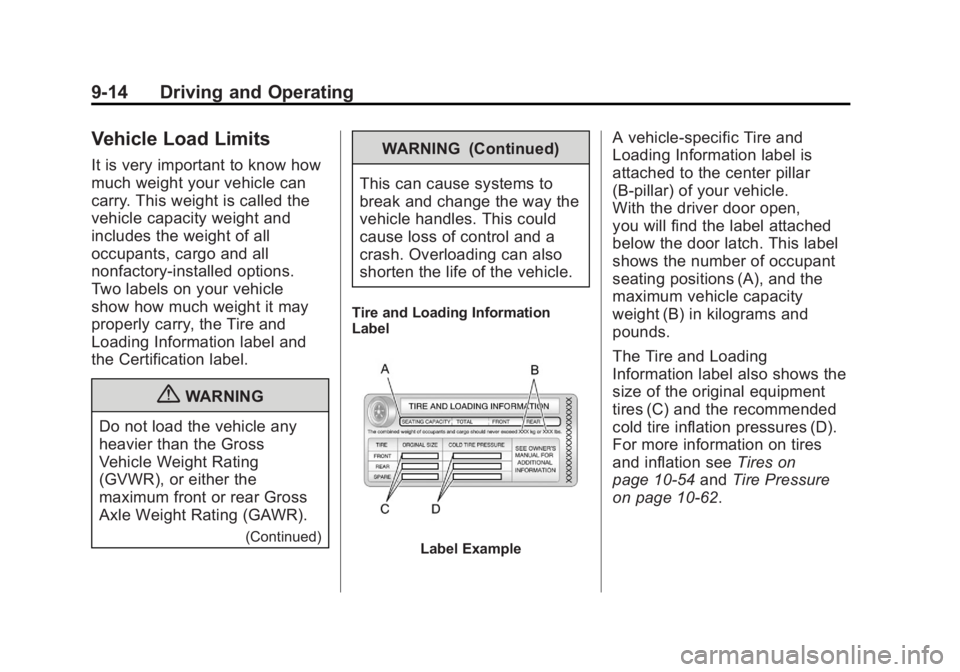
Tire and Loading Information
Label
Label Example
A vehicle-specific Tire and
Loading Information label is
attached to the center pillar
(B-pillar) of your vehicle.
With the driver door open,
you will find the label attached
below the door latch. This label
shows the number of occupant
seating positions (A), and the
maximum vehicle capacity
weight (B) in kilograms and
pounds.
The Tire and Loading
Information label also shows the
size of the original equipment
tires (C) and the recommended
cold tire inflation pressures (D).
For more information on tires
and inflation see Tires on
page 10‑54 andTire Pressure
on page 10‑62.