navigation CHEVROLET CORVETTE C7 2018 User Guide
[x] Cancel search | Manufacturer: CHEVROLET, Model Year: 2018, Model line: CORVETTE C7, Model: CHEVROLET CORVETTE C7 2018Pages: 353, PDF Size: 6.48 MB
Page 330 of 353
Chevrolet Corvette Owner Manual (GMNA-Localizing-U.S./Canada/Mexico-
11374030) - 2018 - crc - 3/29/17
Customer Information 329
GM will not access these data or
share it with others except: with the
consent of the vehicle owner or,
if the vehicle is leased, with the
consent of the lessee; in response
to an official request by police or
similar government office; as part of
GM's defense of litigation through
the discovery process; or, as
required by law. Data that GM
collects or receives may also be
used for GM research needs or may
be made available to others for
research purposes, where a need is
shown and the data is not tied to a
specific vehicle or vehicle owner.
OnStar
If the vehicle is equipped with
OnStar and has an active
subscription, additional data may be
collected through the OnStar
system. This includes information
about the vehicle’s operation;
collisions involving the vehicle; the
use of the vehicle and its features;
and, in certain situations, the
location and approximate GPS
speed of the vehicle. Refer to theOnStar Terms and Conditions and
Privacy Statement on the OnStar
website.
See
OnStar Additional Information
0 336.
Infotainment System
If the vehicle is equipped with a
navigation system as part of the
infotainment system, use of the
system may result in the storage of
destinations, addresses, telephone
numbers, and other trip information.
See the infotainment manual for
information on stored data and for
deletion instructions.
Page 331 of 353
Chevrolet Corvette Owner Manual (GMNA-Localizing-U.S./Canada/Mexico-
11374030) - 2018 - crc - 3/29/17
330 OnStar
OnStar
OnStar Overview
OnStar Overview . . . . . . . . . . . . . 330
OnStar Services
Emergency . . . . . . . . . . . . . . . . . . . 332
Security . . . . . . . . . . . . . . . . . . . . . . 332
Navigation . . . . . . . . . . . . . . . . . . . . 332
Connections . . . . . . . . . . . . . . . . . . 333
Diagnostics . . . . . . . . . . . . . . . . . . . 335
OnStar Additional Information
OnStar AdditionalInformation . . . . . . . . . . . . . . . . . . 336
OnStar Overview
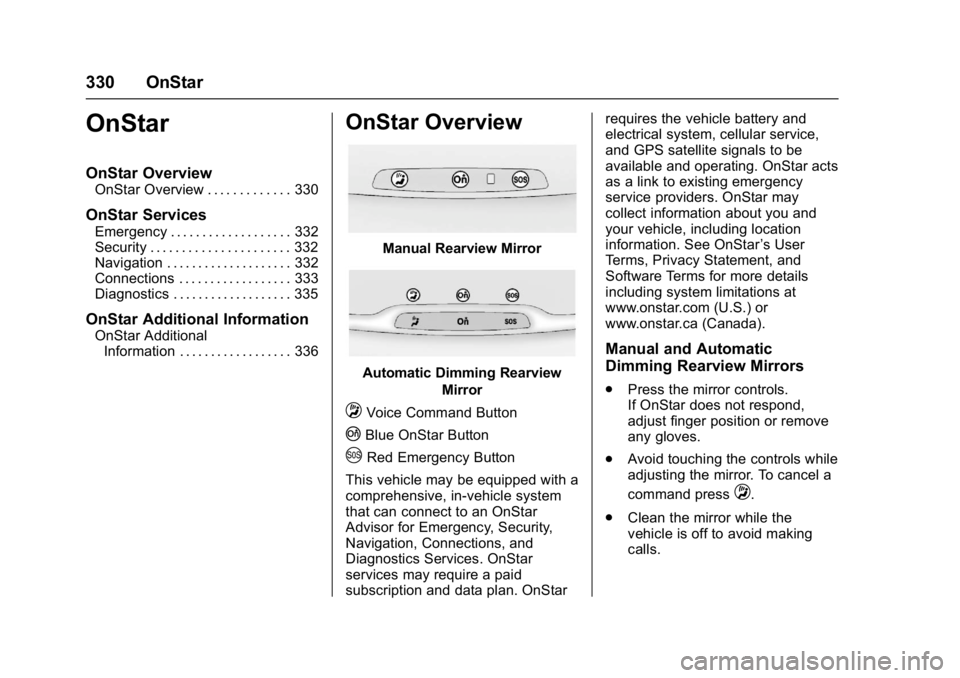
Manual Rearview Mirror
Automatic Dimming Rearview
Mirror
QVoice Command Button
|Blue OnStar Button
URed Emergency Button
This vehicle may be equipped with a
comprehensive, in-vehicle system
that can connect to an OnStar
Advisor for Emergency, Security,
Navigation, Connections, and
Diagnostics Services. OnStar
services may require a paid
subscription and data plan. OnStar requires the vehicle battery and
electrical system, cellular service,
and GPS satellite signals to be
available and operating. OnStar acts
as a link to existing emergency
service providers. OnStar may
collect information about you and
your vehicle, including location
information. See OnStar
’s User
Terms, Privacy Statement, and
Software Terms for more details
including system limitations at
www.onstar.com (U.S.) or
www.onstar.ca (Canada).
Manual and Automatic
Dimming Rearview Mirrors
. Press the mirror controls.
If OnStar does not respond,
adjust finger position or remove
any gloves.
. Avoid touching the controls while
adjusting the mirror. To cancel a
command press
Q.
. Clean the mirror while the
vehicle is off to avoid making
calls.
Page 332 of 353
Chevrolet Corvette Owner Manual (GMNA-Localizing-U.S./Canada/Mexico-
11374030) - 2018 - crc - 3/29/17
OnStar 331
Status Indicator
The OnStar system status light is
next to the OnStar controls on the
manual rearview mirror.
If the status light is:
.Solid Green: System is ready.
. Flashing Green: On a call.
. Red: Indicates a problem.
. Off: System is active. Press
|
twice to speak with an OnStar
Advisor.
For the automatic dimming rearview
mirror, the status is provided
through the Display on Demand
Icons.
. Three Color Icons: The system
is enabled and active.
. No Icons: The vehicle is in
motion or the OnStar
subscription is inactive.
. Blinking: Button has been
pressed.
. Solid: On a call.
.
~: Indicates a problem. OnStar Commands
Press
|or call 1-888-4ONSTAR
(1-888-466-7827) to speak to an
Advisor.
Press
Qto:
. Make a call, end a call,
or answer an incoming call.
. Give OnStar Hands-Free Calling
voice commands.
. Give OnStar Turn-by-Turn
Navigation voice commands.
. Obtain and customize the Wi-Fi
®
network name or SSID, and
password, if equipped.
Press
|to connect to an
Advisor to:
. Verify account information or
update contact information.
. Get driving directions.
. Receive a Diagnostic check of
the vehicle's key operating
systems.
. Receive Roadside Assistance.
. Manage Wi-Fi Settings,
if equipped. Press
Uto get a priority connection
to an OnStar Advisor available 24/
7 to:
. Get help for an emergency.
. Be a Good Samaritan or
respond to an AMBER Alert.
. Get assistance in severe
weather or other crisis situations
and find evacuation routes.
Page 333 of 353
Chevrolet Corvette Owner Manual (GMNA-Localizing-U.S./Canada/Mexico-
11374030) - 2018 - crc - 3/29/17
332 OnStar
OnStar Services
Emergency
Emergency Services require an
active, OnStar service plan
(excludes Basic Plan). With
Automatic Crash Response, built-in
sensors can automatically alert a
specially trained OnStar Advisor
who is immediately connected in to
the vehicle to help.
Press
Ufor a priority connection to
an OnStar Advisor who can contact
emergency service providers, direct
them to your exact location, and
relay important information.
With OnStar Crisis Assist, specially
trained Advisors are available
24 hours a day, 7 days a week, to
provide a central point of contact,
assistance, and information during a
crisis.
With Roadside Assistance, Advisors
can locate a nearby service provider
to help with a flat tire, a battery
jump, or an empty gas tank.
Security
If equipped, OnStar provides these
services:
. With Stolen Vehicle Assistance,
OnStar Advisors can use GPS to
pinpoint the vehicle and help
authorities quickly recover it.
. With Remote Ignition Block,
if equipped, OnStar can block
the engine from being restarted.
. With Stolen Vehicle Slowdown,
if equipped, OnStar can work
with law enforcement to
gradually slow the vehicle down.
Theft Alarm Notification
If equipped, if the doors are locked
and the vehicle alarm sounds, a
notification by text, e-mail, or phone
call will be sent. If the vehicle is
stolen, an OnStar Advisor can work
with authorities to recover the
vehicle.
Navigation
OnStar navigation requires a
specific OnStar service plan.
Press
|to receive Turn-by-Turn
directions or have them sent to the
vehicle navigation screen,
if equipped.
Turn-by-Turn Navigation
1. Press|to connect to an
Advisor.
2. Request directions to be downloaded to the vehicle.
3. Follow the voice-guided commands.
Using Voice Commands
During a Planned Route
Cancel Route
1. Press
Q. System responds:
“OnStar ready,” then a tone.
2. Say “Cancel route.” System
responds: “Do you want to
cancel directions?”
Page 334 of 353
Chevrolet Corvette Owner Manual (GMNA-Localizing-U.S./Canada/Mexico-
11374030) - 2018 - crc - 3/29/17
OnStar 333
3. Say“Yes.”System responds:
“OK, request completed, thank
you, goodbye.”
Route Preview
1. Press
Q. System responds:
“OnStar ready,” then a tone.
2. Say “Route preview.” System
responds with the next three
maneuvers.
Repeat
1. Press
Q. System responds:
“OnStar ready,” then a tone.
2. Say “Repeat.” System
responds with the last direction
given, then responds with
“OnStar ready,” then a tone.
Get My Destination
1. Press
Q. System responds:
“OnStar ready,” then a tone.
2. Say “Get my destination.”
System responds with the
address and distance to the
destination, then responds with
“OnStar ready,” then a tone. Send Destination to Vehicle
Subscribers can have directions
sent to the vehicle’
s navigation
screen, if equipped.
Press
|then ask the Advisor to
download directions to the vehicle’s
navigation system, if equipped. After
the call ends, the navigation screen
will provide prompts to begin driving
directions. Routes that are sent to
the navigation screen can only be
canceled through the navigation
system.
See www.onstar.com (U.S.) or
www.onstar.ca (Canada).
Connections
The following OnStar services help
with staying connected.
For coverage maps, see
www.onstar.com (U.S.) or
www.onstar.ca (Canada).
Ensuring Security
. Change the default passwords
for the Wi-Fi hotspot and
myChevrolet mobile application.
Make these passwords different from each other and use a
combination of letters, numbers,
and symbols to increase the
security.
. Change the default name of the
SSID (Service Set Identifier).
This is your network’s name that
is visible to other wireless
devices. Choose a unique name
and avoid family names or
vehicle descriptions.
OnStar Wi-Fi Hotspot (If Equipped)
The vehicle may have a built-in
Wi-Fi hotspot that provides access
to the Internet and web content at
4G LTE speed. Up to seven mobile
devices can be connected. A data
plan is required. Use the in-vehicle
controls only when it is safe to
do so. 1. To retrieve Wi-Fi hotspot information, press
=to open
the OnStar app on the
infotainment display, then
select Wi-Fi Hotspot. On some
vehicles, touch Wi-Fi or
Settings on the screen.
Page 338 of 353
Chevrolet Corvette Owner Manual (GMNA-Localizing-U.S./Canada/Mexico-
11374030) - 2018 - crc - 3/29/17
OnStar 337
Advanced Vehicle Diagnostics,
Remote Services, Roadside
Assistance, Turn-by-Turn
Navigation, and Hands-Free Calling
are available on most vehicles. Not
all OnStar services are available
everywhere or on all vehicles. For
more information, a full description
of OnStar services, system
limitations, and OnStar User Terms,
Privacy Statement, and Software
Terms:
.Call 1-888-4ONSTAR
(1-888-466-7827).
. See www.onstar.com (U.S.).
. See www.onstar.ca (Canada).
. Call TTY 1-877-248-2080.
. Press
Qto speak with an
Advisor.
OnStar services cannot work unless
the vehicle is in a place where
OnStar has an agreement with a
wireless service provider for service
in that area. The wireless service
provider must also have coverage,
network capacity, reception, and
technology compatible with OnStar
services. Service involving location information about the vehicle cannot
work unless GPS signals are
available, unobstructed, and
compatible with the OnStar
hardware. OnStar services may not
work if the OnStar equipment is not
properly installed or it has not been
properly maintained. If equipment or
software is added, connected,
or modified, OnStar services may
not work. Other problems beyond
the control of OnStar
—such as
hills, tall buildings, tunnels, weather,
electrical system design and
architecture of the vehicle, damage
to the vehicle in a crash, or wireless
phone network congestion or
jamming —may prevent service.
See Radio Frequency Statement
0 326.
Services for People with
Disabilities
Advisors provide services to help
Subscribers with physical disabilities
and medical conditions.
Press
Qto help:
. Locate a gas station with an
attendant to pump gas. .
Find a hotel, restaurant, etc.,
that meets accessibility needs.
. Provide directions to the closest
hospital or pharmacy in urgent
situations.
TTY Users
OnStar has the ability to
communicate to deaf,
hard-of-hearing, or speech-impaired
customers while in the vehicle. The
available dealer-installed TTY
system can provide in-vehicle
access to all OnStar services,
except Virtual Advisor and OnStar
Turn-by-Turn Navigation.
OnStar Personal Identification
Number (PIN)
A PIN is needed to access some
OnStar services. The PIN will need
to be changed the first time when
speaking with an Advisor. To
change the OnStar PIN, contact an
OnStar Advisor by pressing
Qor
calling 1-888-4ONSTAR.
Page 339 of 353
Chevrolet Corvette Owner Manual (GMNA-Localizing-U.S./Canada/Mexico-
11374030) - 2018 - crc - 3/29/17
338 OnStar
Warranty
OnStar equipment may be
warranted as part of the vehicle
warranty.
Languages
The vehicle can be programmed to
respond in multiple languages.
Press
Qand ask for an Advisor.
Advisors are available in English,
Spanish, and French. Available
languages may vary by country.
Potential Issues
OnStar cannot perform Remote
Door Unlock or Stolen Vehicle
Assistance after the vehicle has
been off continuously for five days
without an ignition cycle. If the
vehicle has not been started for
five days, OnStar can contact
Roadside Assistance or a locksmith
to help gain access to the vehicle.
Global Positioning
System (GPS)
. Obstruction of the GPS can
occur in a large city with tall
buildings; in parking garages; around airports; in tunnels and
underpasses; or in an area with
very dense trees. If GPS signals
are not available, the OnStar
system should still operate to
call OnStar. However, OnStar
could have difficulty identifying
the exact location.
. In emergency situations, OnStar
can use the last stored GPS
location to send to emergency
responders.
A temporary loss of GPS can cause
loss of the ability to send a
Turn-by-Turn Navigation route. The
Advisor may give a verbal route or
may ask for a call back after the
vehicle is driven into an open area.
Cellular and GPS Antennas
Cellular reception is required for
OnStar to send remote signals to
the vehicle. Do not place items over
or near the antenna to prevent
blocking cellular and GPS signal
reception.
Unable to Connect to OnStar
Message
If there is limited cellular coverage
or the cellular network has reached
maximum capacity, this message
may come on. Press
Qto try the
call again or try again after driving a
few miles into another cellular area.
Vehicle and Power Issues
OnStar services require a vehicle
electrical system, wireless service,
and GPS satellite technologies to be
available and operating for features
to function properly. These systems
may not operate if the battery is
discharged or disconnected.
Add-on Electrical Equipment
The OnStar system is integrated
into the electrical architecture of the
vehicle. Do not add any electrical
equipment. See Add-On Electrical
Equipment 0210. Added electrical
equipment may interfere with the
operation of the OnStar system and
cause it to not operate.
Page 340 of 353
Chevrolet Corvette Owner Manual (GMNA-Localizing-U.S./Canada/Mexico-
11374030) - 2018 - crc - 3/29/17
OnStar 339
Vehicle Software Updates
OnStar or GM may remotely deliver
software updates or changes to the
vehicle without further notice or
consent. These updates or changes
may enhance or maintain safety,
security, or the operation of the
vehicle or the vehicle systems.
Software updates or changes may
affect or erase data or settings that
are stored in the vehicle, such as
OnStar Hands-Free Calling name
tags, saved navigation destinations,
or pre-set radio stations. Neither
OnStar nor GM is responsible for
any affected or erased data or
settings. These updates or changes
may also collect personal
information. Such collection is
described in the OnStar privacy
statement or separately disclosed at
the time of installation. These
updates or changes may also cause
a system to automatically
communicate with GM servers to
collect information about vehicle
system status, identify whether
updates or changes are available,
or deliver updates or changes. An
active OnStar agreement constitutesconsent to these software updates
or changes and agreement that
either OnStar or GM may remotely
deliver them to the vehicle.
Privacy
The complete OnStar Privacy
Statement may be found at
www.onstar.com (U.S.),
or www.onstar.ca (Canada). We
recommend that you review it. If you
have any questions, call
1-888-4ONSTAR (1-888-466-7827)
or press
Qto speak with an
Advisor. Users of wireless
communications are cautioned that
the privacy of any information sent
via wireless cellular communications
cannot be assured. Third parties
may unlawfully intercept or access
transmissions and private
communications without consent.
OnStar - Software
Acknowledgements
Certain OnStar components include
libcurl and unzip software and other
third party software. Below are the
notices and licenses associated with libcurl and unzip and for other third
party software please see http://
opensource.lge.com/index
www.onstar.com/us/en/
libcurl:
COPYRIGHT AND PERMISSION
NOTICE
Copyright (c) 1996 - 2010, Daniel
Stenberg,
All rights reserved.
Permission to use, copy, modify,
and distribute this software for any
purpose with or without fee is
hereby granted, provided that the
above copyright notice and this
permission notice appear in all
copies.
THE SOFTWARE IS PROVIDED
“AS IS,”
WITHOUT WARRANTY OF
ANY KIND, EXPRESS OR
IMPLIED, INCLUDING BUT NOT
LIMITED TO THE WARRANTIES
OF MERCHANTABILITY, FITNESS
FOR A PARTICULAR PURPOSE
AND NONINFRINGEMENT OF
THIRD PARTY RIGHTS. IN NO
EVENT SHALL THE AUTHORS OR
Page 349 of 353
Chevrolet Corvette Owner Manual (GMNA-Localizing-U.S./Canada/Mexico-
11374030) - 2018 - crc - 4/5/17
348 Index
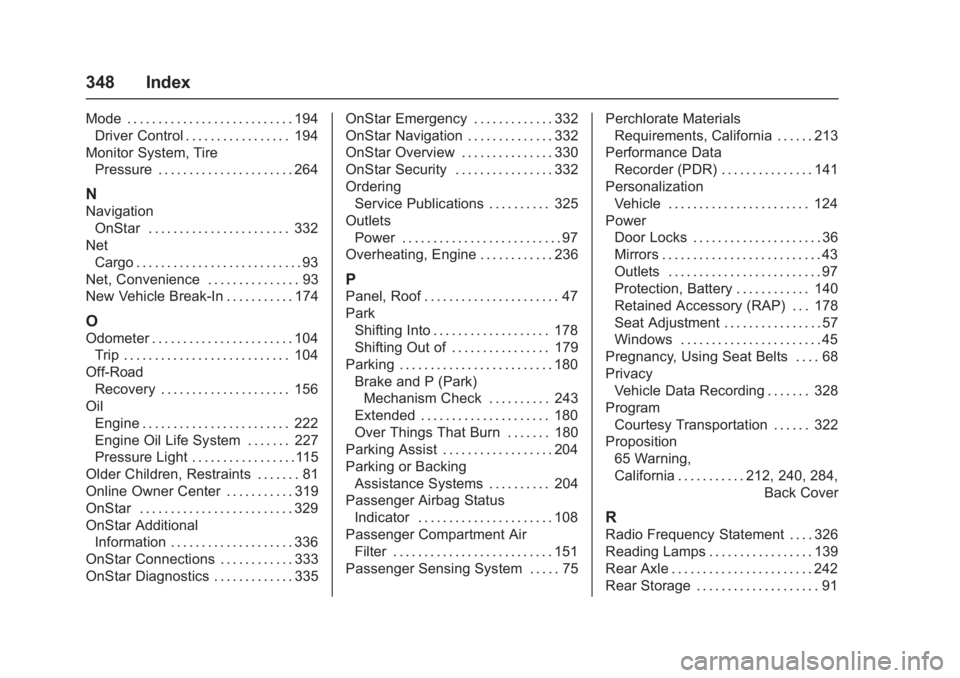
Mode . . . . . . . . . . . . . . . . . . . . . . . . . . . 194Driver Control . . . . . . . . . . . . . . . . . 194
Monitor System, Tire Pressure . . . . . . . . . . . . . . . . . . . . . . 264
N
NavigationOnStar . . . . . . . . . . . . . . . . . . . . . . . 332
Net Cargo . . . . . . . . . . . . . . . . . . . . . . . . . . . 93
Net, Convenience . . . . . . . . . . . . . . . 93
New Vehicle Break-In . . . . . . . . . . . 174
O
Odometer . . . . . . . . . . . . . . . . . . . . . . . 104 Trip . . . . . . . . . . . . . . . . . . . . . . . . . . . 104
Off-Road
Recovery . . . . . . . . . . . . . . . . . . . . . 156
Oil Engine . . . . . . . . . . . . . . . . . . . . . . . . 222
Engine Oil Life System . . . . . . . 227
Pressure Light . . . . . . . . . . . . . . . . .115
Older Children, Restraints . . . . . . . 81
Online Owner Center . . . . . . . . . . . 319
OnStar . . . . . . . . . . . . . . . . . . . . . . . . . 329
OnStar Additional Information . . . . . . . . . . . . . . . . . . . . 336
OnStar Connections . . . . . . . . . . . . 333
OnStar Diagnostics . . . . . . . . . . . . . 335 OnStar Emergency . . . . . . . . . . . . . 332
OnStar Navigation . . . . . . . . . . . . . . 332
OnStar Overview . . . . . . . . . . . . . . . 330
OnStar Security . . . . . . . . . . . . . . . . 332
Ordering
Service Publications . . . . . . . . . . 325
Outlets
Power . . . . . . . . . . . . . . . . . . . . . . . . . . 97
Overheating, Engine . . . . . . . . . . . . 236
P
Panel, Roof . . . . . . . . . . . . . . . . . . . . . . 47
Park Shifting Into . . . . . . . . . . . . . . . . . . . 178
Shifting Out of . . . . . . . . . . . . . . . . 179
Parking . . . . . . . . . . . . . . . . . . . . . . . . . 180 Brake and P (Park)
Mechanism Check . . . . . . . . . . 243
Extended . . . . . . . . . . . . . . . . . . . . . 180
Over Things That Burn . . . . . . . 180
Parking Assist . . . . . . . . . . . . . . . . . . 204
Parking or Backing
Assistance Systems . . . . . . . . . . 204
Passenger Airbag Status Indicator . . . . . . . . . . . . . . . . . . . . . . 108
Passenger Compartment Air
Filter . . . . . . . . . . . . . . . . . . . . . . . . . . 151
Passenger Sensing System . . . . . 75 Perchlorate Materials
Requirements, California . . . . . . 213
Performance Data Recorder (PDR) . . . . . . . . . . . . . . . 141
Personalization Vehicle . . . . . . . . . . . . . . . . . . . . . . . 124
Power
Door Locks . . . . . . . . . . . . . . . . . . . . . 36
Mirrors . . . . . . . . . . . . . . . . . . . . . . . . . . 43
Outlets . . . . . . . . . . . . . . . . . . . . . . . . . 97
Protection, Battery . . . . . . . . . . . . 140
Retained Accessory (RAP) . . . 178
Seat Adjustment . . . . . . . . . . . . . . . . 57
Windows . . . . . . . . . . . . . . . . . . . . . . . 45
Pregnancy, Using Seat Belts . . . . 68
Privacy Vehicle Data Recording . . . . . . . 328
Program Courtesy Transportation . . . . . . 322
Proposition 65 Warning,
California . . . . . . . . . . . .212, 240, 284,
Back Cover
R
Radio Frequency Statement . . . . 326
Reading Lamps . . . . . . . . . . . . . . . . . 139
Rear Axle . . . . . . . . . . . . . . . . . . . . . . . 242
Rear Storage . . . . . . . . . . . . . . . . . . . . 91