display CHEVROLET CORVETTE C7 2018 Workshop Manual
[x] Cancel search | Manufacturer: CHEVROLET, Model Year: 2018, Model line: CORVETTE C7, Model: CHEVROLET CORVETTE C7 2018Pages: 353, PDF Size: 6.48 MB
Page 147 of 353
Chevrolet Corvette Owner Manual (GMNA-Localizing-U.S./Canada/Mexico-
11374030) - 2018 - crc - 3/29/17
146 Infotainment System
.Throttle Position: Displays
the percentage of throttle applied
from 0–100%.
. Active Handling Active Indicator:
The graphic only displays if the
active handling systems are
activated.
Naming Convention
The recorded video file name is
stored as the recorded date and the
length of the recording.
If the recorded session was
recorded while the system was in
Valet Mode, the file name will
display the mode, date, and length
of time.
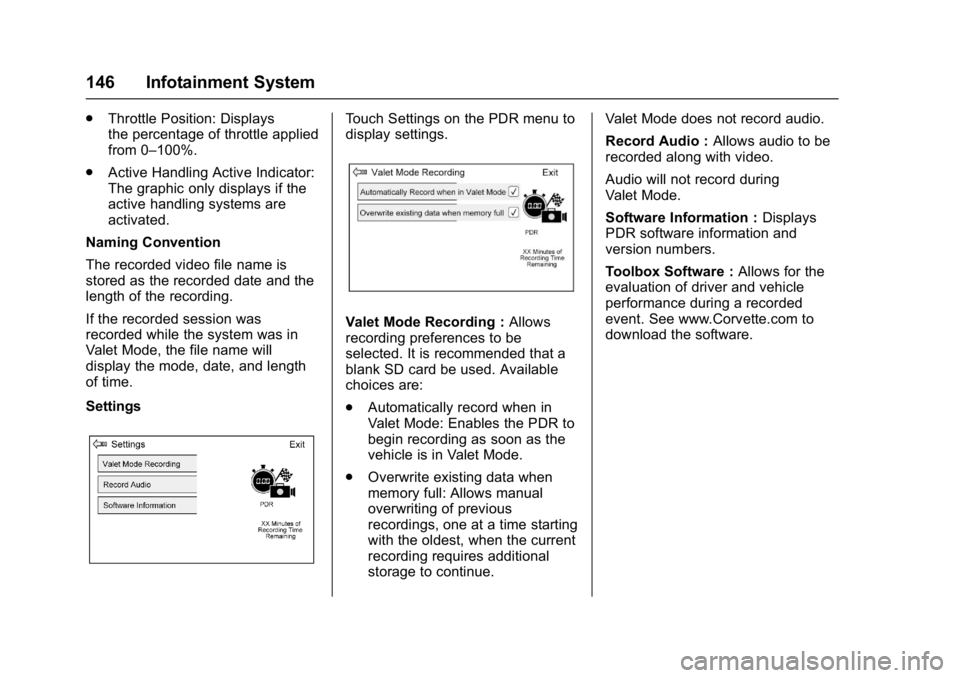
SettingsTouch Settings on the PDR menu to
display settings.
Valet Mode Recording : Allows
recording preferences to be
selected. It is recommended that a
blank SD card be used. Available
choices are:
. Automatically record when in
Valet Mode: Enables the PDR to
begin recording as soon as the
vehicle is in Valet Mode.
. Overwrite existing data when
memory full: Allows manual
overwriting of previous
recordings, one at a time starting
with the oldest, when the current
recording requires additional
storage to continue. Valet Mode does not record audio.
Record Audio :
Allows audio to be
recorded along with video.
Audio will not record during
Valet Mode.
Software Information : Displays
PDR software information and
version numbers.
Toolbox Software : Allows for the
evaluation of driver and vehicle
performance during a recorded
event. See www.Corvette.com to
download the software.
Page 149 of 353
Chevrolet Corvette Owner Manual (GMNA-Localizing-U.S./Canada/Mexico-
11374030) - 2018 - crc - 3/29/17
148 Climate Controls
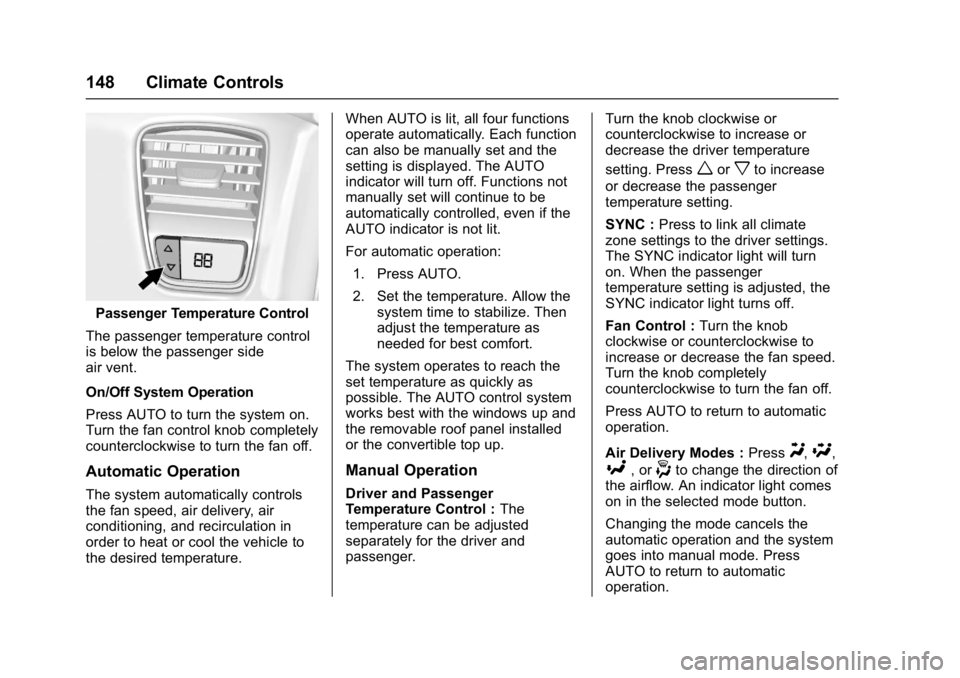
Passenger Temperature Control
The passenger temperature control
is below the passenger side
air vent.
On/Off System Operation
Press AUTO to turn the system on.
Turn the fan control knob completely
counterclockwise to turn the fan off.
Automatic Operation
The system automatically controls
the fan speed, air delivery, air
conditioning, and recirculation in
order to heat or cool the vehicle to
the desired temperature. When AUTO is lit, all four functions
operate automatically. Each function
can also be manually set and the
setting is displayed. The AUTO
indicator will turn off. Functions not
manually set will continue to be
automatically controlled, even if the
AUTO indicator is not lit.
For automatic operation:
1. Press AUTO.
2. Set the temperature. Allow the system time to stabilize. Then
adjust the temperature as
needed for best comfort.
The system operates to reach the
set temperature as quickly as
possible. The AUTO control system
works best with the windows up and
the removable roof panel installed
or the convertible top up.
Manual Operation
Driver and Passenger
Temperature Control : The
temperature can be adjusted
separately for the driver and
passenger. Turn the knob clockwise or
counterclockwise to increase or
decrease the driver temperature
setting. Press
worxto increase
or decrease the passenger
temperature setting.
SYNC : Press to link all climate
zone settings to the driver settings.
The SYNC indicator light will turn
on. When the passenger
temperature setting is adjusted, the
SYNC indicator light turns off.
Fan Control : Turn the knob
clockwise or counterclockwise to
increase or decrease the fan speed.
Turn the knob completely
counterclockwise to turn the fan off.
Press AUTO to return to automatic
operation.
Air Delivery Modes : Press
Y,\,
[, or-to change the direction of
the airflow. An indicator light comes
on in the selected mode button.
Changing the mode cancels the
automatic operation and the system
goes into manual mode. Press
AUTO to return to automatic
operation.
Page 176 of 353
Chevrolet Corvette Owner Manual (GMNA-Localizing-U.S./Canada/Mexico-
11374030) - 2018 - crc - 4/4/17
Driving and Operating 175
{Warning
Exposed edges of parts
containing carbon fiber and other
composite materials can be
sharp. Contact with these parts
could result in injury. Use caution
to avoid contacting these parts,
including when washing the
vehicle. If the parts are damaged,
replace the parts promptly with
replacements from your dealer.
{Warning
Rocker extensions may break
under pressure, resulting in
property damage or injury. Do not
stand on the rocker extension or
use it as a step.
Ignition Positions
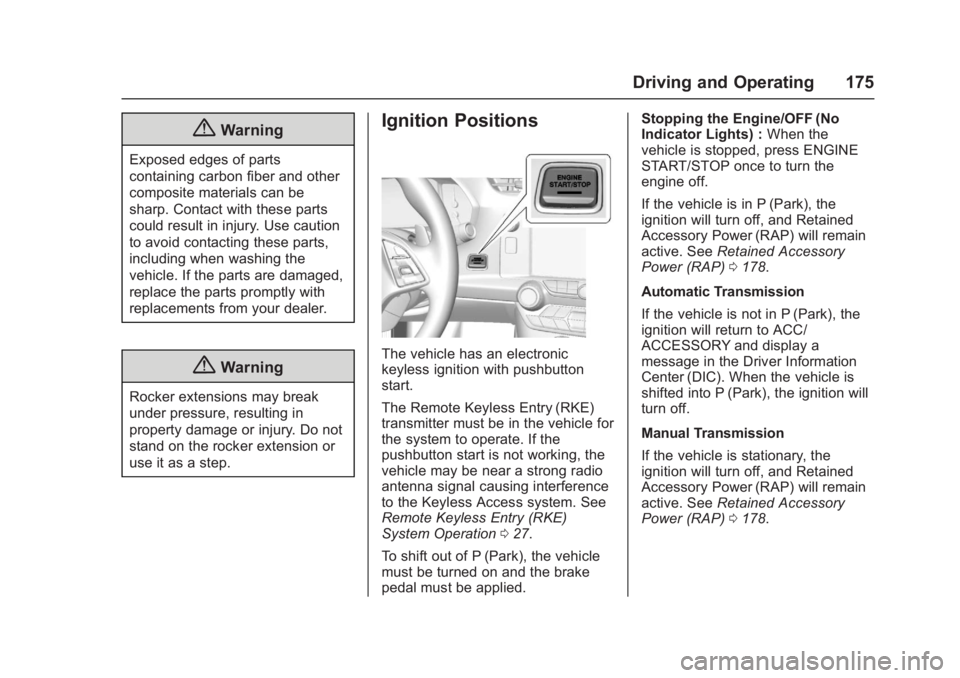
The vehicle has an electronic
keyless ignition with pushbutton
start.
The Remote Keyless Entry (RKE)
transmitter must be in the vehicle for
the system to operate. If the
pushbutton start is not working, the
vehicle may be near a strong radio
antenna signal causing interference
to the Keyless Access system. See
Remote Keyless Entry (RKE)
System Operation027.
To shift out of P (Park), the vehicle
must be turned on and the brake
pedal must be applied. Stopping the Engine/OFF (No
Indicator Lights) :
When the
vehicle is stopped, press ENGINE
START/STOP once to turn the
engine off.
If the vehicle is in P (Park), the
ignition will turn off, and Retained
Accessory Power (RAP) will remain
active. See Retained Accessory
Power (RAP) 0178.
Automatic Transmission
If the vehicle is not in P (Park), the
ignition will return to ACC/
ACCESSORY and display a
message in the Driver Information
Center (DIC). When the vehicle is
shifted into P (Park), the ignition will
turn off.
Manual Transmission
If the vehicle is stationary, the
ignition will turn off, and Retained
Accessory Power (RAP) will remain
active. See Retained Accessory
Power (RAP) 0178.
Page 178 of 353
Chevrolet Corvette Owner Manual (GMNA-Localizing-U.S./Canada/Mexico-
11374030) - 2018 - crc - 4/4/17
Driving and Operating 177
Starting the Engine
Place the transmission in the
proper gear.
Caution
If you add electrical parts or
accessories, you could change
the way the engine operates. Any
resulting damage would not be
covered by the vehicle warranty.
SeeAdd-On Electrical Equipment
0 210.
Automatic Transmission
Move the shift lever to P (Park) or
N (Neutral). To restart the vehicle
when it is already moving, use
N (Neutral) only.
Caution
Do not try to shift to P (Park) if the
vehicle is moving. If you do, you
could damage the transmission.
Shift to P (Park) only when the
vehicle is stopped. Manual Transmission
The shift lever should be in Neutral
and the parking brake engaged.
Hold the clutch pedal down to the
floor and start the engine.
Starting the Vehicle
The RKE transmitter must be inside
the vehicle for the ignition to work.
Cell phone chargers can interfere
with the operation of the Keyless
Access system. Battery chargers
should not be plugged in when
starting or turning off the engine.
1. For vehicles with an automatic transmission, press the brake
pedal, then press ENGINE
START/STOP on the
instrument panel. For vehicles
with a manual transmission,
press the clutch pedal first,
then press ENGINE
START/STOP.
If there is no RKE transmitter in
the vehicle or if there is
something causing interference
with it, the Driver Information
Center (DIC) will display a
message. 2. When the engine begins
cranking, let go of the button
and the engine cranks
automatically until it starts.
If the battery in the RKE
transmitter is weak, the DIC will
display a message. The vehicle
can still be driven.
See “Starting the Vehicle with a
Low Transmitter Battery” under
Remote Keyless Entry (RKE)
System Operation 027. If the
RKE transmitter battery is
dead, insert it into the steering
column transmitter pocket to
enable engine starting.
3. Do not race the engine immediately after starting it.
Operate the engine and
transmission gently until the oil
warms up and lubricates all
moving parts.
4. If the engine does not start and no DIC message is displayed,
wait 15 seconds before trying
again to let the cranking motor
cool down.
Page 179 of 353
Chevrolet Corvette Owner Manual (GMNA-Localizing-U.S./Canada/Mexico-
11374030) - 2018 - crc - 4/4/17
178 Driving and Operating
If the engine does not start
after five to 10 seconds,
especially in very cold weather
(below−18 °C or 0 °F), it could
be flooded with too much
gasoline. Try pushing the
accelerator pedal all the way to
the floor while cranking for up
to 15 seconds maximum. Wait
at least 15 seconds between
each try, to allow the cranking
motor to cool down. When the
engine starts, let go of the
accelerator. If the vehicle starts
briefly but then stops again,
repeat these steps. This clears
the extra gasoline from the
engine.
Caution
Cranking the engine for long
periods of time, by returning the
ignition to the START position
immediately after cranking has
ended, can overheat and damage
the cranking motor, and drain the
(Continued)
Caution (Continued)
battery. Wait at least 15 seconds
between each try, to let the
cranking motor cool down.
Stopping the Engine
If the vehicle has an automatic
transmission, move the shift lever to
P (Park) and press and hold
ENGINE START/STOP on the
instrument panel, until the engine
shuts off. If the shift lever is not in
P (Park), the engine shuts off and
the vehicle goes into the accessory
mode. The DIC displays SHIFT TO
PARK. Once the shift lever is moved
to P (Park), the vehicle turns off.
If the vehicle has a manual
transmission, move the shift lever to
R (Reverse) and set the parking
brake after turning off the engine by
pressing and holding ENGINE
START/STOP.
If the RKE transmitter is not
detected inside the vehicle when it
is turned off, the DIC displays a
message.
Retained Accessory
Power (RAP)
Some vehicle accessories may be
used after the ignition is turned off.
The power windows and sunroof,
if equipped, will continue to work for
up to 10 minutes or until any door is
opened.
The infotainment system will
continue to work for 10 minutes,
until the driver door is opened,
or until the ignition is turned on or
placed in ACC/ACCESSORY.
Shifting Into Park
1. Hold the brake pedal down andset the parking brake. See
Electric Parking Brake 0190.
2. Move the shift lever into P (Park) by holding the button
on the lever and pushing the
lever all the way toward the
front of the vehicle.
3. Press ENGINE START/STOP to turn the engine off.
Page 184 of 353
Chevrolet Corvette Owner Manual (GMNA-Localizing-U.S./Canada/Mexico-
11374030) - 2018 - crc - 4/4/17
Driving and Operating 183
{Warning
Shifting into a drive gear while the
engine is running at high speed is
dangerous. Unless your foot is
firmly on the brake pedal, the
vehicle could move very rapidly.
You could lose control and hit
people or objects. Do not shift
into a drive gear while the engine
is running at high speed.
Caution
Shifting out of P (Park) or
N (Neutral) with the engine
running at high speed may
damage the transmission. The
repairs would not be covered by
the vehicle warranty. Be sure the
engine is not running at high
speed when shifting the vehicle.
D : This position is for normal
driving. If more power is needed for
passing, press the accelerator
pedal down. Downshifting the transmission in
slippery road conditions could result
in skidding. See
“Skidding”under
Loss of Control 0156.
The transmission can be shifted like
a manual transmission using the
paddle shift controls while in
D (Drive). See Manual Mode0183.
Caution
A transmission hot message may
display if the automatic
transmission fluid is too hot.
Driving under this condition can
damage the vehicle. Stop and idle
the engine to cool the automatic
transmission fluid. This message
clears when the transmission fluid
has cooled sufficiently.
M : In M (Manual Mode), the
transmission can be shifted like a
manual transmission using the
paddle shift controls. See Manual
Mode 0183.
Manual Mode
Manual Paddle Shift
(Automatic Transmision)
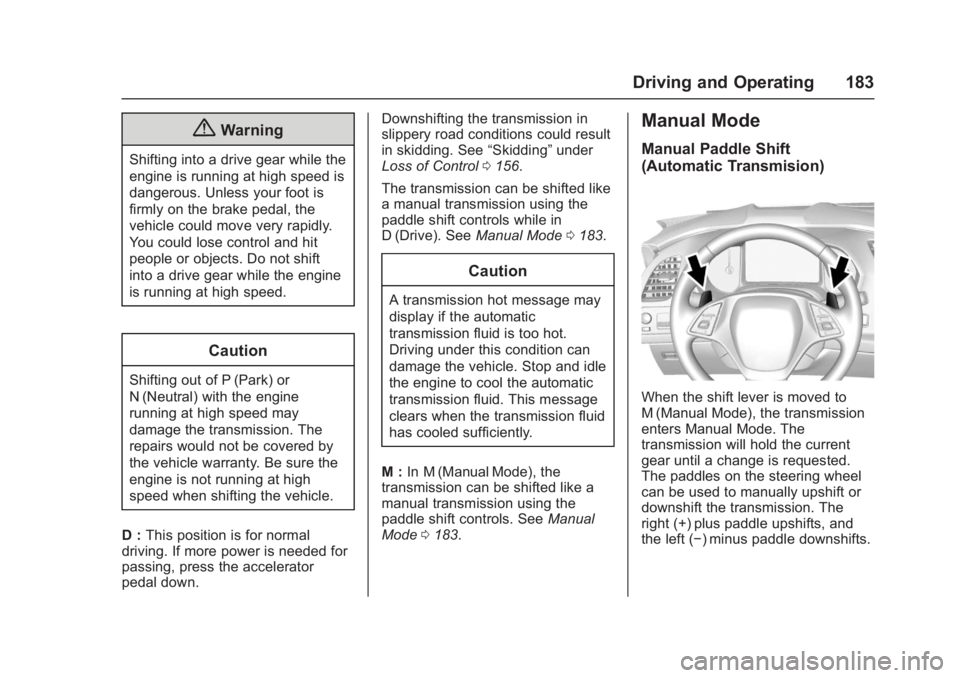
When the shift lever is moved to
M (Manual Mode), the transmission
enters Manual Mode. The
transmission will hold the current
gear until a change is requested.
The paddles on the steering wheel
can be used to manually upshift or
downshift the transmission. The
right (+) plus paddle upshifts, and
the left (−) minus paddle downshifts.
Page 185 of 353
Chevrolet Corvette Owner Manual (GMNA-Localizing-U.S./Canada/Mexico-
11374030) - 2018 - crc - 4/4/17
184 Driving and Operating
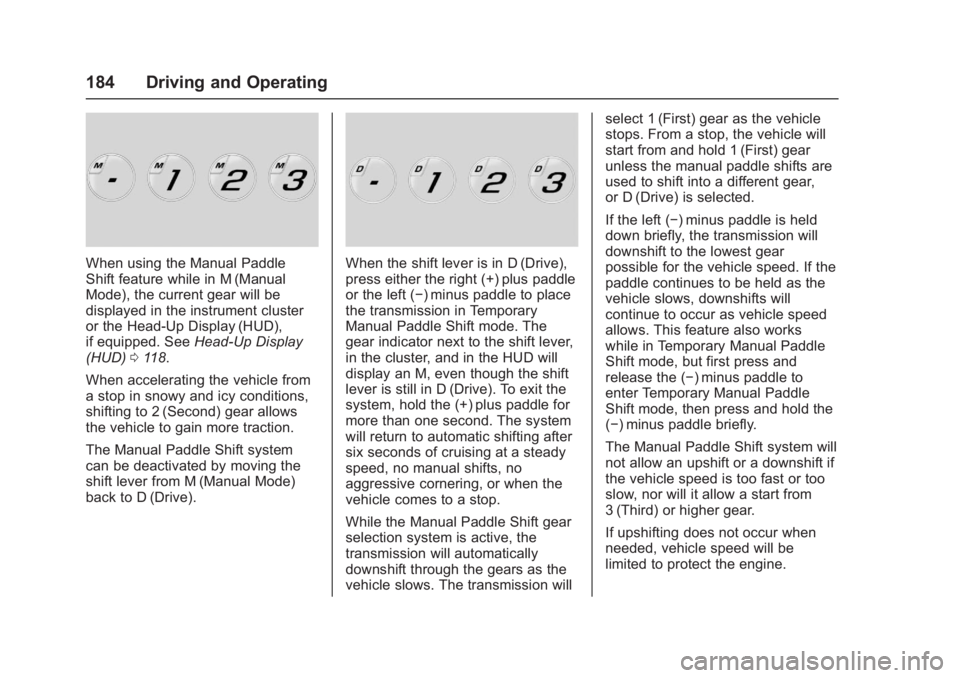
When using the Manual Paddle
Shift feature while in M (Manual
Mode), the current gear will be
displayed in the instrument cluster
or the Head-Up Display (HUD),
if equipped. SeeHead-Up Display
(HUD) 0118.
When accelerating the vehicle from
a stop in snowy and icy conditions,
shifting to 2 (Second) gear allows
the vehicle to gain more traction.
The Manual Paddle Shift system
can be deactivated by moving the
shift lever from M (Manual Mode)
back to D (Drive).When the shift lever is in D (Drive),
press either the right (+) plus paddle
or the left (−) minus paddle to place
the transmission in Temporary
Manual Paddle Shift mode. The
gear indicator next to the shift lever,
in the cluster, and in the HUD will
display an M, even though the shift
lever is still in D (Drive). To exit the
system, hold the (+) plus paddle for
more than one second. The system
will return to automatic shifting after
six seconds of cruising at a steady
speed, no manual shifts, no
aggressive cornering, or when the
vehicle comes to a stop.
While the Manual Paddle Shift gear
selection system is active, the
transmission will automatically
downshift through the gears as the
vehicle slows. The transmission will select 1 (First) gear as the vehicle
stops. From a stop, the vehicle will
start from and hold 1 (First) gear
unless the manual paddle shifts are
used to shift into a different gear,
or D (Drive) is selected.
If the left (−) minus paddle is held
down briefly, the transmission will
downshift to the lowest gear
possible for the vehicle speed. If the
paddle continues to be held as the
vehicle slows, downshifts will
continue to occur as vehicle speed
allows. This feature also works
while in Temporary Manual Paddle
Shift mode, but first press and
release the (−) minus paddle to
enter Temporary Manual Paddle
Shift mode, then press and hold the
(−) minus paddle briefly.
The Manual Paddle Shift system will
not allow an upshift or a downshift if
the vehicle speed is too fast or too
slow, nor will it allow a start from
3 (Third) or higher gear.
If upshifting does not occur when
needed, vehicle speed will be
limited to protect the engine.
Page 186 of 353
Chevrolet Corvette Owner Manual (GMNA-Localizing-U.S./Canada/Mexico-
11374030) - 2018 - crc - 4/4/17
Driving and Operating 185
When a requested shift is denied
due to the speed restrictions shown,
a DIC message will be displayed,
and the current gear remains
displayed in the instrument cluster
and HUD.
Manual Paddle Shift operation is
available for use with cruise control.
SeeCruise Control 0201.
The vehicle speeds required for
Manual Paddle Shift upshifts
depend on several vehicle inputs,
which will vary the allowed upshift
speed by a few km/h (mph).
For Vehicles with a 2.41:1 Axle
Ratio (RPO GXB)
. Upshifts to 3 (Third) gear require
approximately 25 km/h (16 mph).
. Upshifts to 4 (Fourth) gear
require approximately 37 km/h
(23 mph).
. Upshifts to 5 (Fifth) gear require
approximately 48 km/h (30 mph).
. Upshifts to 6 (Sixth) gear require
approximately 60 km/h (37 mph). .
Upshifts to 7 (Seventh) gear
require approximately 74 km/h
(46 mph).
. Upshifts to 8 (Eighth) gear
require approximately 95 km/h
(59 mph).
To prevent damage to the
powertrain, Manual Paddle
downshifts to a lower gear cannot
be done above certain speeds. The
maximum speed allowed for
downshifting of gears 1 (First)
through 7 (Seventh) are:
. Into 7 (Seventh) gear over
365 km/h (227 mph).
. Into 6 (Sixth) gear over 309 km/h
(192 mph).
. Into 5 (Fifth) gear over 243 km/h
(151 mph).
. Into 4 (Fourth) gear over
183 km/h (114 mph).
. Into 3 (Third) gear over 149 km/h
(93 mph).
. Into 2 (Second) gear over
100 km/h (62 mph).
. Into 1 (First) gear over 62 km/h
(39 mph). For Vehicles with a 2.73:1 Axle
Ratio (RPO GU2)
.
Upshifts to 3 (Third) gear require
approximately 24 km/h (15 mph).
. Upshifts to 4 (Fourth) gear
require approximately 34 km/h
(21 mph).
. Upshifts to 5 (Fifth) gear require
approximately 43 km/h (27 mph).
. Upshifts to 6 (Sixth) gear require
approximately 55 km/h (34 mph).
. Upshifts to 7 (Seventh) gear
require approximately 64 km/h
(40 mph).
. Upshifts to 8 (Eighth) gear
require approximately 82 km/h
(51 mph).
To prevent damage to the
powertrain, Manual Paddle
downshifts to a lower gear cannot
be done above certain speeds. The
maximum speed allowed for
downshifting of gears 1 (First)
through 7 (Seventh) are:
. Into 7 (Seventh) gear over
321 km/h (199 mph).
Page 188 of 353
Chevrolet Corvette Owner Manual (GMNA-Localizing-U.S./Canada/Mexico-
11374030) - 2018 - crc - 4/4/17
Driving and Operating 187
The vehicle can be safely shifted
into R (Reverse) while the vehicle is
moving less than 5 km/h (3 mph).
If the vehicle is going faster than
that, R (Reverse) is locked out.
Caution
A transmission hot message may
display if the manual transmission
fluid is too hot. Driving at high
speed under this condition can
damage the vehicle. Drive at a
slower speed, or stop and idle the
engine to cool the manual
transmission fluid. The message
clears when the vehicle has
slowed and the transmission fluid
has cooled sufficiently.
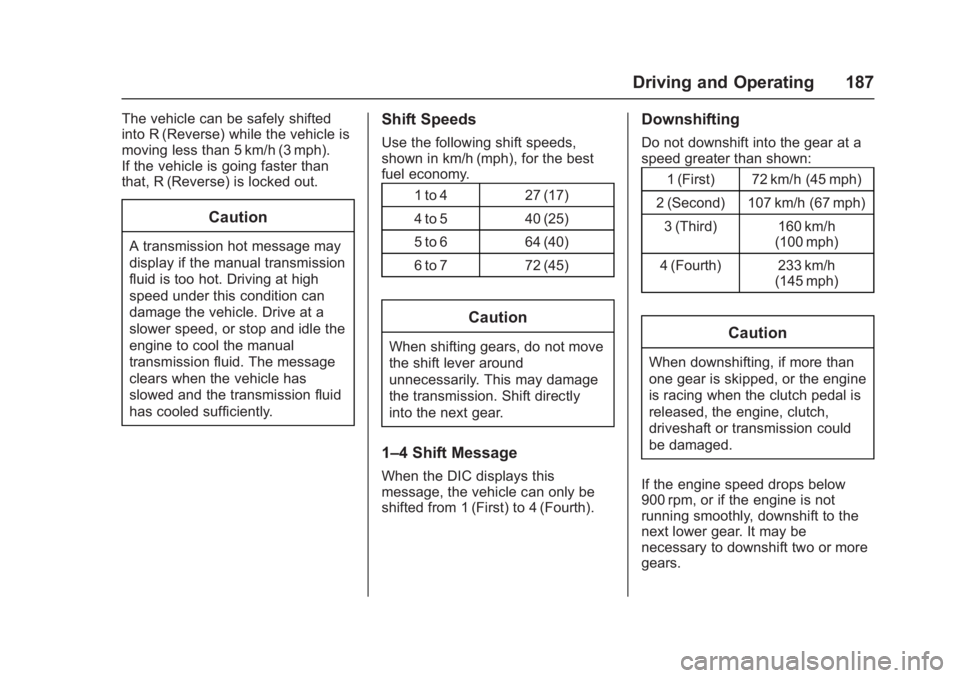
Shift Speeds
Use the following shift speeds,
shown in km/h (mph), for the best
fuel economy.1 to 4 27 (17)
4 to 5 40 (25)
5 to 6 64 (40)
6 to 7 72 (45)
Caution
When shifting gears, do not move
the shift lever around
unnecessarily. This may damage
the transmission. Shift directly
into the next gear.
1–4 Shift Message
When the DIC displays this
message, the vehicle can only be
shifted from 1 (First) to 4 (Fourth).
Downshifting
Do not downshift into the gear at a
speed greater than shown:1 (First) 72 km/h (45 mph)
2 (Second) 107 km/h (67 mph) 3 (Third) 160 km/h (100 mph)
4 (Fourth) 233 km/h (145 mph)
Caution
When downshifting, if more than
one gear is skipped, or the engine
is racing when the clutch pedal is
released, the engine, clutch,
driveshaft or transmission could
be damaged.
If the engine speed drops below
900 rpm, or if the engine is not
running smoothly, downshift to the
next lower gear. It may be
necessary to downshift two or more
gears.
Page 189 of 353
Chevrolet Corvette Owner Manual (GMNA-Localizing-U.S./Canada/Mexico-
11374030) - 2018 - crc - 4/4/17
188 Driving and Operating
The transmission has a spring that
centers the shift lever near 3 (Third)
and 4 (Fourth). This spring helps to
know what gear the shift lever is in
when shifting. Be careful when
shifting from 1 (First) to 2 (Second)
or downshifting from 7 (Seventh) to
6 (Sixth). The spring will try to pull
the shift lever toward 4 (Fourth) and
3 (Third). Move the lever into
2 (Second) or 6 (Sixth) and do not
let the shift lever move in the
direction of the pulling, or it could
shift from 1 (First) to 4 (Fourth) or
from 7 (Seventh) to 4 (Fourth).
If the vehicle is not upshifted as the
engine speed approaches fuel
shutoff rpm, the engine speed will
be limited to protect the engine. See
Tachometer0104.
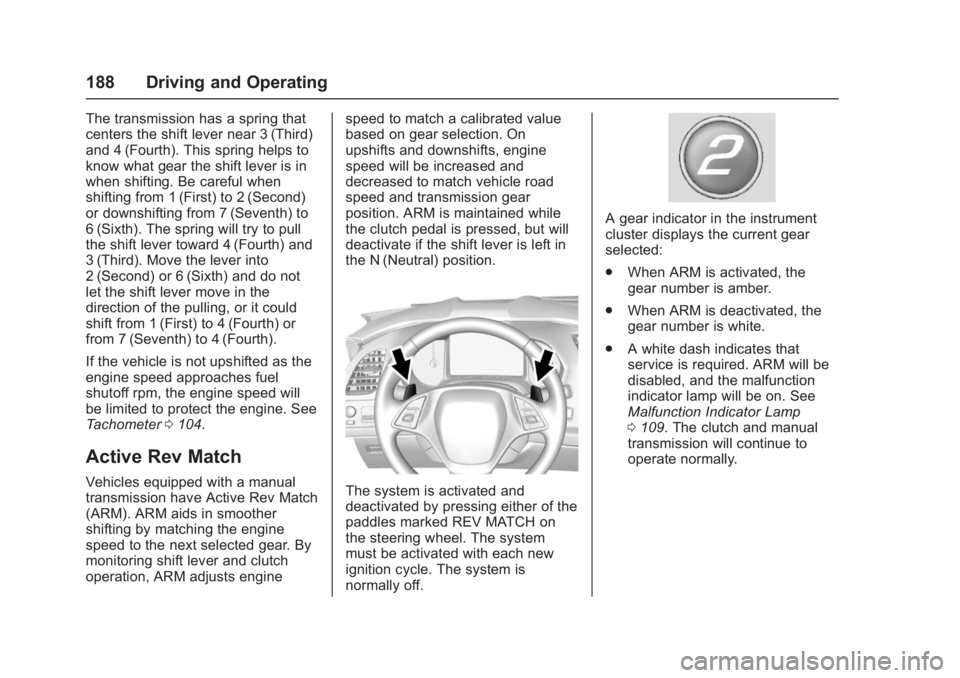
Active Rev Match
Vehicles equipped with a manual
transmission have Active Rev Match
(ARM). ARM aids in smoother
shifting by matching the engine
speed to the next selected gear. By
monitoring shift lever and clutch
operation, ARM adjusts engine speed to match a calibrated value
based on gear selection. On
upshifts and downshifts, engine
speed will be increased and
decreased to match vehicle road
speed and transmission gear
position. ARM is maintained while
the clutch pedal is pressed, but will
deactivate if the shift lever is left in
the N (Neutral) position.The system is activated and
deactivated by pressing either of the
paddles marked REV MATCH on
the steering wheel. The system
must be activated with each new
ignition cycle. The system is
normally off.
A gear indicator in the instrument
cluster displays the current gear
selected:
.
When ARM is activated, the
gear number is amber.
. When ARM is deactivated, the
gear number is white.
. A white dash indicates that
service is required. ARM will be
disabled, and the malfunction
indicator lamp will be on. See
Malfunction Indicator Lamp
0109. The clutch and manual
transmission will continue to
operate normally.