seats CHEVROLET CORVETTE C7 2018 Owners Manual
[x] Cancel search | Manufacturer: CHEVROLET, Model Year: 2018, Model line: CORVETTE C7, Model: CHEVROLET CORVETTE C7 2018Pages: 353, PDF Size: 6.48 MB
Page 2 of 353

Chevrolet Corvette Owner Manual (GMNA-Localizing-U.S./Canada/Mexico-
11374030) - 2018 - crc - 3/29/17
ContentsIntroduction . . . . . . . . . . . . . . . . . . . . . . 2
In Brief . . . . . . . . . . . . . . . . . . . . . . . . . . . 5
Keys, Doors, and Windows . . . . . 25
Seats and Restraints . . . . . . . . . . . 56
Storage . . . . . . . . . . . . . . . . . . . . . . . . . 90
Instruments and Controls . . . . . . . 94
Lighting . . . . . . . . . . . . . . . . . . . . . . . 135
Infotainment System . . . . . . . . . . 141
Climate Controls . . . . . . . . . . . . . . 147
Driving and Operating . . . . . . . . . 153
Vehicle Care . . . . . . . . . . . . . . . . . . 211
Service and Maintenance . . . . . 298
Technical Data . . . . . . . . . . . . . . . . 312
Customer Information . . . . . . . . . 316
Reporting Safety Defects . . . . . . 326
OnStar . . . . . . . . . . . . . . . . . . . . . . . . 330
Index . . . . . . . . . . . . . . . . . . . . 342
Page 6 of 353
Chevrolet Corvette Owner Manual (GMNA-Localizing-U.S./Canada/Mexico-
11374030) - 2018 - crc - 3/29/17
In Brief 5
In Brief
Instrument Panel
Instrument Panel . . . . . . . . . . . . . . . . 6
Initial Drive Information
Initial Drive Information . . . . . . . . . . 8
Remote Keyless Entry (RKE)System . . . . . . . . . . . . . . . . . . . . . . . . 8
Remote Vehicle Start . . . . . . . . . . . 8
Door Locks . . . . . . . . . . . . . . . . . . . . . 9
Trunk Release . . . . . . . . . . . . . . . . . 10
Windows . . . . . . . . . . . . . . . . . . . . . . . 11
Seat Adjustment . . . . . . . . . . . . . . . 11
Memory Features . . . . . . . . . . . . . . 12
Heated and Ventilated Seats . . . 13
Seat Belts . . . . . . . . . . . . . . . . . . . . . 14
Passenger Sensing System . . . 14
Mirror Adjustment . . . . . . . . . . . . . . 14
Steering Wheel Adjustment . . . . 15
Interior Lighting . . . . . . . . . . . . . . . . 15
Exterior Lighting . . . . . . . . . . . . . . . 16
Windshield Wiper/Washer . . . . . . 16
Climate Controls . . . . . . . . . . . . . . . 17
Transmission . . . . . . . . . . . . . . . . . . 18
Vehicle Features
Infotainment System . . . . . . . . . . . 19
Steering Wheel Controls . . . . . . . 19
Cruise Control . . . . . . . . . . . . . . . . . 19 Driver Information
Center (DIC) . . . . . . . . . . . . . . . . . 20
Curb View Camera . . . . . . . . . . . . 20
Rear Vision Camera (RVC) . . . . 20
Power Outlets . . . . . . . . . . . . . . . . . 20
Universal Remote System . . . . . 21
Roof Panel . . . . . . . . . . . . . . . . . . . . 21
Convertible . . . . . . . . . . . . . . . . . . . . 21
Performance and Maintenance
Traction Control/Electronic Stability Control . . . . . . . . . . . . . . 21
Tire Pressure Monitor . . . . . . . . . . 22
Performance Vehicle Features . . . . . . . . . . . . . . . . . . . . . 22
Fuel (LT1 6.2L V8 Engine) . . . . . 23
Fuel (LT4 6.2L Supercharged V8 Engine) . . . . . . . . . . . . . . . . . . . 23
E85 or FlexFuel . . . . . . . . . . . . . . . . 23
Engine Oil Life System . . . . . . . . 23
Car Wash Guidelines . . . . . . . . . . 24
Driving for Better Fuel Economy . . . . . . . . . . . . . . . . . . . . . 24
Roadside Assistance Program . . . . . . . . . . . . . . . . . . . . . . 24
Page 8 of 353

Chevrolet Corvette Owner Manual (GMNA-Localizing-U.S./Canada/Mexico-
11374030) - 2018 - crc - 3/29/17
In Brief 7
1.Air Vents 0151.
2. Turn Signal Lever. See Turn
and Lane-Change Signals
0 138.
Exterior Lamp Controls 0135.
3. Manual Shift Paddles (If Equipped). See Manual
Mode 0183.
Active Rev Match Paddles
(If Equipped). See Active Rev
Match 0188.
4. Instrument Cluster 099.
5. Windshield Wiper/Washer 095.
6. Instrument Panel Storage Button. See Instrument Panel
Storage 090.
7. Passenger Airbag Status Indicator. See Passenger
Sensing System 075.
8. Light Sensor. See Automatic
Headlamp System 0137.
9. Hazard Warning Flashers
0138.
10. Infotainment 0141. 11. Passenger Temperature
Control. See Dual Automatic
Climate Control System 0147.
Passenger Heated and
Ventilated Seat Controls
(If Equipped). See Heated and
Ventilated Front Seats 062.
12. Driver and Redundant Passenger Heated and
Ventilated Seat Controls
(If Equipped). See Heated and
Ventilated Front Seats 062.
13. Dual Automatic Climate Control
System 0147.
14. Electric Parking Brake 0190.
15. MODE SELECT Knob. See Competitive Driving Mode
0197.
16. Shift Lever (Manual Shown). SeeAutomatic Transmission
0 182 orManual Transmission
0 186.
17. Keyless Ignition. See Ignition
Positions 0175.
18. Bluetooth Controls. See “Steering Wheel Controls” in
the infotainment manual. Voice Recognition Controls.
See
“Steering Wheel Controls”
in the infotainment manual.
Driver Information Center (DIC)
Controls. See Driver
Information Center (DIC) 0116.
19. See “Steering Wheel Controls”
in the infotainment manual.
20. Horn 095.
21. Steering Wheel Adjustment
095 (Out of View).
22. Cruise Control 0201.
23. Hood Release (Out of View). SeeHood 0216.
24. Data Link Connector (DLC) (Out of View). See Malfunction
Indicator Lamp 0109.
25. Hatch/Trunk Release Button. SeeHatch (Trunk) 038.
Intrusion and Inclination
Sensors Disable Switch. See
Vehicle Alarm System 040.
26. Head-Up Display Controls (If Equipped). See Head-Up
Display (HUD) 0118.
27. Power Mirrors 043.
Page 12 of 353
Chevrolet Corvette Owner Manual (GMNA-Localizing-U.S./Canada/Mexico-
11374030) - 2018 - crc - 3/29/17
In Brief 11
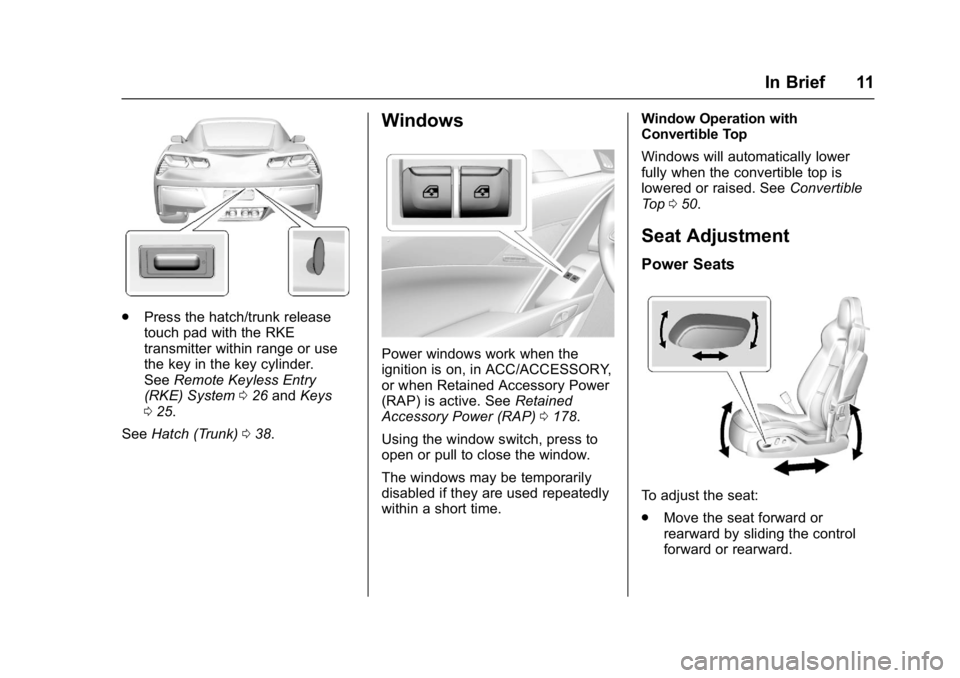
.Press the hatch/trunk release
touch pad with the RKE
transmitter within range or use
the key in the key cylinder.
See Remote Keyless Entry
(RKE) System 026 and Keys
0 25.
See Hatch (Trunk) 038.
Windows
Power windows work when the
ignition is on, in ACC/ACCESSORY,
or when Retained Accessory Power
(RAP) is active. See Retained
Accessory Power (RAP) 0178.
Using the window switch, press to
open or pull to close the window.
The windows may be temporarily
disabled if they are used repeatedly
within a short time. Window Operation with
Convertible Top
Windows will automatically lower
fully when the convertible top is
lowered or raised. See
Convertible
Top 050.
Seat Adjustment
Power Seats
To adjust the seat:
.
Move the seat forward or
rearward by sliding the control
forward or rearward.
Page 13 of 353
Chevrolet Corvette Owner Manual (GMNA-Localizing-U.S./Canada/Mexico-
11374030) - 2018 - crc - 3/29/17
12 In Brief
.Raise or lower the front part of
the seat cushion by moving the
front of the control up or down.
. Raise or lower the seat by
moving the rear of the control up
or down.
See Power Seat Adjustment 057.
Lumbar and Bolster
Adjustment
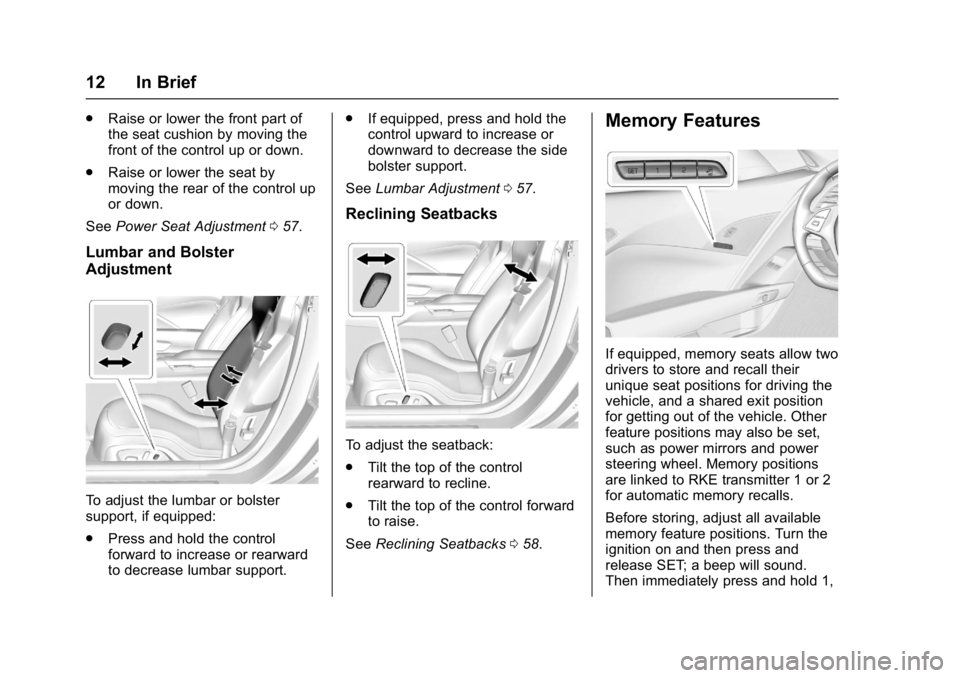
To adjust the lumbar or bolster
support, if equipped:
.
Press and hold the control
forward to increase or rearward
to decrease lumbar support. .
If equipped, press and hold the
control upward to increase or
downward to decrease the side
bolster support.
See Lumbar Adjustment 057.
Reclining Seatbacks
To adjust the seatback:
.
Tilt the top of the control
rearward to recline.
. Tilt the top of the control forward
to raise.
See Reclining Seatbacks 058.
Memory Features
If equipped, memory seats allow two
drivers to store and recall their
unique seat positions for driving the
vehicle, and a shared exit position
for getting out of the vehicle. Other
feature positions may also be set,
such as power mirrors and power
steering wheel. Memory positions
are linked to RKE transmitter 1 or 2
for automatic memory recalls.
Before storing, adjust all available
memory feature positions. Turn the
ignition on and then press and
release SET; a beep will sound.
Then immediately press and hold 1,
Page 14 of 353
Chevrolet Corvette Owner Manual (GMNA-Localizing-U.S./Canada/Mexico-
11374030) - 2018 - crc - 3/29/17
In Brief 13
2, orB(Exit) on the driver door
until two beeps sound. To manually
recall these positions, press and
hold 1, 2, or
Buntil the saved
position is reached.
When Auto Memory Recall is
enabled in the personalization
menu, positions previously stored to
memory buttons 1 and 2 are
recalled when the ignition is
changed from off to on or ACC/
ACCESSORY.
When Easy Exit Options is enabled
in the personalization menu, the
feature automatically recalls the
current driver ’s previously stored
exit position when exiting the
vehicle. See Memory Seats 058.
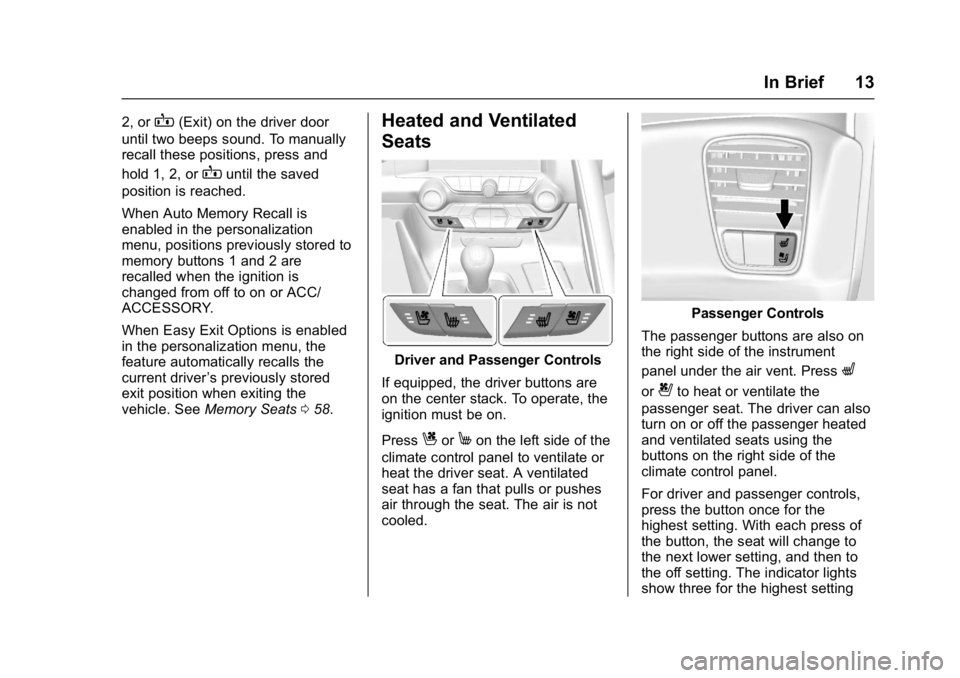
Heated and Ventilated
Seats
Driver and Passenger Controls
If equipped, the driver buttons are
on the center stack. To operate, the
ignition must be on.
Press
CorMon the left side of the
climate control panel to ventilate or
heat the driver seat. A ventilated
seat has a fan that pulls or pushes
air through the seat. The air is not
cooled.
Passenger Controls
The passenger buttons are also on
the right side of the instrument
panel under the air vent. Press
L
or{to heat or ventilate the
passenger seat. The driver can also
turn on or off the passenger heated
and ventilated seats using the
buttons on the right side of the
climate control panel.
For driver and passenger controls,
press the button once for the
highest setting. With each press of
the button, the seat will change to
the next lower setting, and then to
the off setting. The indicator lights
show three for the highest setting
Page 15 of 353
Chevrolet Corvette Owner Manual (GMNA-Localizing-U.S./Canada/Mexico-
11374030) - 2018 - crc - 3/29/17
14 In Brief
and one for the lowest. If the heated
seats are on high, the level may
automatically be lowered after
approximately 30 minutes.
SeeHeated and Ventilated Front
Seats 062.
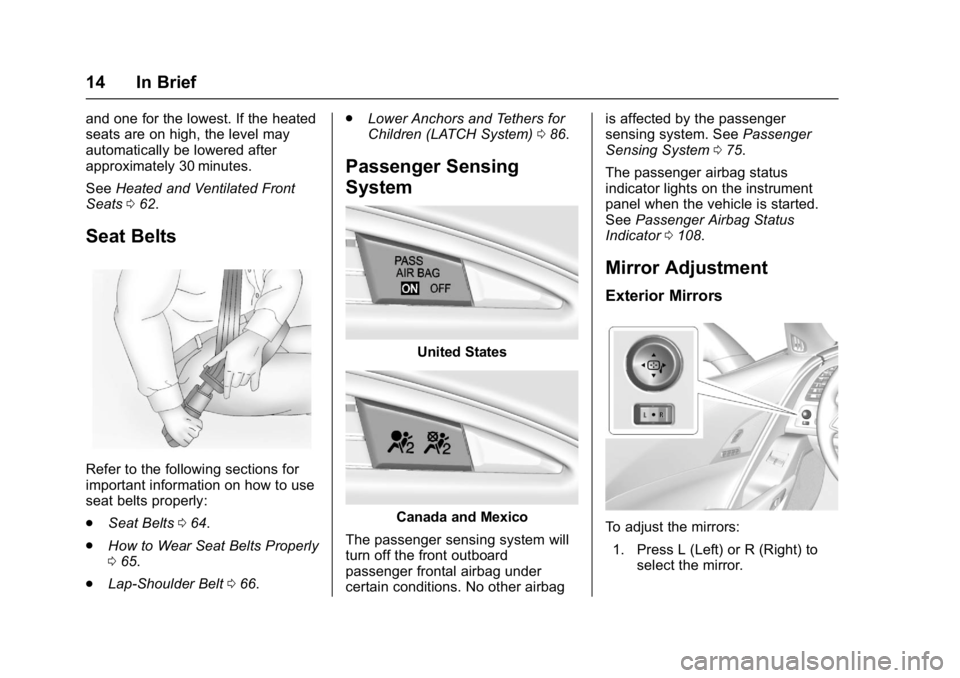
Seat Belts
Refer to the following sections for
important information on how to use
seat belts properly:
.
Seat Belts 064.
. How to Wear Seat Belts Properly
065.
. Lap-Shoulder Belt 066. .
Lower Anchors and Tethers for
Children (LATCH System) 086.
Passenger Sensing
System
United States
Canada and Mexico
The passenger sensing system will
turn off the front outboard
passenger frontal airbag under
certain conditions. No other airbag is affected by the passenger
sensing system. See
Passenger
Sensing System 075.
The passenger airbag status
indicator lights on the instrument
panel when the vehicle is started.
See Passenger Airbag Status
Indicator 0108.
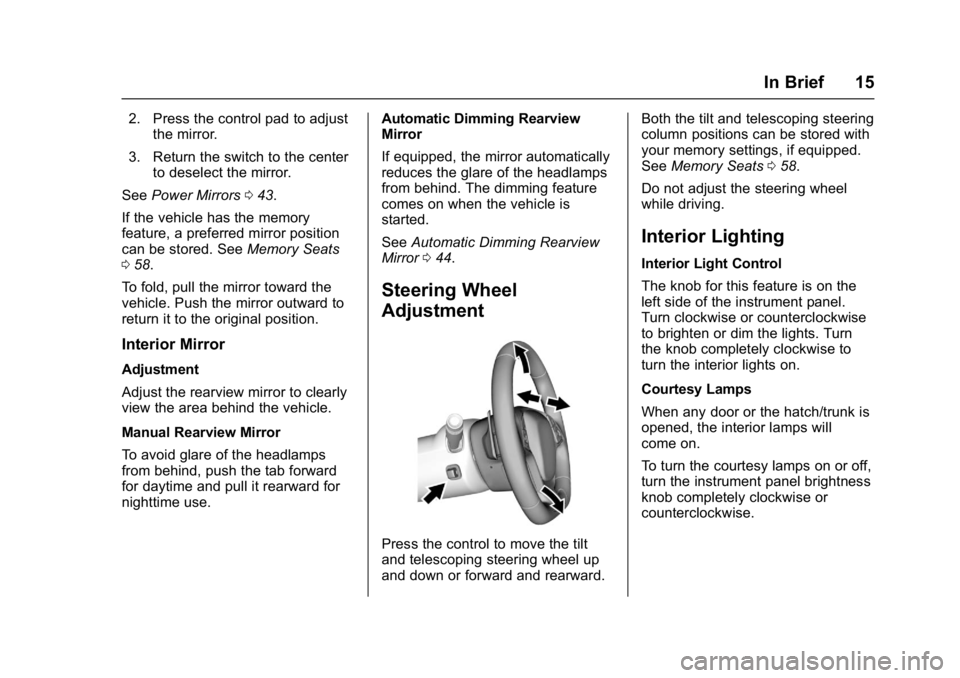
Mirror Adjustment
Exterior Mirrors
To adjust the mirrors:
1. Press L (Left) or R (Right) to select the mirror.
Page 16 of 353
Chevrolet Corvette Owner Manual (GMNA-Localizing-U.S./Canada/Mexico-
11374030) - 2018 - crc - 3/29/17
In Brief 15
2. Press the control pad to adjustthe mirror.
3. Return the switch to the center to deselect the mirror.
See Power Mirrors 043.
If the vehicle has the memory
feature, a preferred mirror position
can be stored. See Memory Seats
0 58.
To fold, pull the mirror toward the
vehicle. Push the mirror outward to
return it to the original position.
Interior Mirror
Adjustment
Adjust the rearview mirror to clearly
view the area behind the vehicle.
Manual Rearview Mirror
To avoid glare of the headlamps
from behind, push the tab forward
for daytime and pull it rearward for
nighttime use. Automatic Dimming Rearview
Mirror
If equipped, the mirror automatically
reduces the glare of the headlamps
from behind. The dimming feature
comes on when the vehicle is
started.
See
Automatic Dimming Rearview
Mirror 044.
Steering Wheel
Adjustment
Press the control to move the tilt
and telescoping steering wheel up
and down or forward and rearward. Both the tilt and telescoping steering
column positions can be stored with
your memory settings, if equipped.
See
Memory Seats 058.
Do not adjust the steering wheel
while driving.
Interior Lighting
Interior Light Control
The knob for this feature is on the
left side of the instrument panel.
Turn clockwise or counterclockwise
to brighten or dim the lights. Turn
the knob completely clockwise to
turn the interior lights on.
Courtesy Lamps
When any door or the hatch/trunk is
opened, the interior lamps will
come on.
To turn the courtesy lamps on or off,
turn the instrument panel brightness
knob completely clockwise or
counterclockwise.
Page 29 of 353
Chevrolet Corvette Owner Manual (GMNA-Localizing-U.S./Canada/Mexico-
11374030) - 2018 - crc - 4/4/17
28 Keys, Doors, and Windows
start the engine from outside the
vehicle using the RKE transmitter.
SeeRemote Vehicle Start 033.
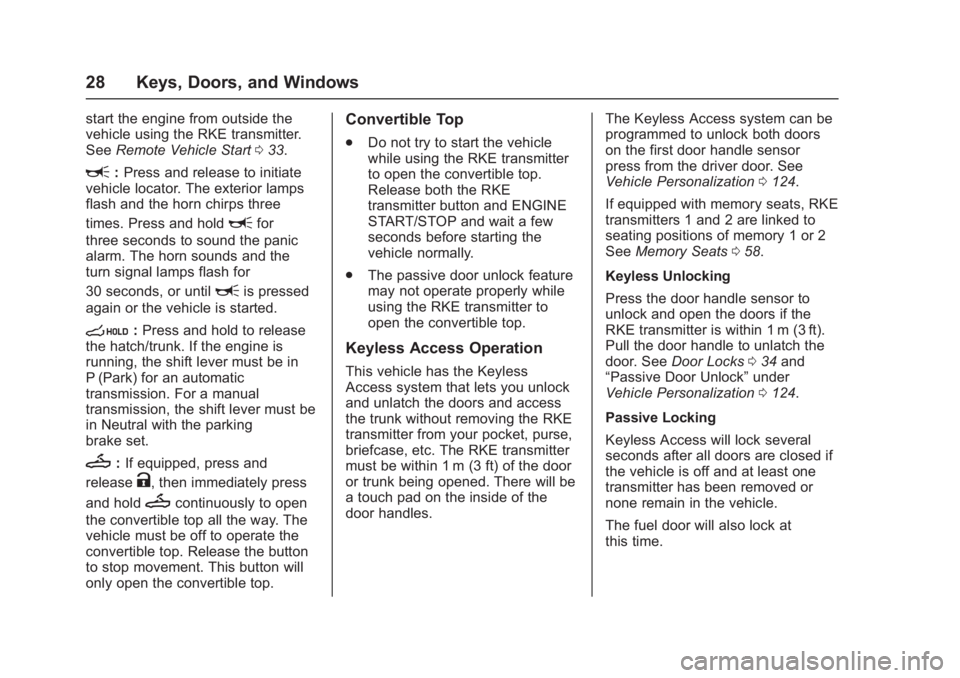
L:Press and release to initiate
vehicle locator. The exterior lamps
flash and the horn chirps three
times. Press and hold
Lfor
three seconds to sound the panic
alarm. The horn sounds and the
turn signal lamps flash for
30 seconds, or until
Lis pressed
again or the vehicle is started.
s: Press and hold to release
the hatch/trunk. If the engine is
running, the shift lever must be in
P (Park) for an automatic
transmission. For a manual
transmission, the shift lever must be
in Neutral with the parking
brake set.
M: If equipped, press and
release
K, then immediately press
and hold
Mcontinuously to open
the convertible top all the way. The
vehicle must be off to operate the
convertible top. Release the button
to stop movement. This button will
only open the convertible top.
Convertible Top
. Do not try to start the vehicle
while using the RKE transmitter
to open the convertible top.
Release both the RKE
transmitter button and ENGINE
START/STOP and wait a few
seconds before starting the
vehicle normally.
. The passive door unlock feature
may not operate properly while
using the RKE transmitter to
open the convertible top.
Keyless Access Operation
This vehicle has the Keyless
Access system that lets you unlock
and unlatch the doors and access
the trunk without removing the RKE
transmitter from your pocket, purse,
briefcase, etc. The RKE transmitter
must be within 1 m (3 ft) of the door
or trunk being opened. There will be
a touch pad on the inside of the
door handles. The Keyless Access system can be
programmed to unlock both doors
on the first door handle sensor
press from the driver door. See
Vehicle Personalization
0124.
If equipped with memory seats, RKE
transmitters 1 and 2 are linked to
seating positions of memory 1 or 2
See Memory Seats 058.
Keyless Unlocking
Press the door handle sensor to
unlock and open the doors if the
RKE transmitter is within 1 m (3 ft).
Pull the door handle to unlatch the
door. See Door Locks 034 and
“Passive Door Unlock” under
Vehicle Personalization 0124.
Passive Locking
Keyless Access will lock several
seconds after all doors are closed if
the vehicle is off and at least one
transmitter has been removed or
none remain in the vehicle.
The fuel door will also lock at
this time.
Page 34 of 353
Chevrolet Corvette Owner Manual (GMNA-Localizing-U.S./Canada/Mexico-
11374030) - 2018 - crc - 4/4/17
Keys, Doors, and Windows 33
3. Remove the old battery. Do notuse a metal object.
4. Insert the new battery on the back housing, positive side
facing down. Replace with a
CR2032 or equivalent battery.
5. Align the key release button and snap the transmitter back
together.
Remote Vehicle Start
If equipped, this feature allows the
engine to be started from outside
the vehicle.
/:This button will be on the RKE
transmitter if the vehicle has remote
start.
The climate control system will use
the previous settings during a
remote start. The rear window
defogger may come on during
remote start based on cold ambient
conditions. The rear defog indicator
light does not come on during a
remote start. During a remote start, the heated or
ventilated seats, if equipped, may
turn on automatically. See
Heated
and Ventilated Front Seats 062.
Laws in some local communities
may restrict the use of remote
starters. For example, some laws
may require a person using remote
start to have the vehicle in view.
Check local regulations for any
requirements.
If the vehicle is low on fuel, do not
use the remote start feature. The
vehicle may run out of fuel.
The RKE transmitter range may be
less while the vehicle is running.
Other conditions can affect the
performance of the transmitter. See
Remote Keyless Entry (RKE)
System 026.
Starting the Engine Using Remote
Start
1. Press and release
Qon the
RKE transmitter.
2. Immediately press and hold
/
for at least four seconds or until
the turn signal lamps flash. The lamps flash to confirm the
request to remote start the
vehicle has been received.
During the remote start, the
doors will be locked and the
parking lamps will remain on as
long as the engine is running.
The engine will shut off after
10 minutes unless a time
extension is done.
3. To drive, have the RKE transmitter in the vehicle, press
the brake pedal, and then start
the vehicle.
Extending Engine Run Time
The engine run time can also be
extended by another 10 minutes,
if during the first 10 minutes
Steps 1 and 2 are repeated while
the engine is still running. An
extension can be requested
30 seconds after starting. This
provides a total of 20 minutes.
The remote start can only be
extended once per ignition cycle.