light CHEVROLET CRUZE 2018 Manual Online
[x] Cancel search | Manufacturer: CHEVROLET, Model Year: 2018, Model line: CRUZE, Model: CHEVROLET CRUZE 2018Pages: 404, PDF Size: 4.64 MB
Page 219 of 404
Chevrolet Cruze Owner Manual (GMNA-Localizing-U.S./Canada/Mexico-
11348462) - 2018 - crc - 5/15/17
218 Driving and Operating
Running the Vehicle
While Parked
It is better not to park with the
engine running.
If the vehicle is left with the engine
running, follow the proper steps to
be sure the vehicle will not move.
SeeShifting Into Park (Automatic
Transmission) 0215 andEngine
Exhaust 0217.
Diesel Particulate
Filter
The Diesel Particulate Filter (DPF)
filters soot particles out of the
exhaust gases. The system includes
a self-cleaning function that runs
automatically during driving without
any notification. The filter is cleaned
by periodically burning off the soot
particles at high temperature. This
process takes place automatically
and may take up to 20 minutes.
Fuel consumption may be higher
during this period.
Under certain driving conditions,
e.g. short distances, the system
cannot clean itself automatically.
If the cleaning of the filter is required
and if previous driving conditions did
not enable automatic cleaning, a
warning message appears in the
DIC. Start the cleaning process as
soon as possible. Cleaning Process
To activate the cleaning process,
continue driving safely, and keep
vehicle speed above 41 km/h (25
mph) until the warning message in
the DIC goes off.
If the vehicle continues to be driven
with the DPF warning message on,
and the exhaust filter is not cleaned
as required, the malfunction
indicator lamp and the ENGINE
POWER IS REDUCED message
will come on and dealer service is
necessary. See
Malfunction
Indicator Lamp (Check Engine
Light) 0130.
{Warning
During DPF self cleaning or
during extended idling while
parked, the exhaust system and
exhaust gases are very hot.
Things that burn could touch hot
exhaust parts under the vehicle
and ignite. You or others could be
burned. Do not park, or idle for an
extended period of time, near or
(Continued)
Page 222 of 404
Chevrolet Cruze Owner Manual (GMNA-Localizing-U.S./Canada/Mexico-
11348462) - 2018 - crc - 5/15/17
Driving and Operating 221
displayed mileage will decrease as
driving continues. A warning light
also comes on.
When the mileage countdown is
zero, the DIC message EXHAUST
FLUID EMPTY REFILL NOW -
TRANSITIONING TO 105 KM/H
(65 MPH) MAX SPEED displays.
A warning light and a chime also
come on. Vehicle speed will be
reduced to a maximum speed limit
of 105 km/h (65 mph).
After the transition to 105 km/h
(65 mph) is complete, the DIC
message EXHAUST FLUID EMPTY
REFILL NOW - SPEED LIMITED
TO 105 KM/H (65 MPH)–120 KM
(75 MI) UNTIL 89 KM/H (55 MPH)
MAX SPEED displays. The
displayed mileage will decrease as
driving continues. A warning light
and a chime also come on.
When the mileage countdown is
zero, the DIC message EXHAUST
FLUID EMPTY REFILL NOW -
TRANSITIONING TO 89 KM/H
(55 MPH) MAX SPEED displays.
A flashing warning light and a chime also come on. Vehicle speed will be
reduced to a maximum speed limit
of 89 km/h (55 mph).
After the transition to 89 km/h
(55 mph) is complete, the DIC
message EXHAUST FLUID EMPTY
REFILL NOW - SPEED LIMITED
TO 89 KM/H (55 MPH)
–120 KM
(75 MI) UNTIL 7 KM/H (4 MPH) MAX
SPEED displays. The displayed
mileage will decrease as driving
continues. A flashing warning light
and a chime also come on.
When the mileage countdown is
zero, the DIC message EXHAUST
FLUID EMPTY REFILL NOW -
TRANSITIONING TO 7 KM/H
(4 MPH) MAX SPEED displays.
A flashing warning light and a chime
also come on. Vehicle speed will be
reduced to a maximum speed limit
of 7 km/h (4 mph).
After the transition to 7 km/h (4 mph)
is complete, the DIC message
EXHAUST FLUID EMPTY REFILL
NOW - SPEED LIMITED TO 7 KM/H
(4 MPH) displays. A flashing
warning light and a chime also
come on. Add at least 7.6 L (2 gal) of fluid to
release the vehicle from speed
limitation from a very low or empty
tank. The capacity of the DEF tank
is 14.3 L (3.8 gal).
See
Diesel Exhaust Fluid (DEF)
Warning Light 0136, and
Recommended Fluids and
Lubricants 0359.
Exhaust Fluid Quality Poor
Use only exhaust fluid that is GM
approved, or fluid containing the API
certified or ISO 22241 label.
All DEF has an expiration date.
If the system detects poor quality,
or contaminated or diluted DEF, the
DIC message EXHAUST FLUID
QUALITY POOR - SEE OWNERS
MANUAL NOW –160 KM (99 MI)
UNTIL 105 KM/H (65 MPH) MAX
SPEED displays. The displayed
mileage will decrease as driving
continues. A warning light also
comes on. Adding fresh DEF to the
system may resolve the problem,
depending on several factors. If the
DIC message persists, see your
dealer or additional DIC messages
may display.
Page 223 of 404
Chevrolet Cruze Owner Manual (GMNA-Localizing-U.S./Canada/Mexico-
11348462) - 2018 - crc - 5/15/17
222 Driving and Operating
When the mileage countdown is
zero, a DIC message EXHAUST
FLUID QUALITY POOR - SEE
OWNERS MANUAL NOW -
TRANSITIONING TO 105 KM/H
(65 MPH) MAX SPEED displays.
A warning light and a chime also
come on. Vehicle speed will be
reduced to a maximum speed limit
of 105 km/h (65 mph).
After the transition to 105 km/h
(65 mph) is complete, the DIC
message EXHAUST FLUID
QUALITY POOR - SEE OWNERS
MANUAL NOW - SPEED LIMITED
TO 105 KM/H (65 MPH)–120 KM
(75 MI) UNTIL 89 KM/H (55 MPH)
MAX SPEED displays. The
displayed mileage will decrease as
driving continues. A warning light
and a chime also come on.
When the mileage countdown is
zero, the DIC message EXHAUST
FLUID QUALITY POOR - SEE
OWNERS MANUAL NOW -
TRANSITIONING TO 89 KM/H
(55 MPH) MAX SPEED displays.
A flashing warning light and a chime also come on. Vehicle speed will be
reduced to a maximum speed limit
of 89 km/h (55 mph).
After the transition to 89 km/h
(55 mph) is complete, a DIC
message EXHAUST FLUID
QUALITY POOR - SEE OWNERS
MANUAL NOW - SPEED LIMITED
TO 89 KM/H (55 MPH)
–120 KM
(75 MI) UNTIL 7 KM/H (4 MPH) MAX
SPEED displays. The displayed
mileage will decrease as driving
continues. A flashing warning light
and a chime also come on.
When the mileage countdown is
zero, a DIC message EXHAUST
FLUID QUALITY POOR - SEE
OWNERS MANUAL NOW -
TRANSITIONING TO 7 KM/H
(4 MPH) MAX SPEED displays.
A flashing warning light and a chime
also come on. Vehicle speed will be
reduced to a maximum speed limit
of 7 km/h (4 mph).
After the transition to 7 km/h (4 mph)
is complete, a DIC message
EXHAUST FLUID QUALITY POOR
- SEE OWNERS MANUAL NOW -
SPEED LIMITED TO 7 KM/H (4 MPH) displays. A flashing
warning light and a chime also
come on.
Service Exhaust Fluid System
If a problem occurs with the DEF
system, the DIC message SERVICE
EXHAUST FLUID SYSTEM - SEE
OWNERS MANUAL NOW
–160 KM
(99 MI) UNTIL 105 KM/H (65 MPH)
MAX SPEED displays. The
displayed mileage will decrease as
driving continues. A warning light
also comes on. In some cases this
message will clear itself, indicating
that the DEF system was able to
correct the condition. If the DIC
message persists, see your dealer
or additional DIC messages may
display.
When the mileage countdown is
zero, the DIC message SERVICE
EXHAUST FLUID SYSTEM - SEE
OWNERS MANUAL NOW -
TRANSITIONING TO 105 KM/H
(65 MPH) MAX SPEED displays.
A warning light and a chime also
come on. Vehicle speed will be
reduced to a maximum speed limit
of 105 km/h (65 mph).
Page 224 of 404
Chevrolet Cruze Owner Manual (GMNA-Localizing-U.S./Canada/Mexico-
11348462) - 2018 - crc - 5/15/17
Driving and Operating 223
After the transition to 105 km/h
(65 mph) is complete, a DIC
message SERVICE EXHAUST
FLUID SYSTEM - SEE OWNERS
MANUAL NOW - SPEED LIMITED
TO 105 KM/H (65 MPH)–120 KM
(75 MI) UNTIL 89 KM/H (55 MPH)
MAX SPEED displays. The
displayed mileage will decrease as
driving continues. A warning light
and a chime also come on.
When the mileage countdown is
zero, the DIC message SERVICE
EXHAUST FLUID SYSTEM - SEE
OWNERS MANUAL NOW -
TRANSITIONING TO 89 KM/H
(55 MPH) MAX SPEED displays.
A flashing warning light and a chime
also come on. Vehicle speed will be
reduced down to a maximum speed
limit of 89 km/h (55 mph).
After the transition to 89 km/h
(55 mph) is complete, the DIC
message SERVICE EXHAUST
FLUID SYSTEM - SEE OWNERS
MANUAL NOW - SPEED LIMITED
TO 89 KM/H (55 MPH) –120 KM
(75 MI) UNTIL 7 KM/H (4 MPH) MAX
SPEED displays. The displayed mileage will decrease as driving
continues. A flashing warning light
and a chime also come on.
When the mileage countdown is
zero, the DIC message SERVICE
EXHAUST FLUID SYSTEM - SEE
OWNERS MANUAL NOW -
TRANSITIONING TO 7 KM/H
(4 MPH) MAX SPEED displays.
A flashing warning light and a chime
also come on. Vehicle speed will be
reduced to a maximum speed limit
of 7 km/h (4 mph).
After the transition to 7 km/h (4 mph)
is complete, the DIC message
SERVICE EXHAUST FLUID
SYSTEM - SEE OWNERS
MANUAL NOW - SPEED LIMITED
TO 7 KM/H (4 MPH) displays.
A flashing warning light and a chime
also come on.
Service Emission System
If a problem occurs with the vehicle
emission system, the DIC message
SERVICE EMISSION SYSTEM -
SEE OWNERS MANUAL NOW
–
282 KM (175 MI) UNTIL 105 KM/H
(65 MPH) MAX SPEED displays.
The displayed mileage will decrease as driving continues. In some cases
this message will clear itself,
indicating that the emission system
was able to correct the condition.
If the DIC message persists, see
your dealer or additional DIC
messages may display.
When the mileage countdown is
zero, the DIC message SERVICE
EMISSION SYSTEM - SEE
OWNERS MANUAL NOW -
TRANSITIONING TO 105 KM/H
(65 MPH) MAX SPEED displays.
A chime also comes on. Vehicle
speed will be reduced to a
maximum speed limit of 105 km/h
(65 mph).
After the transition to 105 km/h
(65 mph) is complete, the DIC
message SERVICE EMISSION
SYSTEM - SEE OWNERS
MANUAL NOW - SPEED LIMITED
TO 105 KM/H (65 MPH)
–120 KM
(75 MI) UNTIL 89 KM/H (55 MPH)
MAX SPEED displays. The
displayed mileage will decrease as
driving continues. A chime also
comes on.
Page 229 of 404
Chevrolet Cruze Owner Manual (GMNA-Localizing-U.S./Canada/Mexico-
11348462) - 2018 - crc - 5/15/17
228 Driving and Operating
An up-shift light in the instrument
cluster indicates when to shift to the
next higher gear for the best fuel
economy.
To stop, let up on the accelerator
pedal and press the brake pedal.
Just before the vehicle stops, press
the clutch pedal and the brake
pedal, and shift to Neutral.
Neutral :Use this position when
you start or idle the engine. The
shift lever is in Neutral when it is
centered in the shift pattern, not in
any gear.
R : To back up, with the vehicle at a
complete stop, press down the
clutch pedal. Then fully press the
reverse button on the front side of
the shift lever and then shift into
R (Reverse). Let up on the clutch
pedal slowly while pressing the
accelerator pedal. If the gear does not engage, shift
the transmission to Neutral, release
the clutch pedal, and press it back
down. Repeat the gear selection.{Warning
If you skip a gear when
downshifting, you could lose
control of the vehicle. You could
injure yourself or others. Do not
shift down more than one gear at
a time when downshifting.
Caution
Do not skip gears while
upshifting. This can cause
premature wear in the
transmission. The repairs would
not be covered by the vehicle
warranty.
Brakes
Antilock Brake
System (ABS)
This vehicle has an Antilock Brake
System (ABS), an advanced
electronic braking system that helps
prevent a braking skid.
When the vehicle begins to drive
away, ABS checks itself.
A momentary motor or clicking noise
may be heard while this test is going
on, and it may even be noticed that
the brake pedal moves a little. This
is normal.
If there is a problem with ABS, this
warning light stays on. See
Antilock
Brake System (ABS) Warning Light
0 132.
Page 230 of 404
Chevrolet Cruze Owner Manual (GMNA-Localizing-U.S./Canada/Mexico-
11348462) - 2018 - crc - 5/15/17
Driving and Operating 229
If driving safely on a wet road and it
becomes necessary to slam on the
brakes and continue braking to
avoid a sudden obstacle, a
computer senses the wheels are
slowing down. If one of the wheels
is about to stop rolling, the computer
will separately work the brakes at
each wheel.
ABS can change the brake pressure
to each wheel, as required, faster
than any driver could. This can help
you steer around the obstacle while
braking hard.
As the brakes are applied, the
computer keeps receiving updates
on wheel speed and controls
braking pressure accordingly.
Remember: ABS does not change
the time needed to get a foot up to
the brake pedal or always decrease
stopping distance. If you get too
close to the vehicle in front of you,
there will not be enough time to
apply the brakes if that vehicle
suddenly slows or stops. Always
leave enough room up ahead to
stop, even with ABS.Using ABS
Do not pump the brakes. Just hold
the brake pedal down firmly and let
ABS work. You may hear the ABS
pump or motor operating and feel
the brake pedal pulsate. This is
normal.
Braking in Emergencies
ABS allows you to steer and brake
at the same time. In many
emergencies, steering can help
more than even the very best
braking.
Parking Brake
The vehicle is equipped with a
parking brake lever or a parking
brake pedal.
Lever Apply
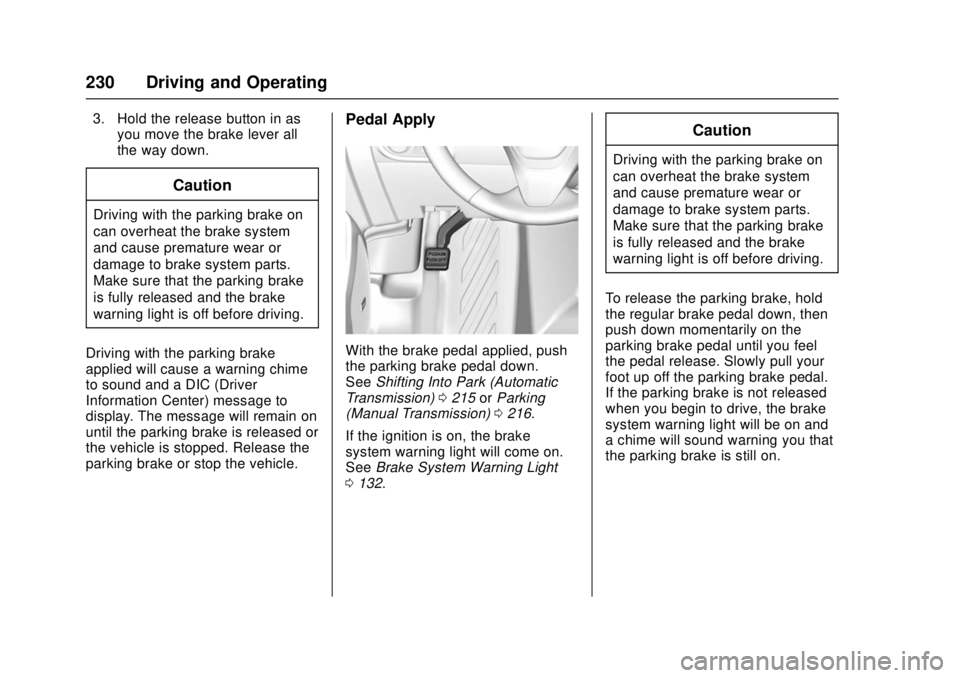
With the brake pedal applied, pull
up firmly on the parking brake lever
without pressing the release button.
SeeShifting Into Park (Automatic
Transmission) 0215 orParking
(Manual Transmission) 0216. If the
ignition is on, the brake system
warning light will come on. See
Brake System Warning Light 0132.
To release the parking brake: 1. Hold the brake pedal down.
2. Pull the parking brake lever up until you can press the release
button.
Page 231 of 404
Chevrolet Cruze Owner Manual (GMNA-Localizing-U.S./Canada/Mexico-
11348462) - 2018 - crc - 5/15/17
230 Driving and Operating
3. Hold the release button in asyou move the brake lever all
the way down.
Caution
Driving with the parking brake on
can overheat the brake system
and cause premature wear or
damage to brake system parts.
Make sure that the parking brake
is fully released and the brake
warning light is off before driving.
Driving with the parking brake
applied will cause a warning chime
to sound and a DIC (Driver
Information Center) message to
display. The message will remain on
until the parking brake is released or
the vehicle is stopped. Release the
parking brake or stop the vehicle.
Pedal Apply
With the brake pedal applied, push
the parking brake pedal down.
See Shifting Into Park (Automatic
Transmission) 0215 orParking
(Manual Transmission) 0216.
If the ignition is on, the brake
system warning light will come on.
See Brake System Warning Light
0 132.
Caution
Driving with the parking brake on
can overheat the brake system
and cause premature wear or
damage to brake system parts.
Make sure that the parking brake
is fully released and the brake
warning light is off before driving.
To release the parking brake, hold
the regular brake pedal down, then
push down momentarily on the
parking brake pedal until you feel
the pedal release. Slowly pull your
foot up off the parking brake pedal.
If the parking brake is not released
when you begin to drive, the brake
system warning light will be on and
a chime will sound warning you that
the parking brake is still on.
Page 233 of 404
Chevrolet Cruze Owner Manual (GMNA-Localizing-U.S./Canada/Mexico-
11348462) - 2018 - crc - 5/15/17
232 Driving and Operating
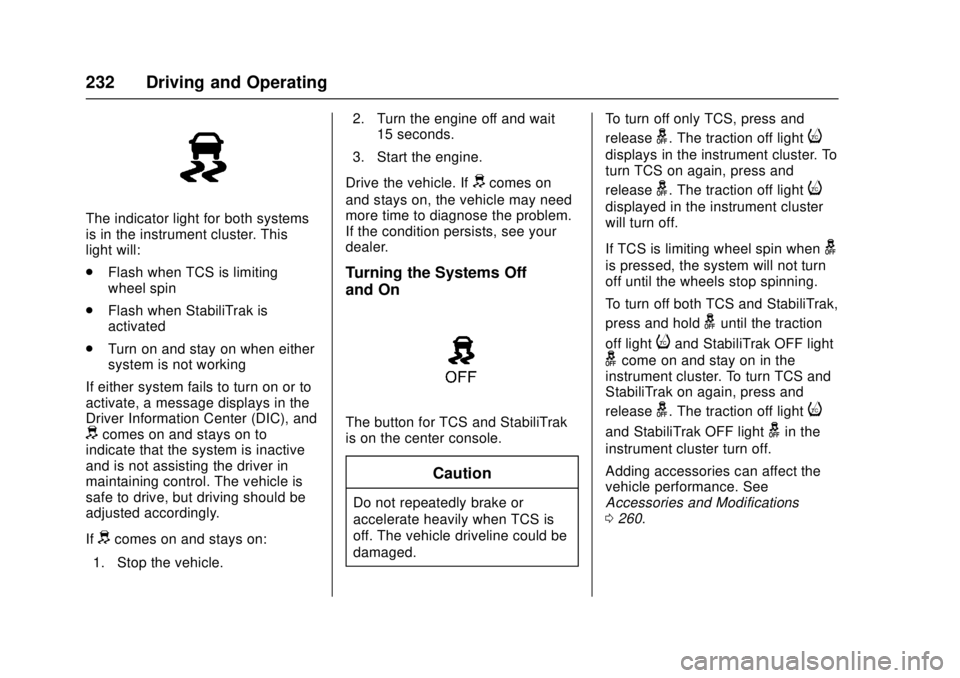
The indicator light for both systems
is in the instrument cluster. This
light will:
.Flash when TCS is limiting
wheel spin
. Flash when StabiliTrak is
activated
. Turn on and stay on when either
system is not working
If either system fails to turn on or to
activate, a message displays in the
Driver Information Center (DIC), and
dcomes on and stays on to
indicate that the system is inactive
and is not assisting the driver in
maintaining control. The vehicle is
safe to drive, but driving should be
adjusted accordingly.
If
dcomes on and stays on:
1. Stop the vehicle. 2. Turn the engine off and wait
15 seconds.
3. Start the engine.
Drive the vehicle. If
dcomes on
and stays on, the vehicle may need
more time to diagnose the problem.
If the condition persists, see your
dealer.
Turning the Systems Off
and On
The button for TCS and StabiliTrak
is on the center console.
Caution
Do not repeatedly brake or
accelerate heavily when TCS is
off. The vehicle driveline could be
damaged. To turn off only TCS, press and
release
g. The traction off lighti
displays in the instrument cluster. To
turn TCS on again, press and
release
g. The traction off lighti
displayed in the instrument cluster
will turn off.
If TCS is limiting wheel spin when
g
is pressed, the system will not turn
off until the wheels stop spinning.
To turn off both TCS and StabiliTrak,
press and hold
guntil the traction
off light
iand StabiliTrak OFF light
gcome on and stay on in the
instrument cluster. To turn TCS and
StabiliTrak on again, press and
release
g. The traction off lighti
and StabiliTrak OFF lightgin the
instrument cluster turn off.
Adding accessories can affect the
vehicle performance. See
Accessories and Modifications
0 260.
Page 236 of 404
Chevrolet Cruze Owner Manual (GMNA-Localizing-U.S./Canada/Mexico-
11348462) - 2018 - crc - 5/15/17
Driving and Operating 235
accelerator pedal to maintain the
vehicle speed. When going
downhill, you might have to brake or
shift to a lower gear to keep your
speed down. If the brake pedal is
applied, cruise control will
disengage.
Ending Cruise Control
There are five ways to end cruise
control:
.Step lightly on the brake pedal.
. Press the clutch pedal for
several seconds or shift to
Neutral (manual transmissions).
. Shift the transmission to
N (Neutral).
. Press
*.
. Press
5.
Erasing Speed Memory
The cruise control set speed is
erased from memory if
5is pressed
or if the vehicle is turned off.
Driver Assistance
Systems
This vehicle may have features that
work together to help avoid crashes
or reduce crash damage while
driving, backing, and parking. Read
this entire section before using
these systems.
{Warning
Do not rely on the Driver
Assistance Systems. These
systems do not replace the need
for paying attention and driving
safely. You may not hear or see
alerts or warnings provided by
these systems. Failure to use
proper care when driving may
result in injury, death, or vehicle
damage. See Defensive Driving
0 197.
Under many conditions, these
systems will not: (Continued)
Warning (Continued)
.Detect children,
pedestrians, bicyclists,
or animals.
. Detect vehicles or objects
outside the area monitored
by the system.
. Work at all driving speeds.
. Warn you or provide you
with enough time to avoid a
crash.
. Work under poor visibility or
bad weather conditions.
. Work if the detection sensor
is not cleaned or is covered
by ice, snow, mud, or dirt.
. Work if the detection sensor
is covered up, such as with
a sticker, magnet, or metal
plate.
. Work if the area surrounding
the detection sensor is
damaged or not properly
repaired.
(Continued)
Page 238 of 404
Chevrolet Cruze Owner Manual (GMNA-Localizing-U.S./Canada/Mexico-
11348462) - 2018 - crc - 5/15/17
Driving and Operating 237
{Warning
The camera(s) do not display
children, pedestrians, bicyclists,
crossing traffic, animals, or any
other object outside of the
cameras’field of view, below the
bumper, or under the vehicle.
Shown distances may be different
from actual distances. Do not
drive or park the vehicle using
only these camera(s). Always
check behind and around the
vehicle before driving. Failure to
use proper care may result in
injury, death, or vehicle damage.
Parking Assist
With RPA, as the vehicle backs up
at speeds of less than 8 km/h
(5 mph), the sensors on the rear
bumper may detect objects up to
2.5 m (8 ft) behind the vehicle within
a zone 25 cm (10 in) high off the
ground and below bumper level.
These detection distances may be
shorter during warmer or humid
weather. Blocked sensors will not detect
objects and can also cause false
detections. Keep the sensors clean
of mud, dirt, snow, ice, and slush;
and clean sensors after a car wash
in freezing temperatures.
{Warning
The Parking Assist system does
not detect children, pedestrians,
bicyclists, animals, or objects
located below the bumper or that
are too close or too far from the
vehicle. It is not available at
speeds greater than 8 km/h
(5 mph). To prevent injury, death,
or vehicle damage, even with
Parking Assist, always check the
area around the vehicle and
check all mirrors before moving
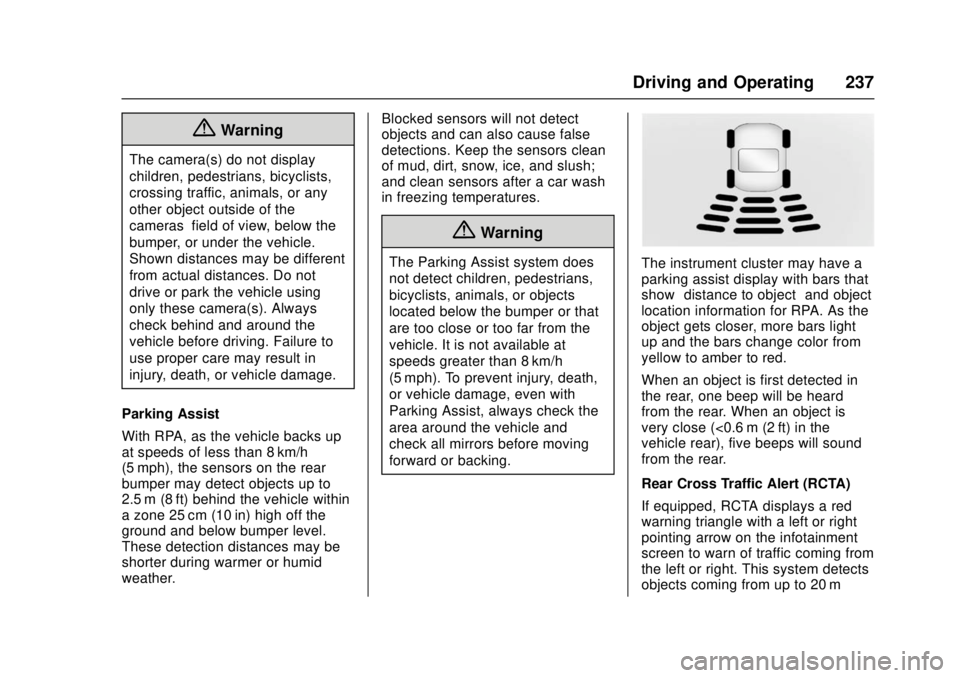
forward or backing.The instrument cluster may have a
parking assist display with bars that
show
“distance to object” and object
location information for RPA. As the
object gets closer, more bars light
up and the bars change color from
yellow to amber to red.
When an object is first detected in
the rear, one beep will be heard
from the rear. When an object is
very close (<0.6 m (2 ft) in the
vehicle rear), five beeps will sound
from the rear.
Rear Cross Traffic Alert (RCTA)
If equipped, RCTA displays a red
warning triangle with a left or right
pointing arrow on the infotainment
screen to warn of traffic coming from
the left or right. This system detects
objects coming from up to 20 m