light CHEVROLET CRUZE 2019 Track Prep Guide
[x] Cancel search | Manufacturer: CHEVROLET, Model Year: 2019, Model line: CRUZE, Model: CHEVROLET CRUZE 2019Pages: 379, PDF Size: 5.91 MB
Page 144 of 379
Chevrolet Cruze Owner Manual (GMNA-Localizing-U.S./Canada/Mexico-
12146336) - 2019 - crc - 10/22/18
Lighting 143
Lighting
Exterior Lighting
Exterior Lamp Controls . . . . . . . 143
Headlamp High/Low-BeamChanger . . . . . . . . . . . . . . . . . . . . 145
Flash-to-Pass . . . . . . . . . . . . . . . . 145
Daytime Running Lamps (DRL) . . . . . . . . . . . . . . . 145
Automatic Headlamp System . . . . . . . . . . . . . . . . . . . . . . 145
Hazard Warning Flashers . . . . . 146
Turn and Lane-Change Signals . . . . . . . . . . . . . . . . . . . . . . 147
Fog Lamps . . . . . . . . . . . . . . . . . . . 147
Interior Lighting
Instrument Panel Illumination Control . . . . . . . . . . . . . . . . . . . . . . 148
Courtesy Lamps . . . . . . . . . . . . . . 148
Dome Lamps . . . . . . . . . . . . . . . . . 148
Reading Lamps . . . . . . . . . . . . . . 148
Lighting Features
Entry Lighting . . . . . . . . . . . . . . . . 149
Exit Lighting . . . . . . . . . . . . . . . . . . 149
Battery Power Protection . . . . . 149
Exterior Lighting Battery Saver . . . . . . . . . . . . . . . . . . . . . . . 149
Exterior Lighting
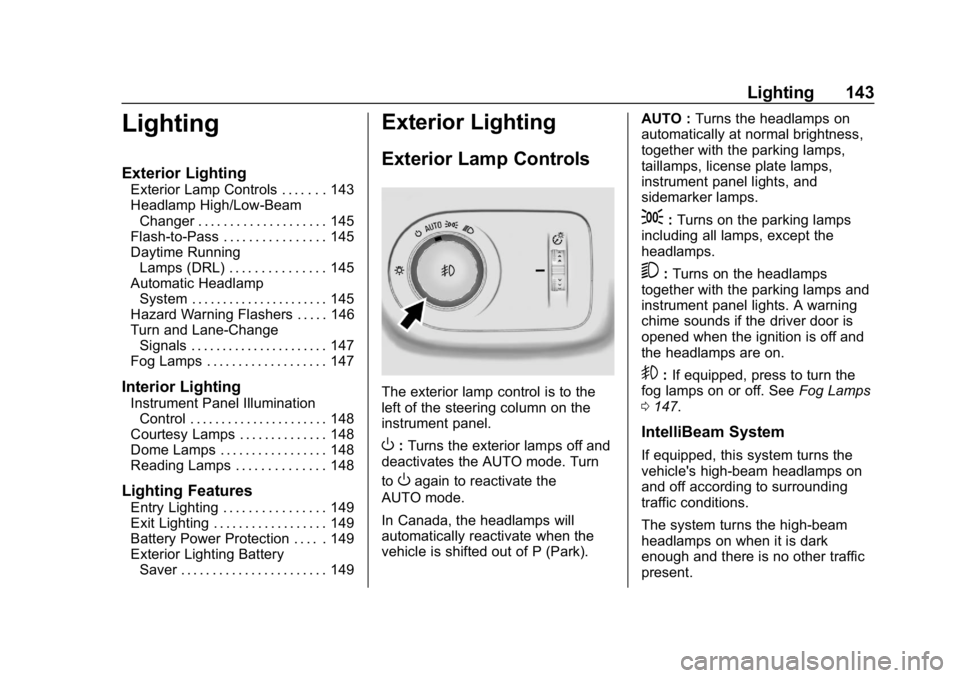
Exterior Lamp Controls
The exterior lamp control is to the
left of the steering column on the
instrument panel.
O: Turns the exterior lamps off and
deactivates the AUTO mode. Turn
to
Oagain to reactivate the
AUTO mode.
In Canada, the headlamps will
automatically reactivate when the
vehicle is shifted out of P (Park). AUTO :
Turns the headlamps on
automatically at normal brightness,
together with the parking lamps,
taillamps, license plate lamps,
instrument panel lights, and
sidemarker lamps.
;: Turns on the parking lamps
including all lamps, except the
headlamps.
5: Turns on the headlamps
together with the parking lamps and
instrument panel lights. A warning
chime sounds if the driver door is
opened when the ignition is off and
the headlamps are on.
9: If equipped, press to turn the
fog lamps on or off. See Fog Lamps
0 147.
IntelliBeam System
If equipped, this system turns the
vehicle's high-beam headlamps on
and off according to surrounding
traffic conditions.
The system turns the high-beam
headlamps on when it is dark
enough and there is no other traffic
present.
Page 145 of 379
Chevrolet Cruze Owner Manual (GMNA-Localizing-U.S./Canada/Mexico-
12146336) - 2019 - crc - 10/22/18
144 Lighting
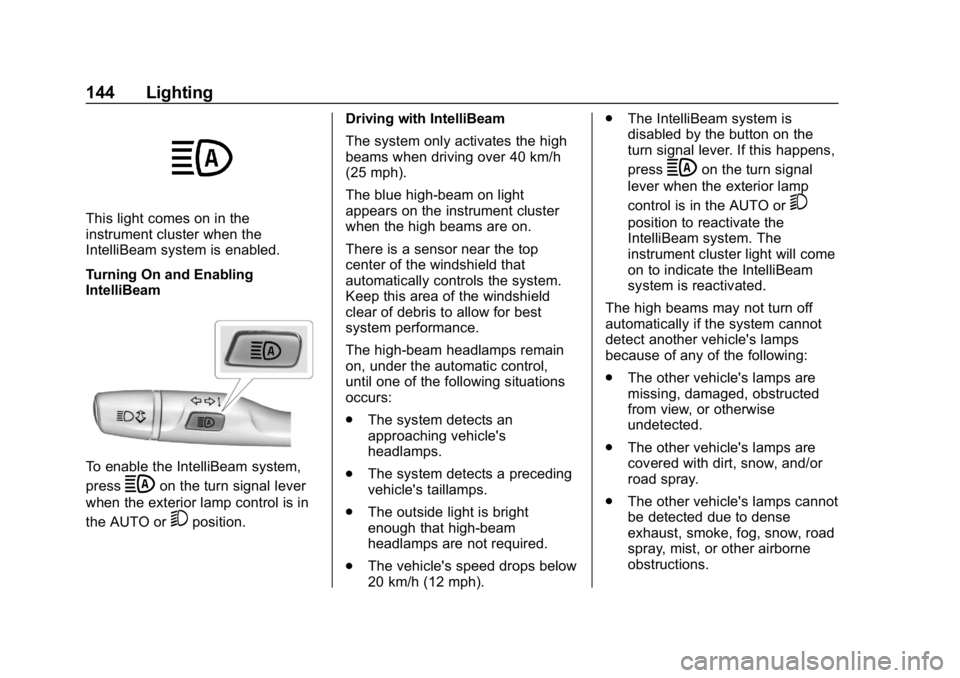
This light comes on in the
instrument cluster when the
IntelliBeam system is enabled.
Turning On and Enabling
IntelliBeam
To enable the IntelliBeam system,
press
bon the turn signal lever
when the exterior lamp control is in
the AUTO or
5position. Driving with IntelliBeam
The system only activates the high
beams when driving over 40 km/h
(25 mph).
The blue high-beam on light
appears on the instrument cluster
when the high beams are on.
There is a sensor near the top
center of the windshield that
automatically controls the system.
Keep this area of the windshield
clear of debris to allow for best
system performance.
The high-beam headlamps remain
on, under the automatic control,
until one of the following situations
occurs:
.
The system detects an
approaching vehicle's
headlamps.
. The system detects a preceding
vehicle's taillamps.
. The outside light is bright
enough that high-beam
headlamps are not required.
. The vehicle's speed drops below
20 km/h (12 mph). .
The IntelliBeam system is
disabled by the button on the
turn signal lever. If this happens,
press
bon the turn signal
lever when the exterior lamp
control is in the AUTO or
5
position to reactivate the
IntelliBeam system. The
instrument cluster light will come
on to indicate the IntelliBeam
system is reactivated.
The high beams may not turn off
automatically if the system cannot
detect another vehicle's lamps
because of any of the following:
. The other vehicle's lamps are
missing, damaged, obstructed
from view, or otherwise
undetected.
. The other vehicle's lamps are
covered with dirt, snow, and/or
road spray.
. The other vehicle's lamps cannot
be detected due to dense
exhaust, smoke, fog, snow, road
spray, mist, or other airborne
obstructions.
Page 146 of 379
Chevrolet Cruze Owner Manual (GMNA-Localizing-U.S./Canada/Mexico-
12146336) - 2019 - crc - 10/22/18
Lighting 145
.The vehicle's windshield is dirty,
cracked, or obstructed by
something that blocks the view
of the light sensor.
. The vehicle is loaded such that
the front end points upward,
causing the light sensor to aim
high and not detect headlamps
and taillamps.
. The vehicle is being driven on
winding or hilly roads.
The automatic high-beam
headlamps may need to be disabled
if any of the above conditions exist.
Headlamp High/
Low-Beam Changer
3
: Push the turn signal lever
toward the instrument panel to
change the headlamps from low to
high beam.
Pull the turn signal lever toward you
and release it to return to low-beam
headlamps.
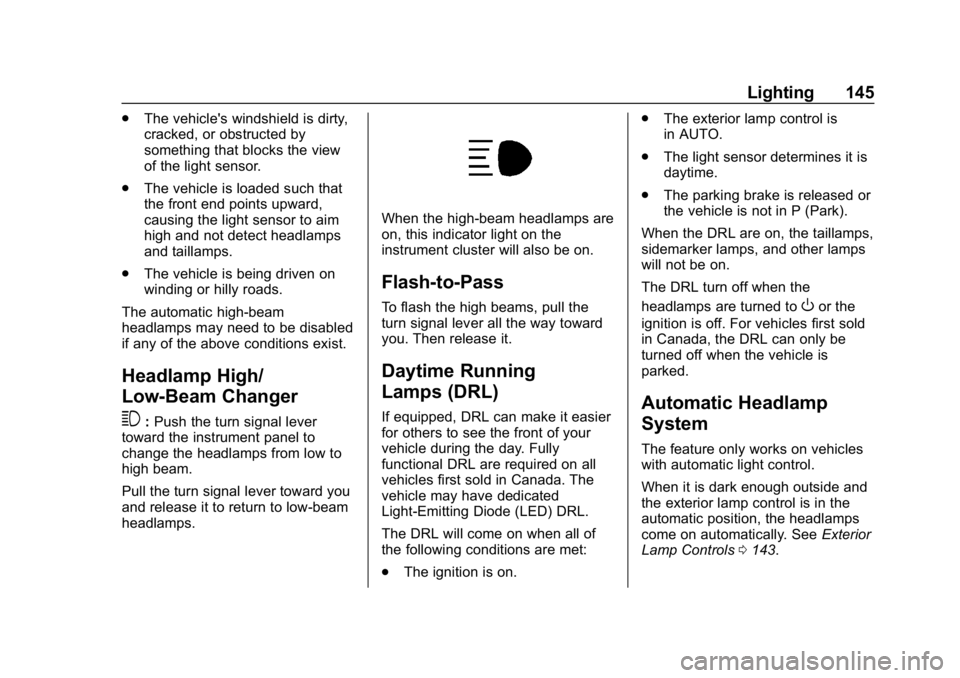
When the high-beam headlamps are
on, this indicator light on the
instrument cluster will also be on.
Flash-to-Pass
To flash the high beams, pull the
turn signal lever all the way toward
you. Then release it.
Daytime Running
Lamps (DRL)
If equipped, DRL can make it easier
for others to see the front of your
vehicle during the day. Fully
functional DRL are required on all
vehicles first sold in Canada. The
vehicle may have dedicated
Light-Emitting Diode (LED) DRL.
The DRL will come on when all of
the following conditions are met:
. The ignition is on. .
The exterior lamp control is
in AUTO.
. The light sensor determines it is
daytime.
. The parking brake is released or
the vehicle is not in P (Park).
When the DRL are on, the taillamps,
sidemarker lamps, and other lamps
will not be on.
The DRL turn off when the
headlamps are turned to
Oor the
ignition is off. For vehicles first sold
in Canada, the DRL can only be
turned off when the vehicle is
parked.
Automatic Headlamp
System
The feature only works on vehicles
with automatic light control.
When it is dark enough outside and
the exterior lamp control is in the
automatic position, the headlamps
come on automatically. See Exterior
Lamp Controls 0143.
Page 147 of 379
Chevrolet Cruze Owner Manual (GMNA-Localizing-U.S./Canada/Mexico-
12146336) - 2019 - crc - 10/22/18
146 Lighting
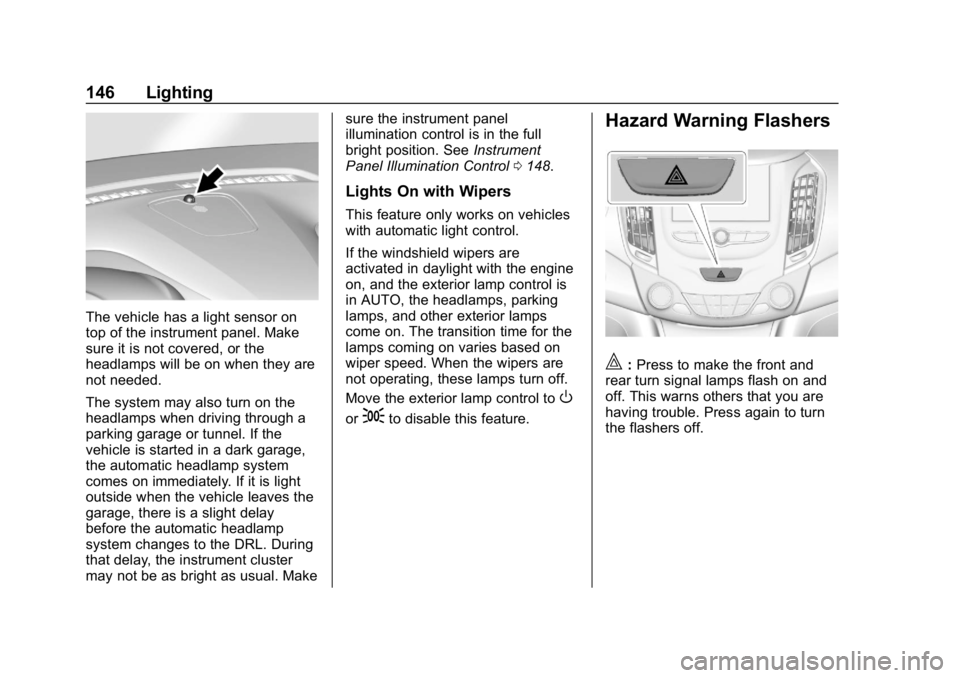
The vehicle has a light sensor on
top of the instrument panel. Make
sure it is not covered, or the
headlamps will be on when they are
not needed.
The system may also turn on the
headlamps when driving through a
parking garage or tunnel. If the
vehicle is started in a dark garage,
the automatic headlamp system
comes on immediately. If it is light
outside when the vehicle leaves the
garage, there is a slight delay
before the automatic headlamp
system changes to the DRL. During
that delay, the instrument cluster
may not be as bright as usual. Makesure the instrument panel
illumination control is in the full
bright position. See
Instrument
Panel Illumination Control 0148.
Lights On with Wipers
This feature only works on vehicles
with automatic light control.
If the windshield wipers are
activated in daylight with the engine
on, and the exterior lamp control is
in AUTO, the headlamps, parking
lamps, and other exterior lamps
come on. The transition time for the
lamps coming on varies based on
wiper speed. When the wipers are
not operating, these lamps turn off.
Move the exterior lamp control to
O
or;to disable this feature.
Hazard Warning Flashers
|:Press to make the front and
rear turn signal lamps flash on and
off. This warns others that you are
having trouble. Press again to turn
the flashers off.
Page 148 of 379
Chevrolet Cruze Owner Manual (GMNA-Localizing-U.S./Canada/Mexico-
12146336) - 2019 - crc - 10/22/18
Lighting 147
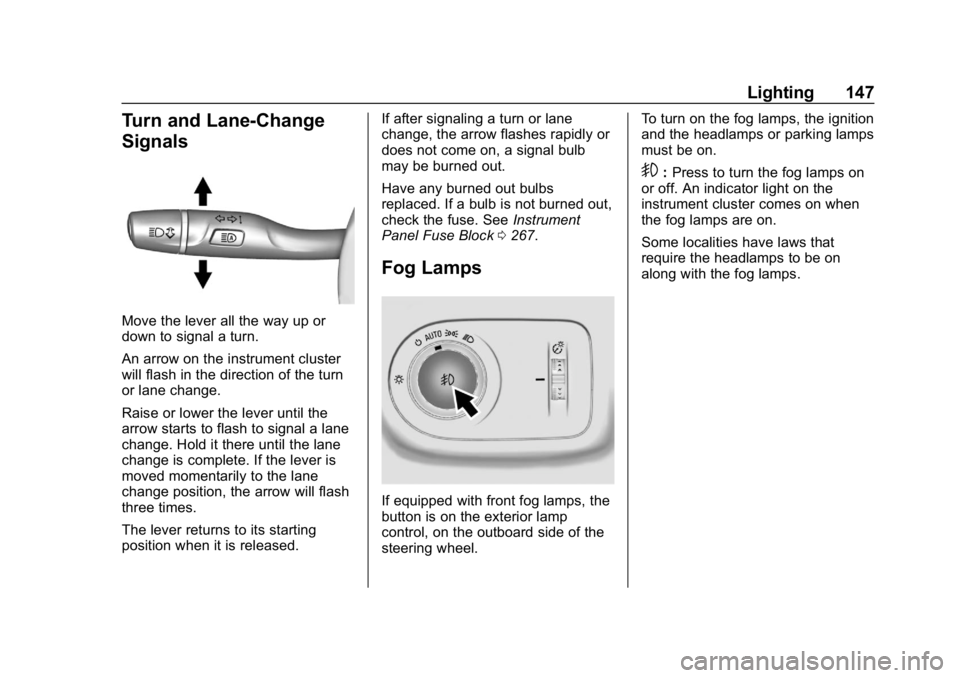
Turn and Lane-Change
Signals
Move the lever all the way up or
down to signal a turn.
An arrow on the instrument cluster
will flash in the direction of the turn
or lane change.
Raise or lower the lever until the
arrow starts to flash to signal a lane
change. Hold it there until the lane
change is complete. If the lever is
moved momentarily to the lane
change position, the arrow will flash
three times.
The lever returns to its starting
position when it is released.If after signaling a turn or lane
change, the arrow flashes rapidly or
does not come on, a signal bulb
may be burned out.
Have any burned out bulbs
replaced. If a bulb is not burned out,
check the fuse. See
Instrument
Panel Fuse Block 0267.
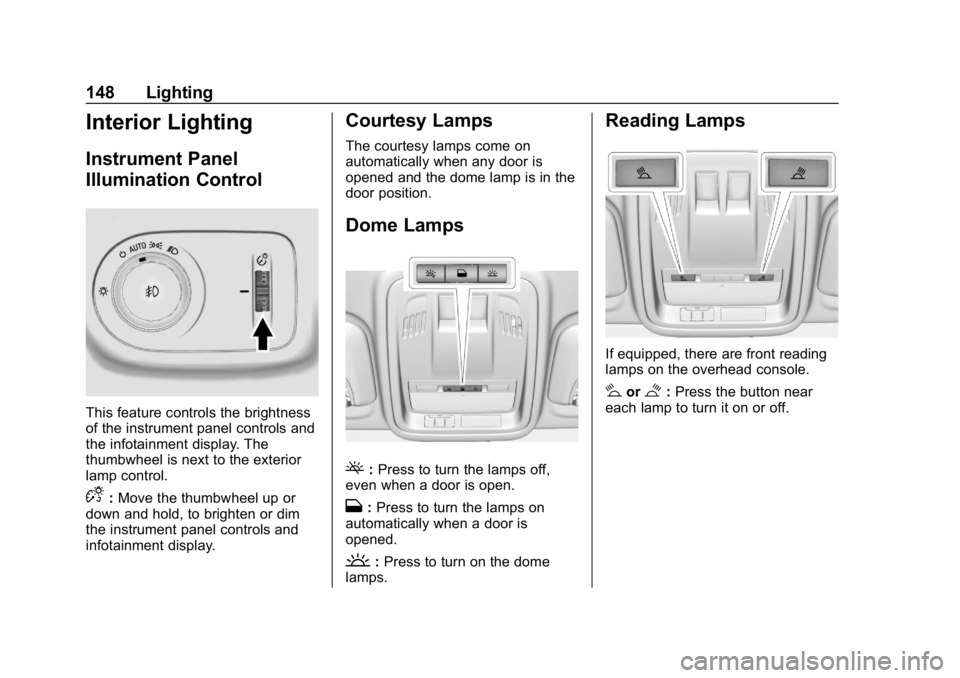
Fog Lamps
If equipped with front fog lamps, the
button is on the exterior lamp
control, on the outboard side of the
steering wheel. To turn on the fog lamps, the ignition
and the headlamps or parking lamps
must be on.
9:
Press to turn the fog lamps on
or off. An indicator light on the
instrument cluster comes on when
the fog lamps are on.
Some localities have laws that
require the headlamps to be on
along with the fog lamps.
Page 149 of 379
Chevrolet Cruze Owner Manual (GMNA-Localizing-U.S./Canada/Mexico-
12146336) - 2019 - crc - 10/22/18
148 Lighting
Interior Lighting
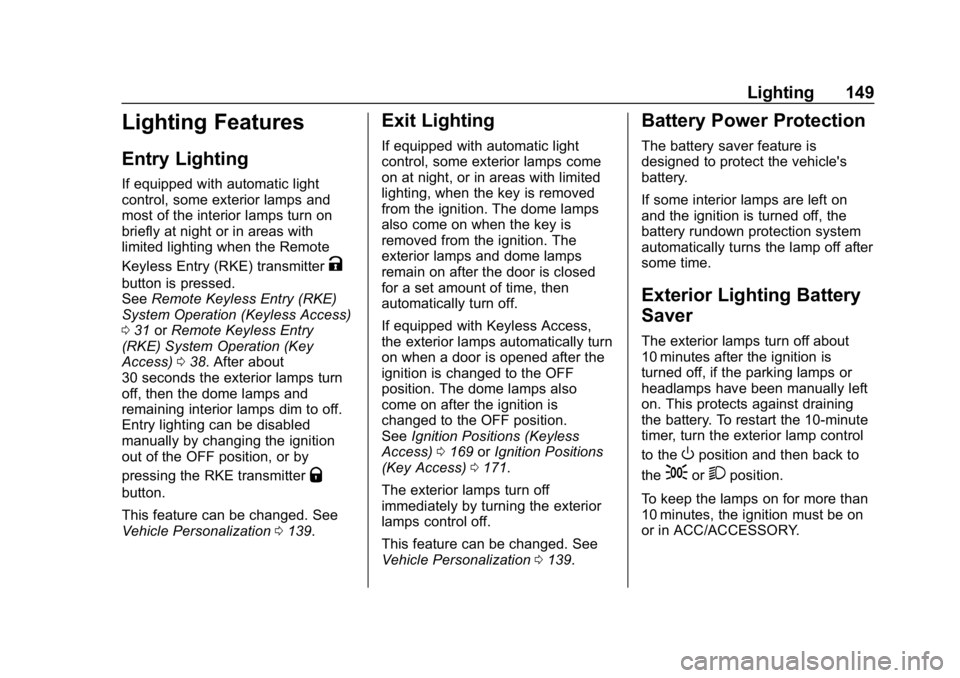
Instrument Panel
Illumination Control
This feature controls the brightness
of the instrument panel controls and
the infotainment display. The
thumbwheel is next to the exterior
lamp control.
D:Move the thumbwheel up or
down and hold, to brighten or dim
the instrument panel controls and
infotainment display.
Courtesy Lamps
The courtesy lamps come on
automatically when any door is
opened and the dome lamp is in the
door position.
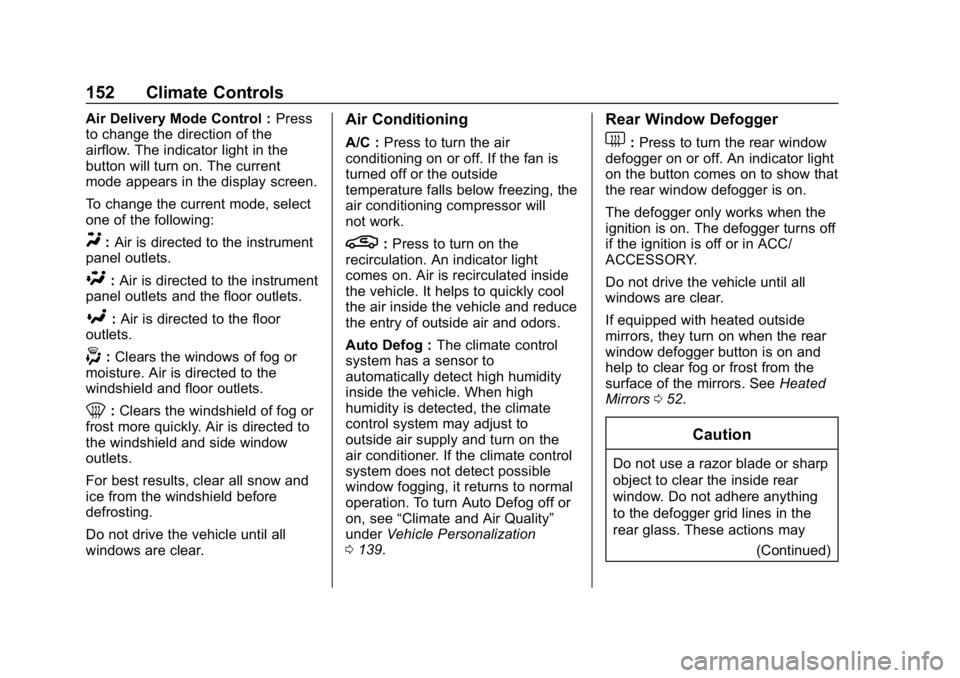
Dome Lamps
(: Press to turn the lamps off,
even when a door is open.
H: Press to turn the lamps on
automatically when a door is
opened.
': Press to turn on the dome
lamps.
Reading Lamps
If equipped, there are front reading
lamps on the overhead console.
#or$: Press the button near
each lamp to turn it on or off.
Page 150 of 379
Chevrolet Cruze Owner Manual (GMNA-Localizing-U.S./Canada/Mexico-
12146336) - 2019 - crc - 10/22/18
Lighting 149
Lighting Features
Entry Lighting
If equipped with automatic light
control, some exterior lamps and
most of the interior lamps turn on
briefly at night or in areas with
limited lighting when the Remote
Keyless Entry (RKE) transmitter
K
button is pressed.
SeeRemote Keyless Entry (RKE)
System Operation (Keyless Access)
0 31 orRemote Keyless Entry
(RKE) System Operation (Key
Access) 038. After about
30 seconds the exterior lamps turn
off, then the dome lamps and
remaining interior lamps dim to off.
Entry lighting can be disabled
manually by changing the ignition
out of the OFF position, or by
pressing the RKE transmitter
Q
button.
This feature can be changed. See
Vehicle Personalization 0139.
Exit Lighting
If equipped with automatic light
control, some exterior lamps come
on at night, or in areas with limited
lighting, when the key is removed
from the ignition. The dome lamps
also come on when the key is
removed from the ignition. The
exterior lamps and dome lamps
remain on after the door is closed
for a set amount of time, then
automatically turn off.
If equipped with Keyless Access,
the exterior lamps automatically turn
on when a door is opened after the
ignition is changed to the OFF
position. The dome lamps also
come on after the ignition is
changed to the OFF position.
See Ignition Positions (Keyless
Access) 0169 orIgnition Positions
(Key Access) 0171.
The exterior lamps turn off
immediately by turning the exterior
lamps control off.
This feature can be changed. See
Vehicle Personalization 0139.
Battery Power Protection
The battery saver feature is
designed to protect the vehicle's
battery.
If some interior lamps are left on
and the ignition is turned off, the
battery rundown protection system
automatically turns the lamp off after
some time.
Exterior Lighting Battery
Saver
The exterior lamps turn off about
10 minutes after the ignition is
turned off, if the parking lamps or
headlamps have been manually left
on. This protects against draining
the battery. To restart the 10-minute
timer, turn the exterior lamp control
to the
Oposition and then back to
the
;or2position.
To keep the lamps on for more than
10 minutes, the ignition must be on
or in ACC/ACCESSORY.
Page 153 of 379
Chevrolet Cruze Owner Manual (GMNA-Localizing-U.S./Canada/Mexico-
12146336) - 2019 - crc - 10/22/18
152 Climate Controls
Air Delivery Mode Control :Press
to change the direction of the
airflow. The indicator light in the
button will turn on. The current
mode appears in the display screen.
To change the current mode, select
one of the following:
Y: Air is directed to the instrument
panel outlets.
\: Air is directed to the instrument
panel outlets and the floor outlets.
[: Air is directed to the floor
outlets.
-: Clears the windows of fog or
moisture. Air is directed to the
windshield and floor outlets.
0: Clears the windshield of fog or
frost more quickly. Air is directed to
the windshield and side window
outlets.
For best results, clear all snow and
ice from the windshield before
defrosting.
Do not drive the vehicle until all
windows are clear.
Air Conditioning
A/C : Press to turn the air
conditioning on or off. If the fan is
turned off or the outside
temperature falls below freezing, the
air conditioning compressor will
not work.
L: Press to turn on the
recirculation. An indicator light
comes on. Air is recirculated inside
the vehicle. It helps to quickly cool
the air inside the vehicle and reduce
the entry of outside air and odors.
Auto Defog : The climate control
system has a sensor to
automatically detect high humidity
inside the vehicle. When high
humidity is detected, the climate
control system may adjust to
outside air supply and turn on the
air conditioner. If the climate control
system does not detect possible
window fogging, it returns to normal
operation. To turn Auto Defog off or
on, see “Climate and Air Quality”
under Vehicle Personalization
0 139.
Rear Window Defogger
1:Press to turn the rear window
defogger on or off. An indicator light
on the button comes on to show that
the rear window defogger is on.
The defogger only works when the
ignition is on. The defogger turns off
if the ignition is off or in ACC/
ACCESSORY.
Do not drive the vehicle until all
windows are clear.
If equipped with heated outside
mirrors, they turn on when the rear
window defogger button is on and
help to clear fog or frost from the
surface of the mirrors. See Heated
Mirrors 052.
Caution
Do not use a razor blade or sharp
object to clear the inside rear
window. Do not adhere anything
to the defogger grid lines in the
rear glass. These actions may
(Continued)
Page 155 of 379
Chevrolet Cruze Owner Manual (GMNA-Localizing-U.S./Canada/Mexico-
12146336) - 2019 - crc - 10/22/18
154 Climate Controls
When AUTO is lit, all four functions
operate automatically. Each function
can also be manually set and the
setting is displayed. Functions not
manually set will continue to be
automatically controlled, even if the
AUTO indicator is not lit.
For automatic operation:1. Press AUTO.
2. Set the temperature. Allow the system time to stabilize. Then
adjust the temperature as
needed for best comfort.
To improve fuel efficiency and to
cool the vehicle faster, recirculation
may be automatically selected in
warm weather. The recirculation
light will not come on. Press
hto
select recirculation; press it again to
select outside air.
To change English units to metric
units, see “Cluster Menu” then
“Units” underInstrument Cluster
0 115. Manual Operation
O:
Press to turn the climate control
system on or off. When off is
selected, the system will stop air
from flowing into the cabin. If on is
selected, any other button press
occurs, or a knob is turned, the
climate control system will turn on
and operate at the current setting.
Fan Control : Turn the knob
clockwise or counterclockwise to
increase or decrease the fan speed.
The selected fan speed is indicated
by a number on the display screen.
Press AUTO to return to automatic
operation.
Air Delivery Mode Controls :
Press to change the direction of the
airflow. The indicator light in the
button will turn on. The current
mode appears in the display screen.
Automatic operation is canceled and
manual mode is initiated. Press
AUTO to return to automatic
operation. To change the current mode, select
one of the following:Y:
Air is directed to the instrument
panel outlets.
\: Air is divided between the
instrument panel outlets and the
floor outlets.
[: Air is directed to the floor
outlets.
-: Clears the windows of fog or
moisture. Air is directed to the
windshield and floor outlets.
0: Clears the windshield of fog or
frost more quickly. Air is directed to
the windshield.
For best results, clear all snow and
ice from the windshield before
defrosting.
Do not drive the vehicle until all
windows are clear.
A/C : Press to turn the air
conditioning on or off. If the fan is
turned off or the outside
temperature falls below freezing, the
air conditioning will not work.
Page 156 of 379
Chevrolet Cruze Owner Manual (GMNA-Localizing-U.S./Canada/Mexico-
12146336) - 2019 - crc - 10/22/18
Climate Controls 155
L:Press to turn on
recirculation. An indicator light
comes on. Air is recirculated to
quickly cool the inside of the vehicle
and reduce the entry of outside air
and odors.
Automatic Air Recirculation :
When the AUTO indicator light is
on, the air is automatically
recirculated as needed to help
quickly cool the inside of the
vehicle.
Auto Defog : The climate control
system has a sensor to
automatically detect high humidity
inside the vehicle. When high
humidity is detected, the climate
control system may adjust to
outside air supply and turn on the
air conditioner. If the climate control
system does not detect possible
window fogging, it returns to normal
operation. To turn Auto Defog off or
on, see “Climate and Air Quality”
under Vehicle Personalization
0 139.Rear Window Defogger
=:Press to turn the rear window
defogger on or off. An indicator light
on the button comes on to show that
the rear window defogger is on.
The defogger only works when the
ignition is on. The defogger turns off
if the ignition is off or in ACC/
ACCESSORY.
The rear window defogger can be
set to automatic operation. See
“Climate and Air Quality” under
Vehicle Personalization 0139.
When Auto Rear Defog is selected,
the rear window defogger turns on
automatically when the interior
temperature is cold and the outside
temperature is about 5 °C (40 °F)
and below. The auto rear defogger
turns off automatically. At higher
speeds, the rear window defogger
may stay on continuously.
If equipped with heated outside
mirrors, they turn on when the rear
window defogger button is on and
help to clear fog or frost from the
surface of the mirrors. See Heated
Mirrors 052.Caution
Do not try to clear frost or other
material from the inside of the
front windshield and rear window
with a razor blade or anything
else that is sharp. This may
damage the rear window
defogger grid and affect the
radio's ability to pick up stations
clearly. The repairs would not be
covered by the vehicle warranty.
MorL:If equipped, press to turn
the heated seats on or off. See
Heated Front Seats 062.
Remote Start Climate Control
Operation : If the vehicle is
equipped with the remote vehicle
start feature, the climate control
system may run when the vehicle is
started remotely with settings
according to ambient conditions.
The rear defog may come on during
remote start based on cold ambient
conditions. The rear defog indicator
light does not come on during a
remote start. If the vehicle has front