light CHEVROLET CRUZE 2019 Track Prep Guide
[x] Cancel search | Manufacturer: CHEVROLET, Model Year: 2019, Model line: CRUZE, Model: CHEVROLET CRUZE 2019Pages: 379, PDF Size: 5.91 MB
Page 187 of 379
Chevrolet Cruze Owner Manual (GMNA-Localizing-U.S./Canada/Mexico-
12146336) - 2019 - crc - 10/22/18
186 Driving and Operating
A flashing warning light and a chime
also come on. Vehicle speed will be
reduced to a maximum speed limit
of 7 km/h (4 mph).
After the transition to 7 km/h (4 mph)
is complete, the DIC message
EXHAUST FLUID EMPTY REFILL
NOW - SPEED LIMITED TO 7 KM/H
(4 MPH) displays. A flashing
warning light and a chime also
come on.
Add at least 7.6 L (2 gal) of fluid to
release the vehicle from speed
limitation from a very low or
empty tank.
SeeDiesel Exhaust Fluid (DEF)
Warning Light 0130, and
Recommended Fluids and
Lubricants 0333.
Exhaust Fluid Quality Poor
Use only exhaust fluid that is GM
approved, or fluid containing the API
certified or ISO 22241 label.
All DEF has an expiration date.
If the system detects poor quality,
or contaminated or diluted DEF, the
DIC message EXHAUST FLUID QUALITY POOR - SEE OWNERS
MANUAL NOW
–160 KM (99 MI)
UNTIL 104 KM/H (65 MPH) MAX
SPEED displays. The displayed
mileage will decrease as driving
continues. A warning light also
comes on. Adding fresh DEF to the
system may resolve the problem,
depending on several factors. If the
DIC message persists, see your
dealer or additional DIC messages
may display.
When the mileage countdown is
zero, a DIC message EXHAUST
FLUID QUALITY POOR - SEE
OWNERS MANUAL NOW -
TRANSITIONING TO 104 KM/H
(65 MPH) MAX SPEED displays.
A warning light and a chime also
come on. Vehicle speed will be
reduced to a maximum speed limit
of 104 km/h (65 mph).
After the transition to 104 km/h
(65 mph) is complete, the DIC
message EXHAUST FLUID
QUALITY POOR - SEE OWNERS
MANUAL NOW - SPEED LIMITED
TO 104 KM/H (65 MPH) –120 KM
(75 MI) UNTIL 89 KM/H (55 MPH) MAX SPEED displays. The
displayed mileage will decrease as
driving continues. A warning light
and a chime also come on.
When the mileage countdown is
zero, the DIC message EXHAUST
FLUID QUALITY POOR - SEE
OWNERS MANUAL NOW -
TRANSITIONING TO 88 KM/H
(55 MPH) MAX SPEED displays.
A flashing warning light and a chime
also come on. Vehicle speed will be
reduced to a maximum speed limit
of 88 km/h (55 mph).
After the transition to 88 km/h
(55 mph) is complete, a DIC
message EXHAUST FLUID
QUALITY POOR - SEE OWNERS
MANUAL NOW - SPEED LIMITED
TO 88 KM/H (55 MPH)
–120 KM
(75 MI) UNTIL 7 KM/H (4 MPH) MAX
SPEED displays. The displayed
mileage will decrease as driving
continues. A flashing warning light
and a chime also come on.
When the mileage countdown is
zero, a DIC message EXHAUST
FLUID QUALITY POOR - SEE
OWNERS MANUAL NOW -
Page 188 of 379
Chevrolet Cruze Owner Manual (GMNA-Localizing-U.S./Canada/Mexico-
12146336) - 2019 - crc - 10/22/18
Driving and Operating 187
TRANSITIONING TO 7 KM/H
(4 MPH) MAX SPEED displays.
A flashing warning light and a chime
also come on. Vehicle speed will be
reduced to a maximum speed limit
of 7 km/h (4 mph).
After the transition to 7 km/h (4 mph)
is complete, a DIC message
EXHAUST FLUID QUALITY POOR
- SEE OWNERS MANUAL NOW -
SPEED LIMITED TO 7 KM/H
(4 MPH) displays. A flashing
warning light and a chime also
come on.
Service Exhaust Fluid System
If a problem occurs with the DEF
system, the DIC message SERVICE
EXHAUST FLUID SYSTEM - SEE
OWNERS MANUAL NOW–160 KM
(99 MI) UNTIL 104 KM/H (65 MPH)
MAX SPEED displays. The
displayed mileage will decrease as
driving continues. A warning light
also comes on. In some cases this
message will clear itself, indicating
that the DEF system was able to
correct the condition. If the DIC message persists, see your dealer
or additional DIC messages may
display.
When the mileage countdown is
zero, the DIC message SERVICE
EXHAUST FLUID SYSTEM - SEE
OWNERS MANUAL NOW -
TRANSITIONING TO 104 KM/H
(65 MPH) MAX SPEED displays.
A warning light and a chime also
come on. Vehicle speed will be
reduced to a maximum speed limit
of 104 km/h (65 mph).
After the transition to 104 km/h
(65 mph) is complete, a DIC
message SERVICE EXHAUST
FLUID SYSTEM - SEE OWNERS
MANUAL NOW - SPEED LIMITED
TO 104 KM/H (65 MPH)
–120 KM
(75 MI) UNTIL 88 KM/H (55 MPH)
MAX SPEED displays. The
displayed mileage will decrease as
driving continues. A warning light
and a chime also come on.
When the mileage countdown is
zero, the DIC message SERVICE
EXHAUST FLUID SYSTEM - SEE
OWNERS MANUAL NOW -
TRANSITIONING TO 88 KM/H (55 MPH) MAX SPEED displays.
A flashing warning light and a chime
also come on. Vehicle speed will be
reduced down to a maximum speed
limit of 88 km/h (55 mph).
After the transition to 88 km/h
(55 mph) is complete, the DIC
message SERVICE EXHAUST
FLUID SYSTEM - SEE OWNERS
MANUAL NOW - SPEED LIMITED
TO 88 KM/H (55 MPH)
–120 KM
(75 MI) UNTIL 7 KM/H (4 MPH) MAX
SPEED displays. The displayed
mileage will decrease as driving
continues. A flashing warning light
and a chime also come on.
When the mileage countdown is
zero, the DIC message SERVICE
EXHAUST FLUID SYSTEM - SEE
OWNERS MANUAL NOW -
TRANSITIONING TO 7 KM/H
(4 MPH) MAX SPEED displays.
A flashing warning light and a chime
also come on. Vehicle speed will be
reduced to a maximum speed limit
of 7 km/h (4 mph).
After the transition to 7 km/h (4 mph)
is complete, the DIC message
SERVICE EXHAUST FLUID
Page 189 of 379
Chevrolet Cruze Owner Manual (GMNA-Localizing-U.S./Canada/Mexico-
12146336) - 2019 - crc - 10/22/18
188 Driving and Operating
SYSTEM - SEE OWNERS
MANUAL NOW - SPEED LIMITED
TO 7 KM/H (4 MPH) displays.
A flashing warning light and a chime
also come on.
Service Emission System
If a problem occurs with the vehicle
emission system, the DIC message
SERVICE EMISSION SYSTEM -
SEE OWNERS MANUAL NOW–
282 KM (175 MI) UNTIL 104 KM/H
(65 MPH) MAX SPEED displays.
The displayed mileage will decrease
as driving continues. In some cases
this message will clear itself,
indicating that the emission system
was able to correct the condition.
If the DIC message persists, see
your dealer or additional DIC
messages may display.
When the mileage countdown is
zero, the DIC message SERVICE
EMISSION SYSTEM - SEE
OWNERS MANUAL NOW -
TRANSITIONING TO 104 KM/H
(65 MPH) MAX SPEED displays.
A chime also comes on. Vehicle speed will be reduced to a
maximum speed limit of 104 km/h
(65 mph).
After the transition to 104 km/h
(65 mph) is complete, the DIC
message SERVICE EMISSION
SYSTEM - SEE OWNERS
MANUAL NOW - SPEED LIMITED
TO 104 KM/H (65 MPH)
–120 KM
(75 MI) UNTIL 88 KM/H (55 MPH)
MAX SPEED displays. The
displayed mileage will decrease as
driving continues. A chime also
comes on.
When the mileage countdown is
zero, the DIC message SERVICE
EMISSION SYSTEM - SEE
OWNERS MANUAL NOW -
TRANSITIONING TO 88 KM/H
(55 MPH) MAX SPEED displays.
A chime also comes on. Vehicle
speed will be reduced to a
maximum speed limit of 88 km/h
(55 mph).
After the transition to 88 km/h
(55 mph) is complete, the DIC
message SERVICE EMISSION
SYSTEM - SEE OWNERS MANUAL NOW - SPEED LIMITED
TO 88 KM/H (55 MPH) displays.
A chime also comes on.
Page 194 of 379
Chevrolet Cruze Owner Manual (GMNA-Localizing-U.S./Canada/Mexico-
12146336) - 2019 - crc - 10/22/18
Driving and Operating 193
When shifting to L (Low), the
transmission will shift to a preset
lower gear range. For this preset
range, the highest gear available is
displayed next to the L in the DIC.
SeeDriver Information Center (DIC)
(Base Level) 0132 orDriver
Information Center (DIC) (Uplevel)
0 135.
All gears below that number are
available to use.
While using ERS, cruise control can
be used.
The transmission will not allow
shifting to the next lower gear if the
vehicle speed or engine rpm is
too high.
If vehicle speed is not reduced
within the time allowed, the lower
gear range shift will not be
completed. Slow the vehicle, then
press −(minus) to the desired lower
gear range. Second Gear Start Feature
When accelerating the vehicle from
a stop in snowy and icy conditions,
you may want to shift into
2 (Second) gear. A higher gear
allows you to gain more traction on
slippery surfaces.
With the DSC feature, the vehicle
can be set to pull away in
2 (Second) gear.
1. Move the shift lever from D (Drive) to L (Low).
2. With the vehicle stopped, press the + (plus) end of the button to
select 2 (Second) gear. The
vehicle will start from a stop
position in 2 (Second) gear.
3. Once moving, select the desired drive gear.Brakes
Antilock Brake
System (ABS)
This vehicle has an Antilock Brake
System (ABS), an advanced
electronic braking system that helps
prevent a braking skid.
When the vehicle begins to drive
away, ABS checks itself.
A momentary motor or clicking noise
may be heard while this test is going
on, and it may even be noticed that
the brake pedal moves a little. This
is normal.
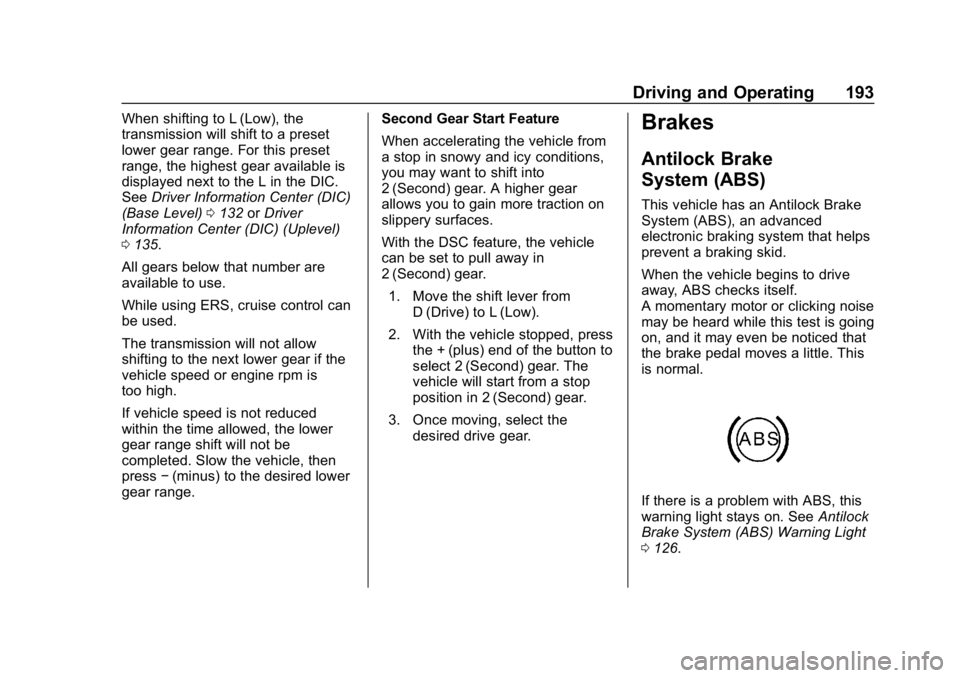
If there is a problem with ABS, this
warning light stays on. See Antilock
Brake System (ABS) Warning Light
0 126.
Page 195 of 379
Chevrolet Cruze Owner Manual (GMNA-Localizing-U.S./Canada/Mexico-
12146336) - 2019 - crc - 10/22/18
194 Driving and Operating
If driving safely on a wet road and it
becomes necessary to slam on the
brakes and continue braking to
avoid a sudden obstacle, a
computer senses the wheels are
slowing down. If one of the wheels
is about to stop rolling, the computer
will separately work the brakes at
each wheel.
ABS can change the brake pressure
to each wheel, as required, faster
than any driver could. This can help
you steer around the obstacle while
braking hard.
As the brakes are applied, the
computer keeps receiving updates
on wheel speed and controls
braking pressure accordingly.
Remember: ABS does not change
the time needed to get a foot up to
the brake pedal or always decrease
stopping distance. If you get too
close to the vehicle in front of you,
there will not be enough time to
apply the brakes if that vehicle
suddenly slows or stops. Always
leave enough room up ahead to
stop, even with ABS.Using ABS
Do not pump the brakes. Just hold
the brake pedal down firmly and let
ABS work. You may hear the ABS
pump or motor operating and feel
the brake pedal pulsate. This is
normal.
Braking in Emergencies
ABS allows you to steer and brake
at the same time. In many
emergencies, steering can help
more than even the very best
braking.
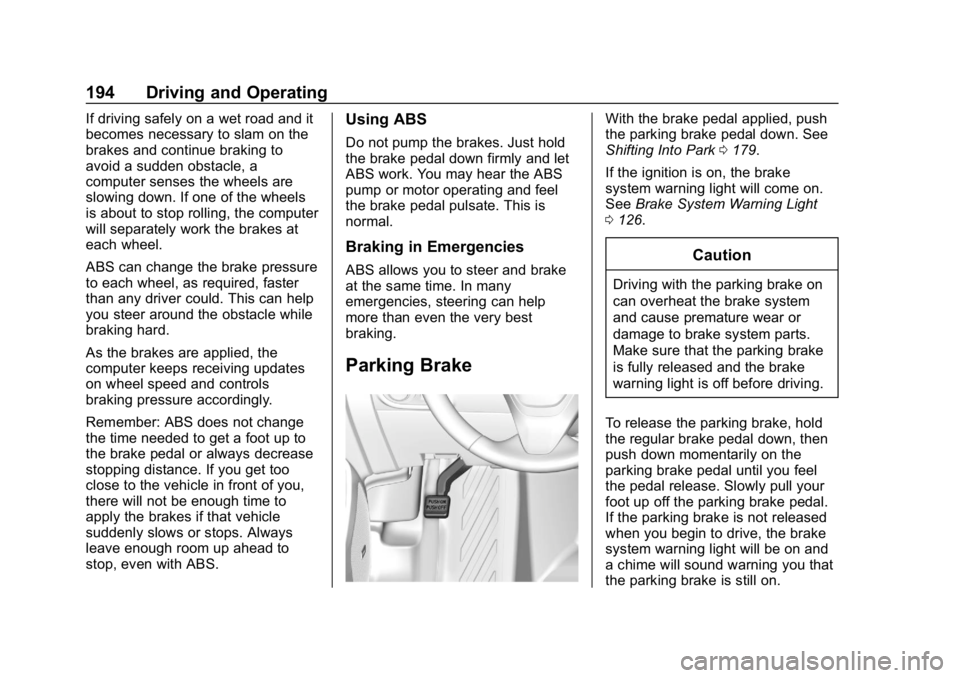
Parking Brake
With the brake pedal applied, push
the parking brake pedal down. See
Shifting Into Park0179.
If the ignition is on, the brake
system warning light will come on.
See Brake System Warning Light
0 126.
Caution
Driving with the parking brake on
can overheat the brake system
and cause premature wear or
damage to brake system parts.
Make sure that the parking brake
is fully released and the brake
warning light is off before driving.
To release the parking brake, hold
the regular brake pedal down, then
push down momentarily on the
parking brake pedal until you feel
the pedal release. Slowly pull your
foot up off the parking brake pedal.
If the parking brake is not released
when you begin to drive, the brake
system warning light will be on and
a chime will sound warning you that
the parking brake is still on.
Page 197 of 379
Chevrolet Cruze Owner Manual (GMNA-Localizing-U.S./Canada/Mexico-
12146336) - 2019 - crc - 10/22/18
196 Driving and Operating
Ride Control Systems
Traction Control/
Electronic Stability
Control
System Operation
The vehicle has a Traction Control
System (TCS) and StabiliTrak/
Electronic Stability Control (ESC).
These systems help limit wheel slip
and assist the driver in maintaining
control, especially on slippery road
conditions.
TCS activates if it senses that any
of the drive wheels are spinning or
beginning to lose traction. When this
happens, TCS applies the brakes to
the spinning wheels and reduces
engine power to limit wheel spin.
StabiliTrak/ESC activates when the
vehicle senses a difference between
the intended path and the direction
the vehicle is actually traveling.
StabiliTrak/ESC selectively applies
braking pressure to any one of thevehicle wheel brakes to assist the
driver in keeping the vehicle on the
intended path.
If cruise control is being used and
traction control or StabiliTrak/ESC
begins to limit wheel spin, cruise
control will disengage. Cruise
control may be turned back on when
road conditions allow.
Both systems come on
automatically when the vehicle is
started and begins to move. The
systems may be heard or felt while
they are operating or while
performing diagnostic checks. This
is normal and does not mean there
is a problem with the vehicle.
It is recommended to leave both
systems on for normal driving
conditions, but it may be necessary
to turn TCS off if the vehicle gets
stuck in sand, mud, ice, or snow.
See
If the Vehicle Is Stuck 0165
and “Turning the Systems Off and
On” later in this section.
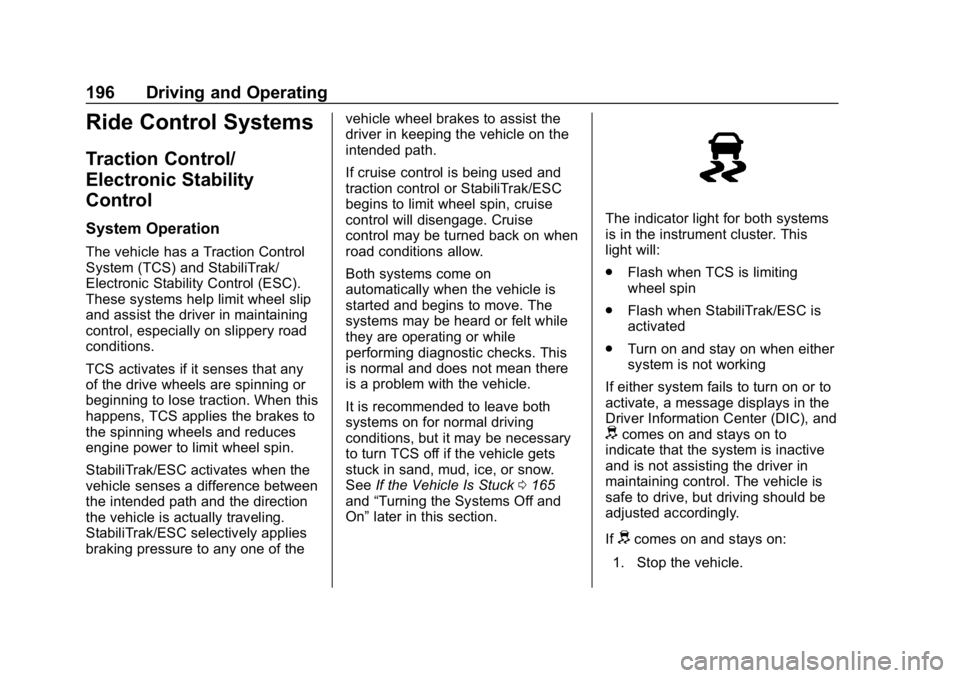
The indicator light for both systems
is in the instrument cluster. This
light will:
.
Flash when TCS is limiting
wheel spin
. Flash when StabiliTrak/ESC is
activated
. Turn on and stay on when either
system is not working
If either system fails to turn on or to
activate, a message displays in the
Driver Information Center (DIC), and
dcomes on and stays on to
indicate that the system is inactive
and is not assisting the driver in
maintaining control. The vehicle is
safe to drive, but driving should be
adjusted accordingly.
If
dcomes on and stays on:
1. Stop the vehicle.
Page 198 of 379
Chevrolet Cruze Owner Manual (GMNA-Localizing-U.S./Canada/Mexico-
12146336) - 2019 - crc - 10/22/18
Driving and Operating 197
2. Turn the engine off and wait15 seconds.
3. Start the engine.
Drive the vehicle. If
dcomes on
and stays on, the vehicle may need
more time to diagnose the problem.
If the condition persists, see your
dealer.
Turning the Systems Off
and On
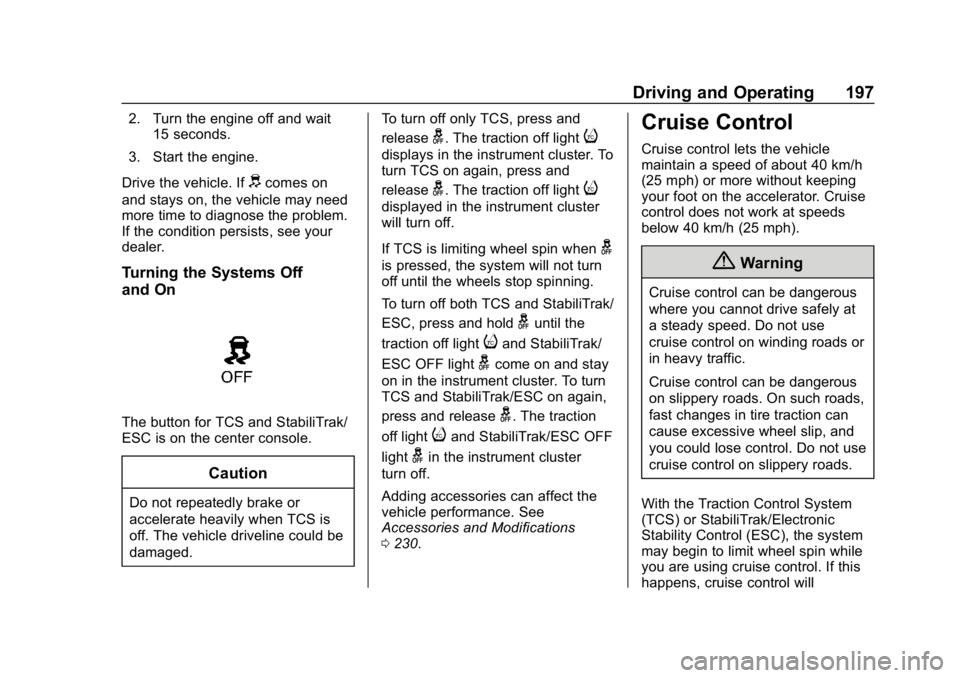
The button for TCS and StabiliTrak/
ESC is on the center console.
Caution
Do not repeatedly brake or
accelerate heavily when TCS is
off. The vehicle driveline could be
damaged. To turn off only TCS, press and
release
g. The traction off lighti
displays in the instrument cluster. To
turn TCS on again, press and
release
g. The traction off lighti
displayed in the instrument cluster
will turn off.
If TCS is limiting wheel spin when
g
is pressed, the system will not turn
off until the wheels stop spinning.
To turn off both TCS and StabiliTrak/
ESC, press and hold
guntil the
traction off light
iand StabiliTrak/
ESC OFF light
gcome on and stay
on in the instrument cluster. To turn
TCS and StabiliTrak/ESC on again,
press and release
g. The traction
off light
iand StabiliTrak/ESC OFF
light
gin the instrument cluster
turn off.
Adding accessories can affect the
vehicle performance. See
Accessories and Modifications
0 230.
Cruise Control
Cruise control lets the vehicle
maintain a speed of about 40 km/h
(25 mph) or more without keeping
your foot on the accelerator. Cruise
control does not work at speeds
below 40 km/h (25 mph).
{Warning
Cruise control can be dangerous
where you cannot drive safely at
a steady speed. Do not use
cruise control on winding roads or
in heavy traffic.
Cruise control can be dangerous
on slippery roads. On such roads,
fast changes in tire traction can
cause excessive wheel slip, and
you could lose control. Do not use
cruise control on slippery roads.
With the Traction Control System
(TCS) or StabiliTrak/Electronic
Stability Control (ESC), the system
may begin to limit wheel spin while
you are using cruise control. If this
happens, cruise control will
Page 200 of 379
Chevrolet Cruze Owner Manual (GMNA-Localizing-U.S./Canada/Mexico-
12146336) - 2019 - crc - 10/22/18
Driving and Operating 199
Increasing Speed While Using
Cruise Control
If the cruise control system is
already activated:
.Press and hold +RES on the
steering wheel until the vehicle
accelerates to the desired
speed, then release it.
. To increase the speed in small
increments, briefly press +RES.
For each press, the vehicle goes
about 1 km/h (1 mph) faster.
The speedometer reading can be
displayed in either English or metric
units. See Instrument Cluster 0115.
The increment value used depends
on the units displayed.
Reducing Speed While Using
Cruise Control
If the cruise control system is
already activated:
. Press and hold -SET until the
desired lower speed is reached,
then release it. .
To slow down in small
increments, briefly press -SET.
For each press, the vehicle goes
about 1 km/h (1 mph) slower.
The speedometer reading can be
displayed in either English or metric
units. See Instrument Cluster 0115.
The increment value used depends
on the units displayed.
Passing Another Vehicle While
Using Cruise Control
Use the accelerator pedal to
increase the vehicle speed. When
you take your foot off the pedal, the
vehicle will slow down to the
previous set cruise speed. While
pressing the accelerator pedal or
shortly following the release to
override cruise control, briefly
pressing -SET will result in cruise
control set to the current vehicle
speed.
Using Cruise Control on Hills
How well the cruise control works
on hills depends upon the vehicle
speed, load, and the steepness of
the hills. When going up steep hills,
you might have to step on the accelerator pedal to maintain the
vehicle speed. When going
downhill, you might have to brake or
shift to a lower gear to keep your
speed down. If the brake pedal is
applied, cruise control will
disengage.
Ending Cruise Control
There are four ways to end cruise
control:
.
Step lightly on the brake pedal.
. Shift the transmission to
N (Neutral).
. Press
*.
. Press
5.
Erasing Speed Memory
The cruise control set speed is
erased from memory if
5is pressed
or if the vehicle is turned off.
Page 204 of 379
Chevrolet Cruze Owner Manual (GMNA-Localizing-U.S./Canada/Mexico-
12146336) - 2019 - crc - 10/22/18
Driving and Operating 203
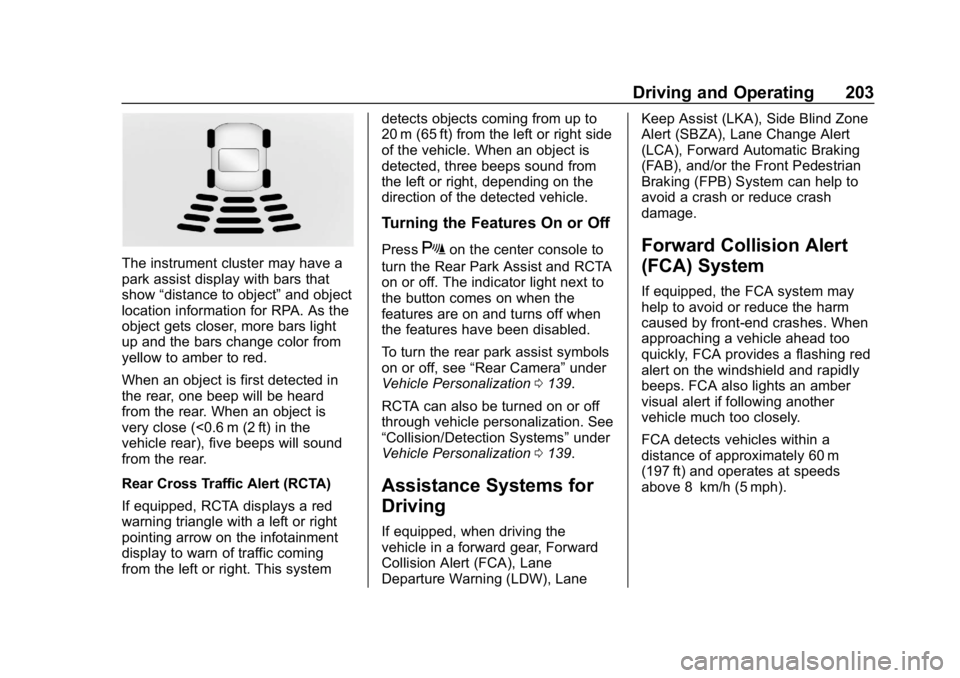
The instrument cluster may have a
park assist display with bars that
show“distance to object” and object
location information for RPA. As the
object gets closer, more bars light
up and the bars change color from
yellow to amber to red.
When an object is first detected in
the rear, one beep will be heard
from the rear. When an object is
very close (<0.6 m (2 ft) in the
vehicle rear), five beeps will sound
from the rear.
Rear Cross Traffic Alert (RCTA)
If equipped, RCTA displays a red
warning triangle with a left or right
pointing arrow on the infotainment
display to warn of traffic coming
from the left or right. This system detects objects coming from up to
20 m (65 ft) from the left or right side
of the vehicle. When an object is
detected, three beeps sound from
the left or right, depending on the
direction of the detected vehicle.
Turning the Features On or Off
PressXon the center console to
turn the Rear Park Assist and RCTA
on or off. The indicator light next to
the button comes on when the
features are on and turns off when
the features have been disabled.
To turn the rear park assist symbols
on or off, see “Rear Camera” under
Vehicle Personalization 0139.
RCTA can also be turned on or off
through vehicle personalization. See
“Collision/Detection Systems” under
Vehicle Personalization 0139.
Assistance Systems for
Driving
If equipped, when driving the
vehicle in a forward gear, Forward
Collision Alert (FCA), Lane
Departure Warning (LDW), Lane Keep Assist (LKA), Side Blind Zone
Alert (SBZA), Lane Change Alert
(LCA), Forward Automatic Braking
(FAB), and/or the Front Pedestrian
Braking (FPB) System can help to
avoid a crash or reduce crash
damage.
Forward Collision Alert
(FCA) System
If equipped, the FCA system may
help to avoid or reduce the harm
caused by front-end crashes. When
approaching a vehicle ahead too
quickly, FCA provides a flashing red
alert on the windshield and rapidly
beeps. FCA also lights an amber
visual alert if following another
vehicle much too closely.
FCA detects vehicles within a
distance of approximately 60 m
(197 ft) and operates at speeds
above 8 km/h (5 mph).
Page 210 of 379
Chevrolet Cruze Owner Manual (GMNA-Localizing-U.S./Canada/Mexico-
12146336) - 2019 - crc - 10/22/18
Driving and Operating 209
{Warning
FPB may alert or automatically
brake the vehicle suddenly in
situations where it is unexpected
and undesired. It could falsely
alert or brake for objects similar in
shape or size to pedestrians,
including shadows. This is normal
operation and the vehicle does
not need service. To override
Automatic Braking, firmly press
the accelerator pedal, if it is safe
to do so.
Automatic Braking can be disabled
through vehicle personalization. See
“Front Pedestrian Detection” in
“Collision/Detection Systems” under
Vehicle Personalization 0139.
{Warning
Using the Front Pedestrian
Braking system while towing a
trailer could cause you to lose
(Continued)
Warning (Continued)
control of the vehicle and crash.
Turn the system to Alert or Off
when towing a trailer.
Cleaning the System
If FPB does not seem to operate
properly, cleaning the outside of the
windshield in front of the rearview
mirror may correct the issue.
Side Blind Zone
Alert (SBZA)
If equipped, the SBZA system is a
lane-changing aid that assists
drivers with avoiding crashes that
occur with moving vehicles in the
side blind zone (or spot) areas.
When the vehicle is in a forward
gear, the left or right side mirror
display will light up if a moving
vehicle is detected in that blind
zone. If the turn signal is activated
and a vehicle is also detected on
the same side, the display will flash
as an extra warning not to change lanes. Since this system is part of
the Lane Change Alert (LCA)
system, read the entire LCA section
before using this feature.
Lane Change Alert (LCA)
If equipped, the LCA system is a
lane-changing aid that assists
drivers with avoiding lane change
crashes that occur with moving
vehicles in the side blind zone (or
spot) areas or with vehicles rapidly
approaching these areas from
behind. The LCA warning display
will light up in the corresponding
outside side mirror and will flash if
the turn signal is on.
{Warning
LCA does not alert the driver to
vehicles outside of the system
detection zones, pedestrians,
bicyclists, or animals. It may not
provide alerts when changing
lanes under all driving conditions.
Failure to use proper care when
(Continued)