oil change CHEVROLET CRUZE 2019 Track Prep Guide
[x] Cancel search | Manufacturer: CHEVROLET, Model Year: 2019, Model line: CRUZE, Model: CHEVROLET CRUZE 2019Pages: 379, PDF Size: 5.91 MB
Page 5 of 379
Chevrolet Cruze Owner Manual (GMNA-Localizing-U.S./Canada/Mexico-
12146336) - 2019 - crc - 10/22/18
4 Introduction
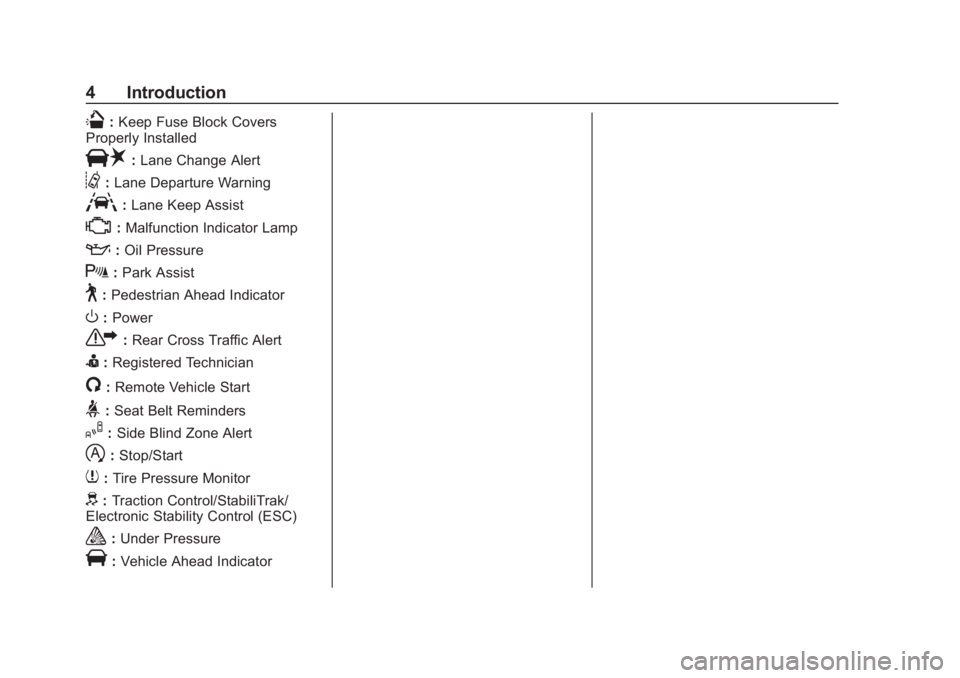
Q:Keep Fuse Block Covers
Properly Installed
|: Lane Change Alert
@:Lane Departure Warning
A:Lane Keep Assist
*:Malfunction Indicator Lamp
::Oil Pressure
X:Park Assist
~:Pedestrian Ahead Indicator
O:Power
7: Rear Cross Traffic Alert
I:Registered Technician
/:Remote Vehicle Start
>:Seat Belt Reminders
I: Side Blind Zone Alert
h:Stop/Start
7: Tire Pressure Monitor
d:Traction Control/StabiliTrak/
Electronic Stability Control (ESC)
a: Under Pressure
V:Vehicle Ahead Indicator
Page 6 of 379
Chevrolet Cruze Owner Manual (GMNA-Localizing-U.S./Canada/Mexico-
12146336) - 2019 - crc - 10/22/18
In Brief 5
In Brief
Instrument Panel
Instrument Panel Overview . . . . . . 6
Initial Drive Information
Initial Drive Information . . . . . . . . . . 8
Stop/Start System . . . . . . . . . . . . . . . 8
Remote Keyless Entry (RKE)System . . . . . . . . . . . . . . . . . . . . . . . . 8
Remote Vehicle Start . . . . . . . . . . . 9
Door Locks . . . . . . . . . . . . . . . . . . . . . 9
Trunk . . . . . . . . . . . . . . . . . . . . . . . . . . 10
Windows . . . . . . . . . . . . . . . . . . . . . . . 10
Seat Adjustment . . . . . . . . . . . . . . . 11
Heated Seats . . . . . . . . . . . . . . . . . . 13
Head Restraint Adjustment . . . . 13
Seat Belts . . . . . . . . . . . . . . . . . . . . . 13
Passenger Sensing System . . . 14
Mirror Adjustment . . . . . . . . . . . . . . 14
Steering Wheel Adjustment . . . . 15
Interior Lighting . . . . . . . . . . . . . . . . 15
Exterior Lighting . . . . . . . . . . . . . . . 16
Windshield Wiper/Washer . . . . . . 17
Climate Controls . . . . . . . . . . . . . . . 18
Transmission . . . . . . . . . . . . . . . . . . 20
Vehicle Features
Infotainment System . . . . . . . . . . . 21 Steering Wheel Controls . . . . . . . 21
Cruise Control . . . . . . . . . . . . . . . . . 21
Driver Information
Center (DIC) . . . . . . . . . . . . . . . . . 21
Forward Collision Alert (FCA)
System . . . . . . . . . . . . . . . . . . . . . . . 22
Forward Automatic Braking (FAB) . . . . . . . . . . . . . . . . 22
Front Pedestrian Braking (FPB) System . . . . . . . . . . . . . . . . . . . . . . . 22
Lane Keep Assist (LKA) . . . . . . . 23
Lane Change Alert (LCA) . . . . . . 23
Rear Vision Camera (RVC) . . . . 23
Rear Cross Traffic Alert (RCTA) System . . . . . . . . . . . . . . . . . . . . . . . 23
Park Assist . . . . . . . . . . . . . . . . . . . . 23
Power Outlets . . . . . . . . . . . . . . . . . 24
Sunroof . . . . . . . . . . . . . . . . . . . . . . . . 24
Performance and Maintenance
Traction Control/Electronic Stability Control . . . . . . . . . . . . . . 25
Tire Pressure Monitor . . . . . . . . . . 25
Fuel (Gasoline) . . . . . . . . . . . . . . . . 26
Fuel (Diesel) . . . . . . . . . . . . . . . . . . . 26
E85 or FlexFuel . . . . . . . . . . . . . . . . 26
Engine Oil Life System . . . . . . . . 26
Driving for Better Fuel Economy . . . . . . . . . . . . . . . . . . . . . 27
Roadside Assistance Program . . . . . . . . . . . . . . . . . . . . . . 27
Page 27 of 379
Chevrolet Cruze Owner Manual (GMNA-Localizing-U.S./Canada/Mexico-
12146336) - 2019 - crc - 10/22/18
26 In Brief
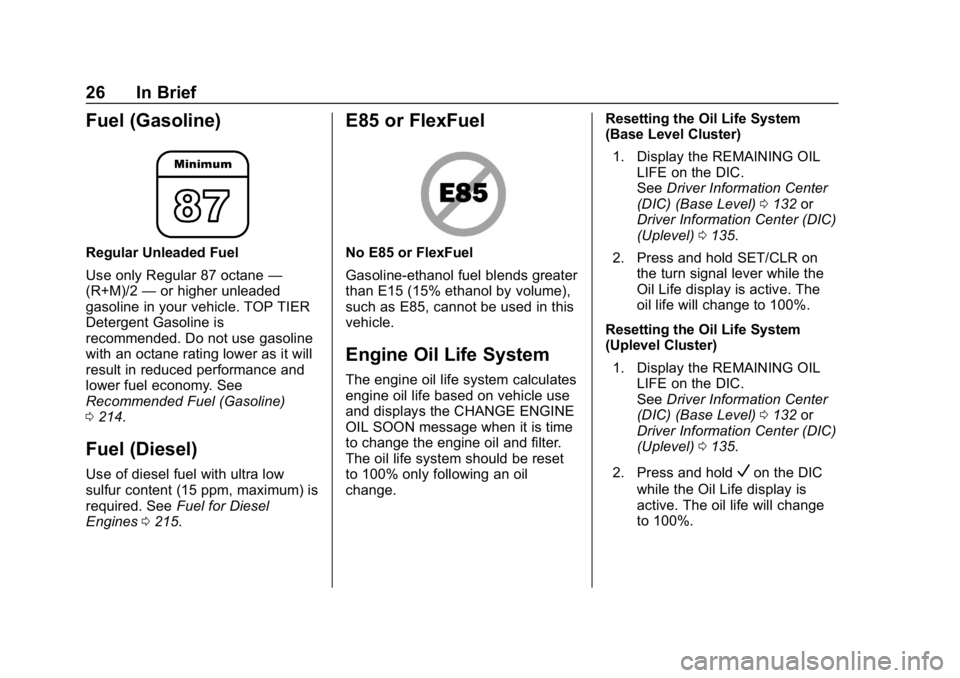
Fuel (Gasoline)
Regular Unleaded Fuel
Use only Regular 87 octane—
(R+M)/2 —or higher unleaded
gasoline in your vehicle. TOP TIER
Detergent Gasoline is
recommended. Do not use gasoline
with an octane rating lower as it will
result in reduced performance and
lower fuel economy. See
Recommended Fuel (Gasoline)
0 214.
Fuel (Diesel)
Use of diesel fuel with ultra low
sulfur content (15 ppm, maximum) is
required. See Fuel for Diesel
Engines 0215.
E85 or FlexFuel
No E85 or FlexFuel
Gasoline-ethanol fuel blends greater
than E15 (15% ethanol by volume),
such as E85, cannot be used in this
vehicle.
Engine Oil Life System
The engine oil life system calculates
engine oil life based on vehicle use
and displays the CHANGE ENGINE
OIL SOON message when it is time
to change the engine oil and filter.
The oil life system should be reset
to 100% only following an oil
change. Resetting the Oil Life System
(Base Level Cluster)
1. Display the REMAINING OIL LIFE on the DIC.
See Driver Information Center
(DIC) (Base Level) 0132 or
Driver Information Center (DIC)
(Uplevel) 0135.
2. Press and hold SET/CLR on the turn signal lever while the
Oil Life display is active. The
oil life will change to 100%.
Resetting the Oil Life System
(Uplevel Cluster) 1. Display the REMAINING OIL LIFE on the DIC.
See Driver Information Center
(DIC) (Base Level) 0132 or
Driver Information Center (DIC)
(Uplevel) 0135.
2. Press and hold
Von the DIC
while the Oil Life display is
active. The oil life will change
to 100%.
Page 134 of 379
Chevrolet Cruze Owner Manual (GMNA-Localizing-U.S./Canada/Mexico-
12146336) - 2019 - crc - 10/22/18
Instruments and Controls 133
kilometers (km) or miles (mi), from
the last reset for the trip odometer.
The trip odometer can be reset to
zero by pressing and holding SET/
CLR while the trip odometer display
is showing.
Also displays the approximate
average liters per 100 kilometers
(L/100 km) or miles per gallon
(mpg). This number is based on the
number of L/100 km (mpg) recorded
since the last time this menu item
was reset. This number reflects only
the approximate average fuel
economy that the vehicle has right
now, and will change as driving
conditions change. Reset the
average consumption by pressing
SET/CLR when it is displayed.
Fuel Range :Displays the
approximate distance the vehicle
can be driven without refueling. The
fuel range estimate is based on an
average of the vehicle's fuel
economy over recent driving history
and the amount of fuel remaining in
the fuel tank. Fuel range cannot be
reset. Instantaneous Fuel Economy :
Displays the current fuel economy in
liters per 100 kilometers (L/100 km)
or miles per gallon (mpg). This
number reflects only the
approximate fuel economy that the
vehicle has right now and changes
frequently as driving conditions
change. This display cannot be
reset.
Average Vehicle Speed :
Displays
the average vehicle speed of the
vehicle in kilometers per hour (km/h)
or miles per hour (mph). This
average is based on the various
vehicle speeds recorded since the
last reset. Reset the average speed
by pressing SET/CLR when it is
displayed.
Timer : To start the timer, press
SET/CLR while Timer is displayed.
The display will show the amount of
time that has passed since the timer
was last reset, not including time the
ignition is off. Time will continue to
be counted as long as the ignition is
on, even if another display is being
shown on the DIC. The timer will
record up to 99 hours, 59 minutes, and 59 seconds (99:59:59) after
which the display will return to zero.
To stop the timer, press SET/CLR
briefly while Timer is displayed. To
reset the timer to zero, press and
hold SET/CLR.
Blank Display :
Displays no
information.
Vehicle Information Menu
(VEHICLE) Items
Press MENU on the turn signal
lever until the VEHICLE menu is
displayed. Use
\to scroll through
the menu items. Not all items are
available on every vehicle. The
following is a list of all possible
menu items:
Remaining Oil Life : Displays an
estimate of the oil's remaining useful
life. If REMAINING OIL LIFE 99% is
displayed, that means 99% of the
current oil life remains.
When the remaining oil life is low,
the CHANGE ENGINE OIL SOON
message will appear on the display.
The oil should be changed as soon
as possible. See Engine Oil0236.
Page 135 of 379
Chevrolet Cruze Owner Manual (GMNA-Localizing-U.S./Canada/Mexico-
12146336) - 2019 - crc - 10/22/18
134 Instruments and Controls
In addition to the engine oil life
system monitoring the oil life,
additional maintenance is
recommended. SeeMaintenance
Schedule 0324.
The Oil Life display must be reset
after each oil change. Do not reset
the Oil Life display accidentally at
any time other than when the oil has
just been changed. It cannot be
reset accurately until the next oil
change. To reset the engine oil life
system, see Engine Oil Life System
0 239.
Oil Pressure : Oil pressure is
displayed in either kilopascal (kPa)
or in pounds per square inch (psi).
Fuel Filter Life : This display shows
an estimate of the fuel filter's
remaining useful life. If 90% Fuel
Filter Life Remaining is displayed, it
means 90% of the current fuel filter
life remains. The fuel filter life
system will alert when to change the
fuel filter on a schedule consistent
with your driving conditions. When
the remaining fuel filter life is low,
the CHANGE FUEL FILTER message will appear on the display.
Change the fuel filter as soon as
possible.
Diesel Exhaust Fluid (DEF)
Level :
The DEF level will be
displayed as either OK, XX%,
or LOW. When LOW appears on the
display, add DEF as soon as
possible. See Diesel Exhaust Fluid
0 183.
Tire Pressure : Displays a vehicle
with the approximate pressures of
all four tires. Tire pressure is
displayed in either kilopascal (kPa)
or in pounds per square inch (psi).
See Tire Pressure Monitor System
0 279 andTire Pressure Monitor
Operation 0280.
Battery Voltage : Displays the
current battery voltage, if equipped.
Battery voltage changes are normal
while driving. See Charging System
Light 0123. If there is a problem
with the battery charging system,
the DIC will display a message.
Speed Warning : This display is
used to set the vehicle speed at
which the speed warning chime sounds and the alert is displayed.
The speed can be set by pressing
SET/CLR while the speed warning
display is showing.
Units :
Move
\to change between
Metric or US when the Unit display
is active. Press SET/CLR to confirm
the setting. This will change the
displays on the DIC to the type of
measurements you select.
ECO Drive Assist Menu (ECO)
Items
This menu is only available on some
vehicles. Press MENU on the turn
signal lever until the ECO menu is
displayed. Use
\to scroll through
the menu items. Not all items are
available on every vehicle. The
following is a list of all possible
menu items:
Best Average Fuel Economy : The
bottom displays the best average
fuel economy (AFE) achieved for a
selected distance. The top displays
a running average of fuel economy
for the most recently traveled
selected distance. The center bar
Page 137 of 379
Chevrolet Cruze Owner Manual (GMNA-Localizing-U.S./Canada/Mexico-
12146336) - 2019 - crc - 10/22/18
136 Instruments and Controls
6. PressVwhile an item is
highlighted to select or
deselect that item. When an
item is selected, a checkmark
will appear next to it.
DIC Info Pages
The following is the list of all
possible DIC info page displays.
Some may not be available for your
particular vehicle. Some items may
not be turned on by default but can
be turned on through the Options
app. See “DIC Info Page Options”
earlier in this section.
Speed : Shows the vehicle speed in
either kilometers per hour (km/h) or
miles per hour (mph). If equipped,
press
pto open the menu and
select to display speed limit signs.
Trip A or Trip B : Shows the
current distance traveled, in either
kilometers (km) or miles (mi), since
the trip odometer was last reset.
This also shows the approximate
average liters per 100 kilometers
(L/100 km) or miles per
gallon (mpg). This number is calculated based on the number of
L/100 km (mpg) recorded since the
last time this menu item was reset.
This number reflects only the
approximate average fuel economy
that the vehicle has right now, and
will change as driving conditions
change.
Press and hold
Vwhile this display
is active to reset the trip odometer
and the average fuel economy. Trip
A and Trip B can also be reset by
pressing
pand choosing reset.
Fuel Range : Shows the
approximate distance the vehicle
can be driven without refueling.
LOW will be displayed when the
vehicle is low on fuel. The fuel
range estimate is based on an
average of the vehicle's fuel
economy over recent driving history
and the amount of fuel remaining in
the fuel tank.
Oil Life : Shows an estimate of the
oil's remaining useful life.
If REMAINING OIL LIFE 99% is
displayed, that means 99% of the
current oil life remains. When the remaining oil life is low,
the CHANGE ENGINE OIL SOON
message will appear on the display.
The oil should be changed as soon
as possible. See
Engine Oil0236.
In addition to the engine oil life
system monitoring the oil life,
additional maintenance is
recommended. See Maintenance
Schedule 0324.
The Oil Life display must be reset
after each oil change. It will not
reset itself. Do not to reset the Oil
Life display at any time other than
when the oil has just been changed.
It cannot be reset accurately until
the next oil change. To reset the
engine oil life system, press and
hold
Vfor several seconds while
the Oil Life display is active. See
Engine Oil Life System 0239.
Tire Pressure : Shows the
approximate pressures of all four
tires. Tire pressure is displayed in
either kilopascal (kPa) or in pounds
per square inch (psi). If the pressure
is low, the value for that tire is
shown in amber.
Page 174 of 379
Chevrolet Cruze Owner Manual (GMNA-Localizing-U.S./Canada/Mexico-
12146336) - 2019 - crc - 10/22/18
Driving and Operating 173
while the vehicle is off. It also
unlocks the steering column,
if equipped with a locking steering
column. Use this position if the
vehicle must be pushed or towed.
SeeRetained Accessory Power
(RAP) 0179.
From ON/RUN, push the key all the
way in toward the steering column,
then turn the key to ACC/
ACCESSORY.
If the key is left in ACC/
ACCESSORY with the engine off,
the battery could drain and the
vehicle may not start.
A warning chime will sound when
the driver door is opened and the
key is in the ignition.
2 (ON/RUN) : This position can be
used to operate the electrical
accessories and to display some
instrument cluster warning and
indicator lights. This position can
also be used for service and
diagnostics, and to verify the proper
operation of the malfunction
indicator lamp as may be required
for emission inspection purposes. The switch stays in this position
when the engine is running. The
transmission is also unlocked in this
position.
If the key is left in ON/RUN with the
engine off, the battery could drain
and the vehicle may not start.
3 (START) :
This is the position that
starts the engine. When the engine
starts, release the key. The ignition
returns to ON/RUN for driving.
Starting the Engine
Place the transmission in the
proper gear.
Caution
If you add electrical parts or
accessories, you could change
the way the engine operates. Any
resulting damage would not be
covered by the vehicle warranty.
See Add-On Electrical Equipment
0 226. Move the shift lever to P (Park) or
N (Neutral). To restart the vehicle
when it is already moving, use
N (Neutral) only.
Caution
Do not try to shift to P (Park) if the
vehicle is moving. If you do, you
could damage the transmission.
Shift to P (Park) only when the
vehicle is stopped.
Gasoline Engine Starting
Procedure (Key Access) 1. With your foot off the accelerator pedal, turn the
ignition key to START. When
the engine starts, let go of the
key. The idle speed will go
down as the engine warms. Do
not race the engine
immediately after starting it.
Allow the oil to warm up and
lubricate all moving parts.
Page 177 of 379
Chevrolet Cruze Owner Manual (GMNA-Localizing-U.S./Canada/Mexico-
12146336) - 2019 - crc - 10/22/18
176 Driving and Operating
SeeFuel for Diesel Engines 0215
for information on what fuel to use in
cold weather.
If the Diesel Engine Will Not
Start
If you have run out of fuel, see
Running Out of Fuel (Diesel) 0220.
If the vehicle is not out of fuel, and
the engine will not start, do this:
Turn the ignition on. Immediately
after the wait-to-start light goes off,
press ENGINE START/STOP.
If the light does not go off, wait a
few seconds, then try starting the
engine again. See your dealer for a
starting system check.
If the light comes on and then goes
off, and it is known that the batteries
are charged, but the engine still will
not start, the vehicle needs service.
If the light does not come on when
the engine is cold, the vehicle
needs service.
If the batteries do not have enough
charge to start the engine, see
Battery - North America 0250. Check that the correct engine oil
has been used and changed at
appropriate intervals. If the wrong oil
is used, the engine may be harder
to start.
Be sure you are using the proper
fuel for existing weather conditions.
See
Fuel for Diesel Engines 0215.
If the engine starts, runs a short
time, then stops, the vehicle needs
service.
{Warning
Do not use gasoline or starting
aids, such as ether, in the air
intake. They could damage the
engine, which may not be
covered by the vehicle warranty.
They could also cause a fire,
which could cause serious
personal injury.
Stop/Start System
This vehicle has a Stop/Start
system to shut off the engine to help
conserve fuel. It has components
designed for the increased number
of starts.
{Warning
The automatic engine Stop/Start
feature causes the engine to shut
off while the vehicle is still on. Do
not exit the vehicle before shifting
to P (Park). The vehicle may
restart and move unexpectedly.
Always shift to P (Park), and then
turn the ignition off before exiting
the vehicle.
Auto Engine Stop/Start
When the brakes are applied and
the vehicle is at a complete stop,
the engine may turn off. When
stopped, the tachometer displays
AUTO STOP. See Tachometer
0 119. When the brake pedal is
released or the accelerator pedal is
pressed, the engine will restart.
Page 216 of 379
Chevrolet Cruze Owner Manual (GMNA-Localizing-U.S./Canada/Mexico-
12146336) - 2019 - crc - 10/22/18
Driving and Operating 215
Fuels in Foreign
Countries (Gasoline)
The U.S., Canada, and Mexico post
fuel octane ratings in anti-knock
index (AKI). For fuel not to use in a
foreign country, seeProhibited
Fuels (Gasoline) 0214.
Fuel Additives (Gasoline)
TOP TIER Detergent Gasoline is
highly recommended for use with
your vehicle. If your country does
not have TOP TIER Detergent
Gasoline, add ACDelco Fuel
System Treatment Plus−Gasoline to
the vehicle’ s gasoline fuel tank at
every oil change or 15,000 km
(9,000 mi), whichever occurs first.
TOP TIER Detergent Gasoline and
ACDelco Fuel System Treatment
Plus−Gasoline will help keep your
vehicle’s engine fuel deposit free
and performing optimally.
Fuel Additives (Diesel)
TOP TIER Detergent Diesel is
highly recommended for use with
your vehicle. If your area does not have TOP TIER Detergent Diesel,
GM recommends the use of
ACDelco Diesel Fuel Conditioner.
This will help maintain optimal
engine performance. GM does not
recommend other aftermarket diesel
additives.
If low-quality diesel is used for
refueling, GM recommends adding
ACDelco Fuel System Treatment
Plus-Diesel to help clean engine
deposits. This is available only at
your GM dealer.
Fuel for Diesel Engines
The selection of a high-quality fuel
is important for maintaining optimum
vehicle performance. Diesel fuel
should meet or exceed the minimum
requirements in the most current
versions of the local fuel standards
Do not use fuel with more than 15
ppm sulfur.
Do not use a diesel blend containing
more than 20% biodiesel by volume.
Caution
Use of fuel that does not comply
with the required technical
standards can lead to engine
power loss, increased wear,
or engine damage and may void
your warranty.
Some improper fuels are:
. Diesel fuel with the addition
of gasoline.
. Diesel fuel mixed with
engine oil or automatic
transmission fluid.
. Triglyceride fuels, such as
raw vegetable oil or animal
fat, in any form, including
with blends of diesel or
biodiesel.
. Marine diesel fuel and
fuel oils.
. Diesel-water emulsions,
such as Aquazole.
(Continued)
Page 217 of 379
Chevrolet Cruze Owner Manual (GMNA-Localizing-U.S./Canada/Mexico-
12146336) - 2019 - crc - 10/22/18
216 Driving and Operating
Caution (Continued)
.Aftermarket diesel fuel
additives, which contain
alcohols, organo-metallic
additives, or water
emulsifiers.
Caution
If the vehicle is accidentally
refueled with gasoline, do not
continue driving the vehicle.
Driving the vehicle will damage
the fuel system. Have the vehicle
towed to a qualified technician to
have the gasoline removed from
the tank and fuel system. Refuel
with Ultra Low Sulfur Diesel fuel.
It is also recommended to have
the fuel system flushed with Ultra
Low Sulfur Diesel, to ensure all
gasoline is removed. Some conditions, such as dirty fuel,
may decrease fuel filter life and a
CHANGE FUEL FILTER message
may come on in the Driver
Information Center (DIC).
Climate Grade Diesel Fuels
At temperatures below 0 °C (32 °F),
avoid using biodiesel blends above
5% by volume. Using such a fuel
may cause fuel filter plugging,
system gelling, and freezing, which
may adversely impact vehicle
starting.
Severe winter grade diesel fuel,
such as 1-D diesel fuel or Arctic
grade diesel fuel, can be used in
extreme cold temperatures (below
−18 °C or 0 °F); however, doing so
will reduce power and fuel economy.
Avoid using severe winter grade fuel
in warm or hot climates. It can result
in stalling, poor starting, and
damage to the fuel injection system.
Fuels improperly blended for cold
temperature operation may result in
restricted fuel filters. The vehicle is
equipped with a fuel heating system
to prevent gelling or waxing of conventional diesel fuel and
biodiesel blends, but may not
prevent all cases.
In case of severe winter conditions,
the fuel filter may become clogged
by wax naturally present in the fuel.
To unclog it, move the vehicle to a
warm garage area and allow the
filter to warm up. The fuel filter may
need to be replaced. See
Fuel Filter
Replacement (Diesel) 0221.
Biodiesel
Biodiesel is a renewable fuel
produced from vegetable oils or
animal fats that have been
chemically modified to make it
compatible with diesel fuel.
Caution
Do not use home-made biodiesel
or home test kits because the
quality cannot be verified by
approved scientific methods. Do
not use raw vegetable oil or other
unmodified bio-oils, fats,
(Continued)