light CHEVROLET CRUZE LIMITED 2016 2.G Owners Manual
[x] Cancel search | Manufacturer: CHEVROLET, Model Year: 2016, Model line: CRUZE LIMITED, Model: CHEVROLET CRUZE LIMITED 2016 2.GPages: 357, PDF Size: 6.49 MB
Page 2 of 357
Chevrolet Cruze Limited Owner Manual (GMNA-Localizing-U.S./Canada-
9282844) - 2016 - crc - 9/3/15
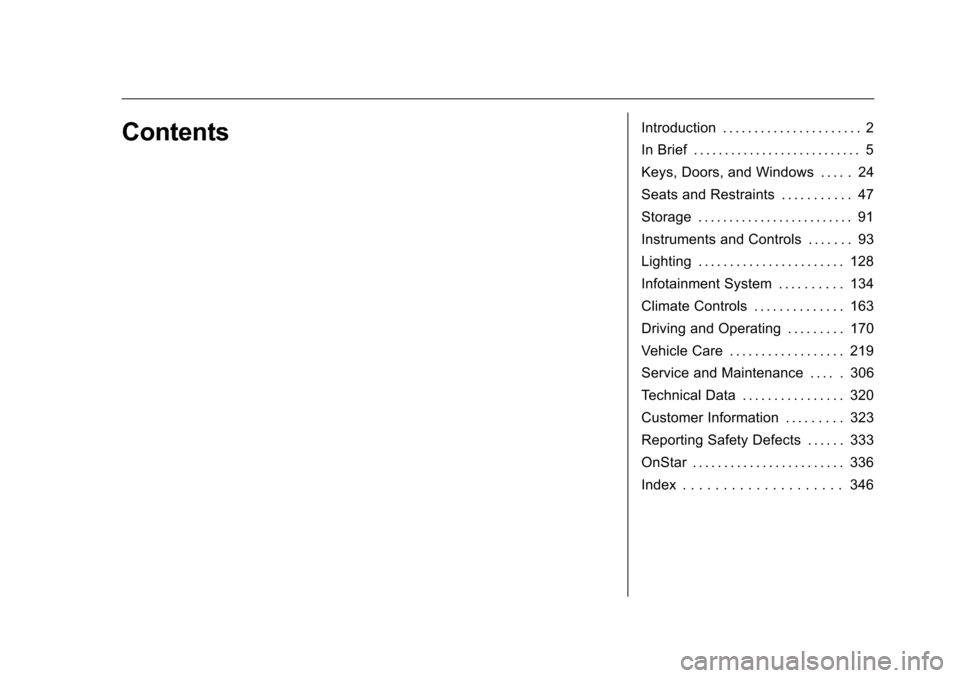
ContentsIntroduction . . . . . . . . . . . . . . . . . . . . . . 2
In Brief . . . . . . . . . . . . . . . . . . . . . . . . . . . 5
Keys, Doors, and Windows . . . . . 24
Seats and Restraints . . . . . . . . . . . 47
Storage . . . . . . . . . . . . . . . . . . . . . . . . . 91
Instruments and Controls . . . . . . . 93
Lighting . . . . . . . . . . . . . . . . . . . . . . . 128
Infotainment System . . . . . . . . . . 134
Climate Controls . . . . . . . . . . . . . . 163
Driving and Operating . . . . . . . . . 170
Vehicle Care . . . . . . . . . . . . . . . . . . 219
Service and Maintenance . . . . . 306
Technical Data . . . . . . . . . . . . . . . . 320
Customer Information . . . . . . . . . 323
Reporting Safety Defects . . . . . . 333
OnStar . . . . . . . . . . . . . . . . . . . . . . . . 336
Index . . . . . . . . . . . . . . . . . . . . 346
Page 4 of 357
Chevrolet Cruze Limited Owner Manual (GMNA-Localizing-U.S./Canada-
9282844) - 2016 - crc - 9/3/15
Introduction 3
Danger, Warning, and
Caution
Warning messages found on vehicle
labels and in this manual describe
hazards and what to do to avoid or
reduce them.
{Danger
Danger indicates a hazard with a
high level of risk which will result
in serious injury or death.
{Warning
Warning indicates a hazard that
could result in injury or death.
Caution
Caution indicates a hazard that
could result in property or vehicle
damage.
A circle with a slash through it is a
safety symbol which means“Do
Not,” “Do not do this,” or“Do not let
this happen.”
Symbols
The vehicle has components and
labels that use symbols instead of
text. Symbols are shown along with
the text describing the operation or
information relating to a specific
component, control, message,
gauge, or indicator.
M: Shown when the owner
manual has additional instructions
or information.
*: Shown when the service
manual has additional instructions
or information.
0: Shown when there is more
information on another page —
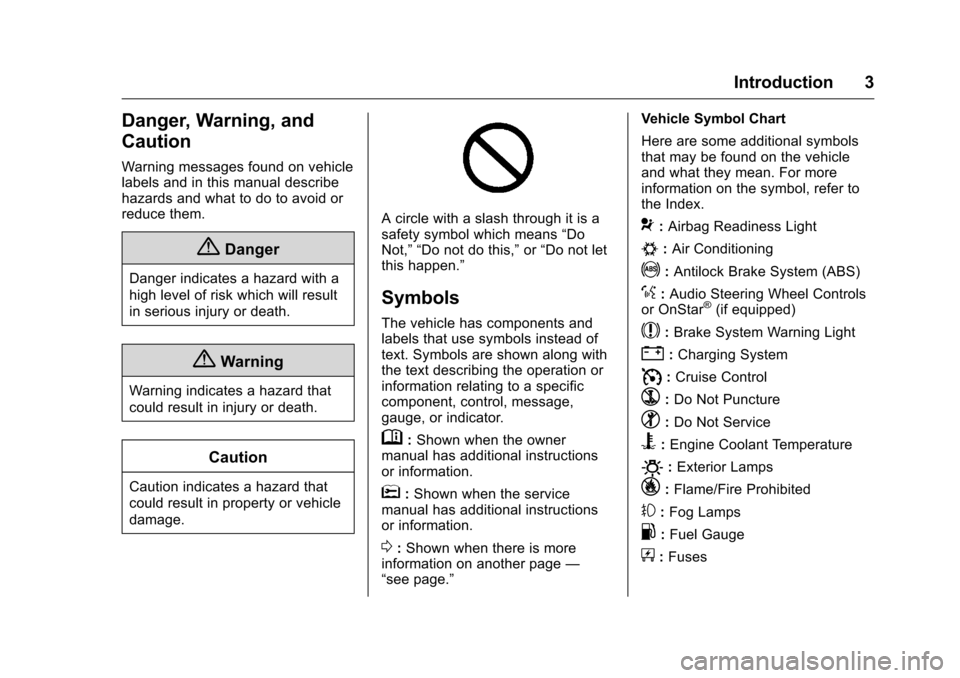
“see page.” Vehicle Symbol Chart
Here are some additional symbols
that may be found on the vehicle
and what they mean. For more
information on the symbol, refer to
the Index.
9:
Airbag Readiness Light
#:Air Conditioning
!:Antilock Brake System (ABS)
%:Audio Steering Wheel Controls
or OnStar®(if equipped)
$: Brake System Warning Light
":Charging System
I: Cruise Control
`:Do Not Puncture
^:Do Not Service
B:Engine Coolant Temperature
O:Exterior Lamps
_: Flame/Fire Prohibited
#:Fog Lamps
.:Fuel Gauge
+: Fuses
Page 6 of 357
Chevrolet Cruze Limited Owner Manual (GMNA-Localizing-U.S./Canada-
9282844) - 2016 - crc - 9/3/15
In Brief 5
In Brief
Instrument Panel
Instrument Panel Overview . . . . . . 6
Initial Drive Information
Initial Drive Information . . . . . . . . . . 8
Remote Keyless Entry (RKE)System . . . . . . . . . . . . . . . . . . . . . . . . 8
Remote Vehicle Start . . . . . . . . . . . 8
Door Locks . . . . . . . . . . . . . . . . . . . . . 9
Windows . . . . . . . . . . . . . . . . . . . . . . . . 9
Seat Adjustment . . . . . . . . . . . . . . . 10
Heated Seats . . . . . . . . . . . . . . . . . . 11
Head Restraint Adjustment . . . . 11
Safety Belts . . . . . . . . . . . . . . . . . . . . 12
Passenger Sensing System . . . 12
Mirror Adjustment . . . . . . . . . . . . . . 12
Steering Wheel Adjustment . . . . 13
Interior Lighting . . . . . . . . . . . . . . . . 14
Exterior Lighting . . . . . . . . . . . . . . . 14
Windshield Wiper/Washer . . . . . . 15
Climate Controls . . . . . . . . . . . . . . . 15
Transmission . . . . . . . . . . . . . . . . . . 17
Vehicle Features
Radio(s) . . . . . . . . . . . . . . . . . . . . . . . 17
Satellite Radio . . . . . . . . . . . . . . . . . 18
Portable Audio Devices . . . . . . . . 18
Bluetooth
®. . . . . . . . . . . . . . . . . . . . . 19 Steering Wheel Controls . . . . . . . 19
Cruise Control . . . . . . . . . . . . . . . . . 20
Driver Information
Center (DIC) . . . . . . . . . . . . . . . . . 20
Side Blind Zone
Alert (SBZA) . . . . . . . . . . . . . . . . . . 20
Rear Vision Camera (RVC) . . . . 21
Rear Cross Traffic Alert (RCTA) System . . . . . . . . . . . . . . . . . . . . . . . 21
Parking Assist . . . . . . . . . . . . . . . . . 21
Power Outlets . . . . . . . . . . . . . . . . . 21
Performance and Maintenance
Traction Control/Electronic Stability Control . . . . . . . . . . . . . . 21
Tire Pressure Monitor . . . . . . . . . . 22
Engine Oil Life System . . . . . . . . 22
Driving for Better Fuel Economy . . . . . . . . . . . . . . . . . . . . . 22
Roadside Assistance Program . . . . . . . . . . . . . . . . . . . . . . 23
Page 8 of 357
Chevrolet Cruze Limited Owner Manual (GMNA-Localizing-U.S./Canada-
9282844) - 2016 - crc - 9/3/15
In Brief 7
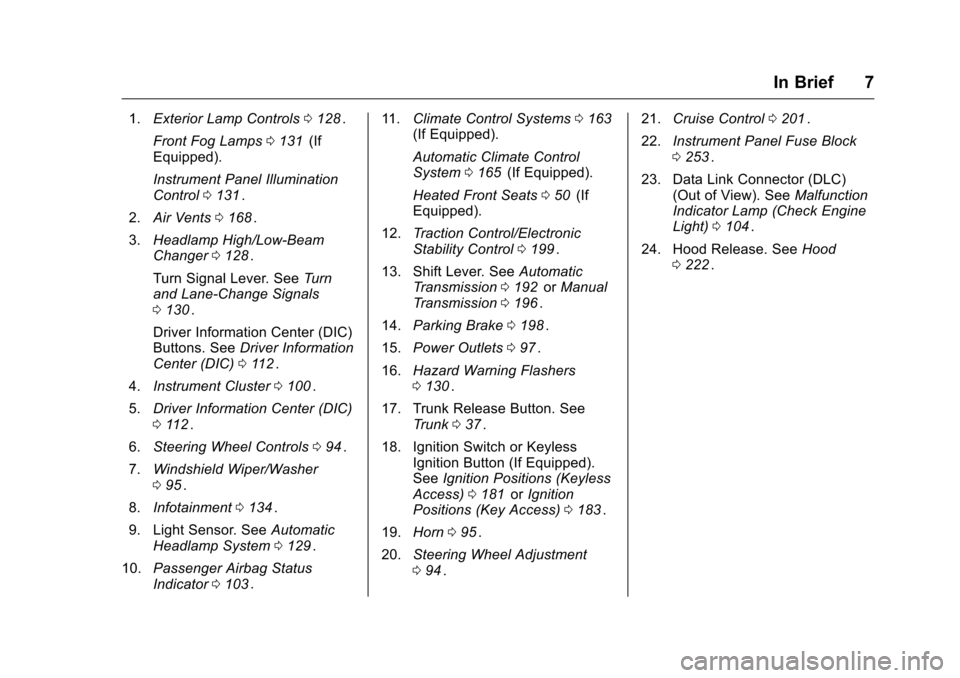
1.Exterior Lamp Controls 0128ii.
Front Fog Lamps 0131
ii(If
Equipped).
Instrument Panel Illumination
Control 0131
ii.
2. Air Vents 0168
ii.
3. Headlamp High/Low-Beam
Changer 0128
ii.
Turn Signal Lever. See Turn
and Lane-Change Signals
0 130
ii.
Driver Information Center (DIC)
Buttons. See Driver Information
Center (DIC) 0112
ii.
4. Instrument Cluster 0100
ii.
5. Driver Information Center (DIC)
0112
ii.
6. Steering Wheel Controls 094
ii.
7. Windshield Wiper/Washer
095
ii.
8. Infotainment 0134
ii.
9. Light Sensor. See Automatic
Headlamp System 0129
ii.
10. Passenger Airbag Status
Indicator 0103
ii. 11.
Climate Control Systems 0163
ii(If Equipped).
Automatic Climate Control
System 0165
ii(If Equipped).
Heated Front Seats 050
ii(If
Equipped).
12. Traction Control/Electronic
Stability Control 0199
ii.
13. Shift Lever. See Automatic
Transmission 0192
iior Manual
Transmission 0196ii.
14. Parking Brake 0198
ii.
15. Power Outlets 097
ii.
16. Hazard Warning Flashers
0130
ii.
17. Trunk Release Button. See Trunk 037
ii.
18. Ignition Switch or Keyless Ignition Button (If Equipped).
SeeIgnition Positions (Keyless
Access) 0181
iior Ignition
Positions (Key Access) 0183ii.
19. Horn 095
ii.
20. Steering Wheel Adjustment
094
ii. 21.
Cruise Control 0201
ii.
22. Instrument Panel Fuse Block
0253
ii.
23. Data Link Connector (DLC) (Out of View). See Malfunction
Indicator Lamp (Check Engine
Light) 0104
ii.
24. Hood Release. See Hood
0 222
ii.
Page 12 of 357
Chevrolet Cruze Limited Owner Manual (GMNA-Localizing-U.S./Canada-
9282844) - 2016 - crc - 9/3/15
In Brief 11
2. Push and pull on the seatbackto make sure it is locked.
See Reclining Seatbacks 049
ii.
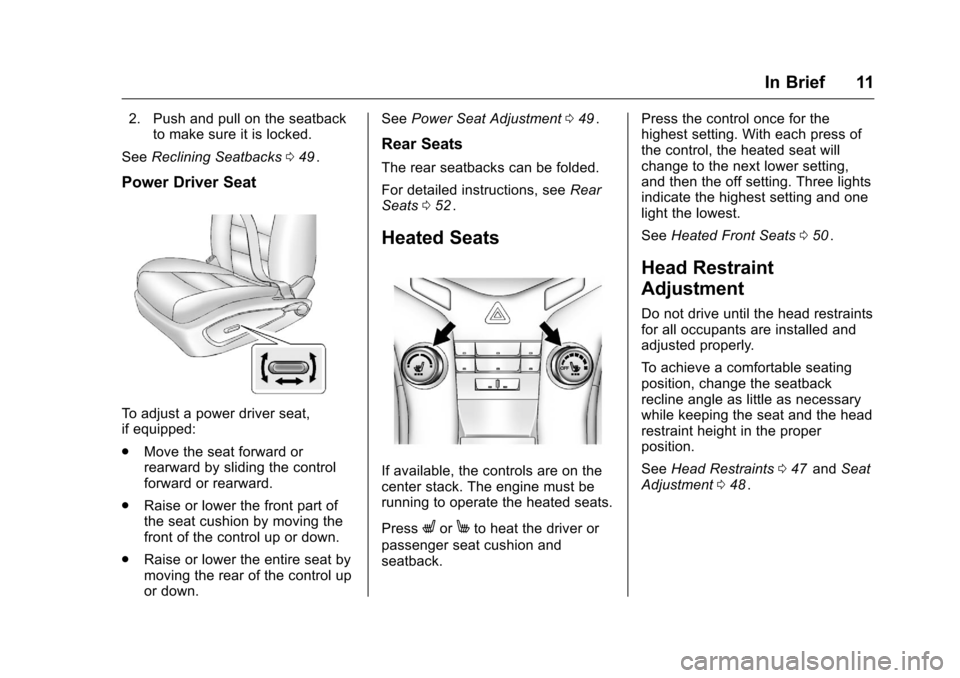
Power Driver Seat
To adjust a power driver seat,
if equipped:
.
Move the seat forward or
rearward by sliding the control
forward or rearward.
. Raise or lower the front part of
the seat cushion by moving the
front of the control up or down.
. Raise or lower the entire seat by
moving the rear of the control up
or down. See
Power Seat Adjustment 049
ii.
Rear Seats
The rear seatbacks can be folded.
For detailed instructions, see Rear
Seats 052
ii.
Heated Seats
If available, the controls are on the
center stack. The engine must be
running to operate the heated seats.
Press
LorMto heat the driver or
passenger seat cushion and
seatback. Press the control once for the
highest setting. With each press of
the control, the heated seat will
change to the next lower setting,
and then the off setting. Three lights
indicate the highest setting and one
light the lowest.
See
Heated Front Seats 050
ii.
Head Restraint
Adjustment
Do not drive until the head restraints
for all occupants are installed and
adjusted properly.
To achieve a comfortable seating
position, change the seatback
recline angle as little as necessary
while keeping the seat and the head
restraint height in the proper
position.
See Head Restraints 047
iiand Seat
Adjustment 048ii.
Page 15 of 357
Chevrolet Cruze Limited Owner Manual (GMNA-Localizing-U.S./Canada-
9282844) - 2016 - crc - 9/3/15
14 In Brief
Interior Lighting
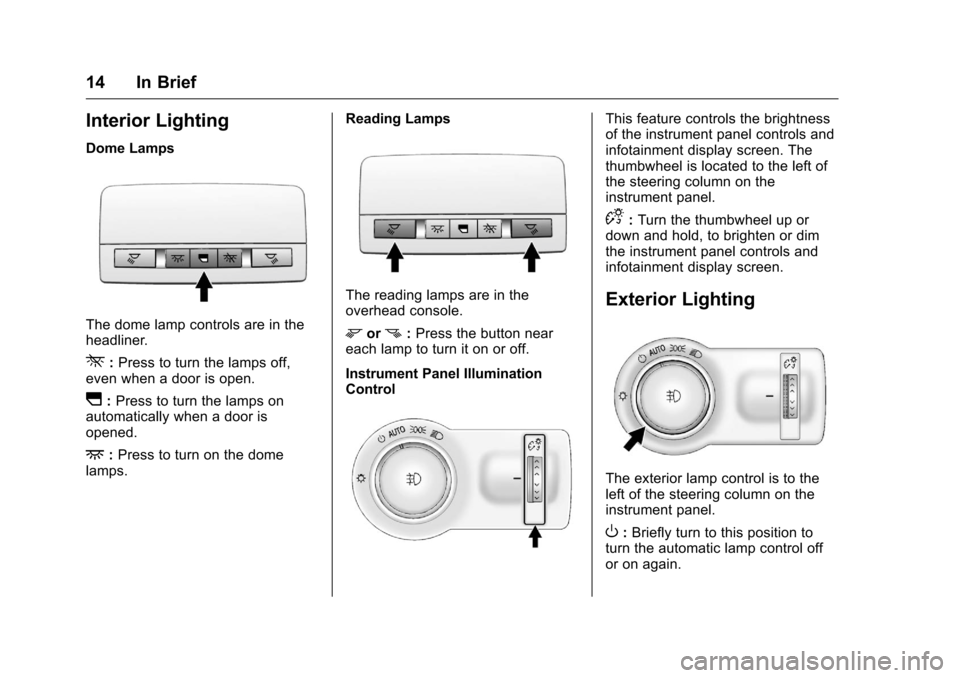
Dome Lamps
The dome lamp controls are in the
headliner.
*:Press to turn the lamps off,
even when a door is open.
I: Press to turn the lamps on
automatically when a door is
opened.
+: Press to turn on the dome
lamps. Reading Lamps
The reading lamps are in the
overhead console.
morn:
Press the button near
each lamp to turn it on or off.
Instrument Panel Illumination
Control
This feature controls the brightness
of the instrument panel controls and
infotainment display screen. The
thumbwheel is located to the left of
the steering column on the
instrument panel.
D: Turn the thumbwheel up or
down and hold, to brighten or dim
the instrument panel controls and
infotainment display screen.
Exterior Lighting
The exterior lamp control is to the
left of the steering column on the
instrument panel.
O: Briefly turn to this position to
turn the automatic lamp control off
or on again.
Page 16 of 357
Chevrolet Cruze Limited Owner Manual (GMNA-Localizing-U.S./Canada-
9282844) - 2016 - crc - 9/3/15
In Brief 15
AUTO :Turns the headlamps on
automatically at normal brightness,
together with the parking lamps,
taillamps, license plate lamps,
instrument panel lights, and
sidemarker lamps.
;: Turns on the parking lamps
including all lamps, except the
headlamps.
5: Turns on the headlamps
together with the parking lamps and
instrument panel lights. A warning
chime sounds if the driver door is
opened when the ignition switch is
off and the headlamps are on.
#: If equipped with fog lamps,
press to turn the lamps on or off.
See:
. Exterior Lamp Controls 0128
ii
.
Front Fog Lamps 0131ii
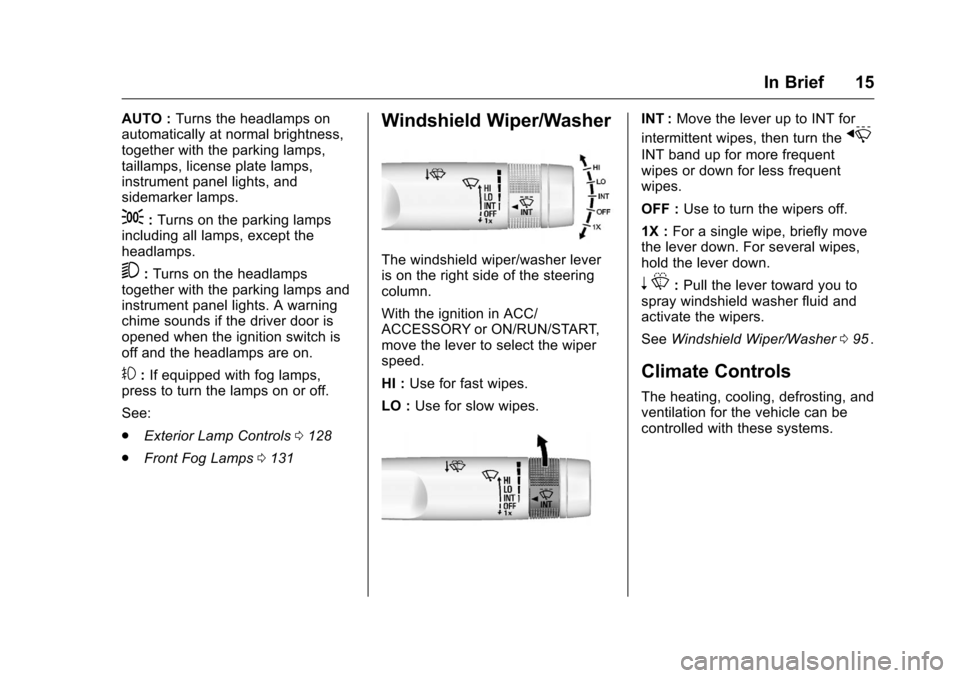
Windshield Wiper/Washer
The windshield wiper/washer lever
is on the right side of the steering
column.
With the ignition in ACC/
ACCESSORY or ON/RUN/START,
move the lever to select the wiper
speed.
HI : Use for fast wipes.
LO : Use for slow wipes.
INT : Move the lever up to INT for
intermittent wipes, then turn the
x
INT band up for more frequent
wipes or down for less frequent
wipes.
OFF : Use to turn the wipers off.
1X : For a single wipe, briefly move
the lever down. For several wipes,
hold the lever down.
n L: Pull the lever toward you to
spray windshield washer fluid and
activate the wipers.
See Windshield Wiper/Washer 095
ii.
Climate Controls
The heating, cooling, defrosting, and
ventilation for the vehicle can be
controlled with these systems.
Page 18 of 357
Chevrolet Cruze Limited Owner Manual (GMNA-Localizing-U.S./Canada-
9282844) - 2016 - crc - 9/3/15
In Brief 17
SeeClimate Control Systems 0163iior Automatic Climate Control
System 0165ii(If Equipped).
Transmission
Manual Mode
Driver Shift Control (DSC) allows
the automatic transmission to be
shifted similar to a manual
transmission.
Electronic Range Select (ERS)
allows for the selection of a range of
gears.
See Manual Mode 0194
ii.
Up‐Shift Light
If the vehicle has a manual
transmission, it will have an up-shift
light that indicates when to shift to
the next higher gear for the best fuel
economy.
See Manual Transmission 0196
ii.
Vehicle Features
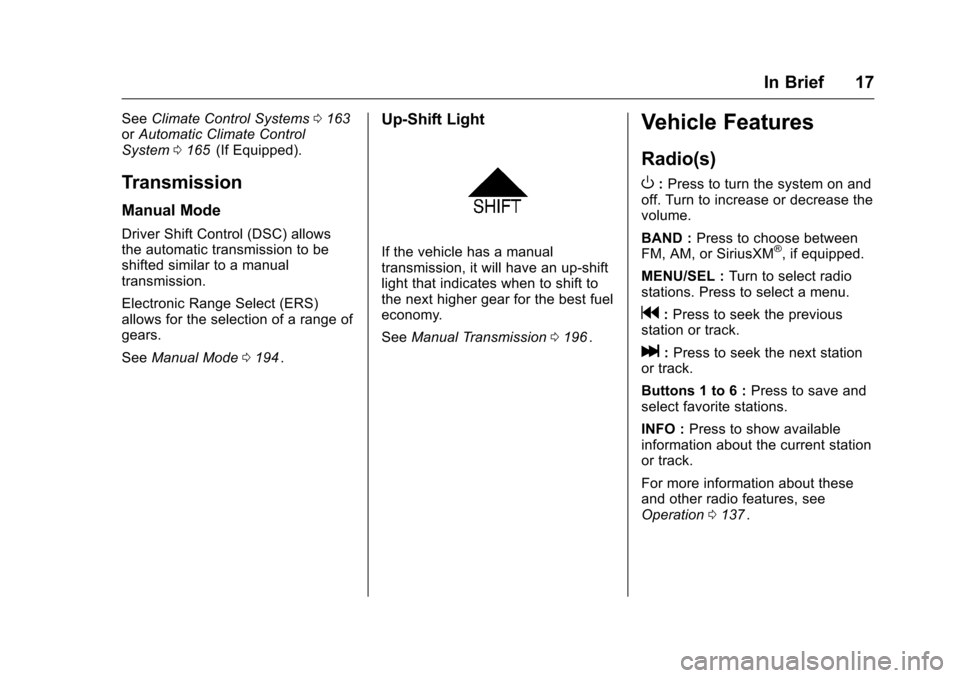
Radio(s)
O
:Press to turn the system on and
off. Turn to increase or decrease the
volume.
BAND : Press to choose between
FM, AM, or SiriusXM
®, if equipped.
MENU/SEL : Turn to select radio
stations. Press to select a menu.
g: Press to seek the previous
station or track.
l: Press to seek the next station
or track.
Buttons 1 to 6 : Press to save and
select favorite stations.
INFO : Press to show available
information about the current station
or track.
For more information about these
and other radio features, see
Operation 0137
ii.
Page 19 of 357
Chevrolet Cruze Limited Owner Manual (GMNA-Localizing-U.S./Canada-
9282844) - 2016 - crc - 9/3/15
18 In Brief
Storing a Favorite Station
Stations from all bands can be
stored in the favorite lists in any
order. Up to six stations can be
stored in each favorite page and the
number of available favorite pages
can be set.
To store the station to a position in
the list, press the corresponding
numeric button 1 to 6 until a beep is
heard.
See“Storing a Station as a
Favorite” inAM-FM Radio 0140
ii.
Setting the Clock
Adjusting the Time or Date
To set the time and date for the
radio with navigation:
1. Press CLOCK.
2. Select Set Time or Set Date.
3. Turn the MENU/SEL knob to adjust the highlighted number.
4. Press the MENU/SEL knob to select the next number.
5. To save the settings, press BACK on the radio faceplate. Setting the 12/24 Hour Format
To set the 12/24 hour format for the
radio with navigation:
1. Press CLOCK.
2. Highlight 12/24 Hour Format.
3. Press the MENU/SEL knob to select the 12 hour or 24 hour
display format.
4. To save the settings, press BACK on the radio faceplate.
For detailed instructions on setting
the clock for the vehicle's specific
audio system, see Clock096
ii.
Satellite Radio
If equipped, vehicles with a
SiriusXM®satellite radio tuner and a
valid SiriusXM satellite radio
subscription can receive SiriusXM
programming.
SiriusXM Satellite Radio
Service
SiriusXM is a satellite radio service
based in the 48 contiguous United
States and 10 Canadian provinces.
SiriusXM satellite radio has a wide variety of programming and
commercial-free music, coast to
coast, and in digital-quality sound.
A fee is required to receive the
SiriusXM service.
Refer to:
.
www.siriusxm.com or call
1-866-635-2349 (U.S.).
. www.xmradio.ca or call
1-877-209-0079 (Canada).
See Satellite Radio 0142
ii.
Portable Audio Devices
Some vehicles have a 3.5 mm
(1/8 in) auxiliary input and a USB
port in the center console. External
devices such as iPods
®, MP3
players, CD changers, and USB
drives may be connected,
depending on the audio system.
See Auxiliary Devices 0147
ii.
Page 21 of 357
Chevrolet Cruze Limited Owner Manual (GMNA-Localizing-U.S./Canada-
9282844) - 2016 - crc - 9/3/15
20 In Brief
Cruise Control
If equipped with cruise control:
1:Press to turn the cruise control
system on and off. A white indicator
comes on in the instrument cluster
when cruise is turned on.
RES/+ : If there is a set speed in
memory, move the thumbwheel up
briefly to resume to that speed or
hold upward to accelerate. If cruise
control is already active, use to
increase vehicle speed. SET/−
:Move the thumbwheel down
briefly to set the speed and activate
cruise control. If cruise control is
already active, use to decrease
speed.
*: Press to disengage cruise
control without erasing the set
speed from memory.
See Cruise Control 0201
ii.
Driver Information
Center (DIC)
The DIC display is in the center of
the instrument cluster. It shows the
status of many vehicle systems. The
controls for the DIC are on the turn
signal lever.
1. SET/CLR: Press to set,
or press and hold to clear, the
menu item displayed. 2.
w/x:
Use the band to
scroll through the items in
each menu.
3. MENU: Press to display the
DIC menus. This button is also
used to return to or exit the last
screen displayed on the DIC.
See Driver Information Center (DIC)
0 112
ii.
Side Blind Zone
Alert (SBZA)
If equipped, SBZA will detect
moving vehicles in the next lane
over in the vehicle's side blind zone
area. When this happens, the SBZA
display will light up in the
corresponding outside side mirror
and will flash if the turn signal is on.
See Side Blind Zone Alert (SBZA)
0 207
ii.