display CHEVROLET EPICA 2004 1.G Owners Manual
[x] Cancel search | Manufacturer: CHEVROLET, Model Year: 2004, Model line: EPICA, Model: CHEVROLET EPICA 2004 1.GPages: 338, PDF Size: 2.38 MB
Page 81 of 338
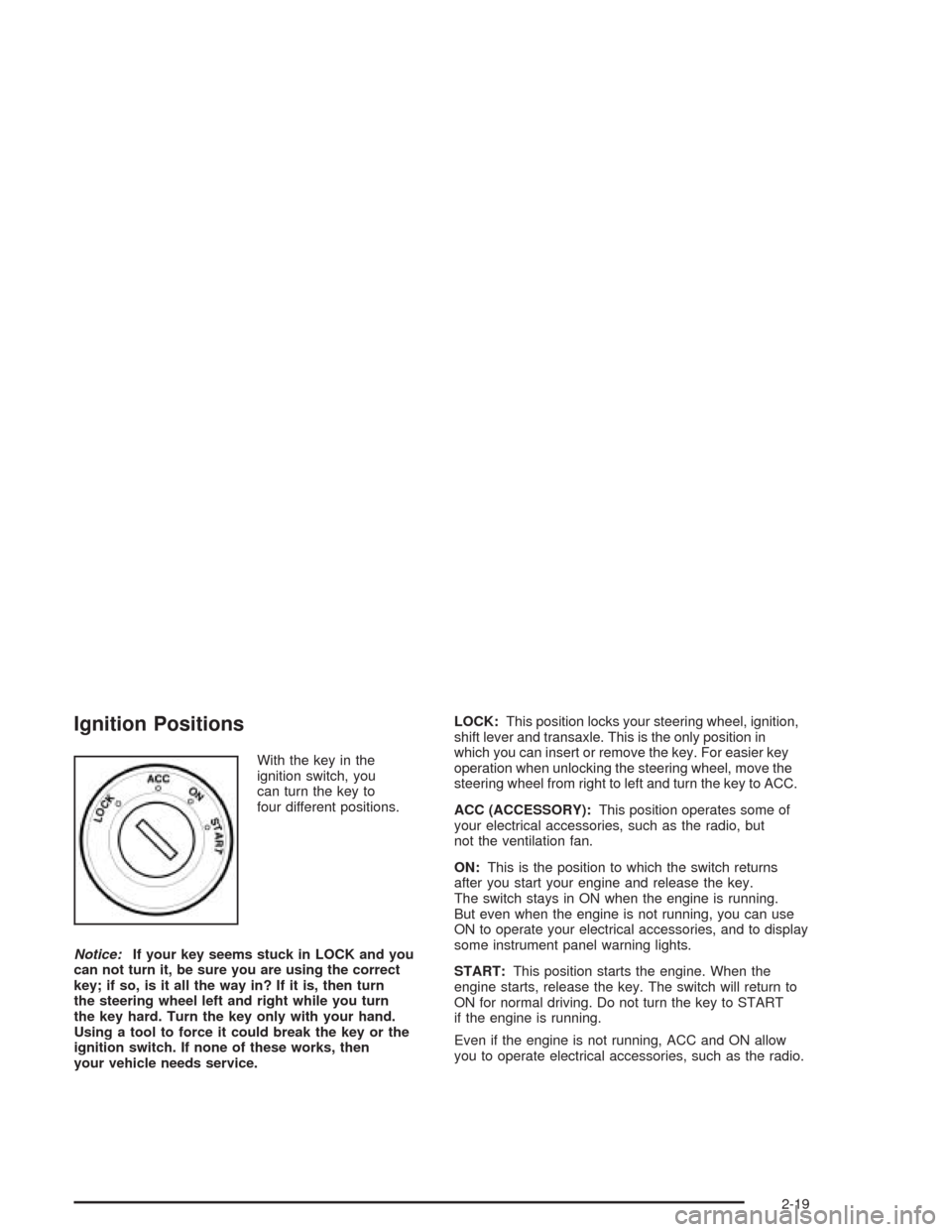
Ignition Positions
With the key in the
ignition switch, you
can turn the key to
four different positions.
Notice:If your key seems stuck in LOCK and you
can not turn it, be sure you are using the correct
key; if so, is it all the way in? If it is, then turn
the steering wheel left and right while you turn
the key hard. Turn the key only with your hand.
Using a tool to force it could break the key or the
ignition switch. If none of these works, then
your vehicle needs service.LOCK:This position locks your steering wheel, ignition,
shift lever and transaxle. This is the only position in
which you can insert or remove the key. For easier key
operation when unlocking the steering wheel, move the
steering wheel from right to left and turn the key to ACC.
ACC (ACCESSORY):This position operates some of
your electrical accessories, such as the radio, but
not the ventilation fan.
ON:This is the position to which the switch returns
after you start your engine and release the key.
The switch stays in ON when the engine is running.
But even when the engine is not running, you can use
ON to operate your electrical accessories, and to display
some instrument panel warning lights.
START:This position starts the engine. When the
engine starts, release the key. The switch will return to
ON for normal driving. Do not turn the key to START
if the engine is running.
Even if the engine is not running, ACC and ON allow
you to operate electrical accessories, such as the radio.
2-19
Page 120 of 338
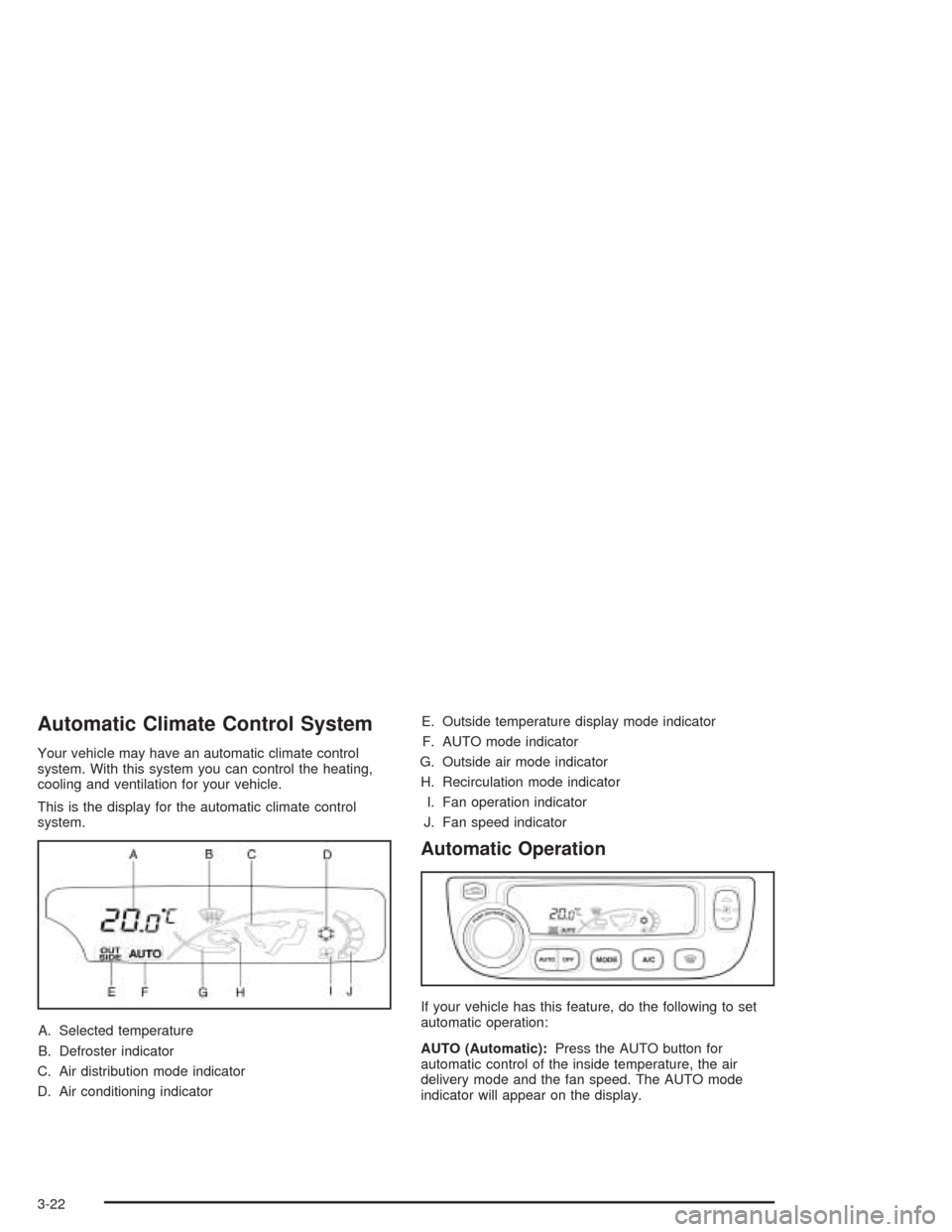
Automatic Climate Control System
Your vehicle may have an automatic climate control
system. With this system you can control the heating,
cooling and ventilation for your vehicle.
This is the display for the automatic climate control
system.
A. Selected temperature
B. Defroster indicator
C. Air distribution mode indicator
D. Air conditioning indicatorE. Outside temperature display mode indicator
F. AUTO mode indicator
G. Outside air mode indicator
H. Recirculation mode indicator
I. Fan operation indicator
J. Fan speed indicator
Automatic Operation
If your vehicle has this feature, do the following to set
automatic operation:
AUTO (Automatic):Press the AUTO button for
automatic control of the inside temperature, the air
delivery mode and the fan speed. The AUTO mode
indicator will appear on the display.
3-22
Page 121 of 338
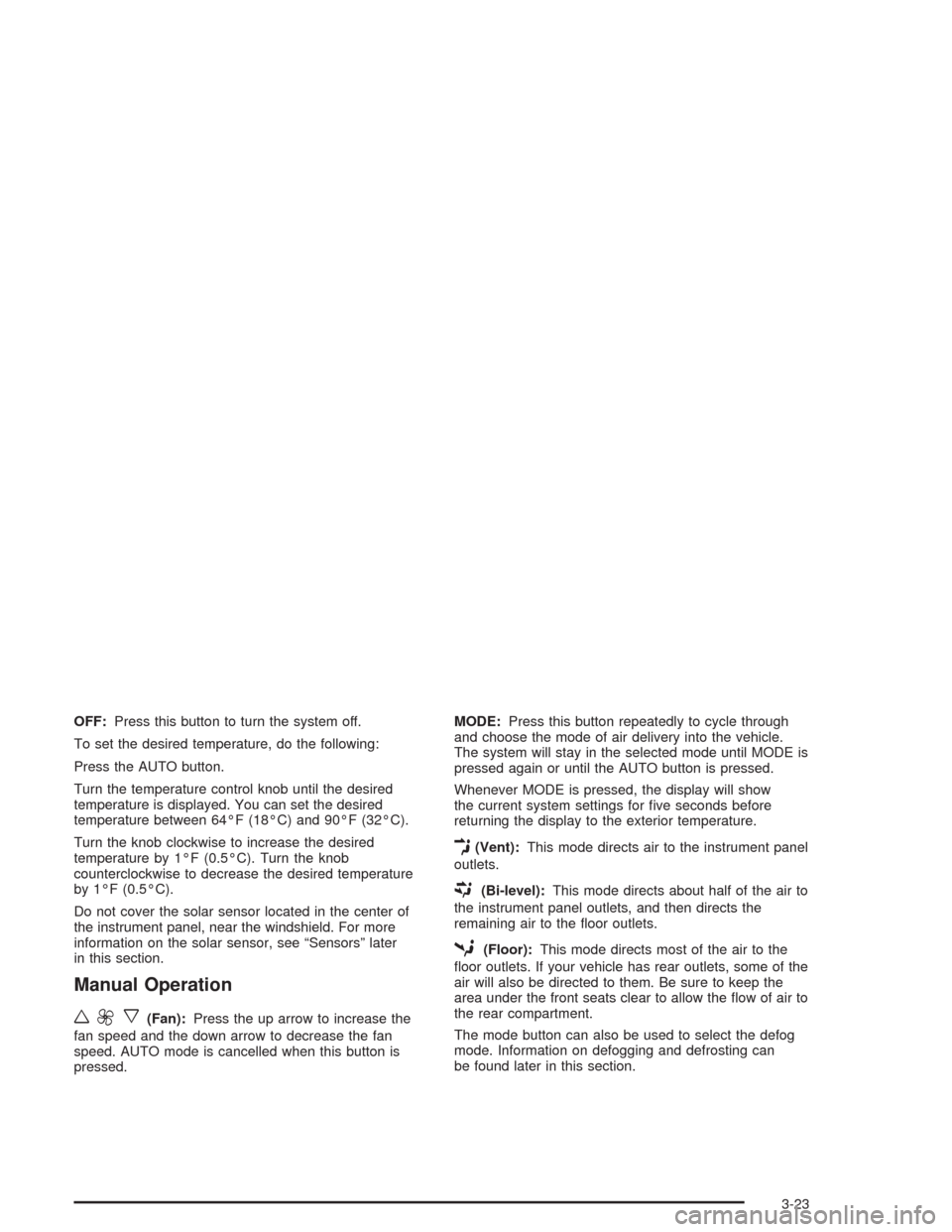
OFF:Press this button to turn the system off.
To set the desired temperature, do the following:
Press the AUTO button.
Turn the temperature control knob until the desired
temperature is displayed. You can set the desired
temperature between 64°F (18°C) and 90°F (32°C).
Turn the knob clockwise to increase the desired
temperature by 1°F (0.5°C). Turn the knob
counterclockwise to decrease the desired temperature
by 1°F (0.5°C).
Do not cover the solar sensor located in the center of
the instrument panel, near the windshield. For more
information on the solar sensor, see “Sensors” later
in this section.
Manual Operation
w9x
(Fan):Press the up arrow to increase the
fan speed and the down arrow to decrease the fan
speed. AUTO mode is cancelled when this button is
pressed.MODE:Press this button repeatedly to cycle through
and choose the mode of air delivery into the vehicle.
The system will stay in the selected mode until MODE is
pressed again or until the AUTO button is pressed.
Whenever MODE is pressed, the display will show
the current system settings for five seconds before
returning the display to the exterior temperature.
E(Vent):This mode directs air to the instrument panel
outlets.
((Bi-level):This mode directs about half of the air to
the instrument panel outlets, and then directs the
remaining air to the floor outlets.
5(Floor):This mode directs most of the air to the
floor outlets. If your vehicle has rear outlets, some of the
air will also be directed to them. Be sure to keep the
area under the front seats clear to allow the flow of air to
the rear compartment.
The mode button can also be used to select the defog
mode. Information on defogging and defrosting can
be found later in this section.
3-23
Page 122 of 338
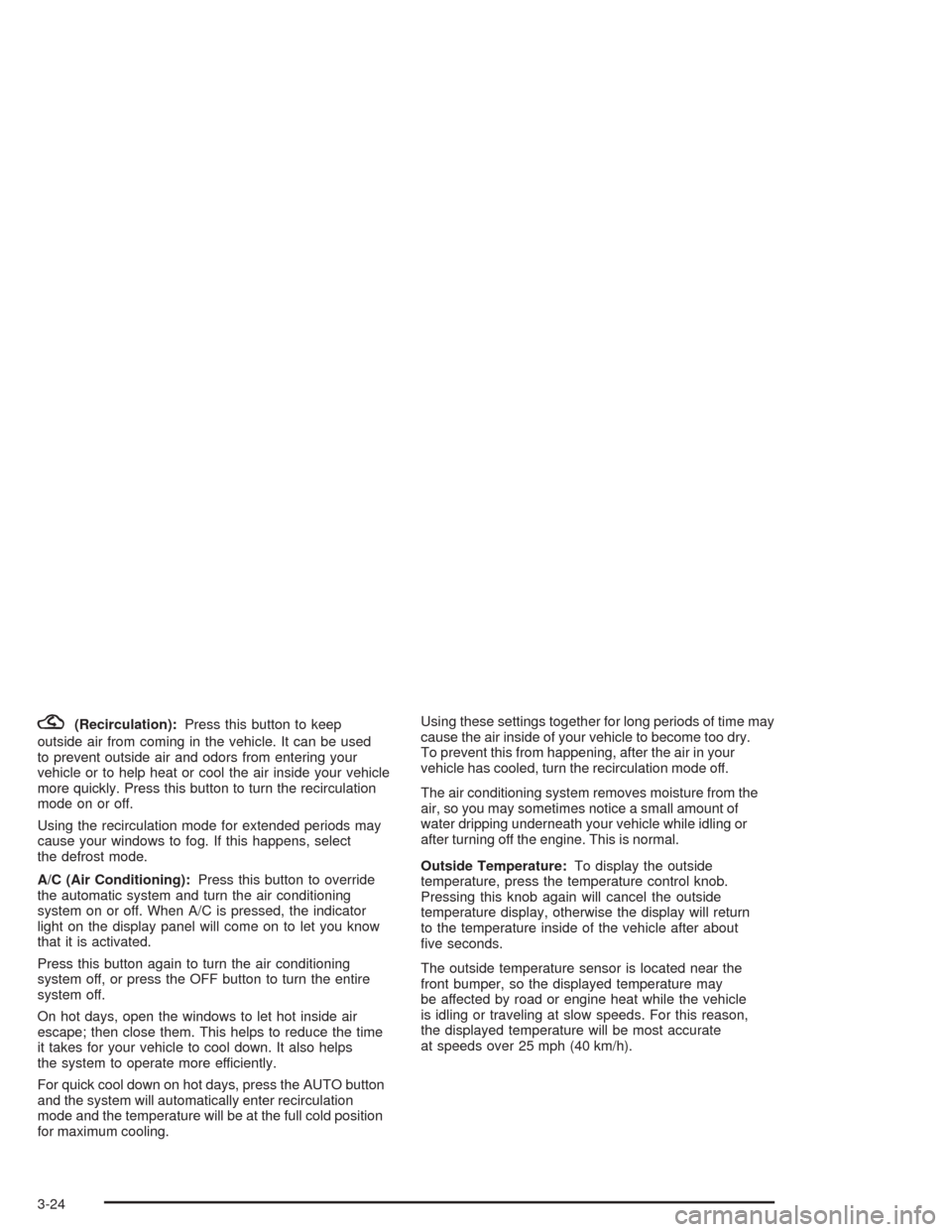
?(Recirculation):Press this button to keep
outside air from coming in the vehicle. It can be used
to prevent outside air and odors from entering your
vehicle or to help heat or cool the air inside your vehicle
more quickly. Press this button to turn the recirculation
mode on or off.
Using the recirculation mode for extended periods may
cause your windows to fog. If this happens, select
the defrost mode.
A/C (Air Conditioning):Press this button to override
the automatic system and turn the air conditioning
system on or off. When A/C is pressed, the indicator
light on the display panel will come on to let you know
that it is activated.
Press this button again to turn the air conditioning
system off, or press the OFF button to turn the entire
system off.
On hot days, open the windows to let hot inside air
escape; then close them. This helps to reduce the time
it takes for your vehicle to cool down. It also helps
the system to operate more efficiently.
For quick cool down on hot days, press the AUTO button
and the system will automatically enter recirculation
mode and the temperature will be at the full cold position
for maximum cooling.Using these settings together for long periods of time may
cause the air inside of your vehicle to become too dry.
To prevent this from happening, after the air in your
vehicle has cooled, turn the recirculation mode off.
The air conditioning system removes moisture from the
air, so you may sometimes notice a small amount of
water dripping underneath your vehicle while idling or
after turning off the engine. This is normal.
Outside Temperature:To display the outside
temperature, press the temperature control knob.
Pressing this knob again will cancel the outside
temperature display, otherwise the display will return
to the temperature inside of the vehicle after about
five seconds.
The outside temperature sensor is located near the
front bumper, so the displayed temperature may
be affected by road or engine heat while the vehicle
is idling or traveling at slow speeds. For this reason,
the displayed temperature will be most accurate
at speeds over 25 mph (40 km/h).
3-24
Page 124 of 338
Defogging and Defrosting
Fog on the inside of windows is a result of high humidity
or moisture condensing on the cool window glass. This
can be minimized if the climate control system is used
properly. There are two modes to clear fog or frost from
your windshield. Use the defog mode to clear the
windows of fog or moisture and warm the passengers.
Use the defrost mode to remove fog or frost from the
windshield more quickly.
É(Defog):Press the MODE button until the defog
symbol appears on the automatic climate control system
display.
This mode directs most of the air to the windshield and
the floor outlets. A small amount of air is also directed
to the outboard outlets for the side windows.
To help clear the side windows quickly, do the following:
1. Select the bi-level mode.
2. Select the highest fan speed.
3. Select A/C.
4. Select the temperature.
1(Defrost):Press the defrost button to select the
defrost function.
Pressing this button directs the air to the windshield and
the outboard outlets for the side windows.
To help clear the windshield quickly, do the following:
1. Select the defrost mode.
2. Select the highest temperature.
3. Select the highest fan speed.
Do not drive the vehicle until all windows are clear.
To cancel defrost, press the MODE or AUTO buttons.
If you press the AUTO button, the system will operate
automatically.
3-26
Page 130 of 338
Speedometer and Odometer
Your speedometer lets you see your speed in both
miles per hour (mph) and kilometers per hour (km/h).
Your odometer shows how far your vehicle has
been driven in kilometers.
Trip Odometer
The trip odometer can record the number of kilometers
traveled for up to two trips.
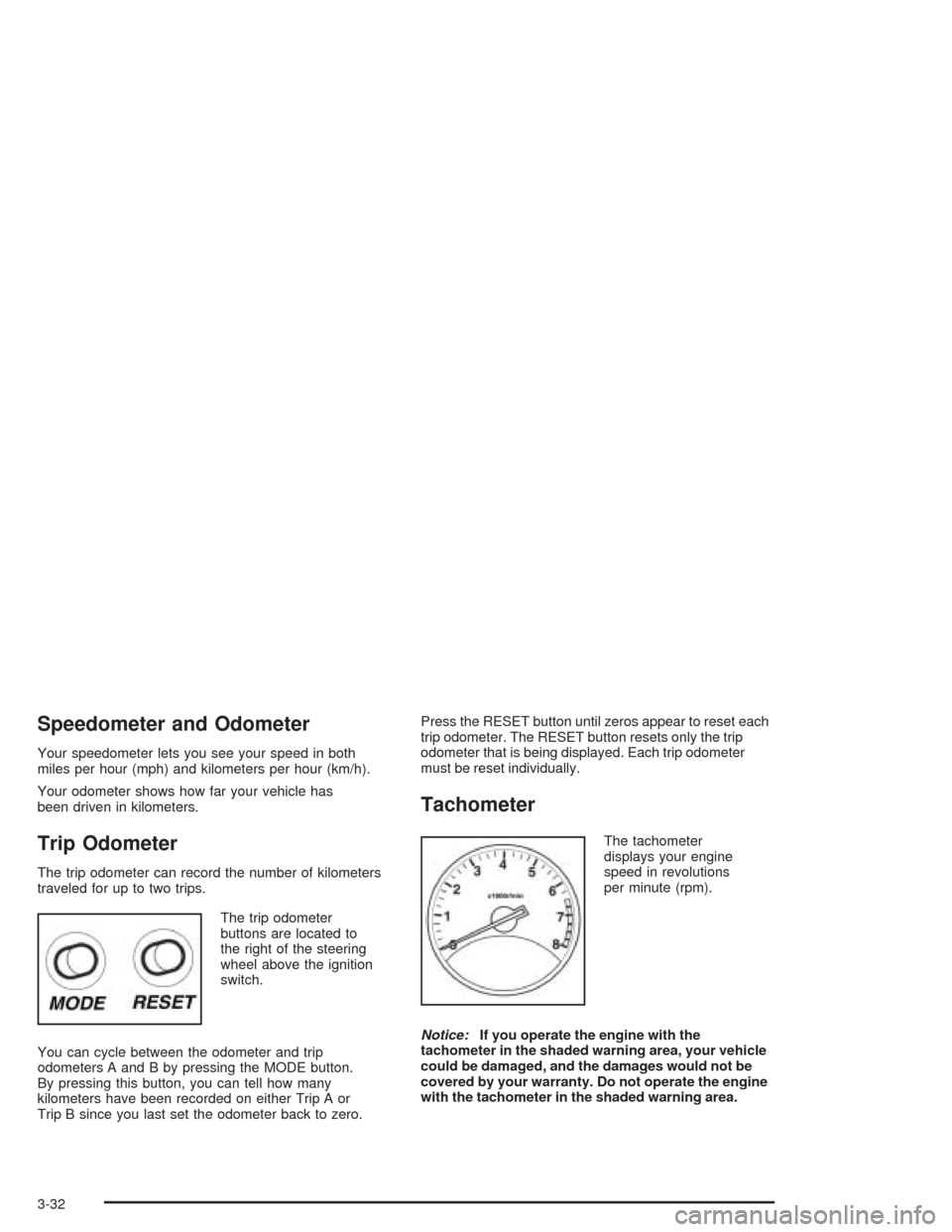
The trip odometer
buttons are located to
the right of the steering
wheel above the ignition
switch.
You can cycle between the odometer and trip
odometers A and B by pressing the MODE button.
By pressing this button, you can tell how many
kilometers have been recorded on either Trip A or
Trip B since you last set the odometer back to zero.Press the RESET button until zeros appear to reset each
trip odometer. The RESET button resets only the trip
odometer that is being displayed. Each trip odometer
must be reset individually.
Tachometer
The tachometer
displays your engine
speed in revolutions
per minute (rpm).
Notice:If you operate the engine with the
tachometer in the shaded warning area, your vehicle
could be damaged, and the damages would not be
covered by your warranty. Do not operate the engine
with the tachometer in the shaded warning area.
3-32
Page 144 of 338
Secondary Information
Center (SIC)
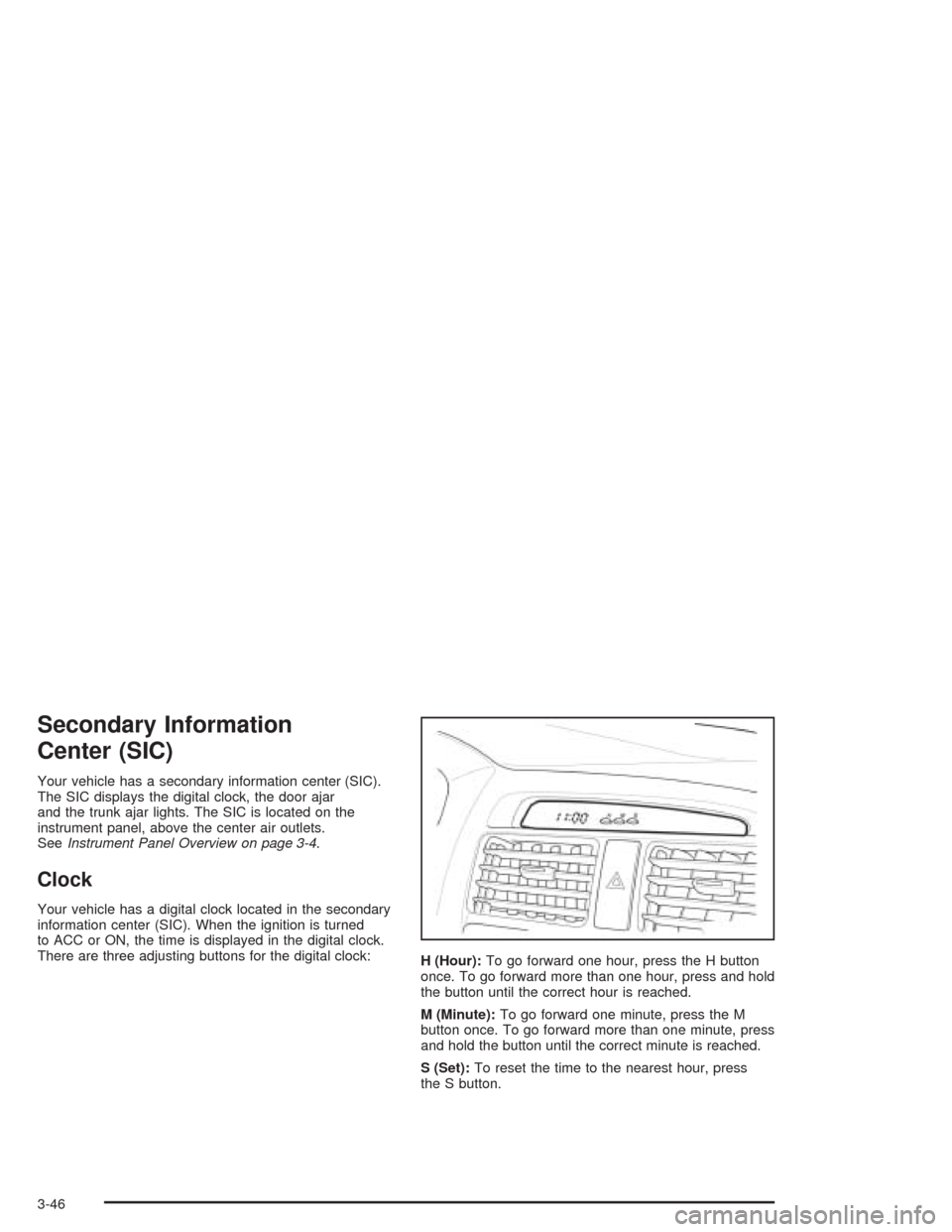
Your vehicle has a secondary information center (SIC).
The SIC displays the digital clock, the door ajar
and the trunk ajar lights. The SIC is located on the
instrument panel, above the center air outlets.
SeeInstrument Panel Overview on page 3-4.
Clock
Your vehicle has a digital clock located in the secondary
information center (SIC). When the ignition is turned
to ACC or ON, the time is displayed in the digital clock.
There are three adjusting buttons for the digital clock:
H (Hour):To go forward one hour, press the H button
once. To go forward more than one hour, press and hold
the button until the correct hour is reached.
M (Minute):To go forward one minute, press the M
button once. To go forward more than one minute, press
and hold the button until the correct minute is reached.
S (Set):To reset the time to the nearest hour, press
the S button.
3-46
Page 145 of 338
For example, if the Set button is pressed while the time
is between 8:00 and 8:29, the display is set to 8:00.
If this button is pressed while the time is between 8:30
and 8:59, the display is set to 9:00.
After disconnecting the battery or replacing the fuse,
reset the clock.
Door Ajar Light
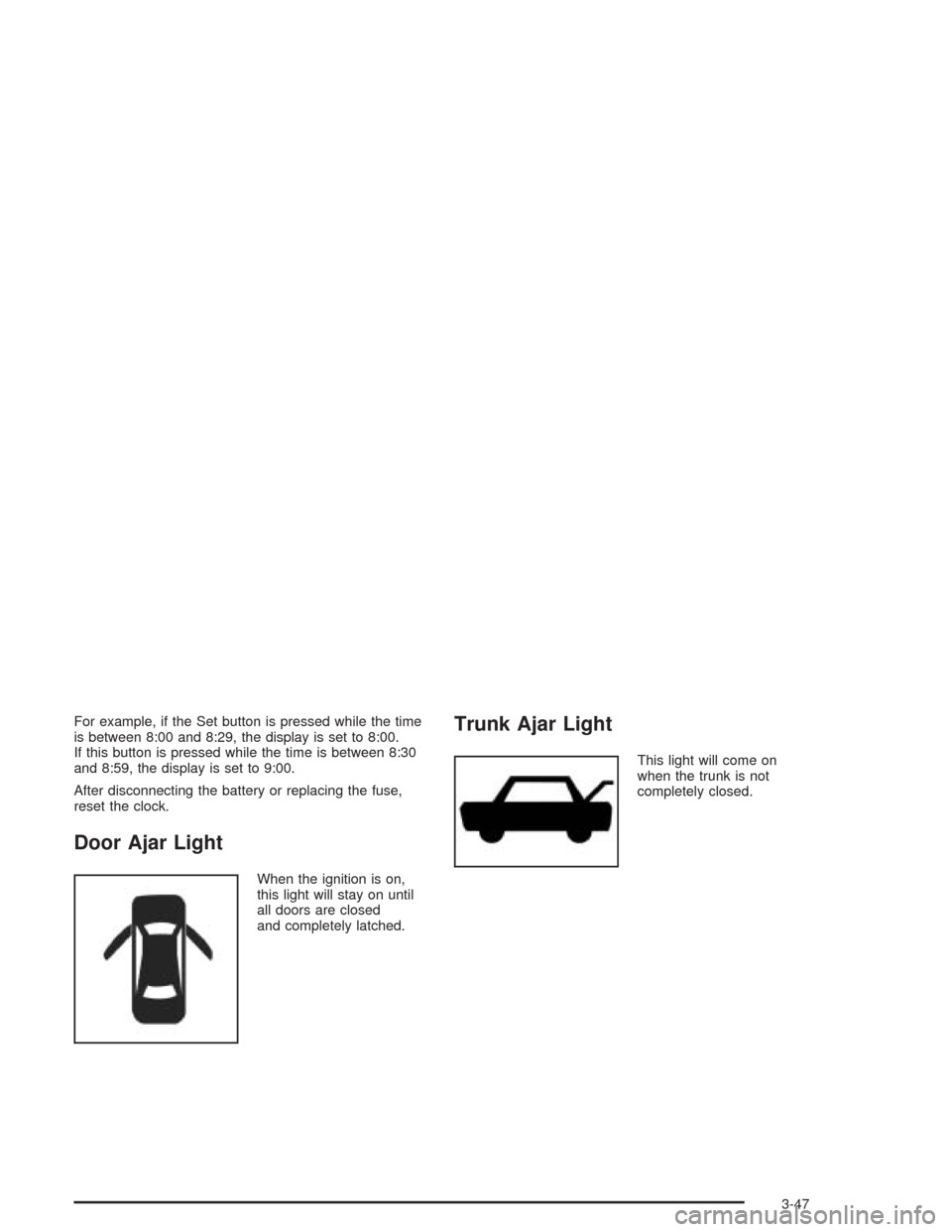
When the ignition is on,
this light will stay on until
all doors are closed
and completely latched.
Trunk Ajar Light
This light will come on
when the trunk is not
completely closed.
3-47
Page 146 of 338
Audio System(s)
Notice:Before you add any sound equipment to
your vehicle – like a tape player, CB radio, mobile
telephone or two-way radio – be sure you can add
what you want. If you can, it’s very important to do it
properly. Added sound equipment may interfere with
the operation of your vehicle’s engine, radio or other
systems, and even damage them. Your vehicle’s
systems may interfere with the operation of sound
equipment that has been added improperly.
So, before adding sound equipment, check with
your dealer and be sure to check federal rules
covering mobile radio and telephone units.
Your audio system has been designed to operate easily
and to give years of listening pleasure. You will get the
most enjoyment out of it if you acquaint yourself with it
first. Figure out which radio you have in your vehicle, find
out what your audio system can do, and how to operate
all of its controls to be sure you are getting the most out
of the advanced engineering that went into it.
Radio with CD
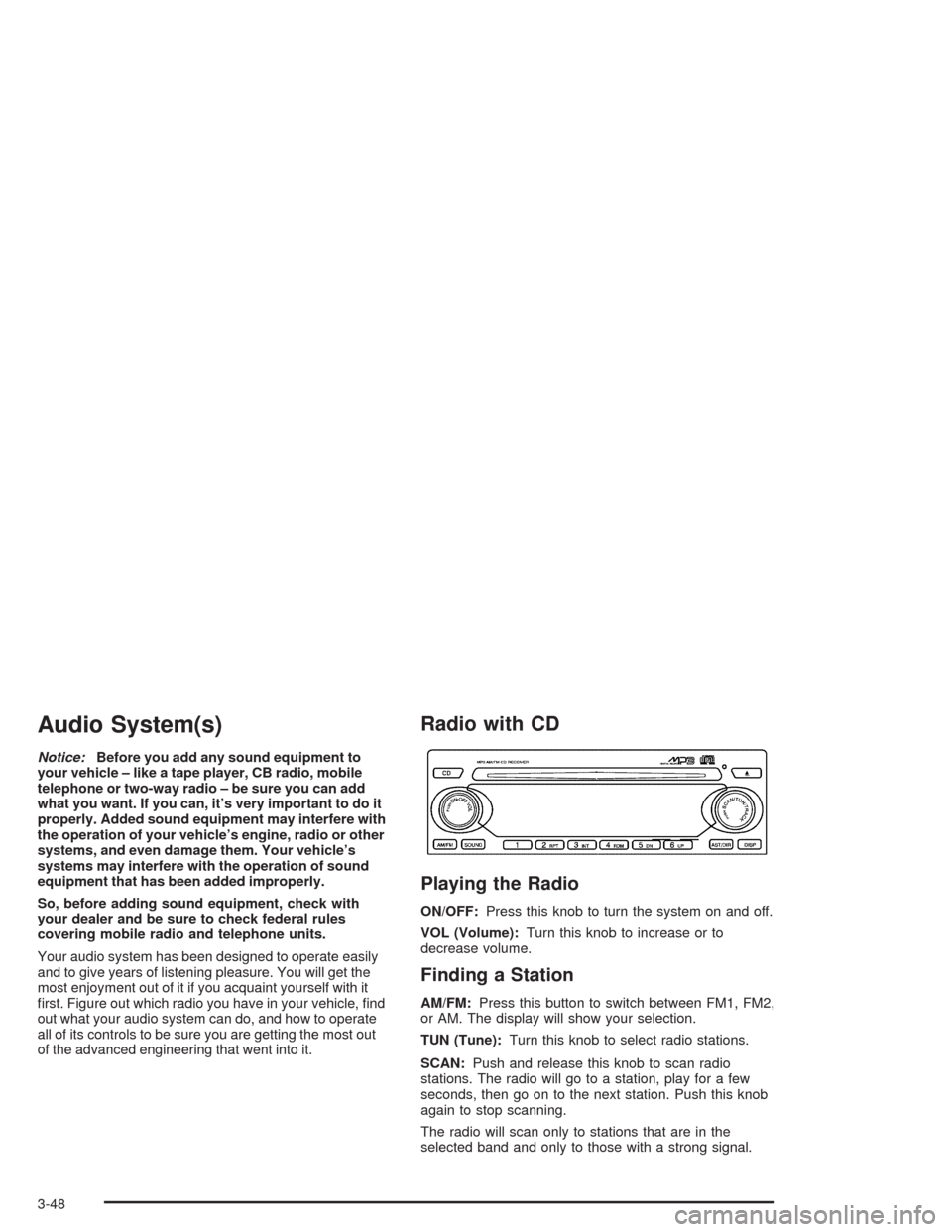
Playing the Radio
ON/OFF:Press this knob to turn the system on and off.
VOL (Volume):Turn this knob to increase or to
decrease volume.
Finding a Station
AM/FM:Press this button to switch between FM1, FM2,
or AM. The display will show your selection.
TUN (Tune):Turn this knob to select radio stations.
SCAN:Push and release this knob to scan radio
stations. The radio will go to a station, play for a few
seconds, then go on to the next station. Push this knob
again to stop scanning.
The radio will scan only to stations that are in the
selected band and only to those with a strong signal.
3-48
Page 147 of 338
Setting Preset Stations
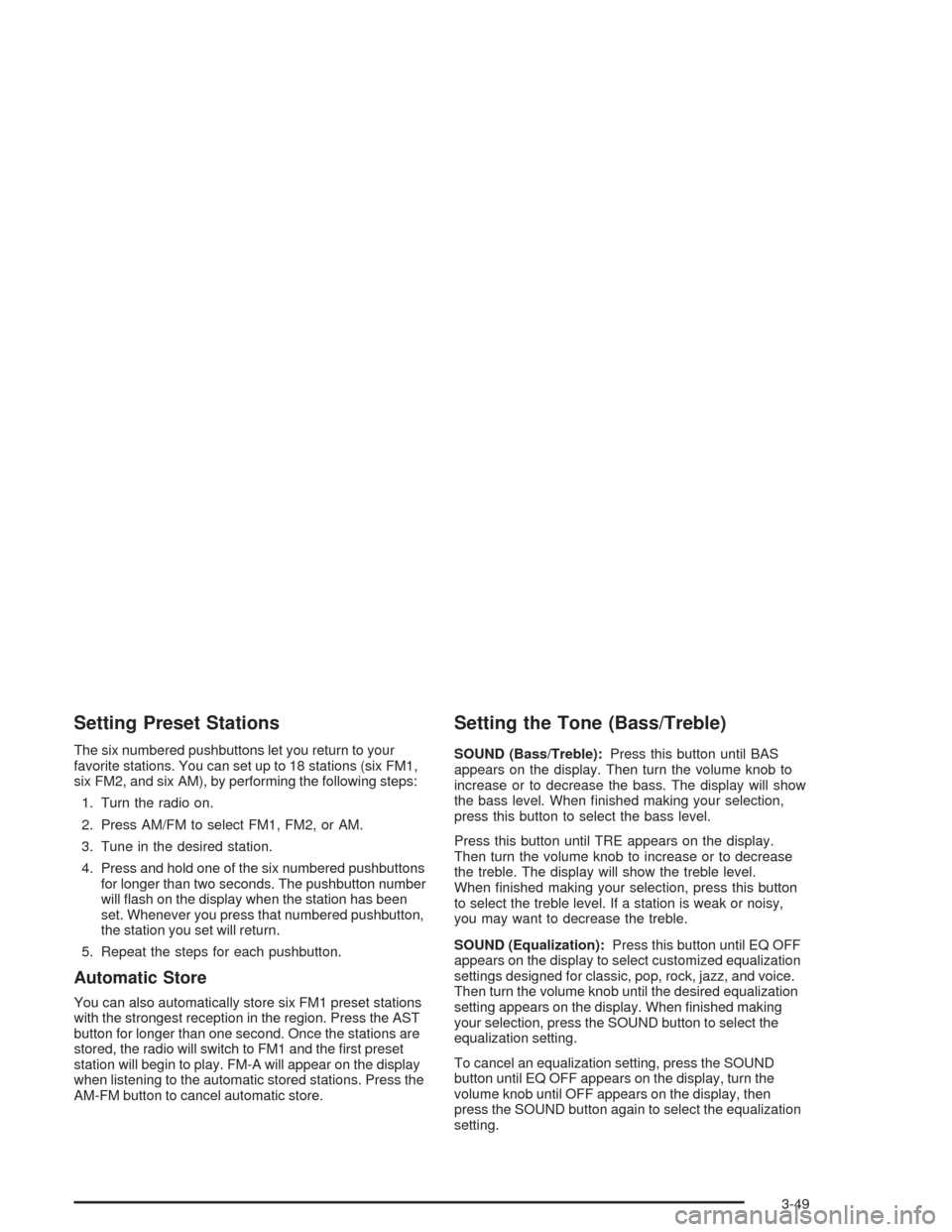
The six numbered pushbuttons let you return to your
favorite stations. You can set up to 18 stations (six FM1,
six FM2, and six AM), by performing the following steps:
1. Turn the radio on.
2. Press AM/FM to select FM1, FM2, or AM.
3. Tune in the desired station.
4. Press and hold one of the six numbered pushbuttons
for longer than two seconds. The pushbutton number
will flash on the display when the station has been
set. Whenever you press that numbered pushbutton,
the station you set will return.
5. Repeat the steps for each pushbutton.
Automatic Store
You can also automatically store six FM1 preset stations
with the strongest reception in the region. Press the AST
button for longer than one second. Once the stations are
stored, the radio will switch to FM1 and the first preset
station will begin to play. FM-A will appear on the display
when listening to the automatic stored stations. Press the
AM-FM button to cancel automatic store.
Setting the Tone (Bass/Treble)
SOUND (Bass/Treble):Press this button until BAS
appears on the display. Then turn the volume knob to
increase or to decrease the bass. The display will show
the bass level. When finished making your selection,
press this button to select the bass level.
Press this button until TRE appears on the display.
Then turn the volume knob to increase or to decrease
the treble. The display will show the treble level.
When finished making your selection, press this button
to select the treble level. If a station is weak or noisy,
you may want to decrease the treble.
SOUND (Equalization):Press this button until EQ OFF
appears on the display to select customized equalization
settings designed for classic, pop, rock, jazz, and voice.
Then turn the volume knob until the desired equalization
setting appears on the display. When finished making
your selection, press the SOUND button to select the
equalization setting.
To cancel an equalization setting, press the SOUND
button until EQ OFF appears on the display, turn the
volume knob until OFF appears on the display, then
press the SOUND button again to select the equalization
setting.
3-49