shift CHEVROLET EPICA 2006 1.G User Guide
[x] Cancel search | Manufacturer: CHEVROLET, Model Year: 2006, Model line: EPICA, Model: CHEVROLET EPICA 2006 1.GPages: 368, PDF Size: 2.24 MB
Page 97 of 368
Leaving Your Vehicle With the
Engine Running
{CAUTION:
It can be dangerous to leave your vehicle
with the engine running. Your vehicle could
move suddenly if the shift lever is not fully in
PARK (P) with the parking brake rmly set.
And, if you leave the vehicle with the engine
running, it could overheat and even catch re.
You or others could be injured. Do not leave
your vehicle with the engine running.
If you have to leave your vehicle with the engine
running, be sure your vehicle is in PARK (P) and your
parking brake is firmly set before you leave it. After
you have moved the shift lever into PARK (P), hold
the regular brake pedal down. Then, see if you
can move the shift lever away from PARK (P).
If you can, it means that the shift lever was not
fully locked into PARK (P).
Torque Lock
If you are parking on a hill and you do not shift your
transaxle into PARK (P) properly, the weight of the
vehicle may put too much force on the parking pawl in
the transaxle. You may find it difficult to pull the shift
lever out of PARK (P). This is called “torque lock.”
To prevent torque lock, set the parking brake and
then shift into PARK (P) properly before you leave the
driver’s seat. To find out how, seeShifting Into Park (P)
on page 2-26.
When you are ready to drive, move the shift lever out
of PARK (P) before you release the parking brake.
If torque lock does occur, you may need to have another
vehicle push yours a little uphill to take some of the
pressure from the parking pawl in the transaxle, so you
can pull the shift lever out of PARK (P).
2-27
Page 98 of 368
Shifting Out of Park (P)
Your vehicle has an automatic transaxle shift-lock
control system. You have to fully apply your regular
brakes before you can shift from PARK (P) when
the ignition is turned to ON. SeeAutomatic Transaxle
Operation on page 2-21.
If you cannot shift out of PARK (P) while holding
the brake pedal down, try this:
1. Set the parking brake.
2. Turn the ignition off and remove the key.
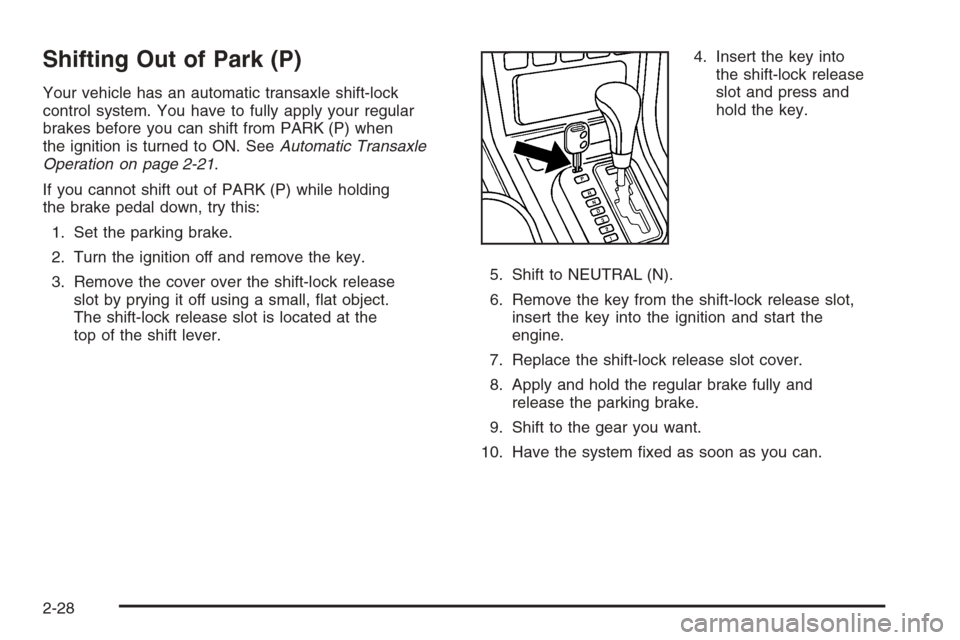
3. Remove the cover over the shift-lock release
slot by prying it off using a small, flat object.
The shift-lock release slot is located at the
top of the shift lever.4. Insert the key into
the shift-lock release
slot and press and
hold the key.
5. Shift to NEUTRAL (N).
6. Remove the key from the shift-lock release slot,
insert the key into the ignition and start the
engine.
7. Replace the shift-lock release slot cover.
8. Apply and hold the regular brake fully and
release the parking brake.
9. Shift to the gear you want.
10. Have the system fixed as soon as you can.
2-28
Page 100 of 368
Running the Engine While Parked
It is better not to park with the engine running.
But if you ever have to, here are some things to know.
{CAUTION:
Idling the engine with the climate control
system off could allow dangerous exhaust into
your vehicle. See the earlier caution under
Engine Exhaust on page 2-29.
Also, idling in a closed-in place can let deadly
carbon monoxide (CO) into your vehicle even
if the climate control fan is at the highest
setting. One place this can happen is a garage.
Exhaust — with CO — can come in easily.
NEVER park in a garage with the engine
running.
Another closed-in place can be a blizzard.
SeeWinter Driving on page 4-24.
{CAUTION:
It can be dangerous to get out of your vehicle
if the shift lever is not fully in PARK (P) with
the parking brake rmly set. Your vehicle
can roll. Do not leave your vehicle when
the engine is running unless you have to.
If you have left the engine running, the vehicle
can move suddenly. You or others could be
injured. To be sure your vehicle will not move,
even when you are on fairly level ground,
always set your parking brake and move the
shift lever to PARK (P).
Follow the proper steps to be sure your vehicle will
not move. SeeShifting Into Park (P) on page 2-26.
If you are parking on a hill and if you are pulling a
trailer, also seeTowing a Trailer on page 4-35.
2-30
Page 111 of 368
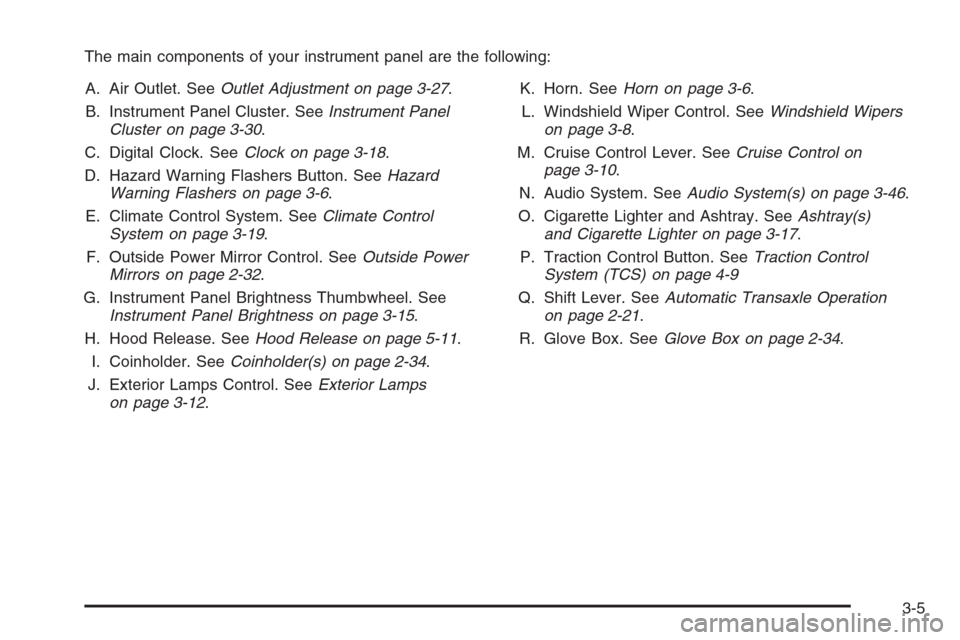
The main components of your instrument panel are the following:
A. Air Outlet. SeeOutlet Adjustment on page 3-27.
B. Instrument Panel Cluster. SeeInstrument Panel
Cluster on page 3-30.
C. Digital Clock. SeeClock on page 3-18.
D. Hazard Warning Flashers Button. SeeHazard
Warning Flashers on page 3-6.
E. Climate Control System. SeeClimate Control
System on page 3-19.
F. Outside Power Mirror Control. SeeOutside Power
Mirrors on page 2-32.
G. Instrument Panel Brightness Thumbwheel. See
Instrument Panel Brightness on page 3-15.
H. Hood Release. SeeHood Release on page 5-11.
I. Coinholder. SeeCoinholder(s) on page 2-34.
J. Exterior Lamps Control. SeeExterior Lamps
on page 3-12.K. Horn. SeeHorn on page 3-6.
L. Windshield Wiper Control. SeeWindshield Wipers
on page 3-8.
M. Cruise Control Lever. SeeCruise Control on
page 3-10.
N. Audio System. SeeAudio System(s) on page 3-46.
O. Cigarette Lighter and Ashtray. SeeAshtray(s)
and Cigarette Lighter on page 3-17.
P. Traction Control Button. SeeTraction Control
System (TCS) on page 4-9
Q. Shift Lever. SeeAutomatic Transaxle Operation
on page 2-21.
R. Glove Box. SeeGlove Box on page 2-34.
3-5
Page 118 of 368
Passing Another Vehicle While Using
Cruise Control
Use the accelerator pedal to increase your speed.
When you take your foot off the pedal, your vehicle will
slow down to the cruise control speed you set earlier.
Using Cruise Control on Hills
How well your cruise control will work on hills depends
upon your speed, load and the steepness of the
hills. When going up steep hills, you may have to
step on the accelerator pedal to maintain your speed.
When going downhill, you may have to brake or shift
to a lower gear to keep your speed down. Of course,
applying the brake pedal takes you out of cruise control.
Many drivers find this to be too much trouble and do
not use cruise control on steep hills.
Ending Cruise Control
There are two ways to turn off the cruise control:
•Step lightly on the brake pedal.
•Press the ON-OFF button on the cruise
control lever.
Erasing Speed Memory
When you turn off the cruise control or the ignition,
your cruise control set speed memory is erased.
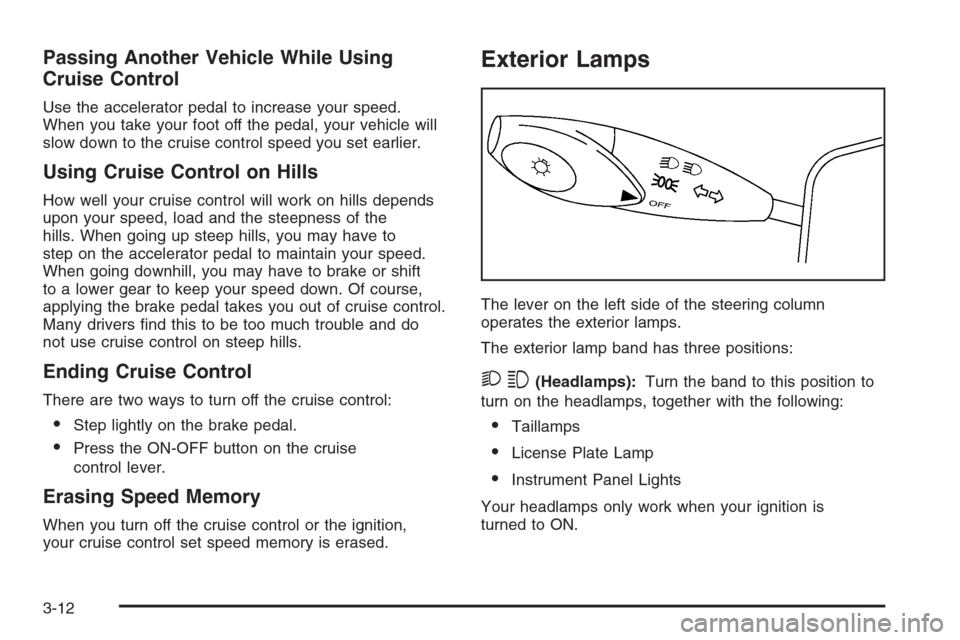
Exterior Lamps
The lever on the left side of the steering column
operates the exterior lamps.
The exterior lamp band has three positions:
23(Headlamps):Turn the band to this position to
turn on the headlamps, together with the following:
•Taillamps
•License Plate Lamp
•Instrument Panel Lights
Your headlamps only work when your ignition is
turned to ON.
3-12
Page 145 of 368
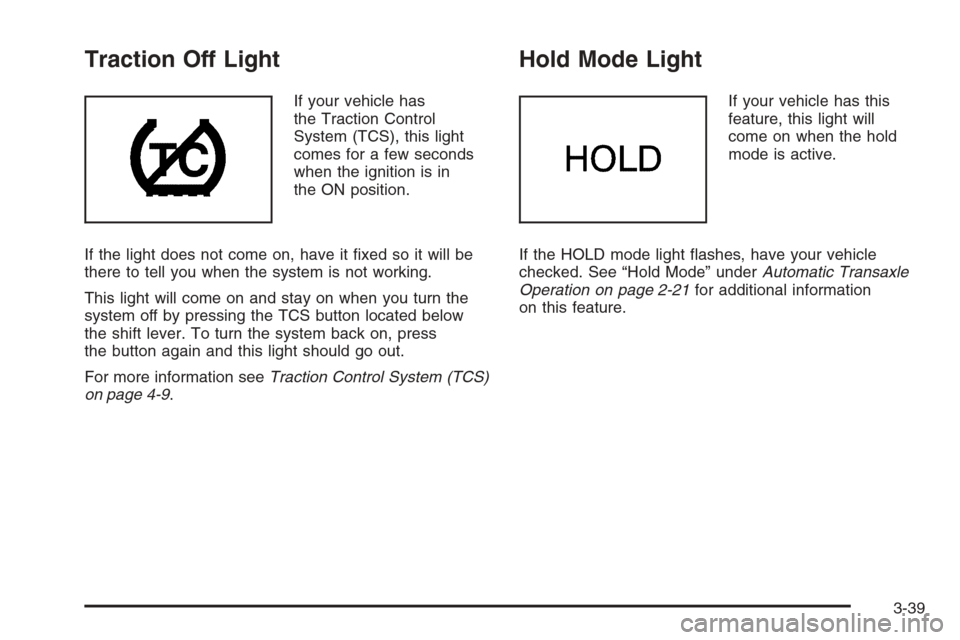
Traction Off Light
If your vehicle has
the Traction Control
System (TCS), this light
comes for a few seconds
when the ignition is in
the ON position.
If the light does not come on, have it fixed so it will be
there to tell you when the system is not working.
This light will come on and stay on when you turn the
system off by pressing the TCS button located below
the shift lever. To turn the system back on, press
the button again and this light should go out.
For more information seeTraction Control System (TCS)
on page 4-9.
Hold Mode Light
If your vehicle has this
feature, this light will
come on when the hold
mode is active.
If the HOLD mode light flashes, have your vehicle
checked. See “Hold Mode” underAutomatic Transaxle
Operation on page 2-21for additional information
on this feature.
3-39
Page 181 of 368
CD Messages
CHECK CD:If this message appears on the display
and/or the CD comes out, it could be for one of the
following reasons:
•It is very hot. When the temperature returns to
normal, the CD should play.
•You are driving on a very rough road. When the
road becomes smoother, the CD should play.
•The CD is dirty, scratched, wet, or upside down.
•The air is very humid. If so, wait about an hour
and try again.
•The format of the CD may not be compatible.
See “MP3 Format” earlier in this section.
•There may have been a problem while burning
the CD.
•The label may be caught in the CD player.
If the CD is not playing correctly, for any other reason,
try a known good CD.
If any error occurs repeatedly or if an error cannot be
corrected, contact your dealer. If the radio displays
an error message, write it down and provide it to your
dealer when reporting the problem.
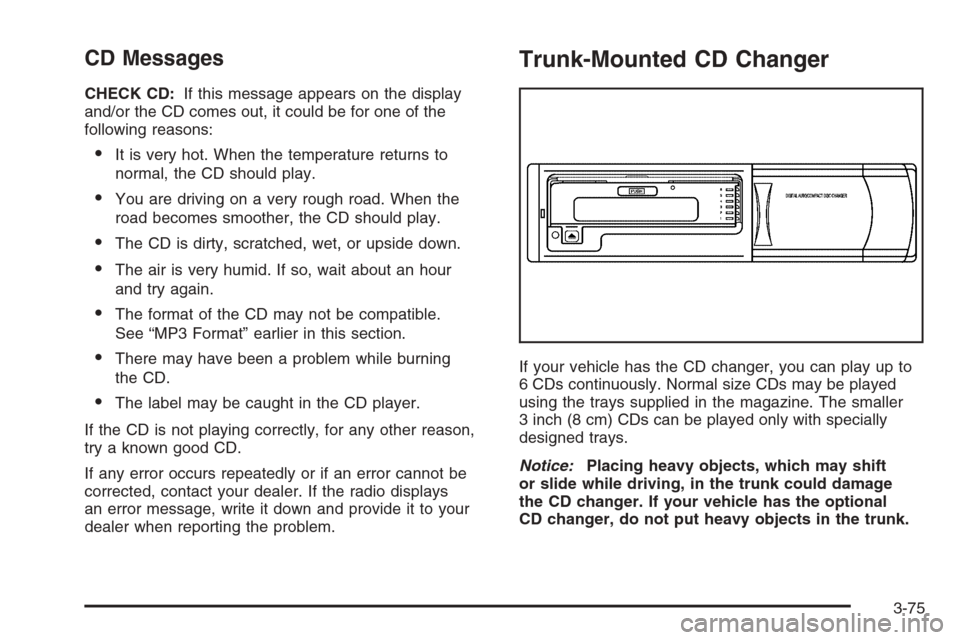
Trunk-Mounted CD Changer
If your vehicle has the CD changer, you can play up to
6 CDs continuously. Normal size CDs may be played
using the trays supplied in the magazine. The smaller
3 inch (8 cm) CDs can be played only with specially
designed trays.
Notice:Placing heavy objects, which may shift
or slide while driving, in the trunk could damage
the CD changer. If your vehicle has the optional
CD changer, do not put heavy objects in the trunk.
3-75
Page 197 of 368
Using ABS
Do not pump the brakes. Just hold the brake pedal
down firmly and let anti-lock work for you. You may feel
a slight brake pedal pulsation or notice some noise,
but this is normal.
Braking in Emergencies
With ABS, you can steer and brake at the same time.
In many emergencies, steering can help you more than
even the very best braking.
Traction Control System (TCS)
Your vehicle may have a Traction Control System (TCS)
that limits wheel spin. This is especially useful in
slippery road conditions. The system operates only if
it senses that one or both of the front wheels are
spinning or beginning to lose traction. When this
happens, the system works the front brakes to limit
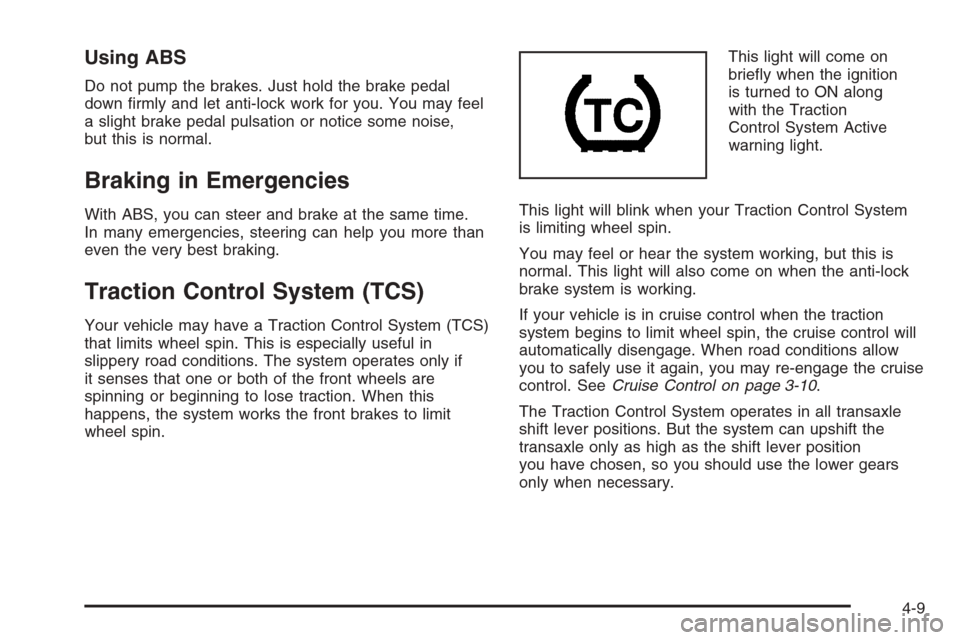
wheel spin.This light will come on
briefly when the ignition
is turned to ON along
with the Traction
Control System Active
warning light.
This light will blink when your Traction Control System
is limiting wheel spin.
You may feel or hear the system working, but this is
normal. This light will also come on when the anti-lock
brake system is working.
If your vehicle is in cruise control when the traction
system begins to limit wheel spin, the cruise control will
automatically disengage. When road conditions allow
you to safely use it again, you may re-engage the cruise
control. SeeCruise Control on page 3-10.
The Traction Control System operates in all transaxle
shift lever positions. But the system can upshift the
transaxle only as high as the shift lever position
you have chosen, so you should use the lower gears
only when necessary.
4-9
Page 198 of 368
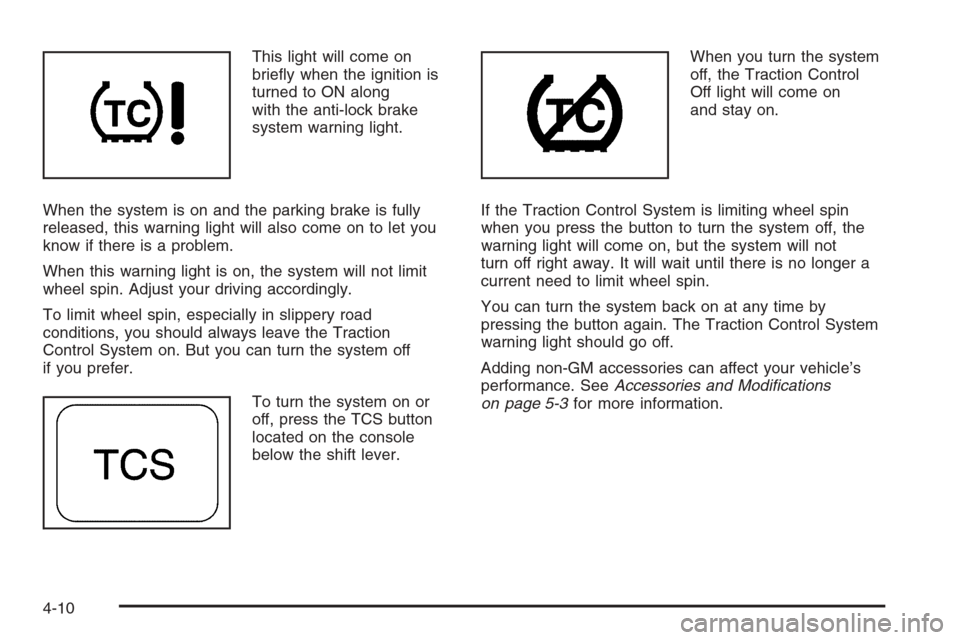
This light will come on
briefly when the ignition is
turned to ON along
with the anti-lock brake
system warning light.
When the system is on and the parking brake is fully
released, this warning light will also come on to let you
know if there is a problem.
When this warning light is on, the system will not limit
wheel spin. Adjust your driving accordingly.
To limit wheel spin, especially in slippery road
conditions, you should always leave the Traction
Control System on. But you can turn the system off
if you prefer.
To turn the system on or
off, press the TCS button
located on the console
below the shift lever.When you turn the system
off, the Traction Control
Off light will come on
and stay on.
If the Traction Control System is limiting wheel spin
when you press the button to turn the system off, the
warning light will come on, but the system will not
turn off right away. It will wait until there is no longer a
current need to limit wheel spin.
You can turn the system back on at any time by
pressing the button again. The Traction Control System
warning light should go off.
Adding non-GM accessories can affect your vehicle’s
performance. SeeAccessories and Modifications
on page 5-3for more information.
4-10
Page 203 of 368
Loss of Control
Let us review what driving experts say about what
happens when the three control systems — brakes,
steering, and acceleration — do not have enough friction
where the tires meet the road to do what the driver
has asked.
In any emergency, do not give up. Keep trying to
steer and constantly seek an escape route or area of
less danger.
Skidding
In a skid, a driver can lose control of the vehicle.
Defensive drivers avoid most skids by taking reasonable
care suited to existing conditions, and by not overdriving
those conditions. But skids are always possible.
The three types of skids correspond to your vehicle’s
three control systems. In the braking skid, your wheels
are not rolling. In the steering or cornering skid, too
much speed or steering in a curve causes tires to
slip and lose cornering force. And in the acceleration
skid, too much throttle causes the driving wheels to spin.
A cornering skid is best handled by easing your foot
off the accelerator pedal.Remember: Any traction control system helps avoid only
the acceleration skid. If your traction control system is
off, then an acceleration skid is also best handled
by easing your foot off the accelerator pedal.
If your vehicle starts to slide, ease your foot off the
accelerator pedal and quickly steer the way you want
the vehicle to go. If you start steering quickly enough,
your vehicle may straighten out. Always be ready
for a second skid if it occurs.
Of course, traction is reduced when water, snow, ice,
gravel, or other material is on the road. For safety,
you will want to slow down and adjust your driving to
these conditions. It is important to slow down on slippery
surfaces because stopping distance will be longer and
vehicle control more limited.
While driving on a surface with reduced traction,
try your best to avoid sudden steering, acceleration,
or braking, including engine braking by shifting to
a lower gear. Any sudden changes could cause the
tires to slide. You may not realize the surface is slippery
until your vehicle is skidding. Learn to recognize
warning clues — such as enough water, ice, or packed
snow on the road to make a mirrored surface — and
slow down when you have any doubt.
Remember: Any Anti-Lock Brake System (ABS) helps
avoid only the braking skid.
4-15