CD player CHEVROLET EQUINOX 2012 2.G User Guide
[x] Cancel search | Manufacturer: CHEVROLET, Model Year: 2012, Model line: EQUINOX, Model: CHEVROLET EQUINOX 2012 2.GPages: 428, PDF Size: 6.62 MB
Page 169 of 428
Black plate (9,1)Chevrolet Equinox Owner Manual - 2012
Infotainment System 7-9
Press the Phone screen button to
display the Phone main page. See
Bluetooth (Overview) on page 7‑36
orBluetooth (Infotainment Controls)
on page 7‑38 orBluetooth (Voice
Recognition) on page 7‑42.
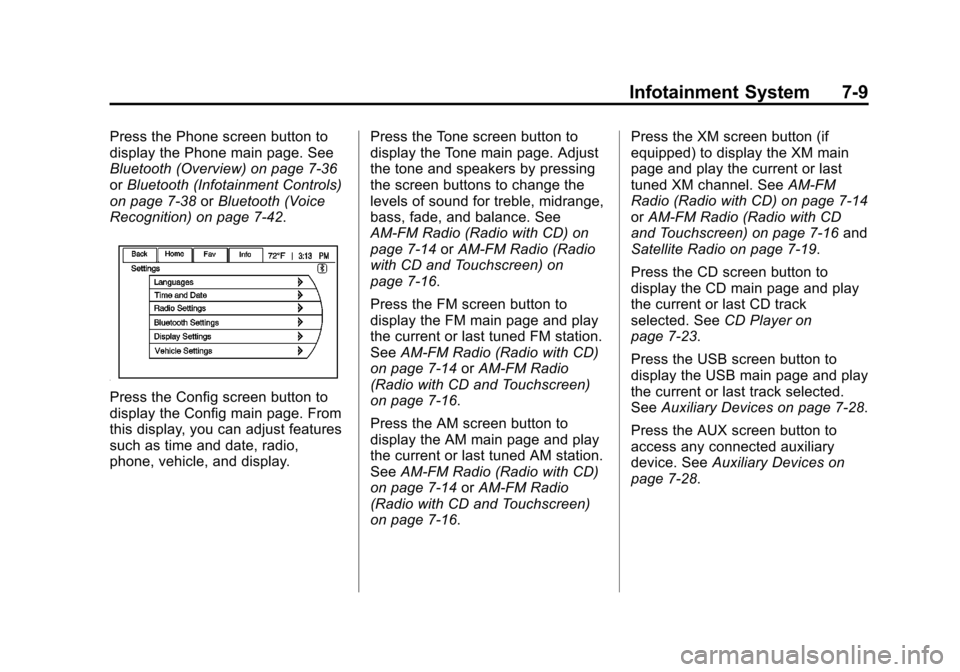
Press the Config screen button to
display the Config main page. From
this display, you can adjust features
such as time and date, radio,
phone, vehicle, and display. Press the Tone screen button to
display the Tone main page. Adjust
the tone and speakers by pressing
the screen buttons to change the
levels of sound for treble, midrange,
bass, fade, and balance. See
AM-FM Radio (Radio with CD) on
page 7‑14
orAM-FM Radio (Radio
with CD and Touchscreen) on
page 7‑16.
Press the FM screen button to
display the FM main page and play
the current or last tuned FM station.
See AM-FM Radio (Radio with CD)
on page 7‑14 orAM-FM Radio
(Radio with CD and Touchscreen)
on page 7‑16.
Press the AM screen button to
display the AM main page and play
the current or last tuned AM station.
See AM-FM Radio (Radio with CD)
on page 7‑14 orAM-FM Radio
(Radio with CD and Touchscreen)
on page 7‑16. Press the XM screen button (if
equipped) to display the XM main
page and play the current or last
tuned XM channel. See
AM-FM
Radio (Radio with CD) on page 7‑14
or AM-FM Radio (Radio with CD
and Touchscreen) on page 7‑16 and
Satellite Radio on page 7‑19.
Press the CD screen button to
display the CD main page and play
the current or last CD track
selected. See CD Player on
page 7‑23.
Press the USB screen button to
display the USB main page and play
the current or last track selected.
See Auxiliary Devices on page 7‑28.
Press the AUX screen button to
access any connected auxiliary
device. See Auxiliary Devices on
page 7‑28.
Page 172 of 428
Black plate (12,1)Chevrolet Equinox Owner Manual - 2012
7-12 Infotainment System
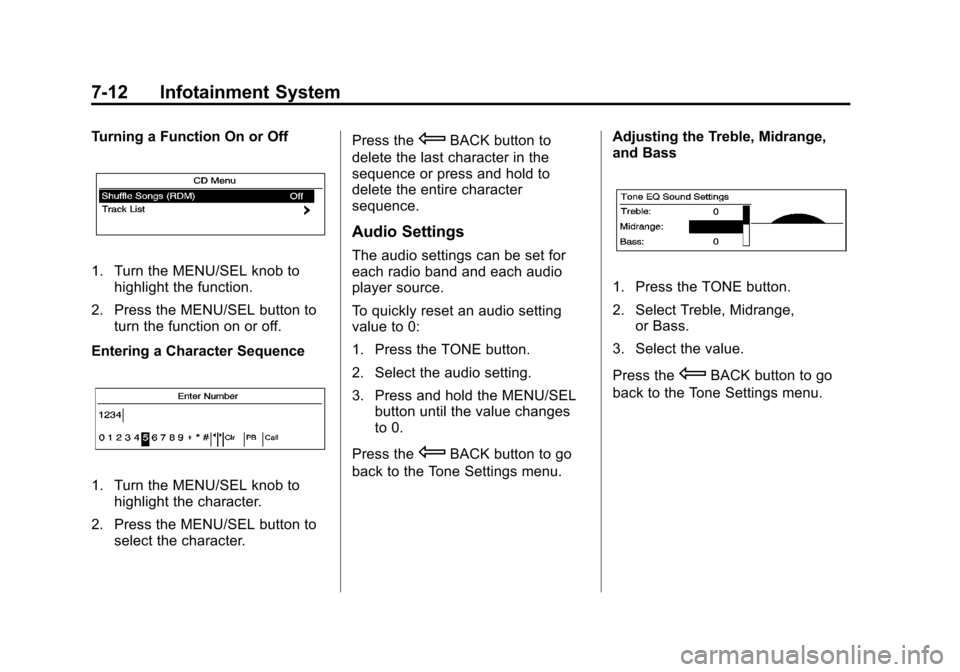
Turning a Function On or Off
1. Turn the MENU/SEL knob tohighlight the function.
2. Press the MENU/SEL button to turn the function on or off.
Entering a Character Sequence
1. Turn the MENU/SEL knob to highlight the character.
2. Press the MENU/SEL button to select the character. Press the
EBACK button to
delete the last character in the
sequence or press and hold to
delete the entire character
sequence.
Audio Settings
The audio settings can be set for
each radio band and each audio
player source.
To quickly reset an audio setting
value to 0:
1. Press the TONE button.
2. Select the audio setting.
3. Press and hold the MENU/SEL button until the value changes
to 0.
Press the
EBACK button to go
back to the Tone Settings menu. Adjusting the Treble, Midrange,
and Bass
1. Press the TONE button.
2. Select Treble, Midrange,
or Bass.
3. Select the value.
Press the
EBACK button to go
back to the Tone Settings menu.
Page 183 of 428
Black plate (23,1)Chevrolet Equinox Owner Manual - 2012
Infotainment System 7-23
FM
FM signals only reach about 16 to
65 km (10 to 40 mi). Although the
radio has a built-in electronic circuit
that automatically works to reduce
interference, some static can occur,
especially around tall buildings or
hills, causing the sound to fade in
and out.
AM
The range for most AM stations is
greater than for FM, especially at
night. The longer range can cause
station frequencies to interfere with
each other. Static can occur when
things like storms and power lines
interfere with radio reception. When
this happens, try reducing the treble
on the radio.
XM™Satellite Radio Service
XM Satellite Radio Service gives
digital radio reception from coast to
coast in the 48 contiguous United
States, and in Canada. Just as with
FM, tall buildings or hills can
interfere with satellite radio signals, causing the sound to fade in and
out. In addition, traveling or standing
under heavy foliage, bridges,
garages, or tunnels may cause loss
of the XM signal for a period of time.
Cellular Phone Usage
Cellular phone usage can cause
interference with the vehicle's radio.
Multi-Band Antenna
The multi-band antenna is on the
roof of the vehicle. The antenna is
used for the AM‐FM radio, OnStar,
the XM Satellite Radio Service
System, and GPS (Global
Positioning System), if the vehicle
has these features. Keep the
antenna clear of obstructions for
clear reception.
Audio Players
CD Player
For vehicles equipped with the
MyLink or IntelliLink infotainment
system, see the separate MyLink/
IntelliLink Features and Functions
Guide for more information.
The player can be used for CD and
MP3 audio.
With the vehicle on, insert a disc
into the slot, label side up. The
player pulls it in and begins playing.
While playing, the navigation
system is available.
The system is capable of playing:
.Most audio CDs
.CD-R
.CD-RW
.MP3 or unprotected WMA
formats
Page 184 of 428
Black plate (24,1)Chevrolet Equinox Owner Manual - 2012
7-24 Infotainment System
When playing any compatible
recordable disc, the sound quality
can be reduced due to disc quality,
the method of recording, the quality
of the music that has been
recorded, or the way the disc has
been handled.
There can be increased skipping,
difficulty in recording tracks,
difficulty in finding tracks, and/or
difficulty in loading and ejecting.
If these problems occur, check the
disc for damage or try a known
good disc.
To avoid damage to the CD player:
.Do not use scratched or
damaged discs.
.Do not apply labels to discs. The
labels could get caught in the
player.
.Insert only one disc at a time.
.Keep the loading slot free of
foreign materials, liquids, and
debris.
.Use a marking pen to label the
top of the disc.
Loading and Ejecting Discs
To load a disc:
1. Turn the vehicle on.
2. Insert a disc into the slot, labelside up. The player pulls it in the
rest of the way. If the disc is
damaged or improperly loaded,
there is an error and the disc
ejects.
The disc automatically plays once
loaded.
Press
Xto eject a disc from the
CD player. If the disc is not removed
within a short period of time, it is
automatically pulled back into the
player.
Control Buttons
The buttons used to control the CD
player are:
CD: Press to choose between the
CD and AUX player.
lSEEK orgSEEK: Press to
select tracks or to fast forward or
rewind within a track. INFO:
Press to display additional
information about the CD that may
be available.
MENU/SEL: Turn to select tracks.
X(Eject):Press to remove
the CD.
k: Press to pause a CD or MP3
track; press again to resume
playback.
Playing an Audio CD (Radio
with CD)
Press the CD button. If there is a
disc in the player it begins playing.
Information about the disc and
current track is shown on the
display depending on the data
stored.
Selecting a CD Track
Using the control buttons:
.PressgSEEK orlSEEK to
select the previous or next track.
.Turn the MENU/SEL knob.
Page 186 of 428
Black plate (26,1)Chevrolet Equinox Owner Manual - 2012
7-26 Infotainment System
Use the following controls to play
the disc:
k(Play/Pause):Use to start,
pause, or resume play.
gSEEK (Seek Down):
.Press to seek to the beginning of
the current or previous track.
If the track has been playing for
less than five seconds, it seeks
to the previous track. If longer
than five seconds, the current
track starts from the beginning.
.Press and hold to fast reverse
through a track. Release the
button to return to playing
speed. Elapsed time displays.
lSEEK (Seek Up):
.Press to seek to the next track.
.Press and hold to fast forward
through a track. Release the
button to return to playing
speed. Elapsed time displays. MENU/SEL:
Turn to the right or left
to select the next or previous track.
Press this knob to select the menu.
If a track is selected from the list,
the system plays the track and
returns to the CD screen.
Error Messages
If Disc Error displays and/or the disc
comes out, it could be for one of the
following reasons:
.The disc has an invalid or
unknown format.
.The disc is very hot. Try the disc
again when the temperature
returns to normal.
.The road is very rough. Try the
disc again when the road is
smoother.
.The disc is dirty, scratched, wet,
or upside down.
.The air is very humid. Try the
disc again later.
.There was a problem while
burning the disc.
.The label is caught in the CD
player.
If the CD is not playing correctly, for
any other reason, try a known
good CD.
If any error continues, contact your
dealer.
MP3
Playing an MP3 CD
For vehicles equipped with the
MyLink or IntelliLink infotainment
system, see the separate MyLink/
IntelliLink Features and Functions
Guide for more information.
To play an MP3 CD, follow the same
instructions as “Playing an
Audio CD.”
Page 188 of 428
Black plate (28,1)Chevrolet Equinox Owner Manual - 2012
7-28 Infotainment System
Empty Folders
If a root directory or folder is empty
or contains only folders, the player
advances to the next folder in the
file structure that contains a
compressed audio file. The empty
folder(s) are not displayed or
numbered.
No Folder
When the CD only contains
compressed audio files without any
folders or playlists, all files are
under the root folder.
File System and Naming
The song titles, artists, albums, and
genres are taken from the file's ID3
tag and are only displayed if present
in the tag. If a song title is not
present in the ID3 tag, the radio
displays the file name as the
track name.Preprogrammed Playlists
The radio recognizes
preprogrammed playlists; however,
there is no editing capability. These
playlists are treated as special
folders containing compressed
audio song files.
Auxiliary Devices
For vehicles equipped with the
MyLink or IntelliLink infotainment
system, see the separate MyLink/
IntelliLink Features and Functions
Guide for more information.
This vehicle has an auxiliary input
jack in the center console. Possible
auxiliary audio sources include:
.Laptop computer
.MP3 player
.Tape player
The auxiliary input allows portable
devices to be connected using the
3.5 mm (1/8 in) input jack or the
optional USB port. Portable devices are controlled by
using the menu system described in
Operation on page 7‑10.
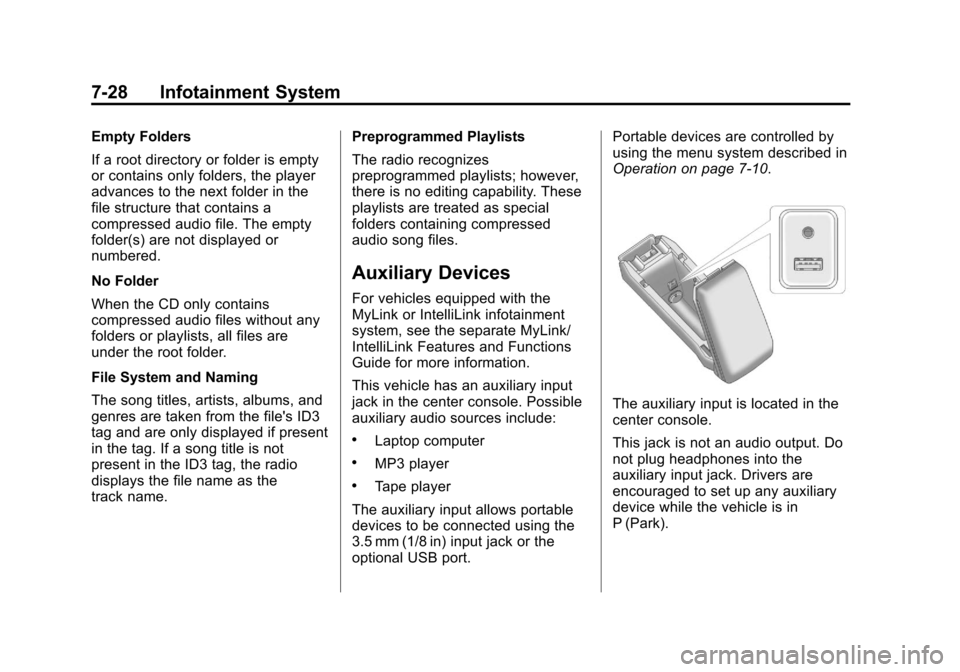
The auxiliary input is located in the
center console.
This jack is not an audio output. Do
not plug headphones into the
auxiliary input jack. Drivers are
encouraged to set up any auxiliary
device while the vehicle is in
P (Park).
Page 191 of 428
Black plate (31,1)Chevrolet Equinox Owner Manual - 2012
Infotainment System 7-31
USB MP3 Player and USB Drives
.The USB MP3 players and USB
drives connected must comply
with the USB Mass Storage
Class specification (USB MSC).
.Only USB MP3 players and USB
drives with a sector size or
512 bytes and a cluster size
smaller or equal to 32 kbytes in
the FAT32 file system are
supported.
.Hard disk drives are not
supported.
.The following restrictions apply
for the data stored on a USB
MP3 player or USB device:
‐Maximum folder structure
depth: 11 levels.
‐ Maximum number of MP3/
WMA files that can be
displayed: 1,000
.WMA with Digital Rights
Management (DRM) from online
music shops cannot be played.
WMA files can only be played
back safely if they were created
with Windows Media Player
version 8 or later.
‐Applicable playlist extensions
are: .m3u, .pls.
‐ Playlist entries must be in the
form of relative paths.
‐ The system attribute for
folders/files that contain audio
data must not be set.
To play a USB device, do one of the
following:
.Connect the USB and it begins
to play.
.Press the Now Playing screen
button on the Home Page, then
press the SOURCE button on
the faceplate repeatedly to cycle
through all of the available audio
source screens, until the USB
source screen is selected. While the USB source is active, use
the following to operate USB
function:
k(Play/Pause):
Press to start,
pause, or resume play of the current
media source.
gSEEK (Seek Down):
1. Press to seek to the beginning of the current or previous track.
If the track has been playing for
less than five seconds, the
previous track plays. If playing
longer than five seconds, the
current track restarts.
2. Press and hold to reverse quickly through playback.
3. Release to return to playing speed. Elapsed time displays.
lSEEK (Seek Up):
1. Press to seek to the next track.
2. Press and hold to advance quickly through playback.
Release to return to playing
speed. Elapsed time displays.
Page 199 of 428
Black plate (39,1)Chevrolet Equinox Owner Manual - 2012
Infotainment System 7-39
Pairing Information
.A Bluetooth phone with MP3
capability cannot be paired to
the vehicle as a phone and an
MP3 player at the same time.
.Up to five cell phones can be
paired to the Bluetooth system.
.The pairing process is disabled
when the vehicle is moving.
.Pairing only needs to be
completed once, unless the
pairing information on the cell
phone changes or the cell phone
is deleted from the system.
.Only one paired cell phone can
be connected to the Bluetooth
system at a time.
.If multiple paired cell phones are
within range of the system, the
system connects to the first
available paired cell phone in the
order that they were first paired
to the system. To link to a
different paired phone, see
“Linking to a Different Phone”
later in this section.Pairing a Phone
1. Press the CONFIG button.
2. Select Phone Settings or
Bluetooth Settings.
3. Select Bluetooth.
4. Select Pair Device (Phone). A four‐digit Personal
Identification Number (PIN)
appears on the display. The PIN
is used in Step 6.
5. Start the pairing process on the cell phone to be paired to the
vehicle. See the cell phone
manufacturer's user guide for
information on this process.
6. Locate the device named “Your
Vehicle” in the list on the cell
phone. Follow the instructions
on the cell phone to enter the
PIN provided in Step 4. After the
PIN is successfully entered, the
system prompts you to provide a
name for the paired cell phone.
This name will be used to
indicate which phones are
paired and connected to the vehicle. The system responds
with
“
successfully paired” after the
pairing process is complete.
7. Repeat Steps 1 through 6 to pair additional phones.
Listing All Paired and Connected
Phones
1. Press the CONFIG button.
2. Select Phone Settings or Bluetooth Settings.
3. Select Bluetooth.
4. Select Device List.
Deleting a Paired Phone
1. Press the CONFIG button.
2. Select Phone Settings or Bluetooth Settings.
3. Select Bluetooth.
4. Select Device List.
5. Select the phone to delete and follow the on screen prompts.
Page 202 of 428
Black plate (42,1)Chevrolet Equinox Owner Manual - 2012
7-42 Infotainment System
Ending a Call
Turn or press the MENU/SEL knob
and select Hang Up.
Muting a Call
To Mute a Call
Turn or press the MENU/SEL knob
and select Mute Call.
To Cancel Mute
Turn or press the MENU/SEL knob
and select Mute Call.
Dual Tone Multi-Frequency
(DTMF) Tones
The in‐vehicle Bluetooth system can
send numbers during a call. This is
used when calling a menu‐driven
phone system.
1. Turn or press the MENU/SELknob and select Enter Number.
2. Enter the character sequence. See “Entering a Character
Sequence” inOperation on
page 7‑10 for more information.
Bluetooth (Voice
Recognition)
Using Voice Recognition
For vehicles equipped with the
MyLink or IntelliLink infotainment
system, see the separate MyLink/
IntelliLink Features and Functions
Guide for more information.
To use voice recognition, press the
b/gbutton located on the steering
wheel. Use the commands below for
the various voice features. For
additional information, say “Help”
while you are in a voice
recognition menu.
Pairing
A Bluetooth‐enabled cell phone
must be paired to the Bluetooth
system and then connected to the
vehicle before it can be used. See
your cell phone manufacturer's user
guide for Bluetooth functions before
pairing the cell phone. If a Bluetooth
phone is not connected, calls will be
made using OnStar Hands‐Free Calling, if available. See
OnStar
Overview on page 14‑1 for more
information.
Pairing Information
.A Bluetooth phone with MP3
capability cannot be paired to
the vehicle as a phone and an
MP3 player at the same time.
.Up to five cell phones can be
paired to the Bluetooth system.
.The pairing process is disabled
when the vehicle is moving.
.Pairing only needs to be
completed once, unless the
pairing information on the cell
phone changes or the cell phone
is deleted from the system.
.Only one paired cell phone can
be connected to the Bluetooth
system at a time.
Page 417 of 428

Black plate (1,1)Chevrolet Equinox Owner Manual - 2012
INDEX i-1
A
Accessories andModifications . . . . . . . . . . . . . . . . . 10-3
Accessory Power . . . . . . . . . . . . . . 9-25
Add-On Electrical Equipment . . . . . . . . . . . . . . . . . . . 9-64
Additional Information,
OnStar
®. . . . . . . . . . . . . . . . . . . . . . 14-5
Adjustments Lumbar, Front Seats . . . . . . . . . . . 3-5
Air Cleaner/Filter, Engine . . . . . 10-14
Air Conditioning . . . . . . . . . . . . . . . . 8-3
Air Filter, Passenger
Compartment . . . . . . . . . . . . . . . . . 8-6
Air Vents . . . . . . . . . . . . . . . . . . . . . . . 8-5
Airbag System Check . . . . . . . . . . . . . . . . . . . . . . . . 3-34
How Does an AirbagRestrain? . . . . . . . . . . . . . . . . . . . 3-26
Passenger Sensing
System . . . . . . . . . . . . . . . . . . . . . . 3-28
What Makes an Airbag Inflate? . . . . . . . . . . . . . . . . . . . . . . 3-26 Airbag System (cont'd)
What Will You See after an
Airbag Inflates? . . . . . . . . . . . . . 3-26
When Should an Airbag
Inflate? . . . . . . . . . . . . . . . . . . . . . . 3-24
Where Are the Airbags? . . . . . . 3-23
Airbags Adding Equipment to theVehicle . . . . . . . . . . . . . . . . . . . . . . 3-33
Passenger Status Indicator . . . 5-13
Readiness Light . . . . . . . . . . . . . . 5-12
Servicing Airbag-Equipped Vehicles . . . . . . . . . . . . . . . . . . . . . 3-32
System Check . . . . . . . . . . . . . . . . 3-21
Alarm System Anti-theft . . . . . . . . . . . . . . . . . . . . . . 2-13
All-Wheel Drive . . . . . . . . . 10-26, 9-32
AM-FM Radio . . . . . . . . . . . . 7-14, 7-16
Antenna Multi-band . . . . . . . . . . . . . . . . . . . . 7-23
Anti-theft Alarm System . . . . . . . . . . . . . . . . 2-13
Alarm System Messages . . . . . 5-32
Antilock Brake System (ABS) . . . . . . . . . . . . . . . . 9-32
Warning Light . . . . . . . . . . . . . . . . . 5-18 Appearance Care
Exterior . . . . . . . . . . . . . . . . . . . . . 10-81
Interior . . . . . . . . . . . . . . . . . . . . . . 10-84
Assistance Program, Roadside . . . . . . . . . . . . . . . . . . . . . 13-6
Audio Players . . . . . . . . . . . . . . . . . 7-23 CD . . . . . . . . . . . . . . . . . . . . . . . . . . . 7-23
MP3 . . . . . . . . . . . . . . . . . . . . . . . . . . 7-26
Audio System Radio Reception . . . . . . . . . . . . . . 7-22
Rear Seat (RSA) . . . . . . . . . . . . . 7-34
Theft-Deterrent Feature . . . . . . . . 7-2
Automatic Climate Control System . . . . . . . . 8-3
Headlamp System . . . . . . . . . . . . . 6-3
Transmission . . . . . . . . . . . . . . . . . 9-29
Transmission Fluid . . . . . . . . . 10-13
Automatic Transmission Manual Mode . . . . . . . . . . . . . . . . . 9-31
Shift Lock ControlFunction Check . . . . . . . . . . . 10-27
Auxiliary Devices . . . . . . . . . . . . . . . . . . . . . . . 7-28