engine oil CHEVROLET EQUINOX 2017 2.G Owners Manual
[x] Cancel search | Manufacturer: CHEVROLET, Model Year: 2017, Model line: EQUINOX, Model: CHEVROLET EQUINOX 2017 2.GPages: 327, PDF Size: 5.54 MB
Page 6 of 327
Chevrolet Equinox Owner Manual (GMNA-Localizing-U.S./Canada/Mexico-
9918169) - 2017 - CRC - 3/23/16
In Brief 5
In Brief
Instrument Panel
Instrument Panel . . . . . . . . . . . . . . . . 6
Initial Drive Information
Initial Drive Information . . . . . . . . . . 7
Remote Keyless Entry (RKE)System . . . . . . . . . . . . . . . . . . . . . . . . 7
Remote Vehicle Start . . . . . . . . . . . 8
Door Locks . . . . . . . . . . . . . . . . . . . . . 9
Liftgate . . . . . . . . . . . . . . . . . . . . . . . . . . 9
Windows . . . . . . . . . . . . . . . . . . . . . . . 10
Seat Adjustment . . . . . . . . . . . . . . . 10
Memory Features . . . . . . . . . . . . . . 12
Heated Seats . . . . . . . . . . . . . . . . . . 12
Head Restraint Adjustment . . . . 12
Safety Belts . . . . . . . . . . . . . . . . . . . . 13
Passenger Sensing System . . . 13
Mirror Adjustment . . . . . . . . . . . . . . 13
Steering Wheel Adjustment . . . . 14
Interior Lighting . . . . . . . . . . . . . . . . 14
Exterior Lighting . . . . . . . . . . . . . . . 15
Windshield Wiper/Washer . . . . . . 15
Climate Controls . . . . . . . . . . . . . . . 16
Transmission . . . . . . . . . . . . . . . . . . 17
Parking Brake . . . . . . . . . . . . . . . . . 18
Vehicle Features
Infotainment System . . . . . . . . . . . 18
Steering Wheel Controls . . . . . . . 18
Cruise Control . . . . . . . . . . . . . . . . . 19
Driver Information Center (DIC) . . . . . . . . . . . . . . . . . 19
Forward Collision Alert (FCA) System . . . . . . . . . . . . . . . . . . . . . . . 19
Lane Departure Warning (LDW) . . . . . . . . . . . . . . . 20
Side Blind Zone Alert (SBZA) . . . . . . . . . . . . . . . . . . 20
Rear Vision Camera (RVC) . . . . 20
Rear Cross Traffic Alert (RCTA) System . . . . . . . . . . . . . . . . . . . . . . . 20
Parking Assist . . . . . . . . . . . . . . . . . 20
Power Outlets . . . . . . . . . . . . . . . . . 20
Sunroof . . . . . . . . . . . . . . . . . . . . . . . . 21
Performance and Maintenance
Traction Control/Electronic Stability Control . . . . . . . . . . . . . . 21
Tire Pressure Monitor . . . . . . . . . . 22
Fuel . . . . . . . . . . . . . . . . . . . . . . . . . . . 22
E85 or FlexFuel . . . . . . . . . . . . . . . . 22
Engine Oil Life System . . . . . . . . 23
Driving for Better Fuel Economy . . . . . . . . . . . . . . . . . . . . . 23
Roadside Assistance Program . . . . . . . . . . . . . . . . . . . . . . 23
Page 24 of 327
Chevrolet Equinox Owner Manual (GMNA-Localizing-U.S./Canada/Mexico-
9918169) - 2017 - CRC - 3/23/16
In Brief 23
Engine Oil Life System
The engine oil life system calculates
engine oil life based on vehicle use
and displays the CHANGE ENGINE
OIL SOON message when it is time
to change the engine oil and filter.
The oil life system should be reset
to 100% only following an oil
change.
Resetting the Oil Life System1. Turn the ignition to ON/RUN, with the engine off.
2. Press the DIC MENU button to display the Vehicle
Information menu.
3. Press either the up or down arrows to view REMAINING
OIL LIFE.
4. Press the SET/CLR button until 100% is displayed.
5. Turn the key to LOCK/OFF.
Or: 1. Turn the ignition to ON/RUN with the engine off. 2. Fully press and release the
accelerator pedal three times
within five seconds.
See Engine Oil Life System 0210.
Driving for Better Fuel
Economy
Driving habits can affect fuel
mileage. Here are some driving tips
to get the best fuel economy
possible.
.
Avoid fast starts and accelerate
smoothly.
. Brake gradually and avoid
abrupt stops.
. Avoid idling the engine for long
periods of time.
. When road and weather
conditions are appropriate, use
cruise control.
. Always follow posted speed
limits or drive more slowly when
conditions require.
. Keep vehicle tires properly
inflated. .
Combine several trips into a
single trip.
. Replace the vehicle's tires with
the same TPC Spec number
molded into the tire's sidewall
near the size.
. Follow recommended scheduled
maintenance.
Roadside Assistance
Program
U.S.: 1-800-243-8872
TTY Users (U.S. Only):
1-888-889-2438
Canada: 1-800-268-6800
New Chevrolet owners are
automatically enrolled in the
Roadside Assistance Program.
See Roadside Assistance
Program 0296.
Page 31 of 327
Chevrolet Equinox Owner Manual (GMNA-Localizing-U.S./Canada/Mexico-
9918169) - 2017 - CRC - 3/23/16
30 Keys, Doors, and Windows
.The engine coolant temperature
is too high.
. The oil pressure is low.
. Two remote vehicle starts or a
start with an extension have
already been used.
. The vehicle is not in P (Park).
Remote Start Ready
If the vehicle does not have the
remote vehicle start feature, it may
have the remote start ready feature.
This feature allows your dealer to
add the manufacturer's remote
vehicle start feature. See your
dealer to add the manufacturer's
remote vehicle start feature to the
vehicle.
Door Locks
{Warning
Unlocked doors can be
dangerous.
. Passengers, especially
children, can easily open
the doors and fall out of a
moving vehicle. The chance
of being thrown out of the
vehicle in a crash is
increased if the doors are
not locked. So, all
passengers should wear
safety belts properly and the
doors should be locked
whenever the vehicle is
driven.
(Continued)
Warning (Continued)
.Young children who get into
unlocked vehicles may be
unable to get out. A child
can be overcome by
extreme heat and can suffer
permanent injuries or even
death from heat stroke.
Always lock the vehicle
whenever leaving it.
. Outsiders can easily enter
through an unlocked door
when slowing or stopping
the vehicle. Lock the doors
to help prevent this from
happening.
To lock or unlock a door from the
outside of the vehicle, use the
Remote Keyless Entry (RKE)
transmitter. Pull the handle once
from the inside to unlock the door,
and a second time to open it.
Page 96 of 327
Chevrolet Equinox Owner Manual (GMNA-Localizing-U.S./Canada/Mexico-
9918169) - 2017 - CRC - 3/23/16
Instruments and Controls 95
Instruments and
Controls
Controls
Steering Wheel Adjustment . . . . 96
Steering Wheel Controls . . . . . . . 96
Horn . . . . . . . . . . . . . . . . . . . . . . . . . . . 96
Windshield Wiper/Washer . . . . . . 96
Rear Window Wiper/Washer . . . 98
Compass . . . . . . . . . . . . . . . . . . . . . . 98
Clock . . . . . . . . . . . . . . . . . . . . . . . . . . 99
Power Outlets . . . . . . . . . . . . . . . . 100
Warning Lights, Gauges, and
Indicators
Warning Lights, Gauges, andIndicators . . . . . . . . . . . . . . . . . . . 100
Instrument Cluster . . . . . . . . . . . . 101
Speedometer . . . . . . . . . . . . . . . . . 102
Odometer . . . . . . . . . . . . . . . . . . . . . 102
Tachometer . . . . . . . . . . . . . . . . . . . 102
Fuel Gauge . . . . . . . . . . . . . . . . . . . 102
Engine Coolant Temperature Gauge . . . . . . . . . . . . . . . . . . . . . . 103
Safety Belt Reminders . . . . . . . . 103
Airbag Readiness Light . . . . . . . 104
Passenger Airbag Status Indicator . . . . . . . . . . . . . . . . . . . . 104 Charging System Light . . . . . . . 105
Malfunction Indicator Lamp
(Check Engine Light) . . . . . . . . 106
Brake System Warning Light . . . . . . . . . . . . . . . . . . . . . . . . 108
Antilock Brake System (ABS) Warning Light . . . . . . . . . . . . . . . 108
Lane Departure Warning (LDW) Light . . . . . . . . . . . . . . . . . 109
Forward Collision Alert (FCA) Warning Light . . . . . . . . . . . . . . . 109
Vehicle Ahead Indicator . . . . . . 109
Traction Off Light . . . . . . . . . . . . . 109
StabiliTrak
®OFF Light . . . . . . . . 110
Traction Control System (TCS)/ StabiliTrak
®Light . . . . . . . . . . . . 110
Tire Pressure Light . . . . . . . . . . . 110
Engine Oil Pressure Light . . . . . 111
Fuel Economy Light . . . . . . . . . . . 111
Low Fuel Warning Light . . . . . . . 112
Security Light . . . . . . . . . . . . . . . . . 112
High-Beam On Light . . . . . . . . . . 112
Front Fog Lamp Light . . . . . . . . . 112
Lamps On Reminder . . . . . . . . . . 113
Cruise Control Light . . . . . . . . . . 113
Information Displays
Driver Information Center (DIC) . . . . . . . . . . . . . . . . 113
Vehicle Messages
Vehicle Messages . . . . . . . . . . . . 116
Battery Voltage and ChargingMessages . . . . . . . . . . . . . . . . . . . 117
Brake System Messages . . . . . 117
Compass Messages . . . . . . . . . . 117
Cruise Control Messages . . . . . 117
Door Ajar Messages . . . . . . . . . . 117
Engine Cooling System Messages . . . . . . . . . . . . . . . . . . . 118
Engine Oil Messages . . . . . . . . . 118
Engine Power Messages . . . . . 119
Fuel System Messages . . . . . . . 119
Key and Lock Messages . . . . . . 119
Object Detection System Messages . . . . . . . . . . . . . . . . . . . 119
Ride Control System Messages . . . . . . . . . . . . . . . . . . . 120
Airbag System Messages . . . . 121
Security Messages . . . . . . . . . . . 121
Service Vehicle Messages . . . . 122
Tire Messages . . . . . . . . . . . . . . . . 122
Transmission Messages . . . . . . 122
Vehicle Reminder Messages . . . . . . . . . . . . . . . . . . . 123
Vehicle Personalization
Vehicle Personalization . . . . . . . 123
Page 112 of 327
Chevrolet Equinox Owner Manual (GMNA-Localizing-U.S./Canada/Mexico-
9918169) - 2017 - CRC - 3/23/16
Instruments and Controls 111
When the Light Is On Steady
This indicates that one or more of
the tires are significantly
underinflated.
A Driver Information Center (DIC)
tire pressure message may also
display. SeeTire Messages 0122.
Stop as soon as possible, and
inflate the tires to the pressure value
shown on the Tire and Loading
Information label. See Tire
Pressure 0240.
When the Light Flashes First and
Then Is On Steady
If the light flashes for about a minute
and then stays on, there may be a
problem with the TPMS. If the
problem is not corrected, the light
will come on at every ignition cycle.
See Tire Pressure Monitor
Operation 0242.
Engine Oil Pressure Light
Oil pressure can vary with engine
speed, outside temperature, and oil
viscosity. On some models, the oil pump will
vary engine oil pressure according
to engine needs. Oil pressure may
change quickly as the engine speed
or load varies. This is normal. If the
oil pressure warning light or Driver
Information Center (DIC) message
indicates oil pressure outside the
normal operating range, check the
vehicle's oil as soon as possible.
See
Engine Oil Messages 0118.
Caution
Lack of proper engine oil
maintenance can damage the
engine. Driving with the engine oil
low can also damage the engine.
The repairs would not be covered
by the vehicle warranty. Check
the oil level as soon as possible.
Add oil if required, but if the oil
level is within the operating range
and the oil pressure is still low,
have the vehicle serviced. Always
follow the maintenance schedule
for changing engine oil.
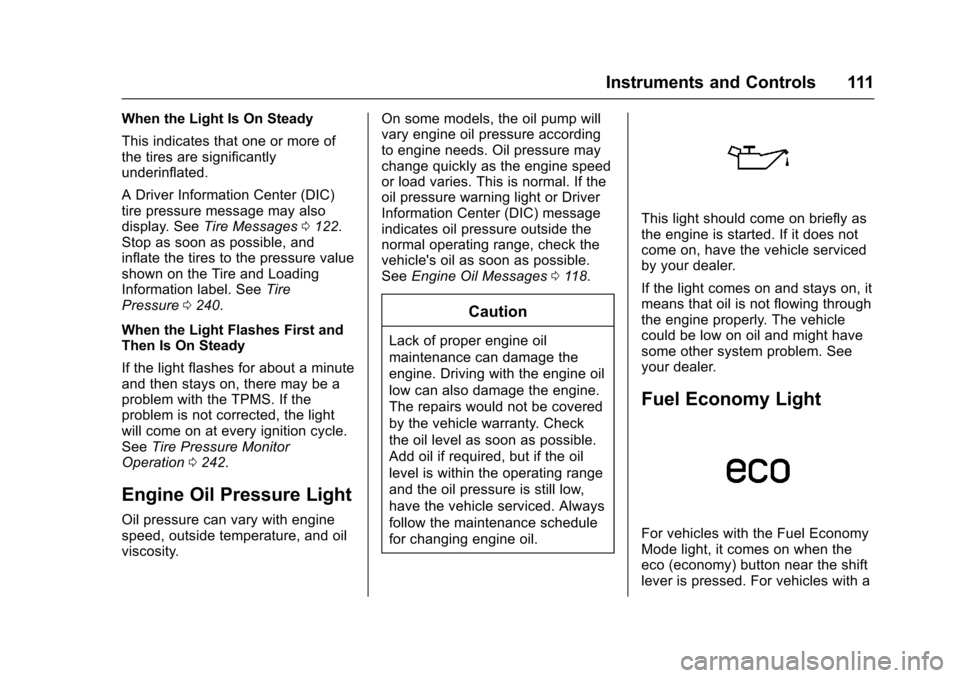
This light should come on briefly as
the engine is started. If it does not
come on, have the vehicle serviced
by your dealer.
If the light comes on and stays on, it
means that oil is not flowing through
the engine properly. The vehicle
could be low on oil and might have
some other system problem. See
your dealer.
Fuel Economy Light
For vehicles with the Fuel Economy
Mode light, it comes on when the
eco (economy) button near the shift
lever is pressed. For vehicles with a
Page 117 of 327
Chevrolet Equinox Owner Manual (GMNA-Localizing-U.S./Canada/Mexico-
9918169) - 2017 - CRC - 3/23/16
116 Instruments and Controls
When the remaining oil life is low,
the CHANGE ENGINE OIL SOON
message will appear on the display.
SeeEngine Oil Messages 0118.
The oil should be changed as soon
as possible. See Engine Oil0207.
In addition to the engine oil life
system monitoring the oil life,
additional maintenance is
recommended in the Maintenance
Schedule in this manual. See
Maintenance Schedule 0276.
Remember, the Oil Life display must
be reset after each oil change. It will
not reset itself. Also, be careful not
to reset the Oil Life display
accidentally at any time other than
when the oil has just been changed. It cannot be reset accurately until
the next oil change. To reset the
engine oil life system, press SET/
CLR while the Oil Life display is
active. The display will ask for
confirmation of a reset. Press
Qor
Rto select Yes or No. Then press
SET/CLR to confirm the selection.
See Engine Oil Life System 0210.
Blank Display
This display shows no information.
Compass
The vehicle may have a compass in
the Driver Information Center (DIC).
See Compass 098.
Vehicle Messages
Messages are displayed on the DIC
to notify the driver that the status of
the vehicle has changed and that
some action may be needed by the
driver to correct the condition.
Multiple messages may appear one
after another.
Some messages may not require
immediate action, but you can press
SET/CLR to acknowledge that you
received the messages and to clear
them from the display. Some
messages cannot be cleared from
the DIC display because they are
more urgent. These messages
require action before they can be
cleared. You should take any
messages that appear on the
display seriously and remember that
clearing the messages will only
make the messages disappear, not
correct the problem. You will find the
possible messages that can be
displayed and some information
about them grouped by subject in
the following information.
Page 119 of 327
Chevrolet Equinox Owner Manual (GMNA-Localizing-U.S./Canada/Mexico-
9918169) - 2017 - CRC - 3/23/16
118 Instruments and Controls
MANUALLY CLOSE THE
POWER LIFTGATE
This message will display if the
power liftgate encounters multiple
obstacles on the same power cycle.
After removing the obstructions, the
liftgate will resume normal power
operation.
REAR ACCESS OPEN
This message will display along with
a symbol when the liftgate is open.
Close the liftgate completely.
Engine Cooling System
Messages
A/C OFF DUE TO HIGH
ENGINE TEMP
This message displays when the
engine coolant becomes hotter than
the normal operating temperature.
To avoid added strain on a hot
engine, the air conditioning
compressor automatically turns off.
When the coolant temperature
returns to normal, the airconditioning compressor turns back
on. The vehicle can continue to be
driven.
If this message continues to appear,
have the system repaired by your
dealer as soon as possible to avoid
damage to the engine.
COOLANT LEVEL LOW ADD
COOLANT
This message will display if the
coolant is low. See
Engine
Coolant 0213.
ENGINE OVERHEATED —
IDLE ENGINE
This message displays when the
engine coolant temperature is too
hot. Stop and allow the vehicle to
idle until it cools down.
ENGINE OVERHEATED —
STOP ENGINE
This message displays and a
continuous chime sounds if the
engine cooling system reaches
unsafe temperatures for operation.
Stop and turn off the vehicle as
soon as it is safe to do so to avoid severe damage. This message
clears when the engine has cooled
to a safe operating temperature.
HIGH COOLANT
TEMPERATURE
This message may display if the
coolant temperature is hot. See
Engine Overheating
0217.
Engine Oil Messages
CHANGE ENGINE OIL SOON
This message displays when the
engine oil needs to be changed.
When you change the engine oil, be
sure to reset the oil life system. See
Engine Oil Life System 0210, Driver
Information Center (DIC) 0113,
Engine Oil 0207, and Maintenance
Schedule 0276.
ENGINE OIL HOT, IDLE
ENGINE
This message displays when the
engine oil temperature is too hot.
Stop and allow the vehicle to idle
until it cools down.
Page 120 of 327
Chevrolet Equinox Owner Manual (GMNA-Localizing-U.S./Canada/Mexico-
9918169) - 2017 - CRC - 3/23/16
Instruments and Controls 119
ENGINE OIL LOW—ADD OIL
On some vehicles, this message
displays when the engine oil level
may be too low. Check the oil level
before filling to the recommended
level. If the oil is not low and this
message remains on, take the
vehicle to your dealer for service.
See Engine Oil 0207.
OIL PRESSURE LOW —STOP
ENGINE
This message displays if low oil
pressure levels occur. Stop the
vehicle as soon as safely possible
and do not operate it until the cause
of the low oil pressure has been
corrected. Check the oil as soon as
possible and have the vehicle
serviced by your dealer.
Engine Power Messages
ENGINE POWER IS REDUCED
This message displays when the
vehicle's engine power is reduced.
Reduced engine power can affect
the vehicle's ability to accelerate.
If this message is on, but there is no
reduction in performance, proceed to your destination. The
performance may be reduced the
next time the vehicle is driven. The
vehicle may be driven at a reduced
speed while this message is on, but
maximum acceleration and speed
may be reduced. Anytime this
message stays on, or displays
repeatedly, the vehicle should be
taken to your dealer for service as
soon as possible.
Fuel System Messages
ECO MODE ON
On some models, this message
displays when the Fuel Economy
Mode has been turned on by
pressing the eco button near the
shift lever. See
Fuel Economy
Mode 0172.
FUEL LEVEL LOW
This message displays when the
vehicle is low on fuel. Refuel as
soon as possible.
TIGHTEN GAS CAP
This message may display when the
fuel cap is not on tight. Tighten the
fuel cap.
Key and Lock Messages
REPLACE BATTERY IN
REMOTE KEY
This message displays when the
battery in the Remote Keyless Entry
(RKE) transmitter needs to be
replaced.
Object Detection System
Messages
FORWARD COLLISION
ALERT OFF
If your vehicle has the Forward
Collision Alert (FCA) system, this
message may display if the FCA
system cannot activate due to a
temporary condition. See Forward
Collision Alert (FCA) System 0183.
Page 166 of 327
Chevrolet Equinox Owner Manual (GMNA-Localizing-U.S./Canada/Mexico-
9918169) - 2017 - CRC - 3/23/16
Driving and Operating 165
3 (START) :This position starts the
engine. When the engine starts,
release the key. The ignition switch
will return to ON/RUN for normal
driving.
A warning tone sounds when the
driver door is opened if the ignition
is still in ACC/ACCESSORY and the
key is in the ignition. If the ignition
becomes difficult to turn, see
Keys 024.
Starting the Engine
Move the shift lever to P (Park) or
N (Neutral). To restart the vehicle
when it is already moving, use
N (Neutral) only.
Caution
Do not try to shift to P (Park) if the
vehicle is moving. If you do, you
could damage the transmission.
Shift to P (Park) only when the
vehicle is stopped.
Caution
If you add electrical parts or
accessories, you could change
the way the engine operates. Any
resulting damage would not be
covered by the vehicle warranty.
See Add-On Electrical
Equipment 0199.
Caution
If the steering wheel is turned
until it reaches the end of its
travel, and is held in that position
while starting the vehicle, damage
may occur to the hydraulic power
steering system and there may be
loss of power steering assist.
Starting Procedure 1. With your foot off the accelerator pedal, turn the
ignition key to START. When
the engine starts, let go of the
key. The idle speed will go
down as the engine warms. Do not race the engine
immediately after starting it.
Operate the engine and
transmission gently to allow the
oil to warm up and lubricate all
moving parts.
Caution
Cranking the engine for long
periods of time, by returning the
ignition to the START position
immediately after cranking has
ended, can overheat and damage
the cranking motor, and drain the
battery. Wait at least 15 seconds
between each try, to let the
cranking motor cool down.
2. If the engine does not start after five to 10 seconds,
especially in very cold weather
(below −18 °C or 0 °F), it could
be flooded with too much
gasoline. Push the accelerator
pedal all the way to the floor
and hold it there as you hold
the key in START for a
maximum of 15 seconds. Wait
at least 15 seconds between
Page 167 of 327
Chevrolet Equinox Owner Manual (GMNA-Localizing-U.S./Canada/Mexico-
9918169) - 2017 - CRC - 3/23/16
166 Driving and Operating
each try, to allow the cranking
motor to cool. When the engine
starts, let go of the key and
accelerator. If the vehicle starts
briefly but then stops again,
repeat the procedure. This
clears the extra gasoline from
the engine. Do not race the
engine immediately after
starting it. Operate the engine
and transmission gently until
the oil warms up and lubricates
all moving parts.
Retained Accessory
Power (RAP)
These vehicle accessories can be
used for up to 10 minutes after the
engine is turned off:
.Audio System
. Power Windows
. Sunroof (if equipped)
Power to the audio system will
continue to operate for up to
10 minutes or until the driver door is
opened. Power to the power windows and
sunroof will continue to operate for
up to 10 minutes or until any door is
opened.
All these features will work when the
key is in ON/RUN or ACC/
ACCESSORY.
Engine Coolant Heater
The engine coolant heater,
if available, can help in cold weather
conditions at or below
−18 °C (0 °F)
for easier starting and better fuel
economy during engine warm-up.
Plug in the coolant heater at least
four hours before starting the
vehicle. An internal thermostat in
the plug end of the cord will prevent
engine coolant heater operation at
temperatures above −18 °C (0 °F).
To Use The Engine Coolant
Heater
1. Turn off the engine.
2. Open the hood and unwrap the
electrical cord. The electrical cord is on the
passenger side of the engine
compartment, in front of the air
cleaner.
Check the heater cord for
damage. If it is damaged, do
not use it. See your dealer for
a replacement. Inspect the
cord for damage yearly.
3. Plug it into a normal, grounded 110-volt AC outlet.
{Warning
Improper use of the heater cord
or an extension cord can damage
the cord and may result in
overheating and fire.
. Plug the cord into a
three-prong electrical utility
receptacle that is protected
by a ground fault detection
function. An ungrounded
outlet could cause an
electric shock.
(Continued)