program key CHEVROLET EQUINOX 2019 User Guide
[x] Cancel search | Manufacturer: CHEVROLET, Model Year: 2019, Model line: EQUINOX, Model: CHEVROLET EQUINOX 2019Pages: 426, PDF Size: 6.38 MB
Page 54 of 426
Chevrolet Equinox Owner Manual (GMNA-Localizing-U.S./Canada/Mexico-
12145779) - 2019 - CRC - 7/30/18
Keys, Doors, and Windows 53
Window Express Movement
All windows can be opened without
holding the window switch. Press
the switch down fully and quickly
release to express open the
window.
If equipped, pull the window switch
up fully and quickly release to
express close the window.
Briefly press or pull the window
switch in the same direction to stop
that window’s express movement.
Window Automatic Reversal
System
The express-close feature will
reverse window movement if it
comes in contact with an object.
Extreme cold or ice could cause the
window to auto-reverse. The
window will operate normally after
the object or condition is removed.
Automatic Reversal System
Override
{Warning
If automatic reversal system
override is active, the window will
not reverse automatically. You or
others could be injured and the
window could be damaged.
Before using automatic reversal
system override, make sure that
all people and obstructions are
clear of the window path.
When the engine is on, override the
automatic reversal system by pulling
and holding the window switch if
conditions prevent it from closing.
Programming the Power
Windows
Programming may be necessary if
the vehicle's battery has been
disconnected or discharged. If the
window is unable to express-up,
program the window: 1. Close all doors. 2. Turn the ignition on or to ACC/
ACCESSORY.
3. Partially open the window to be programmed, then close it and
continue to pull the switch
briefly after the window has
fully closed.
4. Open the window and continue to press the switch briefly after
the window has fully opened.
Remote Window Operation
If equipped, this feature allows all
the windows to be opened remotely.
If enabled in vehicle personalization,
press and hold
Kon the RKE
transmitter. See Vehicle
Personalization 0151.
Page 64 of 426
Chevrolet Equinox Owner Manual (GMNA-Localizing-U.S./Canada/Mexico-
12145779) - 2019 - CRC - 7/30/18
Seats and Restraints 63
3. Press and release SET; a beepwill sound.
4. Immediately press and hold the 1 or 2 memory button matching
the above DIC welcome
message until two beeps
sound.
If too much time passes
between releasing SET and
pressing 1, the memory
position will not be saved and
two beeps will not sound.
Repeat Steps 3 and 4.
1 or 2 corresponds to the driver
number. See “Identifying Driver
Number” previously in this
section.
5. Repeat Steps 1–4 for a second driver using 1 or 2.
To save the position for
Band
Seat Exit Memory, repeat Steps 1–4
using
B. This saves the position
for getting out of the vehicle.
Save preferred memory feature
positions to both 1 and 2 if you are
the only driver. Manually Recalling Memory
Positions
Press and hold 1, 2, or
Bto recall
the previously saved memory
positions.
To stop Manual Memory Recall
movement, release 1, 2, or
Bor
press any of the following controls:
. Power seat
. Memory SET
. Power mirror, with the driver or
passenger side mirror selected
. Power steering wheel,
if equipped
Seat Entry Memory
The vehicle identifies the number of
the current driver ’s RKE transmitter
(1–8). See Remote Keyless Entry
(RKE) System Operation 030. If the
RKE transmitter is 1 or 2, and Seat
Entry Memory is programmed on in
vehicle personalization, the
positions saved to the same
memory button number 1 or 2 are
automatically recalled when the
ignition is turned on, or turned from off to ACC/ACCESSORY. RKE
transmitters 3–8 will not provide
automatic memory recalls.
To turn Seat Entry Memory on or off,
see "Vehicle Personalization
Settings" previously in this section
and
Vehicle Personalization 0151.
The shift lever must be in P (Park)
to start Seat Entry Memory. Seat
Entry Memory will complete if the
vehicle is shifted out of P (Park)
prior to reaching the saved memory
position.
To stop Seat Entry Memory
movement, turn the ignition off or
press any of the following controls:
. Power seat
. Memory SET, 1, 2, or
B
.Power mirror, with the driver or
passenger side mirror selected
. Power steering wheel,
if equipped
If the saved memory seat position
does not automatically recall or
recalls to the wrong positions, the
driver ’s RKE transmitter number
Page 157 of 426
Chevrolet Equinox Owner Manual (GMNA-Localizing-U.S./Canada/Mexico-
12145779) - 2019 - CRC - 7/30/18
156 Instruments and Controls
Seat Entry Memory
This feature automatically recalls
the current driver’s previously stored
1 or 2 button positions when the
ignition is changed from off to on or
ACC/ACCESSORY. See Memory
Seats 061.
Touch On or Off.
Seat Exit Memory
This feature automatically recalls
the previously stored
B(Exit)
button position when exiting the
vehicle. See Memory Seats 061.
Touch Off or On.
Teen Driver
See “Teen Driver” under“Settings”
in the infotainment manual.
Valet Mode
This will lock the infotainment
system and steering wheel controls.
It may also limit access to vehicle
storage locations, if equipped.
To enable valet mode:
1. Enter a four-digit code on the keypad.
2. Select Enter to go to the confirmation screen.
3. Re-enter the four-digit code.
Touch Lock or Unlock to lock or
unlock the system. Touch Back to
go back to the previous menu.
Universal Remote
System
See Radio Frequency Statement
0 397.
Universal Remote System
Programming
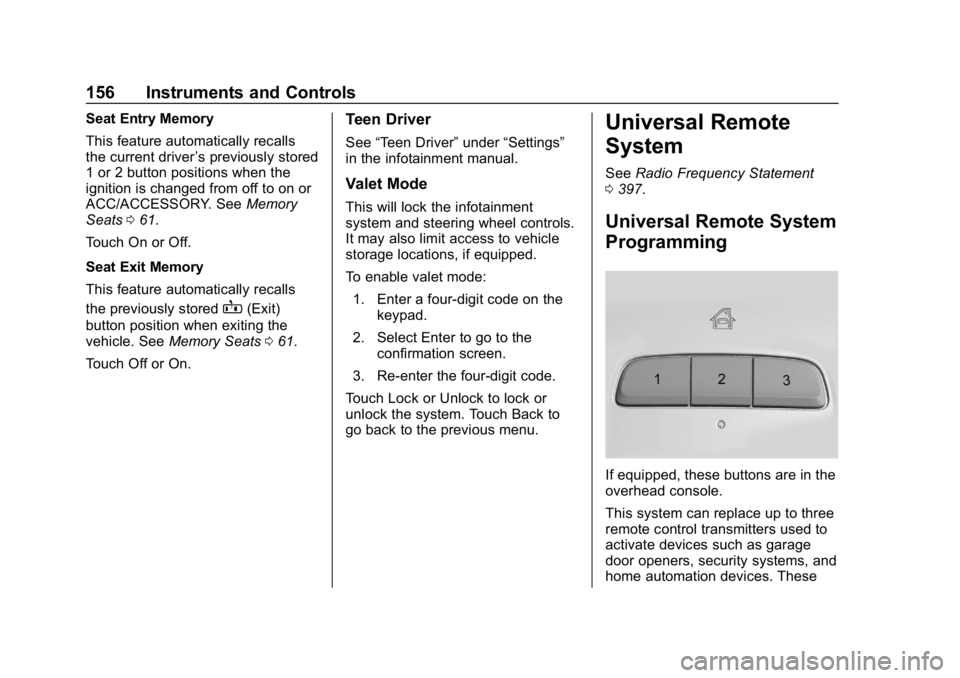
If equipped, these buttons are in the
overhead console.
This system can replace up to three
remote control transmitters used to
activate devices such as garage
door openers, security systems, and
home automation devices. These
Page 422 of 426

Chevrolet Equinox Owner Manual (GMNA-Localizing-U.S./Canada/Mexico-
12145779) - 2019 - CRC - 7/30/18
Index 421
Rearview Mirrors (cont'd)Automatic Dimming . . . . . . . . . . . . . 51
Reclining Seatbacks . . . . . . . . . . . . . 60
Recommended Fuel . . . . . . . . . . . . . . . . . . . . . . . . . . 251
Recommended Fluids and Lubricants . . . . . . . . . . . . . . . . . . . . . 379
Records Maintenance . . . . . . . . . . . . . . . . . . 382
Recreational Vehicle Towing . . . . 355
Reimbursement Program, GM Mobility . . . . . . . . . . . . . . . . . . . 391
Remote Keyless Entry (RKE) System . . . . . . . . . . . . . . . . . . . . . . . . . 30
Remote Vehicle Start . . . . . . . . . . . . 36
Replacement Parts Airbags . . . . . . . . . . . . . . . . . . . . . . . . . 89
Maintenance . . . . . . . . . . . . . . . . . . 380
Replacing Airbag System . . . . . . . . 89
Replacing LATCH System Parts after a Crash . . . . . . . . . . . . 101
Replacing Seat Belt System Parts after a Crash . . . . . . . . . . . . . 76
Reporting Safety Defects Canadian Government . . . . . . . . 398
General Motors . . . . . . . . . . . . . . . 399
U.S. Government . . . . . . . . . . . . . 398 Restraints
Where to Put . . . . . . . . . . . . . . . . . . . 95
Retained Accessory Power (RAP) . . . . . . . . . . . . . . . . . . 201
Reverse Tilt Mirrors . . . . . . . . . . . . . . 51
Roads Driving, Wet . . . . . . . . . . . . . . . . . . 186
Roadside Assistance Program . . . . . . . . . . . . . . . . . . . . . . . 391
Roof Sunroof . . . . . . . . . . . . . . . . . . . . . . . . . 54
Roof Rack System . . . . . . . . . . . . . . 110
Rotation, Tires . . . . . . . . . . . . . . . . . . 330
Routing, Engine Drive Belt . . . . . . 386
Running out of Fuel . . . . . . . . . . . . . 258
Running the Vehicle While Parked . . . . . . . . . . . . . . . . . . . . . . . . 204
S
Safety Defects ReportingCanadian Government . . . . . . . . 398
General Motors . . . . . . . . . . . . . . . 399
U.S. Government . . . . . . . . . . . . . 398
Safety Locks . . . . . . . . . . . . . . . . . . . . . 42
Safety System Check . . . . . . . . . . . . 76
Scheduling Appointments . . . . . . . 393
Sealant Kit, Tire . . . . . . . . . . . . . . . . 338
Seat Belts . . . . . . . . . . . . . . . . . . . . . . . 69 Seat Belts (cont'd)
Care . . . . . . . . . . . . . . . . . . . . . . . . . . . . 76
Extender . . . . . . . . . . . . . . . . . . . . . . . . 75
How to Wear Seat Belts
Properly . . . . . . . . . . . . . . . . . . . . . . . 70
Lap-Shoulder Belt . . . . . . . . . . . . . . 72
Reminders . . . . . . . . . . . . . . . . . . . . 129
Replacing after a Crash . . . . . . . . 76
Use During Pregnancy . . . . . . . . . . 75
Seats Adjustment, Front . . . . . . . . . . . . . . . 59
Head Restraints . . . . . . . . . . . . . . . . 57
Heated and Ventilated Front . . . . 64
Heated, Rear . . . . . . . . . . . . . . . . . . . 68
Lumbar Adjustment, Front . . . . . . 60
Memory . . . . . . . . . . . . . . . . . . . . . . . . . 61
Power Adjustment, Front . . . . . . . 59
Rear . . . . . . . . . . . . . . . . . . . . . . . . . . . . 65
Reclining Seatbacks . . . . . . . . . . . . 60
Securing Child Restraints . . . . . . . . . . . . . . . . 102, 104
Security Light . . . . . . . . . . . . . . . . . . . . . . . . . . 139
OnStar . . . . . . . . . . . . . . . . . . . . . . . 403
Vehicle . . . . . . . . . . . . . . . . . . . . . . . . . 47
Vehicle Alarm . . . . . . . . . . . . . . . . . . . 47
Service . . . . . . . . . . . . . . . . . . . . . . . . . 176