fluid CHEVROLET EQUINOX 2020 Owner's Manual
[x] Cancel search | Manufacturer: CHEVROLET, Model Year: 2020, Model line: EQUINOX, Model: CHEVROLET EQUINOX 2020Pages: 415, PDF Size: 6.46 MB
Page 94 of 415
Chevrolet Equinox Owner Manual (GMNA-Localizing-U.S./Canada/Mexico-
13555863) - 2020 - CRC - 8/2/19
Instruments and Controls 93
Instruments and
Controls
Controls
Steering Wheel Adjustment . . . . 94
Steering Wheel Controls . . . . . . . 94
Heated Steering Wheel . . . . . . . . 94
Horn . . . . . . . . . . . . . . . . . . . . . . . . . . . 94
Windshield Wiper/Washer . . . . . . 94
Rear Window Wiper/Washer . . . 96
Compass . . . . . . . . . . . . . . . . . . . . . . 96
Clock . . . . . . . . . . . . . . . . . . . . . . . . . . 97
Power Outlets . . . . . . . . . . . . . . . . . 97
Wireless Charging . . . . . . . . . . . . . 98
Warning Lights, Gauges, and
Indicators
Warning Lights, Gauges, andIndicators . . . . . . . . . . . . . . . . . . . 101
Instrument Cluster (Base and Midlevel) . . . . . . . . . . . . . . . . . . . . 102
Instrument Cluster (Uplevel) . . . . . . . . . . . . . . . . . . . . 106
Speedometer . . . . . . . . . . . . . . . . . 109
Odometer . . . . . . . . . . . . . . . . . . . . . 109
Trip Odometer . . . . . . . . . . . . . . . . 109
Tachometer . . . . . . . . . . . . . . . . . . . 109
Fuel Gauge . . . . . . . . . . . . . . . . . . . 110 Engine Coolant Temperature
Gauge . . . . . . . . . . . . . . . . . . . . . . . 111
Seat Belt Reminders . . . . . . . . . . 112
Airbag Readiness Light . . . . . . . 112
Passenger Airbag Status Indicator . . . . . . . . . . . . . . . . . . . . . 113
Charging System Light . . . . . . . 114
Malfunction Indicator Lamp (Check Engine Light) . . . . . . . . 114
Brake System Warning Light . . . . . . . . . . . . . . . . . . . . . . . . 116
Electric Parking Brake Light . . . . . . . . . . . . . . . . . . . . . . . . 117
Service Electric Parking Brake Light . . . . . . . . . . . . . . . . . . . . . . . . 117
Antilock Brake System (ABS) Warning Light . . . . . . . . . . . . . . . 117
Tow/Haul Mode Light . . . . . . . . . 118
Lane Keep Assist (LKA) Light . . . . . . . . . . . . . . . . . . . . . . . . 118
Vehicle Ahead Indicator . . . . . . . 118
Pedestrian Ahead Indicator . . . 119
Traction Off Light . . . . . . . . . . . . . 119
StabiliTrak OFF Light . . . . . . . . . 119
Traction Control System (TCS)/ StabiliTrak Light . . . . . . . . . . . . . 120
Wait-to-Start Light . . . . . . . . . . . . 120
Tire Pressure Light . . . . . . . . . . . 120
Engine Oil Pressure Light . . . . 121
Low Fuel Warning Light . . . . . . 121 Diesel Exhaust Fluid (DEF)
Warning Light . . . . . . . . . . . . . . . 122
Security Light . . . . . . . . . . . . . . . . . 122
High-Beam On Light . . . . . . . . . . 122
Front Fog Lamp Light . . . . . . . . . 123
Lamps On Reminder . . . . . . . . . 123
Cruise Control Light . . . . . . . . . . 123
Information Displays
Driver Information Center (DIC) (Base Level and Midlevel) . . . 123
Driver Information Center (DIC) (Uplevel) . . . . . . . . . . . . . . . . . . . . 129
Vehicle Messages
Vehicle Messages . . . . . . . . . . . . 133
Engine Power Messages . . . . . 134
Vehicle Speed Messages . . . . . 134
Vehicle Personalization
Vehicle Personalization . . . . . . . 134
Universal Remote System
Universal Remote System . . . . 140
Universal Remote SystemProgramming . . . . . . . . . . . . . . . 140
Universal Remote System Operation . . . . . . . . . . . . . . . . . . . 142
Page 96 of 415
Chevrolet Equinox Owner Manual (GMNA-Localizing-U.S./Canada/Mexico-
13555863) - 2020 - CRC - 8/2/19
Instruments and Controls 95
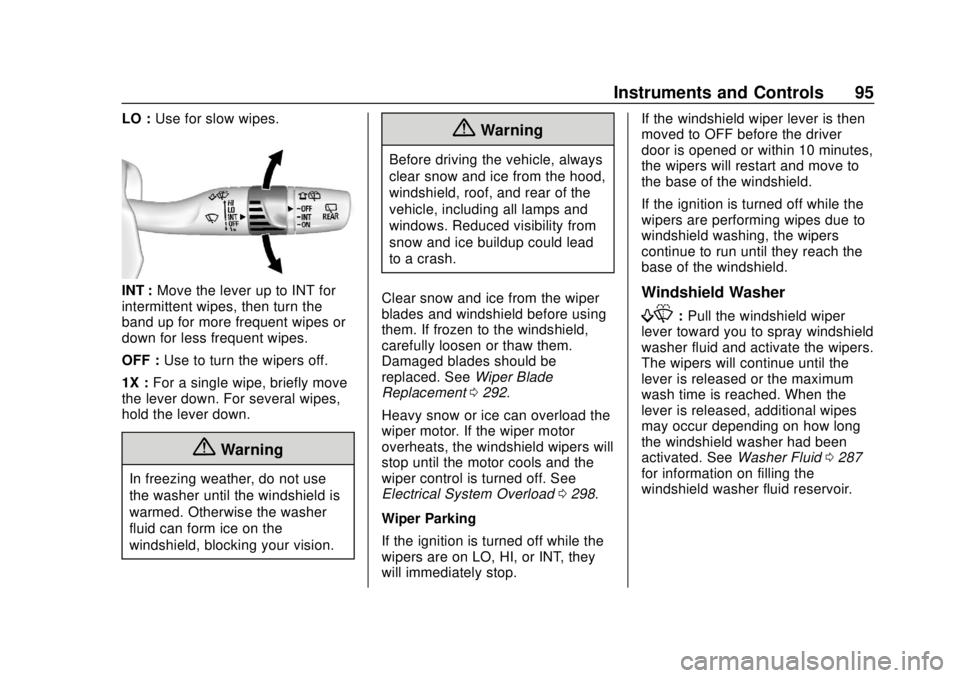
LO :Use for slow wipes.
INT : Move the lever up to INT for
intermittent wipes, then turn the
band up for more frequent wipes or
down for less frequent wipes.
OFF : Use to turn the wipers off.
1X : For a single wipe, briefly move
the lever down. For several wipes,
hold the lever down.
{Warning
In freezing weather, do not use
the washer until the windshield is
warmed. Otherwise the washer
fluid can form ice on the
windshield, blocking your vision.
{Warning
Before driving the vehicle, always
clear snow and ice from the hood,
windshield, roof, and rear of the
vehicle, including all lamps and
windows. Reduced visibility from
snow and ice buildup could lead
to a crash.
Clear snow and ice from the wiper
blades and windshield before using
them. If frozen to the windshield,
carefully loosen or thaw them.
Damaged blades should be
replaced. See Wiper Blade
Replacement 0292.
Heavy snow or ice can overload the
wiper motor. If the wiper motor
overheats, the windshield wipers will
stop until the motor cools and the
wiper control is turned off. See
Electrical System Overload 0298.
Wiper Parking
If the ignition is turned off while the
wipers are on LO, HI, or INT, they
will immediately stop. If the windshield wiper lever is then
moved to OFF before the driver
door is opened or within 10 minutes,
the wipers will restart and move to
the base of the windshield.
If the ignition is turned off while the
wipers are performing wipes due to
windshield washing, the wipers
continue to run until they reach the
base of the windshield.
Windshield Washer
f:
Pull the windshield wiper
lever toward you to spray windshield
washer fluid and activate the wipers.
The wipers will continue until the
lever is released or the maximum
wash time is reached. When the
lever is released, additional wipes
may occur depending on how long
the windshield washer had been
activated. See Washer Fluid0287
for information on filling the
windshield washer fluid reservoir.
Page 97 of 415
Chevrolet Equinox Owner Manual (GMNA-Localizing-U.S./Canada/Mexico-
13555863) - 2020 - CRC - 8/2/19
96 Instruments and Controls
Rear Window Wiper/
Washer
The ignition must be on or in the
ACC/ACCESSORY position to
operate the rear window wiper/
washer.
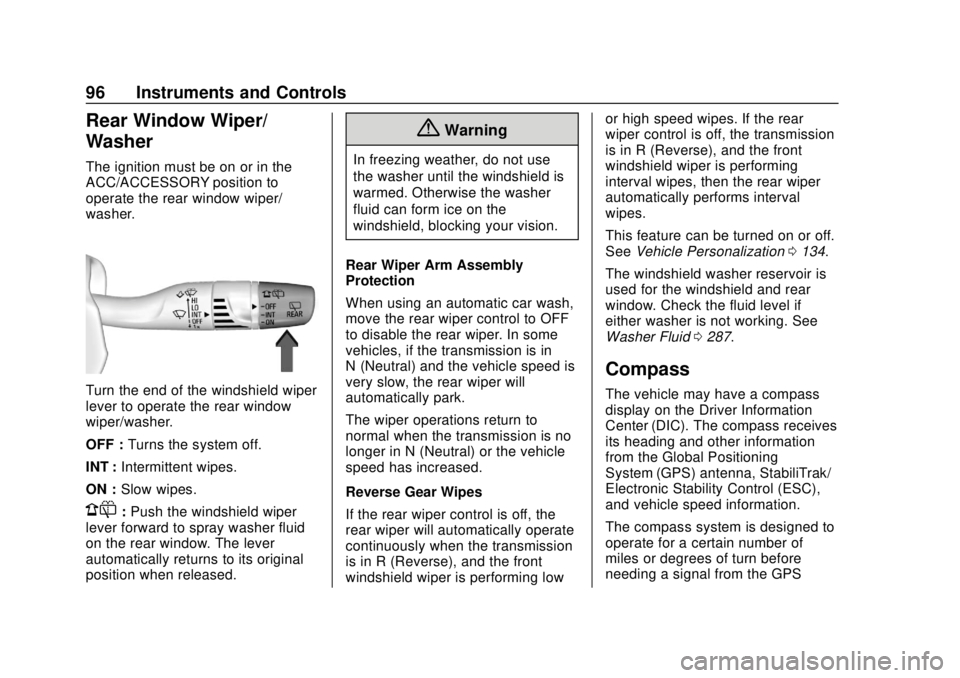
Turn the end of the windshield wiper
lever to operate the rear window
wiper/washer.
OFF :Turns the system off.
INT : Intermittent wipes.
ON : Slow wipes.
1:Push the windshield wiper
lever forward to spray washer fluid
on the rear window. The lever
automatically returns to its original
position when released.
{Warning
In freezing weather, do not use
the washer until the windshield is
warmed. Otherwise the washer
fluid can form ice on the
windshield, blocking your vision.
Rear Wiper Arm Assembly
Protection
When using an automatic car wash,
move the rear wiper control to OFF
to disable the rear wiper. In some
vehicles, if the transmission is in
N (Neutral) and the vehicle speed is
very slow, the rear wiper will
automatically park.
The wiper operations return to
normal when the transmission is no
longer in N (Neutral) or the vehicle
speed has increased.
Reverse Gear Wipes
If the rear wiper control is off, the
rear wiper will automatically operate
continuously when the transmission
is in R (Reverse), and the front
windshield wiper is performing low or high speed wipes. If the rear
wiper control is off, the transmission
is in R (Reverse), and the front
windshield wiper is performing
interval wipes, then the rear wiper
automatically performs interval
wipes.
This feature can be turned on or off.
See
Vehicle Personalization 0134.
The windshield washer reservoir is
used for the windshield and rear
window. Check the fluid level if
either washer is not working. See
Washer Fluid 0287.
Compass
The vehicle may have a compass
display on the Driver Information
Center (DIC). The compass receives
its heading and other information
from the Global Positioning
System (GPS) antenna, StabiliTrak/
Electronic Stability Control (ESC),
and vehicle speed information.
The compass system is designed to
operate for a certain number of
miles or degrees of turn before
needing a signal from the GPS
Page 115 of 415
Chevrolet Equinox Owner Manual (GMNA-Localizing-U.S./Canada/Mexico-
13555863) - 2020 - CRC - 8/2/19
114 Instruments and Controls
Charging System Light
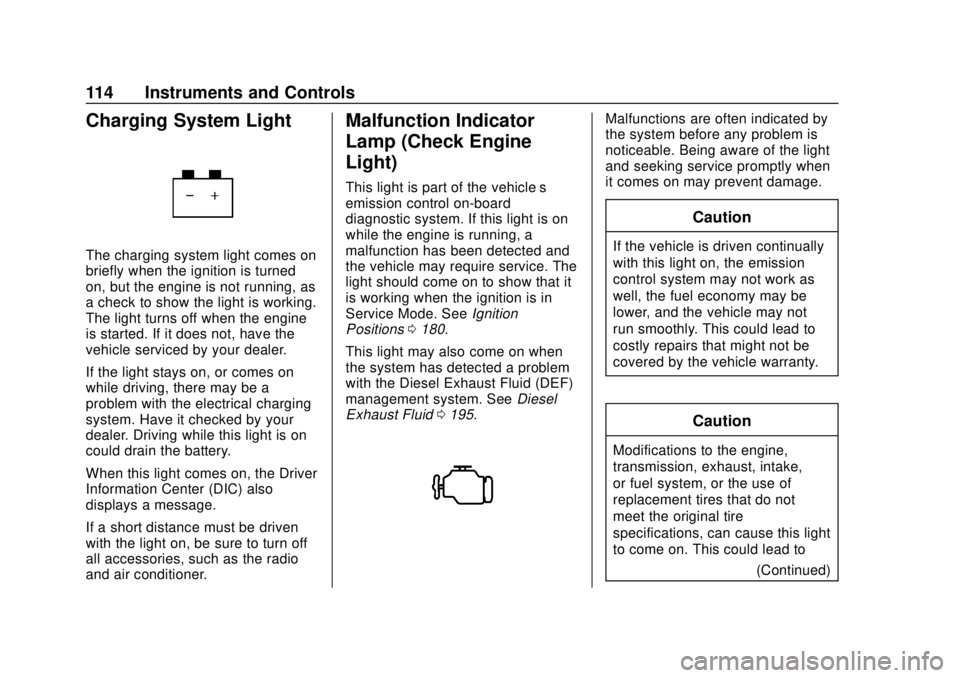
The charging system light comes on
briefly when the ignition is turned
on, but the engine is not running, as
a check to show the light is working.
The light turns off when the engine
is started. If it does not, have the
vehicle serviced by your dealer.
If the light stays on, or comes on
while driving, there may be a
problem with the electrical charging
system. Have it checked by your
dealer. Driving while this light is on
could drain the battery.
When this light comes on, the Driver
Information Center (DIC) also
displays a message.
If a short distance must be driven
with the light on, be sure to turn off
all accessories, such as the radio
and air conditioner.
Malfunction Indicator
Lamp (Check Engine
Light)
This light is part of the vehicle’s
emission control on-board
diagnostic system. If this light is on
while the engine is running, a
malfunction has been detected and
the vehicle may require service. The
light should come on to show that it
is working when the ignition is in
Service Mode. SeeIgnition
Positions 0180.
This light may also come on when
the system has detected a problem
with the Diesel Exhaust Fluid (DEF)
management system. See Diesel
Exhaust Fluid 0195.
Malfunctions are often indicated by
the system before any problem is
noticeable. Being aware of the light
and seeking service promptly when
it comes on may prevent damage.
Caution
If the vehicle is driven continually
with this light on, the emission
control system may not work as
well, the fuel economy may be
lower, and the vehicle may not
run smoothly. This could lead to
costly repairs that might not be
covered by the vehicle warranty.
Caution
Modifications to the engine,
transmission, exhaust, intake,
or fuel system, or the use of
replacement tires that do not
meet the original tire
specifications, can cause this light
to come on. This could lead to
(Continued)
Page 123 of 415
Chevrolet Equinox Owner Manual (GMNA-Localizing-U.S./Canada/Mexico-
13555863) - 2020 - CRC - 8/2/19
122 Instruments and Controls
For the uplevel cluster, this light is
near the fuel gauge and comes on
briefly when the ignition is turned on
as a check to show it is working.
It also comes on when the fuel tank
is low on fuel. The light turns off
when fuel is added. If it does not,
have the vehicle serviced.
Diesel Exhaust Fluid
(DEF) Warning Light
This light, a Driver Information
Center (DIC) Message, and a chime
come on when there is an issue with
the DEF.If the DEF issue has not been
corrected, the light will continue to
flash. The vehicle's speed may also
be limited. See
Diesel Exhaust Fluid
0 195.
Security Light
The security light should come on
briefly as the engine is started. If it
does not come on, have the vehicle
serviced by your dealer. If the
system is working normally, the
indicator light turns off.
If the light stays on and the engine
does not start, there could be a
problem with the theft-deterrent
system. See Immobilizer Operation
0 27.
High-Beam On Light
This light comes on when the
high-beam headlamps are in use.
See Headlamp High/Low-Beam
Changer 0146.
IntelliBeam Light
This light comes on when the
IntelliBeam system, if equipped, is
enabled. See Exterior Lamp
Controls 0144.
Page 126 of 415
Chevrolet Equinox Owner Manual (GMNA-Localizing-U.S./Canada/Mexico-
13555863) - 2020 - CRC - 8/2/19
Instruments and Controls 125
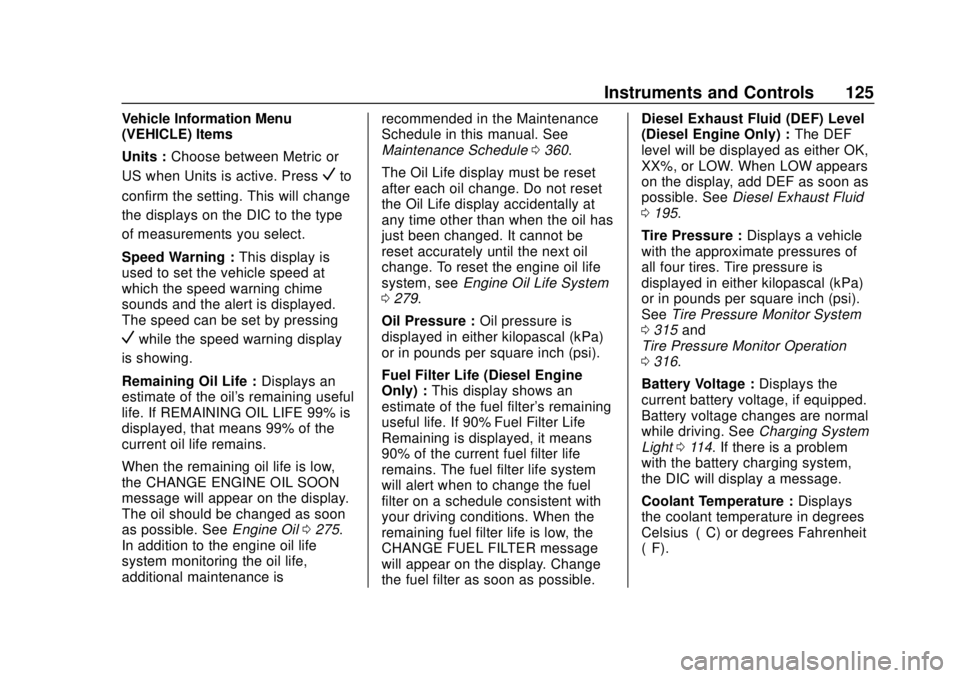
Vehicle Information Menu
(VEHICLE) Items
Units :Choose between Metric or
US when Units is active. Press
Vto
confirm the setting. This will change
the displays on the DIC to the type
of measurements you select.
Speed Warning : This display is
used to set the vehicle speed at
which the speed warning chime
sounds and the alert is displayed.
The speed can be set by pressing
Vwhile the speed warning display
is showing.
Remaining Oil Life : Displays an
estimate of the oil's remaining useful
life. If REMAINING OIL LIFE 99% is
displayed, that means 99% of the
current oil life remains.
When the remaining oil life is low,
the CHANGE ENGINE OIL SOON
message will appear on the display.
The oil should be changed as soon
as possible. See Engine Oil0275.
In addition to the engine oil life
system monitoring the oil life,
additional maintenance is recommended in the Maintenance
Schedule in this manual. See
Maintenance Schedule
0360.
The Oil Life display must be reset
after each oil change. Do not reset
the Oil Life display accidentally at
any time other than when the oil has
just been changed. It cannot be
reset accurately until the next oil
change. To reset the engine oil life
system, see Engine Oil Life System
0 279.
Oil Pressure : Oil pressure is
displayed in either kilopascal (kPa)
or in pounds per square inch (psi).
Fuel Filter Life (Diesel Engine
Only) : This display shows an
estimate of the fuel filter's remaining
useful life. If 90% Fuel Filter Life
Remaining is displayed, it means
90% of the current fuel filter life
remains. The fuel filter life system
will alert when to change the fuel
filter on a schedule consistent with
your driving conditions. When the
remaining fuel filter life is low, the
CHANGE FUEL FILTER message
will appear on the display. Change
the fuel filter as soon as possible. Diesel Exhaust Fluid (DEF) Level
(Diesel Engine Only) :
The DEF
level will be displayed as either OK,
XX%, or LOW. When LOW appears
on the display, add DEF as soon as
possible. See Diesel Exhaust Fluid
0 195.
Tire Pressure : Displays a vehicle
with the approximate pressures of
all four tires. Tire pressure is
displayed in either kilopascal (kPa)
or in pounds per square inch (psi).
See Tire Pressure Monitor System
0 315 and
Tire Pressure Monitor Operation
0 316.
Battery Voltage : Displays the
current battery voltage, if equipped.
Battery voltage changes are normal
while driving. See Charging System
Light 0114. If there is a problem
with the battery charging system,
the DIC will display a message.
Coolant Temperature : Displays
the coolant temperature in degrees
Celsius (°C) or degrees Fahrenheit
(°F).
Page 130 of 415
Chevrolet Equinox Owner Manual (GMNA-Localizing-U.S./Canada/Mexico-
13555863) - 2020 - CRC - 8/2/19
Instruments and Controls 129
Follow Distance :If equipped, the
current follow time to the vehicle
ahead is displayed as a time value
on this page.
Battery Voltage : Displays the
current battery voltage, if equipped.
Battery voltage changes are normal
while driving. See Charging System
Light 0114. If there is a problem
with the battery charging system, a
DIC will display a message.
Coolant Temperature : Displays
the coolant temperature in degrees
Celsius (°C) or degrees Fahrenheit
(°F).
Diesel Exhaust Fluid (DEF) Level
(Diesel Engine Only) : If equipped,
the DEF level will be displayed as
either OK, XX%, or LOW. When
LOW appears on the display, add
DEF as soon as possible. See
Diesel Exhaust Fluid 0195.
Oil Pressure : Oil pressure is
displayed in either kilopascal (kPa)
or in pounds per square inch (psi).
Oil pressure can vary with engine
speed, outside temperature, and oil
viscosity. On some models, the oil pump will vary engine oil pressure
according to engine needs. Oil
pressure may change quickly as the
engine speed or load varies. This is
normal. If the oil pressure warning
light or Driver Information Center
(DIC) message indicates oil
pressure outside the normal
operating range, check the vehicle's
oil as soon as possible.
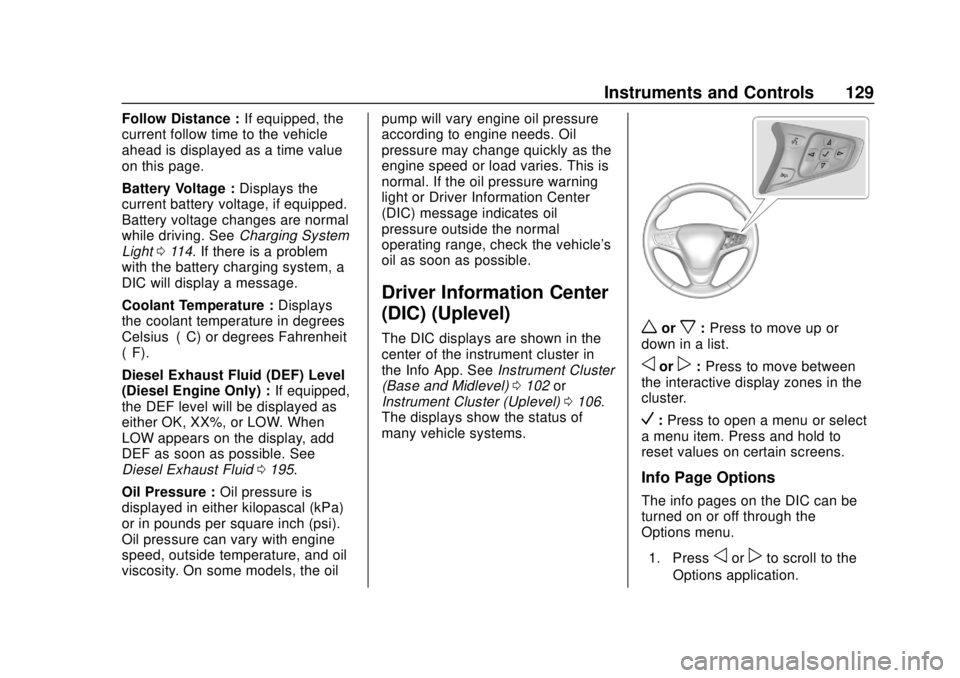
Driver Information Center
(DIC) (Uplevel)
The DIC displays are shown in the
center of the instrument cluster in
the Info App. See
Instrument Cluster
(Base and Midlevel) 0102 or
Instrument Cluster (Uplevel) 0106.
The displays show the status of
many vehicle systems.worx: Press to move up or
down in a list.
oorp: Press to move between
the interactive display zones in the
cluster.
V: Press to open a menu or select
a menu item. Press and hold to
reset values on certain screens.
Info Page Options
The info pages on the DIC can be
turned on or off through the
Options menu.
1. Press
oorpto scroll to the
Options application.
Page 134 of 415
Chevrolet Equinox Owner Manual (GMNA-Localizing-U.S./Canada/Mexico-
13555863) - 2020 - CRC - 8/2/19
Instruments and Controls 133
Coolant Temperature :Displays
the coolant temperature in degrees
Celsius (°C) or degrees Fahrenheit
(°F).
Diesel Exhaust Fluid (DEF) Level
Percent (Diesel Engine Only) :
If equipped, the DEF level will be
displayed as either OK, XX%,
or LOW. When LOW appears on the
display, add DEF as soon as
possible. See Diesel Exhaust Fluid
0 195.
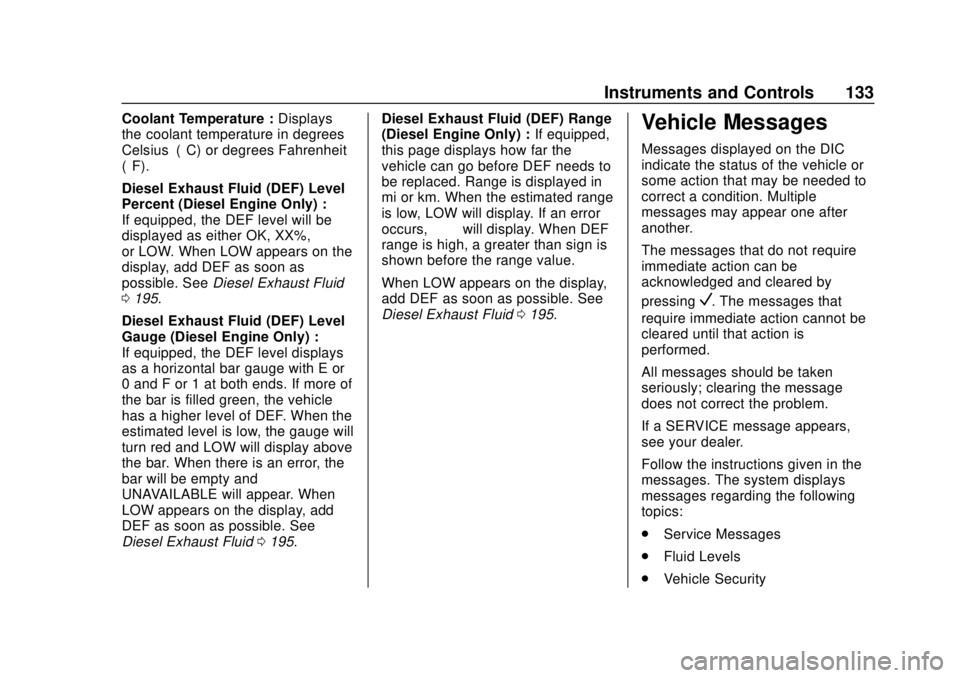
Diesel Exhaust Fluid (DEF) Level
Gauge (Diesel Engine Only) :
If equipped, the DEF level displays
as a horizontal bar gauge with E or
0 and F or 1 at both ends. If more of
the bar is filled green, the vehicle
has a higher level of DEF. When the
estimated level is low, the gauge will
turn red and LOW will display above
the bar. When there is an error, the
bar will be empty and
UNAVAILABLE will appear. When
LOW appears on the display, add
DEF as soon as possible. See
Diesel Exhaust Fluid 0195. Diesel Exhaust Fluid (DEF) Range
(Diesel Engine Only) :
If equipped,
this page displays how far the
vehicle can go before DEF needs to
be replaced. Range is displayed in
mi or km. When the estimated range
is low, LOW will display. If an error
occurs, “−−”will display. When DEF
range is high, a greater than sign is
shown before the range value.
When LOW appears on the display,
add DEF as soon as possible. See
Diesel Exhaust Fluid 0195.Vehicle Messages
Messages displayed on the DIC
indicate the status of the vehicle or
some action that may be needed to
correct a condition. Multiple
messages may appear one after
another.
The messages that do not require
immediate action can be
acknowledged and cleared by
pressing
V. The messages that
require immediate action cannot be
cleared until that action is
performed.
All messages should be taken
seriously; clearing the message
does not correct the problem.
If a SERVICE message appears,
see your dealer.
Follow the instructions given in the
messages. The system displays
messages regarding the following
topics:
. Service Messages
. Fluid Levels
. Vehicle Security
Page 135 of 415
Chevrolet Equinox Owner Manual (GMNA-Localizing-U.S./Canada/Mexico-
13555863) - 2020 - CRC - 8/2/19
134 Instruments and Controls
.Brakes
. Steering
. Ride Control Systems
. Driver Assistance Systems
. Cruise Control
. Lighting and Bulb Replacement
. Wiper/Washer Systems
. Doors and Windows
. Seat Belts
. Airbag Systems
. Engine and Transmission
. Tire Pressure
. Battery
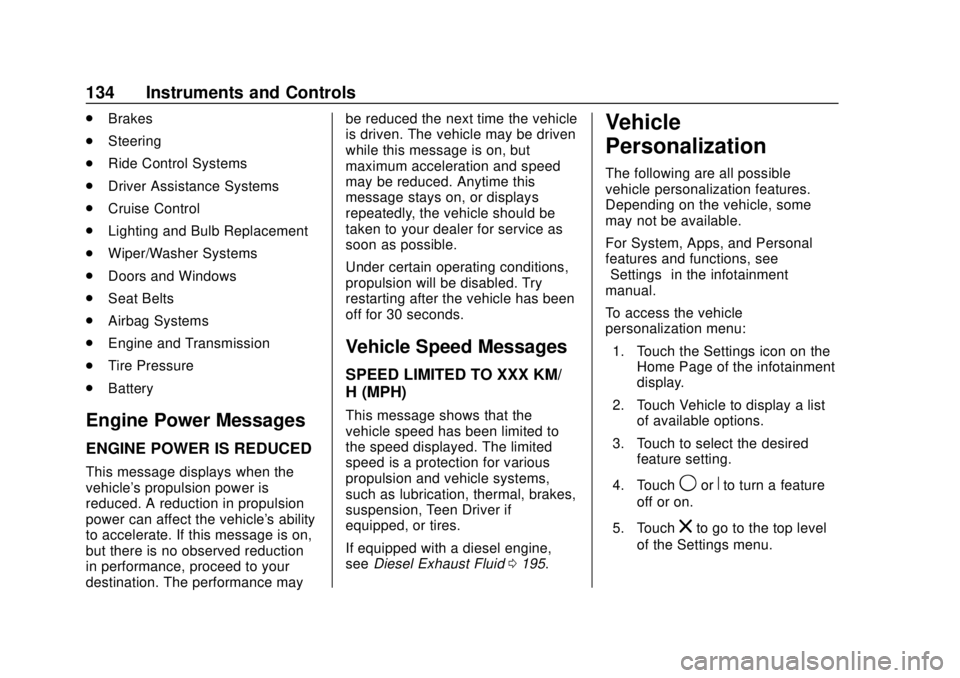
Engine Power Messages
ENGINE POWER IS REDUCED
This message displays when the
vehicle's propulsion power is
reduced. A reduction in propulsion
power can affect the vehicle's ability
to accelerate. If this message is on,
but there is no observed reduction
in performance, proceed to your
destination. The performance may be reduced the next time the vehicle
is driven. The vehicle may be driven
while this message is on, but
maximum acceleration and speed
may be reduced. Anytime this
message stays on, or displays
repeatedly, the vehicle should be
taken to your dealer for service as
soon as possible.
Under certain operating conditions,
propulsion will be disabled. Try
restarting after the vehicle has been
off for 30 seconds.
Vehicle Speed Messages
SPEED LIMITED TO XXX KM/
H (MPH)
This message shows that the
vehicle speed has been limited to
the speed displayed. The limited
speed is a protection for various
propulsion and vehicle systems,
such as lubrication, thermal, brakes,
suspension, Teen Driver if
equipped, or tires.
If equipped with a diesel engine,
see
Diesel Exhaust Fluid 0195.
Vehicle
Personalization
The following are all possible
vehicle personalization features.
Depending on the vehicle, some
may not be available.
For System, Apps, and Personal
features and functions, see
“Settings” in the infotainment
manual.
To access the vehicle
personalization menu:
1. Touch the Settings icon on the Home Page of the infotainment
display.
2. Touch Vehicle to display a list of available options.
3. Touch to select the desired feature setting.
4. Touch
9orRto turn a feature
off or on.
5. Touch
zto go to the top level
of the Settings menu.
Page 163 of 415
Chevrolet Equinox Owner Manual (GMNA-Localizing-U.S./Canada/Mexico-
13555863) - 2020 - CRC - 8/2/19
162 Driving and Operating
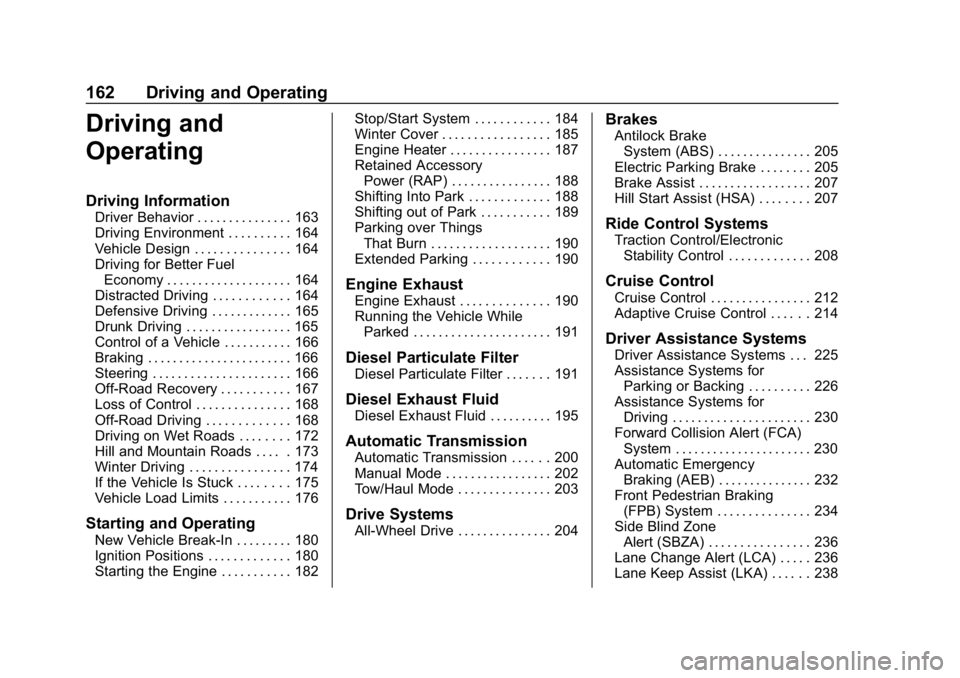
Driving and
Operating
Driving Information
Driver Behavior . . . . . . . . . . . . . . . 163
Driving Environment . . . . . . . . . . 164
Vehicle Design . . . . . . . . . . . . . . . 164
Driving for Better FuelEconomy . . . . . . . . . . . . . . . . . . . . 164
Distracted Driving . . . . . . . . . . . . 164
Defensive Driving . . . . . . . . . . . . . 165
Drunk Driving . . . . . . . . . . . . . . . . . 165
Control of a Vehicle . . . . . . . . . . . 166
Braking . . . . . . . . . . . . . . . . . . . . . . . 166
Steering . . . . . . . . . . . . . . . . . . . . . . 166
Off-Road Recovery . . . . . . . . . . . 167
Loss of Control . . . . . . . . . . . . . . . 168
Off-Road Driving . . . . . . . . . . . . . 168
Driving on Wet Roads . . . . . . . . 172
Hill and Mountain Roads . . . . . 173
Winter Driving . . . . . . . . . . . . . . . . 174
If the Vehicle Is Stuck . . . . . . . . 175
Vehicle Load Limits . . . . . . . . . . . 176
Starting and Operating
New Vehicle Break-In . . . . . . . . . 180
Ignition Positions . . . . . . . . . . . . . 180
Starting the Engine . . . . . . . . . . . 182 Stop/Start System . . . . . . . . . . . . 184
Winter Cover . . . . . . . . . . . . . . . . . 185
Engine Heater . . . . . . . . . . . . . . . . 187
Retained Accessory
Power (RAP) . . . . . . . . . . . . . . . . 188
Shifting Into Park . . . . . . . . . . . . . 188
Shifting out of Park . . . . . . . . . . . 189
Parking over Things That Burn . . . . . . . . . . . . . . . . . . . 190
Extended Parking . . . . . . . . . . . . 190
Engine Exhaust
Engine Exhaust . . . . . . . . . . . . . . 190
Running the Vehicle While Parked . . . . . . . . . . . . . . . . . . . . . . 191
Diesel Particulate Filter
Diesel Particulate Filter . . . . . . . 191
Diesel Exhaust Fluid
Diesel Exhaust Fluid . . . . . . . . . . 195
Automatic Transmission
Automatic Transmission . . . . . . 200
Manual Mode . . . . . . . . . . . . . . . . . 202
Tow/Haul Mode . . . . . . . . . . . . . . . 203
Drive Systems
All-Wheel Drive . . . . . . . . . . . . . . . 204
Brakes
Antilock BrakeSystem (ABS) . . . . . . . . . . . . . . . 205
Electric Parking Brake . . . . . . . . 205
Brake Assist . . . . . . . . . . . . . . . . . . 207
Hill Start Assist (HSA) . . . . . . . . 207
Ride Control Systems
Traction Control/Electronic Stability Control . . . . . . . . . . . . . 208
Cruise Control
Cruise Control . . . . . . . . . . . . . . . . 212
Adaptive Cruise Control . . . . . . 214
Driver Assistance Systems
Driver Assistance Systems . . . 225
Assistance Systems forParking or Backing . . . . . . . . . . 226
Assistance Systems for Driving . . . . . . . . . . . . . . . . . . . . . . 230
Forward Collision Alert (FCA) System . . . . . . . . . . . . . . . . . . . . . . 230
Automatic Emergency Braking (AEB) . . . . . . . . . . . . . . . 232
Front Pedestrian Braking (FPB) System . . . . . . . . . . . . . . . 234
Side Blind Zone Alert (SBZA) . . . . . . . . . . . . . . . . 236
Lane Change Alert (LCA) . . . . . 236
Lane Keep Assist (LKA) . . . . . . 238