battery CHEVROLET EXPRESS 1996 1.G Owners Manual
[x] Cancel search | Manufacturer: CHEVROLET, Model Year: 1996, Model line: EXPRESS, Model: CHEVROLET EXPRESS 1996 1.GPages: 376, PDF Size: 18.83 MB
Page 11 of 376
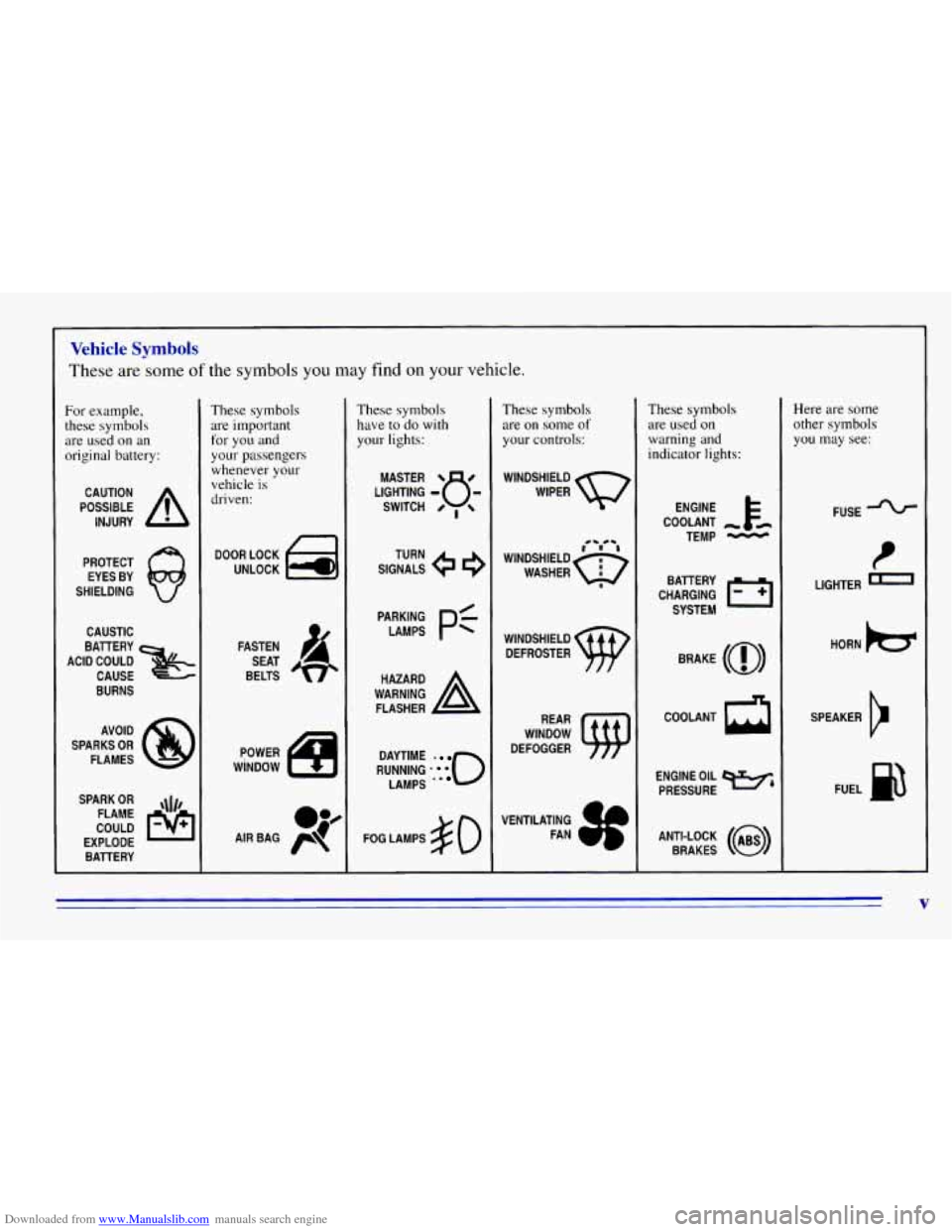
Downloaded from www.Manualslib.com manuals search engine Vehicle Symbols
These are some of the symbols you may find on your vehicle.
For example,
these symbols
are used
on an
original battery:
POSSIBLE A
CAUTION
INJURY
PROTECT EYES BY
SHIELDING
CAUSTIC
ACID COULD BATTERY
CAUSE
BURNS
SPARK
OR ,\I/,
COULD FLAME
EXPLODE BATTERY
These symbols
are important
for
you and
your passengers
whenever your
vehicle
is
driven:
DOOR LOCK
UNLOCK
FASTEN SEAT
BELTS
These symbols have to do with
your lights:
SIGNALS e e
TURN
RUNNING
-0
DAYTIME
LAMPS -*
FOG LAMPS # 0
These symbols
are on some of
your controls:
WINDSHIELD
DEFROSTER
VENTILATING FAN
These symbols
are used on
warning and
indicator lights:
COOLANT -
TEMP -
CHARGING BATTERY
SYSTEM
BRAKE
(0)
COOLANT a
ENGINE OIL e,
PRESSURE
ANTI-LOCK
(@)
BRAKES
Here are some
other symbols
you may see:
FUSE
t
LIGHTER -
HORN )tr
SPEAKER
b
FUEL m
V
Page 39 of 376
Downloaded from www.Manualslib.com manuals search engine 0
0
Your vehicle is equipped with a crash sensing and
diagnostic module, which records information
about the air bag system. The module records
information about the readiness of the system, when
the sensors are activated and driver’s safety belt
usage at deployment.
Let only qualified technicians work on your air bag
system. Improper service can mean that your air bag
system won’t work properly. See your dealer
for service.
NOTICE:
If you damage the cover for the driver’s or the
right front passenger’s
air bag, they may not
work properly. You may have
to replace the
air bag module in the steering wheel or both the
air bag module and the instrument panel for the
right front passenger’s
air bag. Do not open or
break the air bag covers.
Servicing Your Air Bag-Equipped Vehicle
Air bags affect how your vehicle should be serviced.
There are parts of the air bag system in several places
around your vehicle.
You don’t want the system to
inflate while someone is working on your vehicle. Your
GM dealer and the service manual have information
about servicing your vehicle and the air bag system.
To
purchase a service manual, see “Service and Owner
Publications” in the Index.
For up to 10 minutes after the ignition key is
turned
off and the battery is disconnected, an air
bag can still inflate during improper service. You
can be injured if you are close to an air bag when
it inflates. Avoid wires wrapped
with yellow tape
or yellow connectors. They are probably part of
the air bag system. Be sure to follow proper
service procedures, and make sure the person
performing work for
you is qualified to do so.
The air bag system does not need regular maintenance.
1 37
Page 67 of 376
Downloaded from www.Manualslib.com manuals search engine Keyless Entry SysteeJ
If your vehicle has this option, you can lock and unlock
your doors from up
to 30 feet (9 m) away using the key
chain transmitter supplied with your vehicle.
Your Keyless Entry System operates
on a radio
frequency subject to Federal Communications
Commission (FCC) Rules.
This device complies with Part
15 of the FCC Rules.
Operation is subject to the following two conditions:
( 1) This device may not cause harmful interference,
and
(2) This device must accept any interference
received, including interference that may cause
undesired operation.
Should interference to this system occur, try this:
0
0
0
0
Check to determine if battery replacement is
necessary. See the instructions
on battery
replacement.
Check the distance.
You may be too far from your
vehicle. This product has a maximum range.
Check the location. Other vehicles or objects may
be blocking the signal.
See your
GM dealer or a qualified technician
for service. Changes
or modifications to this system
by other than an
authorized service facility could void authorization
to
use this equipment.
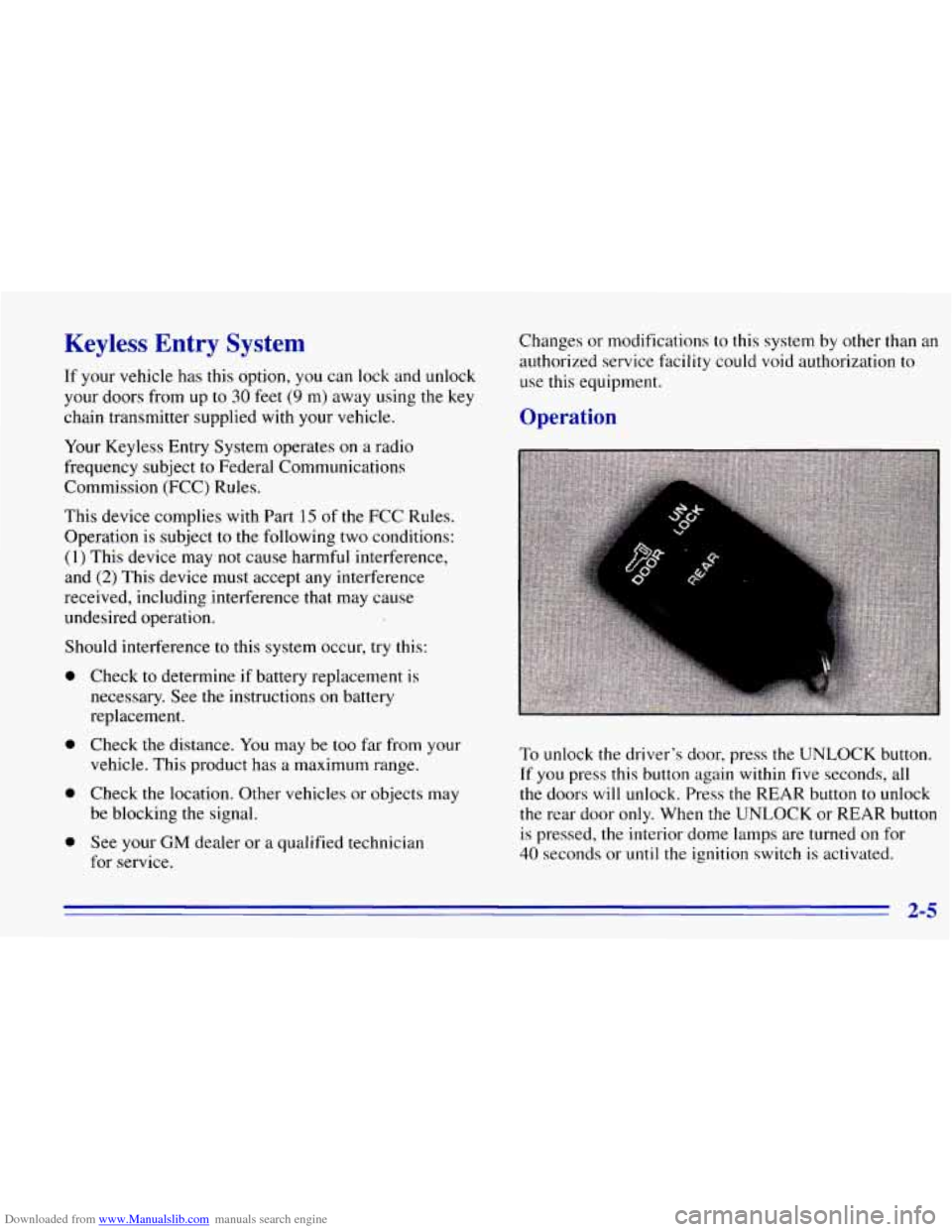
Operation
BfF
To unlock the driver’s door, press the UNLOCK button.
If you press this button again within five seconds, all
the doors will unlock. Press the REAR button to unlock
the rear door
only. When the UNLOCK or REAR button
is pressed, the interior dome lamps are turned on for
40 seconds or until the ignition switch is activated.
2-5
Page 68 of 376
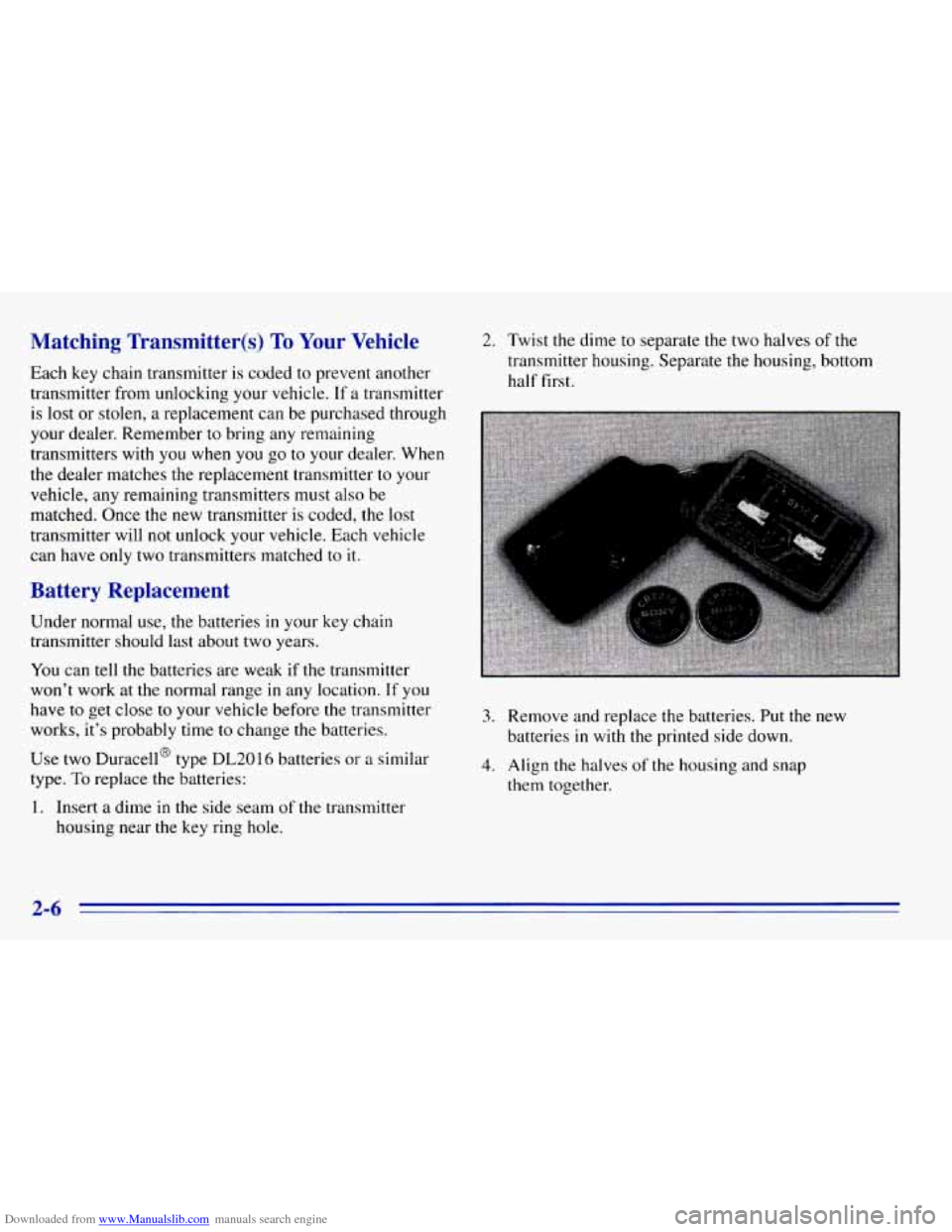
Downloaded from www.Manualslib.com manuals search engine Matching Transmitter(s) To Your Vehicle 2. Twist the dime to separate the two halves of the
Each key chain transmitter
is coded to prevent another
transmitter from unlocking your vehicle.
If a transmitter transmitter housing.
Separate the housing, bottom
half first.
is lost or stolen, a replacement can be purchased through
your dealer. Remember
to bring any remaining
transmitters with you when
you go to your dealer. When
the dealer matches
the replacement transmitter to your
vehicle, any remaining transmitters must also be
matched. Once
the new transmitter is coded, the lost
transmitter will not unlock your vehicle. Each vehicle
can have only two transmitters matched to
it.
Battery Replacement
Under normal use, the batteries in your key chain
transmitter should last about two years.
You can tell the batteries are weak if the transmitter
won’t work at the normal range in any location.
If you
have to get close
to your vehicle before the transmitter
works, it’s probably time
to change the batteries.
Use two Duracell@ type
DL2016 batteries or a similar
type.
To replace the batteries:
1. Insert a dime in the side seam of the transmitter
housing near
the key ring hole.
3. Remove and replace the batteries. Put the new
batteries
in with the printed side down.
4. Align the halves of the housing and snap
them together.
2-6
Page 77 of 376
Downloaded from www.Manualslib.com manuals search engine 1. Without pushing the accelerator pedal, turn your
ignition key to
START. When the engine starts, let
go of the key, The idle speed will go down as your
engine gets warm.
NOTICE:
Holding your key in START for longer than
15 seconds at a time will cause your battery to be
drained much sooner. And the excessive heat can
damage your starter motor.
2. If it doesn’t start right away, hold your key in
START. If it doesn’t start in 10 seconds, push the
accelerator pedal all the way down for five more
seconds,
or until it starts.
3. If your engine still won’t start (or starts but then
stops), wait
15 seconds and start over.
When the engine starts, let
go of the key and the
accelerator pedal.
NOTICE:
Your engine is designed to work with the
electronics in your vehicle. If you add electrical
parts or accessories, you could change the
way
the engine operates. Before adding electrical
equipment, check with your dealer.
If you don’t,
your engine might not perform properly.
If you ever have to have your vehicle towed, see
the part of this manual that tells how to do it
without damaging your vehicle. See “Towing
Your Vehicle” in the Index.
2-15
Page 79 of 376
Downloaded from www.Manualslib.com manuals search engine Automatic Transmission Operation
There are several different positions for your shift lever.
If your vehicle is equipped with an automatic
transmission,
it now features an electronic shift position
indicator within the instrument cluster. This display
must be powered anytime the shift lever is capable
of
being moved out of the PARK (P) position. This means
that if your
key is in the OFF position, but not locked,
there will be a small current drain on your battery which
could discharge
your battery over a period of time. If
you have
a need to leave your key in the ignition in the
OFF position for an extended period for any reason, it is
recommended that
you disconnect the battery cable from
the battery to prevent discharging your battery.
PARK (P): This locks your rear wheels. It’s the best
position to use when
you start your engine because your
vehicle can’t move easily.
A CAUTIO :
It is dangerous to get out of your vehicle if the
shift lever
is not fully in PARK (P) with the
parking brake firmly set. Your vehicle can roll.
Don’t leave your vehicle when the engine
is
running unless you have to. If you have left the
engine running, the vehicle can move suddenly.
You or others could be injured. To be sure your
vehicle won’t move, even when you’re on fairly
level ground, always set your parking brake and
move the shift lever to
PARK (P).
See “Shifting Into PARK (P)” in the Index. If
you’re pulling
a trailer, see “Towing a Trailer’’
in the Index.
Your vehicle has a brake-transmission shift interlock.
With the ignition
in the RUN position, you must fully
apply your regular brakes before you can shift from
PARK (P).
2-17
Page 109 of 376
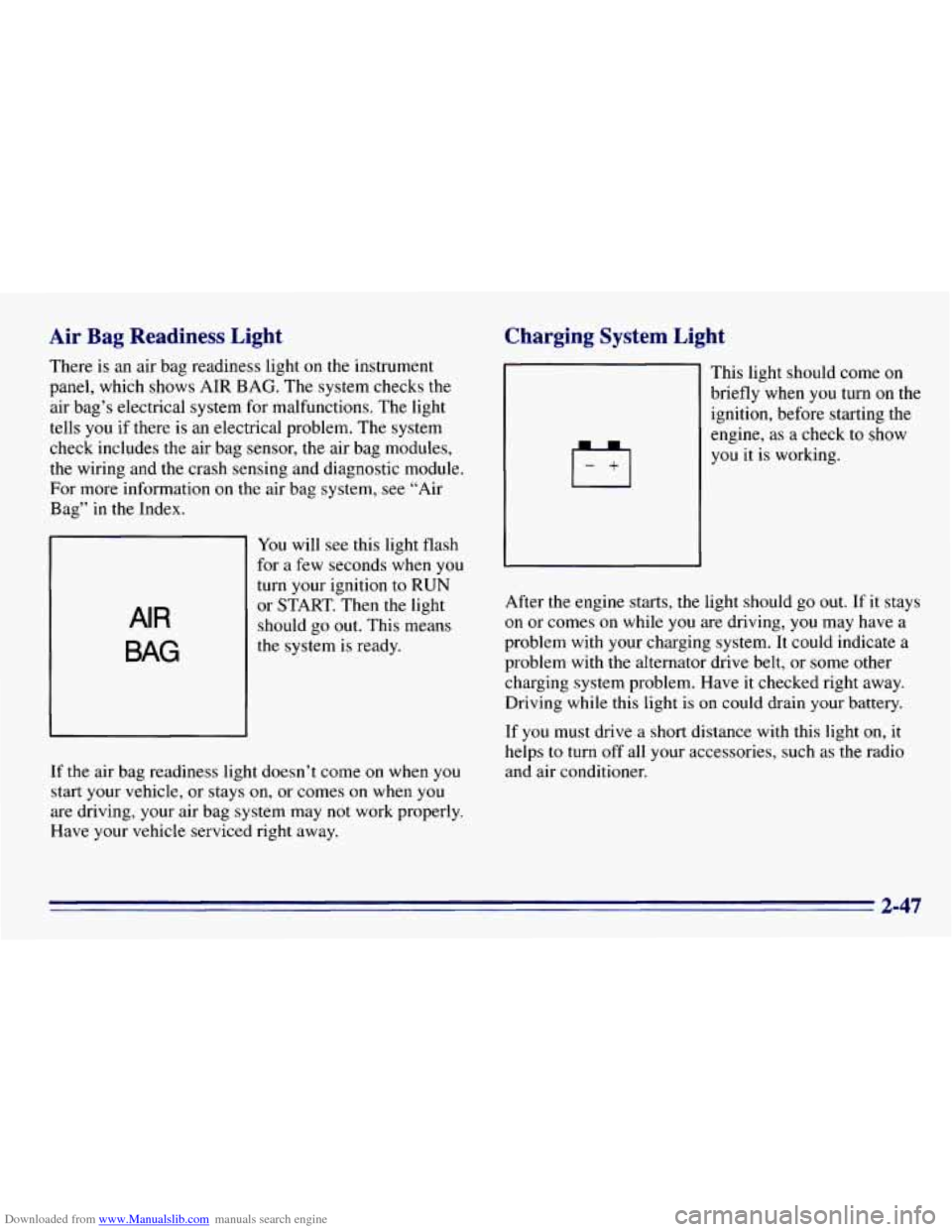
Downloaded from www.Manualslib.com manuals search engine Air Bag Readiness Light
There is an air bag readiness light on the instrument
panel, which shows AIR BAG. The system checks the
air bag’s electrical system for malfunctions. The light
tells
you if there is an electrical problem. The system
check includes the air bag sensor, the air bag modules,
the wiring and the crash sensing and diagnostic module.
For more information
on the air bag system, see “Air
Bag” in
the Index.
AIR
BAG
You will see this light flash
for a few seconds when you
turn your ignition to
RUN
or START. Then the light
should go
out. This means
the system is ready.
If the air bag readiness light doesn’t come on when you
start your vehicle, or stays on, or comes on when you
are driving, your air bag system may not work properly.
Have your vehicle serviced right away.
Charging System Light
This light should come on
briefly when you turn on the
ignition, before starting the
engine, as a check to show
you
it is working.
After the engine starts, the light should go out. If it stays
on or comes on while you are driving, you may have a
problem with your charging system. It could indicate a
problem with the alternator drive belt, or some other
charging system problem. Have it checked right away.
Driving while this light is on could drain your battery.
If you must drive a short distance with this light
on, it
helps
to turn off all your accessories, such as the radio
and air conditioner.
2-47
Page 117 of 376
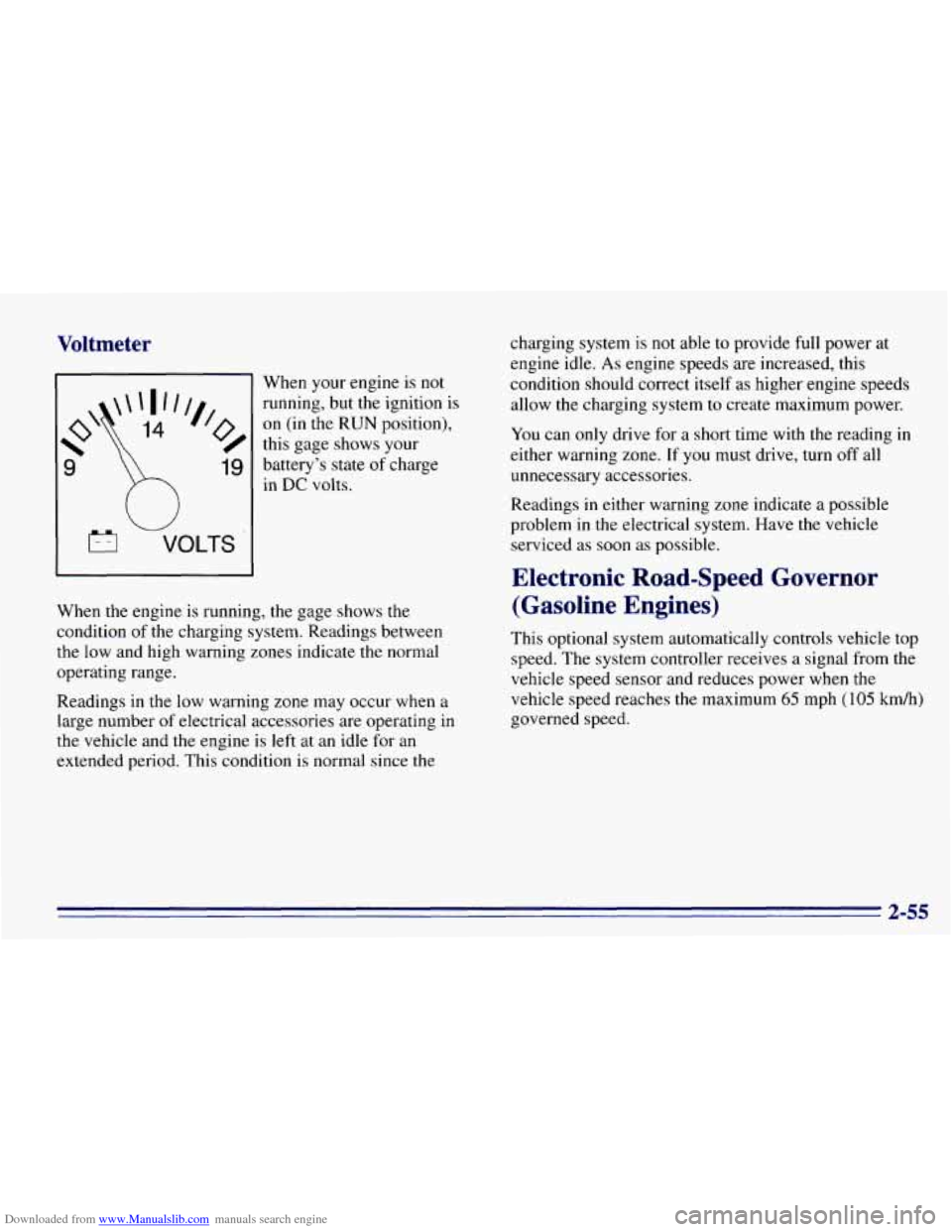
Downloaded from www.Manualslib.com manuals search engine Voltmeter
W
VOLTS
When your engine is not
running, but the ignition is
on (in the RUN position),
this gage shows your
battery’s state of charge
in DC volts.
When the engine is running, the gage shows the
condition of the charging system. Readings between
the low and high warning zones indicate the normal
operating range.
Readings in the low warning zone may occur when a
large number
of electrical accessories are operating in
the vehicle and the engine is left at an idle for an
extended period. This condition is normal since the charging
system is not able to provide full power at
engine idle.
As engine speeds are increased, this
condition should correct itself as higher engine speeds
allow the charging system to create maximum power.
You can only drive for a short time with the reading in
either warning zone.
If you must drive, turn off all
unnecessary accessories.
Readings in either warning zone indicate a possible
problem in the electrical system. Have the vehicle
serviced as
soon as possible.
Electronic Road-Speed Governor
(Gasoline Engines)
This optional system automatically controls vehicle top
speed. The system controller receives a signal from the
vehicle speed sensor and reduces power when
the
vehicle speed reaches the maximum 65 mph (105 km/h)
governed speed.
2-55
Page 143 of 376
Downloaded from www.Manualslib.com manuals search engine a REV (4): Press and hold REV to return rapidly to a
favorite passage. You will hear the disc selection play at
high speed while
you press the REV button. This allows
you to listen and find out when the disc is at the desired
selection. Release
REV to resume playing.
FWD (6): Press and hold this button to advance rapidly
within a track. You will hear the disc selection play at
high speed while you press the FWD button. This allows
you to listen and find out when the disc is
at the desired
selection. Release FWD to resume playing.
AM-FM: While in the CD mode, press this button to
stop playing the CD and play the radio. The CD symbol
will still display but the word CD will be replaced with
either
AM, FM I or FM2. (If the radio is turned off, the
disc stays
in the player and will resume playing at the
point where
it stopped.)
CD AUX: To switch between the player and the radio
when
a disc is playing, press the AM-FM button. To
return to the player, press CD
AUX. When a disc is
playing, the letters CD and the CD symbol
will appear
on the display.
(If the radio is turned off, the disc stays
in the player and will resume playing at the point where
it stopped.)
EJECT Press this button to eject the disc from the
player and play the radio. When the same or a new disc
is inserted, the disc
will start playing on track one. Ifa
compact disc is left sitting in the opening for more than
a few seconds, the player will pull the CD back in. The
radio will continue playing. When the ignition is off,
press this button to load
a CD.
Theft-Deterrent Feature
THEFTLOCK TM is designed to discourage theft of your
radio.
It works by using a secret code to disable all radio
functions whenever battery power is removed.
The THEFTLOCK feature for
the radio may be used or
ignored.
If ignored, the system plays normally and the
radio is not protected by the feature.
If THEFTLOCK is
activated, your radio
will not operate if stolen.
When THEFTLOCK
is activated, the radio will display
LOC
to indicate a locked condition anytime battery
power is removed.
If your battery loses power for any
reason,
you must unlock the radio with the secret code
before
it will operate.
3-23
Page 146 of 376
Downloaded from www.Manualslib.com manuals search engine If the code entered is incorrect, SEC will appear on the
display. The radio will remain secured
until the correct
code is entered.
When battery power is disconnected from a secured
radio, the radio won’t
turn on and LOC will appear on
the display.
To unlock a secured radio, see “Unlocking the
Theft-Deterrent Feature After
a Power Loss” earlier in
this section.
Understanding Radio Reception
FM Stereo
FM stereo will give you the best sound. But FM signals
will reach only about 10 to 40 miles (16 to 65 km). Tall
buildings or hills can interfere with FM signals, causing
the sound to come and
go.
AM
The range for most AM stations is greater than for FM,
especially at night. The longer range, however, can
cause stations to interfere
with each other. AM can pick
up noise from things like storms and power lines. Try
reducing the treble
to reduce this noise if you ever get it.
3-26