instrument panel CHEVROLET EXPRESS 1998 1.G User Guide
[x] Cancel search | Manufacturer: CHEVROLET, Model Year: 1998, Model line: EXPRESS, Model: CHEVROLET EXPRESS 1998 1.GPages: 386, PDF Size: 20.74 MB
Page 106 of 386
Downloaded from www.Manualslib.com manuals search engine Turn Signal and Lane Change Signals
The turn signal has two upward (for right) and two
downward (for left) positions. These positions allow
you to signal a turn or a lane change.
To signal a turn, move the lever all the way up
or down. When the turn is finished, the lever
will return automatically.
H
LI
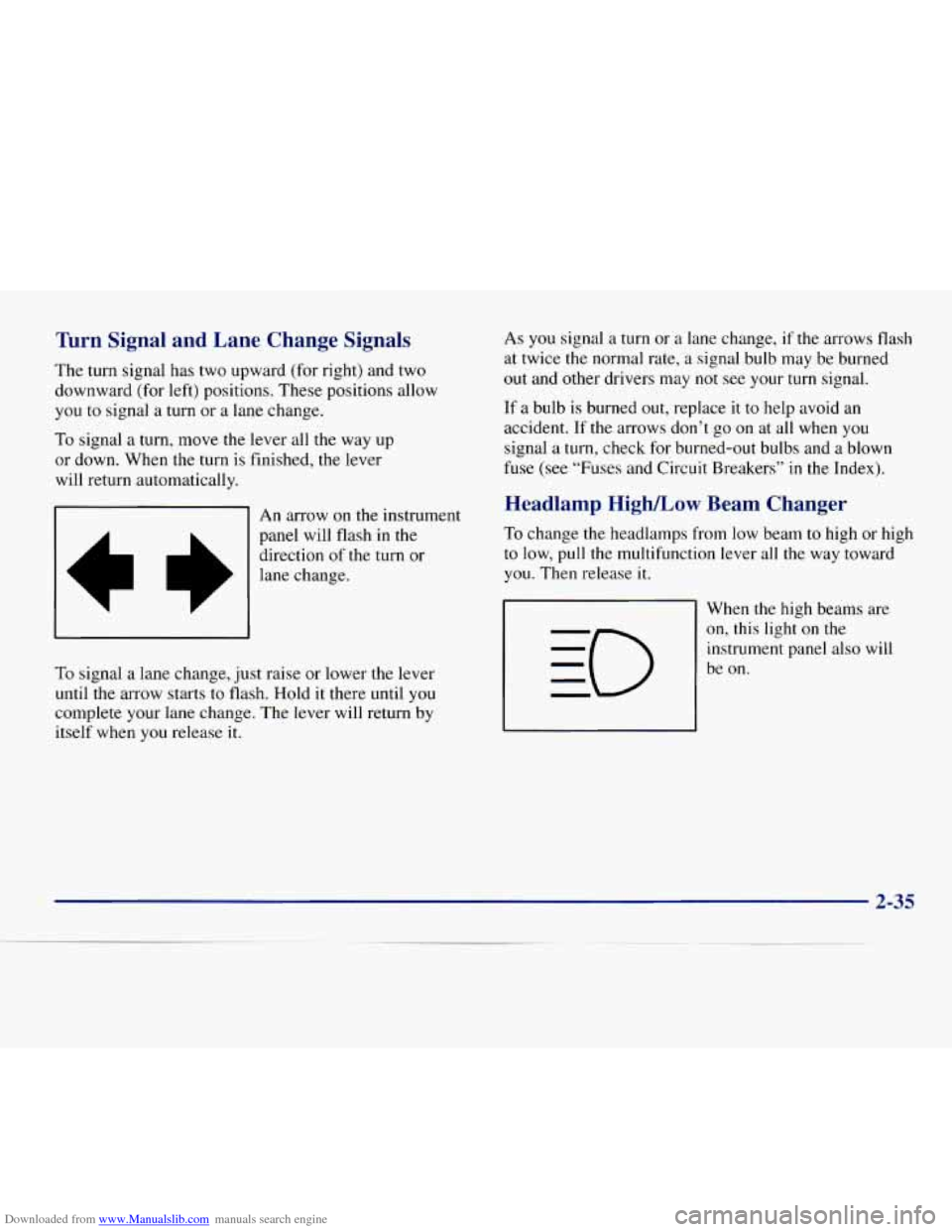
An arrow on the instrument
panel will flash
in the
direction of the turn or
lane change.
To signal
a lane change, just raise or lower the lever
until the arrow starts to flash. Hold it there until you
complete your lane change. The lever will return by
itself when you release it. As
you signal a
turn or a lane change, if the arrows flash
at twice the normal rate,
a signal bulb may be burned
out and other drivers may not see your turn signal.
If
a bulb is burned out, replace it to help avoid an
accident. If
the arrows don’t go on at all when you
signal a turn, check for burned-out bulbs and a blown
fuse (see “Fuses and Circuit Breakers”
in the Index).
Headlamp High/Low Beam Changer
To change the headlamps from low beam to high or high
to low, pull the multifunction lever all the way toward
you. Then release it.
When the high beams are
on, this light on the
instrument panel also will
be on.
2-35
Page 111 of 386
Downloaded from www.Manualslib.com manuals search engine Exterior Lamps one more detent will activate the interior dome light
circuit (with slightly higher effort).
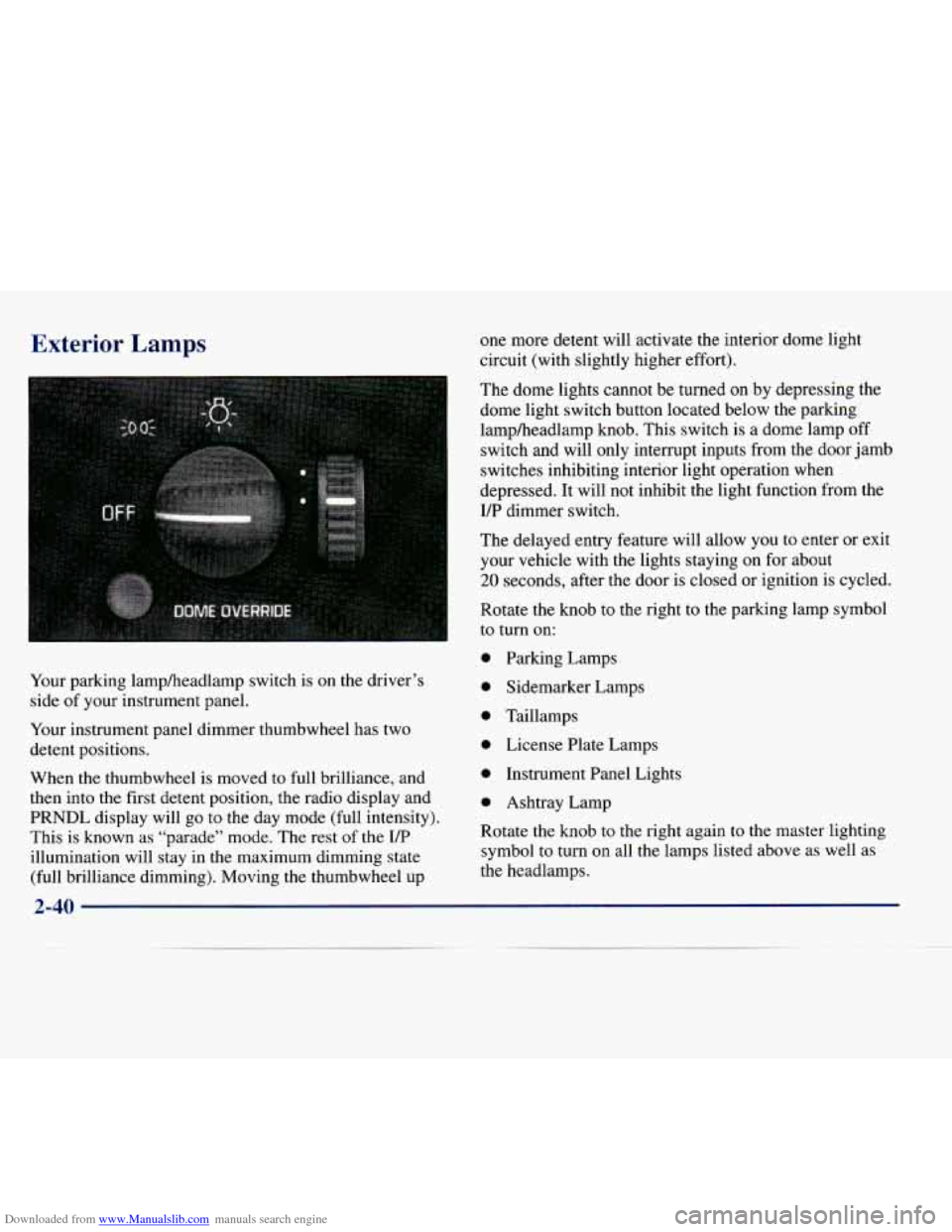
Your parking lampheadlamp switch is on the driver’s
side
of your instrument panel.
Your instrument panel dimmer thumbwheel has two
detent positions.
When the thumbwheel is moved
to full brilliance, and
then into the first detent position,
the radio display and
PRNDL display will go
to the day mode (full intensity).
This is known as “parade” mode. The rest of the I/P
illumination will stay in the maximum dimming state
(full brilliance dimming). Moving the thumbwheel up The dome
lights cannot be turned on by depressing the
dome light switch button located below the parking
lampheadlamp knob. This switch
is a dome lamp off
switch and will only interrupt inputs from the door jamb
switches inhibiting interior light operation when
depressed. It will not inhibit the light function from the
I/P dimmer switch.
The delayed entry feature will allow you to enter
or exit
your vehicle with the lights staying
on for about
20 seconds, after the door is closed or ignition is cycled.
Rotate the knob to the right to the parking lamp symbol
to turn on:
0 Parking Lamps
0 Sidemarker Lamps
0 Taillamps
0 License Plate Lamps
0 Instrument Panel Lights
0 Ashtray Lamp
Rotate the knob to
the right again to the master lighting
symbol
to turn on all the lamps listed above as well as
the headlamps.
2-40
Page 112 of 386
Downloaded from www.Manualslib.com manuals search engine Rotate the knob to the left to OFF to turn off your lamps
and lights.
Rotate the thumbwheel next to the switch knob up to
adjust instrument panel lights. Rotate the thumbwheel
up to the first notch
to return the radio display and
gearshift indicator Vacuum Fluorescence
(VF) display
to full intensity when the headlamps or parking lamps
are on.
Rotate the thumbwheel up to the second notch
to
activate the interior dome lamps.
You can switch your headlamps from high to low beam
by pulling
on the turn signalhigh beam lever.
A circuit breaker protects your headlamps. If you have
an electrical overload, your headlamps will flicker on
and off. Have your headlamp wiring checked right away
if this happens.
Headlamps On Reminder
A tone will sound when your headlamps are turned on
and your ignition is in
OFF, LOCK or ACCESSORY. If
you need to use your headlamps when the ignition
switch is in
OFF, LOCK or ACCESSORY, the tone can
be turned off by turning the thumbwheel next to the
parking lampheadlamp switch all the way down.
Daytime Running Lamps
Daytime Running Lamps (DRL) can make it easier for
others to see the front of your vehicle during the day.
DIU can be helpful in many different driving
conditions, but they can be especially helpful in the
short periods after dawn and before sunset.
2-41
Page 113 of 386
Downloaded from www.Manualslib.com manuals search engine The DRL system will make your headlamps come on at
a reduced brightness when:
0 The ignition is on,
0 The headlamp switch is off, and
The parking brake is released.
When the DRL are on, only your headlamps will be on.
The taillamps, sidemarker and other lamps won’t be on.
Your instrument panel won’t be lit up either.
When it begins to get dark, your
DRL indicator light is
a reminder to turn y,our headlamp switch on. The other
lamps that come
on with your headlamps will also
come on.
When you turn off the headlamp switch, the regular
lamps will go off, and your headlamps will change to
the reduced brightness of DRL.
To idle your vehicle with the engine on and the DRL off,
set the parking brake. The DRL will stay off until you
release
the parking brake.
As with any vehicle, you should turn on the regular
headlamp system when you need
it.
Center High-Mounted Stoplamp
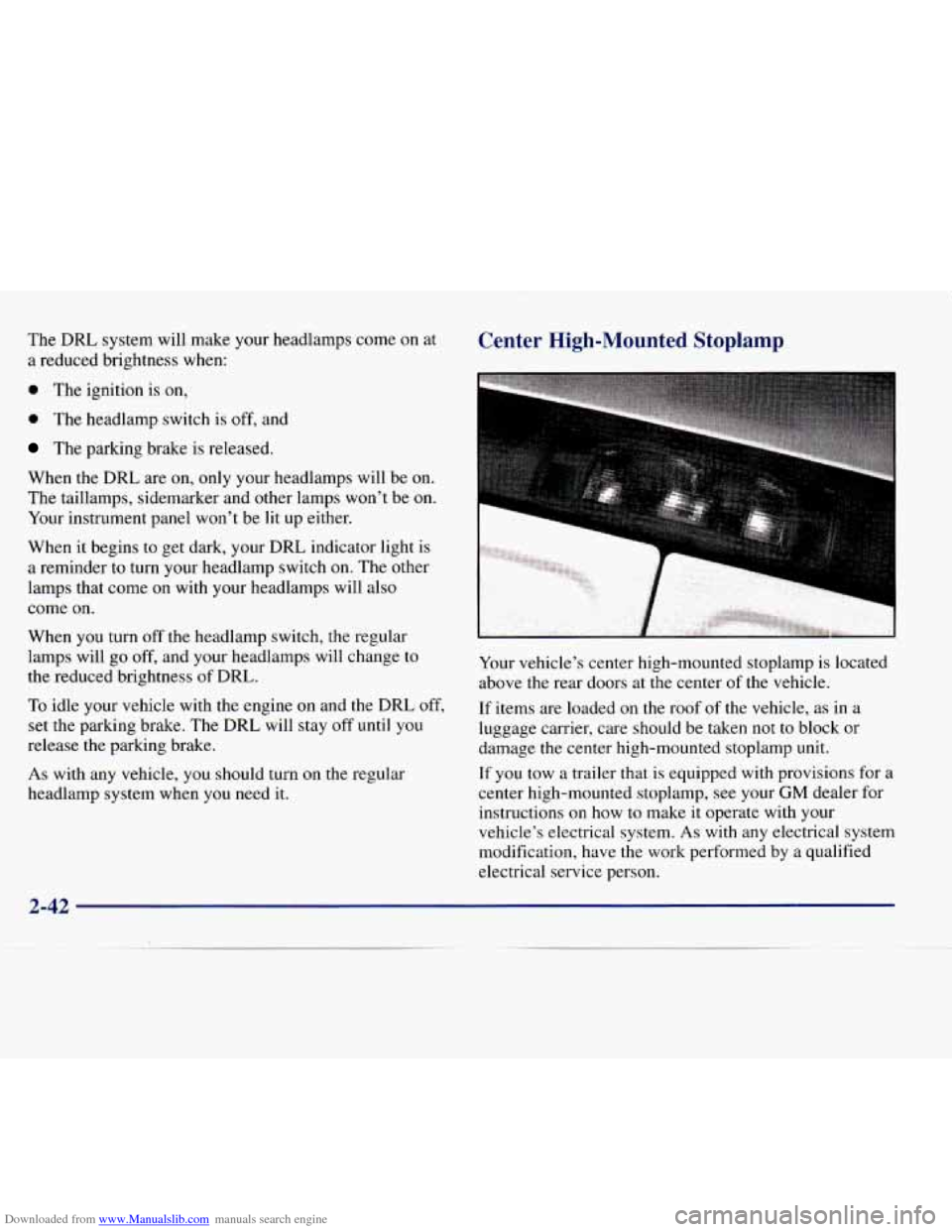
Your vehicle’s center high-mounted stoplamp is located
above the rear doors at the center
of the vehicle.
If items are loaded
on the roof of the vehicle, as in a
luggage carrier, care should be taken not
to block or
damage the center high-mounted stoplamp unit.
If you tow a trailer that is equipped with provisions for
a
center high-mounted stoplamp, see your GM dealer for
instructions
on how to make it operate with your
vehicle’s electrical system. As with any electrical system
modification, have the work performed
by a qualified
electrical service person.
2-42
Page 119 of 386
Downloaded from www.Manualslib.com manuals search engine Storage Compartments
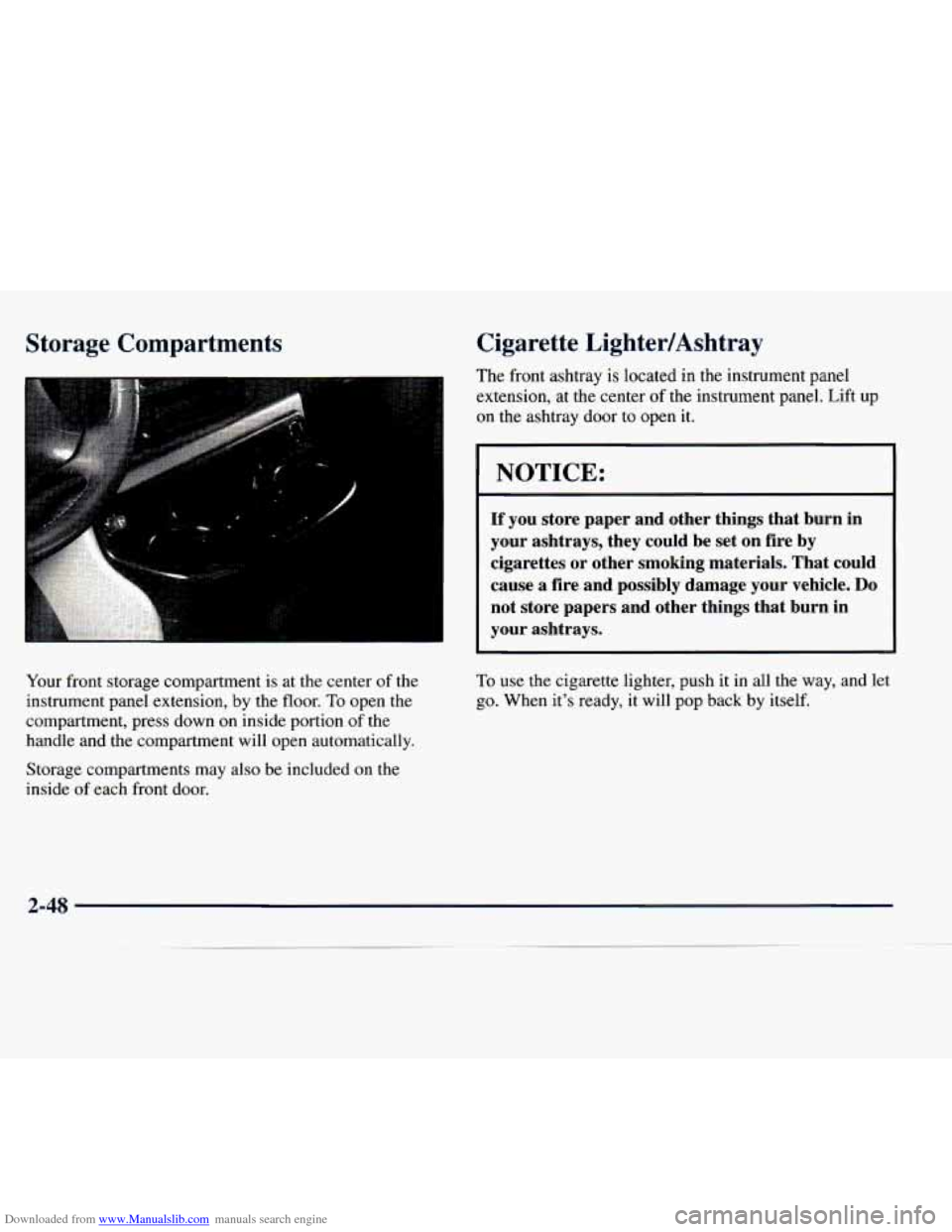
Your front storage compartment is at the center of the
instrument panel extension, by the floor.
To open the
compartment, press down on inside portion
of the
handle and the compartment will open automatically.
Cigarette LightedAshtray
The front ashtray is located in the instrument panel
extension, at the center
of the instrument panel. Lift up
on the ashtray door to open
it.
NOTICE:
If you store paper and other things that burn in
your ashtrays, they could be set
on fire by
cigarettes or other smoking materials. That could
cause a fire and possibly damage your vehicle. Do
not store papers and other things that burn in
your ashtrays.
To use the cigarette lighter, push it in all the way, and let
go. When it’s ready, it will pop back
by itself.
Storage compartments may also be included on the
inside
of each front door.
2-48
Page 121 of 386
Downloaded from www.Manualslib.com manuals search engine -
.strurnent Panel
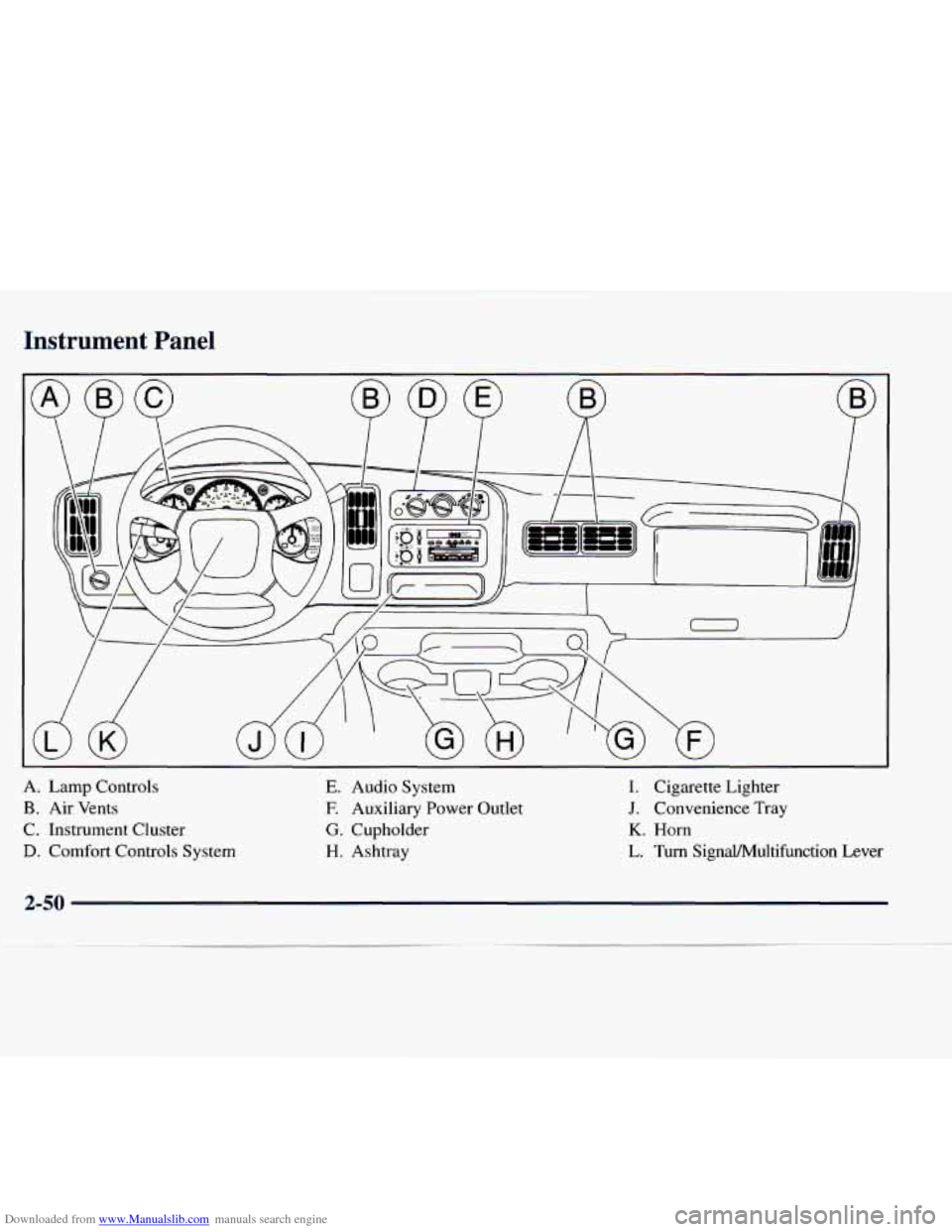
A. Lamp Controls
B. Air Vents
C. Instrument Cluster
D. Comfort Controls System
E. Audio System
E Auxiliary Power Outlet
G. Cupholder
H. Ashtray
I. Cigarette Lighter
J. Convenience Tray
K. Horn
L. Turn SignaVMultifunction Lever
2-50
Page 125 of 386
Downloaded from www.Manualslib.com manuals search engine Air Bag Readiness Light
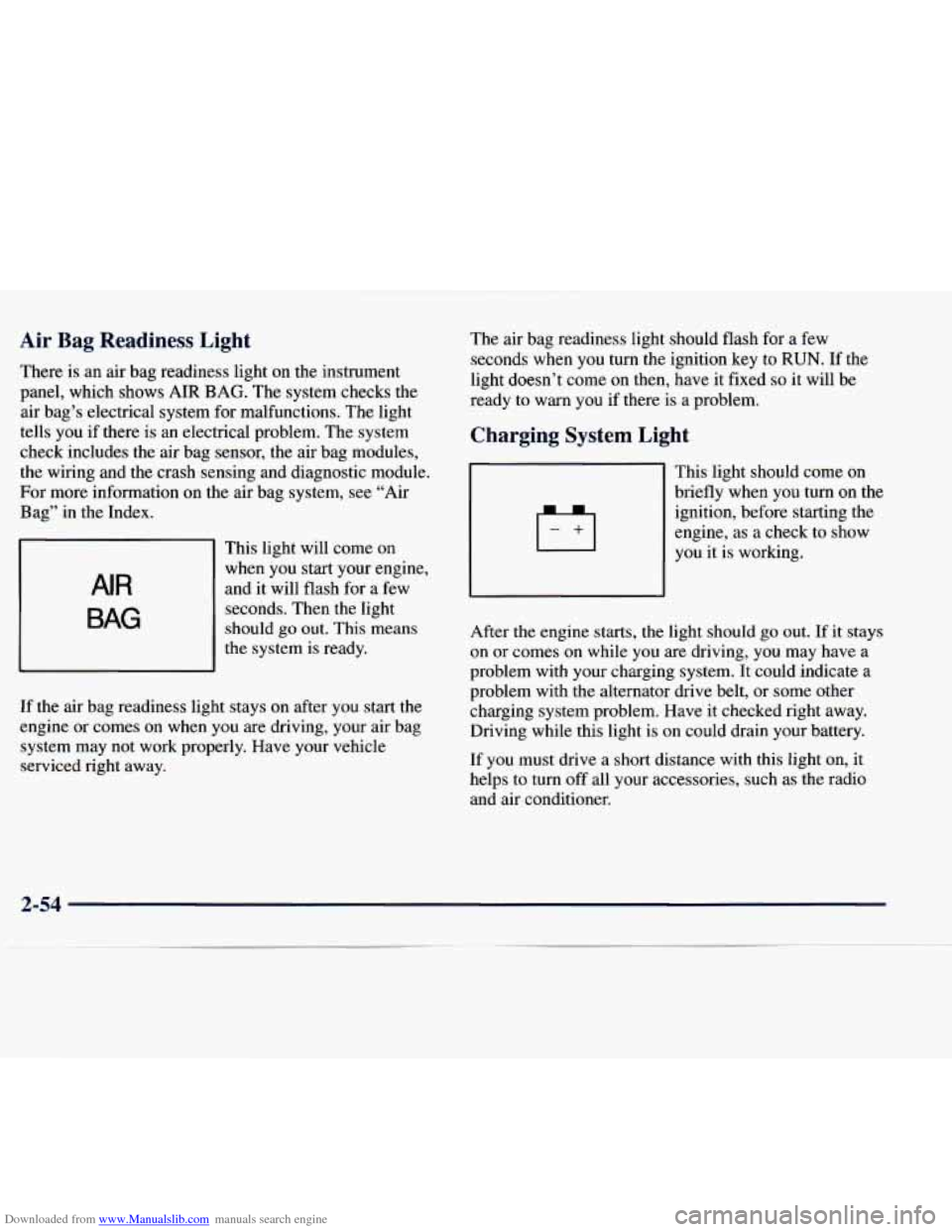
There is an air bag readiness light on the instrument
panel, which shows AIR BAG. The system checks the
air bag’s electrical system for malfunctions. The light
tells you if there is an electrical problem. The system
check includes the air bag sensor, the air bag modules,
the wiring and the crash sensing and diagnostic module.
For more information on the air bag system, see “Air
Bag” in the Index.
AIR
BAG
This light will come on
when you start your engine,
and it will flash for a few
seconds. Then the light
should
go out. This means
the system is ready.
If
the air bag readiness light stays on after you start the
engine or comes on when you are driving, your air bag
system may not work properly. Have your vehicle
serviced right away. The
air bag readiness light should flash for
a few
seconds
when you turn the ignition key to RUN. If the
light doesn’t come on then, have it fixed
so it will be
ready to warn you if there is a problem.
Charging System Light
This light should come on
briefly
when you turn on the
ignition, before starting the
engine,
as a check to show
you it is working.
After the engine starts, the light should
go out. If it stays
on or comes on while you are driving, you may have a
problem with your charging system. It could indicate a
problem with the alternator drive belt, or some other
charging system problem. Have it checked right away.
Driving while this light is on could drain your battery.
If you must drive a short distance with this light
on, it
helps to turn off all your accessories, such as the radio
and air conditioner.
2-54
Page 133 of 386
Downloaded from www.Manualslib.com manuals search engine Daytime Running Lamps Indicator Light
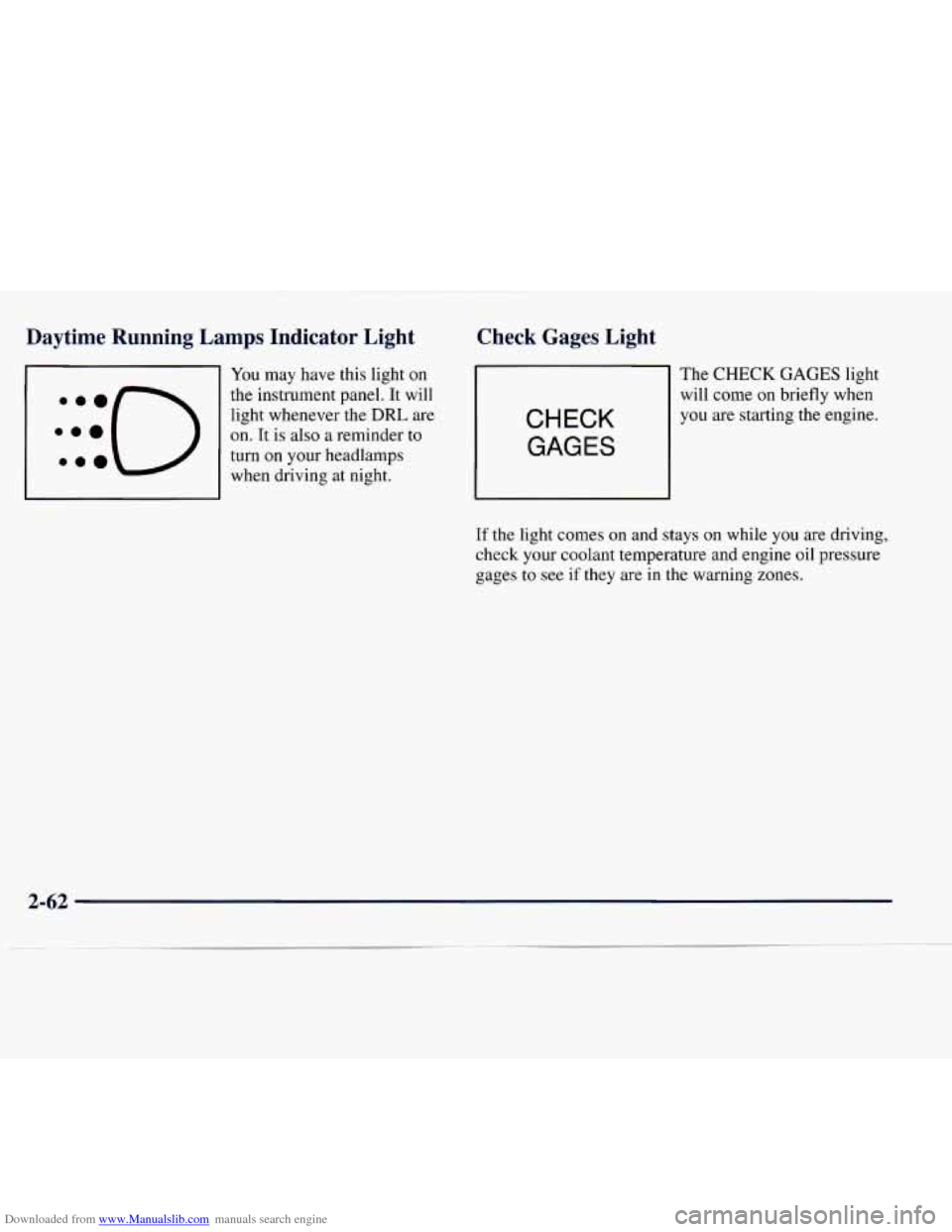
You may have this light on
the instrument panel. It will
light whenever the
DRL are
on. It is also a reminder to
turn on your headlamps
when driving at night.
Check Gages Light
CHECK
GAGES
The CHECK GAGES light
will come on briefly when
you are starting the engine.
If
the light comes on and stays on while you are driving,
check your coolant temperature and engine oil pressure
gages
to see if they are in the warning zones.
2-62
Page 137 of 386
Downloaded from www.Manualslib.com manuals search engine Comfort Controls Fan Knob
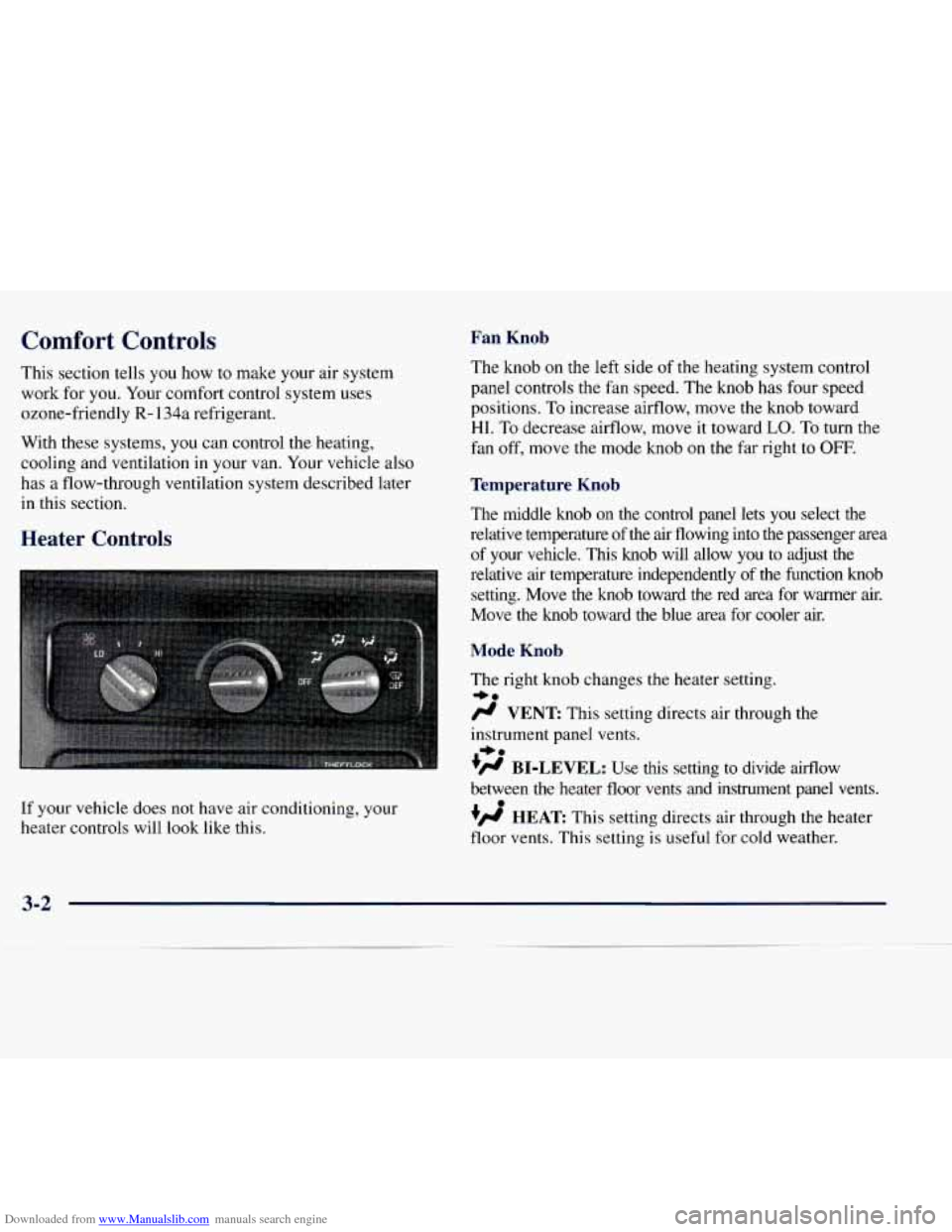
This section tells you how to make your air system
work for you. Your comfort control system uses
ozone-friendly
R- 134a refrigerant.
With these systems,
you can control the heating,
cooling and ventilation in your van. Your vehicle also
has a flow-through ventilation system described later
in this section. The
knob on the left side of the heating system control
panel controls the fan speed. The knob has four speed
positions. To increase airflow, move the knob toward
HI. To decrease airflow, move it toward LO. To turn the
fan off, move the mode knob on the
far right to OFF.
Temperature Knob
The middle knob on the control panel lets you select the
relative temperature
of the air flowing into the passenger area
of your vehicle. This knob will allow you to adjust
the
Heater Controls
relative air temperature independently of the function knob
setting. Move
the knob toward the red area for warmer air.
Move the knob toward the blue area for cooler
air.
Mode Knob
If your vehicle does not have air conditioning, your
heater controls will look like this. The
right knob changes the heater setting.
+.
/J VENT This setting directs air through the
instrument panel vents.
- +.
+fl BI-LEVEL: Use this setting to divide airflow
between the heater floor vents and instrument panel vents.
+’ HEAT This setting directs air through the heater
floor vents. This setting
is useful for cold weather.
e
3-2
Page 139 of 386
Downloaded from www.Manualslib.com manuals search engine A/C: Use for normal cooling on hot days. This setting
cools outside air and directs it through the instrument
panel outlets.
+', BI-LEVEL A/C: Use this setting to divide aifflow
between the heater floor vents and instrument panel
vents. The air conditioning compressor may operate
in
this setting to cool the air.
+e
-e
VENT: This setting directs air through the
instrument panel vents.
+H HEAT This setting directs air through the heater
floor vents. This setting
is useful for cold weather.
0
G?
HEAT/DEFROST: Use this setting to divide
aifflow between the heater floor vents and windshield.
DEFROST: This setting directs air through the
windshield defroster vents. This setting is useful when
you have fog or ice on the windshield.
Rear Heater (Without Air Conditioning)
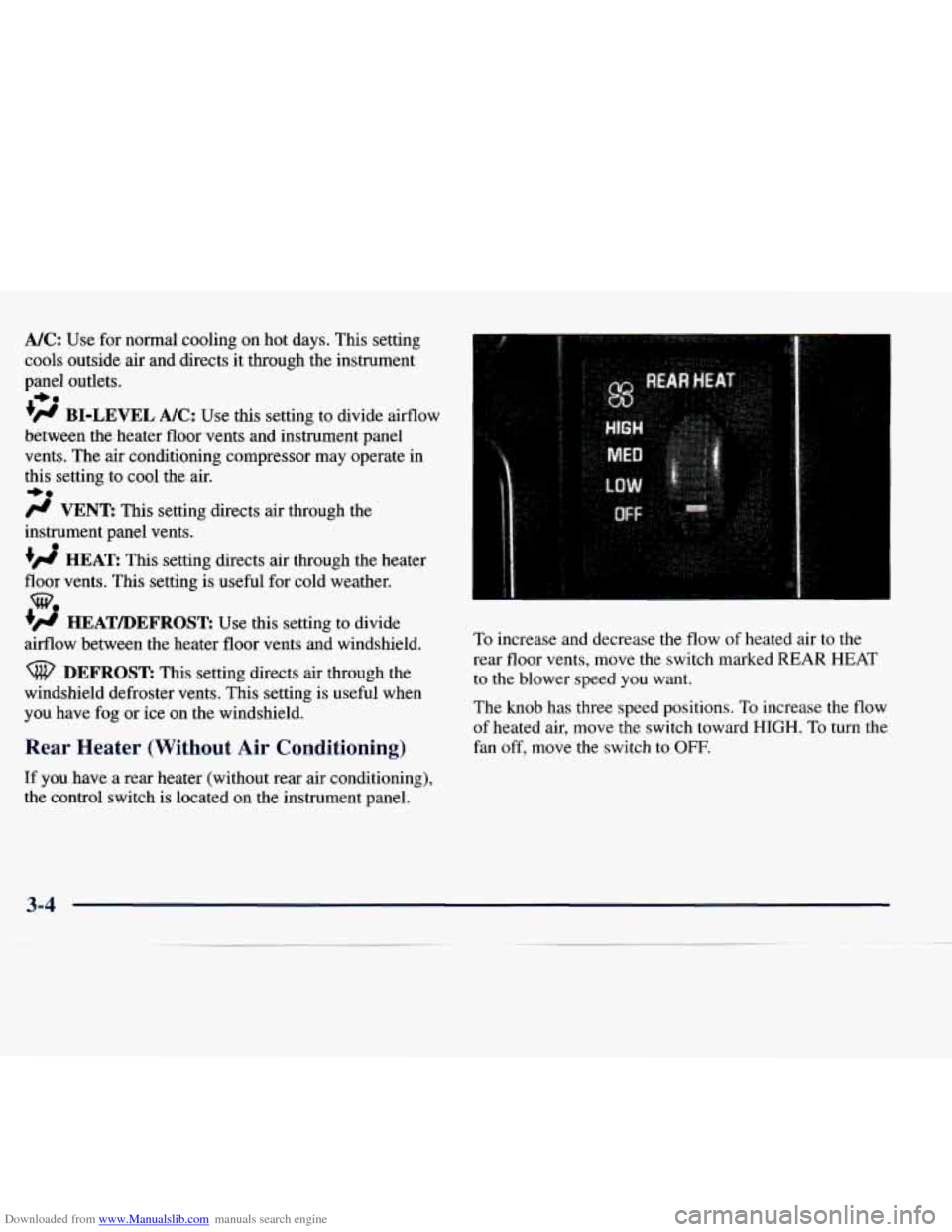
If you have a rear heater (without rear air conditioning),
the control switch is located on
the instrument panel. To
increase and decrease the flow
of heated air to the
rear floor vents, move the switch marked REAR HEAT
to the blower speed
you want.
The
knob has three speed positions. To increase the flow
of heated air, move the switch toward HIGH. To turn the
fan
off, move the switch to OFF.
3-4