door lock CHEVROLET EXPRESS 2023 User Guide
[x] Cancel search | Manufacturer: CHEVROLET, Model Year: 2023, Model line: EXPRESS, Model: CHEVROLET EXPRESS 2023Pages: 283, PDF Size: 16.23 MB
Page 19 of 283
Chevrolet Express Owner Manual (GMNA-Localizing-U.S./Canada/Mexico-
16547501) - 2023 - CRC - 6/10/22
18 Keys, Doors, and Windows
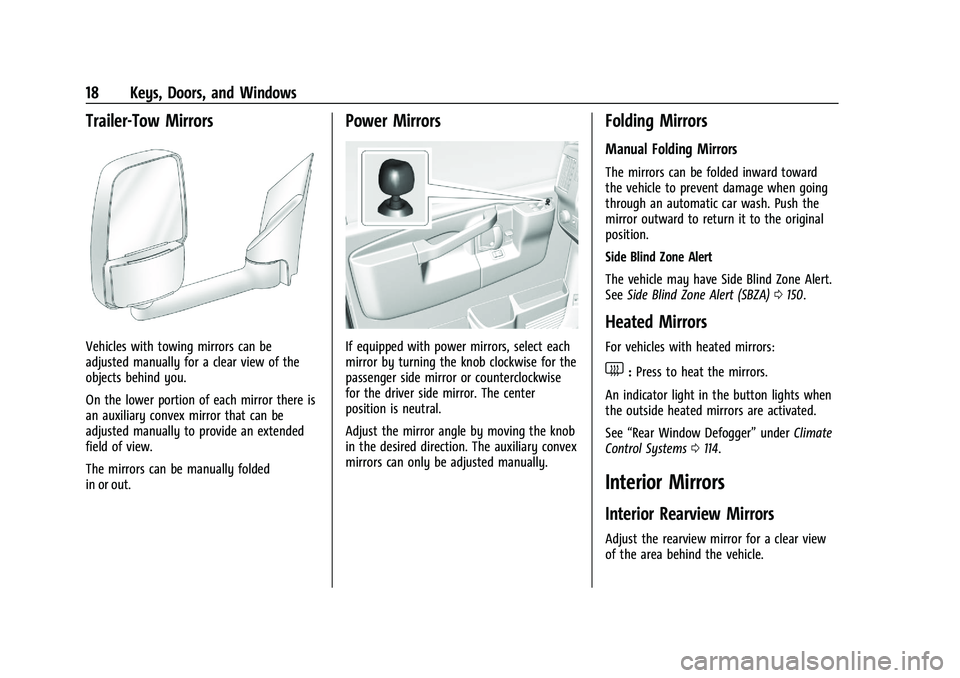
Trailer-Tow Mirrors
Vehicles with towing mirrors can be
adjusted manually for a clear view of the
objects behind you.
On the lower portion of each mirror there is
an auxiliary convex mirror that can be
adjusted manually to provide an extended
field of view.
The mirrors can be manually folded
in or out.
Power Mirrors
If equipped with power mirrors, select each
mirror by turning the knob clockwise for the
passenger side mirror or counterclockwise
for the driver side mirror. The center
position is neutral.
Adjust the mirror angle by moving the knob
in the desired direction. The auxiliary convex
mirrors can only be adjusted manually.
Folding Mirrors
Manual Folding Mirrors
The mirrors can be folded inward toward
the vehicle to prevent damage when going
through an automatic car wash. Push the
mirror outward to return it to the original
position.
Side Blind Zone Alert
The vehicle may have Side Blind Zone Alert.
SeeSide Blind Zone Alert (SBZA) 0150.
Heated Mirrors
For vehicles with heated mirrors:
1:Press to heat the mirrors.
An indicator light in the button lights when
the outside heated mirrors are activated.
See “Rear Window Defogger” underClimate
Control Systems 0114.
Interior Mirrors
Interior Rearview Mirrors
Adjust the rearview mirror for a clear view
of the area behind the vehicle.
Page 21 of 283

Chevrolet Express Owner Manual (GMNA-Localizing-U.S./Canada/Mexico-
16547501) - 2023 - CRC - 6/10/22
20 Keys, Doors, and Windows
The windows may be temporarily disabled if
they are used repeatedly within a
short time.
Express-Down
The driver window switch has an
express-down feature that allows the
window to be lowered without holding the
switch. Press fully and release the switch
marked AUTO to activate the express-down
mode. This mode can be canceled at any
time by pulling up on the switch. To open
the window part way, lightly tap the switch
until the window is at the desired position.
Swing-Out Windows
Side Swing-Out WindowTo open the side door swing-out window,
pull up on the latch at the edge of the
window. Swing the window out and push
down on the latch to lock the window into
place.
To close the window, pull the latch toward
you and push down on the latch to lock it.
Rear Swing‐Out Windows
The vehicle also has rear swing‐out
windows. The rear swing-out windows work
the same way as the side swing‐out
window, but the latch is located at the
bottom edge of the window.
Enhanced Technology Glass
The vehicle may be equipped with Enhanced
Technology Glass (ETG). ETG is part of the
overall occupant protection system on cargo
vans with five seating positions and
passenger vans. ETG may help keep
passengers sitting next to these fixed
windows from being ejected through the
glass in some, but not all crashes. Even with
this glass, seat belts must still be worn at
all times.
Use only ETG glass approved for the vehicle
for replacement when damaged. Cargo vans
with five seating positions and passenger
vans will have ETG glass in the rear-most
side windows and laminated glass in the
forward window of the sliding door,
if equipped. Long wheelbase cargo vans that
do not have five seating positions may also
have ETG in the rear-most side windows.
Page 22 of 283

Chevrolet Express Owner Manual (GMNA-Localizing-U.S./Canada/Mexico-
16547501) - 2023 - CRC - 6/10/22
Keys, Doors, and Windows 21
Rear Windows
Rear Side Door Windows (Cargo
Van Only)
{Warning
The vehicle may have a partition behind
the front seats or vertical metal panels
on the inside of the rear side door
windows. These are part of the occupant
protection system. Do not remove them.
Sun Visors
To block out glare, swing down the sun
visors. You can also swing them to the side.
Visor Vanity Mirror
The vehicle may have visor vanity mirrors,
with or without lamps. Lift the mirror cover
to turn the lamps on, if equipped.
Page 27 of 283

Chevrolet Express Owner Manual (GMNA-Localizing-U.S./Canada/Mexico-
16547501) - 2023 - CRC - 6/10/22
26 Seats and Restraints
8. For the second and third row seats, stowthe seat belt latch by attaching the clip
on the seat belt latch to the trim just
inside the side door.
For the last row of seats, stow the seat
belt latch plate on the clip at the
window trim. Roll the mini-latch into the
seat belt webbing and then hook the
seat belt latch plate on the clip.
Reinstalling the Rear Seats
{Warning
A seat that is not locked into place
properly can move around in a collision
or sudden stop. People in the vehicle
could be injured. Be sure to lock the seat
into place properly when installing it.
{Warning
A seat belt that is improperly routed, not
properly attached, or twisted will not
provide the protection needed in a crash.
The person wearing the belt could be
seriously injured. After raising the rear
seatback, always check to be sure that
the seat belts are properly routed and
attached, and are not twisted. 1. Position the seat into the open slots in
both rails. Push the seat forward in the
rail, hooking both seat bases onto the
pins inside of the rails.
2. Locate the hole in the rail to install the locking pins at the rear of the seat base.
If the vehicle is equipped with a vinyl
floor covering, pull the flap that has
been cut into the vinyl.
3. Insert the locking pins into the seat base and push the seat to line up the pins
with the base.
On a three-passenger seat, the pin with
the black cap marked “R”must be
installed on the right side and the pin
with the gray cap marked “L”must be
installed on the left side.
On a four-passenger seat, the pins
marked “R”must be installed on the half
of the seat on the right side. The pins
marked “L”must be installed on the half
of the seat on the left side.
Page 33 of 283
Chevrolet Express Owner Manual (GMNA-Localizing-U.S./Canada/Mexico-
16547501) - 2023 - CRC - 6/10/22
32 Seats and Restraints
5. To make the lap part tight, pull up onthe shoulder belt.
It may be necessary to pull stitching on
the seat belt through the latch plate to
fully tighten the lap belt on smaller
occupants.To unlatch the belt, push the button on the
buckle. The belt should return to its stowed
position. Slide the latch plate up the seat
belt webbing when the seat belt is not in
use. The latch plate should rest on the
stitching on the seat belt, near the guide
loop on the side wall.
Always stow the seat belt slowly. If the seat
belt webbing returns quickly to the stowed
position, the retractor may lock and cannot
be pulled out. If this happens, pull the seat
belt straight out firmly to unlock the
webbing, and then release it. If the webbing
is still locked in the retractor, see your
dealer. Before a door is closed, be sure the seat belt
is out of the way. If a door is slammed
against a seat belt, damage can occur to
both the seat belt and the vehicle.
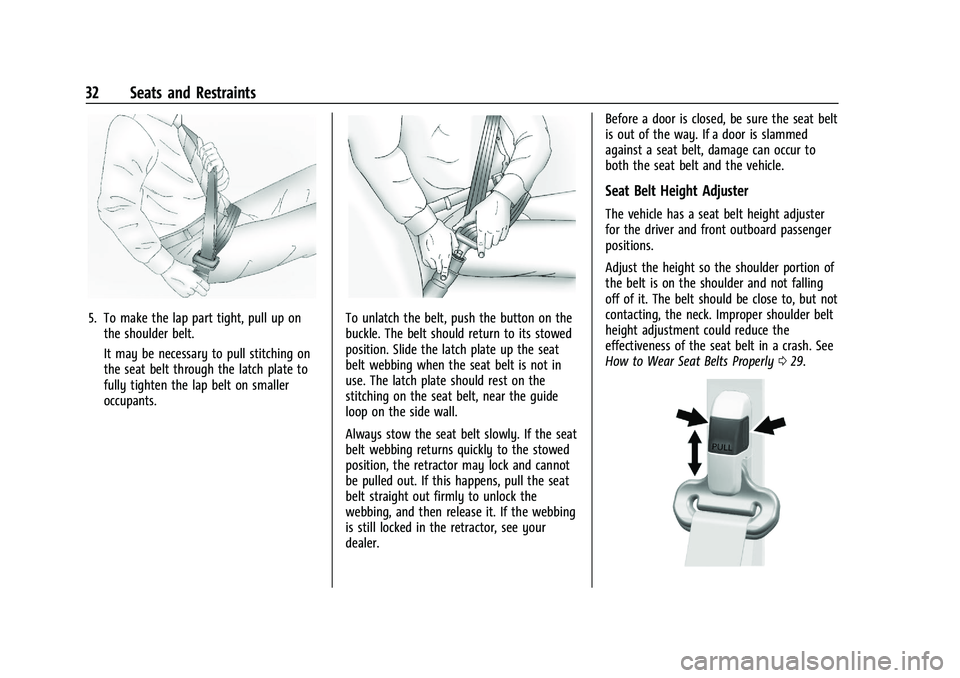
Seat Belt Height Adjuster
The vehicle has a seat belt height adjuster
for the driver and front outboard passenger
positions.
Adjust the height so the shoulder portion of
the belt is on the shoulder and not falling
off of it. The belt should be close to, but not
contacting, the neck. Improper shoulder belt
height adjustment could reduce the
effectiveness of the seat belt in a crash. See
How to Wear Seat Belts Properly
029.
Page 39 of 283
Chevrolet Express Owner Manual (GMNA-Localizing-U.S./Canada/Mexico-
16547501) - 2023 - CRC - 6/10/22
38 Seats and Restraints
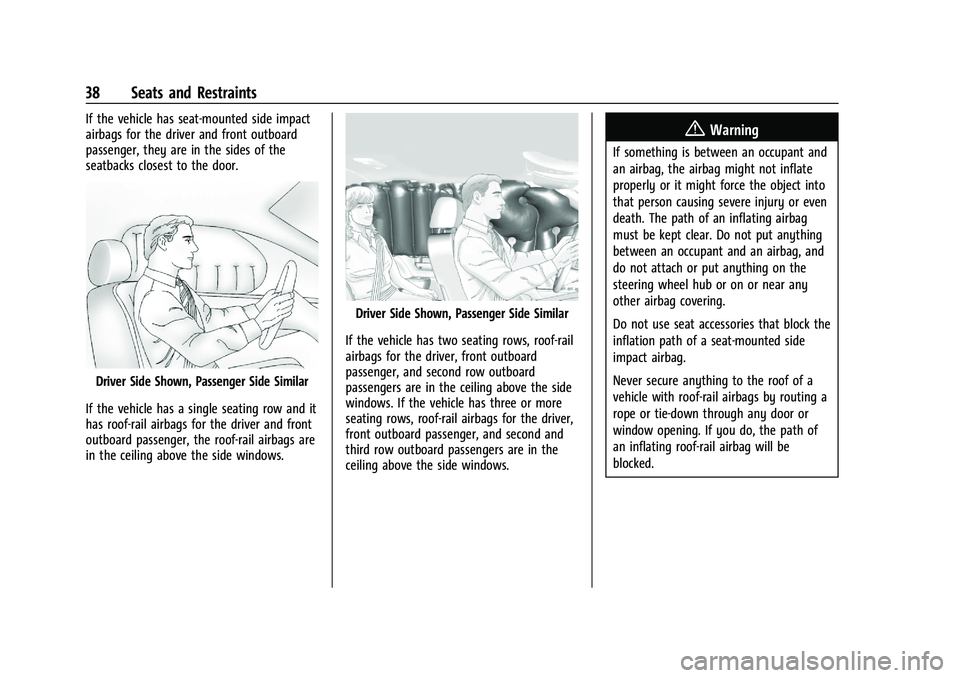
If the vehicle has seat-mounted side impact
airbags for the driver and front outboard
passenger, they are in the sides of the
seatbacks closest to the door.
Driver Side Shown, Passenger Side Similar
If the vehicle has a single seating row and it
has roof-rail airbags for the driver and front
outboard passenger, the roof-rail airbags are
in the ceiling above the side windows.
Driver Side Shown, Passenger Side Similar
If the vehicle has two seating rows, roof-rail
airbags for the driver, front outboard
passenger, and second row outboard
passengers are in the ceiling above the side
windows. If the vehicle has three or more
seating rows, roof-rail airbags for the driver,
front outboard passenger, and second and
third row outboard passengers are in the
ceiling above the side windows.
{Warning
If something is between an occupant and
an airbag, the airbag might not inflate
properly or it might force the object into
that person causing severe injury or even
death. The path of an inflating airbag
must be kept clear. Do not put anything
between an occupant and an airbag, and
do not attach or put anything on the
steering wheel hub or on or near any
other airbag covering.
Do not use seat accessories that block the
inflation path of a seat-mounted side
impact airbag.
Never secure anything to the roof of a
vehicle with roof-rail airbags by routing a
rope or tie‐down through any door or
window opening. If you do, the path of
an inflating roof-rail airbag will be
blocked.
Page 41 of 283
Chevrolet Express Owner Manual (GMNA-Localizing-U.S./Canada/Mexico-
16547501) - 2023 - CRC - 6/10/22
40 Seats and Restraints
Airbags supplement the protection provided
by seat belts by distributing the force of the
impact more evenly over the
occupant's body.
Rollover capable roof-rail airbags are
designed to help contain the head and chest
of occupants in the outboard seating
positions in the first, second, and third rows,
if equipped. The rollover capable roof-rail
airbags are designed to help reduce the risk
of full or partial ejection in rollover events,
although no system can prevent all such
ejections.
But airbags would not help in many types
of collisions, primarily because the
occupant's motion is not toward those
airbags. SeeWhen Should an Airbag Inflate?
0 39.
Airbags should never be regarded as
anything more than a supplement to seat
belts.What Will You See after an
Airbag Inflates?
After frontal and seat-mounted side impact
airbags (if equipped) inflate, they quickly
deflate, so quickly that some people may
not even realize the airbags inflated.
Roof-rail airbags (if equipped) may still be at
least partially inflated for some time after
they inflate. Some components of the airbag
module may be hot for several minutes. For
location of the airbags, see Where Are the
Airbags? 037.
The parts of the airbag that come into
contact with you may be warm, but not too
hot to touch. There may be some smoke
and dust coming from the vents in the
deflated airbags. Airbag inflation does not
prevent the driver from seeing out of the
windshield or being able to steer the
vehicle, nor does it prevent people from
leaving the vehicle.
{Warning
When an airbag inflates, there may be
dust in the air. This dust could cause
breathing problems for people with a
history of asthma or other breathing
trouble. To avoid this, everyone in the
vehicle should get out as soon as it is
safe to do so. If you have breathing
problems but cannot get out of the
vehicle after an airbag inflates, then get
fresh air by opening a window or a door.
If you experience breathing problems
following an airbag deployment, you
should seek medical attention.
The vehicle has a feature that may
automatically unlock the doors (if equipped
with power door locks), turn on the interior
lamps and hazard warning flashers, and shut
off the fuel system after the airbags inflate.
The feature may also activate, without
airbag inflation, after an event that exceeds
a predetermined threshold. After turning the
ignition off and then on again, the fuel
system will return to normal operation; the
Page 42 of 283

Chevrolet Express Owner Manual (GMNA-Localizing-U.S./Canada/Mexico-
16547501) - 2023 - CRC - 6/10/22
Seats and Restraints 41
doors can be locked, the interior lamps can
be turned off, and the hazard warning
flashers can be turned off using the controls
for those features. If any of these systems
are damaged in the crash they may not
operate as normal.
{Warning
A crash severe enough to inflate the
airbags may have also damaged
important functions in the vehicle, such
as the fuel system, brake and steering
systems, etc. Even if the vehicle appears
to be drivable after a moderate crash,
there may be concealed damage that
could make it difficult to safely operate
the vehicle.
Use caution if you should attempt to
restart the engine after a crash has
occurred.In many crashes severe enough to inflate
the airbag, windshields are broken by
vehicle deformation. Additional windshield
breakage may also occur from the front
outboard passenger airbag.
.Airbags are designed to inflate only once.
After an airbag inflates, you will need
some new parts for the airbag system.
If you do not get them, the airbag
system will not be there to help protect
you in another crash. A new system will
include airbag modules and possibly other
parts. The service manual for the vehicle
covers the need to replace other parts.
.The vehicle has a crash sensing and
diagnostic module which records
information after a crash. See
Vehicle
Data Recording and Privacy 0262 and
Event Data Recorders 0262.
.Let only qualified technicians work on the
airbag systems. Improper service can
mean that an airbag system will not work
properly. See your dealer for service.
Airbag On-Off Switch
If the instrument panel has one of the
switches pictured in the following
illustrations, the vehicle has an airbag on-off
switch that you can use to manually turn
on or off the front outboard passenger
airbag. No other airbag is affected by the
airbag on-off switch.
United States
Page 89 of 283
Chevrolet Express Owner Manual (GMNA-Localizing-U.S./Canada/Mexico-
16547501) - 2023 - CRC - 6/10/22
88 Instruments and Controls
To select a setting, pressVwhile the
desired setting is displayed on the DIC.
A beep will sound once a language has been
selected.
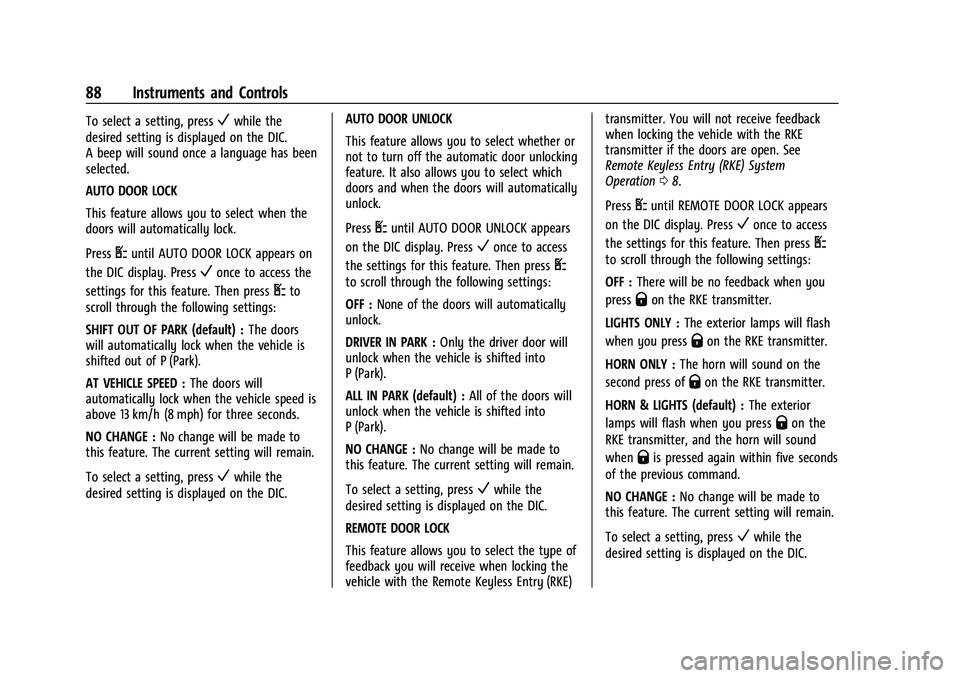
AUTO DOOR LOCK
This feature allows you to select when the
doors will automatically lock.
Press
Uuntil AUTO DOOR LOCK appears on
the DIC display. Press
Vonce to access the
settings for this feature. Then press
Uto
scroll through the following settings:
SHIFT OUT OF PARK (default) : The doors
will automatically lock when the vehicle is
shifted out of P (Park).
AT VEHICLE SPEED : The doors will
automatically lock when the vehicle speed is
above 13 km/h (8 mph) for three seconds.
NO CHANGE : No change will be made to
this feature. The current setting will remain.
To select a setting, press
Vwhile the
desired setting is displayed on the DIC. AUTO DOOR UNLOCK
This feature allows you to select whether or
not to turn off the automatic door unlocking
feature. It also allows you to select which
doors and when the doors will automatically
unlock.
Press
Uuntil AUTO DOOR UNLOCK appears
on the DIC display. Press
Vonce to access
the settings for this feature. Then press
U
to scroll through the following settings:
OFF : None of the doors will automatically
unlock.
DRIVER IN PARK : Only the driver door will
unlock when the vehicle is shifted into
P (Park).
ALL IN PARK (default) : All of the doors will
unlock when the vehicle is shifted into
P (Park).
NO CHANGE : No change will be made to
this feature. The current setting will remain.
To select a setting, press
Vwhile the
desired setting is displayed on the DIC.
REMOTE DOOR LOCK
This feature allows you to select the type of
feedback you will receive when locking the
vehicle with the Remote Keyless Entry (RKE) transmitter. You will not receive feedback
when locking the vehicle with the RKE
transmitter if the doors are open. See
Remote Keyless Entry (RKE) System
Operation
08.
Press
Uuntil REMOTE DOOR LOCK appears
on the DIC display. Press
Vonce to access
the settings for this feature. Then press
U
to scroll through the following settings:
OFF : There will be no feedback when you
press
Qon the RKE transmitter.
LIGHTS ONLY : The exterior lamps will flash
when you press
Qon the RKE transmitter.
HORN ONLY : The horn will sound on the
second press of
Qon the RKE transmitter.
HORN & LIGHTS (default) : The exterior
lamps will flash when you press
Qon the
RKE transmitter, and the horn will sound
when
Qis pressed again within five seconds
of the previous command.
NO CHANGE : No change will be made to
this feature. The current setting will remain.
To select a setting, press
Vwhile the
desired setting is displayed on the DIC.
Page 90 of 283
Chevrolet Express Owner Manual (GMNA-Localizing-U.S./Canada/Mexico-
16547501) - 2023 - CRC - 6/10/22
Instruments and Controls 89
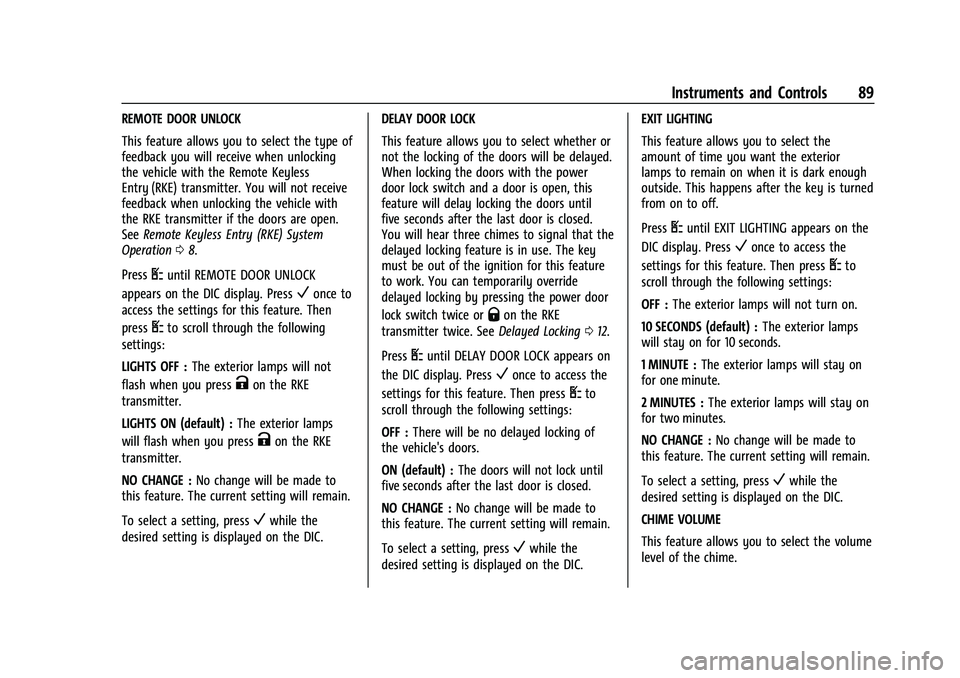
REMOTE DOOR UNLOCK
This feature allows you to select the type of
feedback you will receive when unlocking
the vehicle with the Remote Keyless
Entry (RKE) transmitter. You will not receive
feedback when unlocking the vehicle with
the RKE transmitter if the doors are open.
SeeRemote Keyless Entry (RKE) System
Operation 08.
Press
Uuntil REMOTE DOOR UNLOCK
appears on the DIC display. Press
Vonce to
access the settings for this feature. Then
press
Uto scroll through the following
settings:
LIGHTS OFF : The exterior lamps will not
flash when you press
Kon the RKE
transmitter.
LIGHTS ON (default) : The exterior lamps
will flash when you press
Kon the RKE
transmitter.
NO CHANGE : No change will be made to
this feature. The current setting will remain.
To select a setting, press
Vwhile the
desired setting is displayed on the DIC. DELAY DOOR LOCK
This feature allows you to select whether or
not the locking of the doors will be delayed.
When locking the doors with the power
door lock switch and a door is open, this
feature will delay locking the doors until
five seconds after the last door is closed.
You will hear three chimes to signal that the
delayed locking feature is in use. The key
must be out of the ignition for this feature
to work. You can temporarily override
delayed locking by pressing the power door
lock switch twice or
Qon the RKE
transmitter twice. See Delayed Locking012.
Press
Uuntil DELAY DOOR LOCK appears on
the DIC display. Press
Vonce to access the
settings for this feature. Then press
Uto
scroll through the following settings:
OFF : There will be no delayed locking of
the vehicle's doors.
ON (default) : The doors will not lock until
five seconds after the last door is closed.
NO CHANGE : No change will be made to
this feature. The current setting will remain.
To select a setting, press
Vwhile the
desired setting is displayed on the DIC. EXIT LIGHTING
This feature allows you to select the
amount of time you want the exterior
lamps to remain on when it is dark enough
outside. This happens after the key is turned
from on to off.
Press
Uuntil EXIT LIGHTING appears on the
DIC display. Press
Vonce to access the
settings for this feature. Then press
Uto
scroll through the following settings:
OFF : The exterior lamps will not turn on.
10 SECONDS (default) : The exterior lamps
will stay on for 10 seconds.
1 MINUTE : The exterior lamps will stay on
for one minute.
2 MINUTES : The exterior lamps will stay on
for two minutes.
NO CHANGE : No change will be made to
this feature. The current setting will remain.
To select a setting, press
Vwhile the
desired setting is displayed on the DIC.
CHIME VOLUME
This feature allows you to select the volume
level of the chime.