ECO mode CHEVROLET EXPRESS CARGO VAN 2007 1.G User Guide
[x] Cancel search | Manufacturer: CHEVROLET, Model Year: 2007, Model line: EXPRESS CARGO VAN, Model: CHEVROLET EXPRESS CARGO VAN 2007 1.GPages: 458, PDF Size: 2.62 MB
Page 218 of 458
LOAD:Press this button to load CDs into the CD
player. This CD player holds up to six CDs.
To insert one CD, do the following:
1. Turn the ignition on.
2. Press and release the LOAD button.
3. Wait for the indicator light, located to the right
of the slot, to turn green.
4. Load a CD. Insert the CD partway into the slot,
label side up. The player pulls the CD in.
To insert multiple CDs, do the following:
1. Turn the ignition on.
2. Press and hold the LOAD button for
two seconds.
You will hear a beep and the indicator light,
located to the right of the slot, begins to flash
and MULTI LOAD # appears on the display.
3. Once the light stops flashing and turns green,
INSERT CD # appears on the display, load a
CD. Insert the CD partway into the slot,
label side up. The player pulls the CD in.
Once the CD is loaded, the indicator
light begins flashing again. Once the light
stops flashing and turns green, you can load
another CD. The CD player takes up to
six CDs. Do not try to load more than six.To load more than one CD but less than six,
complete Steps 1 through 3. When finished loading
CDs, press the LOAD button to cancel the
loading function. The radio begins to play the last
CD loaded.
If more than one CD has been loaded, a number
for each CD appears on the display.
Playing a Specic Loaded CD
For every CD loaded, a number appears on the
display. To play a specific CD, first press the
CD AUX button (if not already in CD mode), then
press the numbered pushbutton that corresponds
to the CD. A small bar appears under the CD
number that is playing and the track number
appears on the display.
If an error appears on the display, see “CD
Messages” later in this section.
218
Page 221 of 458
INFO (Information):Press this knob to see how
long the current track has been playing. To change
the default on the display, track or elapsed time,
press the knob until you see the desired display,
then press and hold the knob until the radio beeps.
The selected display is now the default.
BAND:Press this button to listen to the radio
when a CD is playing. The inactive CD(s) remains
safely inside the radio for future listening.
Using Song List Mode
The six-disc CD changer has a feature called
song list. This feature is capable of saving
20 track selections.
To save tracks into the song list feature, perform
the following steps:
1. Turn the CD player on and load it with at least
one CD. See “LOAD CD” listed previously in
this section for more information.
2. Check to see that the CD changer is not in
song list mode. S-LIST should not appear on
the display. If S-LIST is present, press the
SONG LIST button to turn it off.3. Select the desired CD by pressing the
numbered pushbutton and then use the SEEK
or TYPE right arrow to locate the track to
be saved. The track begins to play.
4. Press and hold the SONG LIST button to
save the track into memory. When SONG
LIST is pressed, one beep will sound.
After two seconds of continuously pressing
the SONG LIST button, two beeps will sound
to confirm the track has been saved.
5. Repeat Steps 3 and 4 for saving other
selections.
S-LIST FULL appears on the display if you try to
save more than 20 selections.
To play the song list, press the SONG LIST
button. One beep will sound and S-LIST appears
on the display. The recorded tracks begins to
play in the order they were saved.
Seek through the song list by using the SEEK or
TYPE arrows. Seeking past the last saved
track returns to the first saved track.
221
Page 222 of 458
To delete tracks from the song list, perform the
following steps:
1. Turn the CD player on.
2. Press the SONG LIST button to turn song list
on. S-LIST appears on the display.
3. Press either SEEK or TYPE arrow to select
the desired track to be deleted.
4. Press and hold the SONG LIST button for
two seconds. When SONG LIST is pressed,
one beep will sound. After two seconds
of continuously pressing the SONG LIST
button, two beeps will sound to confirm that
the track has been deleted.
After a track has been deleted, the remaining
tracks are moved up the list. When another track
is added to the song list, the track is added to
the end of the list.To delete the entire song list, perform the
following steps:
1. Turn the CD player on.
2. Press the SONG LIST button to turn song list
on. S-LIST appears on the display.
3. Press and hold the SONG LIST button for more
than four seconds. One beep will sound,
followed by two beeps after two seconds, and a
final beep will sound after four seconds. S-LIST
EMPTY appears on the display indicating the
song list has been deleted.
If a CD is ejected, and the song list contains
saved tracks from that CD, those tracks are
automatically deleted from the song list. Any tracks
saved to the song list again are added to the
bottom of the list.
To end song list mode, press the SONG LIST
button. One beep will sound and S-LIST is
removed from the display.
222
Page 271 of 458
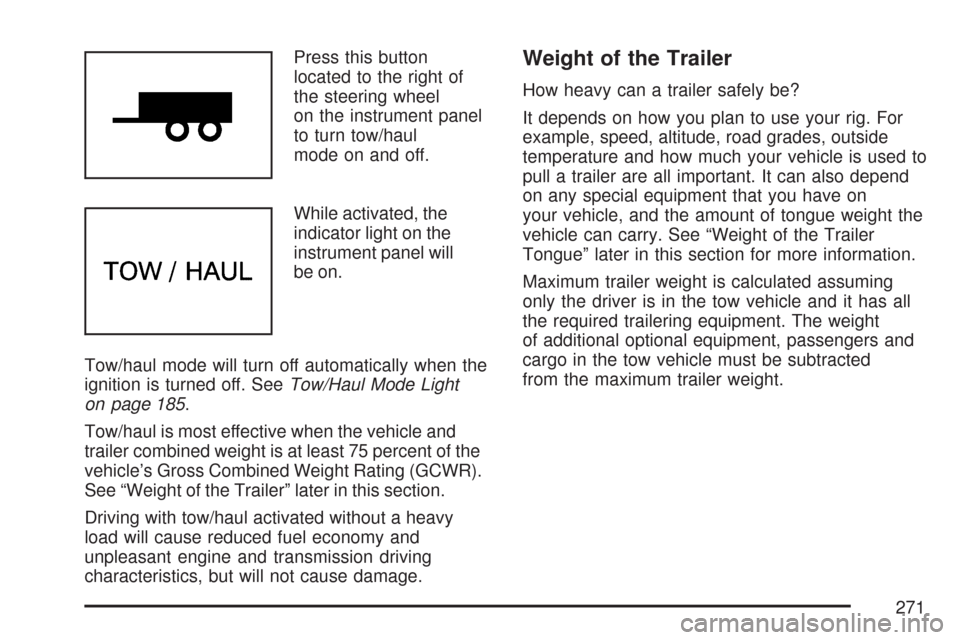
Press this button
located to the right of
the steering wheel
on the instrument panel
to turn tow/haul
mode on and off.
While activated, the
indicator light on the
instrument panel will
be on.
Tow/haul mode will turn off automatically when the
ignition is turned off. SeeTow/Haul Mode Light
on page 185.
Tow/haul is most effective when the vehicle and
trailer combined weight is at least 75 percent of the
vehicle’s Gross Combined Weight Rating (GCWR).
See “Weight of the Trailer” later in this section.
Driving with tow/haul activated without a heavy
load will cause reduced fuel economy and
unpleasant engine and transmission driving
characteristics, but will not cause damage.Weight of the Trailer
How heavy can a trailer safely be?
It depends on how you plan to use your rig. For
example, speed, altitude, road grades, outside
temperature and how much your vehicle is used to
pull a trailer are all important. It can also depend
on any special equipment that you have on
your vehicle, and the amount of tongue weight the
vehicle can carry. See “Weight of the Trailer
Tongue” later in this section for more information.
Maximum trailer weight is calculated assuming
only the driver is in the tow vehicle and it has all
the required trailering equipment. The weight
of additional optional equipment, passengers and
cargo in the tow vehicle must be subtracted
from the maximum trailer weight.
271
Page 314 of 458
Checking Coolant for Gasoline Engines
If your vehicle has a diesel engine, see
“Checking Coolant” under “Van Models” in the
DURAMAX
®Diesel Supplement for information
on checking your vehicle’s coolant.
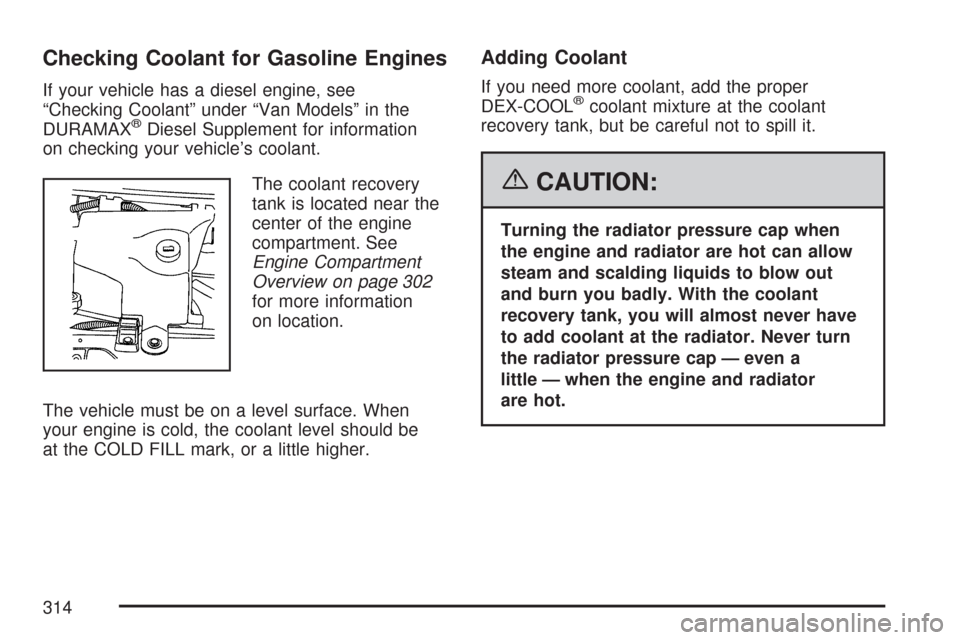
The coolant recovery
tank is located near the
center of the engine
compartment. See
Engine Compartment
Overview on page 302
for more information
on location.
The vehicle must be on a level surface. When
your engine is cold, the coolant level should be
at the COLD FILL mark, or a little higher.
Adding Coolant
If you need more coolant, add the proper
DEX-COOL®coolant mixture at the coolant
recovery tank, but be careful not to spill it.
{CAUTION:
Turning the radiator pressure cap when
the engine and radiator are hot can allow
steam and scalding liquids to blow out
and burn you badly. With the coolant
recovery tank, you will almost never have
to add coolant at the radiator. Never turn
the radiator pressure cap — even a
little — when the engine and radiator
are hot.
314
Page 317 of 458
If you no longer have the overheat warning,
you can drive. Just to be safe, drive slower for
about 10 minutes. If the warning does not
come back on, you can drive normally.
If the warning continues, and you have not
stopped, pull over, stop, and park your vehicle
right away.
If there is still no sign of steam, push down the
accelerator until the engine speed is about
twice as fast as normal idle speed for at least
three minutes while you are parked. If you
still have the warning, turn off the engine and get
everyone out of the vehicle until it cools down.
You may decide not to lift the hood but to
get service help right away.
Cooling System
If your vehicle has a diesel engine, see
“Van Models” under “Cooling System” in
the DURAMAX
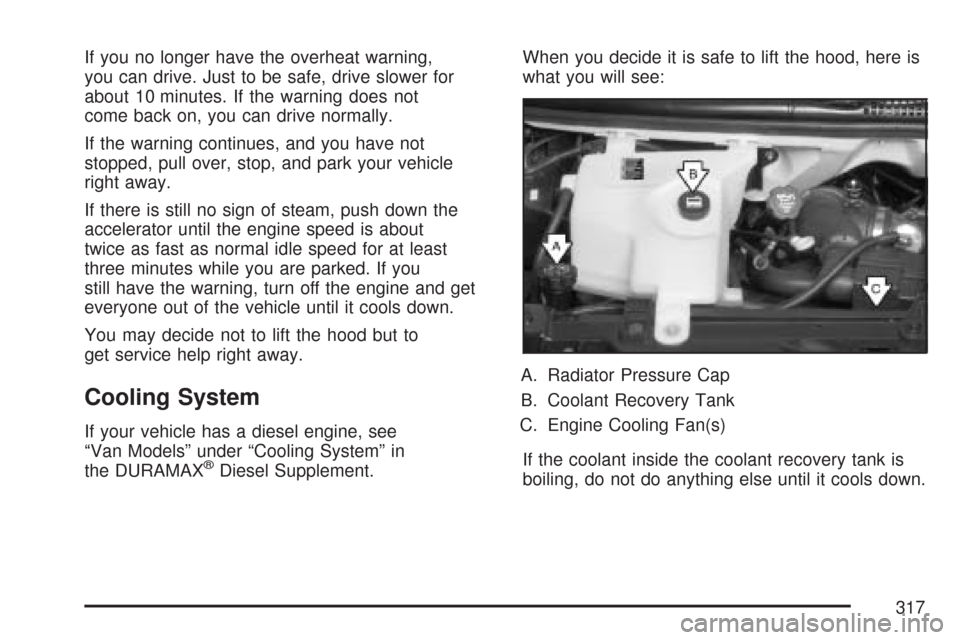
®Diesel Supplement.When you decide it is safe to lift the hood, here is
what you will see:
A. Radiator Pressure Cap
B. Coolant Recovery Tank
C. Engine Cooling Fan(s)
If the coolant inside the coolant recovery tank is
boiling, do not do anything else until it cools down.
317
Page 318 of 458
When the engine is cold, the coolant level should
be at or above the COLD FILL mark. If it is
not, you may have a leak at the pressure cap or in
the radiator hoses, heater hoses, radiator, water
pump, or somewhere else in the cooling system.
{CAUTION:
Heater, fuel operated heater (FOH),
radiator hoses, and other engine parts,
can be very hot. Do not touch them.
If you do, you can be burned.
Do not run the engine if there is a leak.
If you run the engine, it could lose all
coolant. That could cause an engine re,
and you could be burned. Get any leak
xed before you drive the vehicle.
If there seems to be no leak, start the engine
again. See if the engine cooling fan speed
increases when idle speed is doubled by pushing
the accelerator pedal down. If it does not, your
vehicle needs service. Turn off the engine.Notice:Engine damage from running your
engine without coolant is not covered by
your warranty.
Notice:Using coolant other than DEX-COOL
®
may cause premature engine, heater core, or
radiator corrosion. In addition, the engine
coolant could require changing sooner, at
30,000 miles (50 000 km) or 24 months,
whichever occurs rst. Any repairs would
not be covered by your warranty. Always
use DEX-COOL
®(silicate-free) coolant in
your vehicle.
How to Add Coolant to the Coolant
Recovery Tank for Gasoline Engines
If your vehicle has a diesel engine, see
“How to Add Coolant to the Coolant Recovery
Tank” under “Van Models” in the Cooling System
section of the DURAMAX
®Diesel Supplement
for the proper coolant fill procedure.
318
Page 320 of 458
{CAUTION:
You can be burned if you spill coolant
on hot components in the engine
compartment. Coolant contains ethylene
glycol, and it will burn if the engine parts
are hot enough. Do not spill coolant on a
hot engine or components in the engine
compartment.
When the coolant in the coolant recovery tank
is at the COLD FILL mark, start your vehicle.
If the overheat warning continues, there is
one more thing you can try. You can add the
proper coolant mixture directly to the radiator,
but be sure the cooling system is cool before
you do it.
{CAUTION:
Steam and scalding liquids from a hot
cooling system can blow out and burn
you badly. They are under pressure,
and if you turn the radiator pressure
cap — even a little — they can come out
at high speed. Never turn the cap when
the cooling system, including the radiator
pressure cap, is hot. Wait for the cooling
system and radiator pressure cap to cool
if you ever have to turn the pressure cap.
How to Add Coolant to the Radiator
for Gasoline Engines
If your vehicle has a diesel engine, see
“How to Add Coolant to the Radiator” under
“Van Models” in the Cooling System section
of the DURAMAX
®Diesel Supplement for the
proper radiator fill procedure.
320
Page 352 of 458
GAWR RR:Gross Axle Weight Rating for the rear
axle. SeeLoading Your Vehicle on page 261.
Intended Outboard Sidewall:The side of
an asymmetrical tire, that must always face
outward when mounted on a vehicle.
Kilopascal (kPa):The metric unit for air pressure.
Light Truck (LT-Metric) Tire:A tire used on
light duty trucks and some multipurpose passenger
vehicles.
Load Index:An assigned number ranging from
1 to 279 that corresponds to the load carrying
capacity of a tire.
Maximum Ination Pressure:The maximum
air pressure to which a cold tire may be inflated.
The maximum air pressure is molded onto the
sidewall.
Maximum Load Rating:The load rating for a tire
at the maximum permissible inflation pressure
for that tire.
Maximum Loaded Vehicle Weight:The sum of
curb weight, accessory weight, vehicle capacity
weight, and production options weight.Normal Occupant Weight:The number of
occupants a vehicle is designed to seat multiplied
by 150 lbs (68 kg). SeeLoading Your Vehicle
on page 261.
Occupant Distribution:Designated seating
positions.
Outward Facing Sidewall:The side of an
asymmetrical tire that has a particular side that
faces outward when mounted on a vehicle.
The side of the tire that contains a whitewall, bears
white lettering, or bears manufacturer, brand,
and/or model name molding that is higher
or deeper than the same moldings on the other
sidewall of the tire.
Passenger (P-Metric) Tire:A tire used on
passenger cars and some light duty trucks and
multipurpose vehicles.
Recommended Ination Pressure:Vehicle
manufacturer’s recommended tire inflation
pressure as shown on the tire placard. See
Ination - Tire Pressure on page 354and
Loading Your Vehicle on page 261.
352
Page 432 of 458
For prompt and efficient assistance when calling,
please provide the following to the Roadside
Assistance Representative:
•Your name, home address, and home
telephone number
•Telephone number of your location
•Location of the vehicle
•Model, year, color, and license plate number
of the vehicle
•Odometer reading, Vehicle Identification
Number (VIN), and delivery date of the vehicle
•Description of the problem
Chevrolet and General Motors of Canada Limited
reserve the right to limit services or reimbursement
to an owner or driver when, in their sole
discretion, the claims become excessive in
frequency or type of occurrence.
Roadside Assistance is not part of or included in
the coverage provided by the New Vehicle Limited
Warranty. Chevrolet and General Motors of
Canada Limited reserve the right to make any
changes or discontinue the Roadside Assistance
program at any time without notification.
Towing and Road Service Exclusions
Specifically excluded from Roadside Assistance
coverage are towing or services for vehicles
operated on a non-public roadway or highway,
fines, impound towing caused by a violation
of local, Municipal, State, Provincial, or Federal
law, and mounting, dismounting or changing
of snow tires, chains, or other traction devices.
Courtesy Transportation
To enhance your ownership experience, we and
our participating dealers are proud to offer
Courtesy Transportation, a customer support
program for new vehicles.
For warranty repairs during the Bumper-to-Bumper
(U.S.) or Base Warranty Coverage period
(Canada), provided by the New Vehicle Limited
Warranty, interim transportation may be available
under the Courtesy Transportation program.
Several courtesy transportation options are
available to assist in reducing your inconvenience
when warranty repairs are required.
432