3-1 CHEVROLET EXPRESS CARGO VAN 2009 1.G User Guide
[x] Cancel search | Manufacturer: CHEVROLET, Model Year: 2009, Model line: EXPRESS CARGO VAN, Model: CHEVROLET EXPRESS CARGO VAN 2009 1.GPages: 408, PDF Size: 2.36 MB
Page 134 of 408
Dome Lamps
The dome lamps come on when any door is opened.
They turn off after all the doors are closed.
The dome lamps can also be turned on by turning
the instrument panel brightness knob, located on the
instrument panel to the left of the steering column,
clockwise to the farthest position. In this position, the
dome lamps remain on whether a door is opened or
closed.
Dome Lamp Override
The dome lamp override button is located next to the
exterior lamps control.
The dome lamp override sets the dome lamps to remain
off or come on automatically when a door is opened.
E(Dome Lamp Override):Press the button in
and the dome lamps remain off when a door is opened.
Press the button again to return it to the extended
position so that the dome lamps come on when a
door is opened.
Entry/Exit Lighting
The vehicle has an illuminated entry/exit feature.
The dome lamps come on if the dome override button is
in the out position, when a door is opened or the key
is removed from the ignition.
Reading Lamps
For vehicles with reading lamps, press the button
located next to each lamp to turn it on or off.
The vehicle may also have reading lamps in other
locations. The lamps cannot be adjusted.
3-16
Page 135 of 408
Electric Power Management
The vehicle has Electric Power Management (EPM) that
estimates the battery’s temperature and state of charge.
It then adjusts the voltage for best performance and
extended life of the battery.
When the battery’s state of charge is low, the voltage is
raised slightly to quickly put the charge back in. When the
state of charge is high, the voltage is lowered slightly to
prevent overcharging. If the vehicle has a voltmeter gage
or voltage display on the Driver Information Center (DIC),
you may see the voltage move up or down. This is
normal. If there is a problem, an alert will be displayed.
The battery can be discharged at idle if the electrical
loads are very high. This is true for all vehicles.
This is because the generator (alternator) may not
be spinning fast enough at idle to produce all the
power that is needed for very high electrical loads.A high electrical load occurs when several of the
following loads are on: headlamps, high beams, rear
window defogger, climate control fan at high speed,
engine cooling fans, trailer loads, and loads plugged
into accessory power outlets.
EPM works to prevent excessive discharge of the
battery. It does this by balancing the generator’s output
and the vehicle’s electrical needs. It can increase
engine idle speed to generate more power, whenever
needed.
Battery Run-Down Protection
This feature shuts off the dome lamps if they are left
on for more than 10 minutes when the ignition is
in LOCK/OFF. This helps to prevent the battery
from running down.
3-17
Page 136 of 408
Accessory Power Outlet(s)
The accessory power outlets can be used to connect
auxiliary electrical equipment, such as a cellular phone.
The vehicle may have two accessory power outlets
located on the instrument panel.
To use the accessory power outlet lift the cover. The
spring cap cover closes by itself when the outlet is empty.
Certain power accessory plugs may not be compatible
to the accessory power outlet and could result in
blown vehicle or adapter fuses. If you experience
a problem, see your dealer/retailer for additional
information on the accessory power plugs.
Notice:Adding any electrical equipment to the
vehicle can damage it or keep other components
from working as they should. The repairs would
not be covered by the vehicle warranty. Do not use
equipment exceeding maximum amperage rating of
20 amperes. Check with your dealer/retailer before
adding electrical equipment.
When adding electrical equipment, be sure to follow
the proper installation instructions included with the
equipment.
Notice:Improper use of the power outlet can cause
damage not covered by the warranty. Do not hang
any type of accessory or accessory bracket from the
plug because the power outlets are designed for
accessory power plugs only.
Ashtray(s) and Cigarette Lighter
If your vehicle has this feature it is located in the center
console or on the instrument panel. Pull up on the
ashtray door to open it if it is in the console or pull
the door open it if it is on the instrument panel.
Notice:If papers, pins, or other ammable items
are put in the ashtray, hot cigarettes or other
smoking materials could ignite them and possibly
damage the vehicle. Never put ammable items
in the ashtray.
To remove the ashtray, pull it out from the console
or from the slide out door. To reinstall the ashtray,
slide it back to the original position.
To use the cigarette lighter, if the vehicle has one, push
it in all the way, and let go. When it is ready for use,
it will pop back out by itself.
Do not use the lighter to plug in accessory devices.
Use the power outlets provided.
Notice:Holding a cigarette lighter in while it is
heating does not let the lighter back away from
the heating element when it is hot. Damage from
overheating can occur to the lighter or heating
element, or a fuse could be blown. Do not hold
a cigarette lighter in while it is heating.
3-18
Page 137 of 408
Climate Controls
Climate Control System
The heating, cooling, and ventilation for the vehicle can
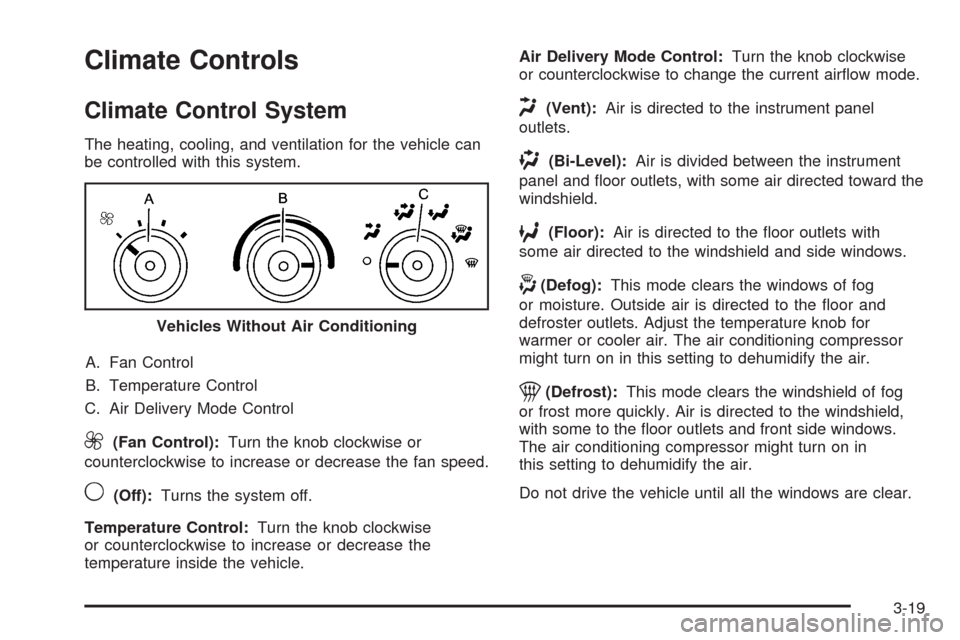
be controlled with this system.
A. Fan Control
B. Temperature Control
C. Air Delivery Mode Control
9(Fan Control):Turn the knob clockwise or
counterclockwise to increase or decrease the fan speed.
9(Off):Turns the system off.
Temperature Control:Turn the knob clockwise
or counterclockwise to increase or decrease the
temperature inside the vehicle.Air Delivery Mode Control:Turn the knob clockwise
or counterclockwise to change the current airflow mode.
H(Vent):Air is directed to the instrument panel
outlets.
)(Bi-Level):Air is divided between the instrument
panel and floor outlets, with some air directed toward the
windshield.
6(Floor):Air is directed to the floor outlets with
some air directed to the windshield and side windows.
-(Defog):This mode clears the windows of fog
or moisture. Outside air is directed to the floor and
defroster outlets. Adjust the temperature knob for
warmer or cooler air. The air conditioning compressor
might turn on in this setting to dehumidify the air.
1(Defrost):This mode clears the windshield of fog
or frost more quickly. Air is directed to the windshield,
with some to the floor outlets and front side windows.
The air conditioning compressor might turn on in
this setting to dehumidify the air.
Do not drive the vehicle until all the windows are clear. Vehicles Without Air Conditioning
3-19
Page 141 of 408
9(Fan Control):Turn clockwise or counterclockwise
to increase or decrease the fan speed in the
rear-seating area.
Temperature Control:Turn clockwise or
counterclockwise to increase or decrease the
temperature in the rear-seating area.
The air-conditioning system on the main climate control
panel must be turned on to direct cooled air to the
rear of the vehicle. If it is not on, then the temperature
in the rear of the vehicle remains at cabin temperature.
Air Delivery Mode Control:Turn clockwise or
counterclockwise to change the direction of the airflow
in the rear seating area.
To change the current mode, select one of the following:
H(Vent):Air is directed to the upper outlets, with
some directed to the floor outlets.
2(Floor):Air is directed to the floor outlets.
Be sure to keep the area under the front seats clear of
any objects so that the air inside of the vehicle can
circulate effectively.
For information on how to use the main climate control
system, seeClimate Control System on page 3-19.
For information on ventilation, seeOutlet Adjustment
on page 3-21.
Warning Lights, Gages, and
Indicators
Warning lights and gages can signal that something is
wrong before it becomes serious enough to cause an
expensive repair or replacement. Paying attention to
the warning lights and gages could prevent injury.
Warning lights come on when there may be or is a
problem with one of the vehicle’s functions. Some
warning lights come on briefly when the engine is
started to indicate they are working.
Gages can indicate when there may be or is a problem
with one of the vehicle’s functions. Often gages and
warning lights work together to indicate a problem with
the vehicle.
When one of the warning lights comes on and stays on
while driving, or when one of the gages shows there may
be a problem, check the section that explains what to do.
Follow this manual’s advice. Waiting to do repairs can be
costly and even dangerous.
3-23
Page 167 of 408
AUTOMATIC LIGHT CONTROL OFF
This message displays when the automatic headlamps
are turned off. SeeExterior Lamps on page 3-12for
more information.
AUTOMATIC LIGHT CONTROL ON
This message displays when the automatic headlamps
are turned on. SeeExterior Lamps on page 3-12for
more information.
CALIBRATING: DRIVE IN CIRCLES
This message displays when calibrating the compass.
Drive the vehicle in circles at less than 5 mph (8 km/h)
to complete the calibration. SeeDIC Compass on
page 3-46for more information.
CALIBRATION COMPLETE
This message displays when the compass calibration is
complete. SeeDIC Compass on page 3-46for more
information.
CARGO DOOR OPEN
This message displays and a chime sounds if the cargo
door is open while the ignition is in ON/RUN. Turn off
the vehicle and check the cargo door. Restart the
vehicle and check for the message on the DIC display.
CHANGE ENGINE OIL SOON
This message displays when the engine oil needs to
be changed. When you change the engine oil, be sure
to reset the CHANGE ENGINE OIL SOON message.
SeeEngine Oil Life System on page 5-18for information
on how to reset the message. SeeEngine Oil on
page 5-15andScheduled Maintenance on page 6-4for
more information.
CHECK TIRE PRESSURE
If your vehicle has the Tire Pressure Monitor
System (TPMS), this message displays when the
pressure in one or more of the vehicle’s tires needs to
be checked. This message also displays LEFT FRONT,
RIGHT FRONT, LEFT REAR, or RIGHT REAR to
indicate which tire needs to be checked. You can receive
more than one tire pressure message at a time. To read
the other messages that may have been sent at the same
time, press the set/reset button. If a tire pressure
message appears on the DIC, stop as soon as you can.
Have the tire pressures checked and set to those shown
on the Tire Loading Information label. SeeTires on
page 5-54,Loading the Vehicle on page 4-19, and
Inflation - Tire Pressure on page 5-62. The DIC also
shows the tire pressure values. SeeDIC Operation
and Displays on page 3-41. If the tire pressure is low,
the low tire pressure warning light comes on. SeeTire
Pressure Light on page 3-34.
3-49
Page 379 of 408
STEP THREE — U.S. Owners:Both General Motors
and your dealer are committed to making sure you
are completely satisfied with your new vehicle. However,
if you continue to remain unsatisfied after following
the procedure outlined in Steps One and Two, you can
file with the Better Business Bureau (BBB) Auto Line
Program to enforce your rights.
The BBB Auto Line Program is an out of court program
administered by the Council of Better Business Bureaus
to settle automotive disputes regarding vehicle repairs or
the interpretation of the New Vehicle Limited Warranty.
Although you may be required to resort to this informal
dispute resolution program prior to filing a court action,
use of the program is free of charge and your case will
generally be heard within 40 days. If you do not agree
with the decision given in your case, you may reject it and
proceed with any other venue for relief available to you.You may contact the BBB Auto Line Program using the
toll-free telephone number or write them at the following
address:
BBB Auto Line Program
Council of Better Business Bureaus, Inc.
4200 Wilson Boulevard
Suite 800
Arlington, VA 22203-1838
Telephone: 1-800-955-5100
dr.bbb.org/goauto
This program is available in all 50 states and the
District of Columbia. Eligibility is limited by vehicle age,
mileage, and other factors. General Motors reserves
the right to change eligibility limitations and/or
discontinue its participation in this program.
7-3
Page 397 of 408
A
Accessories and Modifications............................ 5-3
Accessory Power Outlets.................................3-18
Adding Equipment to Your Airbag-Equipped
Vehicle.......................................................1-76
Additives, Fuel................................................. 5-7
Add-On Electrical Equipment...........................5-105
Air Cleaner/Filter, Engine.................................5-20
Air Conditioning..............................................3-19
Airbag
Off Light.....................................................3-28
Passenger Status Indicator...........................3-29
Readiness Light..........................................3-27
Airbag System................................................1-58
Adding Equipment to Your Airbag-Equipped
Vehicle...................................................1-76
Airbag Off Switch........................................1-67
How Does an Airbag Restrain?......................1-65
Passenger Sensing System...........................1-70
Servicing Your Airbag-Equipped Vehicle..........1-76
What Makes an Airbag Inflate?......................1-64
What Will You See After an Airbag Inflates?........1-65
When Should an Airbag Inflate?....................1-63
Where Are the Airbags?...............................1-60
All-Wheel-Drive (AWD) System...................4-8, 5-44
Antenna, Fixed Mast.......................................3-84
Antilock Brake System (ABS)............................. 4-4
Antilock Brake, System Warning Light................3-32Appearance Care
Aluminum Wheels......................................5-102
Care of Safety Belts...................................5-100
Chemical Paint Spotting..............................5-103
Cleaning Exterior Lamps/Lenses..................5-101
Fabric/Carpet..............................................5-98
Finish Care...............................................5-101
Finish Damage..........................................5-103
Instrument Panel, Vinyl, and Other Plastic
Surfaces.................................................5-99
Interior Cleaning..........................................5-97
Sheet Metal Damage..................................5-103
Tires........................................................5-103
Underbody Maintenance.............................5-103
Washing Your Vehicle.................................5-100
Weatherstrips............................................5-100
Windshield and Wiper Blades......................5-102
Appointments, Scheduling Service.....................7-10
Ashtray.........................................................3-18
Audio System.................................................3-63
Audio Steering Wheel Controls......................3-83
Fixed Mast Antenna.....................................3-84
Radio Reception..........................................3-84
Setting the Clock.........................................3-64
Theft-Deterrent Feature................................3-82
Audio System(s).............................................3-67
Automatic Door Lock......................................... 2-8
Automatic Door Unlock...................................... 2-8
1
Page 398 of 408
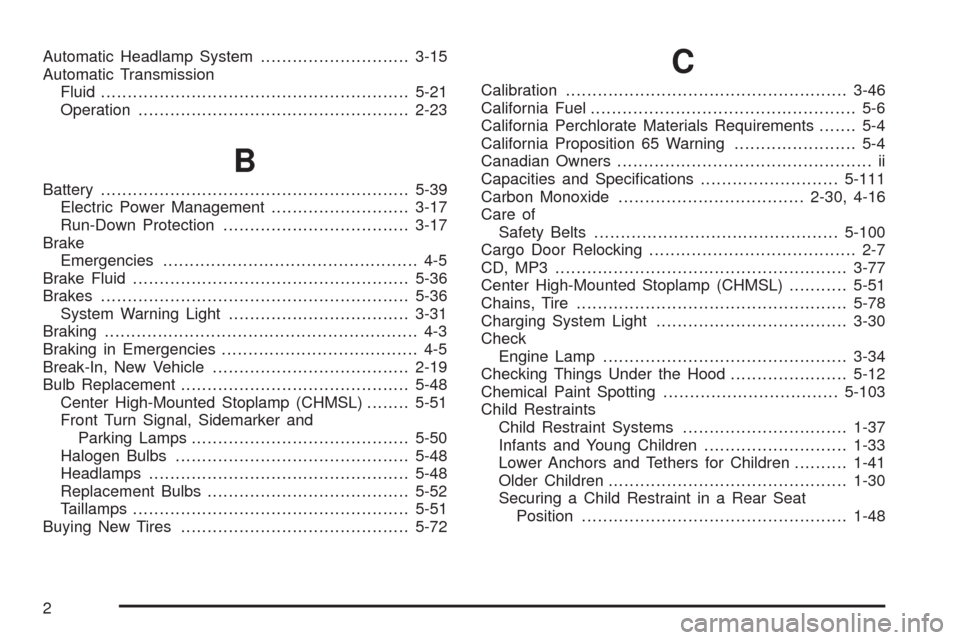
Automatic Headlamp System............................3-15
Automatic Transmission
Fluid..........................................................5-21
Operation...................................................2-23
B
Battery..........................................................5-39
Electric Power Management..........................3-17
Run-Down Protection...................................3-17
Brake
Emergencies................................................ 4-5
Brake Fluid....................................................5-36
Brakes..........................................................5-36
System Warning Light..................................3-31
Braking........................................................... 4-3
Braking in Emergencies..................................... 4-5
Break-In, New Vehicle.....................................2-19
Bulb Replacement...........................................5-48
Center High-Mounted Stoplamp (CHMSL)........5-51
Front Turn Signal, Sidemarker and
Parking Lamps.........................................5-50
Halogen Bulbs............................................5-48
Headlamps.................................................5-48
Replacement Bulbs......................................5-52
Taillamps....................................................5-51
Buying New Tires...........................................5-72
C
Calibration.....................................................3-46
California Fuel.................................................. 5-6
California Perchlorate Materials Requirements....... 5-4
California Proposition 65 Warning....................... 5-4
Canadian Owners................................................ ii
Capacities and Specifications..........................5-111
Carbon Monoxide...................................2-30, 4-16
Care of
Safety Belts..............................................5-100
Cargo Door Relocking....................................... 2-7
CD, MP3 .......................................................3-77
Center High-Mounted Stoplamp (CHMSL)...........5-51
Chains, Tire...................................................5-78
Charging System Light....................................3-30
Check
Engine Lamp..............................................3-34
Checking Things Under the Hood......................5-12
Chemical Paint Spotting.................................5-103
Child Restraints
Child Restraint Systems...............................1-37
Infants and Young Children...........................1-33
Lower Anchors and Tethers for Children..........1-41
Older Children.............................................1-30
Securing a Child Restraint in a Rear Seat
Position..................................................1-48
2
Page 399 of 408
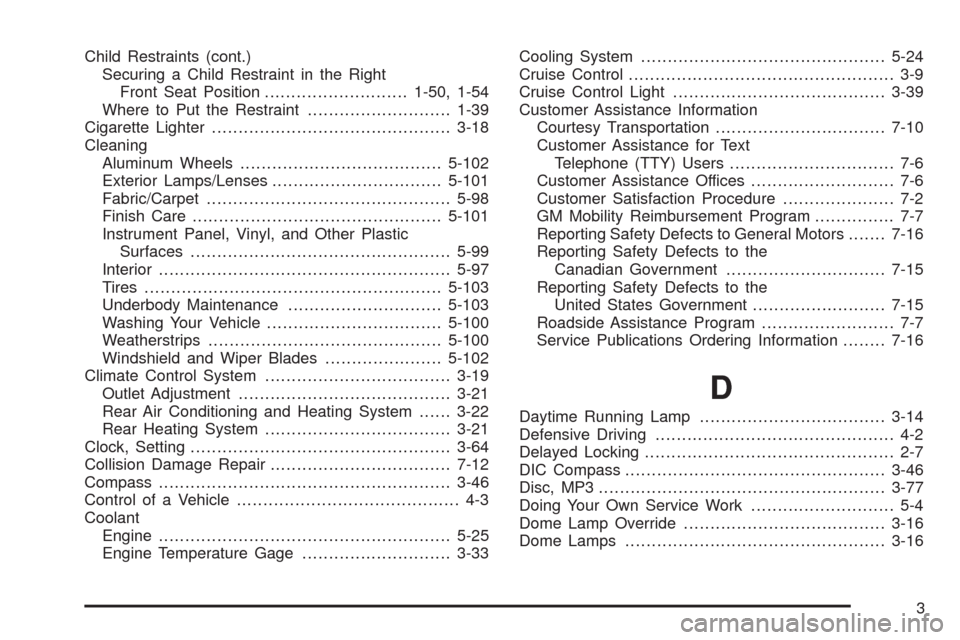
Child Restraints (cont.)
Securing a Child Restraint in the Right
Front Seat Position...........................1-50, 1-54
Where to Put the Restraint...........................1-39
Cigarette Lighter.............................................3-18
Cleaning
Aluminum Wheels......................................5-102
Exterior Lamps/Lenses................................5-101
Fabric/Carpet..............................................5-98
Finish Care...............................................5-101
Instrument Panel, Vinyl, and Other Plastic
Surfaces.................................................5-99
Interior.......................................................5-97
Tires........................................................5-103
Underbody Maintenance.............................5-103
Washing Your Vehicle.................................5-100
Weatherstrips............................................5-100
Windshield and Wiper Blades......................5-102
Climate Control System...................................3-19
Outlet Adjustment........................................3-21
Rear Air Conditioning and Heating System......3-22
Rear Heating System...................................3-21
Clock, Setting.................................................3-64
Collision Damage Repair..................................7-12
Compass.......................................................3-46
Control of a Vehicle.......................................... 4-3
Coolant
Engine.......................................................5-25
Engine Temperature Gage............................3-33Cooling System..............................................5-24
Cruise Control.................................................. 3-9
Cruise Control Light........................................3-39
Customer Assistance Information
Courtesy Transportation................................7-10
Customer Assistance for Text
Telephone (TTY) Users............................... 7-6
Customer Assistance Offices........................... 7-6
Customer Satisfaction Procedure..................... 7-2
GM Mobility Reimbursement Program............... 7-7
Reporting Safety Defects to General Motors.......7-16
Reporting Safety Defects to the
Canadian Government..............................7-15
Reporting Safety Defects to the
United States Government.........................7-15
Roadside Assistance Program......................... 7-7
Service Publications Ordering Information........7-16
D
Daytime Running Lamp...................................3-14
Defensive Driving............................................. 4-2
Delayed Locking............................................... 2-7
DIC Compass.................................................3-46
Disc, MP3......................................................3-77
Doing Your Own Service Work........................... 5-4
Dome Lamp Override......................................3-16
Dome Lamps .................................................3-16
3