3-1 CHEVROLET EXPRESS CARGO VAN 2009 1.G Owners Manual
[x] Cancel search | Manufacturer: CHEVROLET, Model Year: 2009, Model line: EXPRESS CARGO VAN, Model: CHEVROLET EXPRESS CARGO VAN 2009 1.GPages: 408, PDF Size: 2.36 MB
Page 1 of 408
Seats and Restraint System............................. 1-1
Front Seats
............................................... 1-2
Rear Seats
............................................... 1-6
Safety Belts
.............................................1-10
Child Restraints
.......................................1-30
Airbag System
.........................................1-58
Restraint System Check
............................1-78
Features and Controls..................................... 2-1
Keys
........................................................ 2-2
Doors and Locks
....................................... 2-6
Windows
.................................................2-13
Theft-Deterrent Systems
............................2-16
Starting and Operating Your Vehicle
...........2-19
Mirrors
....................................................2-32
Storage Areas
.........................................2-34
Instrument Panel............................................. 3-1
Instrument Panel Overview
.......................... 3-4
Climate Controls
......................................3-19
Warning Lights, Gages, and Indicators
........3-23
Driver Information Center (DIC)
..................3-41
Audio System(s)
.......................................3-63
Driving Your Vehicle....................................... 4-1
Your Driving, the Road, and the Vehicle
....... 4-2
Towing
...................................................4-25Service and Appearance Care.......................... 5-1
Service
..................................................... 5-3
Fuel
......................................................... 5-5
Checking Things Under the Hood
...............5-12
All-Wheel Drive
........................................5-44
Rear Axle
...............................................5-45
Front Axle
...............................................5-46
Noise Control System
...............................5-47
Bulb Replacement
....................................5-48
Windshield Wiper Blade Replacement
.........5-53
Tires
......................................................5-54
Appearance Care
.....................................5-97
Vehicle Identification
...............................5-104
Electrical System
....................................5-105
Capacities and Specifications
...................5-111
Maintenance Schedule..................................... 6-1
Maintenance Schedule
................................ 6-2
Customer Assistance Information.................... 7-1
Customer Assistance and Information
........... 7-2
Reporting Safety Defects
...........................7-15
Vehicle Data Recording and Privacy
...........7-18
Index................................................................ 1
2009 Chevrolet Express Owner ManualM
Page 118 of 408
Outside Heated Mirrors
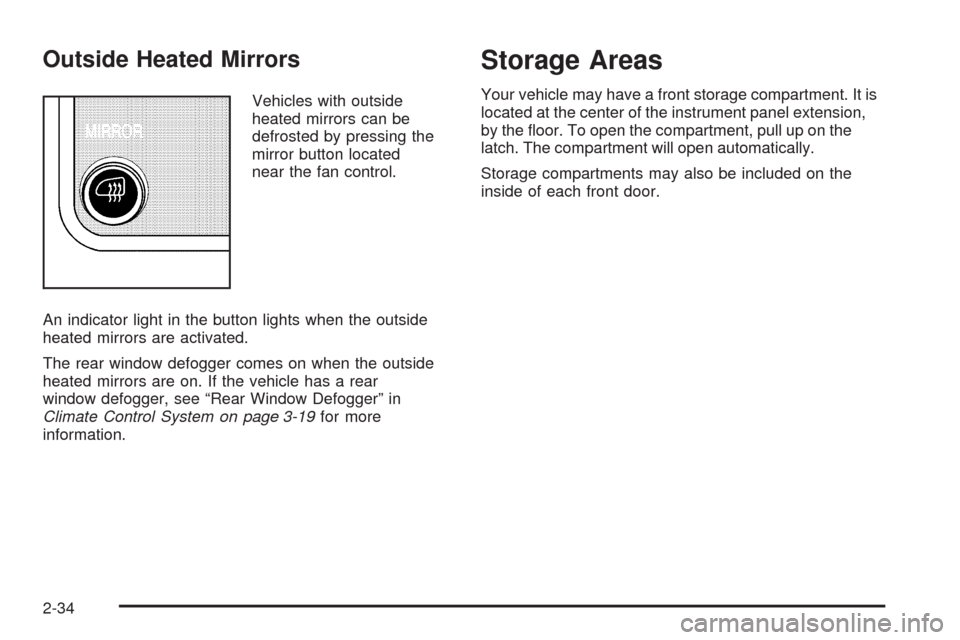
Vehicles with outside
heated mirrors can be
defrosted by pressing the
mirror button located
near the fan control.
An indicator light in the button lights when the outside
heated mirrors are activated.
The rear window defogger comes on when the outside
heated mirrors are on. If the vehicle has a rear
window defogger, see “Rear Window Defogger” in
Climate Control System on page 3-19for more
information.
Storage Areas
Your vehicle may have a front storage compartment. It is
located at the center of the instrument panel extension,
by the floor. To open the compartment, pull up on the
latch. The compartment will open automatically.
Storage compartments may also be included on the
inside of each front door.
2-34
Page 119 of 408
Instrument Panel Overview...............................3-4
Hazard Warning Flashers................................3-6
Horn .............................................................3-6
Tilt Wheel.....................................................3-6
Turn Signal/Multifunction Lever.........................3-7
Turn and Lane-Change Signals........................3-7
Headlamp High/Low-Beam Changer..................3-8
Flash-to-Pass.................................................3-8
Windshield Wipers..........................................3-8
Windshield Washer.........................................3-9
Cruise Control................................................3-9
Exterior Lamps.............................................3-12
Headlamps on Reminder................................3-14
Daytime Running Lamps (DRL).......................3-14
Automatic Headlamp System..........................3-15
Instrument Panel Brightness...........................3-15
Dome Lamps ...............................................3-16
Dome Lamp Override....................................3-16
Entry/Exit Lighting.........................................3-16
Reading Lamps............................................3-16
Electric Power Management...........................3-17
Battery Run-Down Protection..........................3-17
Accessory Power Outlet(s).............................3-18
Ashtray(s) and Cigarette Lighter......................3-18Climate Controls............................................3-19
Climate Control System.................................3-19
Outlet Adjustment.........................................3-21
Rear Heating System....................................3-21
Rear Air Conditioning and Heating System.......3-22
Warning Lights, Gages, and Indicators............3-23
Instrument Panel Cluster................................3-24
Speedometer and Odometer...........................3-25
Trip Odometer..............................................3-25
Safety Belt Reminders...................................3-26
Airbag Readiness Light
..................................3-27
Airbag Off Light............................................3-28
Passenger Airbag Status Indicator...................3-29
Charging System Light..................................3-30
Voltmeter Gage............................................3-31
Brake System Warning Light..........................3-31
Antilock Brake System (ABS) Warning Light.....3-32
StabiliTrak
®Indicator Light.............................3-33
Engine Coolant Temperature Gage..................3-33
Tire Pressure Light.......................................3-34
Malfunction Indicator Lamp.............................3-34
Oil Pressure Gage........................................3-37
Oil Pressure Light.........................................3-38
Security Light...............................................3-39
Section 3 Instrument Panel
3-1
Page 123 of 408
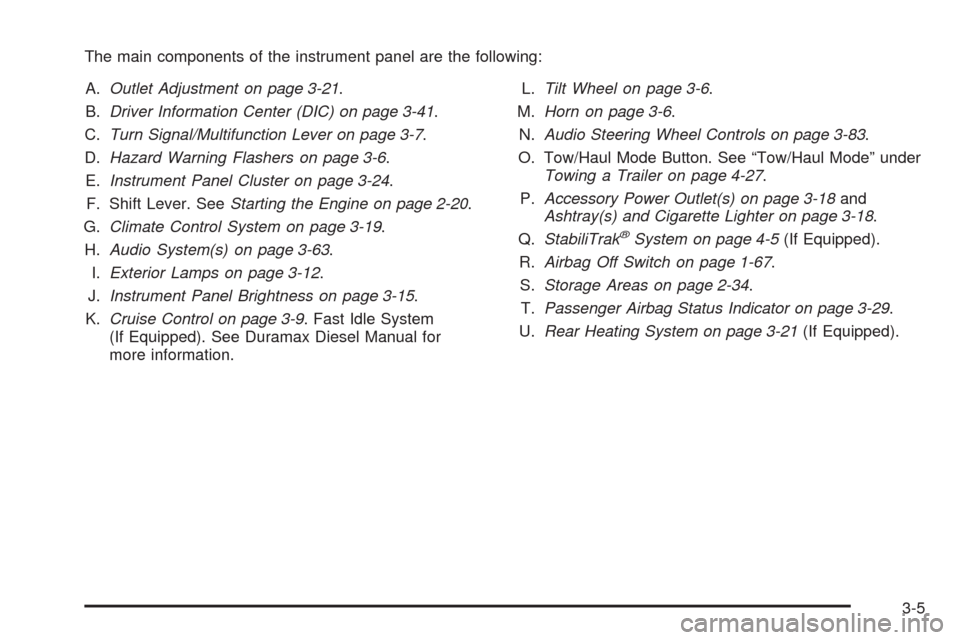
The main components of the instrument panel are the following:
A.Outlet Adjustment on page 3-21.
B.Driver Information Center (DIC) on page 3-41.
C.Turn Signal/Multifunction Lever on page 3-7.
D.Hazard Warning Flashers on page 3-6.
E.Instrument Panel Cluster on page 3-24.
F. Shift Lever. SeeStarting the Engine on page 2-20.
G.Climate Control System on page 3-19.
H.Audio System(s) on page 3-63.
I.Exterior Lamps on page 3-12.
J.Instrument Panel Brightness on page 3-15.
K.Cruise Control on page 3-9. Fast Idle System
(If Equipped). See Duramax Diesel Manual for
more information.L.Tilt Wheel on page 3-6.
M.Horn on page 3-6.
N.Audio Steering Wheel Controls on page 3-83.
O. Tow/Haul Mode Button. See “Tow/Haul Mode” under
Towing a Trailer on page 4-27.
P.Accessory Power Outlet(s) on page 3-18and
Ashtray(s) and Cigarette Lighter on page 3-18.
Q.StabiliTrak
®System on page 4-5(If Equipped).
R.Airbag Off Switch on page 1-67.
S.Storage Areas on page 2-34.
T.Passenger Airbag Status Indicator on page 3-29.
U.Rear Heating System on page 3-21(If Equipped).
3-5
Page 128 of 408
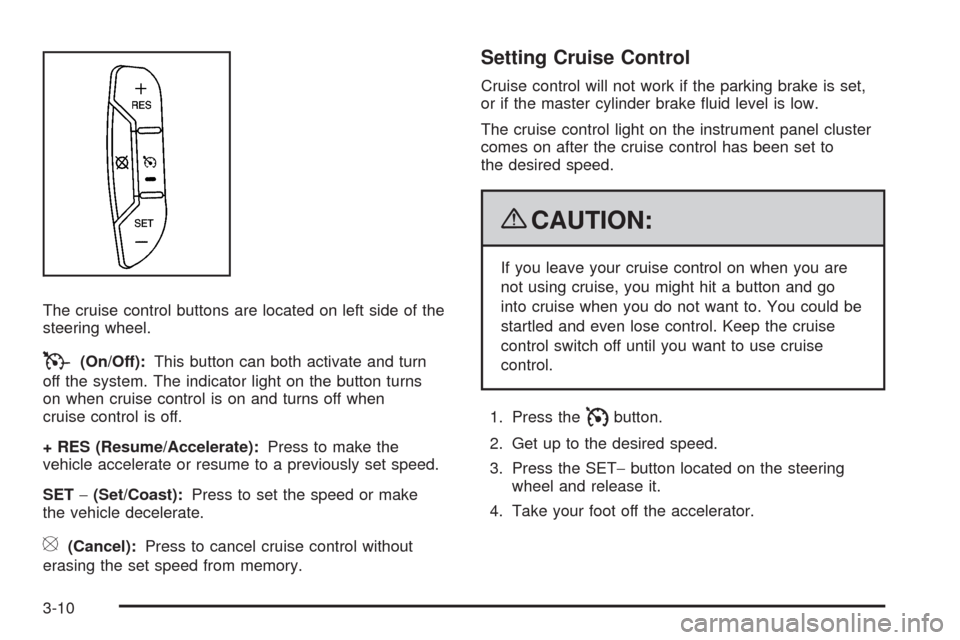
The cruise control buttons are located on left side of the
steering wheel.
T(On/Off):This button can both activate and turn
off the system. The indicator light on the button turns
on when cruise control is on and turns off when
cruise control is off.
+ RES (Resume/Accelerate):Press to make the
vehicle accelerate or resume to a previously set speed.
SET−(Set/Coast):Press to set the speed or make
the vehicle decelerate.
[(Cancel):Press to cancel cruise control without
erasing the set speed from memory.
Setting Cruise Control
Cruise control will not work if the parking brake is set,
or if the master cylinder brake fluid level is low.
The cruise control light on the instrument panel cluster
comes on after the cruise control has been set to
the desired speed.
{CAUTION:
If you leave your cruise control on when you are
not using cruise, you might hit a button and go
into cruise when you do not want to. You could be
startled and even lose control. Keep the cruise
control switch off until you want to use cruise
control.
1. Press the
Ibutton.
2. Get up to the desired speed.
3. Press the SET−button located on the steering
wheel and release it.
4. Take your foot off the accelerator.
3-10
Page 129 of 408
Resuming a Set Speed
If the cruise control is set at a desired speed and
then the brakes are applied, this shuts off the cruise
control. But it does not need to be reset.
Once the vehicle speed reaches about 25 mph
(40 km/h) or more, press the +RES button on the
steering wheel. The vehicle returns to the previously
set speed and stays there.
Increasing Speed While Using Cruise
Control
To increase the cruise speed while using cruise control:
•Press and hold the +RES button on the steering
wheel until the desired speed is reached, then
release it.
•To increase vehicle speed in small increments,
press the +RES button. Each time this is done,
the vehicle goes about 1 mph (1.6 km/h) faster.
Reducing Speed While Using Cruise
Control
To reduce the vehicle speed while using cruise control:
•Press and hold the SET– button on the steering
wheel until the desired lower speed is reached,
then release it.
•To slow down in very small amounts, press
the SET– button on the steering wheel briefly.
Each time this is done, the vehicle goes about
1 mph (1.6 km/h) slower.
Passing Another Vehicle While Using
Cruise Control
Use the accelerator pedal to increase the vehicle speed.
When you take your foot off the pedal, the vehicle will
slow down to the previous set cruise speed.
3-11
Page 130 of 408
Using Cruise Control on Hills
How well the cruise control will work on hills depends
upon the vehicle speed, load, and the steepness of the
hills. When going up steep hills, you might have to step
on the accelerator pedal to maintain the vehicle’s speed.
When going downhill, you might have to brake or shift to
a lower gear to keep the vehicle’s speed down. When the
brakes are applied the cruise control turns off.
Ending Cruise Control
There are three ways to end cruise control:
•Step lightly on the brake pedal.
•Press the[button on the steering wheel.
•Press theIbutton on the steering wheel.
Erasing Speed Memory
The cruise control set speed memory is erased when
the cruise control or the ignition is turned off.
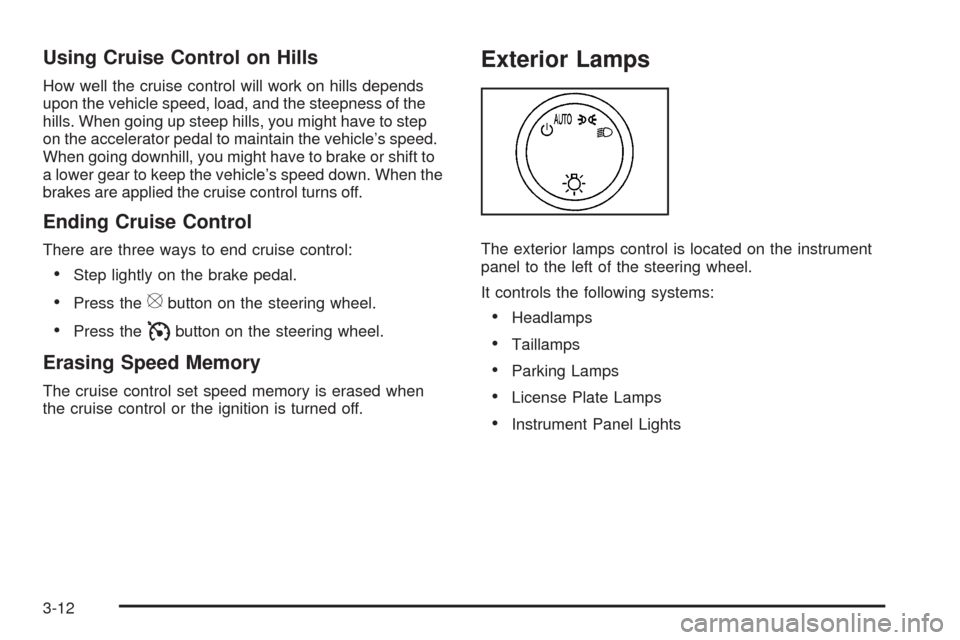
Exterior Lamps
The exterior lamps control is located on the instrument
panel to the left of the steering wheel.
It controls the following systems:
•Headlamps
•Taillamps
•Parking Lamps
•License Plate Lamps
•Instrument Panel Lights
3-12
Page 131 of 408
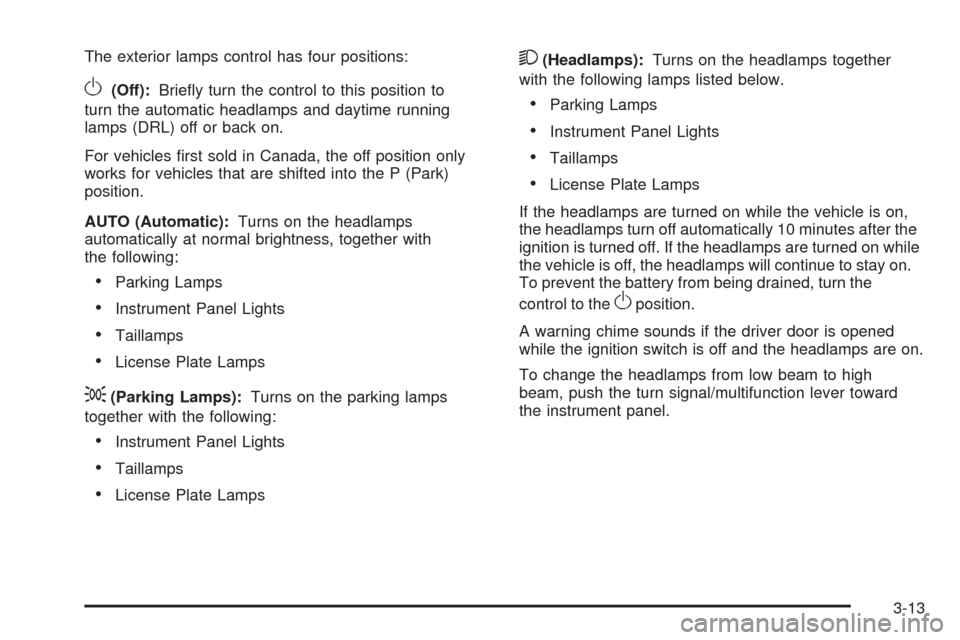
The exterior lamps control has four positions:
O(Off):Briefly turn the control to this position to
turn the automatic headlamps and daytime running
lamps (DRL) off or back on.
For vehicles first sold in Canada, the off position only
works for vehicles that are shifted into the P (Park)
position.
AUTO (Automatic):Turns on the headlamps
automatically at normal brightness, together with
the following:
•Parking Lamps
•Instrument Panel Lights
•Taillamps
•License Plate Lamps
;(Parking Lamps):Turns on the parking lamps
together with the following:
•Instrument Panel Lights
•Taillamps
•License Plate Lamps
2(Headlamps):Turns on the headlamps together
with the following lamps listed below.
•Parking Lamps
•Instrument Panel Lights
•Taillamps
•License Plate Lamps
If the headlamps are turned on while the vehicle is on,
the headlamps turn off automatically 10 minutes after the
ignition is turned off. If the headlamps are turned on while
the vehicle is off, the headlamps will continue to stay on.
To prevent the battery from being drained, turn the
control to the
Oposition.
A warning chime sounds if the driver door is opened
while the ignition switch is off and the headlamps are on.
To change the headlamps from low beam to high
beam, push the turn signal/multifunction lever toward
the instrument panel.
3-13
Page 132 of 408
Headlamps on Reminder
If a door is open, a reminder chime sounds when the
headlamps or parking lamps are manually turned on and
the key is out of the ignition. To turn off the chime, turn
the headlamp switch to off or auto and then back on,
or close and re-open the door. In the auto mode, the
headlamps turn off once the ignition is in LOCK/OFF or
may remain on until the headlamp delay ends, if enabled
in the Driver Information Center (DIC). See “Exit Lighting”
underDIC Vehicle Customization on page 3-57.
Daytime Running Lamps (DRL)
Daytime Running Lamps (DRL) can make it easier for
others to see the front of your vehicle during the day.
Fully functional daytime running lamps are required
on all vehicles first sold in Canada.The DRL system comes on in daylight when the
following conditions are met:
•The ignition is on.
•The exterior lamps control is in the AUTO position.
•The shift lever is not in P (Park).
•The light sensor determines it is daytime.
When the DRL are on, the taillamps, sidemarker,
instrument panel and other lamps will not be on.
The automatic headlamp system automatically switches
from DRL to the headlamps depending on the darkness
of the surroundings.
To turn off the DRL, turn the exterior lamp control to the
off position and then release it. For vehicles first sold
in Canada, the transmission must be in the P (Park)
position, before the DRL can be turned off.
3-14
Page 133 of 408
Automatic Headlamp System
When it is dark enough outside and the headlamp
switch is in AUTO, the automatic headlamp system turns
on the headlamps, along with the taillamps, sidemarker,
parking lamps, roof marker lamps, and the instrument
panel lights. The radio lights will also be dim.
To turn off the automatic headlamp system, turn the
exterior lamps switch to the off position and then release.
For vehicles first sold in Canada, the transmission must
be in the P (Park) position, before the automatic
headlamp system can be turned off.
The vehicle has a light sensor located on the top of
the instrument panel. Do not cover the sensor or
the system will come on whenever the ignition is on.
The system may also turn on the headlamps when
driving through a parking garage or tunnel.
There is a delay in the transition between the daytime
and nighttime operation of the Daytime Running Lamps
(DRL) and the automatic headlamp systems so that
driving under bridges or bright overhead street lights does
not affect the system. The DRL and automatic headlamp
system is only affected when the light sensor sees a
change in lighting lasting longer than the delay.If the vehicle is started in a dark garage, the automatic
headlamp system comes on immediately. Once the
vehicle leaves the garage, it takes approximately
30 seconds for the automatic headlamp system to
change to DRL if it is light outside. During that delay,
the instrument panel cluster may not be as bright
as usual. Make sure the instrument panel brightness
control is in the full bright position. SeeInstrument
Panel Brightness on page 3-15.
Instrument Panel Brightness
The knob for this feature is located next to the exterior
lamps control.
D(Instrument Panel Lights):Push knob to extend
and then turn clockwise or counterclockwise to brighten
or dim the instrument panel lights and the radio display.
This only works if the headlamps or parking lamps are on.
To turn on the dome lamps, with the vehicle doors
closed, turn the knob all the way clockwise.
3-15